Author: Princess Keno

  • How to Get a Jamaica Virtual Number in Nigeria: A Complete Guide

    Need a Caribbean number without leaving Lagos, Abuja or Port Harcourt? Getting a Jamaica virtual number in Nigeria is easier than you might think. You don’t need a physical SIM card, a trip abroad or a relative living in Jamaica to get started.

    With a virtual number, you can access a Jamaican phone number from anywhere in Nigeria using an internet connection. Whether you need it for account verification, business communication or a second phone line, the process is relatively straightforward.

    In this guide, we’ll explain what a Jamaican virtual number is, whether you can use one for WhatsApp, how to buy a Jamaica number online and what to consider before making a purchase.

    Quick Answer: How to Get a Jamaica Virtual Number in Nigeria

    You can purchase a Jamaican virtual number online from Nigeria without needing a Jamaican SIM card. Simply choose a reliable provider, create an account, fund your wallet, select Jamaica and the service you need, and retrieve your verification code from your dashboard.

    However, if you intend to use the number for WhatsApp, understand that not all virtual numbers are supported.

    Here’s what you need to know:

    • Country code: +1
    • Area codes: 876 and 658
    • Requirements: An online account, a supported payment method and a clear purpose for the number.
    • Common uses: Account verification, business communication and maintaining a second phone line.
    • Important consideration: Some virtual number types may not work with certain applications, and rental numbers can expire.

    What Is a Jamaican Virtual Number?

    A virtual number is a phone number that operates without being connected to a physical SIM card. Instead of receiving messages through a traditional mobile network, you access incoming SMS messages and, depending on the provider, calls through an app, website or online dashboard.

    Jamaica is part of the North American Numbering Plan (NANP). This means it shares the +1 country code with countries such as the United States and Canada.

    However, Jamaican phone numbers have their own area codes: 876 and 658. The 658 area code was introduced in 2019 as an overlay for the island.

    A Jamaican phone number typically follows this format:

    • +1 876 XXX XXXX
    • +1 658 XXX XXXX

    With a Jamaica virtual number in Nigeria, you can access a number with these prefixes without travelling to the Caribbean or purchasing a physical SIM card.

    Why Do Nigerians Buy Jamaican Virtual Numbers?

    There are several reasons someone in Nigeria might need a Jamaican phone number. Your intended use will determine the type of number you should purchase.

    Here are some common applications:

    1. Account Verification

    Some websites and online services require users to provide a phone number before creating an account or accessing certain features. A virtual number can help you receive one-time passwords (OTPs) where the platform accepts that number type.

    2. Maintaining a Second Phone Line

    If you manage multiple online accounts, run side projects or frequently shop on international platforms, having a separate number can help you keep your personal and online activities organised.

    3. Business Communication

    Businesses working with Jamaican customers or partners may benefit from having a local contact number. It can make communication more convenient for people who prefer contacting businesses through familiar country codes.

    4. Protecting Your Personal Number

    A separate number can help reduce how often you share your primary phone number with websites and online platforms. This is particularly useful when dealing with services you don’t regularly use.

    Remember to use virtual numbers for legitimate purposes and follow the rules of the platforms where you register. Using them for spam, fraud or ban evasion can result in account restrictions.

    Can You Use a Jamaica Virtual Number for WhatsApp?
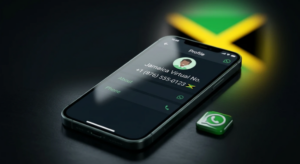
    Jamaica virtual number in Nigeria

    Yes, some people report successfully registering WhatsApp accounts with virtual numbers. However, this doesn’t mean every Jamaican virtual number will work.

    WhatsApp requires users to verify their phone numbers through an SMS or phone call. More importantly, its official registration guidelines list VoIP numbers, toll-free numbers and landlines as unsupported for the standard WhatsApp application. Landlines are accepted only on WhatsApp Business.

    This means the success of a Jamaica virtual number for WhatsApp depends on the number type, provider and WhatsApp’s verification requirements.

    You can read the details in WhatsApp’s guide to registering a phone number.

    If you intend to try one, keep these points in mind:

    • Choose a private number: Avoid free public SMS websites. Other people can view incoming messages and potentially access accounts registered with those numbers.
    • Check number compatibility: Confirm that the number type is suitable for the application you’re trying to register.
    • Consider number validity: If you’re using a rental number, make sure you understand how long it remains active.
    • Secure your account: Enable WhatsApp two-step verification and add a recovery email where available.
    • Keep your verification details private: Never share your OTP with anyone.

    Also, remember that WhatsApp and WhatsApp Business require separate phone numbers for registration.

    How to Buy a Jamaica Number Online: Step-by-Step Guide

    Getting a Jamaican virtual number doesn’t require complicated procedures. Once you’ve selected a provider, you can complete the process online.

    Here’s how:

    Step 1: Decide What You Need the Number For

    Start by identifying your purpose. Do you need the number for account verification, business communication or a second phone line?

    This matters because different services may require different number types.

    Step 2: Check the Required Features

    Determine whether you need a number that receives SMS messages, voice calls or both.

    Some virtual numbers support SMS verification only, while others offer additional calling features.

    Step 3: Choose a Reliable Provider

    Look for a provider with transparent pricing, accessible customer support and clear refund policies.

    Avoid purchasing from random social media accounts or sellers who cannot explain their services.

    Step 4: Create an Account and Fund Your Wallet

    Register with your chosen provider and add funds using one of its supported payment methods.

    If you’re paying in naira for a dollar-priced service, account for possible exchange rate differences and transaction fees.

    Step 5: Select Jamaica and Your Preferred Service

    Navigate to the virtual numbers section and select Jamaica from the available countries.

    Choose the application or service you intend to use the number for, then review the available options before proceeding.

    Step 6: Purchase Your Number and Retrieve the Code

    Complete your payment and access the number provided.

    Enter it into the application you’re registering on, request the verification code and check your provider’s dashboard for the incoming message.

    Step 7: Secure Your Account

    Once verification is complete, enable the available security features on your newly registered account.

    If you purchased a rental number, keep track of its expiration date to avoid losing access.

    Buying a Jamaica Virtual Number in Nigeria on Nexar

    If you’re looking for a convenient way to purchase international virtual numbers, Nexar provides a platform where users can select numbers from different countries for account verification.

    You can check whether Jamaica is currently available and explore the services supported on the platform.

    Here’s how to get started:

    1. Visit the Nexar website or open the app.
    2. Sign up for an account or log in if you’re already registered.
    3. Navigate to the Virtual Numbers section.
    4. Select Jamaica from the country list.
    5. Choose the service you need the number for, such as WhatsApp or another supported application.
    6. Complete your payment and receive your number.
    7. Enter the number into the application you’re registering on and retrieve your verification code from Nexar.

    Keep in mind that country and service availability can change. Check the platform for current options before funding your wallet.

    Want to see the process in action? Follow our visual walkthrough: How to Buy a Jamaica Virtual Number on Nexar.

    You can also visit Nexar’s virtual numbers page to explore the available countries and supported services.

    What Determines the Price of a Jamaican Virtual Number?
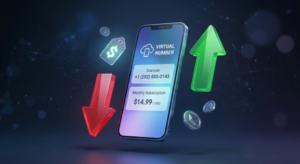
    Jamaican virtual number price

    The cost of a Jamaican virtual number depends on several factors. Different providers have different pricing structures, and the amount you pay may change over time.

    Before making a purchase, consider the following:

    Pricing factor What it means
    One-time purchase vs. rental One-time numbers are generally intended for a single verification, while rental numbers remain available for a specified period.
    SMS vs. SMS and calls Numbers that support both SMS and voice calls may offer more flexibility.
    Validity period Longer rental periods may cost more but can reduce the risk of losing access to the number.
    Provider fees Some platforms charge additional service fees or require minimum wallet deposits.
    Exchange rates Dollar-priced services may cost different amounts in naira depending on the prevailing exchange rate.

    Compare the total cost rather than looking at the advertised price alone. This helps you avoid unexpected charges during checkout.

    Common Mistakes to Avoid When Buying a Jamaican Virtual Number

    Getting a virtual number is relatively simple, but a few mistakes can create problems later.

    Here are some things to avoid:

    1. Using Free Public SMS Websites

    Free SMS websites allow multiple people to view incoming messages. This makes them unsuitable for sensitive accounts and can expose your verification codes.

    2. Forgetting Your Rental Expiration Date

    If your rental period ends, you may lose access to the number. If an application requests another verification code later, recovering your account could become difficult.

    3. Sharing Your Verification Code

    Your OTP is private. Never send it to another person, even if they claim to be a representative of your provider.

    4. Assuming Every Virtual Number Works With Every Application

    Different applications have different verification requirements. Always check whether the number type is supported before purchasing.

    5. Buying From Unverified Sellers

    Purchasing from random social media sellers can expose you to unreliable services, hidden charges and poor customer support.

    Choose a provider with clear terms and accessible support.

    6. Using Virtual Numbers for Suspicious Activities

    Virtual numbers should be used responsibly. Activities such as fraud, spam and attempts to bypass platform restrictions can lead to blocked numbers and suspended accounts.

    Frequently Asked Questions

    1. Can I buy a Jamaican number from Nigeria?

    Yes. You can purchase a Jamaican virtual number online from Nigeria without travelling to Jamaica or owning a Jamaican SIM card. All you need is an account with a provider and a supported payment method.

    2. What is the country code for Jamaica?

    Jamaica uses the +1 country code, with 876 and 658 as its area codes. Both area codes cover the island.

    3. Will a Jamaica virtual number for WhatsApp always work?

    No. WhatsApp’s official registration guidelines list VoIP numbers as unsupported for the standard application. Some users report successful verification with certain virtual numbers, but results vary depending on the number type and provider.

    4. Is it legal to use a Jamaican virtual number?

    Virtual numbers are commonly used for legitimate activities such as account verification, business communication and maintaining separate phone lines. However, you should comply with applicable laws and the terms of the services where you use the number. This information is not legal advice.

    5. How long does a Jamaican virtual number last?

    The validity depends on the provider and purchase plan. Some numbers are available for a single verification, while others can be rented for days, weeks or months.

    6. Do I need a Jamaican SIM card or bank account?

    No. A virtual number operates over the internet, so you don’t need a physical Jamaican SIM card or local bank account. You only need a payment method accepted by your chosen provider.

    7. Can I receive SMS messages on a Jamaica virtual number in Nigeria?

    Yes, provided the number supports incoming SMS and the service sending the message accepts that number type. You can usually access received messages through your provider’s dashboard or application.

    Final Thoughts

    Getting a Jamaican phone number from Nigeria is a straightforward process when you understand how virtual numbers work. You can purchase one online, receive verification messages and access certain services without needing a physical SIM card.

    The important thing is to choose a reliable provider, understand the number’s limitations and check that it supports your intended use.

    If you want to get started with Nexar, visit the platform, check Jamaica’s availability under Virtual Numbers and follow the steps outlined in this guide.
  • How to Buy a Dominica Virtual Number in Nigeria

    Getting a phone number from another country can be useful when you need to access an online service, manage international communications, or register on a platform that supports numbers from a specific location. For Nigerians looking for a Caribbean phone number, a Dominica virtual number in Nigeria may be an option worth exploring.

    A virtual number allows you to access a telephone number through an online service without necessarily purchasing a physical SIM card from the country associated with that number. Depending on the provider, it may support receiving SMS messages, phone calls, or verification codes for compatible services.

    However, not all virtual numbers have the same features, and not every website or application accepts them. If you want to buy a Dominica number online, you should first confirm its availability, supported features, and compatibility with the service you intend to use.

    This guide explains how Dominica virtual numbers work, what to consider before purchasing one, and how to explore international virtual number services through Nexar.

    What Is a Dominica Virtual Number?

    A Dominica virtual number is a telephone number associated with Dominica, the Caribbean island nation, that can be accessed through a virtual number service rather than a conventional physical SIM card.

    Dominica uses the international telephone calling code +1 767. It is important not to confuse Dominica with the Dominican Republic, which uses different area codes. They are separate countries with different telephone numbering arrangements.

    Depending on the provider and number type, a Dominica virtual number may support receiving SMS messages, registering on compatible platforms, or managing certain online communications.

    People may look for a Dominica virtual number for several reasons:

    • Registering on online platforms that accept Dominica numbers.
    • Receiving verification messages where virtual numbers are permitted.
    • Managing supported international digital accounts.
    • Keeping certain online registrations separate from a personal phone number.
    • Exploring communication options associated with Dominica without travelling there.

    The available features depend on the provider. Some numbers may support SMS only, while others may have different restrictions. Always check the specific number’s capabilities before making a purchase.

    Can You Buy a Dominica Virtual Number in Nigeria?

    You can explore online providers that offer international virtual numbers without travelling to Dominica. However, the availability of Dominica numbers depends on the provider and the service you want to use.

    Before purchasing a number, confirm that the provider offers numbers associated with Dominica, including the correct country code, and check whether the number supports your intended application.

    Nexar provides virtual number services for users who need numbers from different countries. You can visit Nexar’s official website to explore its virtual number services and check the countries and applications currently available.

    Do not assume that Dominica is available for every application. Confirm that it appears in the current selection for your intended service before funding your account or placing an order.

    How to Buy a Dominica Number Online Through Nexar

    If Dominica numbers are available for your intended application, follow these steps to explore the options through Nexar.

    Step 1: Create a Nexar Account

    Visit Nexar’s official website to register or sign in. Once you have access to your account, you can explore the available services.

    Step 2: Open the Virtual Number Section

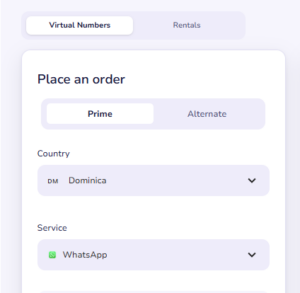
    When you click on the virtual number section, choose Dominica from the country list.

    Step 3: Select Your Intended Application

    Select the service you need the number for, such as WhatsApp or another app.

    Step 4: Complete Your Purchase

    Pay and get your number, then request the verification code in the app you are registering. Afterwards, you can complete your verification with the code you have received.

    Can You Use a Dominica Virtual Number for WhatsApp?

    One reason people search for a Dominica virtual number for WhatsApp is to register an account using a number associated with Dominica.

    However, buying a virtual number does not guarantee that WhatsApp will accept it. WhatsApp may reject numbers depending on their type, provider, previous usage, or other verification checks. The number must also support the verification method WhatsApp makes available to you.

    Before purchasing a Dominica number for WhatsApp, consider the following factors.

    Country and Number Availability

    Confirm that a Dominica number is available through your chosen provider. Check that the number is associated with the correct country and that the intended service is supported.

    Dominica Virtual Number
    Dominica Whatsapp is available on Nexarhq.com

    Verification Compatibility

    Check whether the number can receive the verification code required by WhatsApp. A number that receives SMS messages from one service may not work with another.

    WhatsApp Acceptance

    Virtual numbers may be rejected even when they can receive SMS from other platforms. Do not purchase a number with the expectation that WhatsApp registration is guaranteed.

    Previous Use

    Some numbers may have been used by previous customers or reassigned by a provider. This can create complications if a number is already associated with another account.

    Account Security

    Use the number in accordance with WhatsApp’s terms and applicable provider restrictions. Avoid using virtual numbers for spam, impersonation, or unauthorised account activity.

    If WhatsApp is your main reason for purchasing a number, check the specific options available through Nexar before paying. A number available for another application may not necessarily work with WhatsApp.

    What Are the Benefits of a Dominica Virtual Number?

    The benefits depend on the number type, the provider’s features, and the platform you intend to use.

    1. Online Access From Nigeria

    Virtual number services allow you to explore international phone numbers remotely without travelling to Dominica or purchasing a physical SIM card there.

    2. Convenient Digital Management

    An online platform may make it easier to access supported numbers and manage verification orders from one place.

    3. International Registration Options

    For websites and applications that accept Dominica numbers, a compatible number may provide another option for registration or verification.

    4. Separation From Your Personal Number

    A separate number can help you keep certain online registrations apart from your primary phone number, provided the target service permits this arrangement.

    These benefits are not universal. Check the capabilities and limitations of the specific number before relying on it.

    Things to Consider Before Buying a Dominica Virtual Number

    Before you buy a Dominica number online, review these important factors.

    Availability

    Dominica numbers may not be offered by every provider or for every application. Confirm availability before making a payment.

    SMS and Call Support

    Some numbers support SMS only, while others may offer different features. Check what is included in the specific service you select.

    Verification Restrictions

    Messaging applications, banking services, government platforms, and other websites may impose restrictions on virtual or temporary numbers. A number that works for one platform may be unsuitable for another.

    Pricing

    Review the displayed price and the features included in the purchase. Check whether the number is temporary, service-specific, or subject to usage restrictions.

    Account Security

    Avoid relying on a temporary number as the only recovery method for an important account. If the number expires or is reassigned, you may lose access to future verification messages.

    Correct Country Selection

    Make sure you select Dominica rather than the Dominican Republic. Their names are similar, but they are different countries with different telephone numbering arrangements.

    Frequently Asked Questions

    How can I get a Dominica virtual number in Nigeria?

    You can explore international virtual number providers online. On Nexar, visit the virtual number section and check whether Dominica is available for your intended service before placing an order.

    Can I buy a Dominica number online without travelling?

    Yes. Online virtual number services allow users to explore numbers associated with other countries remotely. Availability, supported features, and purchasing requirements depend on the provider.

    Can I use a Dominica virtual number for WhatsApp?

    Possibly, if the number is available, supports the required verification method, and is accepted by WhatsApp. Acceptance is not guaranteed, so check compatibility before paying.

    What is Dominica’s telephone country code?

    Dominica uses the international calling code +1 767. It should not be confused with the Dominican Republic, which uses different area codes.

    Can I use a Dominica virtual number for banking?

    Do not assume that a virtual number will work for banking or financial accounts. Many financial institutions apply stricter verification requirements and may reject virtual or temporary numbers. Check the institution’s requirements before using one.

    Does Nexar always have Dominica virtual numbers available?

    Availability can vary by country, application, and provider. Visit Nexar to check its currently available virtual number options before making a purchase.

    Final Thoughts

    A Dominica virtual number in Nigeria can be an option for people exploring international digital services, but the right choice depends on availability, supported features, and the requirements of the platform where the number will be used.

    Before you buy a Dominica number online, confirm that the country is available, review the price, and check whether the number supports your intended application. If you need a Dominica virtual number for WhatsApp, remember that virtual number acceptance is not guaranteed.

    Nexar provides virtual number services for users looking to explore international number options from Nigeria. Visit Nexar to explore available countries and supported virtual number services and confirm which options are currently available for your needs.


  • eSIM for Spain: Where to Buy One and What to Know

    Planning a trip to Spain?

    One of the first things you will need after landing is reliable mobile data.

    You need internet for Google Maps, airport directions, hotel bookings, ride-hailing apps, WhatsApp, restaurant searches, translation apps, and keeping in touch with family and friends.

    Instead of waiting at an airport shop to buy a physical SIM card, you can use an eSIM for Spain.

    A travel eSIM can be purchased before your trip and activated on a compatible phone, allowing you to connect to mobile data as soon as you arrive.

    In this guide, we will explain what a Spain eSIM is, where to buy one, what to check before purchasing, and how Nexar can help you stay connected during your trip.

    What Is an eSIM for Spain?

    eSIM for Spain

    An eSIM is a digital SIM that is built into your compatible smartphone.

    Unlike a traditional SIM card, you do not need to physically insert anything into your phone.

    A Spain eSIM provides mobile data through a supported network while you are travelling in Spain.

    This can be especially useful for international travelers because you can keep your normal SIM card in your phone while using the eSIM for mobile data.

    Nexar’s travel eSIM service is designed for data connectivity and allows travelers to keep their main SIM active while using the eSIM for internet access. (Nexar)

    Why Use a Spain eSIM Instead of a Physical SIM?

    There are several advantages.

    No Airport SIM Shopping

    You can purchase your eSIM before leaving home.

    That means you do not have to find a mobile shop immediately after landing.

    No Physical SIM Card

    There is nothing to remove from your phone and nothing small to lose.

    Keep Your Main Number

    You can keep your regular Nigerian SIM in the phone while using the eSIM for data, depending on your device and settings.

    Nexar specifically notes that its eSIM can be used for data while your regular SIM remains active for calls and SMS. (Nexar)

    Easy Activation

    A compatible eSIM can be installed digitally, usually through a QR code or activation instructions.

    Useful for Travel

    Your internet connection can be ready when you need maps, messaging, translation, and other travel apps.

    Where Can You Buy an eSIM for Spain?

    You have several choices when looking for a Spanish eSIM.

    You can purchase a travel eSIM from an international eSIM provider before your trip.

    For Nigerians travelling to Spain, Nexar is one option to consider because it provides travel eSIM plans covering multiple countries.

    Nexar’s eSIM platform allows you to select your destination, purchase a plan, receive the eSIM, and activate it by scanning the provided QR code. You can check the available options through Nexar eSIM.

    How to Buy an eSIM for Spain on Nexar

    The process is straightforward.

    Step 1: Open Nexar

    Visit Nexar and open the eSIM section.

    Step 2: Select Spain

    Search for Spain among the available destinations.

    Nexar provides eSIM coverage across many countries, although available plans and destinations can change. 

    Step 3: Choose Your Data Plan

    Review the available Spain plans.

    Pay attention to:

    • Data allowance
    • Validity period
    • Price
    • Coverage
    • Activation requirements

    Choose a plan based on how long you expect to stay and how much data you normally use.

    Step 4: Purchase the eSIM

    Complete the payment process.

    Nexar says the eSIM is sent after payment, allowing you to proceed with installation and activation. (Nexar)

    Step 5: Install the eSIM

    Follow the instructions provided with your eSIM.

    Depending on your phone, this may involve scanning a QR code through the mobile or cellular settings.

    It is a good idea to install the eSIM before travelling while you still have a stable internet connection.

    Step 6: Activate Your Data

    Once you arrive in Spain, select the eSIM as your mobile-data line if required.

    Your phone should then connect to a supported network.

    Spain eSIM for Travelers: What Does It Cover?

    A Spain eSIM is particularly useful for mobile data.

    You can use your data connection for:

    • Google Maps
    • WhatsApp
    • Uber or other transport apps
    • Hotel bookings
    • Google Search
    • Social media
    • Email
    • Video calls
    • Translation apps
    • Online banking
    • Travel information

    Nexar’s eSIM service is data-only, meaning the eSIM itself does not provide traditional phone calls or SMS. However, internet-based services such as WhatsApp, FaceTime and Skype can work over the data connection. (Nexar)

    Can You Use WhatsApp With a Spanish eSIM?

    Yes.

    If your WhatsApp account is already registered to your normal phone number, you can generally continue using WhatsApp over the eSIM’s mobile data connection.

    Your WhatsApp account does not automatically change simply because you are using a different data connection.

    This is useful for travelers who want to stay in contact with family and friends without paying traditional roaming charges.

    Can You Keep Your Nigerian SIM While Using a Spain eSIM?

    Sim Card Pictures | Download Free Images on Unsplash

    On compatible dual-SIM devices, yes.

    You can keep your Nigerian physical SIM in the phone while using the Spain eSIM for data.

    This means you can maintain access to your regular number while using the travel eSIM for internet connectivity.

    However, be careful with your Nigerian SIM’s roaming settings. If you do not want roaming charges, make sure your phone is configured to use the Spain eSIM for mobile data.

    Nexar also highlights the ability to keep your main SIM active while using its eSIM for data. (Nexar)

    Is Your Phone Compatible With eSIM?

    Before buying a Spain eSIM, check whether your phone supports eSIM technology.

    Many recent smartphones do, but compatibility depends on the specific model and sometimes the region where the device was purchased.

    Nexar lists examples including:

    • iPhone XS and newer
    • Samsung Galaxy S20 and newer
    • Google Pixel 3 and newer

    You should still check your exact phone model before purchasing. (Nexar)

    How Much Data Do You Need for Spain?

    This depends on how you use your phone.

    Light User

    If you mainly use WhatsApp, maps, email, and occasional browsing, a smaller data plan may be enough.

    Moderate User

    If you regularly use social media, maps, music streaming, and video calls, choose a larger allowance.

    Heavy User

    If you stream lots of video, upload content, use your phone as a hotspot, or work online while travelling, you will need considerably more data.

    A good approach is to look at your current mobile-data usage and use that as a starting point.

    Spain eSIM vs Physical SIM

    Feature Spain eSIM Physical SIM
    Physical card required No Yes
    Can buy before travelling Yes Usually
    Airport shop required No Sometimes
    Installation Digital Physical insertion
    Keep main SIM Often yes Depends on device
    Risk of losing SIM Very low Possible
    Data-only plans Common Available
    Useful for travelers Yes Yes

    For many travelers, the convenience of installing an eSIM before departure makes it an attractive option.

    Spain eSIM vs Roaming

    International roaming can be convenient because you do not have to change anything.

    However, roaming costs can vary considerably depending on your Nigerian mobile provider and plan.

    A travel eSIM gives you another option.

    Instead of relying entirely on your home network’s roaming service, you can purchase a dedicated travel data plan for Spain.

    Nexar positions its eSIMs as a way to avoid expensive roaming charges and connect to mobile data without purchasing a physical SIM at your destination. (Nexar)

    Things to Check Before Buying a Spanish eSIM

    Before paying, check these five things.

    1. Phone Compatibility

    Make sure your phone supports eSIM.

    2. Coverage

    Check that the plan covers Spain and the locations you intend to visit.

    3. Data Allowance

    Choose enough data for your expected usage.

    4. Validity

    Check how many days the plan remains active.

    5. Activation Rules

    Some eSIMs begin their validity when installed, while others start when they connect to a supported network.

    Read the specific plan instructions before installation.

    Tips for Using a Spain eSIM

    Install Before You Travel

    If possible, install the eSIM while you still have reliable internet access.

    Label Your SIMs

    If your phone supports multiple lines, label them clearly, such as:

    Nigeria SIM

    and

    Spain eSIM

    This makes it easier to select the correct line.

    Set the Spain eSIM as Your Data Line

    When you arrive, select the travel eSIM for mobile data.

    Turn Off Data Roaming on Your Main SIM

    If you want to avoid unexpected roaming charges, check the data-roaming settings for your Nigerian SIM.

    Download Offline Maps

    Even with an eSIM, having offline maps is useful in case you temporarily lose signal.

    Frequently Asked Questions

    What is the best eSIM for Spain?

    The best option depends on your trip length, data needs, phone compatibility, coverage, and price. Nexar offers Spain eSIM options as part of its international travel eSIM service, subject to current availability.

    Can I buy an eSIM from Spain while in Nigeria?

    Yes. You can purchase a travel eSIM online before travelling to Spain.

    Can I activate eSIM for Spain before travelling?

    You can usually install the eSIM before your trip, but the exact activation process depends on the provider and plan. Follow the instructions supplied with your specific eSIM.

    Does a Spain eSIM have a phone number?

    Not necessarily. Nexar’s travel eSIMs are data-only, so they do not provide traditional calls or SMS. 

    Read also: How to Set up a data eSIM on an Andriod Device.

    Can I use WhatsApp with a Spain eSIM?

    Yes. WhatsApp can use the eSIM’s mobile data connection for messaging and calls.

    Can I keep my Nigerian number?

    On a compatible dual-SIM phone, yes. You can keep your Nigerian SIM active while using the Spain eSIM for data, subject to your phone’s capabilities and network settings.

    Final Thoughts

    An eSIM for Spain can make travelling much easier because you can arrange your mobile data before leaving Nigeria instead of waiting until you land.

    You can use it for maps, WhatsApp, social media, bookings, email and other internet-based services while keeping your main SIM available on a compatible phone.

    If you are planning a trip to Spain, check your phone compatibility, choose the right data allowance, confirm the plan’s validity and install the eSIM for Spain before you travel.

    You can check the latest available Spain options through  Nexar eSIM and get connected without needing to queue for a physical SIM when you arrive.

  • PlayStation Gift Card Region Restrictions: How to Buy and Redeem the Right Card

    Buying a PlayStation gift card is usually straightforward. You choose a denomination, make payment, receive your code, and redeem it on your PlayStation account.

    However, there is one important detail you need to consider before making a purchase: region compatibility.

    Understanding PlayStation gift card region restrictions can save you from buying a voucher that you cannot redeem. PlayStation gift cards are designed for specific countries and regional PlayStation Stores. This means a gift card purchased for one region may not work on an account registered in another.

    Whether you are buying a PlayStation gift card for yourself or sending one to someone in another country, knowing how these restrictions work is essential.

    In this guide, we explain PlayStation gift card region restrictions, how to check your PSN account region, what happens when you buy the wrong voucher, and how to choose and redeem the correct PlayStation gift card.

    What Are PlayStation Gift Card Region Restrictions?

    PlayStation gift card region restrictions refer to the country-specific limitations that determine which PlayStation accounts can redeem a particular gift card.

    Every PlayStation Store operates within a specific country or region. Gift cards issued for these stores are generally designed to work only with accounts registered to the corresponding region.

    For example, a US PlayStation Store gift card is intended for an account registered in the United States, while a UK PlayStation gift card is designed for a UK account.

    This means the location where you physically purchase a gift card does not determine whether you can redeem it.

    Instead, the most important question is:

    Which country or region is your PlayStation account registered to?

    Sony confirms that PlayStation Store voucher codes must match the country or region of the account.

    Understanding this requirement is the first step towards avoiding problems associated with PlayStation gift card region restrictions.

    Do PlayStation Gift Cards Have Country Restrictions?

    Yes. PlayStation gift cards have country and region restrictions that affect where their codes can be redeemed.

    These restrictions mean that a voucher issued for one country generally cannot be used on an account registered in another country.

    For example:

    • A US PlayStation gift card works with a compatible US PlayStation Store account.
    • A UK PlayStation gift card requires a compatible UK PlayStation Store account.
    • A gift card issued for another country must match an account registered to that country’s PlayStation Store.

    You cannot simply purchase a gift card because it uses a currency you recognise.

    For example, having a PlayStation account registered in the UK does not mean you can redeem a US gift card just because both vouchers are available online.

    This is why checking PlayStation gift card region restrictions before purchasing a voucher is so important.

    Why Do PlayStation Gift Card Region Restrictions Matter?

    PlayStation gift card region restrictions determine whether you can successfully redeem a voucher on your account.

    When you redeem a PlayStation gift card, its value is added to your account’s wallet or the relevant content is made available to your account.

    However, if the voucher belongs to a different PlayStation Store region, the redemption may fail.

    For instance, purchasing a US PlayStation gift card for a UK account will generally result in an error because the two regions do not match.

    This can be particularly frustrating when buying gift cards online, especially when you are purchasing them for someone who lives in another country.

    Before paying for a voucher, always confirm the recipient’s PlayStation account region.

    Can You Use a US PlayStation Gift Card on a UK Account?

    No. A US PlayStation gift card cannot generally be redeemed on a UK PlayStation account.

    PlayStation gift card region restrictions

    This is because Sony requires PlayStation Store voucher codes to match the country or region associated with the account.

    For example:

    • US PlayStation account: Requires a compatible US PlayStation gift card.
    • UK PlayStation account: Requires a compatible UK PlayStation gift card.

    The same principle applies to other PlayStation Store regions.

    PlayStation gift card region restrictions

    If you are unsure which voucher to purchase, check the country associated with the recipient’s account before making payment.

    Can You Change Your PlayStation Account Region?

    No. According to Sony, the country or region selected when creating a PlayStation account cannot be changed afterwards.

    This is an important detail to understand before purchasing a gift card.

    If you created your PlayStation account with the United States as your country, you cannot simply switch it to the United Kingdom to redeem a UK voucher.

    Instead, you need to purchase gift cards that are compatible with your existing account region.

    This is another reason to understand PlayStation gift card region restrictions before buying a voucher.

    If you are creating a new PlayStation account, carefully consider the country you select because it can affect the gift cards you can redeem and the PlayStation Store you can access.

    How to Check Which PlayStation Gift Card Region You Need

    Before purchasing a PlayStation gift card, you need to identify your account’s country or region.

    Here is how to approach it:

    Step 1: Sign in to your PlayStation account.

    Visit PlayStation’s official website and sign in using your account details.

    Step 2: Open Account Management.

    Navigate to your account information and look for the country or region associated with your account.

    Step 3: Confirm your account region.

    Identify whether your account is registered in the United States, United Kingdom, or another supported country.

    Step 4: Purchase a matching gift card.

    Once you know your account region, select a PlayStation gift card issued for that same country.

    For example:

    If your account region is the United States:

    Buy a US PlayStation Store gift card.

    If your account region is the United Kingdom:

    Buy a UK PlayStation Store gift card.

    Remember that the goal is to match the voucher’s region to your account, not simply choose a card based on its currency or price.

    What Happens If You Buy the Wrong PlayStation Gift Card Region?

    Buying a gift card from the wrong region can prevent you from redeeming it.

    For example, if you have a US PlayStation account and purchase a UK PlayStation gift card, the code will generally not work on your account.

    You may receive an error message when attempting to redeem the voucher.

    Unfortunately, having the correct amount of money on the gift card does not solve the problem. The region still needs to match.

    Here are some common issues associated with PlayStation gift card region restrictions:

    • Failed redemption: The code may be rejected because it belongs to another region.
    • Wasted money: You may have to purchase another voucher that matches your account.
    • Refund complications: Digital gift card purchases may have specific refund conditions.
    • Unnecessary delays: You may spend time trying to troubleshoot a code that is simply incompatible with your account.

    To avoid these problems, always verify the gift card region before purchasing or revealing a digital code.

    How to Redeem a PlayStation Gift Card

    Once you have confirmed that your voucher is compatible with your PlayStation account, redeeming it is relatively simple.

    Follow these steps:

    Step 1: Sign In to Your Account

    Open the PlayStation Store and sign in to the account where you want to redeem the gift card.

    Step 2: Select Redeem Code

    Open your profile menu and select the Redeem Code option.

    Step 3: Enter Your Gift Card Code

    PlayStation Store voucher codes typically contain 12 digits.

    Enter the code carefully, making sure you do not mix up any numbers.

    Step 4: Confirm Your Redemption

    Select the option to redeem your code.

    If the voucher is valid and compatible with your account, the wallet credit or purchased content will be applied accordingly.

    You can redeem supported PlayStation gift cards through the PlayStation Store website or compatible consoles.

    Can a PlayStation Gift Card Be Used on Any PlayStation Console?

    The console you use is not usually the main issue when redeeming a PlayStation gift card.

    What matters most is the region associated with your PlayStation account.

    For example, owning a PS5 does not automatically mean you can redeem gift cards from every country.

    If your account is registered to the US PlayStation Store, you still need a compatible US voucher, regardless of whether you use a PS4 or PS5.

    Therefore, PlayStation gift card region restrictions apply to the account’s Store region rather than simply the console you own.

    PlayStation Gift Card Region vs Currency: What’s the Difference?

    It is easy to confuse a gift card’s currency with its region, but they are not exactly the same thing.

    A PlayStation gift card may be displayed in US dollars, British pounds, or another currency.

    However, the currency alone does not tell you whether the voucher is compatible with your PlayStation account.

    For example, seeing a gift card priced in dollars does not automatically mean it will work on every PlayStation account that uses dollars.

    You need to establish the country or region for which the voucher was issued.

    Instead of asking:

    “Is this gift card in dollars?”

    Ask:

    “Is this PlayStation gift card issued for the same region as my account?”

    This simple distinction can help you avoid common mistakes when buying international gift cards.

    How to Buy the Correct PlayStation Gift Card

    Now that you understand PlayStation gift card region restrictions, here are five things to check before purchasing a voucher online.

    1. Check Your PlayStation Account Region

    First, identify the country associated with the PlayStation account receiving the gift card.

    Do not assume your account region is the same as your current physical location.

    For example, someone living in Nigeria may have a PlayStation account registered in the United States.

    2. Confirm the Gift Card Region

    Once you know your account region, look for a gift card issued for that specific country.

    A US account requires a compatible US PlayStation Store voucher, while a UK account requires a compatible UK voucher.

    3. Check the Currency

    Although currency is not the same as region, it can help you identify the type of voucher you are purchasing.

    However, always verify the country or region independently.

    4. Choose the Right Denomination

    PlayStation gift cards come in different denominations.

    Consider how much you need for the game, add-on, subscription, or wallet balance you intend to purchase.

    5. Buy From a Trusted Seller

    Choose a reliable platform that clearly displays its available gift card regions and denominations.

    Nexar provides digital gift cards through its platform, with available products and denominations depending on current stock.

    You can explore Nexar Gift Cards to find available options.

    Can Nigerians Buy PlayStation Gift Cards?

    Yes. Nigerians can purchase supported international PlayStation gift cards through digital gift card platforms, subject to availability.

    However, understanding PlayStation gift card region restrictions is particularly important when buying international vouchers.

    For example, if you live in Nigeria but have a US PlayStation account, you need a compatible US PlayStation Store gift card.

    Your physical location does not automatically determine the region of your PlayStation account.

    Before making a purchase, confirm the account region, select a matching voucher, and check that the denomination meets your needs.

    If you are looking for a platform to purchase digital gift cards in Nigeria, you can explore Nexar Gift Cards.

    PlayStation Gift Card Region Restrictions: Practical Examples

    Let’s look at a few examples to make these restrictions easier to understand.

    Example 1: Matching Regions

    PlayStation account: United States

    Gift card purchased: United States

    Result: Compatible.

    Example 2: Different Regions

    PlayStation account: United States

    Gift card purchased: United Kingdom

    Result: Not compatible.

    Example 3: Buying From Another Country

    Physical location: Nigeria

    PlayStation account: United States

    Gift card purchased: United States

    Result: Compatible, provided the voucher is valid and otherwise eligible for redemption.

    These examples show why the region of your PlayStation account matters more than the country where you physically purchase the voucher.

    Frequently Asked Questions About PlayStation Gift Card Region Restrictions

    Can I use a PlayStation gift card from another country?

    Generally, no. PlayStation Store voucher codes must match the country or region of the account where you intend to redeem them.

    Can I change my PlayStation account country?

    No. Sony does not allow users to change the country or region selected when creating a PlayStation account.

    Do PlayStation gift cards expire?

    Expiration conditions can vary depending on the specific voucher and its terms. Check the conditions attached to your gift card before purchasing or redeeming it.

    Can I redeem a US PlayStation gift card in Nigeria?

    Yes, if your PlayStation account is registered to the US PlayStation Store and the voucher is a compatible US gift card.

    Your physical location in Nigeria does not prevent you from redeeming a compatible US voucher.

    What if my PlayStation gift card does not work?

    Start by checking that you entered the code correctly and that it has not already been redeemed.

    Next, confirm that the voucher is valid and that its region matches your PlayStation account.

    If the problem continues, consult PlayStation Support for assistance.

    Can I buy a UK PlayStation gift card for someone in the US?

    Only if the recipient has a compatible UK PlayStation account. If their account is registered to the US PlayStation Store, they will generally need a US voucher instead.

    Why can’t I redeem my PlayStation gift card even though the code is correct?

    A correctly entered code can still fail if it belongs to a different PlayStation Store region. Check the voucher’s country and compare it with your account region before attempting another redemption.

    Final Thoughts

    Understanding PlayStation gift card region restrictions is one of the most important things to consider before purchasing a PlayStation voucher.

    The rule is simple: your gift card region must match your PlayStation account region.

    Whether you are buying a US, UK, or another supported PlayStation gift card, always verify the account country before making payment.

    This is particularly important when purchasing international gift cards or sending vouchers to friends and family in other countries.

    Ready to buy a PlayStation gift card? Explore Nexar Gift Cards, check the available regions, and choose a voucher that matches your PlayStation account.

  • How to Download Videos from Instagram to Phone for Free Using Nexar

    Instagram is full of videos worth keeping. You might want to save your own Reel for backup, keep a video you created for later editing, or download approved content for a campaign or content folder.

    The problem is that Instagram does not always make it easy to save every video directly to your phone gallery.

    That is where an online downloader can help.

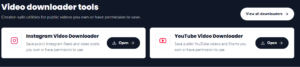
    If you are looking for a simple way to download Instagram videos to phone, Nexar has a free Instagram Video Downloader that lets you save supported public Instagram Reels and video posts without installing another app.

    In this guide, we will show you how to use it, how to download Instagram videos to gallery, and what you should know before saving or reusing Instagram content.

    Can You Download Instagram Videos to Your Phone for Free?

    Yes. You can use Nexar’s free Instagram Video Downloader to save supported public Instagram videos to your phone.

    The tool works by using the public Instagram post link. You copy the link from Instagram, paste it into Nexar’s downloader, and download the available video.

    The important limitation is that the tool is designed for public content. Private, restricted, or unsupported Instagram URLs are not processed.

    You can access the Nexar Instagram Video Downloader directly.

    What You Need Before Downloading an Instagram Video

    You only need three things:

    1. A smartphone or computer with internet access
    2. The Instagram video or Reel you want to save
    3. The public link to the Instagram post

    You do not need a physical cable, screen recorder, or separate video-downloading application.

    Nexar’s tool provides the video in MP4 format and is designed for public Instagram Reels and video posts.

    How to Download Instagram Videos to Phone

    Follow these steps if you want to download Instagram videos to phone.

    Step 1: Open Instagram

    Open Instagram on your iPhone or Android phone.

    Find the Reel or video post you want to save.

    Make sure it is a public post and that you have the right to save or use the content.

    Step 2: Copy the Instagram Video Link

    Open the Reel or video.

    Tap the Share button and select Copy Link.

    The Instagram URL will now be copied to your phone’s clipboard.

    Step 3: Open the Nexar Instagram Video Downloader

    Download Instagram Videos to Your Phone with Nexar

    Go to the Nexar Instagram Video Downloader.

    You will see a field asking you to paste an Instagram video URL.

    Paste the link you copied from Instagram.

    Step 4: Process the Video

    Tap Download Video.

    Nexar checks the public link and prepares the available video.

    The tool supports MP4 downloads and HD-ready quality where available. 

    Step 5: Save the Video to Your Phone

    Once the video is ready, follow your phone’s download prompt.

    On many Android phones, the downloaded video will appear in your Downloads folder and may also appear in your gallery.

    On iPhone, the browser may first save the file to the Files app. From there, you can move the video to your Photos library.

    How to Download Instagram Videos to Gallery

    If your main goal is to download Instagram videos to gallery, the process is almost the same.

    Copy the Instagram video link, open Nexar’s downloader, paste the link, and download the MP4 file.

    On Android:

    1. Download the video.
    2. Open your Downloads folder.
    3. Find the MP4 file.
    4. If it does not appear in your gallery automatically, move or save it to your Videos or Movies folder.

    On iPhone:

    1. Download the video through your browser.
    2. Open the Files app.
    3. Locate the downloaded MP4.
    4. Tap Share.
    5. Choose Save Video if available.

    The exact menu can vary depending on your phone model and iOS or Android version.

    Can You Save Instagram Videos to Your Phone Without an App?

    Yes.

    One advantage of using an online tool such as Nexar is that you can access the downloader through your browser rather than installing a dedicated video-downloader application.

    This can be useful if you only need to save Instagram videos to phone occasionally and do not want another app taking up storage space.

    What Instagram Videos Can Nexar Download?

    Nexar’s downloader is intended for public Instagram media.

    It supports:

    • Public Instagram Reels
    • Public video posts
    • Public links that the downloader can process
    • MP4 video downloads

    The tool does not bypass private Instagram accounts or restricted content. (Nexar)

    Can You Download Private Instagram Videos?

    No.

    You should not use a downloader to bypass privacy restrictions on Instagram.

    If an account or video is private, the appropriate approach is to access the content through Instagram with permission rather than attempting to circumvent the restriction.

    Nexar specifically states that private, restricted, and unsupported URLs are rejected by its Instagram downloader. (Nexar)

    Can You Repost a Downloaded Instagram Video?

    Downloading a video does not automatically give you permission to repost it.

    This is important.

    If you download another creator’s Reel, you should not assume that you can upload it to your own Instagram, TikTok, YouTube, website, or other platform.

    Only save or reuse content that you created yourself or have permission to use.

    Meta also advises users to avoid posting content that infringes another person’s intellectual property rights. (Facebook)

    For example, downloading your own Reel for backup is straightforward.

    Downloading a client’s approved campaign video so your team can edit or archive it is another legitimate use.

    Downloading someone else’s copyrighted video and reposting it without permission is different.

    Why Use Nexar to Save Instagram Videos?

    Nexar keeps the process simple.

    You do not need to install another application or go through complicated settings. You simply provide the public Instagram link and download the supported video.

    It is particularly useful for:

    • Saving your own Reels
    • Backing up content
    • Keeping approved campaign videos
    • Collecting creator-approved assets
    • Saving product demonstrations
    • Preparing videos for editing
    • Organizing social media content

    Nexar also provides other digital tools, including virtual numbers, eSIMs and gift cards, from the same platform. (Nexar)

    Frequently Asked Questions

    Is the Nexar Instagram Video Downloader free?

    Yes. Nexar provides the Instagram Video Downloader as a free creator tool for supported public Instagram videos. (Nexar)

    Can I download Instagram videos on iPhone?

    Yes. You can open the Nexar downloader in your iPhone browser, paste the public Instagram video link, and download the available MP4 file.

    Can I download Instagram videos on Android?

    Yes. The downloader works through your browser, so you can use it on an Android phone without installing a separate downloader app.

    Can I download Instagram Reels?

    Yes. Nexar supports public Instagram Reels and video posts. 

    Can I download a private Instagram video?

    No. Nexar’s downloader is intended for public content and does not bypass private or restricted URLs. 

    Does downloading a video give me copyright ownership?

    No. Saving a video and owning the copyright are two different things. Only reuse content that you own or have permission to use.

    Final Thoughts

    If you want to download Instagram videos to phone without installing another application, Nexar provides a simple browser-based option.

    Copy the public Instagram link, paste it into the Nexar Instagram Video Downloader, and download the available MP4 file.

    Just remember to respect the creator’s rights. Save and reuse videos that you own, created yourself, or have permission to use.

  • Can You Use a US Amazon Gift Card in Nigeria?

    A friend abroad sends you a US Amazon gift card. Or you buy one, planning to shop on Amazon.com from Lagos, Abuja or Port Harcourt. Then the doubt sets in: will a US Amazon gift card in Nigeria actually work, or will it be rejected at checkout?

    The short version is that the card can be used, but only in a narrow way. This guide explains exactly where an Amazon gift card in Nigeria works, how to redeem it step by step, which costs can catch you out, and what to do if you can’t use it.

    Can You Use a US Amazon Gift Card in Nigeria?

    Quick answer

    Yes, but with limits. A US Amazon gift card redeems only on Amazon.com, not on other country sites, and it can’t be converted into naira or another currency. From Nigeria, you can spend it only on items that Amazon.com will deliver to a Nigerian address, and shipping and import fees may apply.

    • Works on: Amazon.com only
    • Does not work on: Amazon.co.uk, Amazon.ca, Amazon.de or any other Amazon storefront
    • Delivery: only items eligible for international shipping to Nigeria
    • Extra costs: international shipping and possible import fees
    • Expiry and fees: none

    Can You Use a US Amazon Gift Card in Nigeria? The Short Answer

    A US Amazon gift card is meant for Amazon.com. Amazon’s own gift card listing says these cards work only on the country site where they were purchased, and that you should check that site’s terms for shipping limits and possible international fees.

    So for readers in Nigeria, the real question isn’t whether the card “works.” It’s whether the thing you want to buy can be delivered to Nigeria. The only way for someone in another country to use an Amazon.com card is to find products on the US site that ship internationally, and shipping costs can eat a good chunk of the card’s value.

    Why US Amazon Gift Cards Are Country-Locked

    Amazon runs a separate store for each country, each with its own currency, and its gift cards follow the same split. A US card cannot be used on Amazon.co.uk, Amazon.ca, Amazon.de or any other storefront. There is no true international Amazon gift card.

    Amazon also won’t convert a US dollar card into another currency at checkout. A $25 Amazon.com card stays a $25 Amazon.com card, which is why you can’t swap it for naira, or move it to another country’s Amazon store.

    The upside: Amazon.com gift cards don’t expire and carry no fees, so there’s no rush to spend the balance.

    Where You Can and Cannot Use It

    Where you want to use it Works? Notes
    Amazon.com, for items eligible to ship to Nigeria Yes Subject to item eligibility, shipping costs and possible import fees
    Amazon.com, for items that cannot ship to Nigeria No You cannot order them to a Nigerian address
    Amazon.co.uk, Amazon.ca, Amazon.de and other storefronts No Each storefront has its own gift cards
    Converting the balance to naira or cash No The balance stays in USD on your Amazon.com account
    Moving the balance to another account No Once applied, it can’t be moved to another account or country’s store


    One more thing to watch: some reports mention that certain digital content or subscriptions may not be redeemable with a gift card in every region. If you plan to buy digital items, test with a small purchase first.

    How to Use a US Amazon Gift Card in Nigeria (Step by Step)

    17 Amazon Gift Card Stock Photos and High-Res Images - Getty Images

    1. Confirm it’s a US card. It should be an Amazon.com gift card. A card for another country’s Amazon store won’t redeem on Amazon.com.
    2. Sign in on Amazon.com. Use the US site, not another storefront, and set your “Deliver to” location to Nigeria so Amazon shows which items can ship there.
    3. Redeem the claim code. Enter it at amazon.com/redeem, or in the Amazon app under Gift Cards. The value is stored as your Amazon.com balance and spends automatically on eligible orders.
    4. Shop for eligible items. Look for international shipping options and review the shipping estimate before you add anything to your cart.
    5. Check the final total at checkout. Your balance covers the order total, and any remainder is billed to your default payment method. That’s where shipping and import fee deposits can push the cost above your card’s value.

    Shipping and Import Fees: What to Expect

    Amazon ships many, though not all, items from Amazon.com to Nigeria through its AmazonGlobal program. Eligibility depends on the product, the seller and the delivery address.

    Orders shipped outside the US can also attract taxes, customs duties and other import fees. For some destinations, Amazon estimates these and collects an Import Fees Deposit at checkout. According to Amazon’s International Shipping Terms and Conditions, if the deposit turns out to be more than the actual fees, Amazon refunds the difference.

    In practice, a $50 gift card will not buy $50 worth of goods once shipping and import fees are added. Before you commit, compare the full landed cost of an item, not just the listed price.

    Common Problems and How to Fix Them

    • The code is rejected. Check that it’s a US Amazon.com card and that you’re signed in on Amazon.com. If it still fails, contact Amazon customer service.
    • The item won’t ship to Nigeria. Not all Amazon items are eligible for international shipping. Choose an eligible product or a different seller.
    • The balance is on the wrong account. After a card is applied, the balance can’t be moved to another account. Make sure you redeem it on the account you plan to shop with.
    • Amazon’s local Nigerian offering. Amazon has reportedly launched a separate shopping experience for Nigeria called Amazon Bazaar. It works differently from Amazon.com, so confirm with Amazon whether gift cards apply before you assume they do.

    Protect Yourself From Gift Card Scams

    Gift cards are popular with scammers precisely because they’re hard to trace. A few habits keep you safe:

    • Treat the code like cash. Anyone who has it can spend it.
    • Redeem only on Amazon. Never read out or send a code to someone who says it is needed to “verify” or “unlock” something.
    • Be wary of big discounts. A heavily discounted Amazon card from a stranger may be used, cancelled or fake.
    • Use trusted platforms for buying and selling. Check reviews and support options first, and keep your receipts.

    Got a US Amazon Gift Card You Can’t Use?

    If the items you want can’t be delivered to Nigeria, you still have options:

    • Shop only for eligible items on Amazon.com and compare the full cost, including shipping and import fees.
    • Pass it on before redeeming. An unredeemed card can go to a friend or relative who has a US delivery address. Once applied, the balance can’t be transferred.
    • Sell or trade it. Many people in Nigeria turn unused gift cards into naira. On Nexar’s gift cards page, you can see which cards are currently supported and compare the rates before you decide.
    • Gift smarter. If you’re the one sending a card to someone in Nigeria, ask first whether they’ll be able to order what they want on Amazon.com, or consider a prepaid card that supports international use.

    Frequently Asked Questions

    Can I use a US Amazon gift card in Nigeria?

    Yes, but only on Amazon.com and only for items Amazon can deliver to Nigeria. It won’t work on other Amazon sites.

    Will Amazon convert my US gift card balance to naira?

    No. A US dollar Amazon.com card stays an Amazon.com card, and Amazon doesn’t convert it to another currency.

    Does a US Amazon gift card expire?

    No. Amazon says its gift cards don’t expire and carry no fees.

    Does Amazon ship to Nigeria?

    Many items are eligible for delivery to Nigeria through AmazonGlobal, but not everything. Amazon shows which items can ship once your delivery location is set to Nigeria.

    Can I use a US Amazon gift card on Amazon.co.uk?

    No. Each Amazon storefront has its own gift cards. A US card works only on Amazon.com.

    Can I buy a US Amazon gift card with a Nigerian bank card?

    Amazon’s community Q&A says non-US cards can be used to buy Amazon.com gift cards, but your bank may still block international online payments. Check with your bank before you try.

    Final Thoughts

    So, can you use a US Amazon gift card in Nigeria? Yes, as long as you redeem it on Amazon.com and buy items that can be delivered to a Nigerian address. The card won’t work on other Amazon sites, and it can’t be converted into naira, so plan your purchase around shipping and import fees.

    If your card isn’t going to work for you, you don’t have to let it sit idle. Explore Nexar to buy and sell gift cards, and browse the Nexar blog for more practical guides on shopping and staying connected online.


  • How to Get 1,000 Followers on TikTok Fast

    Your first 1,000 followers are the hardest to earn. You have no audience to give your videos an early push, every post feels like shouting into the void, and the creators who seem to blow up overnight make it look effortless.

    The good news is that you can get 1000 followers on TikTok fast with a clear plan. This guide walks you through how TikTok decides who sees your videos, nine practical steps to gain 1000 followers on TikTok, a 30-day plan you can follow, and the mistakes that quietly hold accounts back.

    Overview:

    You can get 1000 followers on TikTok fast by choosing one clear niche, hooking viewers in the first 3 seconds, posting consistently, and turning viewers into a community through comments. There’s no shortcut that guarantees a timeline, but this combination is what the fastest-growing accounts have in common.

    • Niche: one specific topic and audience
    • Hook: grab attention in the first 3 seconds
    • Consistency: 3 to 5 quality videos a week
    • Engagement: reply to comments and invite saves and shares
    • Discovery: relevant trends, sounds and search keywords


    How to Get 1000 Followers on TikTok Fast: The Short Answer

    How to Get 1000 Followers on TikTok Fast

    It’s possible, but “fast” is relative. Some creators reach 1,000 followers within a few weeks after one or two strong videos. Others take several months. The difference is rarely luck.

    Accounts that grow quickly tend to do the same handful of things well. They stick to one niche, open every video with a strong hook, post on a steady schedule, and treat comments as conversations. No one can promise you an exact timeline, so be wary of anyone who does.

    How the TikTok Algorithm Decides Who Sees Your Videos

    TikTok’s For You feed ranks videos using a mix of signals, including what people watch, like, share and comment on, and which accounts they follow. TikTok explains this in its Help Center page on how content is recommended on TikTok.

    Recent creator guides also describe a “followers-first” test. TikTok reportedly shows a new video to a small slice of your audience first. If those viewers watch to the end, replay, save, comment or share, the video is pushed to a wider audience on the For You feed.

    Two takeaways matter for you:

    • Watch time and engagement beat follower count. Follower count is not a direct ranking factor, which is why a brand-new account can still reach a big audience with a strong video.
    • Every video is a test. Make each one worth finishing, because early viewer behaviour decides how far it travels.

    Step 1: Choose a Specific Niche

    A narrow niche tells the algorithm exactly who to show your videos to, and tells new viewers exactly why to follow you. “Food” is too broad. “Budget meals for students” is specific. “Photography” is broad. “Phone photography tips for small businesses” is specific.

    A quick test: can you finish this sentence? “I help [a specific audience] with [a specific topic].” If you can’t, narrow it down.

    Stay on topic, too. If your account is about cooking and you suddenly post a perfume review, both viewers and the algorithm get confused about what you’re about.

    Step 2: Optimize Your Profile So Viewers Hit Follow

    Many people find you on the For You feed, then tap your profile to decide whether you’re worth following. An empty or vague profile wastes that moment.

    • Username and name: easy to read, easy to remember and related to your niche
    • Profile photo: a clear face or a simple logo that stays consistent across all your platforms
    • Bio: say who it’s for and what they’ll get, such as “Budget meals for students. New recipe every Mon, Wed, Fri.”
    • Pinned videos: pin your three best videos so new visitors see your strongest work first

    Step 3: Hook Viewers in the First 3 Seconds

    Completion rate and total watch time are among the strongest signals for TikTok. If people swipe away in the first seconds, the video stops spreading. Your opening line and first visual decide everything.

    Some hook formats that work well:

    • The bold claim: “Nobody tells you this about growing on TikTok.”
    • The mistake warning: “Stop doing this if you want more followers.”
    • The experiment: “I posted every day for 7 days. Here’s what happened.”
    • The list promise: “3 things I wish I knew before my first 1,000 followers.”

    Back up the hook with on-screen text, cut any dead air at the start, and keep the video tight. Some creators aim for a completion rate of around 70 percent, which is a useful target when you review your analytics.

    Step 4: Post Consistently, Not Constantly

    The algorithm rewards regular posting, but not at the cost of quality. Most guides suggest 3 to 5 good videos a week. Three rushed videos that flop in the first test do less for you than one well-made video, and they can teach TikTok to associate your account with low retention.

    Sporadic bursts are the weakest pattern, because momentum resets after every gap. To stay consistent, batch your filming: record several videos in one session, then schedule them through the week.

    Step 5: Use Trends and Sounds Wisely

    Trending sounds and formats can help your videos reach more people, but only if they fit your niche. A trend that has nothing to do with your content brings viewers who never follow, and confuses the algorithm about who you serve.

    • Browse the For You feed daily. When you hear the same sound three or four times, save it.
    • Move early. Sounds that are already climbing in your niche work better than sounds at their peak.
    • Follow a 70/30 balance. Spend around 70 percent of your videos on your core topic and about 30 percent on relevant trends.

    Step 6: Turn Viewers Into a Community With Comments, Saves and Shares

    Engagement is the loop that feeds growth. The more people interact with your videos, the more TikTok tests them with new audiences. Someone who comments on your video might not follow you, so give them a reason to.

    • Ask for the right action. Prompts like “Save this for later” and “Drop your question in the comments” encourage saves and comments, which are valuable signals.
    • Reply fast. Answering comments quickly keeps conversations going and tells the algorithm your video sparks discussion.
    • Reply with videos. A video reply to a comment creates a new piece of content and makes the commenter feel seen.
    • Give a reason to follow. End with something like “Follow for part 2” or “New tip every Monday.”

    Step 7: Use TikTok SEO So People Can Find You

    TikTok works as a search engine as well as an entertainment feed. People search it for tutorials, recommendations and answers, so your videos can earn followers long after you post them.

    • Keywords in your caption: write what the video is about in words people would actually search
    • Keywords on screen and in speech: say the topic out loud and show it in your text overlay
    • 3 to 5 relevant hashtags: hashtag stuffing no longer helps, so keep them focused

    Step 8: Collaborate and Cross-Promote

    Collaboration lets you borrow attention from audiences that already care about your topic. Use Stitch and Duet to respond to videos in your niche, and work with creators at a similar size to yours. Leave thoughtful comments on larger creators’ videos, which can bring profile visits.

    Promote your TikTok wherever you already have an audience, such as WhatsApp status, Instagram stories, X, or a YouTube channel. Sharing a clip with a line like “I post these daily on TikTok” is an easy way to bring in your first followers.

    Step 9: Study Your Analytics and Double Down

    TikTok’s analytics show how many followers you gained, where they came from (For You feed, search, profile or sound), average watch time, and which videos drove new follows. Check them weekly and ask:

    • Which videos held viewers the longest?
    • Which videos brought the most new followers?
    • Where is my growth coming from: the For You feed, search or my profile?

    Then do more of what works. One proven format repeated five times usually beats five different experiments.

    A 30-Day Plan to Reach 1000 Followers

    Use this plan as a starting point, and adjust it after your first round of analytics. Results vary, so focus on following the process rather than a fixed follower count.

    Week Focus What to do
    Week 1 Foundation Choose your niche, set up your profile, study 10 top videos in your niche, and plan at least 12 video ideas with strong hooks
    Week 2 Publish and test Post 3 to 5 videos, test different hooks, and reply to every comment, ideally with video replies
    Week 3 Double down Review your analytics, repeat the format that held viewers longest, and collaborate with one or two creators in your niche
    Week 4 Scale Keep your posting rhythm, add search keywords to captions, cross-promote on other platforms, and check which sources bring followers


    Mistakes That Slow Your Growth

    • Jumping between topics. It confuses both viewers and the algorithm.
    • Copying trends that don’t fit your niche. You may get views but not followers.
    • Posting low-quality videos just to hit a daily target. Quality beats volume.
    • Ignoring comments. Replies are free engagement and help build loyalty.
    • Stuffing hashtags. A few relevant ones work better than a wall of tags.
    • Buying fake followers. Covered in the next section.

    Should You Boost Your TikTok Followers?

    You’ll see plenty of services advertising instant TikTok followers. Before you buy, understand how TikTok distributes videos. It depends on watch time and engagement, not on how many followers you have, so bought followers who never watch your videos won’t switch the algorithm on. Low engagement from fake or inactive followers can even drag down your performance and damage your credibility with real viewers, and using artificial engagement can put your account at risk.

    If you do choose to use a growth service to support your content strategy, treat it as a supplement and not a replacement. Start small, never share your password, and look carefully at what a provider actually delivers. You can review the current options on Nexar’s social media growth page before you decide.

    Frequently Asked Questions

    How long does it take to get 1000 followers on TikTok?

    It varies widely. Some creators get there in a few weeks, especially if a video takes off, while others take months. Posting consistently in one niche and improving your hooks shortens the time.

    Can I get 1,000 TikTok followers in one day?

    It’s unlikely unless a video goes viral, and you can’t rely on that. Be careful with anyone who promises guaranteed instant results.

    Does follower count affect how many people see my videos?

    Follower count is not a direct ranking factor, but follower engagement still matters, because TikTok tests your videos with existing followers first.

    How often should I post on TikTok?

    Most guides recommend 3 to 5 quality videos a week. Consistency and quality matter more than posting every day.

    How many hashtags should I use?

    Use 3 to 5 relevant hashtags, plus keywords in your caption. More hashtags do not mean more reach.

    Is it safe to buy TikTok followers?

    It carries risks. Fake or inactive followers do not watch or engage with your videos, which can hurt your performance and reputation, and artificial engagement can put your account at risk.

    Final Thoughts

    If you want to learn how to get 1000 TikTok followers, the plan is simple but not easy: pick a niche, hook viewers fast, post consistently, engage with your audience, and use your analytics to improve every week. Your first thousand followers come from a few strong videos and a lot of steady effort, not from a single trick.

    Start with the 30-day plan today, and revisit it at the end of each week. You can also boost your followers with real organic followers by using smart automations like Nexar Boost Tool. Get started by signing up here.

  • Can You Use an eBay Gift Card Outside the US?

    Can you use an eBay Gift Card Outside the US?

    You’ve been handed an eBay gift card, or you bought one, and now you’re wondering where you can actually spend it. If you live outside the United States, or you’re travelling, the question is a fair one: can you use an eBay gift card outside the US?

    In most cases, the answer is no. This guide explains what eBay’s rules say, why redemption fails, and what to do if you’re outside the US and want to shop on eBay.

    The Short Answer

    A US eBay gift card is designed for US transactions. If your account and delivery address are outside the US, the card will usually be rejected at checkout. That applies to any attempt to use an eBay gift card internationally, whether you bought the card yourself or received it as a gift.

    There’s no clever setting or hidden option that changes this. The sections below explain why, and what your practical choices are.

    What eBay’s Terms Say

    eBay’s own gift card terms are clear on this point. To redeem a card, you must be at least 18, have an eBay account, and ship the items you buy to a U.S. address. The terms also state that the gift card is not redeemable outside the U.S. You can read the full wording in eBay’s gift card Terms and Conditions.

    A few other rules from the same terms are worth knowing:

    • The card can only be used up to its available balance, and any extra must be paid with another payment method
    • It cannot be used to pay eBay selling fees
    • It does not expire, and no inactivity or service fees apply
    • After the card has been used once, it and any remaining balance are non-transferable

    Why Your eBay Gift Card Fails Abroad

    People who try to use a US eBay gift card outside the US commonly hit an error saying a US gift card cannot be redeemed for orders in other countries. The error appears even when the seller is based in the US. eBay community members in this situation are typically told that the card is meant for domestic US transactions only.

    Here is how the most common situations play out:

    Situation Will the card work? Why
    US-registered account, item shipped to a US address Yes This is the use case the card is built for
    Account registered outside the US, item shipped abroad No eBay blocks redemption for orders in other countries
    You live abroad, the seller is in the US, the item ships to you No The card is meant for domestic US transactions
    Regional eBay site, such as eBay Australia Only with a local account Regional sites set their own gift card rules


    Regional eBay Sites Have Their Own Rules

    Some regional eBay sites run their own gift card rules. For example, on eBay Australia you need an account registered in Australia, with an Australian address, to pay with an eBay gift card. If you shop on a non-US eBay site, check that site’s own gift card terms before you buy or redeem a card.

    Also note that eBay’s FAQ says its gift cards are being phased out. Cards you already own can still be added to your account and used at checkout, but this is a good reason to use up a balance sooner rather than later, if you’re eligible to do so.

    Use a US eBay Gift Card Abroad: What to Avoid

    When a card won’t work, it’s tempting to look for a shortcut. A few things to avoid:

    • Workarounds that go against eBay’s terms. Trying to get around the US-only rule can leave you with a blocked card or a restricted account, and eBay’s terms are what apply.
    • Buying discounted cards from strangers. Cards sold through unofficial channels can be used, cancelled or blocked before you can spend them.
    • Sharing your redemption code. eBay advises treating the code like cash and never sending it to anyone outside of eBay.com checkout.

    Better Options If You’re Outside the US

    You don’t need a US gift card to shop on eBay from abroad. These are safer routes:

    • Pay with an international debit or credit card. Check with your bank that online international payments are enabled.
    • Link your card to PayPal, where available in your country, and use it at checkout.
    • Use your local eBay site, if there is one, and its own payment options and gift cards.
    • Pass the card on. If you’re not eligible to use it, an unused card can go to a friend or family member who lives in the US, as long as it hasn’t been used yet. Once a card has been used, it can’t be transferred.

    Tips Before You Buy or Redeem an eBay Gift Card

    1. Check where you’ll be shopping. Confirm your account country and delivery address match the card’s rules.
    2. Redeem only on eBay.com checkout. eBay says the card can only be redeemed there.
    3. Keep the code private. Treat it like cash and never share it outside eBay.
    4. Track your balance in the Payments section of My eBay so nothing sits unused.
    5. Buy from trusted sources. If you’re gifting a card to someone abroad, ask first whether they can actually use it.

    Frequently Asked Questions

    Can I use a US eBay gift card outside the US?

    Generally no. eBay’s terms say the card is not redeemable outside the U.S., and orders in other countries are rejected.

    Does an eBay gift card expire?

    No. eBay says its gift cards do not expire, and there are no inactivity or service fees.

    Do I need a PayPal account to use an eBay gift card?

    No. eBay says a PayPal account is no longer needed to use a gift card on eBay.

    Can I use an eBay gift card to pay selling fees?

    No. The card cannot be used to pay eBay selling fees.

    What happens if I return an item I bought with a gift card?

    The refund is credited back to your gift card, according to eBay’s FAQ.

    Final Thoughts

    So, can you use an eBay gift card outside the US? Under eBay’s current terms, usually not. If you live abroad, your smoothest route is to pay for eBay orders with an international card or PayPal, and to keep gift cards for the places they’re actually meant to be used.

    Looking for gift cards for shopping, streaming or subscriptions? Nexar makes it easy to buy and sell gift cards in one place. Visit the Nexar gift cards page to see what’s available, and browse the Nexar blog for more practical guides.

  • The Ultimate Guide to eSIMs for Nigerian Travelers and Remote Workers

    Travelling from Nigeria for work, study, business, or a short break should not begin with a search for a SIM vendor. Yet many travelers still deal with airport queues, expensive roaming charges, unfamiliar registration processes, and the risk of losing access to essential apps when they land.

    An eSIM offers a simpler option. It is a digital SIM profile built into your phone that lets you purchase mobile data online, install the plan before departure, and connect to a partner network when you arrive. For remote workers, it can also provide a dedicated data line while your regular Nigerian number remains active for calls, SMS, and one-time passwords.

    For travelers who want to buy esim online nigeria before their trip, the main advantage is being able to arrange connectivity before leaving home.

    Buy eSIM Online Nigeria with Nexar

    This guide explains how to buy esim online nigeria, how eSIM technology works, what to look for in an international plan, and why Nexar is a practical choice for Nigerian travelers and digital nomads.

    What is an eSIM and how does it work?

    An eSIM, or embedded SIM, is a programmable SIM chip already installed in a compatible device. Unlike a traditional SIM card, it does not need to be removed or replaced when you change mobile plans.

    When you purchase an eSIM, the provider sends a digital profile by QR code, app, or manual activation details. Your phone downloads that profile and stores it securely on the device. The profile contains the information needed to identify the plan and connect to a supported mobile network.

    Technically, the profile is managed through the device’s eUICC, which is the secure hardware responsible for storing multiple SIM profiles. Your phone’s modem then uses the active profile to connect to a local partner network. In most cases, the travel provider does not own the physical network. Instead, it uses roaming agreements with operators in the destination country.

    That means an eSIM can give you local mobile data without requiring a physical SIM swap. Most travel plans are data-only, so calls and messages usually happen through WhatsApp, Telegram, FaceTime, Zoom, or other internet-based services.

    Why instant activation matters

    With a physical SIM, you may need to find a store, provide identification, complete registration, and wait for the line to work. An eSIM removes much of that friction.

    You can purchase your plan online, receive the QR code within seconds, and install it using Wi-Fi before your flight. Depending on the provider, the plan may begin immediately or only activate once your phone connects to a supported network at your destination.

    For remote workers, this is especially useful. You can open your email, access cloud documents, join a meeting, use maps, or contact a client as soon as you arrive instead of searching for connectivity first.

    How to buy eSim online nigeria: a complete guide

    If you want to buy esim online nigeria, the process is straightforward, but a few checks can prevent problems later.

    1. Confirm that your phone supports eSIM

    Most recent iPhones, Google Pixel devices, Samsung Galaxy models, and selected Android phones support eSIM. Apple states that eSIM support begins with the iPhone XS, iPhone XS Max, and iPhone XR, although availability can vary by region and model.

    On your phone, look for settings such as:

    • iPhone: Settings → Cellular or Mobile Data → Add eSIM
    • Android: Settings → Network and Internet or Connections → SIM Manager → Add eSIM

    You can also dial *#06#. If an EID number appears, the device may support eSIM.

    2. Check that the device is unlocked

    An eSIM may fail if your phone is locked to a specific carrier. On an iPhone, go to Settings → General → About and look for Carrier Lock. “No SIM restrictions” means the device is unlocked.

    Android menus differ by manufacturer, so check your device documentation or contact the network that supplied the phone.

    3. Choose the right destination and plan

    Before you buy, confirm:

    • The country or countries covered
    • The amount of data included
    • The plan’s validity period
    • Whether the plan is data-only
    • Whether hotspot sharing is allowed
    • Which local networks the provider uses
    • When the validity period begins
    • Whether the plan can be topped up

    A short trip focused on maps, messaging, and email may only need 1–3GB. A remote worker who attends video calls, uploads files, and uses a laptop hotspot will need a larger plan.

    4. Pay online and receive your QR code

    After selecting a plan, complete payment through the provider’s website or app. The QR code is usually sent by email and may also appear in your account dashboard.

    Save the email somewhere accessible. Do not share the QR code publicly, because it contains the information needed to install your eSIM profile.

    5. Install the eSIM before you travel

    Use a stable Wi-Fi connection before departure. On your phone, select Add eSIM, scan the QR code, and follow the setup instructions.

    Give the plan a clear name, such as “Work Travel Data” or “Europe Trip”, so you can identify it easily if you store multiple profiles.

    6. Select the eSIM for mobile data

    You can normally keep your Nigerian physical SIM active for calls, SMS, and OTPs while using the eSIM for data. Set the travel eSIM as your preferred mobile data line.

    To avoid unexpected charges, disable data roaming on your regular line. If the travel plan requires roaming to connect, enable data roaming for the eSIM profile only.

    7. Activate and test the connection

    Some plans activate as soon as they are installed. Others start when they connect to a network in the destination country. Check the provider’s instructions before installation.

    When you arrive, turn on the eSIM, select it for mobile data, and wait for it to connect. If the connection does not appear immediately, toggle Airplane Mode, restart the phone, or select a supported network manually.

    Comparing an international esim for travelers

    The best plan depends on your destination, data needs, and travel style. There is no single provider that is ideal for every trip, so compare the details instead of choosing only by brand recognition.

    If your goal is to buy esim online nigeria for an upcoming international trip, compare the destination coverage, data allowance, validity, network partners, and hotspot availability before making a purchase.

    Provider Best suited to Key points to check
    Nexar Nigerian travelers who want simple global access Plans for 180+ countries, instant delivery, no physical SIM, and data for travel and work
    Ubigi Travelers who want a reusable profile Coverage in 200+ destinations, app top-ups, data sharing, and Smartstart activation
    Nomad Flexible short or extended trips Multiple data sizes and validity periods, with coverage varying by destination
    Airalo Users who prefer a large app-based marketplace Country, regional, and global plans; check the current partner network and hotspot rules
    Holafly Travelers who prioritise high or unlimited data Confirm fair-use policies, hotspot limits, and the exact destination coverage

    For example, Ubigi lists a Nigeria plan with 25GB valid for 30 days at US$48 and connects to MTN, according to its current destination page. Its service is data-only, but users can keep their normal SIM active and make calls through internet-based apps.

    Pricing and coverage can change, so check the provider’s live plan page before payment. eSIMDB’s Nigeria comparison page is useful for reviewing a wide range of current plans, prices, validity periods, and network information.

    How to compare the best esim for africa

    If your trip includes more than one African country, a regional plan may be more convenient than purchasing a separate eSIM for every destination. Check whether the countries on your itinerary are included, because “Africa” plans do not always cover every country on the continent.

    Also review the network partners. A plan that works well in one country may use a different operator in another. For remote work, prioritise stable coverage, hotspot support, and a validity period that matches your trip.

    Why Nexar is a strong choice for global connectivity

    Nexar is built around the everyday digital needs of African users, including travelers, freelancers, creators, and businesses working across borders.

    Its eSIM service gives you:

    • Instant delivery: Receive your eSIM after payment instead of waiting for a physical card.
    • Global coverage: Choose plans across 180+ countries and regions.
    • No physical SIM swap: Keep your regular line in your phone while using the eSIM for data.
    • No unexpected roaming bills: Use a prepaid plan with a clear data allowance.
    • Simple activation: Scan the QR code and follow the setup steps.
    • One place for digital services: Manage your eSIM alongside other services through the Nexar app.
    How to Buy eSIM Online Nigeria for Travellers
    Happy Nexar customer

    This is useful when you are leaving Nigeria for a short trip and do not want to commit to a local SIM. It also works well for remote workers who need a separate connection for client calls, travel updates, and laptop access.

    Common eSIM problems and how to fix them

    The QR code will not scan

    Display the QR code on another device or print it. Increase the screen brightness and make sure the full code is visible.

    The eSIM installed but there is no data

    Confirm that the eSIM is selected as the mobile data line. Check whether data roaming needs to be enabled for that profile, then restart your phone.

    Your phone shows “No Service”

    The provider may not have connected automatically to the best partner network. Turn Airplane Mode on and off, or use manual network selection to choose a supported operator.

    Your data is disappearing quickly

    Video streaming, automatic backups, social media uploads, and app updates can use large amounts of data. Turn off automatic updates, enable low-data modes, and use Wi-Fi for large downloads when possible.

    You need calls or SMS

    Most travel eSIMs are data-only. Keep your regular Nigerian SIM active for your existing number, or use WhatsApp, Telegram, Zoom, or another internet-based service for communication.

    Is an eSIM safe for travel?

    An eSIM is generally safer and more convenient than carrying a removable SIM card. It cannot be physically taken out of your phone, and a lost device can be secured through your phone’s normal security settings.

    However, an eSIM does not replace basic online safety. Use strong passwords, avoid logging into sensitive accounts on unknown public Wi-Fi, and purchase plans only through the provider’s official website or app.

    For more practical digital travel advice, visit the Nexar blog and review Apple’s official eSIM setup guide.

    Final checklist before your flight

    Before leaving Nigeria, confirm that:

    • Your phone is eSIM-compatible.
    • Your device is unlocked.
    • You have purchased the correct destination plan.
    • The QR code and installation instructions are saved.
    • The eSIM has been installed over Wi-Fi.
    • Your regular SIM is labelled clearly.
    • Your travel eSIM is selected for mobile data.
    • Data roaming is enabled only where necessary.
    • Hotspot support is available if you plan to work from a laptop.

    If you want to buy esim online nigeria without visiting a store or swapping a physical card, view the available eSIM plans from Nexar. You can get connected in minutes and keep your regular Nigerian number active while you travel.

    Frequently asked questions

    Can I install an eSIM before leaving Nigeria?

    Yes. Installing the profile before departure is usually recommended because you can complete the process over reliable Wi-Fi. Depending on the plan, the data validity may begin when you arrive and connect to a supported network.

    Will my Nigerian number remain active?

    Usually, yes. You can keep your physical SIM active for calls, SMS, and OTPs while setting the eSIM as your mobile data line. Check your phone settings carefully to avoid using your regular line for roaming data.

    Do travel eSIMs include a phone number?

    Most travel eSIMs are data-only. Calls and messages are normally made through apps such as WhatsApp, Telegram, FaceTime, or Zoom. Some specialist plans may include voice and SMS, so confirm the plan details before buying.

    Can I use an eSIM for laptop work?

    Yes, if your phone and plan support hotspot sharing. Some laptops also have built-in eSIM support. Check tethering rules before purchasing if you regularly attend video meetings or upload large files.

    How much data does a remote worker need?

    Light work involving email, messaging, and documents may use 3–5GB over a short trip. Video calls, cloud backups, streaming, and hotspot use can require 10GB or more. Monitor your usage and choose a plan with enough capacity for your schedule.

    What should I do if my eSIM stops working?

    Check that the eSIM is switched on, selected for mobile data, and connected to a supported network. Toggle Airplane Mode, restart the phone, and review the provider’s activation instructions. If the problem continues, contact the provider’s support team.

    If you want to buy esim online nigeria without visiting a store or swapping a physical card, view the available eSIM plans from Nexar. You can get connected in minutes and keep your regular Nigerian number active while you travel.

  • Belize eSIM vs Physical SIM: Which Is Better for Travelers?

    You’ve booked the flights, sorted the accommodation, and packed for the Caribbean sun. The one thing left is staying connected. When it comes to Belize eSIM vs physical SIM, the right choice depends on how long you’re staying, whether you need a local phone number, and how much hassle you’re willing to deal with after landing.

    This guide breaks down both options so you can decide before you travel.

    Understanding Your Options in Belize

    Belize’s two main mobile operators are Digi (formerly DigiCell, part of Belize Telemedia Limited) and Smart, which is owned by Speednet Communications. Either can be an option if you want a local line.

    There are really two routes for visitors:

    1. A local SIM (physical, or an eSIM from a local carrier), bought in Belize.
    2. A travel eSIM, bought online before you leave and activated when you arrive.

    What Is a Physical SIM?

    A physical SIM is the small chip you insert into your phone’s SIM tray. In Belize, you’d typically buy one from a carrier store or authorized agent. You get a local number, and depending on the package, local data, calls and texts.

    Pros

    • A real Belizean phone number for local calls, tours and hotel bookings
    • Works on phones that don’t support eSIM
    • Often good value if you need calls and texts as well as data

    Cons

    • You have to find a store or agent after you land
    • Availability at a specific agent isn’t guaranteed, even if an outlet is listed near the airport, so stock or opening hours can catch you out
    • You may need to remove your home SIM, and it’s easy to lose it while swapping
    • Time spent in queues on day one of your holiday

    What Is an eSIM?

    An eSIM is a digital SIM built into your phone. There’s nothing to insert. You scan a QR code, download the plan, and you’re connected. Most recent iPhones, Google Pixels and Samsung Galaxy phones support eSIM.

    There are two kinds to know about in Belize:

    • Local carrier eSIMs. Digi customers request an eSIM at a Digi store and activate it by scanning a QR code. See Digi’s eSIM page for the current steps. Smart’s eSIM activation requires a visit to a Smart showroom. So a local eSIM still usually means finding a shop.
    • Travel eSIMs. These are sold online, so you can set everything up before your flight. The trade-off is that a travel eSIM is data-only and isn’t the same as a local mobile subscription.

    Belize eSIM vs Physical SIM: Side-by-Side

    Belize eSIM vs Physical sim: we break down both options so you can decide before you travel.

    Travel eSIM Physical SIM
    Setup Online, before you travel In person, after you land
    Local number No (data only) Yes
    Need to visit a shop No Usually
    Swap your home SIM No, keep both active Often, unless you have dual SIM
    Risk of losing SIM None Yes
    Works on older phones No Yes
    Best for Data, maps, messaging apps Local calls and longer stays

    Coverage: Does It Matter Which You Choose?

    Coverage depends on the network behind the plan, not on whether it’s a chip or a QR code. Digi tends to offer broader coverage and slightly faster speeds around busy areas like Belize City’s cruise port area, while Smart competes on price and performs adequately in central districts. Travel eSIMs connect to a local partner network too, so it’s worth checking which carrier a plan runs on. For example, one major provider’s Belize eSIM runs on Smart’s network.

    If you’re heading to remote areas or cayes, check coverage maps from the carriers before you go, whichever option you choose.

    Which Should You Choose?

    If you are wondering what to consider before choosing between a belize eSIM vs Physical SIM, we will break it down for you:

    Choose a travel eSIM if:

    • You’re visiting for a week or two
    • You mainly need data for maps, WhatsApp, ride apps and photo uploads
    • You want to be online the moment you land
    • Your phone supports eSIM

    Choose a physical SIM if:

    • You need a Belizean number for local calls or bookings
    • Your phone doesn’t support eSIM
    • You’re staying long-term and want a local plan

    Use both if: you have dual SIM. Keep your home number active on one line for calls and codes, and use the travel eSIM for data. If you do this, label the new line clearly and set it as your mobile data line.

    Tips Before You Go

    1. Check your phone is unlocked. A carrier-locked phone may reject both another operator’s physical SIM and a travel eSIM.
    2. Install the eSIM before you fly if you can, but only activate it once you land.
    3. Turn off data roaming on your home SIM to avoid surprise charges.
    4. Save your QR code and receipt in case you need to reinstall.
    5. Check current offers. Published tourist offers can change, so compare current details against your route and trip length.

    Frequently Asked Questions

    Can I use an eSIM in Belize?

    Yes, if your phone is eSIM-compatible and unlocked. You can use a travel eSIM or a local carrier eSIM.

    Does a travel eSIM give me a Belize phone number?

    Usually not. Travel eSIMs are data-only, so you’d use apps like WhatsApp for calls and messages. If you also need a number to verify accounts while you travel, a Nexar virtual number can cover that.

    Is an eSIM cheaper than a physical SIM?

    It depends on your usage. A local SIM can be good value if you need calls and texts, while a travel eSIM saves time and hassle. Compare current prices for your trip length.

    Can I keep my home number while using an eSIM?

    Yes. Your home SIM stays in your phone, so you can still receive calls and verification texts, though roaming charges may apply.

    Final Thoughts

    For most short-stay travelers who mainly need data, a travel eSIM wins on convenience. There’s no shop visit, no swapping SIMs, and you’re online as soon as you land. A physical SIM makes more sense if you need a local number or have an older phone.

    Whichever you choose, sort it before you fly so your first hours in Belize are about the trip, not about finding signal.

    Traveling soon? Nexar offers instant eSIMs so you can stay connected without hunting for a SIM card shop. Browse Nexar eSIM plans and get set up before you fly.