Blog

  • The Ultimate Guide to eSIMs for Nigerian Travelers and Remote Workers

    Travelling from Nigeria for work, study, business, or a short break should not begin with a search for a SIM vendor. Yet many travelers still deal with airport queues, expensive roaming charges, unfamiliar registration processes, and the risk of losing access to essential apps when they land.

    An eSIM offers a simpler option. It is a digital SIM profile built into your phone that lets you purchase mobile data online, install the plan before departure, and connect to a partner network when you arrive. For remote workers, it can also provide a dedicated data line while your regular Nigerian number remains active for calls, SMS, and one-time passwords.

    For travelers who want to buy esim online nigeria before their trip, the main advantage is being able to arrange connectivity before leaving home.

    Buy eSIM Online Nigeria with Nexar

    This guide explains how to buy esim online nigeria, how eSIM technology works, what to look for in an international plan, and why Nexar is a practical choice for Nigerian travelers and digital nomads.

    What is an eSIM and how does it work?

    An eSIM, or embedded SIM, is a programmable SIM chip already installed in a compatible device. Unlike a traditional SIM card, it does not need to be removed or replaced when you change mobile plans.

    When you purchase an eSIM, the provider sends a digital profile by QR code, app, or manual activation details. Your phone downloads that profile and stores it securely on the device. The profile contains the information needed to identify the plan and connect to a supported mobile network.

    Technically, the profile is managed through the device’s eUICC, which is the secure hardware responsible for storing multiple SIM profiles. Your phone’s modem then uses the active profile to connect to a local partner network. In most cases, the travel provider does not own the physical network. Instead, it uses roaming agreements with operators in the destination country.

    That means an eSIM can give you local mobile data without requiring a physical SIM swap. Most travel plans are data-only, so calls and messages usually happen through WhatsApp, Telegram, FaceTime, Zoom, or other internet-based services.

    Why instant activation matters

    With a physical SIM, you may need to find a store, provide identification, complete registration, and wait for the line to work. An eSIM removes much of that friction.

    You can purchase your plan online, receive the QR code within seconds, and install it using Wi-Fi before your flight. Depending on the provider, the plan may begin immediately or only activate once your phone connects to a supported network at your destination.

    For remote workers, this is especially useful. You can open your email, access cloud documents, join a meeting, use maps, or contact a client as soon as you arrive instead of searching for connectivity first.

    How to buy eSim online nigeria: a complete guide

    If you want to buy esim online nigeria, the process is straightforward, but a few checks can prevent problems later.

    1. Confirm that your phone supports eSIM

    Most recent iPhones, Google Pixel devices, Samsung Galaxy models, and selected Android phones support eSIM. Apple states that eSIM support begins with the iPhone XS, iPhone XS Max, and iPhone XR, although availability can vary by region and model.

    On your phone, look for settings such as:

    • iPhone: Settings → Cellular or Mobile Data → Add eSIM
    • Android: Settings → Network and Internet or Connections → SIM Manager → Add eSIM

    You can also dial *#06#. If an EID number appears, the device may support eSIM.

    2. Check that the device is unlocked

    An eSIM may fail if your phone is locked to a specific carrier. On an iPhone, go to Settings → General → About and look for Carrier Lock. “No SIM restrictions” means the device is unlocked.

    Android menus differ by manufacturer, so check your device documentation or contact the network that supplied the phone.

    3. Choose the right destination and plan

    Before you buy, confirm:

    • The country or countries covered
    • The amount of data included
    • The plan’s validity period
    • Whether the plan is data-only
    • Whether hotspot sharing is allowed
    • Which local networks the provider uses
    • When the validity period begins
    • Whether the plan can be topped up

    A short trip focused on maps, messaging, and email may only need 1–3GB. A remote worker who attends video calls, uploads files, and uses a laptop hotspot will need a larger plan.

    4. Pay online and receive your QR code

    After selecting a plan, complete payment through the provider’s website or app. The QR code is usually sent by email and may also appear in your account dashboard.

    Save the email somewhere accessible. Do not share the QR code publicly, because it contains the information needed to install your eSIM profile.

    5. Install the eSIM before you travel

    Use a stable Wi-Fi connection before departure. On your phone, select Add eSIM, scan the QR code, and follow the setup instructions.

    Give the plan a clear name, such as “Work Travel Data” or “Europe Trip”, so you can identify it easily if you store multiple profiles.

    6. Select the eSIM for mobile data

    You can normally keep your Nigerian physical SIM active for calls, SMS, and OTPs while using the eSIM for data. Set the travel eSIM as your preferred mobile data line.

    To avoid unexpected charges, disable data roaming on your regular line. If the travel plan requires roaming to connect, enable data roaming for the eSIM profile only.

    7. Activate and test the connection

    Some plans activate as soon as they are installed. Others start when they connect to a network in the destination country. Check the provider’s instructions before installation.

    When you arrive, turn on the eSIM, select it for mobile data, and wait for it to connect. If the connection does not appear immediately, toggle Airplane Mode, restart the phone, or select a supported network manually.

    Comparing an international esim for travelers

    The best plan depends on your destination, data needs, and travel style. There is no single provider that is ideal for every trip, so compare the details instead of choosing only by brand recognition.

    If your goal is to buy esim online nigeria for an upcoming international trip, compare the destination coverage, data allowance, validity, network partners, and hotspot availability before making a purchase.

    Provider Best suited to Key points to check
    Nexar Nigerian travelers who want simple global access Plans for 180+ countries, instant delivery, no physical SIM, and data for travel and work
    Ubigi Travelers who want a reusable profile Coverage in 200+ destinations, app top-ups, data sharing, and Smartstart activation
    Nomad Flexible short or extended trips Multiple data sizes and validity periods, with coverage varying by destination
    Airalo Users who prefer a large app-based marketplace Country, regional, and global plans; check the current partner network and hotspot rules
    Holafly Travelers who prioritise high or unlimited data Confirm fair-use policies, hotspot limits, and the exact destination coverage

    For example, Ubigi lists a Nigeria plan with 25GB valid for 30 days at US$48 and connects to MTN, according to its current destination page. Its service is data-only, but users can keep their normal SIM active and make calls through internet-based apps.

    Pricing and coverage can change, so check the provider’s live plan page before payment. eSIMDB’s Nigeria comparison page is useful for reviewing a wide range of current plans, prices, validity periods, and network information.

    How to compare the best esim for africa

    If your trip includes more than one African country, a regional plan may be more convenient than purchasing a separate eSIM for every destination. Check whether the countries on your itinerary are included, because “Africa” plans do not always cover every country on the continent.

    Also review the network partners. A plan that works well in one country may use a different operator in another. For remote work, prioritise stable coverage, hotspot support, and a validity period that matches your trip.

    Why Nexar is a strong choice for global connectivity

    Nexar is built around the everyday digital needs of African users, including travelers, freelancers, creators, and businesses working across borders.

    Its eSIM service gives you:

    • Instant delivery: Receive your eSIM after payment instead of waiting for a physical card.
    • Global coverage: Choose plans across 180+ countries and regions.
    • No physical SIM swap: Keep your regular line in your phone while using the eSIM for data.
    • No unexpected roaming bills: Use a prepaid plan with a clear data allowance.
    • Simple activation: Scan the QR code and follow the setup steps.
    • One place for digital services: Manage your eSIM alongside other services through the Nexar app.
    How to Buy eSIM Online Nigeria for Travellers
    Happy Nexar customer

    This is useful when you are leaving Nigeria for a short trip and do not want to commit to a local SIM. It also works well for remote workers who need a separate connection for client calls, travel updates, and laptop access.

    Common eSIM problems and how to fix them

    The QR code will not scan

    Display the QR code on another device or print it. Increase the screen brightness and make sure the full code is visible.

    The eSIM installed but there is no data

    Confirm that the eSIM is selected as the mobile data line. Check whether data roaming needs to be enabled for that profile, then restart your phone.

    Your phone shows “No Service”

    The provider may not have connected automatically to the best partner network. Turn Airplane Mode on and off, or use manual network selection to choose a supported operator.

    Your data is disappearing quickly

    Video streaming, automatic backups, social media uploads, and app updates can use large amounts of data. Turn off automatic updates, enable low-data modes, and use Wi-Fi for large downloads when possible.

    You need calls or SMS

    Most travel eSIMs are data-only. Keep your regular Nigerian SIM active for your existing number, or use WhatsApp, Telegram, Zoom, or another internet-based service for communication.

    Is an eSIM safe for travel?

    An eSIM is generally safer and more convenient than carrying a removable SIM card. It cannot be physically taken out of your phone, and a lost device can be secured through your phone’s normal security settings.

    However, an eSIM does not replace basic online safety. Use strong passwords, avoid logging into sensitive accounts on unknown public Wi-Fi, and purchase plans only through the provider’s official website or app.

    For more practical digital travel advice, visit the Nexar blog and review Apple’s official eSIM setup guide.

    Final checklist before your flight

    Before leaving Nigeria, confirm that:

    • Your phone is eSIM-compatible.
    • Your device is unlocked.
    • You have purchased the correct destination plan.
    • The QR code and installation instructions are saved.
    • The eSIM has been installed over Wi-Fi.
    • Your regular SIM is labelled clearly.
    • Your travel eSIM is selected for mobile data.
    • Data roaming is enabled only where necessary.
    • Hotspot support is available if you plan to work from a laptop.

    If you want to buy esim online nigeria without visiting a store or swapping a physical card, view the available eSIM plans from Nexar. You can get connected in minutes and keep your regular Nigerian number active while you travel.
    Frequently asked questions

    Can I install an eSIM before leaving Nigeria?

    Yes. Installing the profile before departure is usually recommended because you can complete the process over reliable Wi-Fi. Depending on the plan, the data validity may begin when you arrive and connect to a supported network.

    Will my Nigerian number remain active?

    Usually, yes. You can keep your physical SIM active for calls, SMS, and OTPs while setting the eSIM as your mobile data line. Check your phone settings carefully to avoid using your regular line for roaming data.

    Do travel eSIMs include a phone number?

    Most travel eSIMs are data-only. Calls and messages are normally made through apps such as WhatsApp, Telegram, FaceTime, or Zoom. Some specialist plans may include voice and SMS, so confirm the plan details before buying.

    Can I use an eSIM for laptop work?

    Yes, if your phone and plan support hotspot sharing. Some laptops also have built-in eSIM support. Check tethering rules before purchasing if you regularly attend video meetings or upload large files.

    How much data does a remote worker need?

    Light work involving email, messaging, and documents may use 3–5GB over a short trip. Video calls, cloud backups, streaming, and hotspot use can require 10GB or more. Monitor your usage and choose a plan with enough capacity for your schedule.

    What should I do if my eSIM stops working?

    Check that the eSIM is switched on, selected for mobile data, and connected to a supported network. Toggle Airplane Mode, restart the phone, and review the provider’s activation instructions. If the problem continues, contact the provider’s support team.

    If you want to buy esim online nigeria without visiting a store or swapping a physical card, view the available eSIM plans from Nexar. You can get connected in minutes and keep your regular Nigerian number active while you travel.
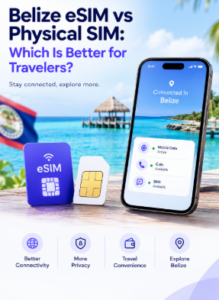
  • Belize eSIM vs Physical SIM: Which Is Better for Travelers?

    You’ve booked the flights, sorted the accommodation, and packed for the Caribbean sun. The one thing left is staying connected. When it comes to Belize eSIM vs physical SIM, the right choice depends on how long you’re staying, whether you need a local phone number, and how much hassle you’re willing to deal with after landing.

    This guide breaks down both options so you can decide before you travel.
    Understanding Your Options in Belize

    Belize’s two main mobile operators are Digi (formerly DigiCell, part of Belize Telemedia Limited) and Smart, which is owned by Speednet Communications. Either can be an option if you want a local line.

    There are really two routes for visitors:

    1. A local SIM (physical, or an eSIM from a local carrier), bought in Belize.
    2. A travel eSIM, bought online before you leave and activated when you arrive.

    What Is a Physical SIM?

    A physical SIM is the small chip you insert into your phone’s SIM tray. In Belize, you’d typically buy one from a carrier store or authorized agent. You get a local number, and depending on the package, local data, calls and texts.

    Pros

    • A real Belizean phone number for local calls, tours and hotel bookings
    • Works on phones that don’t support eSIM
    • Often good value if you need calls and texts as well as data

    Cons

    • You have to find a store or agent after you land
    • Availability at a specific agent isn’t guaranteed, even if an outlet is listed near the airport, so stock or opening hours can catch you out
    • You may need to remove your home SIM, and it’s easy to lose it while swapping
    • Time spent in queues on day one of your holiday

    What Is an eSIM?

    An eSIM is a digital SIM built into your phone. There’s nothing to insert. You scan a QR code, download the plan, and you’re connected. Most recent iPhones, Google Pixels and Samsung Galaxy phones support eSIM.

    There are two kinds to know about in Belize:

    • Local carrier eSIMs. Digi customers request an eSIM at a Digi store and activate it by scanning a QR code. See Digi’s eSIM page for the current steps. Smart’s eSIM activation requires a visit to a Smart showroom. So a local eSIM still usually means finding a shop.
    • Travel eSIMs. These are sold online, so you can set everything up before your flight. The trade-off is that a travel eSIM is data-only and isn’t the same as a local mobile subscription.

    Belize eSIM vs Physical SIM: Side-by-Side

    Belize eSIM vs Physical sim: we break down both options so you can decide before you travel.

    Travel eSIM Physical SIM
    Setup Online, before you travel In person, after you land
    Local number No (data only) Yes
    Need to visit a shop No Usually
    Swap your home SIM No, keep both active Often, unless you have dual SIM
    Risk of losing SIM None Yes
    Works on older phones No Yes
    Best for Data, maps, messaging apps Local calls and longer stays

    Coverage: Does It Matter Which You Choose?

    Coverage depends on the network behind the plan, not on whether it’s a chip or a QR code. Digi tends to offer broader coverage and slightly faster speeds around busy areas like Belize City’s cruise port area, while Smart competes on price and performs adequately in central districts. Travel eSIMs connect to a local partner network too, so it’s worth checking which carrier a plan runs on. For example, one major provider’s Belize eSIM runs on Smart’s network.

    If you’re heading to remote areas or cayes, check coverage maps from the carriers before you go, whichever option you choose.

    Which Should You Choose?

    If you are wondering what to consider before choosing between a belize eSIM vs Physical SIM, we will break it down for you:

    Choose a travel eSIM if:

    • You’re visiting for a week or two
    • You mainly need data for maps, WhatsApp, ride apps and photo uploads
    • You want to be online the moment you land
    • Your phone supports eSIM

    Choose a physical SIM if:

    • You need a Belizean number for local calls or bookings
    • Your phone doesn’t support eSIM
    • You’re staying long-term and want a local plan

    Use both if: you have dual SIM. Keep your home number active on one line for calls and codes, and use the travel eSIM for data. If you do this, label the new line clearly and set it as your mobile data line.

    Tips Before You Go

    1. Check your phone is unlocked. A carrier-locked phone may reject both another operator’s physical SIM and a travel eSIM.
    2. Install the eSIM before you fly if you can, but only activate it once you land.
    3. Turn off data roaming on your home SIM to avoid surprise charges.
    4. Save your QR code and receipt in case you need to reinstall.
    5. Check current offers. Published tourist offers can change, so compare current details against your route and trip length.

    Frequently Asked Questions

    Can I use an eSIM in Belize?

    Yes, if your phone is eSIM-compatible and unlocked. You can use a travel eSIM or a local carrier eSIM.

    Does a travel eSIM give me a Belize phone number?

    Usually not. Travel eSIMs are data-only, so you’d use apps like WhatsApp for calls and messages. If you also need a number to verify accounts while you travel, a Nexar virtual number can cover that.

    Is an eSIM cheaper than a physical SIM?

    It depends on your usage. A local SIM can be good value if you need calls and texts, while a travel eSIM saves time and hassle. Compare current prices for your trip length.

    Can I keep my home number while using an eSIM?

    Yes. Your home SIM stays in your phone, so you can still receive calls and verification texts, though roaming charges may apply.

    Final Thoughts

    For most short-stay travelers who mainly need data, a travel eSIM wins on convenience. There’s no shop visit, no swapping SIMs, and you’re online as soon as you land. A physical SIM makes more sense if you need a local number or have an older phone.

    Whichever you choose, sort it before you fly so your first hours in Belize are about the trip, not about finding signal.

    Traveling soon? Nexar offers instant eSIMs so you can stay connected without hunting for a SIM card shop. Browse Nexar eSIM plans and get set up before you fly.


  • Gift Cards You Can Buy With Naira: Best Options for Nigerians

    Gift Cards You Can Buy With Naira: Best Options for Nigerians

    If your Nigerian debit card keeps getting declined when you try to pay for an international subscription, app, game, or online service, you already know how frustrating it can be. You may have enough money in your account, but payment restrictions or regional limitations can still get in the way.

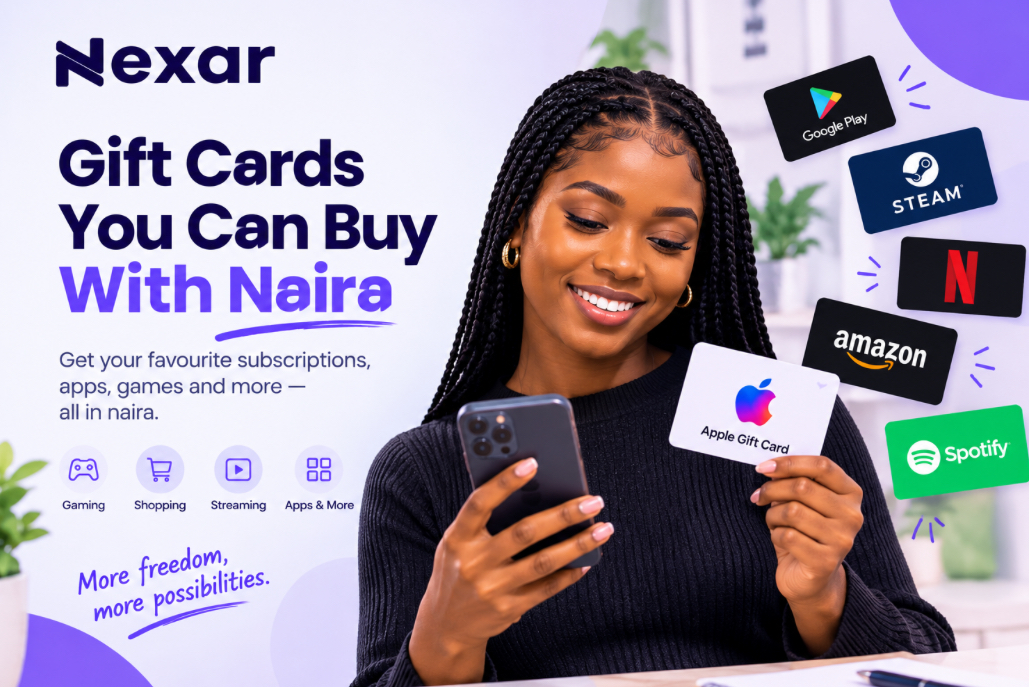
    That is where gift cards you can buy with naira can make things easier. Instead of relying on your bank card for every international payment, you can purchase a supported gift card through Nexar, pay in Naira, and redeem the card on the platform it was designed for.

    But not every gift card works everywhere. Before you buy, you need to understand the brand, currency, and region attached to the card.

    What Are Gift Cards You Can Buy With Naira?

    Gift cards are prepaid digital or physical cards that carry a specific value. You can redeem them for eligible products, subscriptions, apps, games, entertainment, or other services offered by the issuing brand.

    For Nigerians, gift cards you can buy with naira provide a convenient way to access international digital services without depending entirely on a Nigerian debit card.

    Nexar allows users to purchase different gift card options through its platform and pay using naira. Its gift-card service includes options such as Apple, Google Play, Steam, Amazon, and other supported brands. 

    The important part is choosing a card that matches the service and region you intend to use.

    Popular Gift Cards You Can Buy With Naira

    The exact gift cards available can change, but these are some common gift cards you can buy with Naira.

    1. Apple Gift Cards

    Apple gift cards can be useful for eligible Apple purchases, including apps, games, subscriptions, music, and other Apple services depending on the card and region.

    However, Apple gift cards are region-specific. Apple states that gift cards can only be used in the country or region where they were purchased. 

    So, don’t simply buy any Apple gift card because it is cheaper. Check that it matches your Apple Account region.

    2. Google Play Gift Cards

    Google Play gift cards can be used to add balance to Google Play for eligible purchases.

    They can be useful for apps, games, movies, and other digital content. However, Google says Play gift cards can only be redeemed in the country and currency where they were purchased, and the country on your Google Play account must match the card’s region. 

    This makes checking the region especially important before purchasing.

    Before buying, check Google Play’s official gift card guidelines to confirm that the card’s country and currency match your Google Play account.

    3. Steam Gift Cards

    If you’re a gamer, Steam gift cards can be useful for adding funds to your Steam Wallet and purchasing eligible games and digital content.

    Before purchasing, check the supported currency and region because availability and redemption rules can vary.

    4. Amazon Gift Cards

    Amazon gift cards can be useful for shopping on the relevant Amazon marketplace.

    For example, a gift card intended for Amazon.com shouldn’t automatically be assumed to work on every Amazon regional website.

    Always check which Amazon marketplace the card belongs to before buying.

    5. Entertainment Gift Cards

    You can also find gift cards connected to entertainment and streaming services.

    These can be useful when you want to pay for subscriptions without repeatedly entering your Nigerian bank card details.

    Nexar’s gift-card guides cover options for services such as Netflix and Apple Music, giving Nigerian users alternatives when traditional card payments create problems.

    If you want to learn more, read our guide on how to pay for Apple Music in Nigeria using an Apple gift card.

    How to Buy Gift Cards With Naira on Nexar

    Looking for gift cards to buy with naira, the process is straightforward.

    Step 1: Open Nexar

    Create an account or log in to your existing Nexar account.

    Get gift cards you can buy with Naira on Nexar

    Step 2: Go to Gift Cards

    Open the gift-card section and check the brands currently available.

    Step 3: Select Your Gift Card

    Choose the card you need and pay attention to its country, currency, and denomination.

    For example, if you need an Apple gift card for a US Apple Account, select the appropriate US card rather than assuming a Nigerian or another regional card will work.

    Step 4: Pay in Naira

    Complete your purchase using the available payment option.

    Nexar’s gift-card service is designed to make international digital purchases more accessible to Nigerian users. 

    Step 5: Receive Your Code

    Once your purchase is completed, you’ll receive the gift-card details according to the delivery method available for that product.

    Step 6: Redeem It

    Go to the official website or app belonging to the gift-card provider and redeem your code.

    Always redeem through the official platform rather than sending your code to someone else.

    Why Nigerians Use Online Gift Cards

    There are several reasons online gift cards in Nigeria have become useful.

    • They offer another payment option. If your bank card isn’t accepted by a particular service, a compatible gift card may provide an alternative.
    • They can help with budgeting. Instead of leaving your debit card connected to a service, you can use a prepaid balance where supported.
    • They’re convenient for digital purchases. You can receive a digital code without waiting for a physical card.
    • They’re useful for gifting. You can purchase a gift card for someone in another country when the card matches their region.
    • For freelancers, creators, gamers, students, and remote workers, having access to the right gift card can make certain international purchases simpler.

    Always Check the Gift Card Region

    This is one of the most important things to remember when buying gift cards you can buy with naira.

    A gift card isn’t necessarily usable worldwide.

    For example, Google states that Play gift cards can only be redeemed in the country where they were purchased. Apple also states that its gift cards are restricted to the country or region where they were purchased. 

    So before paying, check:

    • Brand: Is it the correct service?
    • Country: Does the card match your account region?
    • Currency: Does the currency match what the platform accepts?
    • Value: Is the denomination enough for your purchase?
    • Purpose: Can the card pay for what you actually need?

    Taking a minute to check these details can save you from buying a card you cannot redeem.

    Having trouble redeeming your card? See our guide on common Apple gift card errors and how to fix them for possible solutions.

    Common Mistakes to Avoid

    Buying the Wrong Region

    Don’t assume a US, UK, or another regional gift card will automatically work with your Nigerian account.

    Buying From Random Sellers

    Avoid sending money to unverified social-media sellers simply because they advertise a cheaper rate.

    Sharing Your Code

    Treat your gift-card code like money. Google specifically warns users not to share gift-card codes with people who ask for them as payment. 

    Buying Before Checking Compatibility

    Check the platform’s gift-card rules before completing your purchase.

    FAQs

    Can I buy gift cards with naira in Nigeria?

    Yes. Platforms such as Nexar allow Nigerian users to purchase supported gift cards while paying through available local payment options.

    What gift cards can I buy with naira?

    Available options vary, but Nexar offers gift cards across categories such as Apple, Google Play, Steam, Amazon, and entertainment services. Availability can change. 

    Can I use a US gift card in Nigeria?

    It depends on the brand and your account region. Many gift cards are region-specific, so always check the issuer’s rules before buying.

    Are online gift cards in Nigeria safe?

    They can be safe when you purchase from a reputable provider and redeem them through the official platform. Never share your gift-card code with strangers.

    Buy Your Gift Card With Naira on Nexar

    You don’t have to keep struggling with declined bank-card payments every time you need an international digital service.

    With Nexar, you can explore gift cards you can buy with naira, choose the option that matches your needs, pay through the available payment methods, and redeem your card on the supported platform.

    Just remember: check the brand and region before you buy.

    Ready to get a gift card? Get started with Nexar today.

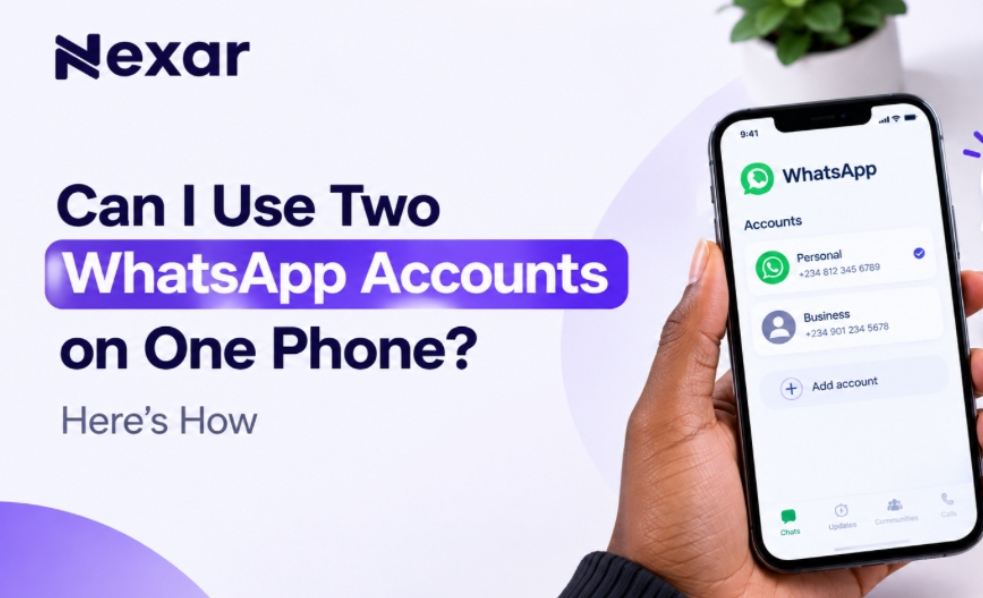
  • Can I Use Two WhatsApp Accounts on One Phone? Here’s How

    Can I Use Two WhatsApp Accounts on One Phone? Here’s How

    If you use WhatsApp for both personal and business conversations, carrying two phones just to keep your accounts separate can be frustrating. You may want one number for family and friends and another for customers, clients, or work but getting a second number can feel like an unnecessary hassle.

    The good news is that two WhatsApp accounts on one phone are now officially supported. WhatsApp allows you to add and switch between two accounts without logging out or carrying a second phone. 

    And if you need a second number for the additional account, Nexar can help you get a virtual number for supported WhatsApp verification.

    Can You Use Two WhatsApp Accounts on One Phone?

    Yes, you can use two WhatsApp accounts on one phone.

    WhatsApp introduced its multiple-account feature so users can keep separate accounts on the same device. This is particularly useful if you want to separate your personal and professional conversations.

    As of 2026, WhatsApp supports two accounts on the same phone on both Android and iOS. WhatsApp announced that the two-account feature had expanded to iOS, bringing the experience in line with Android. 

    However, there is one important requirement: each WhatsApp account needs its own phone number.

    That means you cannot create two accounts using the exact same number.

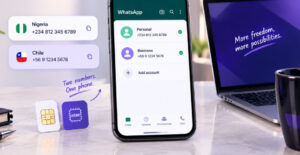
    WhatsApp requires a second phone number for your additional account. You can use a separate SIM, dual-SIM setup, or eSIM-supported number. You can read the WhatsApp’s multiple-account guide.

    What You Need for Two WhatsApp Accounts on One Phone

    Before setting up your two WhatsApp accounts on one phone, make sure you have:

    • Your existing WhatsApp account and number
    • A second active phone number
    • Access to the verification code for the second number
    • The latest version of the official WhatsApp app
    • A phone that supports the multiple-account feature

    WhatsApp says the second account requires a second phone number and SIM card, or a phone that supports multi-SIM or eSIM. 

    For Nigerians who don’t want to purchase another physical SIM just for WhatsApp, a virtual number can be another option where the number is supported for WhatsApp verification.

    How to Add a Second WhatsApp Account

    Once you have your second number, setting up your second WhatsApp account is straightforward.

    1. Open WhatsApp

    Launch the official WhatsApp application on your phone.

    Make sure you’re using the legitimate WhatsApp app rather than modified versions. WhatsApp specifically recommends using its official application for security. 

    2. Open Your WhatsApp Settings

    Go to Settings and look for the account option next to your profile name.

    WhatsApp’s multiple-account setup allows you to add another account without logging out of your existing one.

    3. Select “Add Account”

    Tap the option to Add account.

    You will then be asked to provide the phone number you want to use for the second account.

    4. Enter Your Second Number

    Select the appropriate country and enter your second phone number in international format.

    WhatsApp requires an active number that can receive the registration code. Its Help Center explains that registration involves receiving a six-digit code by SMS or, depending on the circumstances, by phone call. 

    5. Verify the Number

    Enter the verification code sent to your second number.

    Once verification is complete, you can set up the profile for your new account.

    6. Switch Between Your Accounts

    After adding the account, you can switch between your two WhatsApp accounts without logging out.

    This makes it much easier to keep personal chats separate from business conversations.

    Need a Second Number? Nexar Can Help

    Getting the WhatsApp app is only part of the process. You also need another number to register the second account.

    This is where Nexar virtual numbers can be useful.

    Instead of immediately buying another physical SIM, you can use Nexar to get a virtual number for supported services. Nexar provides virtual numbers from multiple countries and supports WhatsApp verification on eligible numbers. 

    The basic process is simple:

    • Create or log in to your Nexar account.
    • Go to the virtual numbers section.
    • Select the country you need.
    • Choose WhatsApp as the service, where available.
    • Place your order.
    • Use the number during WhatsApp registration.
    • Receive the verification code through Nexar and complete your setup.

    If you’re specifically interested in WhatsApp verification, see our guide on How to Get a Virtual Number for WhatsApp Verification.

    Important: Virtual-number availability and acceptance can vary by service and number. Always select a number specifically offered for WhatsApp verification rather than assuming every virtual number will work.

    Why Use Two WhatsApp Numbers on One Phone?

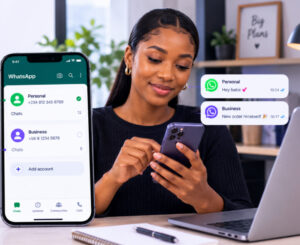
    A Nigerian lady using two WhatsApp accounts on one phone

    There are several practical reasons to have two WhatsApp numbers on one phone.

    Keep Work and Personal Chats Separate

    You can use one account for friends and family and another for customers, clients, or colleagues.

    Manage a Business More Easily

    If you run a small business in Nigeria, having a separate WhatsApp account can make customer communication more organized.

    You can also use WhatsApp Business for your business operations while keeping your personal WhatsApp separate.

    Protect Your Personal Number

    A second number means you don’t always have to give your primary personal number to customers or online contacts.

    Avoid Carrying Two Phones

    Instead of switching between devices, you can manage both accounts from one phone.

    What If You Can’t Add a Second Account?

    If the Add account option isn’t showing, try these steps:

    • Update WhatsApp from your app store.
    • Restart your phone.
    • Check whether your device supports multiple WhatsApp accounts.
    • Make sure you’re using the official WhatsApp application.
    • Confirm that your second number can receive the verification code.
    • Avoid repeatedly requesting OTP codes within a short period.

    If your second number isn’t receiving the code, the problem may be related to the number, carrier, or WhatsApp’s verification process.

    For more information about verification numbers, you can also read How to Get a Long Term Virtual Number for OTP Verification in Nigeria.

    FAQs About Two WhatsApp Accounts on One Phone

    Can I have two WhatsApp accounts on one phone?

    Yes. WhatsApp officially supports two accounts on the same phone, including on iOS and Android. Each account needs a different phone number. 

    Can I use the same number for two WhatsApp accounts?

    No. Each WhatsApp account requires its own phone number for registration and verification. 

    Can I use a virtual number for my second WhatsApp account?

    A virtual number may work if it is supported for WhatsApp verification and can receive the required registration code. Nexar offers virtual numbers for supported WhatsApp verification. 

    Can I use two WhatsApp accounts for business?

    Yes. Having separate accounts can help you keep business and personal conversations organized. You can also use WhatsApp Business for your business account.

    Final Thoughts

    You no longer need two phones just because you want separate WhatsApp accounts. With WhatsApp’s built-in multiple-account feature, you can manage two WhatsApp accounts on one phone and switch between them when needed. 

    The main requirement is having a separate number for the second WhatsApp account. If you don’t want to purchase another physical SIM, Nexar gives Nigerians another option through virtual numbers for supported WhatsApp verification.

    Need a second number? Get started with Nexar and simplify your WhatsApp setup.

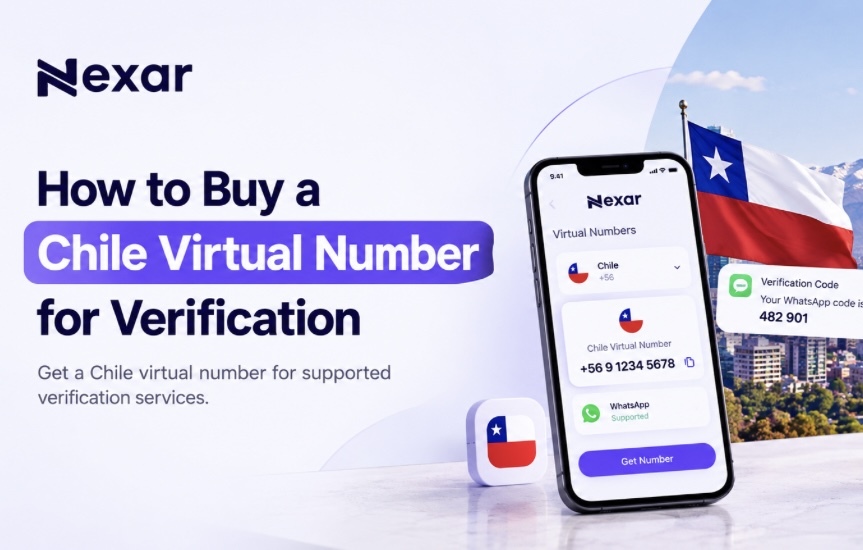
  • How to Buy a Chile Virtual Number for Verification

    How to Buy a Chile Virtual Number for Verification

    Trying to verify an online account with a Chilean number can be frustrating when you’re in Nigeria. Many services ask for a local phone number before they let you complete registration, but getting a physical SIM from another country isn’t always practical.

    A Chile virtual number for verification gives you a simpler option. With Nexar, you can purchase an available Chilean virtual number online and use it to receive verification codes for supported services without needing to be physically in Chile.

    What Is a Chile Virtual Number for Verification?

    A Chile virtual number is a phone number that you can access online rather than through a traditional physical SIM card.

    For verification, the number can receive an OTP or SMS code from a supported platform. You then use that code to complete your account registration or verification.

    Chile’s international country code is +56, and Chilean mobile numbers use the 9 mobile prefix in international format. 

    For Nigerians, this means you can access a Chilean number online without traveling to Chile or buying a local physical SIM.

    Why Use a Chile Virtual Number Instead of a Physical SIM?

    Buy a chile virtual number on Nexar

    For someone living in Nigeria, a virtual number can remove several unnecessary steps.

    No international travel

    You don’t need to be in Chile to purchase an available virtual number online.

    No physical SIM

    You can access the number through the Nexar platform rather than waiting for a physical SIM card.

    Faster setup

    You can select your country and service and place your order online.

    Useful for online verification

    A Chile virtual number can help with supported SMS verification services.

    Convenient for freelancers and businesses: If you work with international platforms or manage accounts for different markets, having access to numbers from different countries can be useful.

    Nexar’s platform is built around giving users access to digital resources from different countries without having to manage several separate providers.

    How to Buy a Chile Virtual Number for Verification with Nexar

    Nexar makes the process straightforward. You don’t need to search through multiple websites or deal with complicated setup processes.

    1. Create Your Nexar Account

    Start by creating an account on Nexar.

    The platform is designed to give users access to digital services, including virtual numbers, from one place. Nexar currently provides virtual numbers across many countries. 

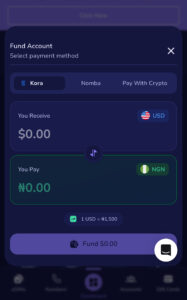
    2. Top Up Your Nexar Account

    Add funds to your Nexar account before purchasing your number.

    Nexar supports options such as bank transfer, Visa/Mastercard, and USSD through its payment system, making it practical for users in Nigeria. 

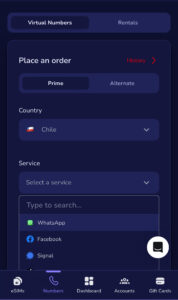
    3. Select Chile

    Go to the virtual-number section and select Chile as your preferred country.

    You’ll see the available services and numbers based on current stock.

    4. Select the Service You Want to Verify

    Choose the platform you need the number for.

    If you’re trying to verify WhatsApp, select WhatsApp if a Chile number is currently available for that service. The same applies to other supported platforms.

    Nexar’s system lets users select a country and service before placing an order. 

    5. Place Your Order

    Once you’ve selected the Chile number and service, place your order.

    Nexar will generate the number for you when available.

    6. Enter the Number on the Platform

    Copy your new number and enter it into the website or app you’re trying to verify.

    Then wait for the verification code.

    7. Enter Your OTP

    When the supported service sends the verification SMS, use the code provided through Nexar to complete the verification process.

    That’s it, you can now continue using the verified account.

    Can You Get a Chile Virtual Number Free?

    You may come across websites advertising a Chile virtual number free of charge. While free numbers can look attractive, they often come with limitations.

    Public numbers may be shared among multiple users, which can create privacy and reliability concerns. A free number may also be unavailable when you actually need it or may not be accepted by the platform you’re trying to verify.

    If you need a number for an important account, using a dedicated number from a service such as Nexar can provide a more straightforward experience.

    Nexar lets you check available countries and services before placing an order, so you can select a number based on your specific verification requirement. 

    If you’re looking for a broader WhatsApp solution, you can also read our guide on how to get a virtual number for WhatsApp verification.

    Important Things to Know Before Buying

    Before you buy a Chile virtual number for verification, keep these points in mind:

    • Check that Chile is available for the service you need.
    • Don’t assume every number supports every platform.
    • Use the number only for legitimate account verification.
    • Keep your OTP private and never share it with another person.
    • If the platform doesn’t accept the number, check whether another available number or supported service is appropriate.
    • Don’t repeatedly request OTPs if a code is delayed. Give the system time to process the request.

    Chile has also introduced new registration requirements for prepaid mobile numbers, with identity validation taking effect from August 20, 2026. This is another reason not to confuse a virtual number service with obtaining an ordinary Chilean prepaid SIM. 

    Frequently Asked Questions

    Can I get a Chile virtual number from Nigeria?

    Yes. You can purchase an available Chile virtual number online through Nexar without travelling to Chile.

    Is there a Chile virtual number free option?

    Free numbers may exist on some public services, but they can have limitations around privacy, availability, and reliability. Nexar provides paid virtual numbers based on available stock and service requirements.

    Can I use a Chile virtual number for WhatsApp?

    You can use a Chile number for WhatsApp verification if Nexar currently offers that number for WhatsApp and WhatsApp accepts it. Availability can change, so check before ordering.

    How quickly can I receive my verification code?

    The timing depends on the platform and the number’s availability. Once you place an order through Nexar, you can monitor the number for the verification code.

    Get Your Chile Virtual Number with Nexar

    You don’t need to spend hours looking for a Chilean SIM card just to complete an online verification.

    With Nexar, you can check for an available Chile virtual number for verification, select your supported service, place your order, and receive the verification code online.

    Ready to get started? Get your Chile virtual number with Nexar today.

  • Top 10 Highest Rated Gift Cards in Nigeria (2026 Guide)

    Top 10 Highest Rated Gift Cards in Nigeria (2026 Guide)

    According to industry reports, billions of dollars worth of gift cards go unused every year, leaving consumers with value they never redeem. Instead of letting those gift cards sit in a drawer or expire, many people now exchange them for cash through trusted trading platforms. That’s why understanding the highest rated gift card in Nigeria can help you make smarter decisions.

    If you’ve ever received a gift card you don’t plan to use, you don’t have to let it go to waste. Many unused gift cards have excellent resale value in Nigeria, especially if they come from popular international brands. The key is knowing which ones are in the highest demand before you trade.

    While exchange rates fluctuate daily based on demand, denomination, and market trends, some gift cards consistently maintain strong resale value and remain favourites among Nigerian traders.

    Whether you’re a freelancer looking for quick cash, a student with an unused gift card, or someone who regularly receives digital gift cards, choosing the Gift Card with the highest resale value can help you get more money from every trade.

    With Nexar, you can buy  popular gift cards securely, enjoy competitive rates, and complete your transactions in just a few steps.

    Let’s look at the top-selling Gift card in Nigeria and discover which ones continue to offer the best resale value in 2026.

    Why Does the Highest Rated Gift Card in Nigeria Change?

    Before choosing a gift card, it’s important to understand that resale values aren’t fixed.

    Several factors affect the value of a gift card, including:

    • Market demand
    • Card denomination
    • Country of origin (US, UK, Canada, etc.)
    • Whether the card is physical or digital
    • Current exchange rates

    That’s why checking the latest rates before trading is always the smartest move.

    Top 10 Highest Rated Gift Cards in Nigeria

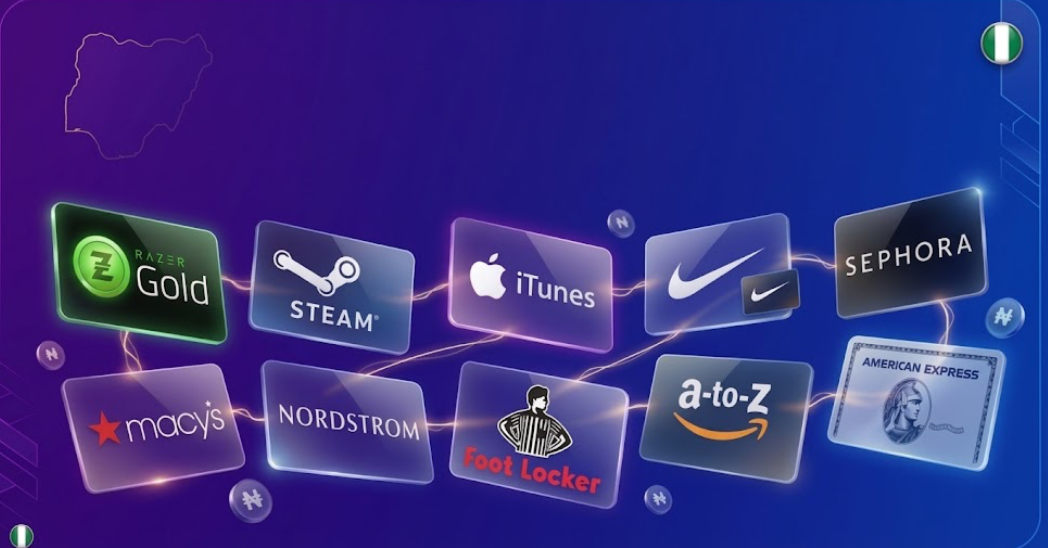
    If you’re searching for the Highest Rated Gift Card in Nigeria, these are some of the most valuable gift cards Nigerians frequently trade.

    Apple Gift Card

    Apple Gift Cards continue to rank among the Gift Card with the highest resale value because of their global demand.

    People use them to purchase:

    • iPhones
    • Apps
    • Apple Music subscriptions
    • MacBooks
    • iCloud storage

    Their popularity keeps resale prices competitive throughout the year.

    Amazon Gift Card

    Highest rated gift card in Nigeria

    Amazon Gift Cards remain one of the top-selling Gift card in Nigeria.

    Since Amazon sells millions of products worldwide, these cards are always in demand.

    Many traders prefer US Amazon Gift Cards because they often have stronger resale rates than cards from other regions.

    Steam Gift Card

    Steam Gift Cards are especially popular among gamers.

    They allow users to buy:

    • PC games
    • Game expansions
    • In-game content
    • Software

    Because gaming continues to grow worldwide, Steam remains a Gift Card with the highest resale value.

    Razer Gold Gift Card

    Another favourite among gamers is the Razer Gold Gift Card.

    It’s widely used for purchasing digital gaming content across multiple platforms, making it one of the best Gift Card options for resale in Nigeria.

    Visa Prepaid Gift Card

    Visa Gift Cards offer incredible flexibility.

    Unlike store-specific cards, Visa cards can often be used anywhere Visa is accepted, increasing their demand and making them one of the Gift Card with the highest resale value.

    Google Play Gift Card


    Google Play Gift Cards remain popular among Android users.

    People use them to purchase:

    • Apps
    • Movies
    • Books
    • Games
    • Google subscriptions

    Their steady demand makes them another top-selling Gift card in Nigeria.

    Sephora Gift Card

    Beauty products never go out of style.

    Sephora Gift Cards have become valuable because they’re widely used for premium skincare, makeup, and fragrances.

    They consistently rank among the Gift Card with the highest resale value.

    American Express Gift Card

    American Express Gift Cards offer flexibility similar to Visa cards.

    Their broad acceptance and purchasing power help maintain strong resale demand throughout the year.

    Nike Gift Card

    Nike’s global popularity keeps its gift cards valuable.

    Sportswear lovers regularly purchase Nike products, making this another best Gift Card for resale.

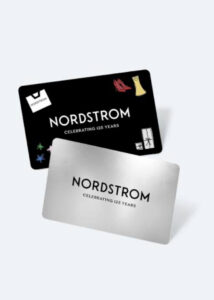
    Nordstrom Gift Card

    Nordstrom Gift Cards are popular for premium fashion and luxury shopping.

    Although they’re more niche than Amazon or Apple, they still rank among the Gift Card with the highest resale value in Nigeria.

    How to Choose the Highest Rated Gift Card in Nigeria

    Before buying or selling any gift card, consider these factors:

    • Check Current Market Rates
    • Rates fluctuate daily.
    • Always compare today’s rate before trading.
    • Choose High-Demand Brands
    • Popular brands generally maintain stronger resale values.
    • Verify the Card
    • Ensure the gift card is genuine and unused where required.
    • Trade on Trusted Platforms

    Choosing a reliable platform protects you from scams and delayed payments.

    Why Buy Gift Cards with Nexar?

    Finding the Highest Rated Gift Card in Nigeria is only part of the process.

    You also need a secure platform to buy and trade your gift cards confidently.

    With Nexar, you enjoy:

    • Competitive exchange rates
    • Fast transactions
    • Secure payments
    • Easy-to-use interface
    • Reliable customer support

    Whether you’re a freelancer, student, gamer, or business owner, Nexar helps you get value from your gift cards quickly and securely. If you want more information on how to get gift cards, read our guide on this.

    Frequently Asked Questions

    What is the Highest Rated Gift Card in Nigeria?

    Apple, Amazon, Steam, Visa, and Razer Gold Gift Cards are consistently among the Highest Rated Gift Card in Nigeria, although rates vary based on demand.

    Which Gift Card has the highest resale value?

    There isn’t one permanent winner. However, Apple, Amazon, Steam, and Visa cards frequently rank as the Gift Card with the highest resale value.

    Which is the top-selling Gift card in Nigeria?

    Amazon, Apple, Google Play, and Steam are among the top-selling Gift card in Nigeria due to their widespread popularity.

    Does the resale value change?

    Yes. Exchange rates depend on market demand, denomination, region, and current trading conditions.

    Final Thoughts

    Choosing the Highest Rated Gift Card in Nigeria can help you maximize the value of every trade.

    While market rates change, Apple, Amazon, Steam, Visa, Google Play, and Razer Gold consistently remain among the Gift Card with the highest resale value because of their popularity and demand.

    Before trading, always check the latest rates and use a trusted platform to protect your funds.

    Ready to buy or trade gift cards?

    Download the Nexar app today to access competitive rates, secure transactions, and a simple trading experience designed for Nigerians.

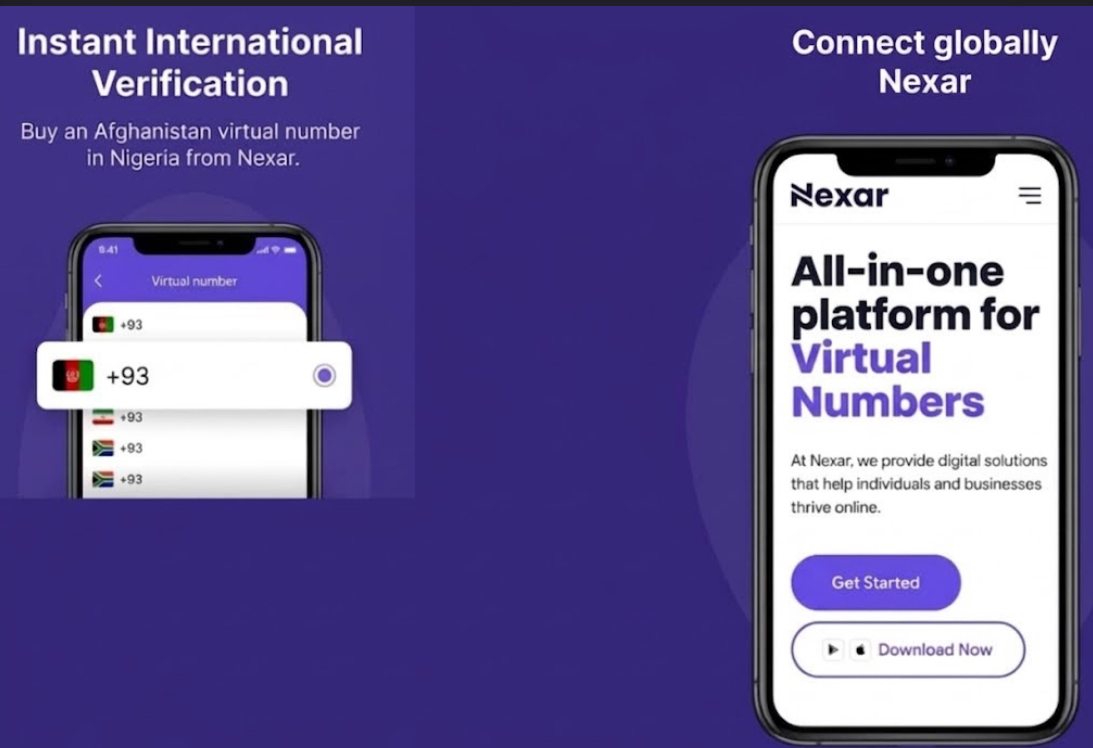
  • How to Buy an Afghanistan Virtual Number in Nigeria

    How to Buy an Afghanistan Virtual Number in Nigeria

    Have you ever tried signing up for an Afghan platform only to discover that your Nigerian phone number isn’t accepted? Or perhaps you need an Afghanistan number for business, client communication, or account verification.

    The good news is that you don’t have to travel or buy a physical SIM card. With Nexar, you can get an Afghanistan virtual number in Nigeria within minutes and use it for eligible online verifications.

    In this guide, you’ll learn exactly how to buy an Afghanistan virtual number in Nigeria, what you can use it for, and why Nexar is one of the easiest platforms for Nigerians.

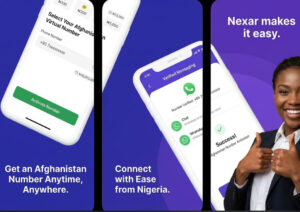
    Why Do You Need an Afghanistan Virtual Number in Nigeria?

    A user surprised he was able to get an Afghanistan virtual number in Nigeria

    An Afghanistan virtual number in Nigeria allows you to receive verification codes without owning a physical Afghan SIM card.

    Many Nigerians use virtual numbers to:

    • Verify online accounts
    • Create WhatsApp accounts where supported
    • Register for international services
    • Protect their personal phone number
    • Separate work and personal accounts

    Whether you’re a freelancer, business owner, marketer, or someone accessing international platforms, a virtual number saves both time and money.

    How to Buy an Afghanistan Virtual Number in Nigeria

    Buying an Afghanistan virtual number in Nigeria with Nexar is simple.

    Step 1: Download the Nexar App

    Download the Nexar app to get an Afghanistan virtual number

    Install the Nexar app on your Android or iPhone.

    Create an account using your email address.

    Step 2: Fund Your Wallet

    Add funds using one of Nexar’s supported payment methods.

    Since Nexar is built with Africans in mind, Nigerians can fund their wallets conveniently without complicated international payment processes.

    Step 3: Search for Afghanistan

    Navigate to the Virtual Numbers section.

    Select Afghanistan from the list of available countries.

    Step 4: Choose the Service

    Select the platform you want to verify.

    For example, if you need an Afghanistan virtual number for WhatsApp, simply choose WhatsApp if it’s available for that country.

    Step 5: Buy Your Number

    Confirm your purchase.

    Within seconds, your Afghanistan virtual number in Nigeria will be ready to receive verification codes.

    Step 6: Complete Your Verification

    Enter the number on your chosen platform.

    When the OTP arrives inside Nexar, copy the code and finish your registration.

    That’s it.

    If you are setting up accounts for global platforms, check out our full guide on how to receive OTP verifications in Nigeria

    What Can You Use an Afghan Virtual Number For?

    An Afghan virtual number has several practical uses.

    You can use it to:

    • Verify online accounts
    • Receive OTP codes
    • Register for international platforms
    • Protect your privacy
    • Separate business and personal communication
    • Test applications
    • Manage multiple accounts where platform policies allow

    Always ensure you comply with the terms of service of the platform you’re registering on.

    Why Nigerians Prefer Nexar

    When you need an Afghanistan virtual number in Nigeria, reliability matters.

    Here’s why many Nigerians choose Nexar:

    Fast Delivery

    Your number becomes available almost instantly after purchase.

    Affordable Pricing

    Nexar offers competitive pricing designed for African users.

    Secure Verification

    Receive OTPs directly inside the app without unnecessary delays.

    Multiple Countries

    Besides Afghanistan, Nexar offers virtual numbers across numerous countries, making it easier to verify accounts globally.

    Easy-to-Use Interface

    Whether you’re a beginner or an experienced user, the app is straightforward to navigate.

    Things to Know Before You Buy Afghanistan Number Online

    Before you buy Afghanistan number online, keep these tips in mind:

    • Confirm that the service supports virtual numbers.
    • Purchase the number only when you’re ready to complete verification.
    • Enter the number correctly to avoid delays.
    • Make sure your internet connection is stable while waiting for the OTP.
    • Use trusted providers like Nexar for secure transactions.

    Following these tips will help you complete your verification smoothly.

    Why Buy an Afghanistan Number Online Instead of a Physical SIM?

    Many users now prefer to buy Afghanistan numbers online because it’s faster and more convenient.

    Instead of waiting for a physical SIM card to arrive, you can:

    • Get your number within minutes
    • Skip expensive international shipping
    • Avoid roaming charges
    • Manage everything digitally
    • Access numbers from anywhere in Nigeria

    For freelancers and businesses working with international clients, this flexibility is a huge advantage.

    Before registering foreign numbers on messaging apps, review the WhatsApp Account Verification  Guidelines regarding supported virtual phone lines.

    Frequently Asked Questions

    Can I buy an Afghanistan virtual number in Nigeria?

    Yes. Nexar allows you to purchase an Afghanistan virtual number in Nigeria without leaving the country.

    Can I use an Afghanistan virtual number for WhatsApp?

    Yes, you can purchase an Afghanistan virtual number for WhatsApp if WhatsApp is available for Afghanistan within the Nexar app.

    Is it safe to buy an Afghanistan number online?

    Yes, provided you use a trusted platform like Nexar.

    How long does it take?

    Most purchases are completed within minutes, and OTPs are usually delivered quickly once the number is active.

    Final Thoughts

    Getting an Afghanistan virtual number in Nigeria no longer has to be complicated.

    With Nexar, you can purchase your number, receive OTPs quickly, and complete your account verification without needing a physical SIM card.

    Whether you’re verifying an account, protecting your privacy, or expanding your business internationally, Nexar provides a simple and reliable solution.

    Download the Nexar app, fund your wallet, and get your Afghanistan virtual number in Nigeria in just a few minutes.

  • Crypto to Naira Exchange: 5 Steps to Convert Crypto to Naira Instantly in Nigeria

    Crypto to Naira Exchange: 5 Steps to Convert Crypto to Naira Instantly in Nigeria

    Cryptocurrency gives Nigerian traders and investors access to a global financial market, but converting digital assets into spendable naira can still be frustrating. Delayed settlements, unclear fees, unreliable buyers, and network mistakes can turn a simple withdrawal into a stressful process.

    A reliable Nexar service makes the process easier by bringing crypto conversion and local bank withdrawals into one secure digital platform. Instead of relying on informal buyers or guessing your final payout, you can view the available rate, send your crypto, and receive naira in your bank account after confirmation.

    This guide explains how to exchange crypto to naira in five clear steps, what to check before choosing a platform, and why Nexar is a strong choice for fast, transparent settlements.

    5 Steps in a Crypto to Naira Exchange

    The exact interface may differ between platforms, but a secure conversion usually follows the same process: create an account, confirm your bank details, review the live rate, send your crypto, and receive your naira.

    Step 1: Choose a secure crypto conversion platform

    Start by choosing a platform that supports direct crypto-to-naira withdrawals. A good service should make the full cost clear before you confirm the transaction, support the assets and networks you use, and provide a clear route for resolving failed or delayed payments.

    Do not choose a platform based only on a social media recommendation or the highest advertised rate. A rate that looks attractive may include hidden charges, a wide spread, or slow settlement. Instead, review these basic points:

    • Does the platform use account verification and transaction monitoring?
    • Is there a clear privacy policy and customer support channel?
    • Does it explain its compliance and licensing position?
    • Are the supported coins and networks listed clearly?
    • Does it pay directly to a Nigerian bank account?
    • Can you see the final naira amount before sending crypto?

    Nigeria’s regulatory environment for virtual assets continues to develop. The Central Bank of Nigeria’s official reforms page provides useful background on financial-sector changes. You should also confirm the latest requirements that apply to your activities and keep records of your transactions.

    Avoid sending funds to an unknown wallet controlled by an individual buyer. If something goes wrong, recovering the crypto may be difficult or impossible.

    Step 2: Create an account, complete verification, and add your bank

    Once you select a provider, open an account using your correct personal details. You may need to complete identity verification before you can access a deposit address or withdraw naira.

    Verification is not just an inconvenience. It helps a platform protect accounts, reduce fraud, and meet applicable anti-money-laundering requirements. It also creates a clearer transaction record for traders and investors who need to document the source and movement of funds.

    Add the Nigerian bank account where you want to receive your payout. Carefully check the account name and number before continuing. If the platform supports beneficiary verification, use it. A small error in your bank details can delay settlement even when the blockchain transaction is successful.

    If you are learning how to exchange crypto to naira, this is the stage where you should also review transaction limits. Some platforms apply different minimums and maximums depending on the asset, account status, or settlement method.

    Dark-skinned Nigerian business owner reviewing a secure purple digital wallet interface with shield and lock motifs

    Step 3: Review the real-time rate and your final payout

    Before sending crypto, check the conversion rate displayed on the platform. The rate should be live or recently updated, and the final naira amount should be easy to understand.

    A mid-market rate is generally the midpoint between the buy and sell prices in a market. However, crypto markets do not have one universal global rate. Prices can differ between exchanges, liquidity providers, networks, and settlement venues. For that reason, a platform should explain whether its quote is based on a market midpoint, an aggregated market price, or a rate that already includes its spread.

    You can compare the platform’s quote with independent references such as:

    The aim is not to find a perfectly identical number. Crypto prices move constantly, and different sources update at different times. The aim is to understand whether the quote is reasonable and whether the spread or service charge is visible.

    Check the following before approving the trade:

    1. The coin and network selected.
    2. The amount of crypto you are sending.
    3. The quoted crypto-to-naira rate.
    4. Any network or service charge.
    5. The exact naira amount you should receive.
    6. How long settlement may take after confirmation.

    Dark-skinned Nigerian hands using a smartphone with a purple exchange-rate interface and abstract chart lines

    Step 4: Send crypto to your unique deposit address

    After reviewing the quote, select the asset you want to convert. The platform should generate a deposit address connected to your account.

    Copy the address carefully and paste it into the wallet or exchange where your crypto is currently held. Then check the network. For example, USDT may be available across multiple networks, but sending it through the wrong network can result in permanent loss.

    Before confirming the transfer:

    • Match the first and last characters of the wallet address.
    • Confirm that the selected network matches the deposit network.
    • Check the minimum deposit amount.
    • Send a small test amount if you are using the platform for the first time.
    • Save the transaction hash or blockchain reference.

    Once the transaction is broadcast, blockchain confirmation time depends on the asset and network. A fast network may confirm quickly, while a congested network can take longer. The conversion platform cannot always control this part of the process, so do not assume that a delayed confirmation means your funds are lost.

    Step 5: Receive naira in your bank account

    After the crypto deposit receives the required confirmation, the platform converts it using the quoted market rate or the applicable rate at settlement. The naira is then sent to your verified bank account.

    Settlement speed depends on blockchain confirmation, internal checks, banking rails, and the platform’s available liquidity. A reliable service should update your transaction status and provide a receipt or reference when the payout is completed.

    Review your bank alert and transaction history before attempting another withdrawal. If the funds do not arrive within the stated time, contact customer support with your account reference, transaction hash, amount, and destination bank details. Never share your wallet recovery phrase or private keys with support staff.

    How to Choose the Best Platform for Secure Crypto Conversion

    When comparing providers, look beyond the promise of instant payment. The best crypto to naira app nigeria users can choose should balance speed with safety, clear pricing, and dependable support.

    Security and account protection

    Look for password protection, two-factor authentication, login alerts, encrypted connections, and secure handling of personal information. The platform should also use transaction monitoring to identify unusual activity.

    Protect your side of the transaction as well. Use a strong, unique password, activate 2FA, and avoid approving wallet transfers while connected to an unsecured public network.

    Licensing and compliance

    A provider should clearly explain the regulatory framework that applies to its services. Check whether it publishes company information, compliance policies, identity-verification requirements, and responsible support contacts.

    Licensing status can vary according to the type of virtual asset service offered. Do not assume that an app is authorised simply because it has a professional website or a large online following.

    Rate transparency

    A trustworthy platform should show the rate, fees, and final payout before you commit. Be cautious when a provider uses vague claims such as “best rate” without explaining how its quote is calculated.

    A transparent rate screen lets you compare the quote with an independent market reference and decide whether the conversion makes sense for you.

    Speed of settlement

    Fast settlement matters when you need to pay for a service, manage working capital, or act on a market opportunity. Still, “instant” should be understood in context. Blockchain confirmation and banking delays can affect the final timing.

    Choose a provider that displays the transaction status and gives a realistic settlement estimate instead of making an absolute promise.

    Customer support

    Support should be easy to reach before, during, and after a transaction. Check whether the provider offers in-app support, email, or another official channel. Avoid anyone asking for your seed phrase, private key, or one-time password.

    Why Nexar Is a Premier Choice

    Transparent rates before conversion

    The Nexar crypto-to-naira service is designed to show live prices and clear rates before you proceed. This gives you a better view of what your crypto is worth in naira and helps reduce surprises at checkout.

    The platform describes its conversion process as sending crypto to a unique wallet address, automatic conversion at market rates, and withdrawal of naira to a Nigerian bank account. Supported assets and applicable limits are shown within the conversion flow, so you can review the details before sending funds.

    Instant settlements for everyday needs

    Once your transaction is confirmed and processed, Nexar supports naira withdrawals to Nigerian bank accounts. Fast settlement is useful for traders who need to move funds quickly, investors managing liquidity, and freelancers who need to pay for digital services without waiting through a lengthy manual process.

    The service also brings related digital needs into one account. After converting crypto, you can use bill payments for airtime, data, electricity, and TV subscriptions. If you need to access an international platform, virtual numbers can help with supported account-verification use cases. Travellers can stay connected with eSIMs, while online shoppers can explore gift card trading.

    That all-in-one structure means you do not have to move between several unrelated services for common digital transactions.

    A simpler experience for Nigerian users

    The best crypto to naira app nigeria traders need is one that reduces unnecessary steps without hiding important information. Nexar combines a straightforward conversion flow with local naira settlement and access to additional digital services.

    You can start a conversion through the app or visit the crypto-to-naira page to review the process. As with any financial service, confirm the current quote, supported network, limits, and terms before completing a transaction.

    Crypto to Naira Exchange

    Common Mistakes to Avoid

    Even with a reliable platform, avoid these common problems:

    • Sending USDT through an unsupported network.
    • Failing to compare the quoted rate with a market reference.
    • Entering the wrong bank account details.
    • Sending more than the platform’s stated limit.
    • Sharing an OTP, password, private key, or recovery phrase.
    • Assuming a blockchain delay means the transaction failed.
    • Using unofficial customer-support accounts found through social media.

    Keep your transaction receipts and wallet references, especially if you trade regularly. Accurate records make it easier to track your cost basis, confirm payouts, and respond to questions about a transaction.

    Final Thoughts

    A good crypto conversion process should be clear from beginning to end. Choose a secure provider, verify your identity and bank details, review the real-time market quote, confirm the correct network, and wait for the payout after blockchain confirmation.

    If you want a simpler way to convert digital assets and receive naira, visit https://nexarhq.com and explore the Nexar crypto-to-naira service. Transparent rates, instant settlements, and access to related digital services can make managing your online finances easier from one secure account.

    Frequently Asked Questions

    What is a crypto to naira exchange?

    A crypto to naira exchange is a service that lets you sell supported digital assets and receive Nigerian naira through a bank transfer or naira wallet. The final value depends on the asset price, market conditions, fees, spread, and blockchain network.

    How to exchange crypto to naira safely?

    To exchange crypto safely, use a reputable provider, complete account verification, check the live quote, confirm the wallet address and network, and protect your login details with 2FA. Start with a small test transaction if you are using a new service.

    How fast can I receive naira after sending crypto?

    Timing depends on the blockchain network, required confirmations, internal checks, and banking settlement. A fast provider can process the naira payout promptly after confirmation, but no platform can control every part of the blockchain or banking process.

    What is the best crypto to naira app nigeria traders can use?

    The right choice depends on the coins you hold, supported networks, rate transparency, security controls, settlement speed, limits, and customer support. Nexar is designed for users who want clear market rates and fast naira withdrawals in one digital platform.

    Is it safe to convert crypto through an app?

    It can be safe when the app uses strong account security, identity verification, transaction monitoring, clear policies, and reliable payment rails. Always download or access the service through its official website, and never share your private keys or recovery phrase.

  • How to Complete Stripe Verification in Nigeria Using a US Virtual Number(Step-by-Step Guide)

    How to Complete Stripe Verification in Nigeria Using a US Virtual Number(Step-by-Step Guide)

    Few things are more frustrating than reaching the final stage of an account setup only to get stuck during verification.

    Many freelancers, agency owners, SaaS founders, and online entrepreneurs researching Stripe verification in Nigeria solutions often run into challenges when trying to complete account verification requirements. Missing OTP codes, unreliable phone numbers, and delayed SMS delivery can turn what should be a simple process into a stressful experience.

    When important verification messages don’t arrive on time, you risk delays that can affect your business operations and account management. This is why many users look for reliable communication tools that help them receive verification messages quickly and securely.

    One option many people explore is using a US virtual number for Stripe verification to receive SMS codes when supported. While a virtual number does not replace Stripe’s eligibility, business, or identity verification requirements, it can help ensure you receive important verification messages without relying on an unreliable phone number.

    In this guide, you’ll learn how Stripe verification in Nigeria works, what you need to prepare, how Stripe OTP verification functions, and how Nexar can help you access reliable virtual numbers for SMS verification.

    Understanding Stripe Verification in Nigeria Requirements

    Requirement for stripe verification in Nigeria

    Before beginning the verification process, it’s important to understand that Stripe requires users to provide accurate information based on the country and business structure they operate under.

    You can review the official Stripe identity verification requirements to better understand the documents and information Stripe may request during the verification process.

    Depending on your account type, Stripe may request:

    • Identity verification
    • Business information
    • Contact details
    • Tax information
    • Phone number verification

    The purpose of these checks is to protect users, prevent fraud, and maintain platform security.

    For more information, users can review Stripe’s official verification requirements through Stripe’s documentation.

    Why Phone Verification Matters During Stripe Verification in Nigeria

    Phone verification plays an important role in account security.

    During Stripe OTP verification, Stripe may send SMS messages to confirm account ownership or secure important account actions.

    If you cannot receive these messages, you may experience:

    • Verification delays
    • Security confirmation issues
    • Difficulty accessing account updates
    • Missed account notifications

    This is why many users prefer dependable virtual number providers rather than relying on temporary or unreliable SMS services.

    What Is a US Virtual Number for Stripe Verification?

    A US virtual number for Stripe verification is a phone number that allows users to receive SMS messages online without requiring a physical SIM card.

    Virtual numbers are commonly used for:

    • Receiving OTP codes
    • Business communications
    • International account registrations
    • Privacy protection
    • Multi-account management

    For users who need access to verification messages, a virtual number can provide a convenient communication channel.

    How to Get a US Virtual Number for Stripe Verification in Nigeria

    Step 1: Create a Nexar Account

    Start by registering on Nexar.
    After creating your account:

    • Log in to your dashboard
    • Fund your wallet
    • Navigate to the virtual number section

    The process typically takes only a few minutes.

    Step 2: Choose a US Virtual Number

    Browse available countries and select a US number.

    Nexar offers access to virtual numbers from multiple countries, including the United States.

    Step 3: Select SMS Verification Support

    Choose a number that supports SMS reception.

    This ensures you can receive verification messages whenever a supported platform sends them.

    Step 4: Use the Number During Verification

    Enter the assigned number when a service requests phone verification.

    If SMS verification is supported, messages will appear inside your Nexar dashboard.

    Step 5: Complete Stripe OTP Verification

    Once you receive the verification message, enter the OTP code to complete the verification step.

    Always ensure the information you provide matches the requirements of the platform you’re using.

    Common Problems During Stripe OTP Verification in Nigeria

    Many users encounter similar challenges.

    Delayed SMS Messages

    Network congestion or poor providers can cause OTP delays.

    Unsupported Numbers

    Not every virtual number supports every platform.

    Shared Public Numbers

    Free public numbers often have lower success rates.

    Security Risks

    Public SMS websites may expose verification messages to other users.

    Choosing a trusted provider helps reduce these issues significantly.

    Why Nexar Is a Better Option

    Many Nigerians choose Nexar because it offers:

    • Fast SMS delivery
    • Access to multiple countries
    • Long-term virtual number options
    • Renewable numbers
    • Secure dashboard access
    • Affordable pricing

    Instead of relying on public SMS websites, Nexar provides a more reliable experience for users who need verification messages delivered quickly.

    For users who need renewable numbers for ongoing account access, check out How to Get a Long Term Virtual Number for OTP Verification in Nigeria.

    Best Practices for Successful Stripe Verification in Nigeria

    Verify discord account on Nexar and get these benefits

    To improve your verification experience:

    • Use accurate information
    • Follow Stripe’s verification requirements
    • Use a stable internet connection
    • Keep your verification number active
    • Avoid public shared numbers
    • Monitor incoming SMS messages

    These simple steps can help reduce delays and verification issues.

    FAQs

    Q. Can I complete Stripe verification in Nigeria with a virtual number?

    A virtual number may help you receive SMS verification messages when supported, but it does not replace Stripe’s eligibility or identity verification requirements.

    Q. What is Stripe OTP verification?

    Stripe OTP verification refers to the process of confirming account actions using one-time passwords sent via SMS.

    Q. Is a US virtual number for Stripe verification in Nigeria useful?

    A US virtual number can help users receive SMS messages and account notifications when supported by the platform.

    Q. Are free virtual numbers reliable?

    Free public numbers often experience delivery failures, shared usage issues, and security concerns.

    Q. Can I keep a virtual number long-term?

    Yes. Nexar offers renewable virtual numbers that can be used long-term depending on availability.

    Final Thoughts

    Completing the Stripe verification in Nigeria requirements becomes much easier when you have reliable access to verification messages. While a virtual number cannot replace Stripe’s official verification requirements, it can help you receive important OTP codes and account notifications more efficiently.

    If you’re looking for dependable SMS delivery, renewable numbers, and access to multiple countries, Nexar provides a simple solution designed for freelancers, entrepreneurs, and online business owners across Nigeria.

  • How to Receive SMS Online to Bahamas Virtual Number

    How to Receive SMS Online to Bahamas Virtual Number

    Imagine you’re signing up for an international platform, completing all the required details, and just before you finish, you’re asked to verify your account with a phone number. You enter your Nigerian number, but it isn’t accepted or the verification code never arrives.

    Situations like this are more common than many people realize, especially when registering for foreign websites, online services, and region-specific platforms. That’s where a Bahamas virtual number can help.

    Instead of buying a physical SIM card, you can use a Bahamas virtual number to receive verification codes online, complete registrations quickly, and protect your personal number from unnecessary exposure.

    In this guide, you’ll learn how to receive SMS online to a Bahamas virtual number, how it works, and how to use it for fast and secure account verification.

    What Is a Bahamas Virtual Number?

    A Bahamas virtual number is an online phone number with a Bahamas country code that allows you to receive SMS messages without using a physical SIM card.

    You can use a Bahamas virtual number to:

    • Receive verification codes
    • Create online accounts
    • Verify social media platforms
    • Register on international websites
    • Protect your personal phone number

    Many users also rely on a Bahamas OTP number for verification when accessing services that require phone authentication.

    Why Use a Bahamas Virtual Number?

    There are several reasons why people choose a Bahamas virtual number instead of using their personal number.

    Access International Platforms

    Some websites and apps require verification from specific regions.

    Protect Your Privacy

    A virtual number helps you avoid exposing your personal phone number online.

    Faster Verification

    You can receive OTP messages quickly without waiting for international SMS delivery.

    Multiple Account Management

    Many freelancers, marketers, and business owners use virtual numbers to manage separate accounts.

    How to Receive SMS Online to Bahamas Virtual Number

    Step 1: Choose a Reliable Virtual Number Provider

    Your success depends largely on the provider you choose.

    Many free SMS websites offer public numbers, but they often suffer from:

    • OTP failures
    • Shared access
    • Delayed messages
    • Security risks

    This is why many users prefer Nexar for reliable virtual number services.

    Step 2: Create Your Nexar Account

    Register on Nexar using your email address.

    After creating your account:

    • Log in to your dashboard
    • Fund your wallet
    • Access the virtual number section
    • The setup process takes only a few minutes.

    Step 3: Select a Bahamas Virtual Number

    Browse available countries and choose a Bahamas virtual number.

    Nexar provides access to virtual numbers from multiple countries, making international verification easier for Nigerians.

    Step 4: Enter the Number on Your Preferred Platform

    Copy your assigned number and use it during registration.

    You can use a Bahamas OTP number for verification on:

    • WhatsApp
    • Telegram
    • Social media platforms
    • Freelance websites
    • Survey platforms
    • Business tools

    Step 5: Receive SMS Online Bahamas

    Once the platform sends the verification code, return to your dashboard.

    You can then Receive SMS online Bahamas directly from your account and complete the verification process.

    Common Uses of a Bahamas Virtual Number

    Social Media Verification

    Many users verify accounts on Facebook, Instagram, WhatsApp,  X, and Telegram.

    Business Registration

    Business owners often use virtual numbers to create separate communication channels.

    International Services

    Some global platforms require foreign numbers during signup.

    Privacy Protection

    Virtual numbers help keep your personal number private.

    Why Nexar Is a Better Option

    When choosing a virtual number provider, reliability matters.

    Nexar helps users:

    • Receive OTPs faster
    • Access numbers from multiple countries
    • Verify social media accounts
    • Protect personal privacy
    • Manage multiple verifications
    • Access long-term virtual number options

    If you’ve experienced failed OTP deliveries before, Nexar provides a more dependable solution. You can also read our guide on common problems with virtual numbers OTP and how to fix them. 

    Tips for Successful SMS Verification

    To improve your success rate:

    • Use trusted providers
    • Verify accounts immediately
    • Avoid overusing free public numbers
    • Ensure a stable internet connection
    • Follow platform verification guidelines

    For more information on SMS verification security, you can read Twilio’s guide on SMS verification best practices.

    FAQs

    Can I receive SMS online in the Bahamas without a SIM card?

    Yes. A Bahamas virtual number allows you to receive SMS messages online without a physical SIM card.

    Is a Bahamas OTP number for verification reliable?

    Yes, provided you use a reputable provider such as Nexar.

    Can I use a Bahamas virtual number for WhatsApp?

    Some virtual numbers support WhatsApp verification depending on availability and platform requirements. See WhatsApp’s official verification guide for standard account setup details.

    How long does it take to receive SMS online in the Bahamas?

    Most verification messages arrive within seconds or minutes.

    Are free Bahamas virtual numbers safe?

    Free numbers are often shared publicly, so they are not recommended for important accounts.

    Final Thoughts

    A Bahamas virtual number is a convenient solution for receiving OTP codes, creating online accounts, and protecting your personal phone number. Whether you’re verifying social media accounts, registering for international services, or managing multiple online profiles, virtual numbers make the process easier.

    Instead of relying on unreliable public SMS websites, consider using Nexar for secure and dependable verification services.