Author: Victoria

  • Budget Travel from Nigeria: How to Plan an International Trip

    Budget Travel from Nigeria: How to Plan an International Trip

    Dreaming of exploring another country but worried about the cost? Between flight tickets, visa fees, accommodation, foreign exchange rates, and daily expenses, planning an international trip from Nigeria can feel expensive before you even leave home.

    The good news is that you don’t need a luxury budget to experience another country. With the right destination, early planning, and careful spending, you can make your travel dreams more realistic.

    Planning budget travel from Nigeria starts with knowing what you can afford, comparing your options, and avoiding expenses that add little value to your trip. You should also plan for practical needs like internet access, local transportation, and emergency expenses.

    How to organize an affordable trip

    1. Set a Realistic Travel Budget from Nigeria

    Tola planning a budget travel from Nigeria

    Before searching for flights or booking accommodation, decide how much you can comfortably spend. Your budget should cover the entire trip, not just the flight ticket.

    Create a simple breakdown for:

    • Passport and visa application fees, where applicable
    • Return flights and baggage charges
    • Accommodation
    • Food and drinks
    • Local transportation
    • Activities and sightseeing
    • Travel insurance
    • Internet and mobile data
    • Emergency funds

    For budget travel from Nigeria, keep your savings separate from your everyday spending money. Avoid borrowing for a holiday if repayment would affect your rent, bills, or essential responsibilities.

    It also helps to set a daily spending limit. If you have a fixed amount for food, transport, and activities, you can enjoy your trip without constantly worrying about money.

    A successful budget travel from Nigeria plan starts with realistic expectations. Decide what you can afford before choosing your destination, and prioritize expenses that make your trip safe and comfortable.

    2. Choose Affordable International Destinations from Nigeria

    Your destination can make a major difference to your total expenses. Instead of choosing a country simply because it is popular on social media, compare its flight prices, entry requirements, accommodation costs, and cost of living.

    Some destinations worth researching include:

    • Ghana: Accra may be worth considering for a shorter regional trip, depending on transport costs and current entry requirements.
    • Benin Republic: Cotonou can be an option for travellers exploring nearby destinations, although you should compare safe transport costs and check the rules that apply to your passport.
    • The Gambia: Research flight availability, accommodation, and seasonal prices before deciding whether it fits your budget.
    • Morocco: Cities such as Marrakech and Casablanca may appeal to travellers interested in culture, food, and sightseeing. Compare airfare and visa requirements before committing.
    • Kenya: Nairobi offers urban attractions and access to wildlife experiences, but activity fees and transport can increase your spending.

    These are starting points for research, not guaranteed cheapest destinations. Visa rules, flight availability, and total costs vary, so confirm the details before booking.

    When comparing cheap international destinations from Nigeria, calculate the full cost of getting there and staying there. A low-priced flight may not save you money if accommodation and transport are expensive.

    3. Book Flights at the Right Time
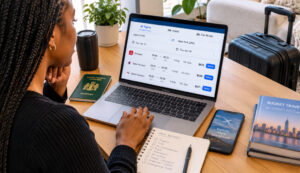
    Airfare can take up a large part of your travel budget, so compare different airlines and departure dates before paying.

    Use flight comparison websites to check fares from Lagos, Abuja, or your nearest international airport. If your schedule allows, compare weekday departures with weekend flights and check whether travelling outside peak holiday periods reduces the price.

    Here are a few ways to save:

    • Book ahead: Start monitoring fares several weeks or months before your trip, especially during busy travel seasons.
    • Compare nearby dates: Shifting your departure by a day or two may reveal a cheaper option.
    • Check baggage rules: A low fare may exclude checked luggage, so compare the total price.
    • Review stopovers: A connecting flight may cost less, but consider the extra time, transit visa requirements, and potential overnight expenses.
    • Calculate the full journey: Include transport to the airport and any overnight stay you may need.

    One smart budget travel from Nigeria strategy is to compare the total journey cost rather than focusing only on the cheapest ticket. Consider baggage fees, airport transfers, and stopover expenses before making your decision.

    When researching how to travel abroad from Nigeria on a budget, avoid booking solely because you see a discount. Confirm the airline, baggage allowance, refund rules, and travel dates before paying.

    4. Check Visa Requirements Before Spending Money
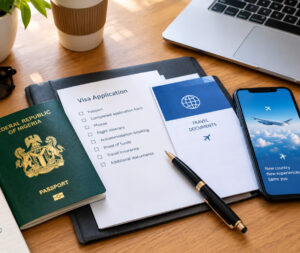
    Visa expenses can affect your budget significantly. Some destinations have simpler entry requirements for Nigerian passport holders than others, but you must verify the current rules for your exact trip.

    Start with the destination’s official immigration website or embassy. Check the application fee, processing time, required documents, proof of funds, accommodation requirements, and any transit visa rules.

    The IATA Travel Centre is also useful for checking passport, visa, and health requirements. You can consult Nigeria’s Ministry of Foreign Affairs travel advisory for additional guidance.

    Do not assume that a destination is visa-free simply because another Nigerian traveller visited without a visa. Entry rules can depend on your passport, travel purpose, length of stay, and transit route.

    To protect your money, avoid non-refundable bookings until you understand the visa process and the risks involved. A destination with lower entry costs may be a better fit when exploring affordable international trips from Nigeria.

    5. Save on Accommodation, Food, and Transport

    You do not have to stay in a luxury hotel to enjoy your trip. Look for clean, well-reviewed accommodation near public transport, supermarkets, or the places you plan to visit.

    Consider guesthouses, hostels with private rooms, or reputable short-stay apartments. Compare the final price, including taxes, cleaning fees, and deposits. Read recent reviews and check the property’s location before booking.

    You can also reduce everyday spending by:

    • Buying breakfast or snacks from supermarkets.
    • Eating at reputable local restaurants instead of tourist hotspots for every meal.
    • Using public transport where it is safe and practical.
    • Grouping attractions by location to reduce transport costs.
    • Choosing free museums, parks, walking tours, and cultural sites.
    • Booking popular activities directly through verified providers.

    For budget travel from Nigeria, convenience matters too. Saving a small amount on accommodation may not be worthwhile if you spend much more on transport or compromise your safety.

    6. Plan Your Internet Access Before Departure

    Internet access is easy to overlook when preparing a travel budget. However, you may need it to check maps, contact your accommodation, book rides, access travel documents, or let family know you have arrived safely.

    International roaming on your Nigerian SIM may be expensive, depending on your network and destination. Buying a local SIM after landing is another option, but it can involve queues, registration, or extra setup.

    A travel eSIM offers another way to get mobile data without inserting a physical SIM card. If your phone supports eSIM and is unlocked, you can check available plans before traveling and follow the provider’s activation instructions.

    Nexar offers eSIMs for travellers who want mobile data abroad. Before purchasing, check that the plan covers your destination, provides enough data for your trip, and matches your phone’s compatibility requirements. Also confirm when the plan starts and whether it supports calls and SMS or data only.

    An eSIM can make staying connected more convenient, but it is not automatically the cheapest option for every destination. Compare the cost with local SIM cards and roaming packages.

    7. Prepare for Currency Changes and Unexpected Expenses

    Exchange rates can change, so calculate your estimated spending in the destination’s currency before you travel. Check your bank’s foreign transaction fees and confirm that your payment cards will work abroad.

    Carry a suitable backup payment method and keep emergency funds separate from your daily spending money. Avoid exchanging all your money at the airport without comparing rates, and use reputable financial providers.

    Travel insurance is another expense worth considering. Choose cover that fits your destination, trip duration, and planned activities, including medical expenses and disruptions where available.

    Keep digital and offline copies of your passport, visa, insurance details, accommodation booking, and emergency contacts. Share your itinerary with someone you trust.

    8. Follow a Simple Pre-Travel Checklist

    Before departure, confirm that you have:

    • Checked your passport validity and entry requirements.
    • Confirmed flights, baggage allowances, and accommodation.
    • Set aside money for daily expenses and emergencies.
    • Arranged suitable travel insurance.
    • Checked your phone’s eSIM compatibility and data options.
    • Downloaded offline maps and saved important documents.
    • Informed family or friends of your itinerary.

    These small preparations can help you avoid unnecessary expenses and make budget travel from Nigeria less stressful.

    With careful preparation, budget travel from Nigeria can be an achievable goal rather than a distant dream. Review your spending plan one final time and confirm that you have enough money for both planned activities and unexpected costs.

    Final Thoughts

    International travel becomes more manageable when you plan around your finances instead of stretching your finances to fit a destination. Compare total costs, verify entry requirements, book carefully, and leave room for unexpected expenses.

    You can enjoy a memorable trip without paying for every luxury. Start with a realistic budget, choose a destination that fits it, and prepare for practical needs such as internet access before leaving Nigeria.

    If you need mobile data abroad, explore the eSIM options available through Nexar and check the coverage and plan details for your destination before purchasing. A little preparation can help you spend less time solving problems and more time enjoying your trip

  • How to Apply for the Nexar Reseller Program

    How to Apply for the Nexar Reseller Program

    Running a digital business in Nigeria can become complicated when you need different platforms for virtual numbers, eSIMs, gift cards, airtime, bills, and other digital services. Managing multiple suppliers also means dealing with different dashboards, pricing systems, and integrations.

    That is where the Nexar Reseller Program comes in.

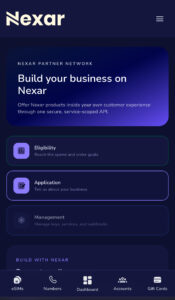
    If you already run a website, app, digital storefront, agency, community, or online business, you can become a Nexar reseller and offer Nexar products directly to your customers through your own platform.

    Here is how the process works.

    What Does It Mean to Become a Nexar Reseller?

    When you become a Nexar reseller, you can sell approved Nexar digital products to your own customers using Nexar’s reseller system and API.

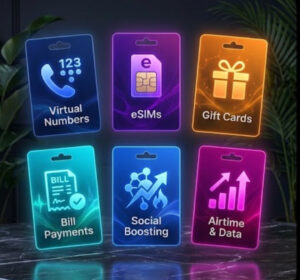
    Available products include:

    • Virtual numbers
    • eSIMs
    • Gift cards
    • Social boosting services
    • Airtime and data
    • Bill payments

    Nexar provides reseller discounts starting at 15%, with higher discounts available as successful orders increase. 

    This can be useful if you want to add digital products to an existing business instead of building every service from scratch.

    Who Can Become a Nexar Reseller?

    The program can work for different types of businesses.

    You might want to become a Nexar reseller if you run:

    • A digital products store
    • A fintech or marketplace
    • A travel platform selling eSIMs
    • A social media service agency
    • An online community
    • A website or mobile app
    • A business that wants to add digital services to its existing offerings

    For example, a Nigerian travel business could add eSIMs to its platform, while a digital store could offer gift cards, virtual numbers, airtime, and other approved products.

    Nexar allows you to choose the services that fit your business rather than requiring you to sell everything. 

    How to Become a Nexar Reseller

    The Nexar reseller application process is straightforward. You first create or use your Nexar account, submit your business details, wait for approval, and then set up your API access.

    1. Create Your Nexar Account

    Before you become a Nexar reseller, you need a Nexar account.

    If you do not already have one, create an account and complete the required account information.

    You can start by creating a Nexar account here:

    Create a Nexar account

    If you already use Nexar for virtual numbers, gift cards, eSIMs, or other services, you can use your existing account.

    2. Submit Your Nexar Reseller Application

    After creating your account, open your profile and look for the reseller option.

    Your Nexar reseller application asks you to provide information about your business and select the products you want to resell.

    Be clear about what your business does and the services you want to offer. For example, if your customers mainly need gift cards and virtual numbers, you can indicate those services rather than selecting products you do not need.

    Nexar reviews the request before enabling reseller access. 

    3. Wait for Approval

    After you apply to become a Nexar reseller, Nexar reviews your request.

    Approval determines which services your business can access through the reseller system. Your reseller discount also applies to approved services.

    According to Nexar, resellers start with a 15% discount, while higher tiers can unlock larger discounts based on successful order volume. 

    So, if you are building a serious digital-products business, your pricing structure can grow alongside your order volume.

    4. Create Your API Key

    Once your application is approved, you can create an API key from the reseller portal.

    The API connects your website or app to Nexar, allowing your customers to access the approved products through your own platform.

    Nexar’s documentation explains that API keys can be limited to specific products, helping you keep access organized between different applications or environments.

    Once your application is approved, review the Nexar reseller API documentation to understand API keys, available endpoints, security requirements, and integration.

    For security, keep your API key on your server. Do not place it directly inside publicly accessible website or mobile-app code. Nexar specifically recommends server-side storage for production API keys. 

    You can also read the OWASP API Security Top 10 for broader guidance on protecting APIs.

    What Are the Nexar Reseller Discount Tiers?


    Nexar offers reseller discounts that can increase as your successful order volume grows. The tiers below are examples listed by Nexar, while your exact discount is confirmed for each approved service when you join.

    Nexar currently lists these example tiers:

    Reseller tier Successful orders Discount
    Bronze Starting tier 15%
    Silver 200 orders 20%
    Gold 500 orders 25%
    Platinum 1,000 orders 30%

    Please  note that these are example tiers and that the exact discount for each approved service is confirmed when you join. 

    This means you can start with the products your customers already need and expand later.

    What Can You Sell as a Nexar Reseller?

    Become a Nexar reseller and have access to discounted prices

    Once approved, you can become a Nexar reseller for the services approved for your business.

    The current reseller program includes:

    Virtual Numbers

    Offer customers numbers for supported verification services. If you want to know more on virtual numbers you can read the guide.

    eSIMs

    Add international mobile data plans to a travel or digital platform.

    Gift Cards

    Sell supported gift cards from popular brands.

    Social Boosting

    Offer supported social media growth services.

    Airtime and Data

    Add mobile airtime and data purchases.

    Bill Payments

    Let customers pay supported electricity, TV, and other bills through your platform. 

    What Happens After Your Nexar Reseller Application Is Approved?

    Once Nexar approves your Nexar reseller application, you can access the reseller portal, create your API key, and begin integrating the approved services.

    The API documentation provides endpoints for checking products, placing orders, tracking orders, and managing supported services. 

    You can also keep different API keys for different applications and control which products each key can access.

    Ready to Become a Nexar Reseller?

    If you already have customers looking for digital products, you do not necessarily need to build every service yourself.

    You can apply to become a Nexar reseller, choose the products that fit your business, and connect your platform to Nexar through the reseller API.

    Start by creating your Nexar account and submitting your reseller application.

  • How to Set Up an eSIM for Apple Watch

    How to Set Up an eSIM for Apple Watch

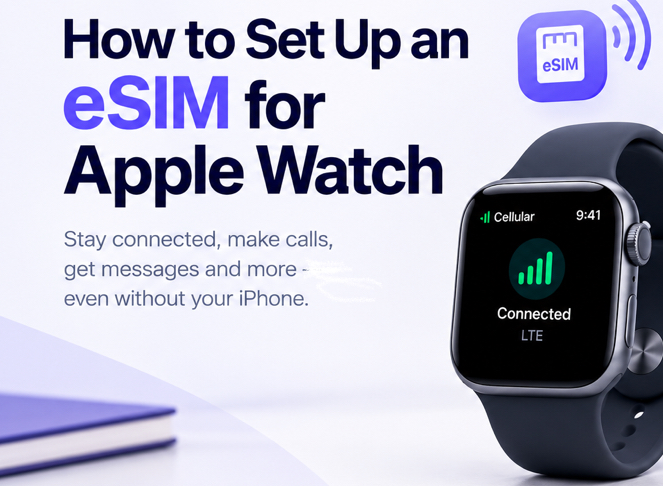
    Imagine you’re going for a run, leaving your iPhone at home, but you still want to receive calls, messages, and notifications on your Apple Watch. You open the settings expecting to activate cellular service, only to discover that your watch needs a compatible plan.

    If this sounds familiar, you’re not alone. Setting up an eSIM for Apple Watch involves more than scanning a QR code or buying a data plan. You need a compatible watch, the right iPhone, and a carrier that supports Apple Watch cellular service.

    This guide explains how to set up your watch, troubleshoot common problems, and understand where Nexar’s eSIM services may fit into your connectivity needs.

    What Is an eSIM for Apple Watch?

    An eSIM is a digital SIM embedded in a device. It lets compatible devices connect to a mobile network without inserting a physical SIM card.

    An eSIM for Apple Watch allows a supported GPS + Cellular Apple Watch to connect to a compatible mobile network when it isn’t connected to your iPhone or Wi-Fi.

    However, not every Apple Watch supports cellular connectivity. GPS-only models cannot activate an independent cellular plan.

    It’s also important to distinguish a smartwatch cellular plan from a regular travel eSIM. A travel eSIM may provide mobile data in another country, but it does not automatically activate Apple Watch cellular service.

    What You Need Before Apple Watch Cellular Setup

    Before beginning your Apple Watch cellular setup, check these requirements:

    • A compatible watch: You need a GPS + Cellular model, not a GPS-only version.
    • A compatible iPhone: Pair your Apple Watch with an iPhone and keep both devices updated.
    • A supported carrier: Your carrier must offer Apple Watch cellular plans for your specific watch model and region.
    • An eligible mobile plan: Some prepaid and older plans may not qualify.
    • Network access: You may need to be within your carrier’s coverage area during activation.

    Apple also notes that your iPhone and Apple Watch generally need to use the same carrier, except in certain Family Setup arrangements. Check the official Apple Watch cellular requirements before purchasing a plan.

    How to Set Up an eSIM for Apple Watch

    Once you have confirmed compatibility, follow these steps to activate cellular service.

    Step 1: Pair Your Apple Watch With Your iPhone

    Turn on your Apple Watch and bring it close to your iPhone. Follow the instructions displayed on your devices to complete pairing.

    If you have already paired your watch, make sure both devices are running compatible, up-to-date software.

    Step 2: Open the Apple Watch App

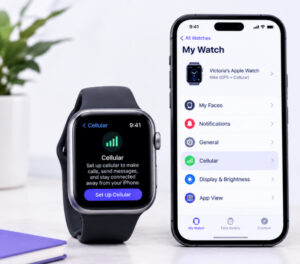
    On your iPhone, open the Apple Watch app and select the My Watch tab.

    Tap Cellular to view the available cellular options. If you are setting up a new watch, you may also see an option to configure cellular during the initial setup process.

    Step 3: Choose Set Up Cellular

    Tap Set Up Cellular and follow the instructions on your screen.

    Your carrier may ask you to sign in, confirm your mobile account, select an eligible plan, or accept additional terms. The exact process depends on the carrier.

    This is the key step in Apple Watch eSIM activation. You cannot complete it through a generic QR code if your carrier requires a specific wearable plan.

    Step 4: Complete Activation and Check the Connection

    A runner happy after connecting his esim for Apple Watch

    Wait for the carrier activation process to finish. Once it is active, open Control Center on your Apple Watch to check the cellular signal.

    To test the connection, move away from your iPhone and a familiar Wi-Fi network, then try a feature that requires cellular connectivity.

    For additional instructions, visit Apple’s official cellular setup guide.

    Can You Use a Nexar eSIM for Apple Watch?

    Nexar offers eSIM options for travellers and users who need mobile data while abroad. However, a data-only travel eSIM is not automatically compatible with Apple Watch cellular activation.

    If your goal is to use maps, internet-based apps, or other connected services while travelling, explore the available travel eSIM plans on the Nexar website. Before purchasing, check the plan’s supported devices and activation requirements.

    If you specifically want your Apple Watch to make calls or receive messages independently of your iPhone, first confirm that your mobile carrier supports Apple Watch cellular service. Do not buy a Nexar travel eSIM expecting it to replace a supported wearable plan.

    Common Apple Watch eSIM Activation Problems

    If your Apple Watch eSIM activation fails, try these fixes:

    • You cannot see Set Up Cellular: Confirm that your watch is a GPS + Cellular model and that your carrier supports the feature.
    • Your carrier rejects the plan: Contact the carrier to check your account eligibility and wearable-plan availability.
    • Activation keeps loading: Update both devices, restart them, and try again.
    • Your watch has no signal: Check cellular coverage and whether the plan has finished activating.
    • You bought a travel eSIM: Confirm that it supports your intended device and use case. A phone data plan will not necessarily activate a smartwatch.

    If these steps do not help, contact your carrier before purchasing another plan.

    Frequently Asked Questions

    Can I set up an eSIM for Apple Watch without an iPhone?

    For standard setup, you need a compatible iPhone. Apple’s Family Setup option allows certain cellular Apple Watches to be configured for a family member, subject to carrier and regional support.

    Does every Apple Watch support eSIM?

    No. You need a GPS + Cellular model. A GPS-only Apple Watch cannot independently connect to a mobile network using an eSIM.

    Can I use my iPhone’s eSIM on my Apple Watch?

    Your iPhone’s eSIM does not automatically activate your watch. Your carrier must support an eligible Apple Watch plan, which is usually managed through the Apple Watch app.

    Can I use an Apple Watch cellular plan in Nigeria?

    Check Apple’s official carrier availability list and confirm directly with your carrier. Availability depends on the country, carrier, watch model, and plan.

    Final Thoughts

    Setting up an eSIM for Apple Watch is straightforward once you have the right device and carrier plan. Pair your watch, open the Apple Watch app, select Cellular, and follow your carrier’s activation instructions.

    For Nigerians who also need mobile data while travelling, Nexar offers eSIM options worth exploring. Just confirm device compatibility and remember that a travel eSIM and an Apple Watch cellular plan serve different purposes.

    Ready to explore eSIM options for your next trip? Visit Nexar to review available plans and their requirements.

  • How to Receive SMS Online to a Vietnam Virtual Number

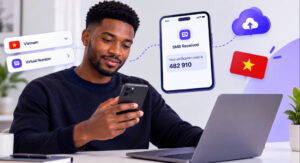
    How to Receive SMS Online to a Vietnam Virtual Number

    Alexander was trying to create an account on a platform that required a Vietnamese phone number for verification. He entered his regular number, but the platform wouldn’t accept it. He needed a Vietnam virtual number that could receive SMS online and deliver the OTP code required to complete registration.

    If you’ve faced a similar problem, you know how frustrating it can be when a simple verification step stops you from accessing a service. The good news is that a Vietnam virtual number may help you receive verification messages online without needing a physical Vietnamese SIM card. In this guide, you’ll learn how the process works, how to check available numbers on Nexar, and what to do if your OTP doesn’t arrive.

    What Is a Vietnam Virtual Number?

    Vietnam virtual number

    A Vietnam virtual number is a phone number with Vietnam’s country code, +84, that operates through an online service rather than requiring you to insert a physical SIM card into your phone.

    Depending on the number type and supported service, you may use it to receive SMS messages, including one-time passwords (OTPs).

    For Nigerians accessing international platforms, this can be useful when a service specifically supports Vietnamese numbers. However, having a foreign number does not automatically make you eligible for a platform or guarantee successful verification.

    How to Receive SMS Online to a Vietnam Virtual Number Using Nexar

    If you need a Vietnam virtual number for verification, start by checking which countries and services Nexar currently supports. Availability can change, so confirm the Vietnam option is listed in your account before placing an order.

    Follow these steps.

    Step 1: Create or Log In to Your Nexar Account

    Visit Nexar and create an account or sign in if you already have one.

    Open your dashboard and navigate to the virtual number ordering section. You can manage your order online without visiting a mobile network shop.

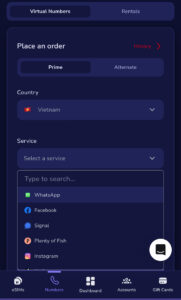
    Step 2: Select Vietnam

    Choose the country selection option and look for Vietnam.

    If Vietnam is available for your intended service, review the listed options before proceeding. If you cannot find it, do not assume another country’s number will work as a substitute. Check Nexar’s current availability or contact support for guidance.

    Step 3: Choose the Supported Service

    Select the app or platform where you want to receive an OTP. For example, you might need a code for an online account, an application, or a service that accepts Vietnamese numbers.

    A Vietnam virtual number for verification should match the specific service you intend to use. Do not purchase a number until you have confirmed that the service is supported.

    Step 4: Place Your Order

    Review the displayed price, number type, and service details. Complete the purchase if the option meets your needs.

    Once Nexar assigns the number, copy it carefully and enter it into the relevant platform’s official registration or verification page.

    Step 5: Receive Your SMS Code

    Return to your Nexar dashboard and check the order or message area for the incoming SMS.

    If the platform sends the code successfully, enter it into the verification field before it expires. If the message does not arrive, check the order status and follow the available instructions instead of repeatedly requesting new codes.

    Why Use a Vietnam Virtual Number?

    A Vietnam virtual number can be useful for several legitimate purposes, depending on the service and number type available.

    • Online account verification: Receive an OTP when a supported platform accepts Vietnamese numbers.
    • App testing: Developers and testers can evaluate SMS-based registration flows where they have permission to do so.
    • Privacy: Keep your personal Nigerian number separate from certain online registrations.
    • International access: Manage services that legitimately support Vietnamese phone numbers.

    For people who need an OTP Vietnam number, the most important factor is compatibility. A number from the correct country may still fail if the platform blocks virtual numbers or does not support that number type.

    Can You Use a Vietnam Virtual Number for WhatsApp?

    A Vietnam virtual number for WhatsApp may be an option only if the number can receive WhatsApp’s verification message and WhatsApp accepts it. Not every virtual number works with WhatsApp, so confirm compatibility before paying.

    WhatsApp may reject certain numbers, and successful SMS reception does not guarantee account approval. You should also follow WhatsApp’s account rules and use accurate information.

    Read the official WhatsApp Help Center for phone-number registration guidance.

    If WhatsApp is your main goal, you can also read Nexar’s guide on getting a virtual number for WhatsApp verification.

    Why Your Vietnam OTP May Not Arrive

    Even when you choose the correct country, verification can fail for several reasons:

    • Service restrictions: The platform may not accept virtual numbers.
    • Unsupported number type: The number may not support SMS or the particular app.
    • Expired code: OTPs often have a limited validity period.
    • Delivery delays: Network or platform issues can delay messages.
    • Repeated requests: Requesting too many codes may trigger temporary restrictions.

    If your OTP Vietnam number does not receive a message, confirm the selected service, check your Nexar order status, and use the platform’s official retry option when available.

    Avoid public SMS websites for sensitive accounts because other people may be able to view messages sent to shared numbers.

    Frequently Asked Questions

    Can I receive SMS online from Nigeria?

    Yes. You can access online SMS services from Nigeria, provided you have an internet connection and the number supports the service you need.

    Is a Vietnam virtual number free?

    Not always. Pricing depends on the provider, number type, and service. Check Nexar’s displayed price before ordering rather than assuming every option is free.

    Can I use one number for multiple OTPs?

    That depends on the number type and provider’s rules. Some numbers support repeated use, while others are intended for a particular order or verification. Check the terms before purchasing.

    What should I do if my code does not arrive?

    Check the number and service you selected, confirm the order is active, and wait briefly for delivery. If the message still does not arrive, follow the provider’s support instructions.

    Final Thoughts

    Receiving SMS online can make international registration more convenient when a platform requires a number from another country. A Vietnam virtual number gives you an option to explore without buying a physical SIM, but compatibility and availability matter more than the country code alone.

    Before ordering, confirm that Nexar offers Vietnam numbers for your intended service, check the price, and make sure the number supports incoming SMS. If you need a Vietnam virtual number for WhatsApp, verify WhatsApp compatibility first. The same applies to any OTP Vietnam number you plan to use.

    Ready to get started? Visit Nexar, check the available virtual number options, and choose a supported service that fits your needs.

  • Gift Cards You Can Buy With Naira: Best Options for Nigerians

    Gift Cards You Can Buy With Naira: Best Options for Nigerians

    If your Nigerian debit card keeps getting declined when you try to pay for an international subscription, app, game, or online service, you already know how frustrating it can be. You may have enough money in your account, but payment restrictions or regional limitations can still get in the way.

    That is where gift cards you can buy with naira can make things easier. Instead of relying on your bank card for every international payment, you can purchase a supported gift card through Nexar, pay in Naira, and redeem the card on the platform it was designed for.

    But not every gift card works everywhere. Before you buy, you need to understand the brand, currency, and region attached to the card.

    What Are Gift Cards You Can Buy With Naira?

    Gift cards are prepaid digital or physical cards that carry a specific value. You can redeem them for eligible products, subscriptions, apps, games, entertainment, or other services offered by the issuing brand.

    For Nigerians, gift cards you can buy with naira provide a convenient way to access international digital services without depending entirely on a Nigerian debit card.

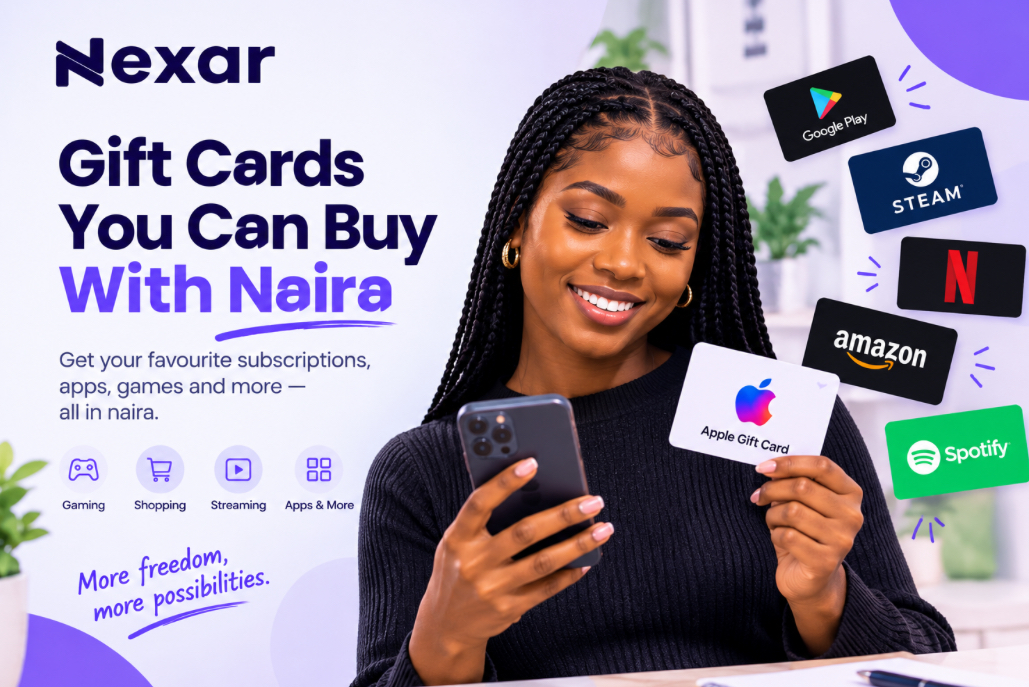
    Nexar allows users to purchase different gift card options through its platform and pay using naira. Its gift-card service includes options such as Apple, Google Play, Steam, Amazon, and other supported brands. 

    The important part is choosing a card that matches the service and region you intend to use.

    Popular Gift Cards You Can Buy With Naira

    The exact gift cards available can change, but these are some common gift cards you can buy with Naira.

    1. Apple Gift Cards

    Apple gift cards can be useful for eligible Apple purchases, including apps, games, subscriptions, music, and other Apple services depending on the card and region.

    However, Apple gift cards are region-specific. Apple states that gift cards can only be used in the country or region where they were purchased. 

    So, don’t simply buy any Apple gift card because it is cheaper. Check that it matches your Apple Account region.

    2. Google Play Gift Cards

    Google Play gift cards can be used to add balance to Google Play for eligible purchases.

    They can be useful for apps, games, movies, and other digital content. However, Google says Play gift cards can only be redeemed in the country and currency where they were purchased, and the country on your Google Play account must match the card’s region. 

    This makes checking the region especially important before purchasing.

    Before buying, check Google Play’s official gift card guidelines to confirm that the card’s country and currency match your Google Play account.

    3. Steam Gift Cards

    If you’re a gamer, Steam gift cards can be useful for adding funds to your Steam Wallet and purchasing eligible games and digital content.

    Before purchasing, check the supported currency and region because availability and redemption rules can vary.

    4. Amazon Gift Cards

    Amazon gift cards can be useful for shopping on the relevant Amazon marketplace.

    For example, a gift card intended for Amazon.com shouldn’t automatically be assumed to work on every Amazon regional website.

    Always check which Amazon marketplace the card belongs to before buying.

    5. Entertainment Gift Cards

    You can also find gift cards connected to entertainment and streaming services.

    These can be useful when you want to pay for subscriptions without repeatedly entering your Nigerian bank card details.

    Nexar’s gift-card guides cover options for services such as Netflix and Apple Music, giving Nigerian users alternatives when traditional card payments create problems.

    If you want to learn more, read our guide on how to pay for Apple Music in Nigeria using an Apple gift card.

    How to Buy Gift Cards With Naira on Nexar

    Looking for gift cards to buy with naira, the process is straightforward.

    Step 1: Open Nexar

    Create an account or log in to your existing Nexar account.

    Get gift cards you can buy with Naira on Nexar

    Step 2: Go to Gift Cards

    Open the gift-card section and check the brands currently available.

    Step 3: Select Your Gift Card

    Choose the card you need and pay attention to its country, currency, and denomination.

    For example, if you need an Apple gift card for a US Apple Account, select the appropriate US card rather than assuming a Nigerian or another regional card will work.

    Step 4: Pay in Naira

    Complete your purchase using the available payment option.

    Nexar’s gift-card service is designed to make international digital purchases more accessible to Nigerian users. 

    Step 5: Receive Your Code

    Once your purchase is completed, you’ll receive the gift-card details according to the delivery method available for that product.

    Step 6: Redeem It

    Go to the official website or app belonging to the gift-card provider and redeem your code.

    Always redeem through the official platform rather than sending your code to someone else.

    Why Nigerians Use Online Gift Cards

    There are several reasons online gift cards in Nigeria have become useful.

    • They offer another payment option. If your bank card isn’t accepted by a particular service, a compatible gift card may provide an alternative.
    • They can help with budgeting. Instead of leaving your debit card connected to a service, you can use a prepaid balance where supported.
    • They’re convenient for digital purchases. You can receive a digital code without waiting for a physical card.
    • They’re useful for gifting. You can purchase a gift card for someone in another country when the card matches their region.
    • For freelancers, creators, gamers, students, and remote workers, having access to the right gift card can make certain international purchases simpler.

    Always Check the Gift Card Region

    This is one of the most important things to remember when buying gift cards you can buy with naira.

    A gift card isn’t necessarily usable worldwide.

    For example, Google states that Play gift cards can only be redeemed in the country where they were purchased. Apple also states that its gift cards are restricted to the country or region where they were purchased. 

    So before paying, check:

    • Brand: Is it the correct service?
    • Country: Does the card match your account region?
    • Currency: Does the currency match what the platform accepts?
    • Value: Is the denomination enough for your purchase?
    • Purpose: Can the card pay for what you actually need?

    Taking a minute to check these details can save you from buying a card you cannot redeem.

    Having trouble redeeming your card? See our guide on common Apple gift card errors and how to fix them for possible solutions.

    Common Mistakes to Avoid

    Buying the Wrong Region

    Don’t assume a US, UK, or another regional gift card will automatically work with your Nigerian account.

    Buying From Random Sellers

    Avoid sending money to unverified social-media sellers simply because they advertise a cheaper rate.

    Sharing Your Code

    Treat your gift-card code like money. Google specifically warns users not to share gift-card codes with people who ask for them as payment. 

    Buying Before Checking Compatibility

    Check the platform’s gift-card rules before completing your purchase.

    FAQs

    Can I buy gift cards with naira in Nigeria?

    Yes. Platforms such as Nexar allow Nigerian users to purchase supported gift cards while paying through available local payment options.

    What gift cards can I buy with naira?

    Available options vary, but Nexar offers gift cards across categories such as Apple, Google Play, Steam, Amazon, and entertainment services. Availability can change. 

    Can I use a US gift card in Nigeria?

    It depends on the brand and your account region. Many gift cards are region-specific, so always check the issuer’s rules before buying.

    Are online gift cards in Nigeria safe?

    They can be safe when you purchase from a reputable provider and redeem them through the official platform. Never share your gift-card code with strangers.

    Buy Your Gift Card With Naira on Nexar

    You don’t have to keep struggling with declined bank-card payments every time you need an international digital service.

    With Nexar, you can explore gift cards you can buy with naira, choose the option that matches your needs, pay through the available payment methods, and redeem your card on the supported platform.

    Just remember: check the brand and region before you buy.

    Ready to get a gift card? Get started with Nexar today.

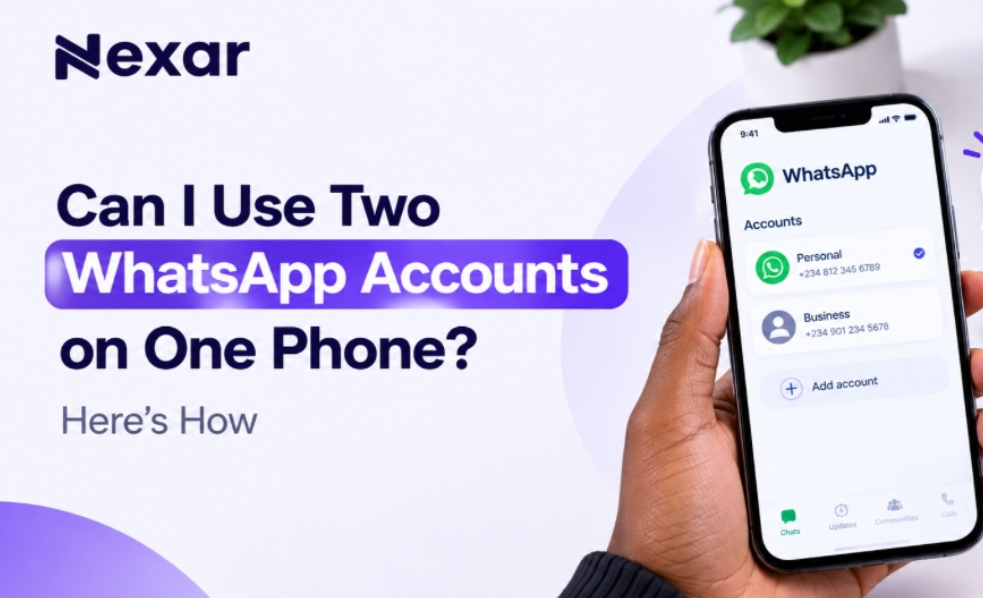
  • Can I Use Two WhatsApp Accounts on One Phone? Here’s How

    Can I Use Two WhatsApp Accounts on One Phone? Here’s How

    If you use WhatsApp for both personal and business conversations, carrying two phones just to keep your accounts separate can be frustrating. You may want one number for family and friends and another for customers, clients, or work but getting a second number can feel like an unnecessary hassle.

    The good news is that two WhatsApp accounts on one phone are now officially supported. WhatsApp allows you to add and switch between two accounts without logging out or carrying a second phone. 

    And if you need a second number for the additional account, Nexar can help you get a virtual number for supported WhatsApp verification.

    Can You Use Two WhatsApp Accounts on One Phone?

    Yes, you can use two WhatsApp accounts on one phone.

    WhatsApp introduced its multiple-account feature so users can keep separate accounts on the same device. This is particularly useful if you want to separate your personal and professional conversations.

    As of 2026, WhatsApp supports two accounts on the same phone on both Android and iOS. WhatsApp announced that the two-account feature had expanded to iOS, bringing the experience in line with Android. 

    However, there is one important requirement: each WhatsApp account needs its own phone number.

    That means you cannot create two accounts using the exact same number.

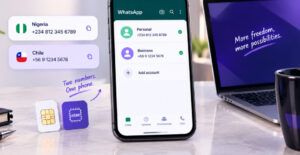
    WhatsApp requires a second phone number for your additional account. You can use a separate SIM, dual-SIM setup, or eSIM-supported number. You can read the WhatsApp’s multiple-account guide.

    What You Need for Two WhatsApp Accounts on One Phone

    Before setting up your two WhatsApp accounts on one phone, make sure you have:

    • Your existing WhatsApp account and number
    • A second active phone number
    • Access to the verification code for the second number
    • The latest version of the official WhatsApp app
    • A phone that supports the multiple-account feature

    WhatsApp says the second account requires a second phone number and SIM card, or a phone that supports multi-SIM or eSIM. 

    For Nigerians who don’t want to purchase another physical SIM just for WhatsApp, a virtual number can be another option where the number is supported for WhatsApp verification.

    How to Add a Second WhatsApp Account

    Once you have your second number, setting up your second WhatsApp account is straightforward.

    1. Open WhatsApp

    Launch the official WhatsApp application on your phone.

    Make sure you’re using the legitimate WhatsApp app rather than modified versions. WhatsApp specifically recommends using its official application for security. 

    2. Open Your WhatsApp Settings

    Go to Settings and look for the account option next to your profile name.

    WhatsApp’s multiple-account setup allows you to add another account without logging out of your existing one.

    3. Select “Add Account”

    Tap the option to Add account.

    You will then be asked to provide the phone number you want to use for the second account.

    4. Enter Your Second Number

    Select the appropriate country and enter your second phone number in international format.

    WhatsApp requires an active number that can receive the registration code. Its Help Center explains that registration involves receiving a six-digit code by SMS or, depending on the circumstances, by phone call. 

    5. Verify the Number

    Enter the verification code sent to your second number.

    Once verification is complete, you can set up the profile for your new account.

    6. Switch Between Your Accounts

    After adding the account, you can switch between your two WhatsApp accounts without logging out.

    This makes it much easier to keep personal chats separate from business conversations.

    Need a Second Number? Nexar Can Help

    Getting the WhatsApp app is only part of the process. You also need another number to register the second account.

    This is where Nexar virtual numbers can be useful.

    Instead of immediately buying another physical SIM, you can use Nexar to get a virtual number for supported services. Nexar provides virtual numbers from multiple countries and supports WhatsApp verification on eligible numbers. 

    The basic process is simple:

    • Create or log in to your Nexar account.
    • Go to the virtual numbers section.
    • Select the country you need.
    • Choose WhatsApp as the service, where available.
    • Place your order.
    • Use the number during WhatsApp registration.
    • Receive the verification code through Nexar and complete your setup.

    If you’re specifically interested in WhatsApp verification, see our guide on How to Get a Virtual Number for WhatsApp Verification.

    Important: Virtual-number availability and acceptance can vary by service and number. Always select a number specifically offered for WhatsApp verification rather than assuming every virtual number will work.

    Why Use Two WhatsApp Numbers on One Phone?

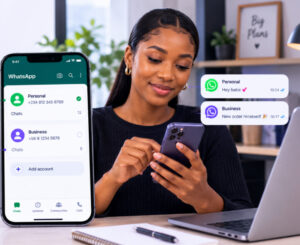
    A Nigerian lady using two WhatsApp accounts on one phone

    There are several practical reasons to have two WhatsApp numbers on one phone.

    Keep Work and Personal Chats Separate

    You can use one account for friends and family and another for customers, clients, or colleagues.

    Manage a Business More Easily

    If you run a small business in Nigeria, having a separate WhatsApp account can make customer communication more organized.

    You can also use WhatsApp Business for your business operations while keeping your personal WhatsApp separate.

    Protect Your Personal Number

    A second number means you don’t always have to give your primary personal number to customers or online contacts.

    Avoid Carrying Two Phones

    Instead of switching between devices, you can manage both accounts from one phone.

    What If You Can’t Add a Second Account?

    If the Add account option isn’t showing, try these steps:

    • Update WhatsApp from your app store.
    • Restart your phone.
    • Check whether your device supports multiple WhatsApp accounts.
    • Make sure you’re using the official WhatsApp application.
    • Confirm that your second number can receive the verification code.
    • Avoid repeatedly requesting OTP codes within a short period.

    If your second number isn’t receiving the code, the problem may be related to the number, carrier, or WhatsApp’s verification process.

    For more information about verification numbers, you can also read How to Get a Long Term Virtual Number for OTP Verification in Nigeria.

    FAQs About Two WhatsApp Accounts on One Phone

    Can I have two WhatsApp accounts on one phone?

    Yes. WhatsApp officially supports two accounts on the same phone, including on iOS and Android. Each account needs a different phone number. 

    Can I use the same number for two WhatsApp accounts?

    No. Each WhatsApp account requires its own phone number for registration and verification. 

    Can I use a virtual number for my second WhatsApp account?

    A virtual number may work if it is supported for WhatsApp verification and can receive the required registration code. Nexar offers virtual numbers for supported WhatsApp verification. 

    Can I use two WhatsApp accounts for business?

    Yes. Having separate accounts can help you keep business and personal conversations organized. You can also use WhatsApp Business for your business account.

    Final Thoughts

    You no longer need two phones just because you want separate WhatsApp accounts. With WhatsApp’s built-in multiple-account feature, you can manage two WhatsApp accounts on one phone and switch between them when needed. 

    The main requirement is having a separate number for the second WhatsApp account. If you don’t want to purchase another physical SIM, Nexar gives Nigerians another option through virtual numbers for supported WhatsApp verification.

    Need a second number? Get started with Nexar and simplify your WhatsApp setup.

  • How to Buy a Chile Virtual Number for Verification

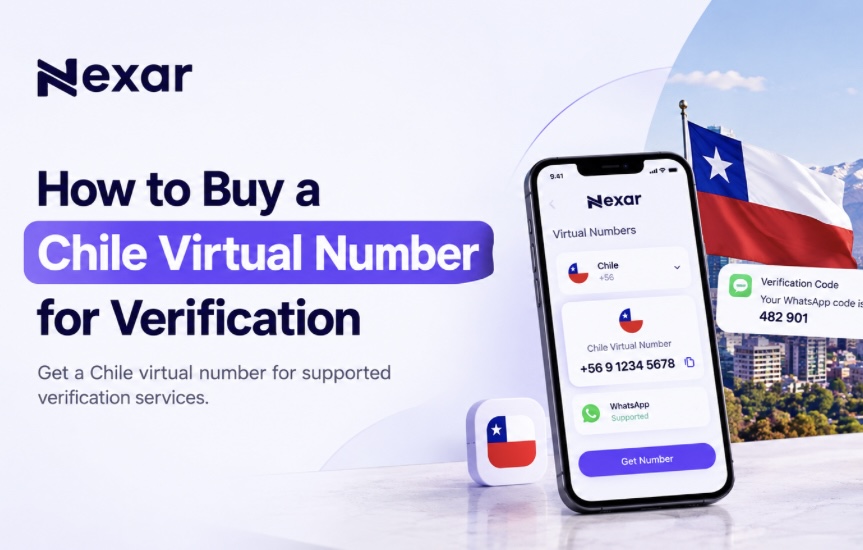
    How to Buy a Chile Virtual Number for Verification

    Trying to verify an online account with a Chilean number can be frustrating when you’re in Nigeria. Many services ask for a local phone number before they let you complete registration, but getting a physical SIM from another country isn’t always practical.

    A Chile virtual number for verification gives you a simpler option. With Nexar, you can purchase an available Chilean virtual number online and use it to receive verification codes for supported services without needing to be physically in Chile.

    What Is a Chile Virtual Number for Verification?

    A Chile virtual number is a phone number that you can access online rather than through a traditional physical SIM card.

    For verification, the number can receive an OTP or SMS code from a supported platform. You then use that code to complete your account registration or verification.

    Chile’s international country code is +56, and Chilean mobile numbers use the 9 mobile prefix in international format. 

    For Nigerians, this means you can access a Chilean number online without traveling to Chile or buying a local physical SIM.

    Why Use a Chile Virtual Number Instead of a Physical SIM?

    Buy a chile virtual number on Nexar

    For someone living in Nigeria, a virtual number can remove several unnecessary steps.

    No international travel

    You don’t need to be in Chile to purchase an available virtual number online.

    No physical SIM

    You can access the number through the Nexar platform rather than waiting for a physical SIM card.

    Faster setup

    You can select your country and service and place your order online.

    Useful for online verification

    A Chile virtual number can help with supported SMS verification services.

    Convenient for freelancers and businesses: If you work with international platforms or manage accounts for different markets, having access to numbers from different countries can be useful.

    Nexar’s platform is built around giving users access to digital resources from different countries without having to manage several separate providers.

    How to Buy a Chile Virtual Number for Verification with Nexar

    Nexar makes the process straightforward. You don’t need to search through multiple websites or deal with complicated setup processes.

    1. Create Your Nexar Account

    Start by creating an account on Nexar.

    The platform is designed to give users access to digital services, including virtual numbers, from one place. Nexar currently provides virtual numbers across many countries. 

    2. Top Up Your Nexar Account

    Add funds to your Nexar account before purchasing your number.

    Nexar supports options such as bank transfer, Visa/Mastercard, and USSD through its payment system, making it practical for users in Nigeria. 

    3. Select Chile

    Go to the virtual-number section and select Chile as your preferred country.

    You’ll see the available services and numbers based on current stock.

    4. Select the Service You Want to Verify

    Choose the platform you need the number for.

    If you’re trying to verify WhatsApp, select WhatsApp if a Chile number is currently available for that service. The same applies to other supported platforms.

    Nexar’s system lets users select a country and service before placing an order. 

    5. Place Your Order

    Once you’ve selected the Chile number and service, place your order.

    Nexar will generate the number for you when available.

    6. Enter the Number on the Platform

    Copy your new number and enter it into the website or app you’re trying to verify.

    Then wait for the verification code.

    7. Enter Your OTP

    When the supported service sends the verification SMS, use the code provided through Nexar to complete the verification process.

    That’s it, you can now continue using the verified account.

    Can You Get a Chile Virtual Number Free?

    You may come across websites advertising a Chile virtual number free of charge. While free numbers can look attractive, they often come with limitations.

    Public numbers may be shared among multiple users, which can create privacy and reliability concerns. A free number may also be unavailable when you actually need it or may not be accepted by the platform you’re trying to verify.

    If you need a number for an important account, using a dedicated number from a service such as Nexar can provide a more straightforward experience.

    Nexar lets you check available countries and services before placing an order, so you can select a number based on your specific verification requirement. 

    If you’re looking for a broader WhatsApp solution, you can also read our guide on how to get a virtual number for WhatsApp verification.

    Important Things to Know Before Buying

    Before you buy a Chile virtual number for verification, keep these points in mind:

    • Check that Chile is available for the service you need.
    • Don’t assume every number supports every platform.
    • Use the number only for legitimate account verification.
    • Keep your OTP private and never share it with another person.
    • If the platform doesn’t accept the number, check whether another available number or supported service is appropriate.
    • Don’t repeatedly request OTPs if a code is delayed. Give the system time to process the request.

    Chile has also introduced new registration requirements for prepaid mobile numbers, with identity validation taking effect from August 20, 2026. This is another reason not to confuse a virtual number service with obtaining an ordinary Chilean prepaid SIM. 

    Frequently Asked Questions

    Can I get a Chile virtual number from Nigeria?

    Yes. You can purchase an available Chile virtual number online through Nexar without travelling to Chile.

    Is there a Chile virtual number free option?

    Free numbers may exist on some public services, but they can have limitations around privacy, availability, and reliability. Nexar provides paid virtual numbers based on available stock and service requirements.

    Can I use a Chile virtual number for WhatsApp?

    You can use a Chile number for WhatsApp verification if Nexar currently offers that number for WhatsApp and WhatsApp accepts it. Availability can change, so check before ordering.

    How quickly can I receive my verification code?

    The timing depends on the platform and the number’s availability. Once you place an order through Nexar, you can monitor the number for the verification code.

    Get Your Chile Virtual Number with Nexar

    You don’t need to spend hours looking for a Chilean SIM card just to complete an online verification.

    With Nexar, you can check for an available Chile virtual number for verification, select your supported service, place your order, and receive the verification code online.

    Ready to get started? Get your Chile virtual number with Nexar today.

  • Top 10 Highest Rated Gift Cards in Nigeria (2026 Guide)

    Top 10 Highest Rated Gift Cards in Nigeria (2026 Guide)

    According to industry reports, billions of dollars worth of gift cards go unused every year, leaving consumers with value they never redeem. Instead of letting those gift cards sit in a drawer or expire, many people now exchange them for cash through trusted trading platforms. That’s why understanding the highest rated gift card in Nigeria can help you make smarter decisions.

    If you’ve ever received a gift card you don’t plan to use, you don’t have to let it go to waste. Many unused gift cards have excellent resale value in Nigeria, especially if they come from popular international brands. The key is knowing which ones are in the highest demand before you trade.

    While exchange rates fluctuate daily based on demand, denomination, and market trends, some gift cards consistently maintain strong resale value and remain favourites among Nigerian traders.

    Whether you’re a freelancer looking for quick cash, a student with an unused gift card, or someone who regularly receives digital gift cards, choosing the Gift Card with the highest resale value can help you get more money from every trade.

    With Nexar, you can buy  popular gift cards securely, enjoy competitive rates, and complete your transactions in just a few steps.

    Let’s look at the top-selling Gift card in Nigeria and discover which ones continue to offer the best resale value in 2026.

    Why Does the Highest Rated Gift Card in Nigeria Change?

    Before choosing a gift card, it’s important to understand that resale values aren’t fixed.

    Several factors affect the value of a gift card, including:

    • Market demand
    • Card denomination
    • Country of origin (US, UK, Canada, etc.)
    • Whether the card is physical or digital
    • Current exchange rates

    That’s why checking the latest rates before trading is always the smartest move.

    Top 10 Highest Rated Gift Cards in Nigeria

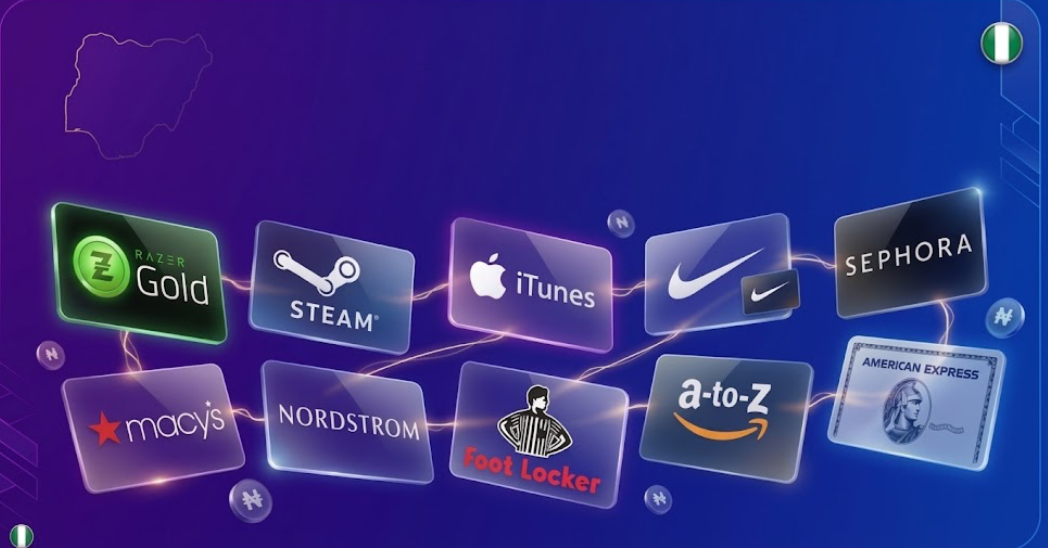
    If you’re searching for the Highest Rated Gift Card in Nigeria, these are some of the most valuable gift cards Nigerians frequently trade.

    Apple Gift Card

    Apple Gift Cards continue to rank among the Gift Card with the highest resale value because of their global demand.

    People use them to purchase:

    • iPhones
    • Apps
    • Apple Music subscriptions
    • MacBooks
    • iCloud storage

    Their popularity keeps resale prices competitive throughout the year.

    Amazon Gift Card

    Highest rated gift card in Nigeria

    Amazon Gift Cards remain one of the top-selling Gift card in Nigeria.

    Since Amazon sells millions of products worldwide, these cards are always in demand.

    Many traders prefer US Amazon Gift Cards because they often have stronger resale rates than cards from other regions.

    Steam Gift Card

    Steam Gift Cards are especially popular among gamers.

    They allow users to buy:

    • PC games
    • Game expansions
    • In-game content
    • Software

    Because gaming continues to grow worldwide, Steam remains a Gift Card with the highest resale value.

    Razer Gold Gift Card

    Another favourite among gamers is the Razer Gold Gift Card.

    It’s widely used for purchasing digital gaming content across multiple platforms, making it one of the best Gift Card options for resale in Nigeria.

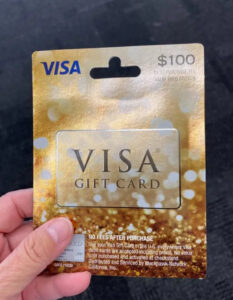
    Visa Prepaid Gift Card

    Visa Gift Cards offer incredible flexibility.

    Unlike store-specific cards, Visa cards can often be used anywhere Visa is accepted, increasing their demand and making them one of the Gift Card with the highest resale value.

    Google Play Gift Card


    Google Play Gift Cards remain popular among Android users.

    People use them to purchase:

    • Apps
    • Movies
    • Books
    • Games
    • Google subscriptions

    Their steady demand makes them another top-selling Gift card in Nigeria.

    Sephora Gift Card

    Beauty products never go out of style.

    Sephora Gift Cards have become valuable because they’re widely used for premium skincare, makeup, and fragrances.

    They consistently rank among the Gift Card with the highest resale value.

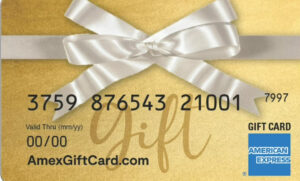
    American Express Gift Card

    American Express Gift Cards offer flexibility similar to Visa cards.

    Their broad acceptance and purchasing power help maintain strong resale demand throughout the year.

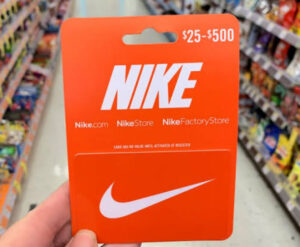
    Nike Gift Card

    Nike’s global popularity keeps its gift cards valuable.

    Sportswear lovers regularly purchase Nike products, making this another best Gift Card for resale.

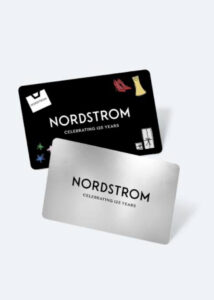
    Nordstrom Gift Card

    Nordstrom Gift Cards are popular for premium fashion and luxury shopping.

    Although they’re more niche than Amazon or Apple, they still rank among the Gift Card with the highest resale value in Nigeria.

    How to Choose the Highest Rated Gift Card in Nigeria

    Before buying or selling any gift card, consider these factors:

    • Check Current Market Rates
    • Rates fluctuate daily.
    • Always compare today’s rate before trading.
    • Choose High-Demand Brands
    • Popular brands generally maintain stronger resale values.
    • Verify the Card
    • Ensure the gift card is genuine and unused where required.
    • Trade on Trusted Platforms

    Choosing a reliable platform protects you from scams and delayed payments.

    Why Buy Gift Cards with Nexar?

    Finding the Highest Rated Gift Card in Nigeria is only part of the process.

    You also need a secure platform to buy and trade your gift cards confidently.

    With Nexar, you enjoy:

    • Competitive exchange rates
    • Fast transactions
    • Secure payments
    • Easy-to-use interface
    • Reliable customer support

    Whether you’re a freelancer, student, gamer, or business owner, Nexar helps you get value from your gift cards quickly and securely. If you want more information on how to get gift cards, read our guide on this.

    Frequently Asked Questions

    What is the Highest Rated Gift Card in Nigeria?

    Apple, Amazon, Steam, Visa, and Razer Gold Gift Cards are consistently among the Highest Rated Gift Card in Nigeria, although rates vary based on demand.

    Which Gift Card has the highest resale value?

    There isn’t one permanent winner. However, Apple, Amazon, Steam, and Visa cards frequently rank as the Gift Card with the highest resale value.

    Which is the top-selling Gift card in Nigeria?

    Amazon, Apple, Google Play, and Steam are among the top-selling Gift card in Nigeria due to their widespread popularity.

    Does the resale value change?

    Yes. Exchange rates depend on market demand, denomination, region, and current trading conditions.

    Final Thoughts

    Choosing the Highest Rated Gift Card in Nigeria can help you maximize the value of every trade.

    While market rates change, Apple, Amazon, Steam, Visa, Google Play, and Razer Gold consistently remain among the Gift Card with the highest resale value because of their popularity and demand.

    Before trading, always check the latest rates and use a trusted platform to protect your funds.

    Ready to buy or trade gift cards?

    Download the Nexar app today to access competitive rates, secure transactions, and a simple trading experience designed for Nigerians.

  • How to Buy an Afghanistan Virtual Number in Nigeria

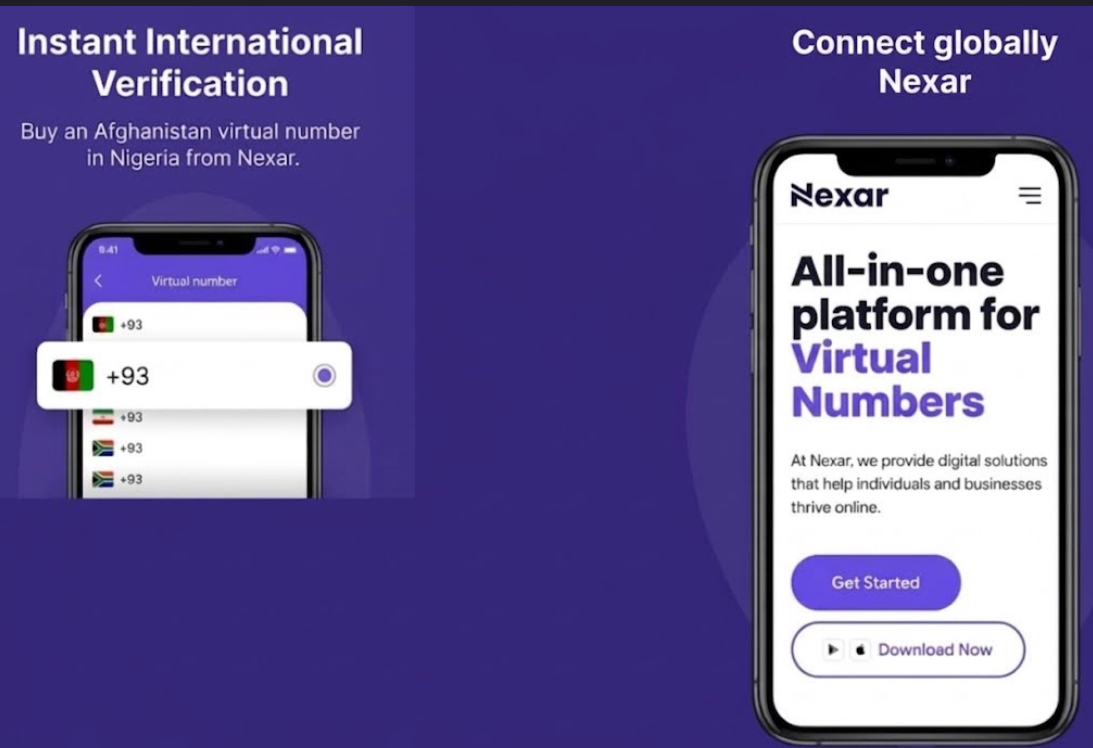
    How to Buy an Afghanistan Virtual Number in Nigeria

    Have you ever tried signing up for an Afghan platform only to discover that your Nigerian phone number isn’t accepted? Or perhaps you need an Afghanistan number for business, client communication, or account verification.

    The good news is that you don’t have to travel or buy a physical SIM card. With Nexar, you can get an Afghanistan virtual number in Nigeria within minutes and use it for eligible online verifications.

    In this guide, you’ll learn exactly how to buy an Afghanistan virtual number in Nigeria, what you can use it for, and why Nexar is one of the easiest platforms for Nigerians.

    Why Do You Need an Afghanistan Virtual Number in Nigeria?

    A user surprised he was able to get an Afghanistan virtual number in Nigeria

    An Afghanistan virtual number in Nigeria allows you to receive verification codes without owning a physical Afghan SIM card.

    Many Nigerians use virtual numbers to:

    • Verify online accounts
    • Create WhatsApp accounts where supported
    • Register for international services
    • Protect their personal phone number
    • Separate work and personal accounts

    Whether you’re a freelancer, business owner, marketer, or someone accessing international platforms, a virtual number saves both time and money.

    How to Buy an Afghanistan Virtual Number in Nigeria

    Buying an Afghanistan virtual number in Nigeria with Nexar is simple.

    Step 1: Download the Nexar App

    Download the Nexar app to get an Afghanistan virtual number

    Install the Nexar app on your Android or iPhone.

    Create an account using your email address.

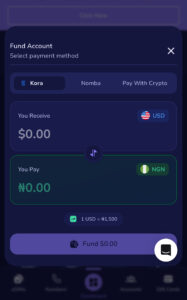
    Step 2: Fund Your Wallet

    Add funds using one of Nexar’s supported payment methods.

    Since Nexar is built with Africans in mind, Nigerians can fund their wallets conveniently without complicated international payment processes.

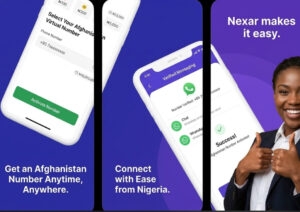
    Step 3: Search for Afghanistan

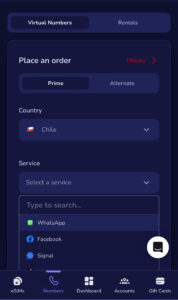
    Navigate to the Virtual Numbers section.

    Select Afghanistan from the list of available countries.

    Step 4: Choose the Service

    Select the platform you want to verify.

    For example, if you need an Afghanistan virtual number for WhatsApp, simply choose WhatsApp if it’s available for that country.

    Step 5: Buy Your Number

    Confirm your purchase.

    Within seconds, your Afghanistan virtual number in Nigeria will be ready to receive verification codes.

    Step 6: Complete Your Verification

    Enter the number on your chosen platform.

    When the OTP arrives inside Nexar, copy the code and finish your registration.

    That’s it.

    If you are setting up accounts for global platforms, check out our full guide on how to receive OTP verifications in Nigeria

    What Can You Use an Afghan Virtual Number For?

    An Afghan virtual number has several practical uses.

    You can use it to:

    • Verify online accounts
    • Receive OTP codes
    • Register for international platforms
    • Protect your privacy
    • Separate business and personal communication
    • Test applications
    • Manage multiple accounts where platform policies allow

    Always ensure you comply with the terms of service of the platform you’re registering on.

    Why Nigerians Prefer Nexar

    When you need an Afghanistan virtual number in Nigeria, reliability matters.

    Here’s why many Nigerians choose Nexar:

    Fast Delivery

    Your number becomes available almost instantly after purchase.

    Affordable Pricing

    Nexar offers competitive pricing designed for African users.

    Secure Verification

    Receive OTPs directly inside the app without unnecessary delays.

    Multiple Countries

    Besides Afghanistan, Nexar offers virtual numbers across numerous countries, making it easier to verify accounts globally.

    Easy-to-Use Interface

    Whether you’re a beginner or an experienced user, the app is straightforward to navigate.

    Things to Know Before You Buy Afghanistan Number Online

    Before you buy Afghanistan number online, keep these tips in mind:

    • Confirm that the service supports virtual numbers.
    • Purchase the number only when you’re ready to complete verification.
    • Enter the number correctly to avoid delays.
    • Make sure your internet connection is stable while waiting for the OTP.
    • Use trusted providers like Nexar for secure transactions.

    Following these tips will help you complete your verification smoothly.

    Why Buy an Afghanistan Number Online Instead of a Physical SIM?

    Many users now prefer to buy Afghanistan numbers online because it’s faster and more convenient.

    Instead of waiting for a physical SIM card to arrive, you can:

    • Get your number within minutes
    • Skip expensive international shipping
    • Avoid roaming charges
    • Manage everything digitally
    • Access numbers from anywhere in Nigeria

    For freelancers and businesses working with international clients, this flexibility is a huge advantage.

    Before registering foreign numbers on messaging apps, review the WhatsApp Account Verification  Guidelines regarding supported virtual phone lines.
    Frequently Asked Questions

    Can I buy an Afghanistan virtual number in Nigeria?

    Yes. Nexar allows you to purchase an Afghanistan virtual number in Nigeria without leaving the country.

    Can I use an Afghanistan virtual number for WhatsApp?

    Yes, you can purchase an Afghanistan virtual number for WhatsApp if WhatsApp is available for Afghanistan within the Nexar app.

    Is it safe to buy an Afghanistan number online?

    Yes, provided you use a trusted platform like Nexar.

    How long does it take?

    Most purchases are completed within minutes, and OTPs are usually delivered quickly once the number is active.

    Final Thoughts

    Getting an Afghanistan virtual number in Nigeria no longer has to be complicated.

    With Nexar, you can purchase your number, receive OTPs quickly, and complete your account verification without needing a physical SIM card.

    Whether you’re verifying an account, protecting your privacy, or expanding your business internationally, Nexar provides a simple and reliable solution.

    Download the Nexar app, fund your wallet, and get your Afghanistan virtual number in Nigeria in just a few minutes.

  • How to Complete Stripe Verification in Nigeria Using a US Virtual Number(Step-by-Step Guide)

    How to Complete Stripe Verification in Nigeria Using a US Virtual Number(Step-by-Step Guide)

    Few things are more frustrating than reaching the final stage of an account setup only to get stuck during verification.

    Many freelancers, agency owners, SaaS founders, and online entrepreneurs researching Stripe verification in Nigeria solutions often run into challenges when trying to complete account verification requirements. Missing OTP codes, unreliable phone numbers, and delayed SMS delivery can turn what should be a simple process into a stressful experience.

    When important verification messages don’t arrive on time, you risk delays that can affect your business operations and account management. This is why many users look for reliable communication tools that help them receive verification messages quickly and securely.

    One option many people explore is using a US virtual number for Stripe verification to receive SMS codes when supported. While a virtual number does not replace Stripe’s eligibility, business, or identity verification requirements, it can help ensure you receive important verification messages without relying on an unreliable phone number.

    In this guide, you’ll learn how Stripe verification in Nigeria works, what you need to prepare, how Stripe OTP verification functions, and how Nexar can help you access reliable virtual numbers for SMS verification.

    Understanding Stripe Verification in Nigeria Requirements

    Requirement for stripe verification in Nigeria

    Before beginning the verification process, it’s important to understand that Stripe requires users to provide accurate information based on the country and business structure they operate under.

    You can review the official Stripe identity verification requirements to better understand the documents and information Stripe may request during the verification process.

    Depending on your account type, Stripe may request:

    • Identity verification
    • Business information
    • Contact details
    • Tax information
    • Phone number verification

    The purpose of these checks is to protect users, prevent fraud, and maintain platform security.

    For more information, users can review Stripe’s official verification requirements through Stripe’s documentation.

    Why Phone Verification Matters During Stripe Verification in Nigeria

    Phone verification plays an important role in account security.

    During Stripe OTP verification, Stripe may send SMS messages to confirm account ownership or secure important account actions.

    If you cannot receive these messages, you may experience:

    • Verification delays
    • Security confirmation issues
    • Difficulty accessing account updates
    • Missed account notifications

    This is why many users prefer dependable virtual number providers rather than relying on temporary or unreliable SMS services.

    What Is a US Virtual Number for Stripe Verification?

    A US virtual number for Stripe verification is a phone number that allows users to receive SMS messages online without requiring a physical SIM card.

    Virtual numbers are commonly used for:

    • Receiving OTP codes
    • Business communications
    • International account registrations
    • Privacy protection
    • Multi-account management

    For users who need access to verification messages, a virtual number can provide a convenient communication channel.

    How to Get a US Virtual Number for Stripe Verification in Nigeria

    Step 1: Create a Nexar Account

    Start by registering on Nexar.

    After creating your account:

    • Log in to your dashboard
    • Fund your wallet
    • Navigate to the virtual number section

    The process typically takes only a few minutes.

    Step 2: Choose a US Virtual Number

    Browse available countries and select a US number.

    Nexar offers access to virtual numbers from multiple countries, including the United States.

    Step 3: Select SMS Verification Support

    Choose a number that supports SMS reception.

    This ensures you can receive verification messages whenever a supported platform sends them.

    Step 4: Use the Number During Verification

    Enter the assigned number when a service requests phone verification.

    If SMS verification is supported, messages will appear inside your Nexar dashboard.

    Step 5: Complete Stripe OTP Verification

    Once you receive the verification message, enter the OTP code to complete the verification step.

    Always ensure the information you provide matches the requirements of the platform you’re using.

    Common Problems During Stripe OTP Verification in Nigeria

    Many users encounter similar challenges.

    Delayed SMS Messages

    Network congestion or poor providers can cause OTP delays.

    Unsupported Numbers

    Not every virtual number supports every platform.

    Shared Public Numbers

    Free public numbers often have lower success rates.

    Security Risks

    Public SMS websites may expose verification messages to other users.

    Choosing a trusted provider helps reduce these issues significantly.

    Why Nexar Is a Better Option

    Many Nigerians choose Nexar because it offers:

    • Fast SMS delivery
    • Access to multiple countries
    • Long-term virtual number options
    • Renewable numbers
    • Secure dashboard access
    • Affordable pricing

    Instead of relying on public SMS websites, Nexar provides a more reliable experience for users who need verification messages delivered quickly.

    For users who need renewable numbers for ongoing account access, check out How to Get a Long Term Virtual Number for OTP Verification in Nigeria.

    Best Practices for Successful Stripe Verification in Nigeria

    Verify discord account on Nexar and get these benefits

    To improve your verification experience:

    • Use accurate information
    • Follow Stripe’s verification requirements
    • Use a stable internet connection
    • Keep your verification number active
    • Avoid public shared numbers
    • Monitor incoming SMS messages

    These simple steps can help reduce delays and verification issues.

    FAQs

    Q. Can I complete Stripe verification in Nigeria with a virtual number?

    A virtual number may help you receive SMS verification messages when supported, but it does not replace Stripe’s eligibility or identity verification requirements.

    Q. What is Stripe OTP verification?

    Stripe OTP verification refers to the process of confirming account actions using one-time passwords sent via SMS.

    Q. Is a US virtual number for Stripe verification in Nigeria useful?

    A US virtual number can help users receive SMS messages and account notifications when supported by the platform.

    Q. Are free virtual numbers reliable?

    Free public numbers often experience delivery failures, shared usage issues, and security concerns.

    Q. Can I keep a virtual number long-term?

    Yes. Nexar offers renewable virtual numbers that can be used long-term depending on availability.

    Final Thoughts

    Completing the Stripe verification in Nigeria requirements becomes much easier when you have reliable access to verification messages. While a virtual number cannot replace Stripe’s official verification requirements, it can help you receive important OTP codes and account notifications more efficiently.

    If you’re looking for dependable SMS delivery, renewable numbers, and access to multiple countries, Nexar provides a simple solution designed for freelancers, entrepreneurs, and online business owners across Nigeria.