Tag: Apple Music Nigeria

  • How to Pay Apple Music Subscription in Nigeria Without Card Issues

    Music streaming is part of everyday life in Nigeria. Whether you are working, commuting, studying, or relaxing at home, Apple Music gives you access to millions of songs, curated playlists, and global charts.

    However, many users struggle with Apple Music payment issues when trying to subscribe or renew. Declined cards, failed renewals, and billing errors have become common frustrations.

    If you are trying to activate or renew your Apple Music subscription Nigeria plan without stress, this guide explains why payments fail and the most reliable ways to fix it.
    Why Apple Music Payments Fail in Nigeria

    Before solving the problem, it is important to understand why it happens.

    Most Nigerian debit cards are naira denominated and subject to international transaction restrictions. Since Apple processes many subscriptions through international payment gateways, local cards may be declined automatically.

    Other common causes of Apple Music payment issues include:

    • Foreign exchange limits placed by banks

    • Billing address mismatch

    • Expired or insufficient card balance

    • Incorrect Apple ID region settings

    • Recurring charge failures during renewal

    This does not mean Apple Music does not work in Nigeria. It simply means the payment method must be set up correctly for your Apple Music subscription Nigeria to activate successfully.
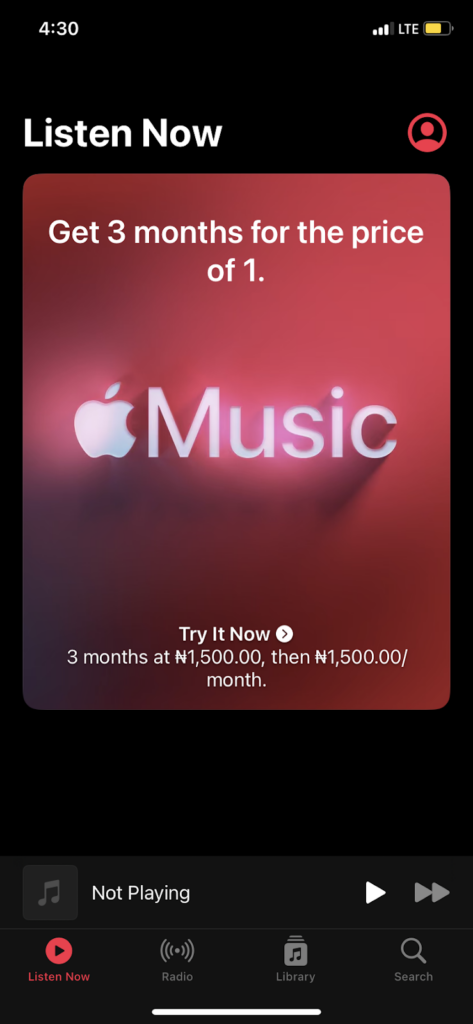
    Does Apple Music Work in Nigeria?

    Yes, Apple Music works fully in Nigeria.

    You can stream, download, and explore both Nigerian and international artists without restriction. The issue most users face is not access, but how to pay Apple Music in Nigeria without repeated card declines.

    The good news is that there are multiple working solutions available.

    Method 1: Use a Virtual Dollar Card

    One of the most reliable ways to handle Apple Music payment issues is by using a virtual dollar card.

    A virtual dollar card allows you to make international payments smoothly since it operates in USD. Because Apple often charges subscriptions through international processors, this method reduces the chances of declined payments.
    Apple music subscription

    How to set it up:

    1. Create a virtual dollar card from a trusted fintech provider.
    2. Fund the card in naira which converts to dollars.
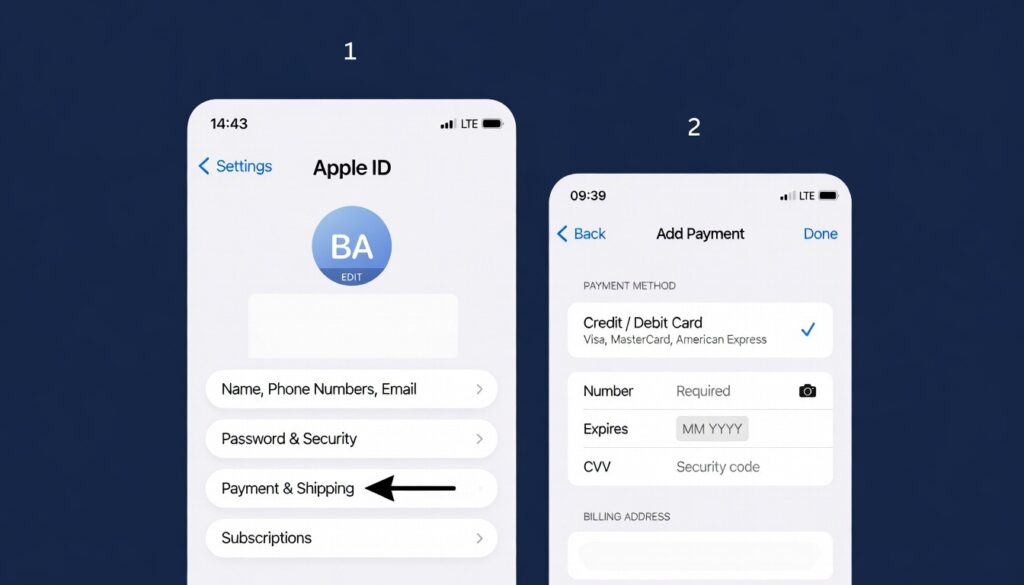
    3. Open Settings on your iPhone.
    4. Tap your name at the top.
    5. Select Payment and Shipping.
    6. Tap Add Payment Method.
    7. Enter your virtual card details.
    8. Save and confirm.

    Once added, return to Apple Music and activate your Apple Music subscription Nigeria plan without interruption.

    This method is especially useful if you want stable auto renewal without recurring Apple Music payment issues.

    Method 2: Use MTN Mobile Billing
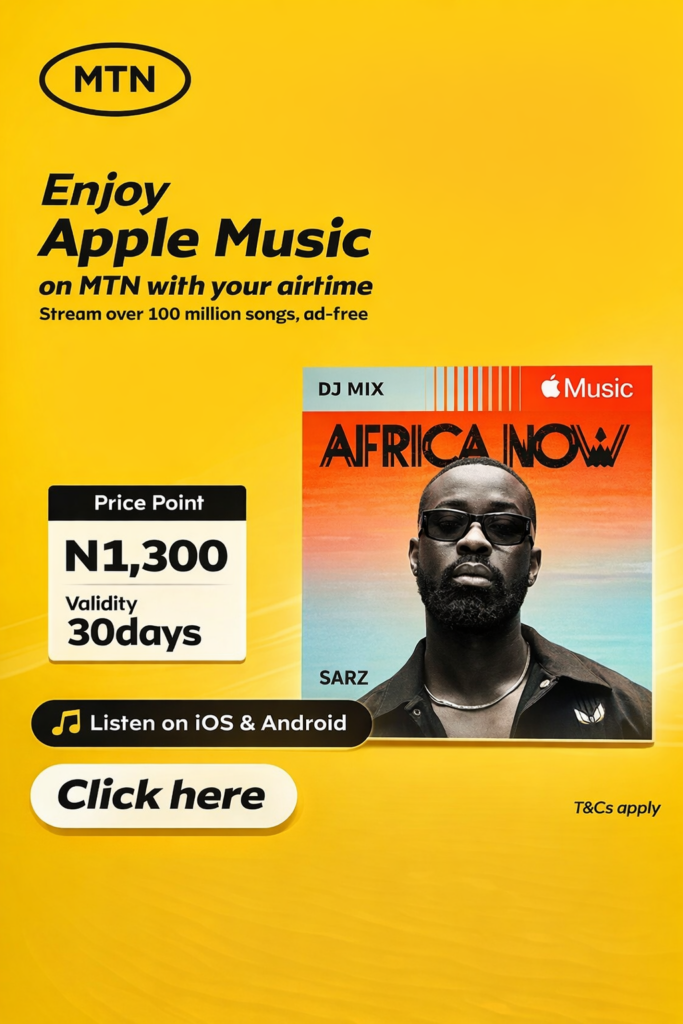
    Another practical way to pay Apple Music in Nigeria is through MTN mobile billing.

    Instead of linking a debit card, your subscription fee is deducted directly from your airtime balance.

    How to subscribe using MTN:

    • Dial *447# on your MTN line

    • Follow the prompts to select Apple Music

    • Confirm your subscription

    You can also watch this quick guide for reference:

    This option works well for users who want a simple setup for their Apple Music subscription Nigeria plan without dealing with bank restrictions.

    However, ensure your airtime balance is always sufficient to avoid renewal interruptions.

    Method 3: Redeem an Apple Gift Card
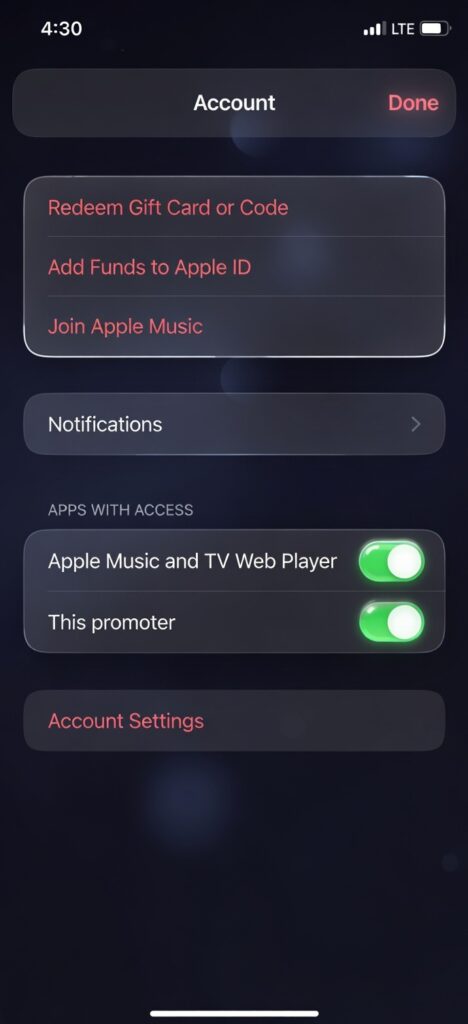
    Apple Gift Cards are another reliable alternative.

    When you redeem a gift card, the balance is added to your Apple ID. Apple then deducts your subscription fee directly from that balance.

    Steps to redeem:

    1. Open the App Store.
    2. Tap your profile icon.
    3. Select Redeem Gift Card or Code.
    4. Enter the code.

    After redeeming, make sure your Apple ID balance is set as your primary payment method. This prevents Apple Music payment issues caused by failed card authorizations.

    Gift cards are ideal if you want short term flexibility for your Apple Music subscription Nigeria plan.

    Method 4: Update Your Apple ID Payment Method Properly

    Sometimes the problem is not the card itself, but incorrect setup.

    To update your payment details correctly, follow Apple’s official guider here:

    Quick steps on iPhone:

    1. Open Settings.
    2. Tap your name.
    3. Tap Payment and Shipping.
    4. Select Add Payment Method.
    5. Enter correct billing information.
    6. Tap Done.

    Make sure your billing address matches your card information exactly. Small inconsistencies can trigger Apple Music payment issues.

    Apple Music Subscription Plans in Nigeria

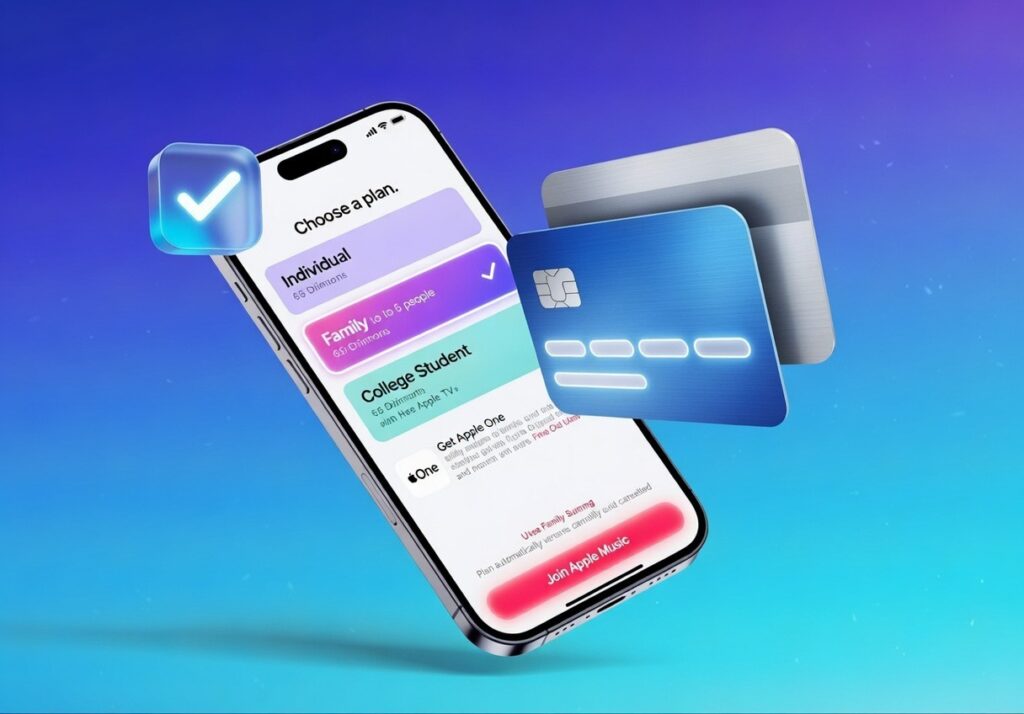
    The Apple Music subscription Nigeria plans include:

    • Individual Plan
    • Student Plan
    • Family Plan

    Each plan gives full access to Apple Music’s catalog, downloads, and offline listening.

    Pricing may vary depending on billing method and region settings. Always ensure your Apple ID country is correctly set to Nigeria if you prefer local billing.

    How to Avoid Future Apple Music Payment Issues

    To keep your Apple Music subscription Nigeria running smoothly:

    • Ensure sufficient balance before renewal

    • Use a stable payment method

    • Double check your billing address

    • Avoid expired cards

    • Monitor renewal dates

    If you frequently experience declined payments, switching to a virtual dollar card or mobile billing is usually the most stable long term solution.

    Frequently Asked Questions

    Can I use a Nigerian debit card for Apple Music?

    Some cards may work, but many are restricted for international payments. This is why users experience Apple Music payment issues during checkout or renewal.

    What is the easiest way to pay Apple Music in Nigeria?

    Mobile billing through MTN or using a virtual dollar card are currently the simplest and most reliable methods.

    Why does my Apple Music keep asking me to update payment?

    This usually happens when a recurring charge fails. Updating your payment method resolves the issue and restores your Apple Music subscription Nigeria access.

    Conclusion

    Subscribing should not be complicated.

    Although local banking restrictions have caused frequent Apple Music payment issues, there are reliable alternatives that work smoothly.

    Whether you choose a virtual dollar card, MTN billing, or Apple Gift Cards, you can activate and maintain your Apple Music subscription Nigeria without stress.

    Once your payment method is properly set, you can stream, download, and enjoy your favorite music without interruption.
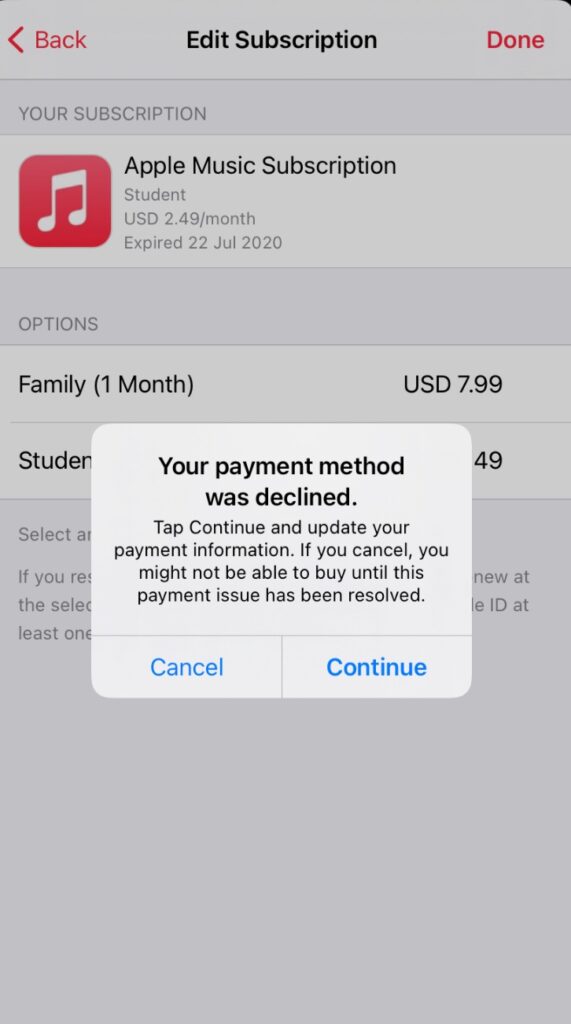
  • Apple Music Debit Card Error: Why Nigerian Cards Don’t Work & How to Fix It

    There’s nothing more frustrating than trying to renew your Apple Music subscription and seeing that annoying “Debit Card Error” message again. If you’re in Nigeria, you’ve probably seen it too — “Payment Failed,” “Payment Declined,” or “Payment Method Not Accepted.”

    But why does the Apple Music Debit Card Error keep happening, and what’s the easiest way to fix it so you can enjoy your songs without stress?

    This guide breaks everything down in a simple and relatable way and gives you the best working solution that actually fixes Apple Music payment problems in Nigeria.

    What Exactly Is the Apple Music Debit Card Error?

    When Apple shows you “Payment Declined” or “This payment method is not accepted”, it means that Apple is rejecting your debit card during subscription renewal.

    This Apple Music Debit Card Error usually pops up when:

    • You add a new card
    • Your subscription tries to renew
    • You switch phones or Apple IDs

    It is not just a glitch, it’s Apple blocking your Nigerian debit card due to strict security and international payment rules.

    Why Nigerians See the Apple Music Debit Card Error More Often

    Apple Music Debit Card Error

    Here are the major reasons behind the problem:

    Nigerian Cards Have Dollar Limits

    Due to strict banking rules, some Nigerian debit cards can no longer make international payments, especially subscriptions like Apple Music.CBN puts restrictions on international spending using Naira cards. CBN puts restrictions on international spending using Naira cards.

    As a result:

    • Some banks limit you to $20/month
    • Some have reduced it to $0 (no international spending at all)

    So even if Apple Music is cheap ($1.40/month), your card won’t go through leading to the Apple Music Debit Card Error.

    Apple Nigeria Region Still Requires International Authorization

    Even if your Apple region is set to Nigeria, Apple processes payments internationally. Apple processes payments in USD, but many Nigerian cards only work in Naira for local transactions, this triggers the Apple Music Debit Card Error every time. So for Apple Music, Apple Pay or App Store, your card MUST be dollar-enabled

    No dollar access = Apple Music Debit Card Error

    Banks Automatically Block Some Transactions for Security

    Banks block Apple charges for:

    • VPN usage
    • New devices
    • International merchants
    • Small recurring subscriptions (fraud risk)

    Many Nigerian banks no longer fully support international subscriptions, this restriction was confirmed by updated banking regulations from the Central Bank of Nigeria.
    Your bank thinks it’s protecting you. Meanwhile, you just want music

    Apple Requires Strong Payment Verification

    Apple doesn’t trust cards that:

    • Fail multiple times
    • Come from restricted countries
    • Don’t support 3D Secure

    That’s why so many Nigerians get stuck with this annoying Apple Music Debit Card Error.

     Ways to Pay for Apple Music in Nigeria

    If you’re tired of seeing the Apple Music Debit Card Error every time you try to renew your subscription, don’t worry you’re not out of options. A lot of Nigerians are now using alternative payment methods that actually work. Here are the top ones you can try:

    1. Use an Apple Gift Card (Works perfectly for Nigerians)

    This is one of the easiest ways to avoid the Apple Music Debit Card Error entirely. When you redeem an Apple Gift Card, the money goes straight into your Apple ID balance. No bank wahala. You can buy Apple Gift Cards from trusted platforms like Nexar. Aside from virtual cards, Nexar also lets users buy and sell various gift cards, virtual Numbers and boost social media accounts. Here’s how to do it:

    Step One: Buy an Apple Gift Card in USD     

    1. Download the Nexar app on your mobile device.

    2. Login or create an account if you don’t have one.

    3. On your dashboard, locate and click onBuy Gift card.

    4. Although you are in Nigeria, SelectUSAas the country you want to buy from. Don’t worry; it doesn’t affect your purchase.

    5. Click on Apple Store & iTunes US.”

    6. Choose and confirm the desired amount you want on your gift card.

    7. Review the terms and summary of the trade you are about to make.

    8. Click on “Purchaseand complete the process.

    Within the next 10 seconds, you will receive an email containing the code for your gift card. If you can’t access your mail, you can view your code in the transaction history section of the Nexar  app.

    You can also watch the video below for more practical steps on how to buy gift card on Nexar. 

    Step Two: Open your Apple Music or App StoreAccount   

    Sign in to your Apple Music or App Store account using your Apple ID and password. Always make sure you’re logged into the right account before moving forward.

    Step Three: Go to Redeem Gift Card                         

    Go to the “Redeem Gift Card” area on your Apple Music or App Store account.

    Step Four: Enter the Gift card code                       

    Simply type in the gift card code you got from Nexar, and the amount will be added to your Apple ID balance immediately.

    Step Five: Set Apple Balance as Your Payment Option

    This step is very important: Set your Apple Balance as your payment option. 

    First, go to “Settings,” then “Payment and Shipping,” and select “Apple ID Balance” as your payment option. This will remove your Apple Music subscription from your Apple balance. 

    2. Pay Using a Domiciliary Account Debit Card

    If you already have a dollar domiciliary account with a USD Mastercard or VISA card, you’re in luck. These cards usually bypass the Apple Music Debit Card Error because Apple prefers foreign currency cards.

    Why it works better:

    • USD transaction = no card restrictions
    • Apple accepts it directly without currency conversion issues

    Downside:

    • You need constant dollar funding which is not always easy in Nigeria, but if you already have a dom account, this is a solid fix.
    • Domiciliary accounts often have high maintenance fees, including minimum balance requirements.

    3. Use Third-Party or Virtual Payment Platforms

    Third-party payment services like PayPal can also be another way to pay for Apple Music in Nigeria. Unfortunately, PayPal does not currently support international transactions from Nigerian accounts. This means you cannot directly link your Nigerian PayPal account to Apple Music unless you have access to a PayPal account from another country.  

    When it comes to cryptocurrency as a payment method, you can use platforms to buy Apple Gift cards with crypto and then redeem the gift card on Apple Music.

    By using third-party payment services like PayPal (with a foreign account) or crypto, you can access Apple Music in Nigeria without relying on traditional payment methods.

    Why Nexar Is the Best Way to Pay for Apple Music in Nigeria

    Many platforms claim to support international payments until you try them.

    But Nexar gives you:

    • Card always accepted for Apple Music
    • Fast funding with local payment methods
    • Works instantly across Apple services
    • Built for Africans, no foreign account needed
    • Secure and verified platform

    No more trying 6 different cards or begging bank support, just pure convenience.

    Frequently Asked Questions

    Q: Can Nigerian debit cards work on Apple Music?

    Sometimes, but they fail often, leading to the Apple Music Debit Card Error.

    Q: How do I pay for Apple Music in Nigeria without issues?

    Use a Nexar Virtual Dollar Card for smooth USD payments.

    Q: Why is my Apple Music payment method not accepted?

    Your bank likely blocked international subscriptions or the card doesn’t support USD.

    Q: Can Nexar fix Apple Music payment declined issues?

    YES!1 That’s exactly what it’s designed for.

    Final Takeaway : Fix Apple Music Debit Card Error Forever

    If you want the simplest, fastest, and most stable way to fix Apple Music Debit Card Error in Nigeria, Nexar is the answer.

    Stop worrying about bank restrictions.

    Get Nexar now and fix your Apple Music Debit Card Error today. Instant setup. No stress. No declined payments.