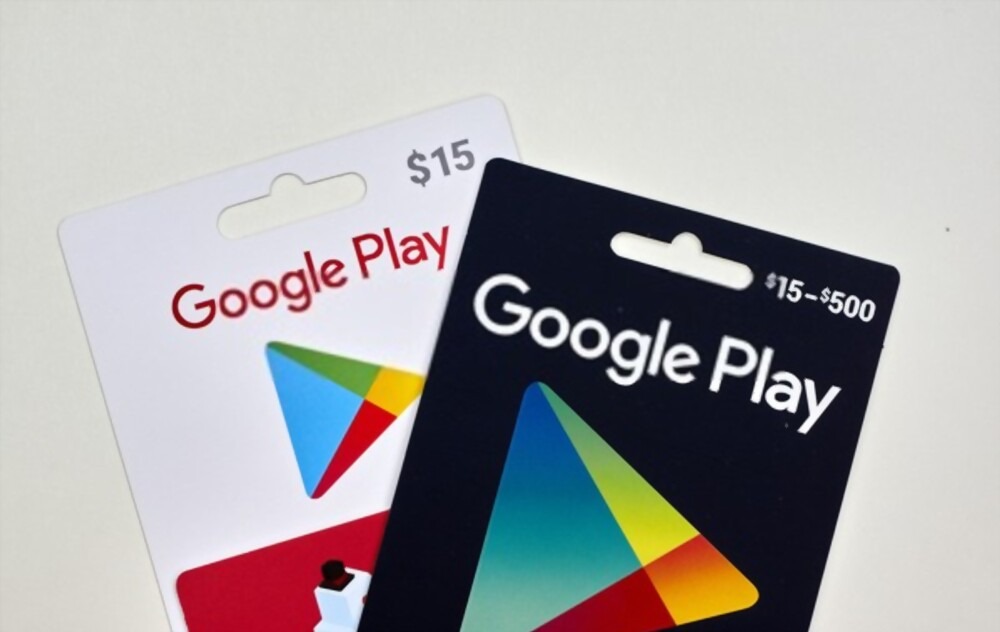
When you receive a Google Play gift card, the first thing you want to do is redeem it quickly so you can start using it. The good thing is that it’s one of the easiest digital cards to redeem. Whether someone gifted it to you or you bought it for yourself, you can add the balance to your account in a few minutes.
A lot of people in Nigeria buy Google Play gift cards to pay for apps, games, movies, and subscriptions because it’s faster and safer than using a card directly. Once you understand where to redeem it and the steps to follow, the whole process becomes very straightforward.
In this guide, you’ll learn how to redeem your Google Play gift card on your Android phone or on the web, where to buy a Google Play gift card in Nigeria, and how to avoid common errors that people usually run into.
How to Redeem Your Google Play Gift Card on Android
If you’re using an Android phone or tablet, follow these simple steps to redeem your Google Play gift card directly from the Play Store app:
Tap your profile icon at the top right corner of the screen.
Select Payments and subscriptions, then choose Redeem code.
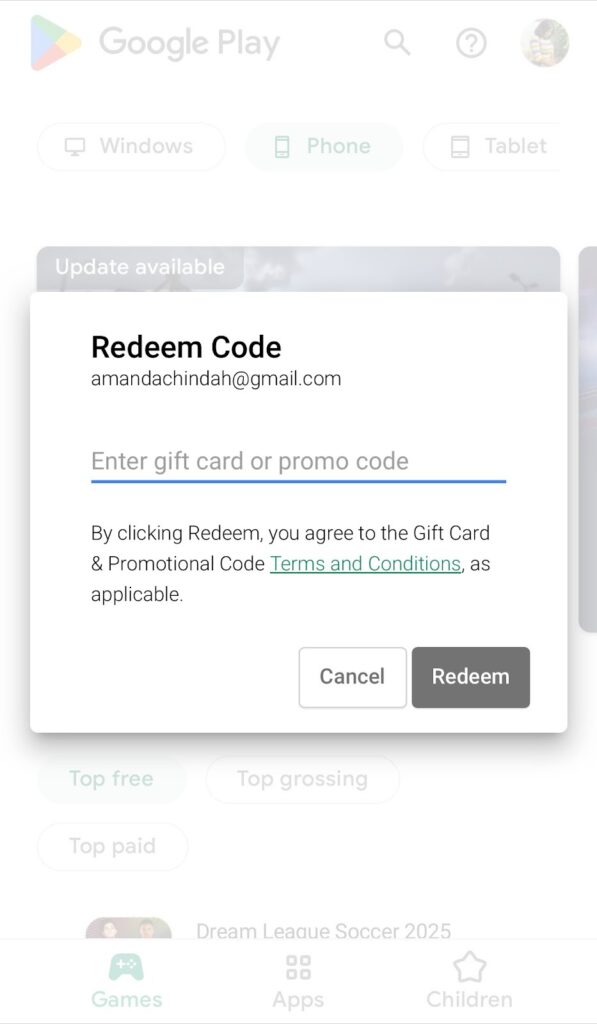
Enter the gift card code exactly as it appears.
Tap Redeem and confirm your Google account.
Once redeemed, the balance is instantly added to your account. You can now use your Google Play gift card to buy apps, games, books, and other digital items on Google Play.
How to Redeem Your Google Play Gift Card on the Web
If you prefer using a laptop or desktop, you can also redeem your Google Play gift card through your browser:
Sign in with the same Google account linked to your Android device.
Enter your 16-digit gift card code and click Redeem.
The amount will be credited immediately to your account balance. You can confirm by checking your Payment Methods page under your Play Store settings.
For additional verification or technical troubleshooting, you can always visit the official Google Play Support page.
Where to Get a Google Play Gift Card in Nigeria
If you’re wondering where to buy a Google Play gift card Nigeria, several platforms now make it easy. You can purchase genuine cards online through verified stores, or directly from platforms like Nexar which provide digital codes instantly after payment. This makes it faster, safer, and more convenient than buying physical cards.
Once purchased, the code can be used immediately. Always ensure you are buying from trusted vendors to avoid invalid or region-locked cards.
Common Issues When Redeeming Google Play Gift Cards
Sometimes, users encounter errors when trying to redeem their Google Play gift card. Here are a few common problems and how to fix them:
Invalid Code: Double-check that you typed the characters correctly. Avoid spaces or special symbols.
Region Restriction: If your Google account is set to a different country, you may need to change it to Nigeria before redeeming a Google Play gift card Nigeria.
Already Used: Ensure the card hasn’t been redeemed before. Contact Google Play Support if this happens.
Connectivity Problems: Make sure your internet connection is strong, especially when redeeming through the app.
How to Use Your Google Play Gift Card
Once your balance is added, you can use your Google Play gift card to pay for a variety of digital services. You can buy premium apps, rent or purchase movies, upgrade games, or subscribe to music and cloud services.
To make a purchase:
Open the Google Play Store and select the item you want to buy.
Tap the price and choose Google Play balance as your payment method.
Confirm the purchase and enjoy instant access.
Your balance will automatically reduce based on what you spend, and you can check your remaining balance at any time in your Google Play account settings.
Final Thoughts
Whether you’re gifting someone or topping up your own balance, learning how to redeem your Google Play gift card is one of the easiest ways to unlock access to thousands of digital experiences. In Nigeria, digital gifting has become more common, and Google Play gift cards are a simple, secure, and flexible option.
Always redeem your code using official Google channels, ensure your account matches your region, and double-check the source before purchase. Once your card is redeemed, you’re ready to explore everything Google Play has to offer—from premium apps and games to entertainment subscriptions.
Apple gift card errors can be one of the most frustrating experiences. Imagine buying a card with your hard earned money, excited to redeem it on your iPhone or Mac, only to see “Code not valid” or “Card already redeemed.” It feels unfair, confusing, and for many Nigerians who rely on Apple gift cards for subscriptions, apps, or even trading, it can feel like money wasted.
But the good news is that most of these problems have simple solutions. In this guide, we’ll walk you through how to fix common Apple gift card errors in Nigeria, and how Nexar helps you avoid these issues with secure, reliable transactions.
Why Do Apple Gift Card Errors Happen?
If you’ve ever asked yourself, “Why is my Apple gift card not working?” you’re not alone. These errors are more common than people think, and they usually happen for a few simple reasons:
1. Invalid Codes
Sometimes the issue is as small as typing the wrong character. Apple gift card codes often mix letters and numbers, so it’s easy to confuse “O” with “0” or “I” with “1.” In some cases, the code might also get damaged when scratching off the panel.
2. Already Redeemed
Few things sting as much as getting the dreaded message: “This card has already been redeemed.” This usually means you bought the card from an unreliable seller who resold a used or fake code. Sadly, this is one of the most common issues Nigerians face with gift cards.
3. Region Mismatch
Apple gift cards are not universal. A US card will not work on a Nigerian Apple ID, and vice versa. Many users make this mistake when buying cards from random vendors, only to find out they can’t redeem them. Apple gift cards are locked to regions. According to Apple’s official support page, a US card won’t work with a Nigerian Apple ID.
4. Activation Delays
When you buy a gift card from a physical store, the cashier is supposed to activate it before handing it over. If they forget, the code won’t work until it’s activated. Online sellers can also make this mistake, leaving you frustrated with useless code.
5. Technical Issues
Finally, sometimes the problem isn’t you or the seller; it’s Apple. Their system can experience temporary glitches or downtime, which means your code might fail even though it’s valid. Sometimes Apple’s system itself can be the problem. If you suspect downtime, you can check the Apple System Status page.
The good news? With Nexar, you don’t have to stress about any of these issues. Every card is verified, instantly activated, and region-specific so you can redeem without headaches.
How to Fix Common Apple Gift Card Errors in Nigeria
Here’s a breakdown of the most common issues and how to fix them:
1. Invalid Code Error
This is the most common Apple gift card error. Double check that you entered the code correctly, no extra spaces, no mix up between numbers and letters (like “O” vs “0”). If it still doesn’t work, contact Apple Support to confirm if the card is genuine.
Nexar Tip: Always buy your cards from verified sources. With Nexar, you don’t have to worry about fake or invalid codes.
2. Already Redeemed Error
Seeing “This card has already been redeemed” can feel like the worst scam ever. This usually happens when you unknowingly buy from an untrusted seller.
Fix: Report the issue immediately to Apple and the store where you purchased the card. Provide proof of purchase if you can.
Nexar Tip: With Nexar’s platform, your Apple gift cards are always verified and tracked, so you never deal with shady resellers.
3. Region Lock Error
Apple cards are region-specific. If you buy a US card but your Apple ID is set to Nigeria, it simply won’t work.
Fix: Change your Apple ID region to match the card, or better still, buy the correct card for your account region.
Nexar Tip: On Nexar, you can always select the right gift card for your Apple ID region, saving you from costly mistakes.
4. Activation Delay Error
Sometimes the error is not you; it’s the store. If the retailer didn’t activate the card properly at checkout, the code won’t work.
Fix: Wait a few hours and try again. If it still fails, return to the seller with your receipt.
Nexar Tip: When you purchase Apple gift cards with Nexar, activation is instant and you’ll never face this type of delay.
5. Technical Glitches
Apple’s system sometimes has downtime or glitches.
Fix: Try redeeming on a different device, log out and back into your Apple ID, or wait a few hours.
Nexar Tip: If you ever face an error, Nexar’s support team helps you troubleshoot quickly, so you don’t waste time.
How to Avoid Apple Gift Card Errors in the Future
The smartest way to deal with Apple gift card errors is to prevent them before they happen. Here’s how you can protect yourself and make sure your money is safe:
1. Buy from trusted platforms only
Most people run into errors because they bought cards from unverified or shady sellers, especially on social media. These sellers often resell fake or already redeemed cards, leaving you stranded. By sticking to reliable platforms like Nexar, you’re guaranteed authentic, activated Apple gift cards every time.
2. Match your region
Apple gift cards are region-locked, which means a US gift card won’t work if your Apple ID is set to Nigeria. This is one of the most common mistakes people make. Always confirm your Apple account region before buying, and with Nexar, you can select the right gift card that matches your account.
3. Keep receipts and proof of purchase
If something goes wrong, Apple and even the seller will often ask for proof before they can help. Having your receipt or digital confirmation makes it easier to fix errors like activation delays or invalid codes. With Nexar, your purchase history is stored in the app, so you’ll always have records when you need them.
4. Check activation instantly
Don’t wait days or weeks before redeeming your Apple gift card. Sometimes errors like “not activated” show up immediately, and the faster you test the card, the easier it is to resolve with the seller. Nexar gift cards are activated instantly, which means you can redeem them right away with no waiting.
5. Use Nexar for peace of mind
The biggest stress with gift cards in Nigeria is not knowing if you can trust the seller. Nexar eliminates that worry by providing verified, region-specific Apple gift cards at affordable rates. Plus, with 24/7 support, you never face errors alone. That’s why Nexar isn’t just about buying it’s about safety and convenience.
Benefits of Using Nexar for Apple Gift Cards
Choosing Nexar means saying goodbye to unreliable sellers and errors. Here’s why Nigerians trust Nexar for Apple gift cards:
1. Safe Transactions Every Time
With Nexar, you don’t have to worry about fake or already redeemed cards. We help you avoid the most common Apple gift card errors Nigerians face by connecting you to trusted, verified sources.
2. Fast Error Resolution
Instead of wasting hours with Apple support, Nexar makes it easy to troubleshoot and get back on track. Whether it’s a region mismatch or balance issue, our system guides you on how to fix Apple gift card errors quickly.
3. Support for Nigerians
Most Apple guides online are written for users in the US or UK. But we understand the unique challenges here. Nexar explains how to fix common Apple gift card errors in Nigeria in simple steps that actually work for you.
4. One-Stop Digital Hub
Why jump between multiple apps and vendors? With Nexar, you can buy, verify, and redeem gift cards all in one place cutting down the risk of those frustrating Apple gift card errors that waste your time.
5. Peace of Mind
At the end of the day, it’s about trust. Nexar gives you the confidence that your money is safe, your cards are real, and your transactions won’t end in another dreaded Apple gift card error message.
A: It could be a typo, a damaged code, or the card is fake. Always double check your entry and buy from trusted platforms like Nexar.
Q2: Can I use a US Apple gift card in Nigeria?
A: No. Apple gift cards are region-locked. Use the right card for your Apple ID region or update your account region.
Q3: What should I do if my card says already redeemed?
A: Contact the seller and Apple Support immediately. This is usually because the card wasn’t from a trusted source.
Q4: How do I fix common Apple gift card errors in Nigeria easily?
A: The fastest way is to purchase through verified platforms like Nexar where codes are secure, activated instantly.
Get Started with Nexar Today
Tired of dealing with Apple gift card errors? With Nexar, you’ll never waste money on invalid, already redeemed, or region-locked cards again. Whether you’re topping up your Apple account or gifting someone special, Nexar gives you safe, instant, and affordable Apple gift cards in Nigeria.