Tag: Virtual Number issues

  • Why Your Virtual Number is not Connecting to WhatsApp 

    Why Your Virtual Number is not Connecting to WhatsApp 

    In today’s world, staying in touch is key. WhatsApp is a top choice for many in Nigeria for both personal and work chats. But, sometimes, a virtual number won’t connect to WhatsApp, which can really mess up your plans.

    This issue might come from a few places. It could be because of account checks, phone settings, or the virtual number service itself. Knowing what’s causing the problem is the first step to solving it. We’ll look into why this happens and how to fix the WhatsApp number issue.
      Understanding Virtual Numbers and WhatsApp Compatibility
      Virtual Number is Not Connecting to WhatsApp 

      Virtual numbers are becoming more popular, leading to questions about their use with apps like WhatsApp. It’s important to know what virtual numbers are and how WhatsApp checks phone numbers.

      What Are Virtual Numbers?

      A virtual number (OTP-only) is a non-physical phone number used only to receive one-time passwords for account verification. You don’t make calls or send texts with it. You simply use it to get login or signup codes from apps and websites.

      How WhatsApp Verifies Phone Numbers

      WhatsApp checks phone numbers by sending a code via SMS or a call. When you sign up, WhatsApp sends a code to your number. You must enter this code to finish the verification. This makes sure you have the number and helps stop spam or fake accounts.

      Why Nigerian Users Face Unique Challenges

      Nigerian users might face special problems with virtual numbers and WhatsApp. This is because of the country’s rules and WhatsApp’s verification rules. WhatsApp might be extra careful with certain numbers, causing verification issues or delays.

      Knowing these challenges is key for Nigerian users who use virtual numbers. By understanding these problems, users can find ways to fix them or look for other solutions.

      Common Reasons Why Your Virtual Number is Not Connecting to WhatsApp
      Many Nigerians are having trouble with their virtual numbers not working with WhatsApp. There are several reasons for this problem. Knowing these reasons is key to fixing the issue and making sure your virtual number works well with WhatsApp.

      1. WhatsApp’s Policy on Virtual Numbers

      WhatsApp has strict rules about virtual numbers. They are often used for spam and fraud. WhatsApp’s policy aims to protect users, but it can block legitimate numbers too.

      2. Blocked or Flagged Number Ranges

      WhatsApp blocks some number ranges to stop spam and abuse. This can affect users with legitimate virtual numbers. Users might need to get a different number from their provider to avoid this.

      3. Verification SMS/Call Limitations

      WhatsApp uses SMS or calls to verify numbers. But, some virtual number providers may not support this. This can cause verification failures and connection problems.

      4. Country-Specific Restrictions

      So many countries have strict rules that can affect virtual numbers. WhatsApp also has country-specific rules that can impact connections. Knowing these rules is important to fix connection issues.

      5. Service Provider Limitations

      The quality of your virtual number provider matters for WhatsApp connectivity. Some providers may not offer reliable connections. Choosing a good provider like Nexar is key for smooth WhatsApp use.

      How to Identify If Your Virtual Number Is Blocked by WhatsApp
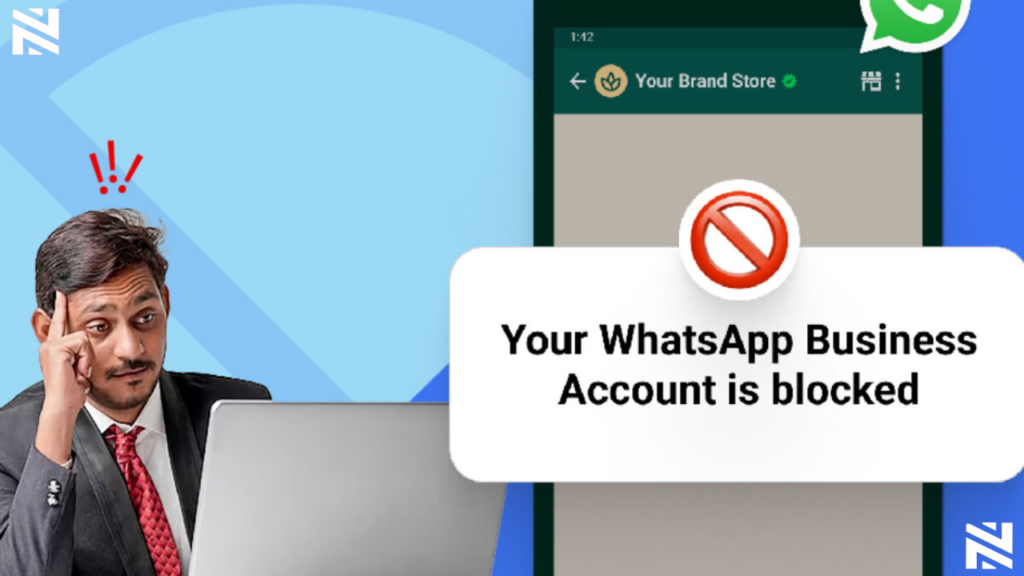
      Virtual Number Not Connecting to WhatsApp 

      First, find out if your virtual number is blocked by WhatsApp. If you can’t verify your number, it might be due to WhatsApp’s rules or issues with your number range.

      Error Messages and Their Meanings

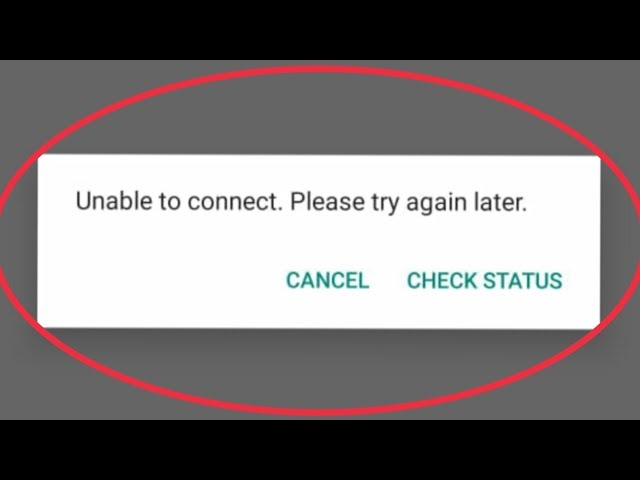
      Error messages are key signs that your virtual number is blocked. WhatsApp shows an error message if it can’t verify your number. For example, “Verification failed” or “Your phone number is not allowed” mean there’s a problem.

      “Verification failed” means WhatsApp blocked your number or there’s a verification issue. “Your phone number is not allowed” shows WhatsApp doesn’t support your number or it’s flagged.

      Verification Timeout Issues

      Verification timeout issues also suggest your number might be blocked. If you don’t get the verification code or the process keeps timing out, it could be a restriction from WhatsApp.

      WhatsApp support says, “Verification codes may not be delivered due to issues with your phone number or carrier.” This shows why checking if your number is supported is crucial.

      Testing Your Virtual Number’s Status

      To check if your number is blocked, try verifying it on another device or with a different WhatsApp account. If you still have problems, your number might not be supported by WhatsApp.

      A WhatsApp spokesperson said, “We take measures to prevent abuse on our platform, which may include blocking certain numbers or number ranges.” This emphasizes the need to ensure your number meets WhatsApp’s policies.

      Step-by-Step Troubleshooting for WhatsApp Verification Issues
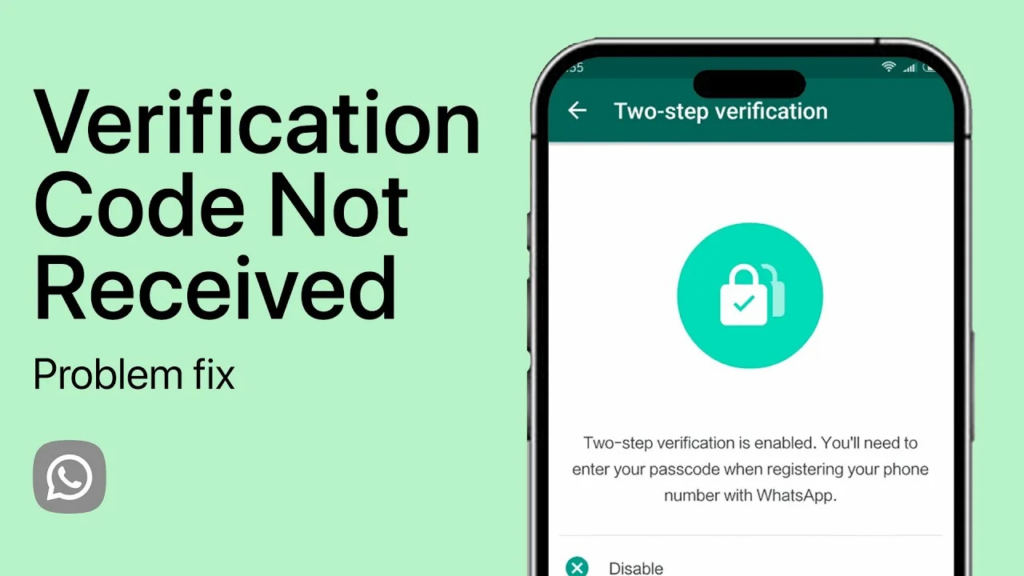
      When WhatsApp can’t verify your virtual number, it’s really frustrating. But don’t worry, there are steps you can take to fix it. Troubleshooting is a method to find and solve problems.

      1. Check Number Format and Country Code

      First, make sure your virtual number is right. It should have the correct country code . WhatsApp needs the right country code to verify your number. Remove any unnecessary characters or spaces from your number.

      2. Verify Internet Connection Stability

      A stable internet connection is key for WhatsApp verification. Make sure your internet is working well.

      1. Check your internet speed to ensure it’s stable.
      2. Try switching between Wi-Fi and mobile data to see if the issue persists.

      3. Clear Cache and App Data

      Clearing WhatsApp’s cache and app data can fix verification issues. It removes any bad data that might be the reason your virtual number is not connecting to Whatsapp.

      For Android Devices

      • Go to Settings > Storage > Apps > WhatsApp.
      • Tap on “Clear Cache” and “Clear Data.”

      For iOS Devices

      • Go to Settings > WhatsApp.
      • Tap on “Reset WhatsApp” to clear data.

      4. Reinstall WhatsApp Properly

      If the previous steps don’t work, try reinstalling WhatsApp. This can fix problems caused by a bad app installation.

      To reinstall WhatsApp:

      1. Uninstall WhatsApp from your device.
      2. Restart your device.
      3. Reinstall WhatsApp from the App Store or Google Play Store.

      By following these steps, you should be able to fix WhatsApp verification issues with your virtual number.

      Advanced Solutions to Fix WhatsApp Number Issue

      For those who can’t fix WhatsApp number issues with basic steps, there are more advanced solutions. Look into alternative verification methods and support options when simple fixes don’t work.

      1. Contact WhatsApp Support Effectively

      If you’re still having trouble after trying out basic fixes, reaching out to WhatsApp support is a good idea. Make sure you have all the necessary information, like your virtual number and details of the problem. Clear and concise communication with WhatsApp support can significantly improve the chances of resolving your issue.

      2. Use Alternative Verification Methods

      WhatsApp usually uses SMS or calls for verification. But, other methods can help when these don’t work. Using a different phone number or a landline might solve the problem. Alternative verification methods can provide a workaround when standard processes are blocked.

      Some virtual number providers like Nexar offer extra verification services for WhatsApp. These services might help keep the verification process stable.

      Best Third-Party Verification Services Available in Nigeria
      My virtual number is not connecting to whatsapp.

      In Nigeria, there are third-party services that offer verification solutions for WhatsApp. These services might provide more stable or alternative verification methods. Exploring these options can be beneficial if you’re struggling with WhatsApp verification.

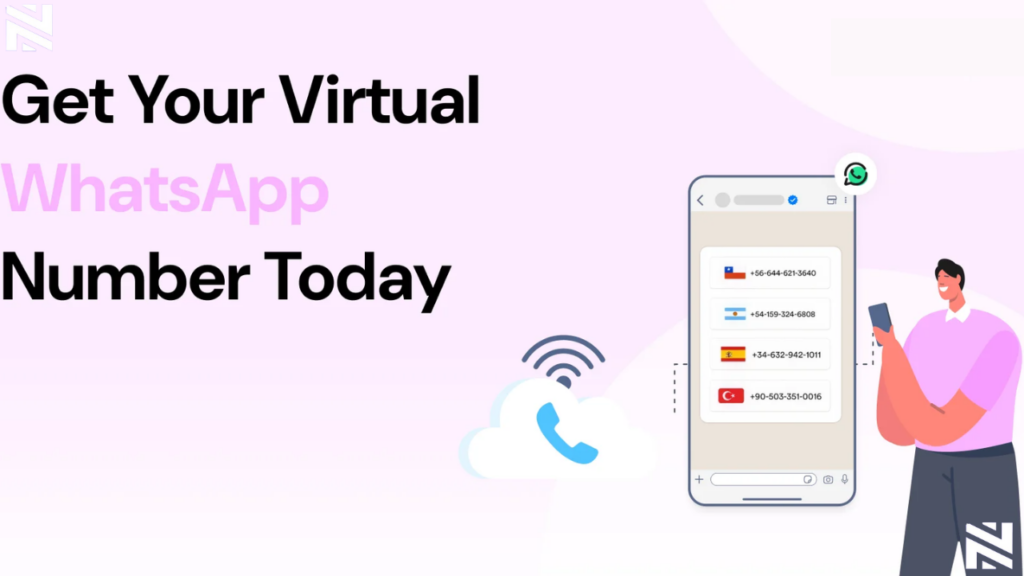
      In Nigeria, finding a virtual number provider that works well with WhatsApp is key. Businesses and individuals need reliable WhatsApp compatibility. There are many providers, so picking the right one is important.

      Nexar is known for its WhatsApp-compatible numbers. Nexar’s virtual numbers are designed to work efficiently with WhatsApp. This means users can send and receive messages smoothly. Visit website>>
      FREQUENTLY ASKED QUESTIONS (FAQs)
      1. How do I know if my virtual number is blocked by WhatsApp?

      Look for error messages or if verification takes too long. Try checking if your number is blocked.

      2. Can I use alternative verification methods for WhatsApp with my virtual number?

      Yes, you can. Try contacting WhatsApp support or use third-party services like Nexar in Nigeria.

      3. What are the best virtual number providers compatible with WhatsApp in Nigeria?

      Nexar is the best choice. But you can compare features and WhatsApp reliability with other providers.

      4. How do I troubleshoot WhatsApp number issues with Nexar virtual numbers?

      Check your number format and internet connection. Clear cache and app data. Reinstall WhatsApp to fix issues.

      5. How do I protect my privacy and security when using virtual numbers with WhatsApp?

      Follow WhatsApp’s rules and take steps to keep your info safe when using virtual numbers.
    • 5 Signs You’re Using an Unreliable Virtual Number Provider

      The world of virtual numbers has grown quickly. More people use them for Twitter, WhatsApp Business, Facebook, Gmail, TikTok, and other platforms. Businesses use them for customer support. Freelancers use them to manage clients. People who want privacy use them to keep their personal line safe.

      But the truth is this. Not every provider out there is real or trustworthy. Some platforms cut corners. Some reuse numbers. Some disappear when you need support. Some sell numbers that do not work for the platforms they claim.

      This is why choosing the right service is important. A fake virtual number can cost you your account, money, and even your identity. The safest thing you can do is learn how to spot an unreliable virtual number provider before you make a payment.

      In this article, we’ll talk about the real signs that show when a service is not safe. If you have ever wondered how to know if a virtual number provider is fake, this will guide you clearly. By the end, you’ll understand the difference between a trusted brand like Nexar and a fake virtual number provider pretending to be legit.

      Let’s break everything down.

      Why You Should Care About Spotting an Unreliable Virtual Number Provider

      Many people think all virtual numbers are the same. You pay for a number and receive SMS codes. Simple. But that is not how it works in reality. A number that is not clean can get your account banned. A provider that is dishonest can steal your money. A recycled number can expose your data.

      An unreliable virtual number provider can put you at risk in ways you do not expect. If you are using virtual numbers for work, verification, privacy, or business, then safety matters. It matters a lot.

      Using the wrong provider can lead to:

      • Failed verification
      • Locked accounts
      • Data leaks
      • Scams
      • Payment loss

      Choosing right protects your time and your peace of mind.

      Now let’s look at the 5 signs that show a provider cannot be trusted.

      1. The Numbers Do Not Work for the Platforms They Claim

      This is the biggest sign of an unreliable virtual number provider. A good provider will tell you clearly which platforms their numbers support. A fake one will say the numbers work everywhere even though they do not.

      For example, some providers claim their numbers work for:

      • Twitter
      • WhatsApp Business
      • Facebook
      • TikTok
      • Google
      • Instagram

      But when you try to verify your account, nothing happens. The SMS never arrives. Or the platform rejects the number immediately.

      This is the first red flag that tells you how to know if a virtual number provider is fake. If the provider promises everything but delivers nothing, stay away.

      A trusted provider like Nexar offers platform specific numbers. This means if you buy a number for Twitter, it works for Twitter. If you buy a number for WhatsApp Business, it works for WhatsApp Business. No guesswork. No stress.

      A fake virtual number cannot guarantee this.

      2. The Provider Reuses Numbers or Gives You Numbers That Were Used Before

      A clean virtual number is important. When a number has been used before, it becomes a risk. Some cheap services take numbers that other people have used and recycle them. They claim they are fresh even though they are not.

      This is one of the strongest signs of an unreliable virtual number provider.

      If a number has been used before, you may experience:

      • Logged out accounts
      • Verification errors
      • Account bans
      • Security warnings
      • Previous owner’s notifications

      Imagine buying a number and seeing someone else’s messages in your inbox. That is one of the clearest ways to know when a fake virtual number provider is trying to trick you.

      Nexar gives you clean and verified numbers. You receive a fresh line that is ready for your use. You can also request codes again and again from your Nexar number on the Nexar app or website, which means your number is permanent!

      A real provider will never reuse a number.
      An unreliable virtual number provider will do it all the time to save money.

      3. No Customer Support or Slow Customer Support

      A virtual number service without support is a danger. When something goes wrong, you need a real person to help you. If the provider disappears once you make payment, that is the behavior of a fake virtual number provider.

      Support shows that the company cares about customer experience. A provider that delays replies or gives no reply at all is not reliable. If you cannot reach them by email, chat, or social media, that is a red flag.

      This is one way to know if a virtual number provider is fake.
      A trusted brand will guide you through the setup process. They will help you when a platform changes rules. They will assist you when you have questions. Support is part of the service.

      An unreliable virtual number provider hides. They only want your payment, not your satisfaction.

      Nexar offers clear guides, quick responses, and a support team ready to fix issues. Support is part of why users trust them.

      4. No Transparency About Pricing, Validity, or Country of the Number

      If a provider does not tell you:

      • The country of the number
      • The duration of the number
      • The supported platforms
      • The exact price
      • Whether the number is renewable

      Then something is wrong.

      Lack of transparency is one of the most common signs of an unreliable virtual number provider. They keep details hidden so they can change them later. They can suddenly increase prices. They can give you a number from a random country. They can reduce your validity without warning.

      This is also how scammers operate.

      A real provider shows everything clearly. You know the country. You know the price. You know how long the number lasts. You know the platform it supports.

      If you ever find yourself guessing what you paid for, you are dealing with a fake virtual number provider.

      Nexar is transparent about:

      • Country options
      • Price
      • Validity period
      • Platform compatibility

      This is what a trustworthy provider looks like.

      5. The Website Looks Suspicious or Lacks Basic Security Features

      This is a strong sign of an unreliable virtual number provider. The website does not look safe. You might see strange popups, spelling mistakes, broken links, or unclear information. Sometimes the payment gateway looks unsecured.

      A fake website is designed to collect your money quickly. They do not invest in their platform. They do not invest in safety. They do not want longevity. They are only there to trick people who do not know what to look for.

      Look for these warning signs:

      • No SSL lock on the browser
      • No real contact details
      • No clear company information
      • Poor design
      • Suspicious payment portal

      If a website looks unsafe, it is telling you to walk away.
      A real provider will always protect your information and your money.

      Nexar uses secure payment systems, clear design, and transparent onboarding. This is how you identify a credible service.

      How to Know if a Virtual Number Provider Is Fake

      Let’s bring it all together in simple terms. When you want to figure out how to know if a virtual number provider is fake, ask yourself these questions:

      • Does the website look trustworthy?
      • Are they transparent about supported platforms?
      • Does the number work immediately?
      • Is support available when needed?
      • Do they recycle numbers or sell clean ones?
      • Is pricing clear?
      • Are reviews real?

      If any of these answers feel wrong, stop and rethink your purchase.

      A fake virtual number provider makes big promises and delivers nothing.
      An unreliable virtual number provider hides important details, reuses numbers, or avoids responsibility.

      A trusted provider like Nexar does none of these things.

      Why You Should Choose Proven Providers Like Nexar Instead

      Using Nexar comes with real benefits that protect your account and your peace of mind. Here’s why:

      • You get clean verified numbers
      • You receive your code instantly
      • You can choose numbers from any country
      • You can select the platform you want
      • You get proper customer support
      • You avoid recycled or unsafe lines
      • You get a smooth dashboard
      • You get transparent pricing

      Nexar gives you structure. It gives you a system you can depend on.

      When you use a trusted provider, you save yourself from:

      • Losing accounts
      • Failed verifications
      • Security risks
      • Random bans
      • Payment scams

      A stable service gives you long term peace.

      How to Buy a Reliable Virtual Number from Nexar

      The steps are simple.

      Step 1: Go to Nexarhq.com

      UK number in Nigeria


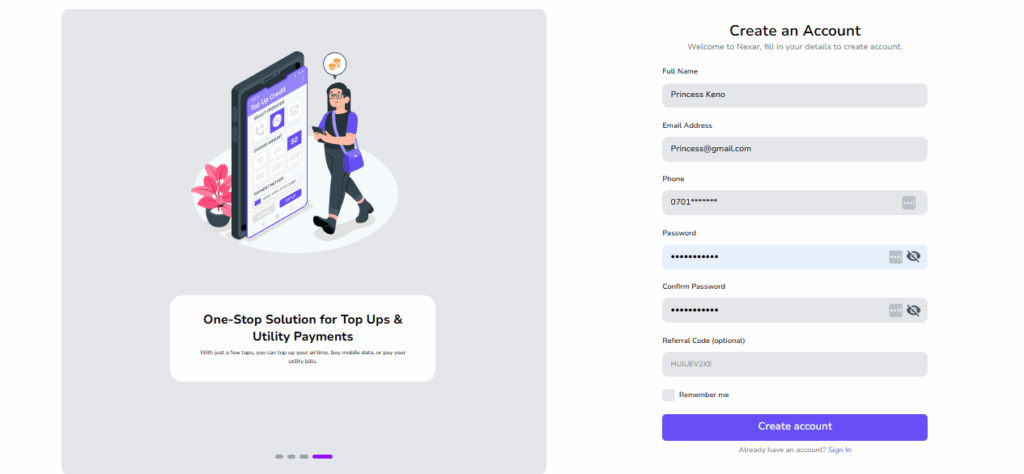
      Step 2: Create an account

      Unreliable virtual number provider


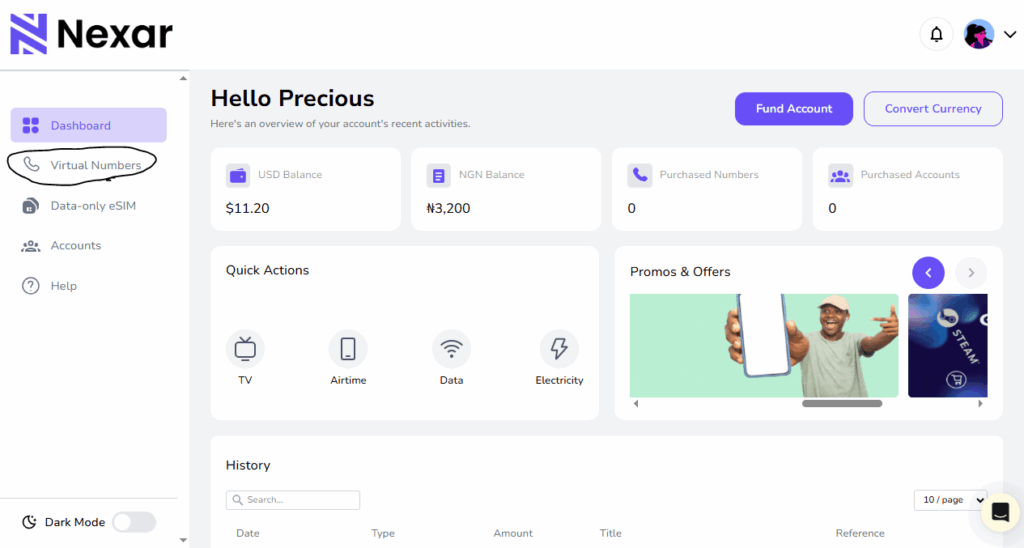
      Step 3: Select Virtual Number from your dashboard


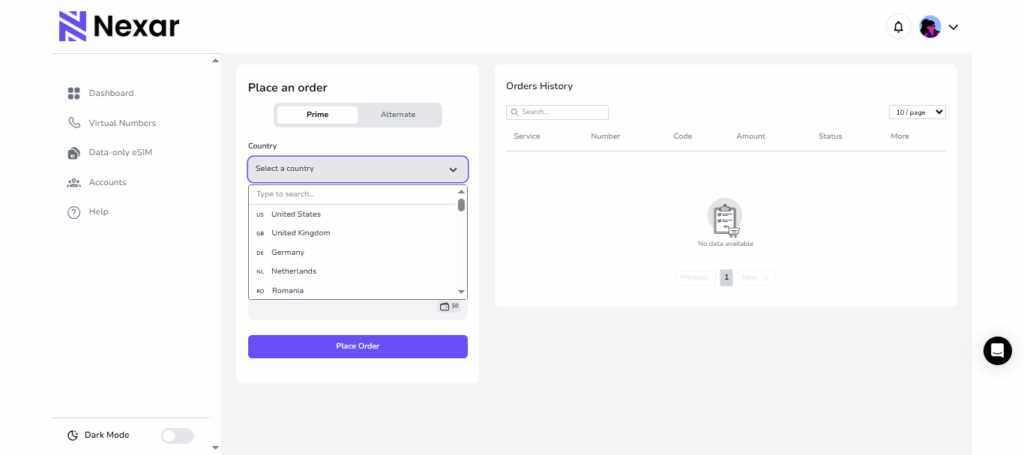
      Step 4: Choose the country you want


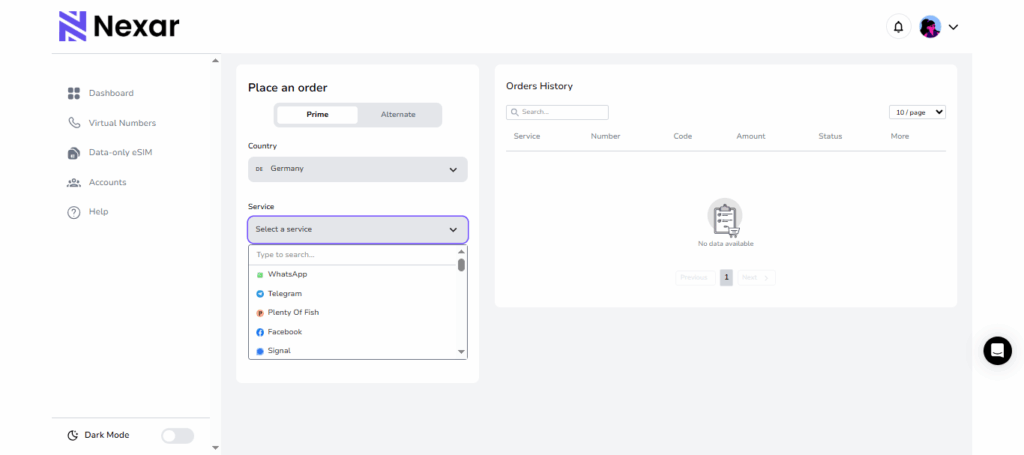
      Step 5: Choose the platform you need


      Step 6: Make your payment


      Step 7: Receive your number instantly


      Step 8: Use it to verify your account right away

      It takes a few minutes. Then your code appears in your inbox with no stress.

      Final Thoughts

      The rise of fake services makes it important to know how to spot an unreliable virtual number provider. When a provider hides information, reuses numbers, fails to deliver codes, or disappears after you pay, it is a sign that something is not right. Choosing a trusted platform like Nexar helps you avoid all the problems that come with a fake virtual number provider. You get clean numbers, instant verification, and clear transparency. It gives you control, privacy, and a simple setup process.

      The safest thing you can do is pay attention to these signs. Once you understand how to know if a virtual number provider is fake, you become more confident in your choices and avoid unnecessary risks.

      If you want reliability, clean numbers, and instant setup, Nexar is the smarter option.