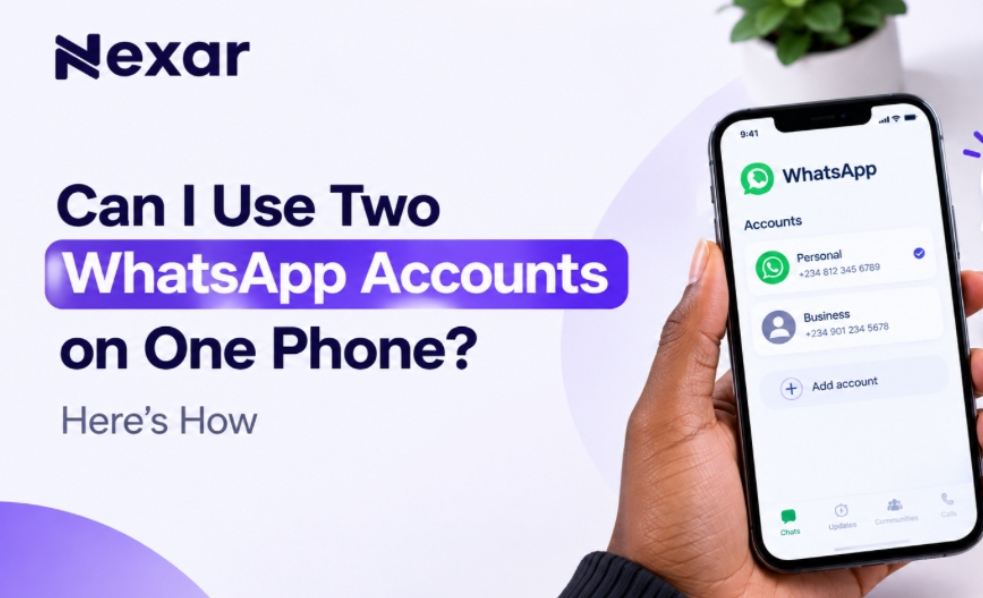
If you use WhatsApp for both personal and business conversations, carrying two phones just to keep your accounts separate can be frustrating. You may want one number for family and friends and another for customers, clients, or work but getting a second number can feel like an unnecessary hassle.
The good news is that two WhatsApp accounts on one phone are now officially supported. WhatsApp allows you to add and switch between two accounts without logging out or carrying a second phone.
And if you need a second number for the additional account, Nexar can help you get a virtual number for supported WhatsApp verification.
Can You Use Two WhatsApp Accounts on One Phone?
Yes, you can use two WhatsApp accounts on one phone.
WhatsApp introduced its multiple-account feature so users can keep separate accounts on the same device. This is particularly useful if you want to separate your personal and professional conversations.
As of 2026, WhatsApp supports two accounts on the same phone on both Android and iOS. WhatsApp announced that the two-account feature had expanded to iOS, bringing the experience in line with Android.
However, there is one important requirement: each WhatsApp account needs its own phone number.
That means you cannot create two accounts using the exact same number.
WhatsApp requires a second phone number for your additional account. You can use a separate SIM, dual-SIM setup, or eSIM-supported number. You can read the WhatsApp’s multiple-account guide.
What You Need for Two WhatsApp Accounts on One Phone
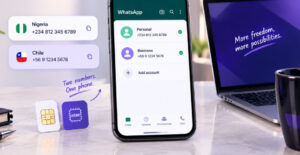
Before setting up your two WhatsApp accounts on one phone, make sure you have:
- Your existing WhatsApp account and number
- A second active phone number
- Access to the verification code for the second number
- The latest version of the official WhatsApp app
- A phone that supports the multiple-account feature
WhatsApp says the second account requires a second phone number and SIM card, or a phone that supports multi-SIM or eSIM.
For Nigerians who don’t want to purchase another physical SIM just for WhatsApp, a virtual number can be another option where the number is supported for WhatsApp verification.
How to Add a Second WhatsApp Account
Once you have your second number, setting up your second WhatsApp account is straightforward.
1. Open WhatsApp
Launch the official WhatsApp application on your phone.
Make sure you’re using the legitimate WhatsApp app rather than modified versions. WhatsApp specifically recommends using its official application for security.
2. Open Your WhatsApp Settings
Go to Settings and look for the account option next to your profile name.
WhatsApp’s multiple-account setup allows you to add another account without logging out of your existing one.
3. Select “Add Account”
Tap the option to Add account.
You will then be asked to provide the phone number you want to use for the second account.
4. Enter Your Second Number
Select the appropriate country and enter your second phone number in international format.
WhatsApp requires an active number that can receive the registration code. Its Help Center explains that registration involves receiving a six-digit code by SMS or, depending on the circumstances, by phone call.
5. Verify the Number
Enter the verification code sent to your second number.
Once verification is complete, you can set up the profile for your new account.
6. Switch Between Your Accounts
After adding the account, you can switch between your two WhatsApp accounts without logging out.
This makes it much easier to keep personal chats separate from business conversations.
Need a Second Number? Nexar Can Help
Getting the WhatsApp app is only part of the process. You also need another number to register the second account.
This is where Nexar virtual numbers can be useful.
Instead of immediately buying another physical SIM, you can use Nexar to get a virtual number for supported services. Nexar provides virtual numbers from multiple countries and supports WhatsApp verification on eligible numbers.
The basic process is simple:
- Create or log in to your Nexar account.
- Go to the virtual numbers section.
- Select the country you need.
- Choose WhatsApp as the service, where available.
- Place your order.
- Use the number during WhatsApp registration.
- Receive the verification code through Nexar and complete your setup.
If you’re specifically interested in WhatsApp verification, see our guide on How to Get a Virtual Number for WhatsApp Verification.
Important: Virtual-number availability and acceptance can vary by service and number. Always select a number specifically offered for WhatsApp verification rather than assuming every virtual number will work.
Why Use Two WhatsApp Numbers on One Phone?
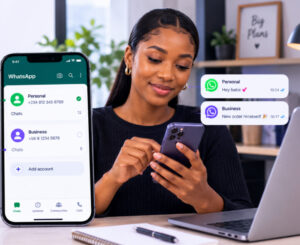
There are several practical reasons to have two WhatsApp numbers on one phone.
Keep Work and Personal Chats Separate
You can use one account for friends and family and another for customers, clients, or colleagues.
Manage a Business More Easily
If you run a small business in Nigeria, having a separate WhatsApp account can make customer communication more organized.
You can also use WhatsApp Business for your business operations while keeping your personal WhatsApp separate.
Protect Your Personal Number
A second number means you don’t always have to give your primary personal number to customers or online contacts.
Avoid Carrying Two Phones
Instead of switching between devices, you can manage both accounts from one phone.
What If You Can’t Add a Second Account?
If the Add account option isn’t showing, try these steps:
- Update WhatsApp from your app store.
- Restart your phone.
- Check whether your device supports multiple WhatsApp accounts.
- Make sure you’re using the official WhatsApp application.
- Confirm that your second number can receive the verification code.
- Avoid repeatedly requesting OTP codes within a short period.
If your second number isn’t receiving the code, the problem may be related to the number, carrier, or WhatsApp’s verification process.
For more information about verification numbers, you can also read How to Get a Long Term Virtual Number for OTP Verification in Nigeria.
FAQs About Two WhatsApp Accounts on One Phone

Can I have two WhatsApp accounts on one phone?
Yes. WhatsApp officially supports two accounts on the same phone, including on iOS and Android. Each account needs a different phone number.
Can I use the same number for two WhatsApp accounts?
No. Each WhatsApp account requires its own phone number for registration and verification.
Can I use a virtual number for my second WhatsApp account?
A virtual number may work if it is supported for WhatsApp verification and can receive the required registration code. Nexar offers virtual numbers for supported WhatsApp verification.
Can I use two WhatsApp accounts for business?
Yes. Having separate accounts can help you keep business and personal conversations organized. You can also use WhatsApp Business for your business account.
Final Thoughts
You no longer need two phones just because you want separate WhatsApp accounts. With WhatsApp’s built-in multiple-account feature, you can manage two WhatsApp accounts on one phone and switch between them when needed.
The main requirement is having a separate number for the second WhatsApp account. If you don’t want to purchase another physical SIM, Nexar gives Nigerians another option through virtual numbers for supported WhatsApp verification.
Need a second number? Get started with Nexar and simplify your WhatsApp setup.
Leave a Reply