Running a digital business in Nigeria can become complicated when you need different platforms for virtual numbers, eSIMs, gift cards, airtime, bills, and other digital services. Managing multiple suppliers also means dealing with different dashboards, pricing systems, and integrations.
That is where the Nexar Reseller Program comes in.
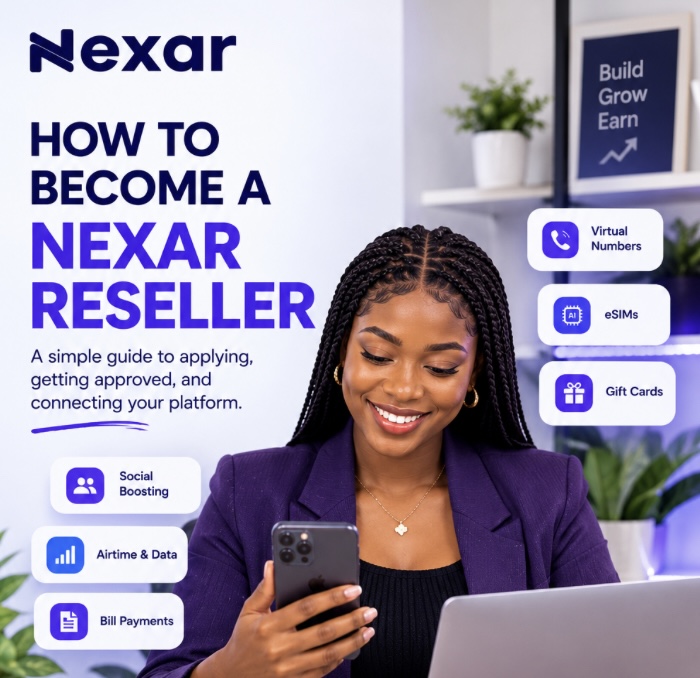
If you already run a website, app, digital storefront, agency, community, or online business, you can become a Nexar reseller and offer Nexar products directly to your customers through your own platform.
Here is how the process works.
What Does It Mean to Become a Nexar Reseller?
When you become a Nexar reseller, you can sell approved Nexar digital products to your own customers using Nexar’s reseller system and API.
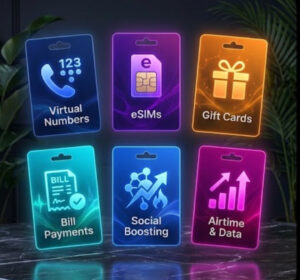
Available products include:
Virtual numbers
eSIMs
Gift cards
Social boosting services
Airtime and data
Bill payments
Nexar provides reseller discounts starting at 15%, with higher discounts available as successful orders increase.
This can be useful if you want to add digital products to an existing business instead of building every service from scratch.
Who Can Become a Nexar Reseller?
The program can work for different types of businesses.
You might want to become a Nexar reseller if you run:
A digital products store
A fintech or marketplace
A travel platform selling eSIMs
A social media service agency
An online community
A website or mobile app
A business that wants to add digital services to its existing offerings
For example, a Nigerian travel business could add eSIMs to its platform, while a digital store could offer gift cards, virtual numbers, airtime, and other approved products.
Nexar allows you to choose the services that fit your business rather than requiring you to sell everything.
How to Become a Nexar Reseller
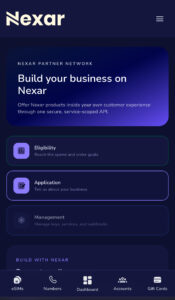
The Nexar reseller application process is straightforward. You first create or use your Nexar account, submit your business details, wait for approval, and then set up your API access.
1. Create Your Nexar Account
Before you become a Nexar reseller, you need a Nexar account.
If you do not already have one, create an account and complete the required account information.
If you already use Nexar for virtual numbers, gift cards, eSIMs, or other services, you can use your existing account.
2. Submit Your Nexar Reseller Application
After creating your account, open your profile and look for the reseller option.
Your Nexar reseller application asks you to provide information about your business and select the products you want to resell.
Be clear about what your business does and the services you want to offer. For example, if your customers mainly need gift cards and virtual numbers, you can indicate those services rather than selecting products you do not need.
Nexar reviews the request before enabling reseller access.
3. Wait for Approval
After you apply to become a Nexar reseller, Nexar reviews your request.
Approval determines which services your business can access through the reseller system. Your reseller discount also applies to approved services.
According to Nexar, resellers start with a 15% discount, while higher tiers can unlock larger discounts based on successful order volume.
So, if you are building a serious digital-products business, your pricing structure can grow alongside your order volume.
4. Create Your API Key
Once your application is approved, you can create an API key from the reseller portal.
The API connects your website or app to Nexar, allowing your customers to access the approved products through your own platform.
Nexar’s documentation explains that API keys can be limited to specific products, helping you keep access organized between different applications or environments.
Once your application is approved, review the Nexar reseller API documentation to understand API keys, available endpoints, security requirements, and integration.
For security, keep your API key on your server. Do not place it directly inside publicly accessible website or mobile-app code. Nexar specifically recommends server-side storage for production API keys.
Nexar offers reseller discounts that can increase as your successful order volume grows. The tiers below are examples listed by Nexar, while your exact discount is confirmed for each approved service when you join.
Nexar currently lists these example tiers:
Reseller tier
Successful orders
Discount
Bronze
Starting tier
15%
Silver
200 orders
20%
Gold
500 orders
25%
Platinum
1,000 orders
30%
Please note that these are example tiers and that the exact discount for each approved service is confirmed when you join.
This means you can start with the products your customers already need and expand later.
What Can You Sell as a Nexar Reseller?
Once approved, you can become a Nexar reseller for the services approved for your business.
The current reseller program includes:
Virtual Numbers
Offer customers numbers for supported verification services. If you want to know more on virtual numbers you can read the guide.
eSIMs
Add international mobile data plans to a travel or digital platform.
Gift Cards
Sell supported gift cards from popular brands.
Social Boosting
Offer supported social media growth services.
Airtime and Data
Add mobile airtime and data purchases.
Bill Payments
Let customers pay supported electricity, TV, and other bills through your platform.
What Happens After Your Nexar Reseller Application Is Approved?
Once Nexar approves your Nexar reseller application, you can access the reseller portal, create your API key, and begin integrating the approved services.
The API documentation provides endpoints for checking products, placing orders, tracking orders, and managing supported services.
You can also keep different API keys for different applications and control which products each key can access.
Ready to Become a Nexar Reseller?
If you already have customers looking for digital products, you do not necessarily need to build every service yourself.
You can apply to become a Nexar reseller, choose the products that fit your business, and connect your platform to Nexar through the reseller API.
Start by creating your Nexar account and submitting your reseller application.
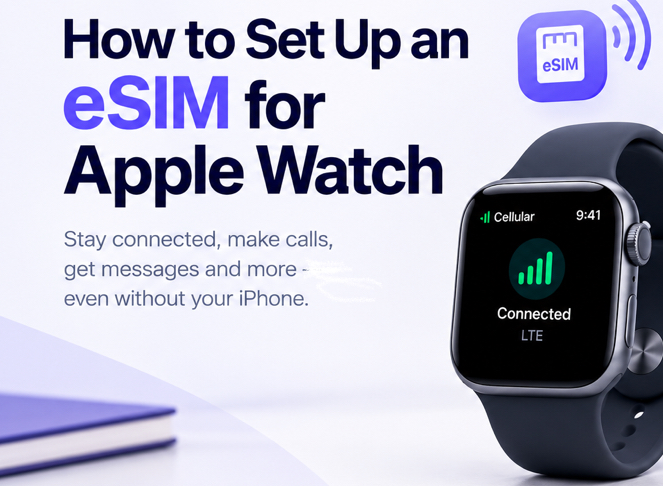
Imagine you’re going for a run, leaving your iPhone at home, but you still want to receive calls, messages, and notifications on your Apple Watch. You open the settings expecting to activate cellular service, only to discover that your watch needs a compatible plan.
If this sounds familiar, you’re not alone. Setting up an eSIM for Apple Watch involves more than scanning a QR code or buying a data plan. You need a compatible watch, the right iPhone, and a carrier that supports Apple Watch cellular service.
This guide explains how to set up your watch, troubleshoot common problems, and understand where Nexar’s eSIM services may fit into your connectivity needs.
What Is an eSIM for Apple Watch?
An eSIM is a digital SIM embedded in a device. It lets compatible devices connect to a mobile network without inserting a physical SIM card.
An eSIM for Apple Watch allows a supported GPS + Cellular Apple Watch to connect to a compatible mobile network when it isn’t connected to your iPhone or Wi-Fi.
However, not every Apple Watch supports cellular connectivity. GPS-only models cannot activate an independent cellular plan.
It’s also important to distinguish a smartwatch cellular plan from a regular travel eSIM. A travel eSIM may provide mobile data in another country, but it does not automatically activate Apple Watch cellular service.
What You Need Before Apple Watch Cellular Setup
Before beginning your Apple Watch cellular setup, check these requirements:
A compatible watch: You need a GPS + Cellular model, not a GPS-only version.
A compatible iPhone: Pair your Apple Watch with an iPhone and keep both devices updated.
A supported carrier: Your carrier must offer Apple Watch cellular plans for your specific watch model and region.
An eligible mobile plan: Some prepaid and older plans may not qualify.
Network access: You may need to be within your carrier’s coverage area during activation.
Apple also notes that your iPhone and Apple Watch generally need to use the same carrier, except in certain Family Setup arrangements. Check the official Apple Watch cellular requirements before purchasing a plan.
How to Set Up an eSIM for Apple Watch
Once you have confirmed compatibility, follow these steps to activate cellular service.
Step 1: Pair Your Apple Watch With Your iPhone
Turn on your Apple Watch and bring it close to your iPhone. Follow the instructions displayed on your devices to complete pairing.
If you have already paired your watch, make sure both devices are running compatible, up-to-date software.
Step 2: Open the Apple Watch App
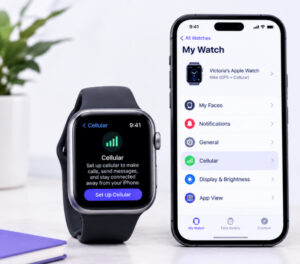
On your iPhone, open the Apple Watch app and select the My Watch tab.
Tap Cellular to view the available cellular options. If you are setting up a new watch, you may also see an option to configure cellular during the initial setup process.
Step 3: Choose Set Up Cellular
Tap Set Up Cellular and follow the instructions on your screen.
Your carrier may ask you to sign in, confirm your mobile account, select an eligible plan, or accept additional terms. The exact process depends on the carrier.
This is the key step in Apple Watch eSIM activation. You cannot complete it through a generic QR code if your carrier requires a specific wearable plan.
Step 4: Complete Activation and Check the Connection
Wait for the carrier activation process to finish. Once it is active, open Control Center on your Apple Watch to check the cellular signal.
To test the connection, move away from your iPhone and a familiar Wi-Fi network, then try a feature that requires cellular connectivity.
Nexar offers eSIM options for travellers and users who need mobile data while abroad. However, a data-only travel eSIM is not automatically compatible with Apple Watch cellular activation.
If your goal is to use maps, internet-based apps, or other connected services while travelling, explore the available travel eSIM plans on the Nexar website. Before purchasing, check the plan’s supported devices and activation requirements.
If you specifically want your Apple Watch to make calls or receive messages independently of your iPhone, first confirm that your mobile carrier supports Apple Watch cellular service. Do not buy a Nexar travel eSIM expecting it to replace a supported wearable plan.
Common Apple Watch eSIM Activation Problems
If your Apple Watch eSIM activation fails, try these fixes:
You cannot see Set Up Cellular: Confirm that your watch is a GPS + Cellular model and that your carrier supports the feature.
Your carrier rejects the plan: Contact the carrier to check your account eligibility and wearable-plan availability.
Activation keeps loading: Update both devices, restart them, and try again.
Your watch has no signal: Check cellular coverage and whether the plan has finished activating.
You bought a travel eSIM: Confirm that it supports your intended device and use case. A phone data plan will not necessarily activate a smartwatch.
If these steps do not help, contact your carrier before purchasing another plan.
Frequently Asked Questions
Can I set up an eSIM for Apple Watch without an iPhone?
For standard setup, you need a compatible iPhone. Apple’s Family Setup option allows certain cellular Apple Watches to be configured for a family member, subject to carrier and regional support.
Does every Apple Watch support eSIM?
No. You need a GPS + Cellular model. A GPS-only Apple Watch cannot independently connect to a mobile network using an eSIM.
Can I use my iPhone’s eSIM on my Apple Watch?
Your iPhone’s eSIM does not automatically activate your watch. Your carrier must support an eligible Apple Watch plan, which is usually managed through the Apple Watch app.
Can I use an Apple Watch cellular plan in Nigeria?
Check Apple’s official carrier availability list and confirm directly with your carrier. Availability depends on the country, carrier, watch model, and plan.
Final Thoughts
Setting up an eSIM for Apple Watch is straightforward once you have the right device and carrier plan. Pair your watch, open the Apple Watch app, select Cellular, and follow your carrier’s activation instructions.
For Nigerians who also need mobile data while travelling, Nexar offers eSIM options worth exploring. Just confirm device compatibility and remember that a travel eSIM and an Apple Watch cellular plan serve different purposes.
Ready to explore eSIM options for your next trip? Visit Nexar to review available plans and their requirements.
Instagram is full of videos worth keeping. You might want to save your own Reel for backup, keep a video you created for later editing, or download approved content for a campaign or content folder.
The problem is that Instagram does not always make it easy to save every video directly to your phone gallery.
That is where an online downloader can help.
If you are looking for a simple way to download Instagram videos to phone, Nexar has a free Instagram Video Downloader that lets you save supported public Instagram Reels and video posts without installing another app.
In this guide, we will show you how to use it, how to download Instagram videos to gallery, and what you should know before saving or reusing Instagram content.
Can You Download Instagram Videos to Your Phone for Free?
Yes. You can use Nexar’s free Instagram Video Downloader to save supported public Instagram videos to your phone.
The tool works by using the public Instagram post link. You copy the link from Instagram, paste it into Nexar’s downloader, and download the available video.
The important limitation is that the tool is designed for public content. Private, restricted, or unsupported Instagram URLs are not processed.
You will see a field asking you to paste an Instagram video URL.
Paste the link you copied from Instagram.
Step 4: Process the Video
Tap Download Video.
Nexar checks the public link and prepares the available video.
The tool supports MP4 downloads and HD-ready quality where available.
Step 5: Save the Video to Your Phone
Once the video is ready, follow your phone’s download prompt.
On many Android phones, the downloaded video will appear in your Downloads folder and may also appear in your gallery.
On iPhone, the browser may first save the file to the Files app. From there, you can move the video to your Photos library.
How to Download Instagram Videos to Gallery
If your main goal is to download Instagram videos to gallery, the process is almost the same.
Copy the Instagram video link, open Nexar’s downloader, paste the link, and download the MP4 file.
On Android:
Download the video.
Open your Downloads folder.
Find the MP4 file.
If it does not appear in your gallery automatically, move or save it to your Videos or Movies folder.
On iPhone:
Download the video through your browser.
Open the Files app.
Locate the downloaded MP4.
Tap Share.
Choose Save Video if available.
The exact menu can vary depending on your phone model and iOS or Android version.
Can You Save Instagram Videos to Your Phone Without an App?
Yes.
One advantage of using an online tool such as Nexar is that you can access the downloader through your browser rather than installing a dedicated video-downloader application.
This can be useful if you only need to save Instagram videos to phone occasionally and do not want another app taking up storage space.
What Instagram Videos Can Nexar Download?
Nexar’s downloader is intended for public Instagram media.
It supports:
Public Instagram Reels
Public video posts
Public links that the downloader can process
MP4 video downloads
The tool does not bypass private Instagram accounts or restricted content. (Nexar)
Can You Download Private Instagram Videos?
No.
You should not use a downloader to bypass privacy restrictions on Instagram.
If an account or video is private, the appropriate approach is to access the content through Instagram with permission rather than attempting to circumvent the restriction.
Nexar specifically states that private, restricted, and unsupported URLs are rejected by its Instagram downloader. (Nexar)
Can You Repost a Downloaded Instagram Video?
Downloading a video does not automatically give you permission to repost it.
This is important.
If you download another creator’s Reel, you should not assume that you can upload it to your own Instagram, TikTok, YouTube, website, or other platform.
Only save or reuse content that you created yourself or have permission to use.
Meta also advises users to avoid posting content that infringes another person’s intellectual property rights. (Facebook)
For example, downloading your own Reel for backup is straightforward.
Downloading a client’s approved campaign video so your team can edit or archive it is another legitimate use.
Downloading someone else’s copyrighted video and reposting it without permission is different.
Why Use Nexar to Save Instagram Videos?
Nexar keeps the process simple.
You do not need to install another application or go through complicated settings. You simply provide the public Instagram link and download the supported video.
It is particularly useful for:
Saving your own Reels
Backing up content
Keeping approved campaign videos
Collecting creator-approved assets
Saving product demonstrations
Preparing videos for editing
Organizing social media content
Nexar also provides other digital tools, including virtual numbers, eSIMs and gift cards, from the same platform. (Nexar)
Frequently Asked Questions
Is the Nexar Instagram Video Downloader free?
Yes. Nexar provides the Instagram Video Downloader as a free creator tool for supported public Instagram videos. (Nexar)
Can I download Instagram videos on iPhone?
Yes. You can open the Nexar downloader in your iPhone browser, paste the public Instagram video link, and download the available MP4 file.
Can I download Instagram videos on Android?
Yes. The downloader works through your browser, so you can use it on an Android phone without installing a separate downloader app.
Can I download Instagram Reels?
Yes. Nexar supports public Instagram Reels and video posts.
Can I download a private Instagram video?
No. Nexar’s downloader is intended for public content and does not bypass private or restricted URLs.
Does downloading a video give me copyright ownership?
No. Saving a video and owning the copyright are two different things. Only reuse content that you own or have permission to use.
Final Thoughts
If you want to download Instagram videos to phone without installing another application, Nexar provides a simple browser-based option.
A friend abroad sends you a US Amazon gift card. Or you buy one, planning to shop on Amazon.com from Lagos, Abuja or Port Harcourt. Then the doubt sets in: will a US Amazon gift card in Nigeria actually work, or will it be rejected at checkout?
The short version is that the card can be used, but only in a narrow way. This guide explains exactly where an Amazon gift card in Nigeria works, how to redeem it step by step, which costs can catch you out, and what to do if you can’t use it.
Quick answer
Yes, but with limits. A US Amazon gift card redeems only on Amazon.com, not on other country sites, and it can’t be converted into naira or another currency. From Nigeria, you can spend it only on items that Amazon.com will deliver to a Nigerian address, and shipping and import fees may apply.
Works on: Amazon.com only
Does not work on: Amazon.co.uk, Amazon.ca, Amazon.de or any other Amazon storefront
Delivery: only items eligible for international shipping to Nigeria
Extra costs: international shipping and possible import fees
Expiry and fees: none
Can You Use a US Amazon Gift Card in Nigeria? The Short Answer
A US Amazon gift card is meant for Amazon.com. Amazon’s own gift card listing says these cards work only on the country site where they were purchased, and that you should check that site’s terms for shipping limits and possible international fees.
So for readers in Nigeria, the real question isn’t whether the card “works.” It’s whether the thing you want to buy can be delivered to Nigeria. The only way for someone in another country to use an Amazon.com card is to find products on the US site that ship internationally, and shipping costs can eat a good chunk of the card’s value.
Why US Amazon Gift Cards Are Country-Locked
Amazon runs a separate store for each country, each with its own currency, and its gift cards follow the same split. A US card cannot be used on Amazon.co.uk, Amazon.ca, Amazon.de or any other storefront. There is no true international Amazon gift card.
Amazon also won’t convert a US dollar card into another currency at checkout. A $25 Amazon.com card stays a $25 Amazon.com card, which is why you can’t swap it for naira, or move it to another country’s Amazon store.
The upside: Amazon.com gift cards don’t expire and carry no fees, so there’s no rush to spend the balance.
Where You Can and Cannot Use It
Where you want to use it
Works?
Notes
Amazon.com, for items eligible to ship to Nigeria
Yes
Subject to item eligibility, shipping costs and possible import fees
Amazon.com, for items that cannot ship to Nigeria
No
You cannot order them to a Nigerian address
Amazon.co.uk, Amazon.ca, Amazon.de and other storefronts
No
Each storefront has its own gift cards
Converting the balance to naira or cash
No
The balance stays in USD on your Amazon.com account
Moving the balance to another account
No
Once applied, it can’t be moved to another account or country’s store
One more thing to watch: some reports mention that certain digital content or subscriptions may not be redeemable with a gift card in every region. If you plan to buy digital items, test with a small purchase first.
How to Use a US Amazon Gift Card in Nigeria (Step by Step)
Confirm it’s a US card. It should be an Amazon.com gift card. A card for another country’s Amazon store won’t redeem on Amazon.com.
Sign in on Amazon.com. Use the US site, not another storefront, and set your “Deliver to” location to Nigeria so Amazon shows which items can ship there.
Redeem the claim code. Enter it at amazon.com/redeem, or in the Amazon app under Gift Cards. The value is stored as your Amazon.com balance and spends automatically on eligible orders.
Shop for eligible items. Look for international shipping options and review the shipping estimate before you add anything to your cart.
Check the final total at checkout. Your balance covers the order total, and any remainder is billed to your default payment method. That’s where shipping and import fee deposits can push the cost above your card’s value.
Shipping and Import Fees: What to Expect
Amazon ships many, though not all, items from Amazon.com to Nigeria through its AmazonGlobal program. Eligibility depends on the product, the seller and the delivery address.
Orders shipped outside the US can also attract taxes, customs duties and other import fees. For some destinations, Amazon estimates these and collects an Import Fees Deposit at checkout. According to Amazon’s International Shipping Terms and Conditions, if the deposit turns out to be more than the actual fees, Amazon refunds the difference.
In practice, a $50 gift card will not buy $50 worth of goods once shipping and import fees are added. Before you commit, compare the full landed cost of an item, not just the listed price.
Common Problems and How to Fix Them
The code is rejected. Check that it’s a US Amazon.com card and that you’re signed in on Amazon.com. If it still fails, contact Amazon customer service.
The item won’t ship to Nigeria. Not all Amazon items are eligible for international shipping. Choose an eligible product or a different seller.
The balance is on the wrong account. After a card is applied, the balance can’t be moved to another account. Make sure you redeem it on the account you plan to shop with.
Amazon’s local Nigerian offering. Amazon has reportedly launched a separate shopping experience for Nigeria called Amazon Bazaar. It works differently from Amazon.com, so confirm with Amazon whether gift cards apply before you assume they do.
Protect Yourself From Gift Card Scams
Gift cards are popular with scammers precisely because they’re hard to trace. A few habits keep you safe:
Treat the code like cash. Anyone who has it can spend it.
Redeem only on Amazon. Never read out or send a code to someone who says it is needed to “verify” or “unlock” something.
Be wary of big discounts. A heavily discounted Amazon card from a stranger may be used, cancelled or fake.
Use trusted platforms for buying and selling. Check reviews and support options first, and keep your receipts.
Got a US Amazon Gift Card You Can’t Use?
If the items you want can’t be delivered to Nigeria, you still have options:
Shop only for eligible items on Amazon.com and compare the full cost, including shipping and import fees.
Pass it on before redeeming. An unredeemed card can go to a friend or relative who has a US delivery address. Once applied, the balance can’t be transferred.
Sell or trade it. Many people in Nigeria turn unused gift cards into naira. On Nexar’s gift cards page, you can see which cards are currently supported and compare the rates before you decide.
Gift smarter. If you’re the one sending a card to someone in Nigeria, ask first whether they’ll be able to order what they want on Amazon.com, or consider a prepaid card that supports international use.
Frequently Asked Questions
Can I use a US Amazon gift card in Nigeria?
Yes, but only on Amazon.com and only for items Amazon can deliver to Nigeria. It won’t work on other Amazon sites.
Will Amazon convert my US gift card balance to naira?
No. A US dollar Amazon.com card stays an Amazon.com card, and Amazon doesn’t convert it to another currency.
Does a US Amazon gift card expire?
No. Amazon says its gift cards don’t expire and carry no fees.
Does Amazon ship to Nigeria?
Many items are eligible for delivery to Nigeria through AmazonGlobal, but not everything. Amazon shows which items can ship once your delivery location is set to Nigeria.
Can I use a US Amazon gift card on Amazon.co.uk?
No. Each Amazon storefront has its own gift cards. A US card works only on Amazon.com.
Can I buy a US Amazon gift card with a Nigerian bank card?
Amazon’s community Q&A says non-US cards can be used to buy Amazon.com gift cards, but your bank may still block international online payments. Check with your bank before you try.
Final Thoughts
So, can you use a US Amazon gift card in Nigeria? Yes, as long as you redeem it on Amazon.com and buy items that can be delivered to a Nigerian address. The card won’t work on other Amazon sites, and it can’t be converted into naira, so plan your purchase around shipping and import fees.
If your card isn’t going to work for you, you don’t have to let it sit idle. Explore Nexar to buy and sell gift cards, and browse the Nexar blog for more practical guides on shopping and staying connected online.
Your first 1,000 followers are the hardest to earn. You have no audience to give your videos an early push, every post feels like shouting into the void, and the creators who seem to blow up overnight make it look effortless.
The good news is that you can get 1000 followers on TikTok fast with a clear plan. This guide walks you through how TikTok decides who sees your videos, nine practical steps to gain 1000 followers on TikTok, a 30-day plan you can follow, and the mistakes that quietly hold accounts back.
Overview:
You can get 1000 followers on TikTok fast by choosing one clear niche, hooking viewers in the first 3 seconds, posting consistently, and turning viewers into a community through comments. There’s no shortcut that guarantees a timeline, but this combination is what the fastest-growing accounts have in common.
Niche: one specific topic and audience
Hook: grab attention in the first 3 seconds
Consistency: 3 to 5 quality videos a week
Engagement: reply to comments and invite saves and shares
Discovery: relevant trends, sounds and search keywords
How to Get 1000 Followers on TikTok Fast: The Short Answer
It’s possible, but “fast” is relative. Some creators reach 1,000 followers within a few weeks after one or two strong videos. Others take several months. The difference is rarely luck.
Accounts that grow quickly tend to do the same handful of things well. They stick to one niche, open every video with a strong hook, post on a steady schedule, and treat comments as conversations. No one can promise you an exact timeline, so be wary of anyone who does.
How the TikTok Algorithm Decides Who Sees Your Videos
TikTok’s For You feed ranks videos using a mix of signals, including what people watch, like, share and comment on, and which accounts they follow. TikTok explains this in its Help Center page on how content is recommended on TikTok.
Recent creator guides also describe a “followers-first” test. TikTok reportedly shows a new video to a small slice of your audience first. If those viewers watch to the end, replay, save, comment or share, the video is pushed to a wider audience on the For You feed.
Two takeaways matter for you:
Watch time and engagement beat follower count. Follower count is not a direct ranking factor, which is why a brand-new account can still reach a big audience with a strong video.
Every video is a test. Make each one worth finishing, because early viewer behaviour decides how far it travels.
Step 1: Choose a Specific Niche
A narrow niche tells the algorithm exactly who to show your videos to, and tells new viewers exactly why to follow you. “Food” is too broad. “Budget meals for students” is specific. “Photography” is broad. “Phone photography tips for small businesses” is specific.
A quick test: can you finish this sentence? “I help [a specific audience] with [a specific topic].” If you can’t, narrow it down.
Stay on topic, too. If your account is about cooking and you suddenly post a perfume review, both viewers and the algorithm get confused about what you’re about.
Step 2: Optimize Your Profile So Viewers Hit Follow
Many people find you on the For You feed, then tap your profile to decide whether you’re worth following. An empty or vague profile wastes that moment.
Username and name: easy to read, easy to remember and related to your niche
Profile photo: a clear face or a simple logo that stays consistent across all your platforms
Bio: say who it’s for and what they’ll get, such as “Budget meals for students. New recipe every Mon, Wed, Fri.”
Pinned videos: pin your three best videos so new visitors see your strongest work first
Step 3: Hook Viewers in the First 3 Seconds
Completion rate and total watch time are among the strongest signals for TikTok. If people swipe away in the first seconds, the video stops spreading. Your opening line and first visual decide everything.
Some hook formats that work well:
The bold claim: “Nobody tells you this about growing on TikTok.”
The mistake warning: “Stop doing this if you want more followers.”
The experiment: “I posted every day for 7 days. Here’s what happened.”
The list promise: “3 things I wish I knew before my first 1,000 followers.”
Back up the hook with on-screen text, cut any dead air at the start, and keep the video tight. Some creators aim for a completion rate of around 70 percent, which is a useful target when you review your analytics.
Step 4: Post Consistently, Not Constantly
The algorithm rewards regular posting, but not at the cost of quality. Most guides suggest 3 to 5 good videos a week. Three rushed videos that flop in the first test do less for you than one well-made video, and they can teach TikTok to associate your account with low retention.
Sporadic bursts are the weakest pattern, because momentum resets after every gap. To stay consistent, batch your filming: record several videos in one session, then schedule them through the week.
Step 5: Use Trends and Sounds Wisely
Trending sounds and formats can help your videos reach more people, but only if they fit your niche. A trend that has nothing to do with your content brings viewers who never follow, and confuses the algorithm about who you serve.
Browse the For You feed daily. When you hear the same sound three or four times, save it.
Move early. Sounds that are already climbing in your niche work better than sounds at their peak.
Follow a 70/30 balance. Spend around 70 percent of your videos on your core topic and about 30 percent on relevant trends.
Step 6: Turn Viewers Into a Community With Comments, Saves and Shares
Engagement is the loop that feeds growth. The more people interact with your videos, the more TikTok tests them with new audiences. Someone who comments on your video might not follow you, so give them a reason to.
Ask for the right action. Prompts like “Save this for later” and “Drop your question in the comments” encourage saves and comments, which are valuable signals.
Reply fast. Answering comments quickly keeps conversations going and tells the algorithm your video sparks discussion.
Reply with videos. A video reply to a comment creates a new piece of content and makes the commenter feel seen.
Give a reason to follow. End with something like “Follow for part 2” or “New tip every Monday.”
Step 7: Use TikTok SEO So People Can Find You
TikTok works as a search engine as well as an entertainment feed. People search it for tutorials, recommendations and answers, so your videos can earn followers long after you post them.
Keywords in your caption: write what the video is about in words people would actually search
Keywords on screen and in speech: say the topic out loud and show it in your text overlay
3 to 5 relevant hashtags: hashtag stuffing no longer helps, so keep them focused
Step 8: Collaborate and Cross-Promote
Collaboration lets you borrow attention from audiences that already care about your topic. Use Stitch and Duet to respond to videos in your niche, and work with creators at a similar size to yours. Leave thoughtful comments on larger creators’ videos, which can bring profile visits.
Promote your TikTok wherever you already have an audience, such as WhatsApp status, Instagram stories, X, or a YouTube channel. Sharing a clip with a line like “I post these daily on TikTok” is an easy way to bring in your first followers.
Step 9: Study Your Analytics and Double Down
TikTok’s analytics show how many followers you gained, where they came from (For You feed, search, profile or sound), average watch time, and which videos drove new follows. Check them weekly and ask:
Which videos held viewers the longest?
Which videos brought the most new followers?
Where is my growth coming from: the For You feed, search or my profile?
Then do more of what works. One proven format repeated five times usually beats five different experiments.
A 30-Day Plan to Reach 1000 Followers
Use this plan as a starting point, and adjust it after your first round of analytics. Results vary, so focus on following the process rather than a fixed follower count.
Week
Focus
What to do
Week 1
Foundation
Choose your niche, set up your profile, study 10 top videos in your niche, and plan at least 12 video ideas with strong hooks
Week 2
Publish and test
Post 3 to 5 videos, test different hooks, and reply to every comment, ideally with video replies
Week 3
Double down
Review your analytics, repeat the format that held viewers longest, and collaborate with one or two creators in your niche
Week 4
Scale
Keep your posting rhythm, add search keywords to captions, cross-promote on other platforms, and check which sources bring followers
Mistakes That Slow Your Growth
Jumping between topics. It confuses both viewers and the algorithm.
Copying trends that don’t fit your niche. You may get views but not followers.
Posting low-quality videos just to hit a daily target. Quality beats volume.
Ignoring comments. Replies are free engagement and help build loyalty.
Stuffing hashtags. A few relevant ones work better than a wall of tags.
Buying fake followers. Covered in the next section.
Should You Boost Your TikTok Followers?
You’ll see plenty of services advertising instant TikTok followers. Before you buy, understand how TikTok distributes videos. It depends on watch time and engagement, not on how many followers you have, so bought followers who never watch your videos won’t switch the algorithm on. Low engagement from fake or inactive followers can even drag down your performance and damage your credibility with real viewers, and using artificial engagement can put your account at risk.
If you do choose to use a growth service to support your content strategy, treat it as a supplement and not a replacement. Start small, never share your password, and look carefully at what a provider actually delivers. You can review the current options on Nexar’s social media growth page before you decide.
Frequently Asked Questions
How long does it take to get 1000 followers on TikTok?
It varies widely. Some creators get there in a few weeks, especially if a video takes off, while others take months. Posting consistently in one niche and improving your hooks shortens the time.
Can I get 1,000 TikTok followers in one day?
It’s unlikely unless a video goes viral, and you can’t rely on that. Be careful with anyone who promises guaranteed instant results.
Does follower count affect how many people see my videos?
Follower count is not a direct ranking factor, but follower engagement still matters, because TikTok tests your videos with existing followers first.
How often should I post on TikTok?
Most guides recommend 3 to 5 quality videos a week. Consistency and quality matter more than posting every day.
How many hashtags should I use?
Use 3 to 5 relevant hashtags, plus keywords in your caption. More hashtags do not mean more reach.
Is it safe to buy TikTok followers?
It carries risks. Fake or inactive followers do not watch or engage with your videos, which can hurt your performance and reputation, and artificial engagement can put your account at risk.
Final Thoughts
If you want to learn how to get 1000 TikTok followers, the plan is simple but not easy: pick a niche, hook viewers fast, post consistently, engage with your audience, and use your analytics to improve every week. Your first thousand followers come from a few strong videos and a lot of steady effort, not from a single trick.
Start with the 30-day plan today, and revisit it at the end of each week. You can also boost your followers with real organic followers by using smart automations like Nexar Boost Tool. Get started by signing up here.
You’ve been handed an eBay gift card, or you bought one, and now you’re wondering where you can actually spend it. If you live outside the United States, or you’re travelling, the question is a fair one: can you use an eBay gift card outside the US?
In most cases, the answer is no. This guide explains what eBay’s rules say, why redemption fails, and what to do if you’re outside the US and want to shop on eBay.
The Short Answer
A US eBay gift card is designed for US transactions. If your account and delivery address are outside the US, the card will usually be rejected at checkout. That applies to any attempt to use an eBay gift card internationally, whether you bought the card yourself or received it as a gift.
There’s no clever setting or hidden option that changes this. The sections below explain why, and what your practical choices are.
What eBay’s Terms Say
eBay’s own gift card terms are clear on this point. To redeem a card, you must be at least 18, have an eBay account, and ship the items you buy to a U.S. address. The terms also state that the gift card is not redeemable outside the U.S. You can read the full wording in eBay’s gift card Terms and Conditions.
A few other rules from the same terms are worth knowing:
The card can only be used up to its available balance, and any extra must be paid with another payment method
It cannot be used to pay eBay selling fees
It does not expire, and no inactivity or service fees apply
After the card has been used once, it and any remaining balance are non-transferable
Why Your eBay Gift Card Fails Abroad
People who try to use a US eBay gift card outside the US commonly hit an error saying a US gift card cannot be redeemed for orders in other countries. The error appears even when the seller is based in the US. eBay community members in this situation are typically told that the card is meant for domestic US transactions only.
Here is how the most common situations play out:
Situation
Will the card work?
Why
US-registered account, item shipped to a US address
Yes
This is the use case the card is built for
Account registered outside the US, item shipped abroad
No
eBay blocks redemption for orders in other countries
You live abroad, the seller is in the US, the item ships to you
Some regional eBay sites run their own gift card rules. For example, on eBay Australia you need an account registered in Australia, with an Australian address, to pay with an eBay gift card. If you shop on a non-US eBay site, check that site’s own gift card terms before you buy or redeem a card.
Also note that eBay’s FAQ says its gift cards are being phased out. Cards you already own can still be added to your account and used at checkout, but this is a good reason to use up a balance sooner rather than later, if you’re eligible to do so.
Use a US eBay Gift Card Abroad: What to Avoid
When a card won’t work, it’s tempting to look for a shortcut. A few things to avoid:
Workarounds that go against eBay’s terms. Trying to get around the US-only rule can leave you with a blocked card or a restricted account, and eBay’s terms are what apply.
Buying discounted cards from strangers. Cards sold through unofficial channels can be used, cancelled or blocked before you can spend them.
Sharing your redemption code. eBay advises treating the code like cash and never sending it to anyone outside of eBay.com checkout.
Better Options If You’re Outside the US
You don’t need a US gift card to shop on eBay from abroad. These are safer routes:
Pay with an international debit or credit card. Check with your bank that online international payments are enabled.
Link your card to PayPal, where available in your country, and use it at checkout.
Use your local eBay site, if there is one, and its own payment options and gift cards.
Pass the card on. If you’re not eligible to use it, an unused card can go to a friend or family member who lives in the US, as long as it hasn’t been used yet. Once a card has been used, it can’t be transferred.
Tips Before You Buy or Redeem an eBay Gift Card
Check where you’ll be shopping. Confirm your account country and delivery address match the card’s rules.
Redeem only on eBay.com checkout. eBay says the card can only be redeemed there.
Keep the code private. Treat it like cash and never share it outside eBay.
Track your balance in the Payments section of My eBay so nothing sits unused.
Buy from trusted sources. If you’re gifting a card to someone abroad, ask first whether they can actually use it.
Frequently Asked Questions
Can I use a US eBay gift card outside the US?
Generally no. eBay’s terms say the card is not redeemable outside the U.S., and orders in other countries are rejected.
Does an eBay gift card expire?
No. eBay says its gift cards do not expire, and there are no inactivity or service fees.
Do I need a PayPal account to use an eBay gift card?
No. eBay says a PayPal account is no longer needed to use a gift card on eBay.
Can I use an eBay gift card to pay selling fees?
No. The card cannot be used to pay eBay selling fees.
What happens if I return an item I bought with a gift card?
The refund is credited back to your gift card, according to eBay’s FAQ.
Final Thoughts
So, can you use an eBay gift card outside the US? Under eBay’s current terms, usually not. If you live abroad, your smoothest route is to pay for eBay orders with an international card or PayPal, and to keep gift cards for the places they’re actually meant to be used.
Looking for gift cards for shopping, streaming or subscriptions? Nexar makes it easy to buy and sell gift cards in one place. Visit the Nexar gift cards page to see what’s available, and browse the Nexar blog for more practical guides.
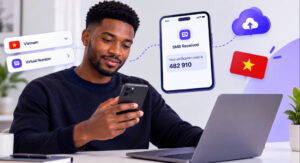
Alexander was trying to create an account on a platform that required a Vietnamese phone number for verification. He entered his regular number, but the platform wouldn’t accept it. He needed a Vietnam virtual number that could receive SMS online and deliver the OTP code required to complete registration.
If you’ve faced a similar problem, you know how frustrating it can be when a simple verification step stops you from accessing a service. The good news is that a Vietnam virtual number may help you receive verification messages online without needing a physical Vietnamese SIM card. In this guide, you’ll learn how the process works, how to check available numbers on Nexar, and what to do if your OTP doesn’t arrive.
What Is a Vietnam Virtual Number?
A Vietnam virtual number is a phone number with Vietnam’s country code, +84, that operates through an online service rather than requiring you to insert a physical SIM card into your phone.
Depending on the number type and supported service, you may use it to receive SMS messages, including one-time passwords (OTPs).
For Nigerians accessing international platforms, this can be useful when a service specifically supports Vietnamese numbers. However, having a foreign number does not automatically make you eligible for a platform or guarantee successful verification.
How to Receive SMS Online to a Vietnam Virtual Number Using Nexar
If you need a Vietnam virtual number for verification, start by checking which countries and services Nexar currently supports. Availability can change, so confirm the Vietnam option is listed in your account before placing an order.
Follow these steps.
Step 1: Create or Log In to Your Nexar Account
Visit Nexar and create an account or sign in if you already have one.
Open your dashboard and navigate to the virtual number ordering section. You can manage your order online without visiting a mobile network shop.
Step 2: Select Vietnam
Choose the country selection option and look for Vietnam.
If Vietnam is available for your intended service, review the listed options before proceeding. If you cannot find it, do not assume another country’s number will work as a substitute. Check Nexar’s current availability or contact support for guidance.
Step 3: Choose the Supported Service
Select the app or platform where you want to receive an OTP. For example, you might need a code for an online account, an application, or a service that accepts Vietnamese numbers.
A Vietnam virtual number for verification should match the specific service you intend to use. Do not purchase a number until you have confirmed that the service is supported.
Step 4: Place Your Order
Review the displayed price, number type, and service details. Complete the purchase if the option meets your needs.
Once Nexar assigns the number, copy it carefully and enter it into the relevant platform’s official registration or verification page.
Step 5: Receive Your SMS Code
Return to your Nexar dashboard and check the order or message area for the incoming SMS.
If the platform sends the code successfully, enter it into the verification field before it expires. If the message does not arrive, check the order status and follow the available instructions instead of repeatedly requesting new codes.
Why Use a Vietnam Virtual Number?
A Vietnam virtual number can be useful for several legitimate purposes, depending on the service and number type available.
Online account verification: Receive an OTP when a supported platform accepts Vietnamese numbers.
App testing: Developers and testers can evaluate SMS-based registration flows where they have permission to do so.
Privacy: Keep your personal Nigerian number separate from certain online registrations.
International access: Manage services that legitimately support Vietnamese phone numbers.
For people who need an OTP Vietnam number, the most important factor is compatibility. A number from the correct country may still fail if the platform blocks virtual numbers or does not support that number type.
Can You Use a Vietnam Virtual Number for WhatsApp?
A Vietnam virtual number for WhatsApp may be an option only if the number can receive WhatsApp’s verification message and WhatsApp accepts it. Not every virtual number works with WhatsApp, so confirm compatibility before paying.
WhatsApp may reject certain numbers, and successful SMS reception does not guarantee account approval. You should also follow WhatsApp’s account rules and use accurate information.
Even when you choose the correct country, verification can fail for several reasons:
Service restrictions: The platform may not accept virtual numbers.
Unsupported number type: The number may not support SMS or the particular app.
Expired code: OTPs often have a limited validity period.
Delivery delays: Network or platform issues can delay messages.
Repeated requests: Requesting too many codes may trigger temporary restrictions.
If your OTP Vietnam number does not receive a message, confirm the selected service, check your Nexar order status, and use the platform’s official retry option when available.
Avoid public SMS websites for sensitive accounts because other people may be able to view messages sent to shared numbers.
Frequently Asked Questions
Can I receive SMS online from Nigeria?
Yes. You can access online SMS services from Nigeria, provided you have an internet connection and the number supports the service you need.
Is a Vietnam virtual number free?
Not always. Pricing depends on the provider, number type, and service. Check Nexar’s displayed price before ordering rather than assuming every option is free.
Can I use one number for multiple OTPs?
That depends on the number type and provider’s rules. Some numbers support repeated use, while others are intended for a particular order or verification. Check the terms before purchasing.
What should I do if my code does not arrive?
Check the number and service you selected, confirm the order is active, and wait briefly for delivery. If the message still does not arrive, follow the provider’s support instructions.
Final Thoughts
Receiving SMS online can make international registration more convenient when a platform requires a number from another country. A Vietnam virtual number gives you an option to explore without buying a physical SIM, but compatibility and availability matter more than the country code alone.
Before ordering, confirm that Nexar offers Vietnam numbers for your intended service, check the price, and make sure the number supports incoming SMS. If you need a Vietnam virtual number for WhatsApp, verify WhatsApp compatibility first. The same applies to any OTP Vietnam number you plan to use.
Ready to get started? Visit Nexar, check the available virtual number options, and choose a supported service that fits your needs.
Travelling from Nigeria for work, study, business, or a short break should not begin with a search for a SIM vendor. Yet many travelers still deal with airport queues, expensive roaming charges, unfamiliar registration processes, and the risk of losing access to essential apps when they land.
An eSIM offers a simpler option. It is a digital SIM profile built into your phone that lets you purchase mobile data online, install the plan before departure, and connect to a partner network when you arrive. For remote workers, it can also provide a dedicated data line while your regular Nigerian number remains active for calls, SMS, and one-time passwords.
This guide explains how to buy esim online nigeria, how eSIM technology works, what to look for in an international plan, and why Nexar is a practical choice for Nigerian travelers and digital nomads.
What is an eSIM and how does it work?
An eSIM, or embedded SIM, is a programmable SIM chip already installed in a compatible device. Unlike a traditional SIM card, it does not need to be removed or replaced when you change mobile plans.
When you purchase an eSIM, the provider sends a digital profile by QR code, app, or manual activation details. Your phone downloads that profile and stores it securely on the device. The profile contains the information needed to identify the plan and connect to a supported mobile network.
Technically, the profile is managed through the device’s eUICC, which is the secure hardware responsible for storing multiple SIM profiles. Your phone’s modem then uses the active profile to connect to a local partner network. In most cases, the travel provider does not own the physical network. Instead, it uses roaming agreements with operators in the destination country.
That means an eSIM can give you local mobile data without requiring a physical SIM swap. Most travel plans are data-only, so calls and messages usually happen through WhatsApp, Telegram, FaceTime, Zoom, or other internet-based services.
Why instant activation matters
With a physical SIM, you may need to find a store, provide identification, complete registration, and wait for the line to work. An eSIM removes much of that friction.
You can purchase your plan online, receive the QR code within seconds, and install it using Wi-Fi before your flight. Depending on the provider, the plan may begin immediately or only activate once your phone connects to a supported network at your destination.
For remote workers, this is especially useful. You can open your email, access cloud documents, join a meeting, use maps, or contact a client as soon as you arrive instead of searching for connectivity first.
How to buy eSim online nigeria: a complete guide
If you want to buy esim online nigeria, the process is straightforward, but a few checks can prevent problems later.
1. Confirm that your phone supports eSIM
Most recent iPhones, Google Pixel devices, Samsung Galaxy models, and selected Android phones support eSIM. Apple states that eSIM support begins with the iPhone XS, iPhone XS Max, and iPhone XR, although availability can vary by region and model.
On your phone, look for settings such as:
iPhone: Settings → Cellular or Mobile Data → Add eSIM
Android: Settings → Network and Internet or Connections → SIM Manager → Add eSIM
You can also dial *#06#. If an EID number appears, the device may support eSIM.
2. Check that the device is unlocked
An eSIM may fail if your phone is locked to a specific carrier. On an iPhone, go to Settings → General → About and look for Carrier Lock. “No SIM restrictions” means the device is unlocked.
Android menus differ by manufacturer, so check your device documentation or contact the network that supplied the phone.
3. Choose the right destination and plan
Before you buy, confirm:
The country or countries covered
The amount of data included
The plan’s validity period
Whether the plan is data-only
Whether hotspot sharing is allowed
Which local networks the provider uses
When the validity period begins
Whether the plan can be topped up
A short trip focused on maps, messaging, and email may only need 1–3GB. A remote worker who attends video calls, uploads files, and uses a laptop hotspot will need a larger plan.
4. Pay online and receive your QR code
After selecting a plan, complete payment through the provider’s website or app. The QR code is usually sent by email and may also appear in your account dashboard.
Save the email somewhere accessible. Do not share the QR code publicly, because it contains the information needed to install your eSIM profile.
5. Install the eSIM before you travel
Use a stable Wi-Fi connection before departure. On your phone, select Add eSIM, scan the QR code, and follow the setup instructions.
Give the plan a clear name, such as “Work Travel Data” or “Europe Trip”, so you can identify it easily if you store multiple profiles.
6. Select the eSIM for mobile data
You can normally keep your Nigerian physical SIM active for calls, SMS, and OTPs while using the eSIM for data. Set the travel eSIM as your preferred mobile data line.
To avoid unexpected charges, disable data roaming on your regular line. If the travel plan requires roaming to connect, enable data roaming for the eSIM profile only.
7. Activate and test the connection
Some plans activate as soon as they are installed. Others start when they connect to a network in the destination country. Check the provider’s instructions before installation.
When you arrive, turn on the eSIM, select it for mobile data, and wait for it to connect. If the connection does not appear immediately, toggle Airplane Mode, restart the phone, or select a supported network manually.
Comparing an international esim for travelers
The best plan depends on your destination, data needs, and travel style. There is no single provider that is ideal for every trip, so compare the details instead of choosing only by brand recognition.
If your goal is to buy esim online nigeria for an upcoming international trip, compare the destination coverage, data allowance, validity, network partners, and hotspot availability before making a purchase.
Plans for 180+ countries, instant delivery, no physical SIM, and data for travel and work
Ubigi
Travelers who want a reusable profile
Coverage in 200+ destinations, app top-ups, data sharing, and Smartstart activation
Nomad
Flexible short or extended trips
Multiple data sizes and validity periods, with coverage varying by destination
Airalo
Users who prefer a large app-based marketplace
Country, regional, and global plans; check the current partner network and hotspot rules
Holafly
Travelers who prioritise high or unlimited data
Confirm fair-use policies, hotspot limits, and the exact destination coverage
For example, Ubigi lists a Nigeria plan with 25GB valid for 30 days at US$48 and connects to MTN, according to its current destination page. Its service is data-only, but users can keep their normal SIM active and make calls through internet-based apps.
Pricing and coverage can change, so check the provider’s live plan page before payment. eSIMDB’s Nigeria comparison page is useful for reviewing a wide range of current plans, prices, validity periods, and network information.
How to compare the best esim for africa
If your trip includes more than one African country, a regional plan may be more convenient than purchasing a separate eSIM for every destination. Check whether the countries on your itinerary are included, because “Africa” plans do not always cover every country on the continent.
Also review the network partners. A plan that works well in one country may use a different operator in another. For remote work, prioritise stable coverage, hotspot support, and a validity period that matches your trip.
Why Nexar is a strong choice for global connectivity
Nexar is built around the everyday digital needs of African users, including travelers, freelancers, creators, and businesses working across borders.
Its eSIM service gives you:
Instant delivery: Receive your eSIM after payment instead of waiting for a physical card.
Global coverage: Choose plans across 180+ countries and regions.
No physical SIM swap: Keep your regular line in your phone while using the eSIM for data.
No unexpected roaming bills: Use a prepaid plan with a clear data allowance.
Simple activation: Scan the QR code and follow the setup steps.
One place for digital services: Manage your eSIM alongside other services through the Nexar app.
Happy Nexar customer
This is useful when you are leaving Nigeria for a short trip and do not want to commit to a local SIM. It also works well for remote workers who need a separate connection for client calls, travel updates, and laptop access.
Common eSIM problems and how to fix them
The QR code will not scan
Display the QR code on another device or print it. Increase the screen brightness and make sure the full code is visible.
The eSIM installed but there is no data
Confirm that the eSIM is selected as the mobile data line. Check whether data roaming needs to be enabled for that profile, then restart your phone.
Your phone shows “No Service”
The provider may not have connected automatically to the best partner network. Turn Airplane Mode on and off, or use manual network selection to choose a supported operator.
Your data is disappearing quickly
Video streaming, automatic backups, social media uploads, and app updates can use large amounts of data. Turn off automatic updates, enable low-data modes, and use Wi-Fi for large downloads when possible.
You need calls or SMS
Most travel eSIMs are data-only. Keep your regular Nigerian SIM active for your existing number, or use WhatsApp, Telegram, Zoom, or another internet-based service for communication.
Is an eSIM safe for travel?
An eSIM is generally safer and more convenient than carrying a removable SIM card. It cannot be physically taken out of your phone, and a lost device can be secured through your phone’s normal security settings.
However, an eSIM does not replace basic online safety. Use strong passwords, avoid logging into sensitive accounts on unknown public Wi-Fi, and purchase plans only through the provider’s official website or app.
For more practical digital travel advice, visit the Nexar blog and review Apple’s official eSIM setup guide.
Final checklist before your flight
Before leaving Nigeria, confirm that:
Your phone is eSIM-compatible.
Your device is unlocked.
You have purchased the correct destination plan.
The QR code and installation instructions are saved.
The eSIM has been installed over Wi-Fi.
Your regular SIM is labelled clearly.
Your travel eSIM is selected for mobile data.
Data roaming is enabled only where necessary.
Hotspot support is available if you plan to work from a laptop.
If you want to buy esim online nigeria without visiting a store or swapping a physical card, view the available eSIM plans from Nexar. You can get connected in minutes and keep your regular Nigerian number active while you travel.
Frequently asked questions
Can I install an eSIM before leaving Nigeria?
Yes. Installing the profile before departure is usually recommended because you can complete the process over reliable Wi-Fi. Depending on the plan, the data validity may begin when you arrive and connect to a supported network.
Will my Nigerian number remain active?
Usually, yes. You can keep your physical SIM active for calls, SMS, and OTPs while setting the eSIM as your mobile data line. Check your phone settings carefully to avoid using your regular line for roaming data.
Do travel eSIMs include a phone number?
Most travel eSIMs are data-only. Calls and messages are normally made through apps such as WhatsApp, Telegram, FaceTime, or Zoom. Some specialist plans may include voice and SMS, so confirm the plan details before buying.
Can I use an eSIM for laptop work?
Yes, if your phone and plan support hotspot sharing. Some laptops also have built-in eSIM support. Check tethering rules before purchasing if you regularly attend video meetings or upload large files.
How much data does a remote worker need?
Light work involving email, messaging, and documents may use 3–5GB over a short trip. Video calls, cloud backups, streaming, and hotspot use can require 10GB or more. Monitor your usage and choose a plan with enough capacity for your schedule.
What should I do if my eSIM stops working?
Check that the eSIM is switched on, selected for mobile data, and connected to a supported network. Toggle Airplane Mode, restart the phone, and review the provider’s activation instructions. If the problem continues, contact the provider’s support team.
If you want to buy esim online nigeria without visiting a store or swapping a physical card, view the available eSIM plans from Nexar. You can get connected in minutes and keep your regular Nigerian number active while you travel.
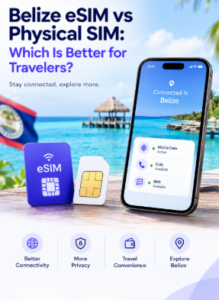
You’ve booked the flights, sorted the accommodation, and packed for the Caribbean sun. The one thing left is staying connected. When it comes to Belize eSIM vs physical SIM, the right choice depends on how long you’re staying, whether you need a local phone number, and how much hassle you’re willing to deal with after landing.
This guide breaks down both options so you can decide before you travel.
Understanding Your Options in Belize
Belize’s two main mobile operators are Digi (formerly DigiCell, part of Belize Telemedia Limited) and Smart, which is owned by Speednet Communications. Either can be an option if you want a local line.
There are really two routes for visitors:
A local SIM (physical, or an eSIM from a local carrier), bought in Belize.
A travel eSIM, bought online before you leave and activated when you arrive.
What Is a Physical SIM?
A physical SIM is the small chip you insert into your phone’s SIM tray. In Belize, you’d typically buy one from a carrier store or authorized agent. You get a local number, and depending on the package, local data, calls and texts.
Pros
A real Belizean phone number for local calls, tours and hotel bookings
Works on phones that don’t support eSIM
Often good value if you need calls and texts as well as data
Cons
You have to find a store or agent after you land
Availability at a specific agent isn’t guaranteed, even if an outlet is listed near the airport, so stock or opening hours can catch you out
You may need to remove your home SIM, and it’s easy to lose it while swapping
Time spent in queues on day one of your holiday
What Is an eSIM?
An eSIM is a digital SIM built into your phone. There’s nothing to insert. You scan a QR code, download the plan, and you’re connected. Most recent iPhones, Google Pixels and Samsung Galaxy phones support eSIM.
There are two kinds to know about in Belize:
Local carrier eSIMs. Digi customers request an eSIM at a Digi store and activate it by scanning a QR code. See Digi’s eSIM page for the current steps. Smart’s eSIM activation requires a visit to a Smart showroom. So a local eSIM still usually means finding a shop.
Travel eSIMs. These are sold online, so you can set everything up before your flight. The trade-off is that a travel eSIM is data-only and isn’t the same as a local mobile subscription.
Belize eSIM vs Physical SIM: Side-by-Side
Travel eSIM
Physical SIM
Setup
Online, before you travel
In person, after you land
Local number
No (data only)
Yes
Need to visit a shop
No
Usually
Swap your home SIM
No, keep both active
Often, unless you have dual SIM
Risk of losing SIM
None
Yes
Works on older phones
No
Yes
Best for
Data, maps, messaging apps
Local calls and longer stays
Coverage: Does It Matter Which You Choose?
Coverage depends on the network behind the plan, not on whether it’s a chip or a QR code. Digi tends to offer broader coverage and slightly faster speeds around busy areas like Belize City’s cruise port area, while Smart competes on price and performs adequately in central districts. Travel eSIMs connect to a local partner network too, so it’s worth checking which carrier a plan runs on. For example, one major provider’s Belize eSIM runs on Smart’s network.
If you’re heading to remote areas or cayes, check coverage maps from the carriers before you go, whichever option you choose.
Which Should You Choose?
If you are wondering what to consider before choosing between a belize eSIM vs Physical SIM, we will break it down for you:
You mainly need data for maps, WhatsApp, ride apps and photo uploads
You want to be online the moment you land
Your phone supports eSIM
Choose a physical SIM if:
You need a Belizean number for local calls or bookings
Your phone doesn’t support eSIM
You’re staying long-term and want a local plan
Use both if: you have dual SIM. Keep your home number active on one line for calls and codes, and use the travel eSIM for data. If you do this, label the new line clearly and set it as your mobile data line.
Tips Before You Go
Check your phone is unlocked. A carrier-locked phone may reject both another operator’s physical SIM and a travel eSIM.
Install the eSIM before you fly if you can, but only activate it once you land.
Turn off data roaming on your home SIM to avoid surprise charges.
Save your QR code and receipt in case you need to reinstall.
Check current offers. Published tourist offers can change, so compare current details against your route and trip length.
Frequently Asked Questions
Can I use an eSIM in Belize?
Yes, if your phone is eSIM-compatible and unlocked. You can use a travel eSIM or a local carrier eSIM.
Does a travel eSIM give me a Belize phone number?
Usually not. Travel eSIMs are data-only, so you’d use apps like WhatsApp for calls and messages. If you also need a number to verify accounts while you travel, a Nexar virtual number can cover that.
Is an eSIM cheaper than a physical SIM?
It depends on your usage. A local SIM can be good value if you need calls and texts, while a travel eSIM saves time and hassle. Compare current prices for your trip length.
Can I keep my home number while using an eSIM?
Yes. Your home SIM stays in your phone, so you can still receive calls and verification texts, though roaming charges may apply.
Final Thoughts
For most short-stay travelers who mainly need data, a travel eSIM wins on convenience. There’s no shop visit, no swapping SIMs, and you’re online as soon as you land. A physical SIM makes more sense if you need a local number or have an older phone.
Whichever you choose, sort it before you fly so your first hours in Belize are about the trip, not about finding signal.
Traveling soon? Nexar offers instant eSIMs so you can stay connected without hunting for a SIM card shop. Browse Nexar eSIM plans and get set up before you fly.
If your Nigerian debit card keeps getting declined when you try to pay for an international subscription, app, game, or online service, you already know how frustrating it can be. You may have enough money in your account, but payment restrictions or regional limitations can still get in the way.
That is where gift cards you can buy with naira can make things easier. Instead of relying on your bank card for every international payment, you can purchase a supported gift card through Nexar, pay in Naira, and redeem the card on the platform it was designed for.
But not every gift card works everywhere. Before you buy, you need to understand the brand, currency, and region attached to the card.
What Are Gift Cards You Can Buy With Naira?
Gift cards are prepaid digital or physical cards that carry a specific value. You can redeem them for eligible products, subscriptions, apps, games, entertainment, or other services offered by the issuing brand.
For Nigerians, gift cards you can buy with naira provide a convenient way to access international digital services without depending entirely on a Nigerian debit card.
Nexar allows users to purchase different gift card options through its platform and pay using naira. Its gift-card service includes options such as Apple, Google Play, Steam, Amazon, and other supported brands.
The important part is choosing a card that matches the service and region you intend to use.
Popular Gift Cards You Can Buy With Naira
The exact gift cards available can change, but these are some common gift cards you can buy with Naira.
1. Apple Gift Cards
Apple gift cards can be useful for eligible Apple purchases, including apps, games, subscriptions, music, and other Apple services depending on the card and region.
However, Apple gift cards are region-specific. Apple states that gift cards can only be used in the country or region where they were purchased.
So, don’t simply buy any Apple gift card because it is cheaper. Check that it matches your Apple Account region.
2. Google Play Gift Cards
Google Play gift cards can be used to add balance to Google Play for eligible purchases.
They can be useful for apps, games, movies, and other digital content. However, Google says Play gift cards can only be redeemed in the country and currency where they were purchased, and the country on your Google Play account must match the card’s region.
This makes checking the region especially important before purchasing.
If you’re a gamer, Steam gift cards can be useful for adding funds to your Steam Wallet and purchasing eligible games and digital content.
Before purchasing, check the supported currency and region because availability and redemption rules can vary.
4. Amazon Gift Cards
Amazon gift cards can be useful for shopping on the relevant Amazon marketplace.
For example, a gift card intended for Amazon.com shouldn’t automatically be assumed to work on every Amazon regional website.
Always check which Amazon marketplace the card belongs to before buying.
5. Entertainment Gift Cards
You can also find gift cards connected to entertainment and streaming services.
These can be useful when you want to pay for subscriptions without repeatedly entering your Nigerian bank card details.
Nexar’s gift-card guides cover options for services such as Netflix and Apple Music, giving Nigerian users alternatives when traditional card payments create problems.
Looking for gift cards to buy with naira, the process is straightforward.
Step 1: Open Nexar
Create an account or log in to your existing Nexar account.
Step 2: Go to Gift Cards
Open the gift-card section and check the brands currently available.
Step 3: Select Your Gift Card
Choose the card you need and pay attention to its country, currency, and denomination.
For example, if you need an Apple gift card for a US Apple Account, select the appropriate US card rather than assuming a Nigerian or another regional card will work.
Step 4: Pay in Naira
Complete your purchase using the available payment option.
Nexar’s gift-card service is designed to make international digital purchases more accessible to Nigerian users.
Step 5: Receive Your Code
Once your purchase is completed, you’ll receive the gift-card details according to the delivery method available for that product.
Step 6: Redeem It
Go to the official website or app belonging to the gift-card provider and redeem your code.
Always redeem through the official platform rather than sending your code to someone else.
Why Nigerians Use Online Gift Cards
There are several reasons online gift cards in Nigeria have become useful.
They offer another payment option. If your bank card isn’t accepted by a particular service, a compatible gift card may provide an alternative.
They can help with budgeting. Instead of leaving your debit card connected to a service, you can use a prepaid balance where supported.
They’re convenient for digital purchases. You can receive a digital code without waiting for a physical card.
They’re useful for gifting. You can purchase a gift card for someone in another country when the card matches their region.
For freelancers, creators, gamers, students, and remote workers, having access to the right gift card can make certain international purchases simpler.
Always Check the Gift Card Region
This is one of the most important things to remember when buying gift cards you can buy with naira.
A gift card isn’t necessarily usable worldwide.
For example, Google states that Play gift cards can only be redeemed in the country where they were purchased. Apple also states that its gift cards are restricted to the country or region where they were purchased.
So before paying, check:
Brand: Is it the correct service?
Country: Does the card match your account region?
Currency: Does the currency match what the platform accepts?
Value: Is the denomination enough for your purchase?
Purpose: Can the card pay for what you actually need?
Taking a minute to check these details can save you from buying a card you cannot redeem.
Don’t assume a US, UK, or another regional gift card will automatically work with your Nigerian account.
Buying From Random Sellers
Avoid sending money to unverified social-media sellers simply because they advertise a cheaper rate.
Sharing Your Code
Treat your gift-card code like money. Google specifically warns users not to share gift-card codes with people who ask for them as payment.
Buying Before Checking Compatibility
Check the platform’s gift-card rules before completing your purchase.
FAQs
Can I buy gift cards with naira in Nigeria?
Yes. Platforms such as Nexar allow Nigerian users to purchase supported gift cards while paying through available local payment options.
What gift cards can I buy with naira?
Available options vary, but Nexar offers gift cards across categories such as Apple, Google Play, Steam, Amazon, and entertainment services. Availability can change.
Can I use a US gift card in Nigeria?
It depends on the brand and your account region. Many gift cards are region-specific, so always check the issuer’s rules before buying.
Are online gift cards in Nigeria safe?
They can be safe when you purchase from a reputable provider and redeem them through the official platform. Never share your gift-card code with strangers.
Buy Your Gift Card With Naira on Nexar
You don’t have to keep struggling with declined bank-card payments every time you need an international digital service.
With Nexar, you can explore gift cards you can buy with naira, choose the option that matches your needs, pay through the available payment methods, and redeem your card on the supported platform.
Just remember: check the brand and region before you buy.
Ready to get a gift card? Get started with Nexar today.