Blog

  • How to Activate eSIM on Samsung in Nigeria (2025 Guide)

    How to Activate eSIM on Samsung in Nigeria (2025 Guide)

    In 2025, global eSIM adoption crossed 320 million active users, with Africa becoming one of the fastest-growing regions. Nigeria alone has seen a 65% increase in eSIM usage among travelers, remote workers, and online entrepreneurs who want faster, cheaper, and more flexible mobile connectivity.

    As more Nigerians upgrade to Samsung devices that support eSIM, knowing how to activate eSIM on Samsung has become essential. Whether you’re preparing for travel, switching networks, or trying to avoid high roaming costs, eSIM technology makes everything smoother and far more convenient.

    What You Need Before You Activate eSIM on Samsung

    Before you begin, here’s what you must have ready:

    • Confirm your Samsung is eSIM-compatible

    Not all Samsung phones support eSIM. If you’re not sure, check the updated list of Nigeria-ready Samsung eSIM devices. Before you activate an eSIM on Samsung, make sure your device actually supports eSIM. You can confirm this by checking Samsung’s official specs or using the global GSMA eSIM device checker

    • Make sure your phone is carrier-unlocked

    If your Samsung is locked to a specific network (like AT&T or Verizon), eSIM activation won’t work.

    • Have your QR code on another screen

    You cannot scan a QR code on the same device you’re activating.

    Use a laptop, another phone, or print it out.

    • Ensure your internet connection is stable

    Your Samsung must stay connected during installation.

    Even a small interruption can cause failure.

    • Know that each QR code works only once

    Once you scan it, you cannot reuse it or transfer it to another device.

    • Don’t delete your eSIM after activation

    If you remove it, it becomes permanently unusable. This is a common mistake new users make, avoid it.

    How to Activate eSIM on Samsung Using a QR Code

    This is the easiest and most popular method.

    Here’s how to activate eSIM on Samsung using the QR code from Nexar.

    Step 1: Check your email for your QR code

    Open the email we sent you and check for your QR code

    Step 2: Open your Samsung Settings

    Go to:

    Settings → Connections → SIM Card Manager → Add eSIM

    For model-specific screenshots and the exact menu labels you’ll see while scanning the QR code, follow Samsung’s official guide on how to use an eSIM with your samsung phone.

    Step 3: Scan your eSIM QR code

    Your phone will open the camera.

    Point it at the QR code on another screen or on paper.

    Step 4: Follow the on-screen prompts

    Tap Add or Confirm depending on your Samsung model.

    Step 5: Wait for installation to complete

    Don’t close the screen or turn off your internet.

    Detailed Steps (QR Method)

    Step 1:

    Go to Settings → Connections

    Step 2:

    Tap SIM Card Manager

    Step 3:

    Tap Add mobile plan

    Step 4:

    Choose Scan carrier QR code

    Step 5:

    Tap Add/Confirm to save your eSIM profile.

    How to Manually Activate eSIM on Samsung (No QR Code)

    If your QR code isn’t scanning, or you prefer manual activation, this method is for you.

    Step 1: Open your email

    Open your email for the SM-DP+ address + Activation Code

    Every Nexar eSIM comes with both options.

    Step 2: Open Samsung Settings

    Go to:

    Settings → Connections → SIM Card Manager → Add eSIM

    Step 3: Scan QR code

    Choose “Scan QR from service provider”

    Then tap Enter activation code manually

    Step 4: Enter the SM-DP+ details

    Copy and paste from your email (or type manually) then tap Add/Confirm

    Step 5: Turn ON your eSIM

    Once installation is done, toggle it ON.

    Detailed Steps (Manual Method)

    Step 1:

    Go to Settings → Connections

    Step 2:

    Open SIM Card Manager

    Step 3:

    Tap Add eSIM

    Step 4:

    Tap Scan QR from service provider → Add using activation code

    Step 5:

    Enter the activation code and SM-DP+ details

    Step 6:

    Tap Confirm/Add and turn ON your eSIM

    How to Use Your eSIM on Samsung After Installation

    After you activate eSIM on Samsung, here’s how to actually use it when you land abroad:

    Step 1: Turn ON your eSIM

    Go to:

    Settings → Connections → SIM Card Manager

    Toggle your eSIM ON and set it as Mobile Data.

    Step 2: Turn ON Data Roaming

    Go to:

    Settings → Connections → Mobile Networks → Data Roaming

    Your eSIM will now connect to the local network automatically.

    Why Choose Nexar for Your Samsung eSIM? (Conversational)

    Activate eSIM on samsung

    If you’re a Nigerian, the truth is simple: not all eSIM providers are created for you.

    Here’s why Nexar is the best option:

    • Nexar works specifically for Nigerians

    You don’t need a foreign card, PayPal, or USD balance. You pay in Naira, instantly.

    No delays, no stress, no long waits.

    • Wide network coverage

    Nexar eSIMs work in over 100+ countries.

    Perfect for Nigerians traveling for school, work, tourism, or japa.

    • Affordable and transparent pricing

    No hidden charges. Just choose your destination and get your plan.

    • 24/7 Nigerian customer support

    You don’t talk to bots, real humans assist you.

    • Beginner-friendly installation

    Even if it’s your first time using an eSIM, Nexar guides you step-by-step.

    FAQs About Samsung eSIM Activation in Nigeria

    1. Can all Samsung phones use eSIM?

    No. Only specific models (S21 and newer + some A-series + Fold + Flip) support eSIM.

    2. Do I need Wi-Fi to activate my eSIM on Samsung?

    Yes. Your phone must stay connected during setup.

    3. What if my QR code is not scanning?

    Use the manual activation method instead.

    4. Can I use the same QR code on two phones?

    No. Each QR code works once only.

    5. What happens if I remove my eSIM?

    It becomes invalid permanently.

    Always avoid deleting your eSIM.

    6. Can I pay for Nexar eSIM in Naira?

    Yes. Nexar is fully Nigeria-friendly.

    Final Thoughts

    It is easy to activate eSIM on Samsung in Nigeria as long as you follow the correct steps. Whether you choose QR or manual installation, your eSIM will be ready to use in minutes. To avoid installation errors, first confirm that your Samsung model supports eSIM. You can quickly verify this using our updated Nexar list of eSIM-compatible devices in Nigeria.

    And with Nexar, Nigerians get fast delivery, affordable plans, and reliable support tailored to African travelers.

    Ready to activate your Samsung eSIM?

    Visit the Nexar website and get your eSIM instantly.

  • How to Buy Airtime & Data on Nexar

    Staying connected is essential in today’s digital world — whether you’re working remotely, running a business, or simply catching up with loved ones. With Nexar, you can buy airtime & data online in seconds, anytime and anywhere.

    In this guide, you’ll learn how to buy data on Nexar using the website or app, plus how to fund your wallet, track your top-ups, and enjoy the best network rates in Nigeria.

    Buy Data on Nexar

    Why Buy Airtime & Data on Nexar?

    Unlike unreliable mobile apps or bank USSD codes that often fail during peak hours, Nexar gives you a fast, secure, and wallet-based platform to handle all your recharges in one place.

    Here’s why thousands of users now buy data on Nexar every day:

    • Instant Delivery: Airtime and data reflect within seconds after payment.
    • Multiple Networks Supported: MTN, Airtel, Glo, and 9mobile — all available.
    • Wallet-Based Payments: No card errors or failed debits.
    • 24/7 Access: Recharge anytime — day or night, even during bank downtime.
    • Affordable Rates: Nexar offers some of the best value data bundles in Nigeria.

    Step-by-Step: How to Buy Data on Nexar

    Step 1: Create or Log in to Your Nexar Account

    Go to nexarhq.com or open the Nexar app on your device.
    Log in using your email or phone number. If you’re new, sign up for free — it takes less than a minute.

    Step 2: Fund Your Nexar Wallet

    Before you can buy airtime or data on Nexar, you need to fund your wallet. You can do this using

    • Bank Transfer (instant reflection)
    • Cryptocurrency (USDT or Bitcoin)
    • Mobile Money (Momo) — coming soon

    Once funded, your Nexar wallet balance can be used for all Nexar services, including gift cards, social media marketing, and utility payments.

    Step 3: Go to the “Quick Action” Section

    From your dashboard, click “Quick Action.” You’ll see options to buy data on Nexar or purchase airtime directly.

    Select your preferred service:

    • Airtime Recharge
    • Data Bundle Purchase

    Step 4: Enter Your Details

    Provide the following information:

    • Network Provider: MTN, Airtel, Glo, or 9mobile
    • Phone Number: The number to receive the data or airtime
    • Amount or Plan: Choose your data plan or airtime amount

    You can also buy for family, friends, or clients using their numbers.

    Step 5: Confirm and Complete Payment

    Click “Buy Now” to finalize your transaction. The amount will be deducted from your wallet, and your data or airtime will be delivered instantly.

    That’s it! You’ve successfully learned how to buy data on Nexar — fast, safe, and reliable.

    Benefits of Using Nexar to Buy Data and Airtime

    1. Instant Top-Up: Forget waiting — your recharge reflects within seconds.
    2. No Hidden Fees: What you see is what you pay.
    3. All Networks Supported: One platform for all your lines.
    4. Simple Wallet System: Fund once, use anytime.
    5. Transaction History: Track every purchase in your dashboard.
    6. Cross-Border Access: Even if you’re abroad, you can still buy airtime & data on Nexar for Nigerian numbers.

    Pro Tips for Buying Data on Nexar

    • Save Numbers: Nexar allows you to save frequent contacts for one-click recharges.
    • Double-Check Networks: Always confirm you’ve selected the right provider to avoid delays.
    • Watch for Promos: Nexar occasionally offers discounted data bundles — don’t miss them!
    • Use Your Wallet Balance Wisely: Top up before your balance runs low to avoid service interruptions.

    Why Nexar Is the Best Place to Buy Data in Nigeria

    Nexar combines speed, reliability, and simplicity in one easy-to-use platform. Whether you’re buying a 500MB plan for daily browsing or a 20GB plan for work, you can buy data on Nexar instantly with just a few clicks.

    Plus, Nexar isn’t just for mobile top-ups — it’s a full-service digital platform that lets you:

    • Pay bills and subscriptions
    • Buy and redeem gift cards
    • Access social media boosting tools
    • Fund your wallet with crypto or local payment methods

    With Nexar, you’re not just buying data — you’re upgrading your entire digital lifestyle.

    FAQs — How to Buy Data on Nexar

    1. How do I buy data on Nexar?

    To buy data on Nexar, log into your account via nexarhq.com or the Nexar app. Go to the “Airtime & Data” section, select your network, enter your phone number, choose a plan, and confirm payment. Your data bundle is activated instantly.

    2. Can I buy airtime on Nexar too?

    Yes! You can buy airtime on Nexar for any Nigerian network — MTN, Airtel, Glo, or 9mobile. Simply choose “Airtime Recharge” under the Airtime & Data section, enter the amount, and confirm. Your airtime is delivered in seconds.

    3. Is it safe to buy airtime & data on Nexar?

    Absolutely. All transactions on Nexar are wallet-based and encrypted, ensuring 100% payment security. You never have to share your card details, and every transaction is verified before completion.

    4. Can I buy data on Nexar for another person’s number?

    Yes, you can buy data on Nexar for friends, family, or clients. Just enter their phone number when filling in the details. The selected plan will be credited directly to their line instantly.

    5. What should I do if my data or airtime doesn’t reflect immediately?

    Most purchases on Nexar reflect instantly. However, if your buy data on Nexar transaction takes longer than expected, check your transaction history for confirmation or contact Nexar’s customer support. Their team is available 24/7 to assist with verification or refunds if needed.

    Final Thought


    When you buy data on Nexar, you’re choosing convenience, transparency, and speed. From funding your wallet to instant delivery, Nexar simplifies digital transactions and helps you stay connected — anytime, anywhere.

    👉 Visit nexarhq.com today to buy airtime & data on Nexar and enjoy Nigeria’s most seamless recharge experience.

  • Common Problems with Virtual Number OTPs and How to Fix Them

    Common Problems with Virtual Number OTPs and How to Fix Them

    If you’ve ever tried signing up for a platform using a virtual number and didn’t get the verification code, you’re not alone. Many users face OTP issues with virtual numbers, especially when registering for apps like WhatsApp, Telegram, Facebook or payment platforms.

    At Nexar, we understand how frustrating it can be when Virtual Number OTPs don’t arrive as expected — so this guide will help you understand why it happens and how to fix it quickly.

    What Are Virtual Number OTPs?

    Virtual Number OTPs (One-Time Passwords) are verification codes sent to virtual numbers during account registration, login, or payment verification. These OTPs confirm your identity and protect your account from unauthorized access.

    With Nexar, users can easily get virtual numbers from different countries to verify apps, create accounts, and manage multiple profiles securely — all without revealing personal numbers.

    However, sometimes Virtual Number OTPs fail to arrive or delay, leading to verification issues. Let’s explore why this happens.

    Common Problems with Virtual Number OTPs

    Here are some of the most frequent reasons your Virtual Number OTPs might not be working properly:

    1. The Platform Has Blocked Virtual Numbers

    Some apps or websites detect and block virtual numbers from receiving OTPs. Platforms like WhatsApp, Telegram, Facebook, PayPal, Tinder, or some banking apps only send codes to local SIM cards.


    Fix: Always ensure you’re connected to a strong VPN and check Nexar’s platform to confirm which services each virtual number supports before purchase. Choose a number compatible with your target app.

    2. Network Delays or Server Congestion

    During high-traffic periods, messages can take longer to arrive. This often makes users think their virtual number is not receiving OTP, when in reality it’s just delayed.


    Fix: Wait for 1–2 minutes, then refresh the Virtual number page. If the code still doesn’t appear, do not panic. Each number that doesn’t get a verification code gets an automatic refund after the count down. 

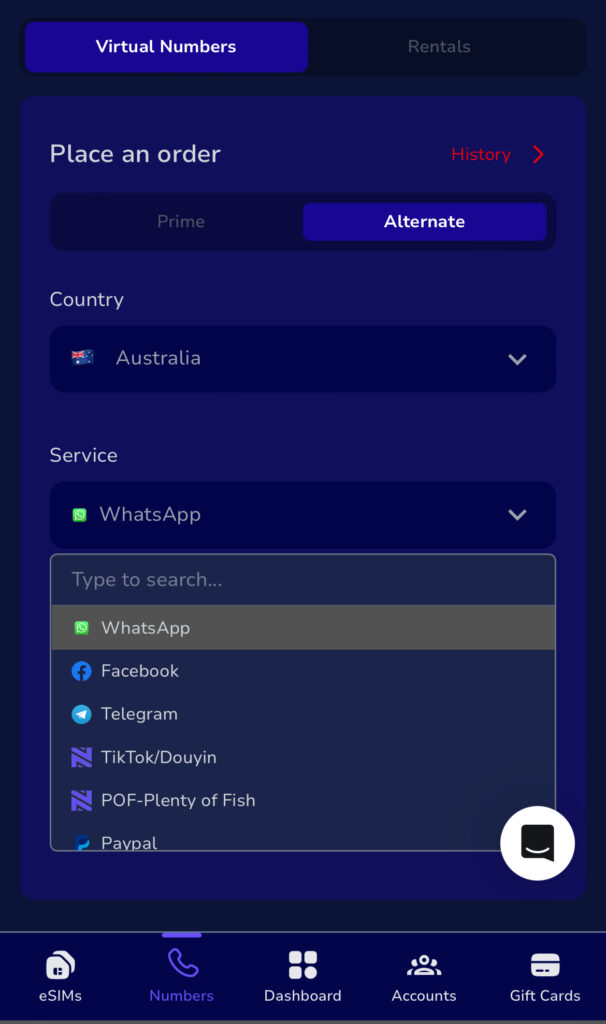
    In a case where the user still doesn’t get the automated refund, The user can contact the Nexar Customer Support team, always available on the live chat on the website as shown in the image below. 

    After which the Customer Support will provide a guide on how to request for the refund.

    NOTE that the refund is sent to your Nexar Wallet.

    3. Expired or Deactivated Virtual Number

    Each virtual number has a limited active period. If the number expires before the OTP arrives, you’ll never receive it.


    Fix: Always check the expiry time of your number on Nexar before requesting OTPs. Renew or replace expired numbers promptly.

    4. Wrong Country Code or Format

    Sometimes OTPs fail because the number is entered incorrectly or with the wrong format.


    Fix: Always copy your Nexar virtual number exactly as displayed — including the “+” and correct country code. A simple typo can prevent delivery.

    5. Temporary Restrictions on the Sender’s Side

    Some apps temporarily block OTP messages due to unusual login attempts or automated systems. This is a very common cause of the delay in sending OTP.


    Fix: Try again later or clear your cache before reattempting. If the problem persists, contact Nexar’s support team for a replacement number or alternate region. The Nexar Support will help you evaluate the cause and provide the most suitable solutions.

    How to Fix OTP Issues with Virtual Numbers

    If your virtual number is not receiving OTP, follow these tested solutions:

    1. Double-check you’re using the right platform and compatible app.
    2. Refresh the OTP inbox.
    3. Ensure you’re connected to a strong VPN (This is very important and essential for masking your IP Address and mimicking the IP Address of the country whose number your getting)
    Virtual Number OTPs
    1. 🕒 Wait a few minutes in case of network delay.
    2. 🧾 Confirm your number hasn’t expired on your order detail.
    3. 💬 Contact Nexar Support. Our team can quickly verify and resolve OTP issues with virtual numbers for you.

    At Nexar, our goal is to make your Virtual Number OTPs experience smooth, reliable, and secure.

    Why Nexar Is the Best Platform for Virtual Number OTPs

    Nexar provides real, verified, and active virtual numbers from multiple countries, ideal for app verification, business use, and digital account management.
    Here’s what makes Nexar different:

    • Global coverage across multiple regions.
    • Instant activation and fast OTP delivery.
    • Secure dashboard for managing all your numbers.
    • 24/7 customer support to fix any Virtual Number OTPs problems instantly.

    Whether you’re verifying social accounts or registering for international apps, Nexar’s virtual numbers are built for reliability and ease of use.

    👉 Visit nexarhq.com today to start using Nexar’s verified virtual numbers and enjoy fast, dependable Virtual Number OTPs every time.

    FAQs — Common Problems with Virtual Number OTPs

    1. Why is my virtual number not receiving OTP?

    There are several reasons your virtual number is not receiving OTP — including app restrictions, expired numbers, or incorrect formats. Always ensure you’re using a compatible number on Nexar and confirm it’s active before requesting an OTP.

    2. How long does it take to receive Virtual Number OTPs?

    Most Virtual Number OTPs arrive within seconds. However, during network congestion or high-demand periods, it can take up to 2 minutes. If it delays longer, refresh your inbox or try another number.

    3. Can I use Virtual Number OTPs for banking apps or PayPal?

    Some platforms, especially banking and financial apps, don’t support Virtual Number OTPs for security reasons. It’s best to use verified numbers from Nexar’s list of supported platforms for seamless OTP delivery.

    4. Can I Request for code twice with the Virtual Numbers?

    No. In most cases, NO is the simplest answer. This is because the Virtual Numbers are OTP numbers which makes it impossible to request for code twice with the same number. 

    But in some cases, you can request for code twice. This is because some numbers (only a few) allow the user to request for verification code only twice.. Hence the reason why Nexar has the resend option.

    5. Are Virtual Number OTPs safe on Nexar?

    Yes — all Virtual Number OTPs on Nexar are secure. Nexar ensures that each number is active, private, and protected against unauthorized access. You can safely use them for app verifications, social accounts, and business registrations.

    6. Do I really need to connect to a VPN?

    Yes you do. Most User’s IP Addresses have been flagged, and they have no clue. A strong VPN is needed for smooth and swift account creation and stability. What does a VPN do? you might ask. A strong VPN helps a user mask their IP Address with strong anonymity and Mimics the IP address of the country you connect it to.

    7. How do I know if my VPN is strong?

    There are a few websites that help check the strength, anonymity and disguise level of a VPN. One of which is whoer.net.  Most importantly, you need to understand that all free VPNs are weak VPN, their disguise is usually very low and they can be easily detected by platforms or sites with strong encryption and security.

    Virtual Number OTPs make online verification faster and more private, but small mistakes or app restrictions can cause delays. With Nexar, you get reliable, fast, and supported virtual numbers that deliver OTPs instantly, every time.

    👉 Visit nexarhq.com today to get started and fix any virtual number OTP problems easily.

  • How to Redeem Your Google Play Gift Card

    How to Redeem Your Google Play Gift Card

    When you receive a Google Play gift card, the first thing you want to do is redeem it quickly so you can start using it. The good thing is that it’s one of the easiest digital cards to redeem. Whether someone gifted it to you or you bought it for yourself, you can add the balance to your account in a few minutes.

    A lot of people in Nigeria buy Google Play gift cards to pay for apps, games, movies, and subscriptions because it’s faster and safer than using a card directly. Once you understand where to redeem it and the steps to follow, the whole process becomes very straightforward.

    In this guide, you’ll learn how to redeem your Google Play gift card on your Android phone or on the web, where to buy a Google Play gift card in Nigeria, and how to avoid common errors that people usually run into.

    Google Play Gift Card

    How to Redeem Your Google Play Gift Card on Android

    If you’re using an Android phone or tablet, follow these simple steps to redeem your Google Play gift card directly from the Play Store app:

    1. Open the Google Play Store app.
    2. Tap your profile icon at the top right corner of the screen.
    3. Select Payments and subscriptions, then choose Redeem code.
    4. Enter the gift card code exactly as it appears.
    5. Tap Redeem and confirm your Google account.

    Once redeemed, the balance is instantly added to your account. You can now use your Google Play gift card to buy apps, games, books, and other digital items on Google Play.

    How to Redeem Your Google Play Gift Card on the Web

    If you prefer using a laptop or desktop, you can also redeem your Google Play gift card through your browser:

    1. Visit Google Play Redeem.
    2. Sign in with the same Google account linked to your Android device.
    3. Enter your 16-digit gift card code and click Redeem.

    The amount will be credited immediately to your account balance. You can confirm by checking your Payment Methods page under your Play Store settings.

    For additional verification or technical troubleshooting, you can always visit the official Google Play Support page.

    Where to Get a Google Play Gift Card in Nigeria

    If you’re wondering where to buy a Google Play gift card Nigeria, several platforms now make it easy. You can purchase genuine cards online through verified stores, or directly from platforms like Nexar which provide digital codes instantly after payment. This makes it faster, safer, and more convenient than buying physical cards.

    Once purchased, the code can be used immediately. Always ensure you are buying from trusted vendors to avoid invalid or region-locked cards.

    Common Issues When Redeeming Google Play Gift Cards

    Sometimes, users encounter errors when trying to redeem their Google Play gift card. Here are a few common problems and how to fix them:

    • Invalid Code: Double-check that you typed the characters correctly. Avoid spaces or special symbols.
    • Region Restriction: If your Google account is set to a different country, you may need to change it to Nigeria before redeeming a Google Play gift card Nigeria.
    • Already Used: Ensure the card hasn’t been redeemed before. Contact Google Play Support if this happens.
    • Connectivity Problems: Make sure your internet connection is strong, especially when redeeming through the app.

    How to Use Your Google Play Gift Card

    Once your balance is added, you can use your Google Play gift card to pay for a variety of digital services. You can buy premium apps, rent or purchase movies, upgrade games, or subscribe to music and cloud services.

    To make a purchase:

    1. Open the Google Play Store and select the item you want to buy.
    2. Tap the price and choose Google Play balance as your payment method.
    3. Confirm the purchase and enjoy instant access.

    Your balance will automatically reduce based on what you spend, and you can check your remaining balance at any time in your Google Play account settings.

    Final Thoughts

    Whether you’re gifting someone or topping up your own balance, learning how to redeem your Google Play gift card is one of the easiest ways to unlock access to thousands of digital experiences. In Nigeria, digital gifting has become more common, and Google Play gift cards are a simple, secure, and flexible option.

    Always redeem your code using official Google channels, ensure your account matches your region, and double-check the source before purchase. Once your card is redeemed, you’re ready to explore everything Google Play has to offer—from premium apps and games to entertainment subscriptions.

  • How to Renew Your GOtv Subscription with Nexar

    How to Renew Your GOtv Subscription with Nexar

    A GOtv subscription always seems to expire at the most inconvenient time. Maybe you’re about to watch a match. Maybe your favourite show is starting. Maybe the kids just settled down to watch cartoons. Whatever the situation is, the screen suddenly goes blank and you see the “E16” error.

    At that moment, your first thought is how to renew your GOtv subscription quickly. Most people start searching for agents, looking for shops that are still open, or calling someone to help them make the payment. This often leads to delays, long queues, and unnecessary stress.

    Renewing manually through physical agents also means dealing with limited working hours, extra charges, or waiting for someone to “help you fix it.” That is why more users are turning to online platforms. It’s faster, cleaner, available at any time, and gives you control over the entire process.

    If you’re trying to figure out where to renew your GOtv subscription in Nigeria without stress, this guide shows you the best options and explains why Nexar is one of the most efficient ways to do it.

    Renew Your GOtv Subscription with Nexar

    Where to Renew Your GOtv Subscription in Nigeria

    You can renew your GOtv subscription from several places in Nigeria. The main options people use are:

    1. Physical GOtv Agents
      These are shops and kiosks where agents process renewals manually. They work, but you may face queues, delays, closing hours, or extra charges.
    2. Bank Mobile Apps and USSD
      Some banks allow you to renew your GOtv subscription through their app or USSD. It’s digital, but the process can sometimes be slow or require several steps.
    3. Nexar
      This is the best and most reliable option if you want to renew your GOtv subscription instantly.
      Nexar is fast, simple, and built for seamless digital payments. It processes renewals in minutes, works round the clock, and gives you a clean dashboard where you can manage everything without waiting for any agent or support. If you want a smooth renewal process without stress, Nexar should be your first choice.

    How to Renew Your GOtv Subscription with Nexar

    You can pay GOtv bills online directly through your Nexar dashboard. The process is designed for convenience, even if it’s your first time using the platform.

    1. Visit https://app.shawnsms.com/user/dashboard
    2. Log in or create an account.
    3. Tap “Buy Cable” and select GOtv.
    4. Enter your IUC or smartcard number.
    5. Choose your desired bouquet.
    6. Complete your payment through your Nexar wallet, debit card, or bank transfer.

    With these steps, your GOtv will be renewed instantly, and you won’t need to clear error codes manually.

    Why You Should Renew Your GOtv Subscription with Nexar

    1. Fast Processing

    Nexar processes GOtv renewals within minutes. Once your payment goes through, your channels come back almost instantly. This helps you avoid long delays or waiting for someone to assist you.

    2. 24/7 Access

    You can renew your GOtv subscription at any time. Early morning, late night, weekends — Nexar works around the clock, so you’re not limited by an agent’s working hours.

    3. Secure and Transparent Transactions

    Every payment generates an automatic receipt. You can always see what you paid for, when you paid, and track all renewals from your dashboard.

    4. Easy-to-Use Dashboard

    Nexar is beginner-friendly. The layout is simple and clear, so even first-time users can complete a renewal without confusion.

    Important Tips for a Smooth GOtv Renewal

    • Keep your decoder turned on: This helps your renewal reflect immediately.
    • Double-check your IUC number: Mistyped numbers may delay activation.
    • Save your transaction receipt: Nexar automatically generates receipts for every successful renewal.
    • Check your balance regularly: Send “BALANCE [your IUC number]” by SMS to 4688 to see your expiry date.
    • Avoid last-minute payments: Renew your GOtv subscription at least a few hours before it expires to prevent service interruptions.

    Thousands of users now prefer to renew GOtv with Nexar because it’s reliable, instant, and simple. The platform combines bill payment, wallet funding, and cable subscription management in one place. Whether you are trying to pay GOtv bills online or renew multiple accounts for family and friends, Nexar handles it all securely.

    With each renewal, Nexar helps you stay connected to your entertainment without the usual stress or delays. No more calling agents or waiting hours for confirmation — just a few clicks, and your GOtv is active again.

    Final Thoughts

    The next time your screen goes blank with the “E16” error, don’t panic. Simply log in to Nexar, renew your GOtv subscription, and your channels will be back in minutes.

    You can always access your account here.

    Nexar’s mission is to make everyday payments — from airtime to TV subscriptions — easier, faster, and accessible to everyone. So go ahead, stay connected, and enjoy uninterrupted entertainment with Nexar.

  • Reusable Virtual Numbers for Verification: How to Resend OTPs from Any Country (2025 Guide)

    The world keeps getting more digital, and one thing that has not changed is the constant need for OTPs. Almost everything needs verification today. Creating a new social media account, logging into WhatsApp, signing into Gmail, opening a fintech app, and even some websites you browse casually. Every platform wants to make sure it is really you.

    For most people, this is not a problem until their network fails or an OTP refuses to show up. Sometimes your SIM card has issues. Sometimes your number gets blocked by certain platforms. Sometimes you are trying to verify an account with a number from a different country, and nothing works.

    This is why a new approach is becoming popular. Reusable Virtual Numbers for Verification. They make OTP management easier, cheaper, and more flexible. Instead of buying a new number for every verification, you can reuse the same line for the same platform as many times as you need.

    In this guide, we will break everything down. You will understand what reusable virtual numbers are, why they matter, how the resend feature works, and how to resend OTP virtual number codes from any country. You will also see how Nexar makes this accessible to users in Africa and beyond.

    Think of this as your full 2025 user guide for a smoother verification experience.

    What Are Reusable Virtual Numbers for Verification

    To understand how they work, let’s keep it simple.

    Reusable Virtual Numbers for Verification are virtual phone numbers that remain active after your first OTP. Instead of disappearing immediately after receiving one code, they stay available and allow you to request the same verification code again and again for the same platform.

    This means if you verified your WhatsApp today and WhatsApp asks for another OTP next month, you do not need to buy a new number. You simply resend the code using the same virtual number.

    This is different from disposable or one-time virtual numbers that expire the moment you receive your first OTP.

    A reusable number gives you more:

    • Control
    • Flexibility
    • Convenience
    • Long term access

    You remain connected to your digital accounts without thinking about new purchases every time.

    This is the reason Reusable Virtual Numbers for Verification are becoming the better alternative for users who manage several accounts, travel a lot, or switch devices often.

    Why Reusable Virtual Numbers Are a Game Changer in 2025

    The digital world has changed a lot, especially in Africa. More workplaces are remote. More apps require authentication. More people communicate online than ever before.

    When you mix all of this with country restrictions, network delays, and platform-specific OTP issues, virtual numbers become more than a luxury. They become a reliable tool.

    Here are the main reasons reusable numbers matter.

    1. They Save You Money Long Term

    A disposable number is like buying a bottle of water every single time you are thirsty. After one sip, it becomes useless. You have to buy another one.

    Reusable Virtual Numbers for Verification are like owning a water dispenser. You use it as often as you want, and it stays with you.

    Instead of paying every time WhatsApp logs you out or Twitter asks for confirmation, you keep your number and resend the code without extra cost.

    This is exactly why the phrase resend OTP virtual number is becoming popular. People want to verify without spending again.

    2. You Stay in Control of Your Accounts

    One of the biggest problems with one-time virtual numbers is that you cannot return to them when you need them again.

    If an app logs you out or tries to confirm your identity, there is nothing you can do. The number you used before is gone.

    But with Reusable Virtual Numbers for Verification, you stay connected. You can always access your OTP. You can always retrieve new codes. You can always verify again.

    This makes account management easier especially for:

    • Social media managers
    • Freelancers
    • Remote workers
    • Influencers
    • Businesses
    • People managing multiple online accounts

    Account security becomes cleaner and more reliable when you have a reusable number.

    3. You Can Receive OTPs From Anywhere in the World

    This is one of the biggest advantages. You could be in Nigeria today, Ghana next month, and South Africa later. You can still verify your accounts with the same reusable number.

    A reusable number removes location limits. It removes country network restrictions. It removes the stress of needing a local SIM.

    This is what makes Reusable Virtual Numbers for Verification stand out. They support global access.

    A user in Kenya can verify an app that only supports US numbers.
    A user in Nigeria can verify a platform that prefers UK lines.
    A traveler can log into their accounts even when their SIM is off.

    With reusable numbers, verification happens smoothly anywhere you are.

    4. You Avoid SIM-Related Problems

    Real SIM cards come with real problems. You may experience:

    • Lost SIMs
    • Stolen phones
    • Network failure
    • Unregistered lines
    • Issues with roaming
    • International blocking

    If any of these happen, you cannot receive your OTP. Your account becomes locked. You panic. You start looking for alternatives.

    This is where reusable numbers shine. They stay online. They stay secure. They stay available.

    You open your Nexar dashboard and resend your OTP with no stress.

    5. They Support Modern Digital Behaviour

    People do not use digital platforms the way they used to. Many users have:

    2 WhatsApp accounts
    3 freelance profiles
    4 social media brands
    5 emails
    6 fintech apps

    All of these need verification. A system that requires a new number every time is not practical.

    Reusable Virtual Numbers for Verification fit into how people use the internet in 2025. They support flexibility and continuous access.

    How Reusable Virtual Numbers Work on Nexar

    Nexar introduced reusable numbers to give users more control. The feature is simple, but powerful.

    When you buy a virtual number for verification, the number stays active. If the platform asks for another code, you do not need to buy again.

    Instead, you go to your dashboard, open the number, and click Resend. A new OTP appears instantly.

    It is important to understand the core rule:

    Reusable does not mean universal.
    You can reuse the number for the same platform, not across different ones.

    So if you bought a number for WhatsApp, you can resend the OTP for WhatsApp anytime.
    But you cannot take that same number and use it for Facebook or Telegram.

    This keeps the system secure. It also keeps platforms safe from abuse.

    Step by Step: How to Resend OTP Virtual Number Codes on Nexar

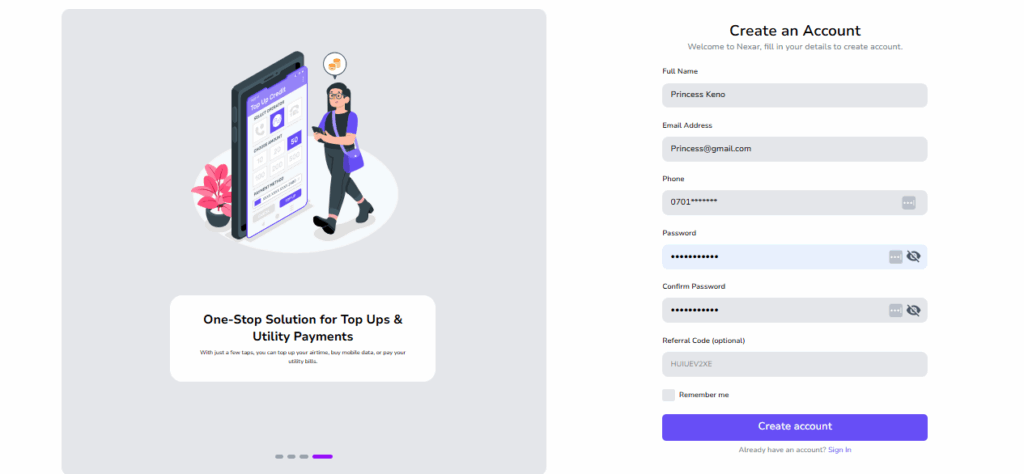
    1. Go to Nexarhq.com and sign up if you haven’t.
    Reusable Virtual Numbers for Verification

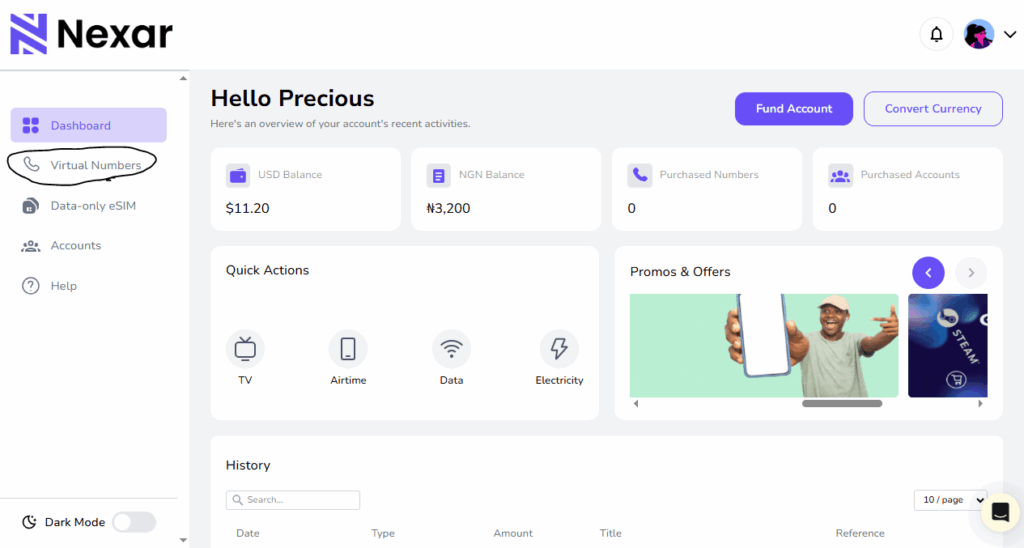
    2. Click on Virtual Numbers and click History.

    3. Click on the specific virtual number you want, then scroll to the end and click on the three dots (⋮)

    Resend Feature

    4. You’ll see two options — View or Resend.

    5. Click Resend and you’ll receive a new code in the app as usual.

    For a step-by-step visual guide, you can also watch our YouTube tutorial that walks you through the process.

    You can resend from Nigeria, Kenya, Ghana, the UK, the US, Canada, or any country. Your virtual number is not linked to your physical location. That is what makes Reusable Virtual Numbers for Verification so powerful.

    How Reusable Virtual Numbers Help Africans Access Global Apps

    A lot of African users struggle to access certain platforms because local networks are not supported. Some apps place restrictions on Nigerian SIM cards. Some do not support Ghanaian lines. Some refuse to send OTPs to certain African countries entirely.

    A reusable number solves this problem. You pick a country that the platform accepts, and you verify easily.

    This is life changing for people who want to:

    • Open US or UK based apps
    • Register for international platforms
    • Access online tools
    • Manage cross border businesses
    • Work with foreign clients

    Reusable Virtual Numbers for Verification make digital access easier across Africa.

    When Should You Use Reusable Virtual Numbers for Verification

    They are perfect for any situation where you need ongoing access.

    Use them when you:

    • Travel often
    • Manage multiple accounts
    • Switch devices regularly
    • Use sensitive platforms
    • Want a number that stays consistent
    • Want international verification access

    They make digital identity easier to maintain.

    Tips to Use Reusable Virtual Numbers Safely

    • Always use the number for the same platform
    • Make sure you save the country and the platform you used
    • Do not share your virtual number with strangers
    • Keep your Nexar login secure
    • Check your dashboard regularly

    Following these simple steps keeps your account safe.

    Frequently Asked Questions

    1. Can I resend a code multiple times?

    Yes. That is the entire purpose of Reusable Virtual Numbers for Verification.

    2. Can I use the same number for Telegram and WhatsApp?

    No. Reusable does not mean multi platform.

    3. Does it work from any country?

    Yes. Your OTP will arrive no matter where you are.

    4. Is there an extra cost for resending codes?

    No. Resending is free.

    5. Can I use the number for future logins?

    Yes. As long as the number remains active, it will work.

    Final Thoughts

    Verification is becoming more important every year. The need for safety, privacy, and reliable access keeps growing. Disposable numbers helped at first, but they no longer match how people use the internet today.

    This is why Reusable Virtual Numbers for Verification are the new standard. They let you stay connected to your accounts, resend verification codes easily, and avoid the stress of constant purchases.

    Whether you travel a lot, manage multiple accounts, or simply want a smoother OTP experience, reusable virtual numbers give you the control you need.

    Nexar has made this even easier for Africans and global users by offering a secure system that supports any country and delivers OTPs instantly.

    Your number stays with you.
    Your access stays open.
    Your verification becomes simple.

    If you want to simplify your digital life in 2025, reusable numbers are the way forward.

  • 5 Signs You’re Using an Unreliable Virtual Number Provider

    The world of virtual numbers has grown quickly. More people use them for Twitter, WhatsApp Business, Facebook, Gmail, TikTok, and other platforms. Businesses use them for customer support. Freelancers use them to manage clients. People who want privacy use them to keep their personal line safe.

    But the truth is this. Not every provider out there is real or trustworthy. Some platforms cut corners. Some reuse numbers. Some disappear when you need support. Some sell numbers that do not work for the platforms they claim.

    This is why choosing the right service is important. A fake virtual number can cost you your account, money, and even your identity. The safest thing you can do is learn how to spot an unreliable virtual number provider before you make a payment.

    In this article, we’ll talk about the real signs that show when a service is not safe. If you have ever wondered how to know if a virtual number provider is fake, this will guide you clearly. By the end, you’ll understand the difference between a trusted brand like Nexar and a fake virtual number provider pretending to be legit.

    Let’s break everything down.

    Why You Should Care About Spotting an Unreliable Virtual Number Provider

    Many people think all virtual numbers are the same. You pay for a number and receive SMS codes. Simple. But that is not how it works in reality. A number that is not clean can get your account banned. A provider that is dishonest can steal your money. A recycled number can expose your data.

    An unreliable virtual number provider can put you at risk in ways you do not expect. If you are using virtual numbers for work, verification, privacy, or business, then safety matters. It matters a lot.

    Using the wrong provider can lead to:

    • Failed verification
    • Locked accounts
    • Data leaks
    • Scams
    • Payment loss

    Choosing right protects your time and your peace of mind.

    Now let’s look at the 5 signs that show a provider cannot be trusted.

    1. The Numbers Do Not Work for the Platforms They Claim

    This is the biggest sign of an unreliable virtual number provider. A good provider will tell you clearly which platforms their numbers support. A fake one will say the numbers work everywhere even though they do not.

    For example, some providers claim their numbers work for:

    • Twitter
    • WhatsApp Business
    • Facebook
    • TikTok
    • Google
    • Instagram

    But when you try to verify your account, nothing happens. The SMS never arrives. Or the platform rejects the number immediately.

    This is the first red flag that tells you how to know if a virtual number provider is fake. If the provider promises everything but delivers nothing, stay away.

    A trusted provider like Nexar offers platform specific numbers. This means if you buy a number for Twitter, it works for Twitter. If you buy a number for WhatsApp Business, it works for WhatsApp Business. No guesswork. No stress.

    A fake virtual number cannot guarantee this.

    2. The Provider Reuses Numbers or Gives You Numbers That Were Used Before

    A clean virtual number is important. When a number has been used before, it becomes a risk. Some cheap services take numbers that other people have used and recycle them. They claim they are fresh even though they are not.

    This is one of the strongest signs of an unreliable virtual number provider.

    If a number has been used before, you may experience:

    • Logged out accounts
    • Verification errors
    • Account bans
    • Security warnings
    • Previous owner’s notifications

    Imagine buying a number and seeing someone else’s messages in your inbox. That is one of the clearest ways to know when a fake virtual number provider is trying to trick you.

    Nexar gives you clean and verified numbers. You receive a fresh line that is ready for your use. You can also request codes again and again from your Nexar number on the Nexar app or website, which means your number is permanent!

    A real provider will never reuse a number.
    An unreliable virtual number provider will do it all the time to save money.

    3. No Customer Support or Slow Customer Support

    A virtual number service without support is a danger. When something goes wrong, you need a real person to help you. If the provider disappears once you make payment, that is the behavior of a fake virtual number provider.

    Support shows that the company cares about customer experience. A provider that delays replies or gives no reply at all is not reliable. If you cannot reach them by email, chat, or social media, that is a red flag.

    This is one way to know if a virtual number provider is fake.
    A trusted brand will guide you through the setup process. They will help you when a platform changes rules. They will assist you when you have questions. Support is part of the service.

    An unreliable virtual number provider hides. They only want your payment, not your satisfaction.

    Nexar offers clear guides, quick responses, and a support team ready to fix issues. Support is part of why users trust them.

    4. No Transparency About Pricing, Validity, or Country of the Number

    If a provider does not tell you:

    • The country of the number
    • The duration of the number
    • The supported platforms
    • The exact price
    • Whether the number is renewable

    Then something is wrong.

    Lack of transparency is one of the most common signs of an unreliable virtual number provider. They keep details hidden so they can change them later. They can suddenly increase prices. They can give you a number from a random country. They can reduce your validity without warning.

    This is also how scammers operate.

    A real provider shows everything clearly. You know the country. You know the price. You know how long the number lasts. You know the platform it supports.

    If you ever find yourself guessing what you paid for, you are dealing with a fake virtual number provider.

    Nexar is transparent about:

    • Country options
    • Price
    • Validity period
    • Platform compatibility

    This is what a trustworthy provider looks like.

    5. The Website Looks Suspicious or Lacks Basic Security Features

    This is a strong sign of an unreliable virtual number provider. The website does not look safe. You might see strange popups, spelling mistakes, broken links, or unclear information. Sometimes the payment gateway looks unsecured.

    A fake website is designed to collect your money quickly. They do not invest in their platform. They do not invest in safety. They do not want longevity. They are only there to trick people who do not know what to look for.

    Look for these warning signs:

    • No SSL lock on the browser
    • No real contact details
    • No clear company information
    • Poor design
    • Suspicious payment portal

    If a website looks unsafe, it is telling you to walk away.
    A real provider will always protect your information and your money.

    Nexar uses secure payment systems, clear design, and transparent onboarding. This is how you identify a credible service.

    How to Know if a Virtual Number Provider Is Fake

    Let’s bring it all together in simple terms. When you want to figure out how to know if a virtual number provider is fake, ask yourself these questions:

    • Does the website look trustworthy?
    • Are they transparent about supported platforms?
    • Does the number work immediately?
    • Is support available when needed?
    • Do they recycle numbers or sell clean ones?
    • Is pricing clear?
    • Are reviews real?

    If any of these answers feel wrong, stop and rethink your purchase.

    A fake virtual number provider makes big promises and delivers nothing.
    An unreliable virtual number provider hides important details, reuses numbers, or avoids responsibility.

    A trusted provider like Nexar does none of these things.

    Why You Should Choose Proven Providers Like Nexar Instead

    Using Nexar comes with real benefits that protect your account and your peace of mind. Here’s why:

    • You get clean verified numbers
    • You receive your code instantly
    • You can choose numbers from any country
    • You can select the platform you want
    • You get proper customer support
    • You avoid recycled or unsafe lines
    • You get a smooth dashboard
    • You get transparent pricing

    Nexar gives you structure. It gives you a system you can depend on.

    When you use a trusted provider, you save yourself from:

    • Losing accounts
    • Failed verifications
    • Security risks
    • Random bans
    • Payment scams

    A stable service gives you long term peace.

    How to Buy a Reliable Virtual Number from Nexar

    The steps are simple.

    Step 1: Go to Nexarhq.com

    UK number in Nigeria


    Step 2: Create an account

    Unreliable virtual number provider


    Step 3: Select Virtual Number from your dashboard


    Step 4: Choose the country you want


    Step 5: Choose the platform you need


    Step 6: Make your payment


    Step 7: Receive your number instantly


    Step 8: Use it to verify your account right away

    It takes a few minutes. Then your code appears in your inbox with no stress.

    Final Thoughts

    The rise of fake services makes it important to know how to spot an unreliable virtual number provider. When a provider hides information, reuses numbers, fails to deliver codes, or disappears after you pay, it is a sign that something is not right. Choosing a trusted platform like Nexar helps you avoid all the problems that come with a fake virtual number provider. You get clean numbers, instant verification, and clear transparency. It gives you control, privacy, and a simple setup process.

    The safest thing you can do is pay attention to these signs. Once you understand how to know if a virtual number provider is fake, you become more confident in your choices and avoid unnecessary risks.

    If you want reliability, clean numbers, and instant setup, Nexar is the smarter option.

  • How to Send Gift Card to Friends or Family Abroad Instantly

    Sending gifts to loved ones abroad has never been easier. Thanks to digital innovation, you can now send gift card abroad instantly — no long wait times, shipping fees, or border restrictions. Whether it’s for a birthday, holiday, or special occasion, a gift card is one of the simplest ways to show you care, no matter where your recipient lives.

    In this guide, we’ll walk you through everything you need to know about how to send gift card abroad using Nexar — from choosing the perfect card to ensuring instant delivery.

    Send Gift Card Abroad

    Why Send Gift Cards Abroad?

    Gift cards have become the universal language of convenience. They let your loved ones choose exactly what they want, saving you the stress of guessing their preferences. Here’s why people prefer to send gift cards abroad instead of traditional gifts:

    • Instant Gratification: No waiting for international delivery — gift cards are sent instantly.
    • Flexibility: Your recipient can shop from global platforms like Amazon, Google Play, Netflix, or Apple Store.
    • Safe and Secure: Avoid the risks of lost packages or shipping delays.
    • Perfect for Every Occasion: From birthdays to graduations, gift cards are a thoughtful yet practical choice.

    How to Send Gift Card Abroad Using Nexar

    Nexar makes it easy to send gift cards online to anyone, anywhere in the world. Follow these simple steps to get started:

    Step 1: Log in or Create a Nexar Account

    Visit nexarhq.com and create your account if you haven’t already. The registration process is quick, simple, and secure.

    Step 2: Fund Your Nexar Wallet

    Before you can send gift card abroad, you need to fund your Nexar wallet. You can do this using crypto, bank transfer, or mobile money (coming soon). All transactions are secured with encryption to protect your funds.

    Step 3: Choose a Gift Card

    Nexar offers a wide selection of international gift cards, including:

    • Amazon
    • Google Play
    • Steam
    • Apple
    • Netflix
    • PlayStation and more

    We offer Gift cards from up to 14000 brands. All you need to do is: Sign in on Nexar, click on the Giftcard section and select the brand you want.

    Step 4: Enter Recipient Details

    Enter your friend or family member’s email address or WhatsApp number. Nexar ensures instant gift card delivery, so your recipient receives the card within seconds after payment.

    Step 5: Add a Personal Message

    Make your gift more meaningful by including a short, heartfelt message. It’s a simple touch that makes digital gifts feel personal.

    Step 6: Confirm and Send

    Double-check your details and click Send. Nexar will process the transaction instantly and deliver the gift card to your recipient’s inbox.

    Advantages of Sending Gift Cards Abroad with Nexar

    Send Gift Card Online

    When you use Nexar to send gift card abroad, you enjoy multiple benefits that make gifting easy and stress-free:

    • ⚡ Instant Delivery: No waiting time. Your loved one receives the code immediately after payment.
    • 🔐 Secure Transactions: Wallet-based payments reduce card fraud risks.
    • 🌍 Global Access: Choose from both Nigerian and international brands in one place.
    • 💬 Reliable Support: Nexar’s support team is available 24/7 to resolve any issues.
    • 💸 Flexible Payment Options: Pay via crypto, bank transfer, or mobile money (coming soon).

    With Nexar, you can send gift cards online from Nigeria or anywhere in the world — all from one secure dashboard.

    Tips for Smooth and Successful Gift Card Transfers

    To make sure your instant gift card delivery goes smoothly, keep these expert tips in mind:

    1. Verify your Nexar account before making large transactions: Before you get to buy or sell any giftcard, It’s essential you verify your email address that’s linked to your Nexar account. This helps Nexar provide the necessary transaction information to your email amongst many other information. Although, before you can use any of Nexar’s services, you’d be asked to verify your email address, if you haven’t.
    2. Double-check the recipient’s email or number to avoid sending it to the wrong person: A slight difference in the character of the email address or difference in one of the digits in the phone number can cost quite a sum of money. And once the transaction is successfully completed, you cannot request for a refund.
    3. Check live exchange rates on Nexar to get the best value for your money: Before making any transactions or placing any order on Nexar’s website, It’s essential you check the live conversion rate usually provided by Nexar below the amount being imputed.
    4. Redeem promptly: Encourage your recipient to redeem the code soon after receiving it.
    5. Avoid third-party sellers: Always use verified platforms like Nexar for secure transactions. This website is recommended due to its transparency which most websites and platforms lack.

    Why Choose Nexar to Send Gift Cards Abroad?

    Nexar combines speed, transparency, and convenience, giving you everything you need to send gift card abroad with confidence. The platform’s user-friendly interface, instant delivery system, and multi-currency support make it one of the best choices for online gifting in 2025.

    Whether you’re sending a birthday surprise or supporting a loved one overseas, Nexar ensures that your gift reaches them instantly — safely and securely.

    FAQs on Sending Gift Cards Abroad

    1. How can I send gift card abroad instantly?

    You can send gift card abroad instantly through Nexar. Just create an account, fund your wallet, choose a card, and enter your recipient’s details — they’ll receive it within seconds.

    2. Can I send gift cards online from Nigeria to another country?

    Yes. Nexar allows you to send gift cards online from Nigeria or any location. You can pay using crypto, bank transfer, or soon, mobile money.

    3. Which platforms support instant gift card delivery?

    Nexar offers instant gift card delivery for major brands like Amazon, Netflix, Steam, and Apple, ensuring fast and secure delivery globally.

    4. Is it safe to send gift cards abroad using Nexar?

    Absolutely. Nexar uses wallet-based transactions and strong encryption to keep your data and funds secure when you send gift card abroad.

    5. What payment methods can I use to send gift cards abroad?

    You can fund your Nexar wallet using cryptocurrency, bank transfer, or mobile money (coming soon) before you send gift card abroad to anyone in seconds.

    Conclusion

    When you send gift card abroad using Nexar, you’re not just sending money — you’re sending thoughtfulness, convenience, and flexibility. With instant gift card delivery and a wide range of options, it’s the simplest way to connect with loved ones no matter where they are.

  • How to Increase Your Spotify Monthly Listeners

    You’ve put in the work, recorded your songs, uploaded them to Spotify, and shared the links everywhere, yet your listener count barely moves. Sounds familiar?

    Growing on Spotify can be tough, especially for independent artists competing against major labels and algorithmic playlists. But the good news is, there are practical ways to increase Spotify monthly listeners organically before even using any paid promotion tools. In this article, we will break them down. Let’s get started.

    Spotify Monthly Listeners

    Tips for Increasing Your Spotify Monthly Listeners Organically

    1. Optimize Your Spotify Profile Like a Brand

    Your Spotify profile is your digital stage — and first impressions matter.
    Make sure it’s visually appealing and complete:

    • Add a high-quality artist photo and a clean banner image that matches your music style.
    • Write a compelling artist bio — tell your story, what inspires your sound, and your journey so far.
    • Keep your links updated — connect your Instagram, TikTok, and YouTube to help fans find you easily.

    A complete and professional profile increases credibility and helps potential fans hit that “Follow” button instantly.

    2. Release Music Consistently

    Spotify Monthly Listeners

    Spotify rewards consistency. Artists who release music regularly often see better reach in algorithmic playlists like “Discover Weekly.”
    Try to:

    • Drop new singles every 4–6 weeks.
    • Use shorter EPs to stay active instead of waiting months for an album.
    • Schedule releases strategically — for example, around trending seasons or major events in your genre.

    The more consistent you are, the higher your chances of appearing in listeners’ recommendations and radio mixes.

    3. Promote on Social Media — The Smart Way

    Increase Spotify Monthly Listeners quickly

    Don’t just post your Spotify link — create stories around your songs.
    Here’s how to grow Spotify listeners through social platforms:

    • TikTok: Post behind-the-scenes videos, snippets of your recording process, or fan reactions to your songs.
    • Instagram Reels: Pair your track with trending sounds or filters to gain organic reach.
    • Twitter (X): Engage in trending conversations, drop your lyrics, and interact with fans directly.

    Social media visibility is often the first step toward boosting Spotify plays organically.

    4. Collaborate With Other Artists

    One of the fastest ways to grow your audience is by tapping into someone else’s fanbase.

    • Collaborate with artists in your genre for remixes or duets.
    • Feature guest verses to create buzz around releases.
    • Build genuine relationships with artists who have similar goals — mutual promotion helps everyone grow.

    When you collaborate, both of your listeners get introduced to new music — a win-win that can double your monthly listener count.

    5. Submit to Playlists (Smartly!)

    Playlists are still the heartbeat of Spotify growth.
    To increase Spotify monthly listeners:

    • Start with independent playlists — they’re easier to access than official ones.
    • Use platforms like SubmitHub or PlaylistPush to reach curators.
    • Craft personalized messages when submitting your songs — curators love artists who take time to engage authentically.

    A single playlist placement can boost Spotify plays dramatically if your track fits the mood or vibe.

    6. Engage With Your Audience Off Spotify

    Don’t let your fan connection stop at streaming.

    • Build an email list or WhatsApp group to share exclusive content.
    • Host Instagram Lives to discuss your music journey.
    • Ask your followers for feedback or lyric ideas — they’ll feel more invested in your growth.

    When listeners feel connected to your story, they’re more likely to stream, share, and stick around.

    7. Use Nexar’s Boost Feature to Scale Faster 🚀

    Once you’ve built a solid foundation, it’s time to amplify your reach with Nexar’s Boost feature.
    Here’s why artists love it:

    • Real, targeted engagement — your music gets seen by genuine users interested in your genre.
    • Affordable promotion — tailored for Nigerian and African creators.
    • Simple setup — no complex ads, just results that help you grow Spotify listeners faster.

    Whether you want to boost Spotify plays, gain visibility on other platforms, or attract the right audience, Nexar helps you do it all in one place.

    How To Increase Your Spotify Listeners With Nexar🚀

    • Sign in to your Nexar account.
    • Click on the “Accounts” Option as Circled in the picture below
    • From the boost account option, you can toggle between the “Global” and “Nigeria” Option as circled below
    • Click on the “Category” and search for the Spotify service, where you’ll have many options to pick from, Just as shown in the Image below. Then you’ll Click on the “Monthly Listeners”
    • Click on the most suitable plan in the “Service” Dropdown.
    • Input the Quantity ( i.e, the total number of listeners you want to have), Input the correct link then click on the “Place Order” Button to confirm your order.

    Frequently Asked Question (FAQs)

    1. How can I increase my Spotify monthly listeners fast?

    To increase your Spotify monthly listeners quickly, focus on optimizing your profile, posting consistently, and promoting your songs on social media. Collaborate with other artists and submit your music to playlists for better visibility. For faster growth, you can also use Nexar’s Boost feature to reach real, targeted listeners and boost your Spotify plays affordably.

    2. What are the best ways to grow Spotify listeners organically?

    The best way to grow Spotify listeners organically is by releasing music regularly, building an active social media presence, and engaging with your audience. Share behind-the-scenes content, interact with fans, and cross-promote your music on TikTok, Instagram, and YouTube. Organic engagement builds loyal followers who continuously stream your music.

    3. Does boosting Spotify plays help with algorithm growth?

    Yes, boosting Spotify plays can help your music reach more people through Spotify’s algorithm. When your track gains more plays, likes, and saves, the algorithm sees it as engaging and recommends it to new listeners through playlists like Discover Weekly or Radio Mixes. Using Nexar Boost ensures those plays come from real, interested users — not bots — helping you grow authentically.

    4. Why is consistency important for Spotify growth?

    Spotify’s algorithm rewards active artists. By uploading music consistently — such as every 4 to 6 weeks — you stay visible in recommendation feeds and keep your fans engaged. Consistency also signals to Spotify that your account is active, increasing the chances of being featured on playlists and helping you increase Spotify monthly listeners naturally.

    5. How can Nexar help artists grow Spotify listeners?

    Nexar provides a Boost feature designed for artists who want real, targeted engagement. With local payment options and affordable pricing, it helps African creators boost Spotify plays and attract genuine followers without fake streams. It’s a simple, secure way to scale your Spotify presence and connect with a larger audience worldwide.

    Takeaway

    Building an audience on Spotify doesn’t happen overnight. But with the right consistency, collaboration, and smart promotion strategy, your listener count will grow steadily and Nexar can help you take that growth to the next level.

    ✅ Start your Spotify growth journey today — download the Nexar app or Sign up on our website and explore the Boost feature.