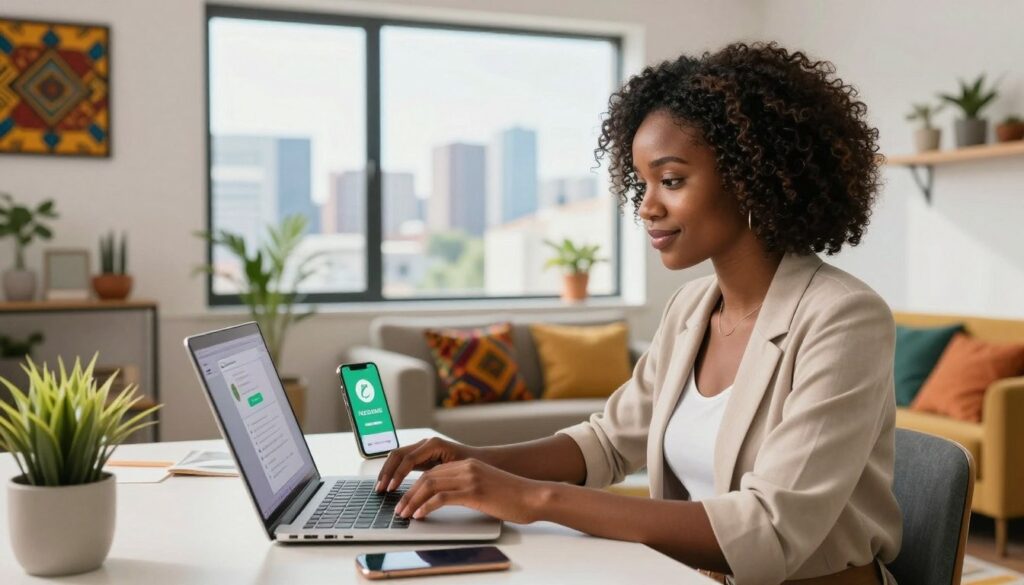
Music streaming is part of everyday life in Nigeria. Whether you are working, commuting, studying, or relaxing at home, Apple Music gives you access to millions of songs, curated playlists, and global charts.
However, many users struggle with Apple Music payment issues when trying to subscribe or renew. Declined cards, failed renewals, and billing errors have become common frustrations.
If you are trying to activate or renew your Apple Music subscription Nigeria plan without stress, this guide explains why payments fail and the most reliable ways to fix it.
Why Apple Music Payments Fail in Nigeria
Before solving the problem, it is important to understand why it happens.
Most Nigerian debit cards are naira denominated and subject to international transaction restrictions. Since Apple processes many subscriptions through international payment gateways, local cards may be declined automatically.
Other common causes of Apple Music payment issues include:
• Foreign exchange limits placed by banks
• Billing address mismatch
• Expired or insufficient card balance
• Incorrect Apple ID region settings
• Recurring charge failures during renewal
This does not mean Apple Music does not work in Nigeria. It simply means the payment method must be set up correctly for your Apple Music subscription Nigeria to activate successfully.
Does Apple Music Work in Nigeria?
Yes, Apple Music works fully in Nigeria.
You can stream, download, and explore both Nigerian and international artists without restriction. The issue most users face is not access, but how to pay Apple Music in Nigeria without repeated card declines.
The good news is that there are multiple working solutions available.
Method 1: Use a Virtual Dollar Card
One of the most reliable ways to handle Apple Music payment issues is by using a virtual dollar card.
A virtual dollar card allows you to make international payments smoothly since it operates in USD. Because Apple often charges subscriptions through international processors, this method reduces the chances of declined payments.
How to set it up:
Create a virtual dollar card from a trusted fintech provider.
Fund the card in naira which converts to dollars.
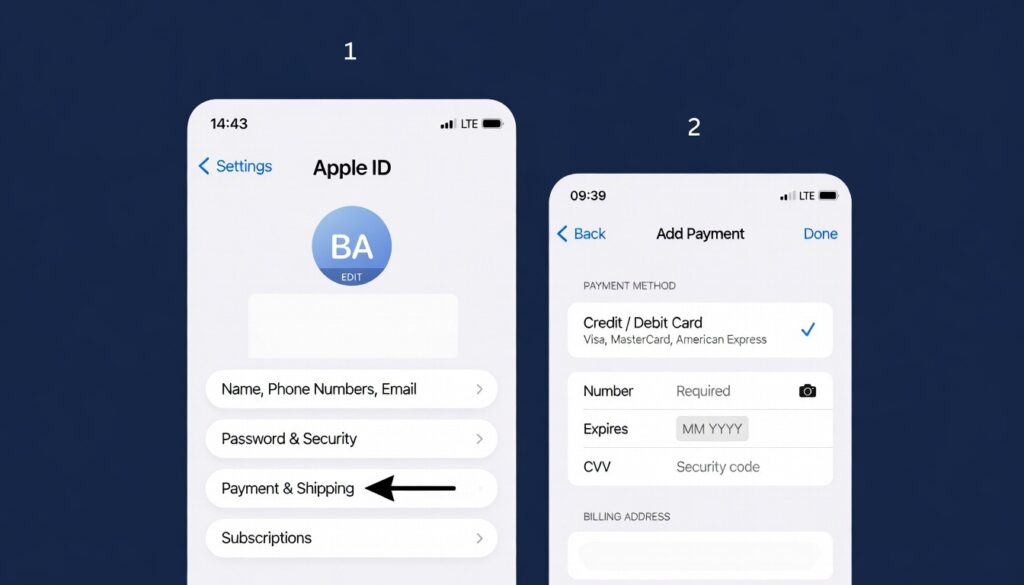
Open Settings on your iPhone.
Tap your name at the top.
Select Payment and Shipping.
Tap Add Payment Method.
Enter your virtual card details.
Save and confirm.
Once added, return to Apple Music and activate your Apple Music subscription Nigeria plan without interruption.
This method is especially useful if you want stable auto renewal without recurring Apple Music payment issues.
Method 2: Use MTN Mobile Billing
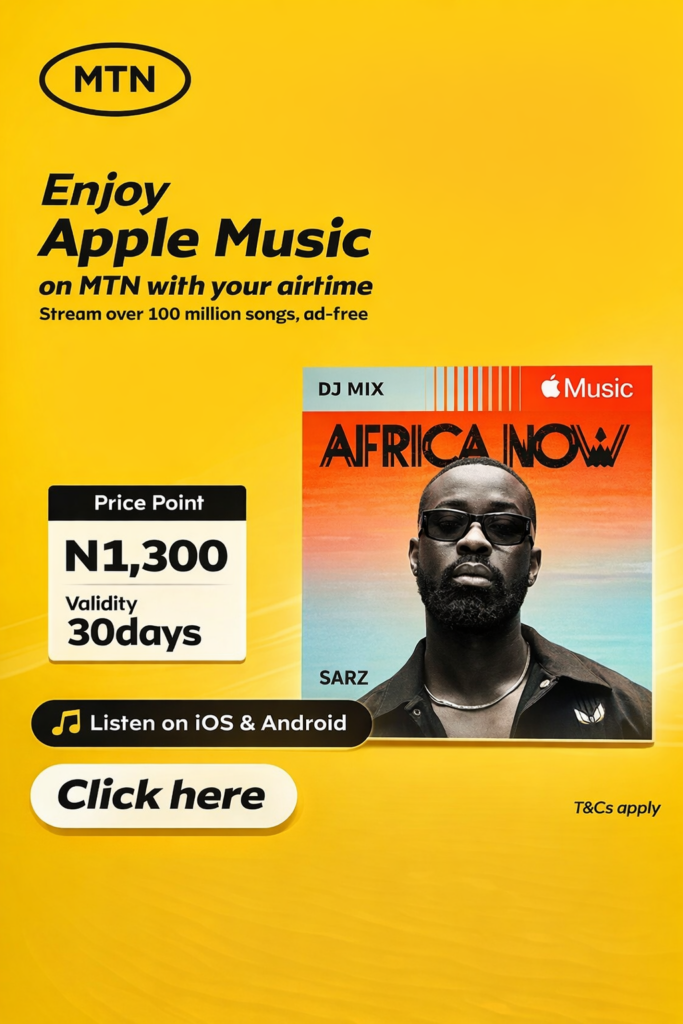
Another practical way to pay Apple Music in Nigeria is through MTN mobile billing.
Instead of linking a debit card, your subscription fee is deducted directly from your airtime balance.
How to subscribe using MTN:
• Dial *447# on your MTN line
• Follow the prompts to select Apple Music
• Confirm your subscription
You can also watch this quick guide for reference:
This option works well for users who want a simple setup for their Apple Music subscription Nigeria plan without dealing with bank restrictions.
However, ensure your airtime balance is always sufficient to avoid renewal interruptions.
Method 3: Redeem an Apple Gift Card
Apple Gift Cards are another reliable alternative.
When you redeem a gift card, the balance is added to your Apple ID. Apple then deducts your subscription fee directly from that balance.
Steps to redeem:
Open the App Store.
Tap your profile icon.
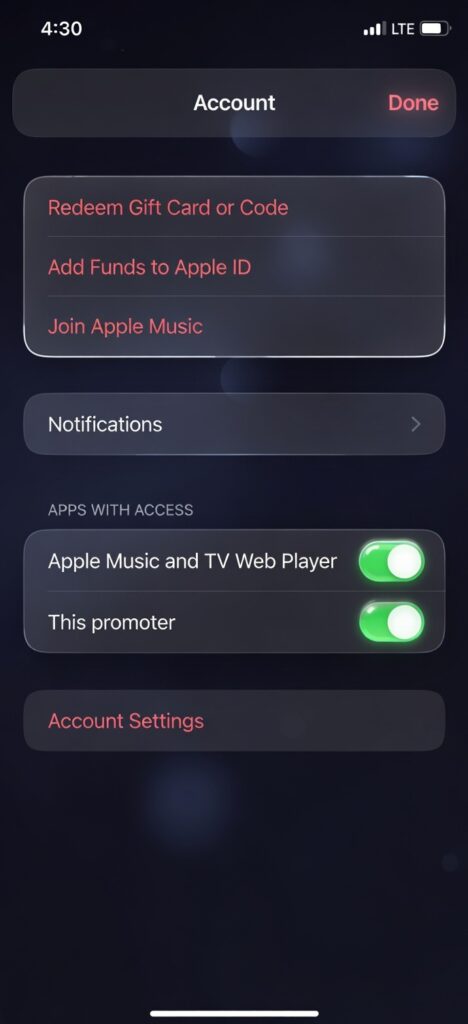
Select Redeem Gift Card or Code.
Enter the code.
After redeeming, make sure your Apple ID balance is set as your primary payment method. This prevents Apple Music payment issues caused by failed card authorizations.
Gift cards are ideal if you want short term flexibility for your Apple Music subscription Nigeria plan.
Method 4: Update Your Apple ID Payment Method Properly
Sometimes the problem is not the card itself, but incorrect setup.
Make sure your billing address matches your card information exactly. Small inconsistencies can trigger Apple Music payment issues.
Apple Music Subscription Plans in Nigeria
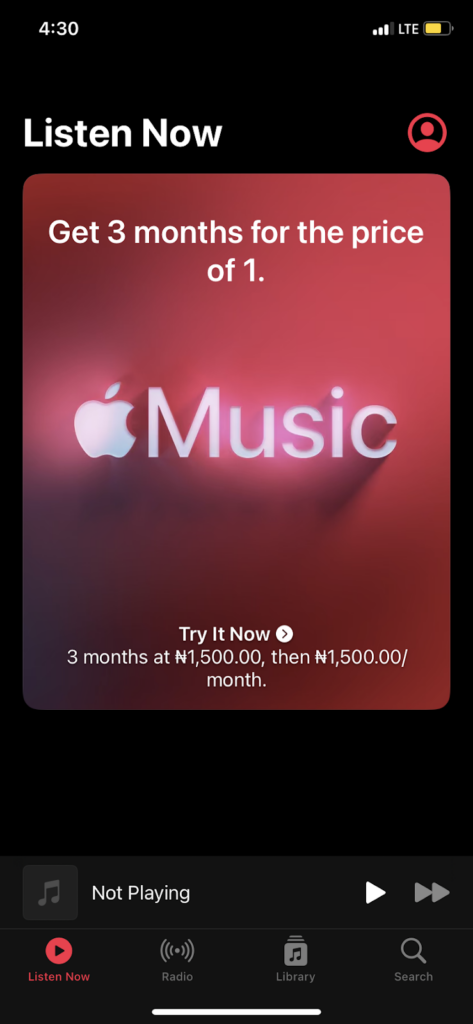
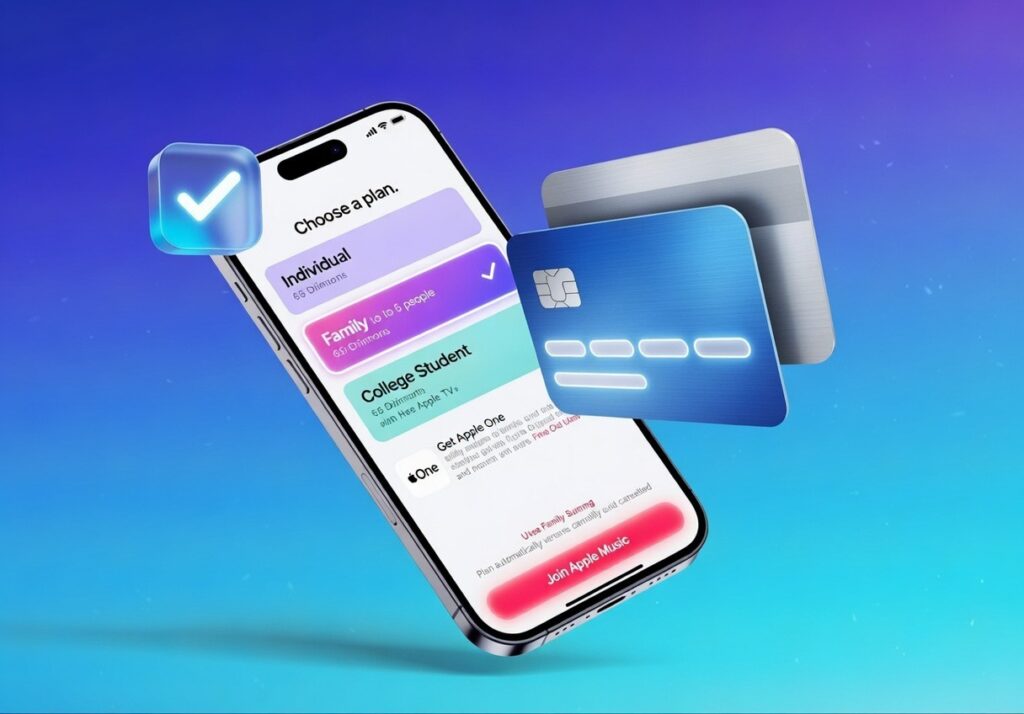
The Apple Music subscription Nigeria plans include:
Individual Plan
Student Plan
Family Plan
Each plan gives full access to Apple Music’s catalog, downloads, and offline listening.
Pricing may vary depending on billing method and region settings. Always ensure your Apple ID country is correctly set to Nigeria if you prefer local billing.
How to Avoid Future Apple Music Payment Issues
To keep your Apple Music subscription Nigeria running smoothly:
• Ensure sufficient balance before renewal
• Use a stable payment method
• Double check your billing address
• Avoid expired cards
• Monitor renewal dates
If you frequently experience declined payments, switching to a virtual dollar card or mobile billing is usually the most stable long term solution.
Frequently Asked Questions
Can I use a Nigerian debit card for Apple Music?
Some cards may work, but many are restricted for international payments. This is why users experience Apple Music payment issues during checkout or renewal.
What is the easiest way to pay Apple Music in Nigeria?
Mobile billing through MTN or using a virtual dollar card are currently the simplest and most reliable methods.
Why does my Apple Music keep asking me to update payment?
This usually happens when a recurring charge fails. Updating your payment method resolves the issue and restores your Apple Music subscription Nigeria access.
Conclusion
Subscribing should not be complicated.
Although local banking restrictions have caused frequent Apple Music payment issues, there are reliable alternatives that work smoothly.
Whether you choose a virtual dollar card, MTN billing, or Apple Gift Cards, you can activate and maintain your Apple Music subscription Nigeria without stress.
Once your payment method is properly set, you can stream, download, and enjoy your favorite music without interruption.
Bryan is a 22-year-old student flying from Lagos to Houston for his master’s degree. He planned everything, tuition, accommodation, airport pickup. But there was one thing he ignored: mobile data.
“Once I land, I’ll just buy a SIM at the airport,” he told himself. After 13 hours in the air, Bryan lands in the U.S. He switches on his phone.
No service.
The airport Wi-Fi is slow. He can’t contact his cousin. He can’t order a ride. He can’t even check his admission email. That’s when he realizes he should have bought a USA eSIM from Nigeria before travelling.
Instead of scrambling after arrival, Bryan could have activated his data before leaving Lagos and landed fully connected. In this guide, you’ll learn exactly how to buy a USA eSIM from Nigeria before travelling. If you’re unsure how eSIMs work, read our guide on What Is an eSIM and How Does It Work to understand the basics.
What Is a USA eSIM from Nigeria?
A USA eSIM from Nigeria is a digital SIM that gives you mobile data in the United States without inserting a physical SIM card.
Instead of:
Roaming with Nigerian networks (very expensive)
Searching for a U.S. SIM at the airport
Borrowing hotspot from strangers
You install your eSIM digitally and activate it before travel.
With Nexar, you can buy and activate your USA eSIM from Nigeria in minutes directly from the app.
Why You Should Buy a USA eSIM from Nigeria Before Travelling
Let’s be honest; roaming charges from Nigerian networks are painful.
Here’s why getting your USA eSIM from Nigeria early makes sense:
You Avoid Roaming Charges
International roaming can drain thousands of naira in minutes. An America eSIM plan gives you fixed data pricing.
You Land Connected
Order Uber immediately. Message family. Access your maps.
You Don’t Need a Physical Store
No airport queues. No passport photocopies. No stress.
It’s Perfect for Nigerians
Whether you’re:
A student
A freelancer
A business traveler
A tourist
A US travel eSIM Nigeria solution keeps you online from day one.
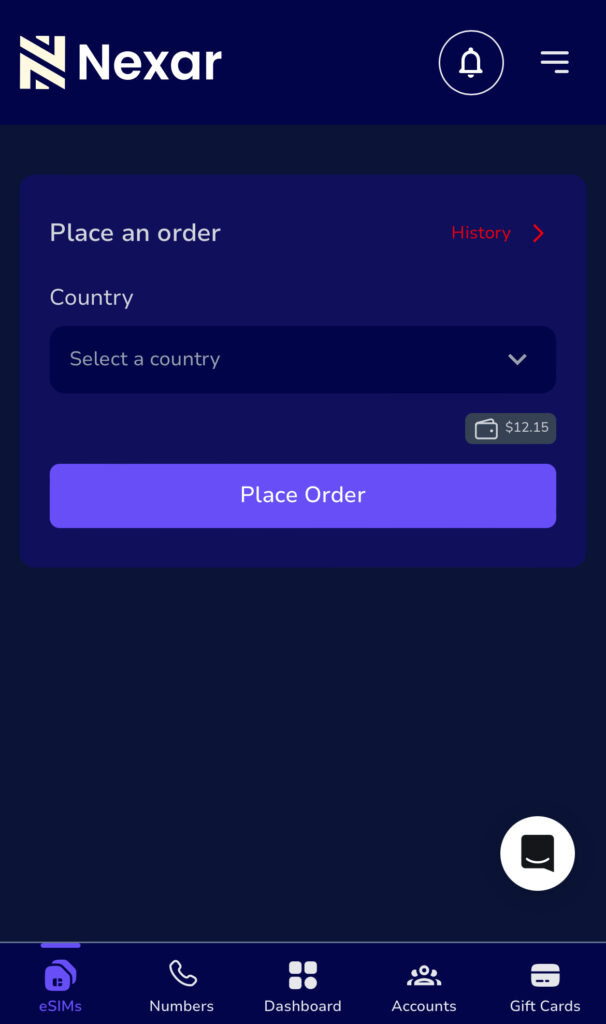
Choose the USA eSIM from Nigeria option inside the eSIM section.
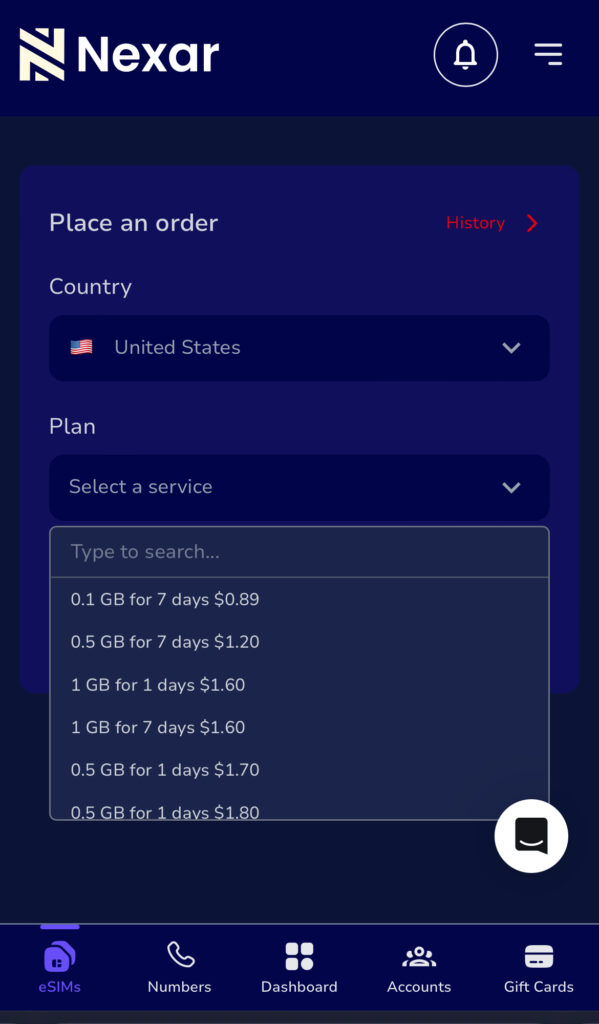
Step 3: Choose Your USA eSIM Plan
Pick a data bundle based on:
Length of stay
Data needs
Budget
Nexar shows plan details clearly before payment.
Step 4: Pay Securely
Fund your wallet and complete your purchase.
Step 5: Install & Activate
Follow the installation guide. Activate before departure or upon landing.
That’s it. Your USA eSIM from Nigeria is ready.
Who Needs a US Travel eSIM Nigeria Option?
You might think eSIMs are only for tech people. Not true.
Here’s who benefits most:
Students
Moving for school? Your US travel eSIM Nigeria keeps you connected before you open a U.S. bank account.
Business Owners
Attending meetings? You need reliable data immediately.
Freelancers
Remote work doesn’t stop because you’re flying.
Tourists
Maps, bookings, and reservations require stable data.
An America eSIM plan makes your trip smoother.
How to Choose the Right America eSIM Plan
Before buying a USA eSIM from Nigeria, consider:
How many days will you stay?
Do you stream or just browse?
Will you use a hotspot?
Is it data-only or do you need calls?
Most travelers choose 5GB–20GB plans depending on usage.
If your trip is short, a smaller America eSIM plan saves money. Before choosing your America eSIM plan, confirm coverage in the U.S. cities you’re visiting. You can check general U.S. network coverage.
Is Your Phone eSIM Compatible?
Before buying a USA eSIM from Nigeria, confirm your device supports eSIM. Check your phone specifications as this helps you avoid compatibility issues.
Common Mistakes Nigerians Make
Let’s keep it real.
Waiting Until Arrival
Airport SIM cards are usually overpriced.
Activating Too Early
Activate your US travel eSIM Nigeria close to departure to maximize validity.
Ignoring Data Limits
If you stream heavily, choose a higher America eSIM plan.
FAQs About USA eSIM from Nigeria
Q. Can I buy a USA eSIM from Nigeria without travelling yet?
Yes. That’s the point. You install it before departure and activate it when needed.
Q. Does a US travel eSIM Nigeria include calls?
Most plans are data-only. You can use WhatsApp, Telegram, or FaceTime.
Q. How long does activation take?
Usually a few minutes after payment.
Is it safe?
Yes. Nexar provides secure activation and clear instructions.
Final Takeaway
Buying a USA eSIM from Nigeria before travel saves money, time, and stress.
Instead of landing confused, you land connected.
If you want a reliable US travel eSIM Nigeria solution with flexible pricing and fast activation, Nexar makes it simple.
Visit the Nexar website now and activate your American eSIM plan before your next trip.
If you need a Germany virtual number in Nigeria for business verification, international communication, or online registrations, this guide will walk you through everything step by step.
Today, it’s easier than ever to buy Germany number online, but choosing the right provider makes all the difference. In this article, you’ll learn what a German virtual number is, how to buy one from Nexar, the benefits, and common issues to avoid. Let’s get into it.
What Is a Germany Virtual Number?
A German virtual number is an internet-based (VoIP) phone number registered in Germany. It allows you to receive SMS verification codes and register international accounts.
Unlike a physical SIM card, a Germany virtual number in Nigeria works online via a dashboard or app.
Why People Buy Germany Virtual Number in Nigeria
Many Nigerians purchase a Germany virtual number in Nigeria for:
A German virtual number is an internet-based (VoIP) phone number registered in Germany. It allows you to receive SMS verification codes and register international accounts.
Freelancing and remote work
E-commerce and dropshipping
Crypto and fintech account verification
Expanding into the EU market
Privacy protection
Increasing credibility when dealing with European clients.
Where to Buy Germany Number Online
Some international providers that offer German numbers include:
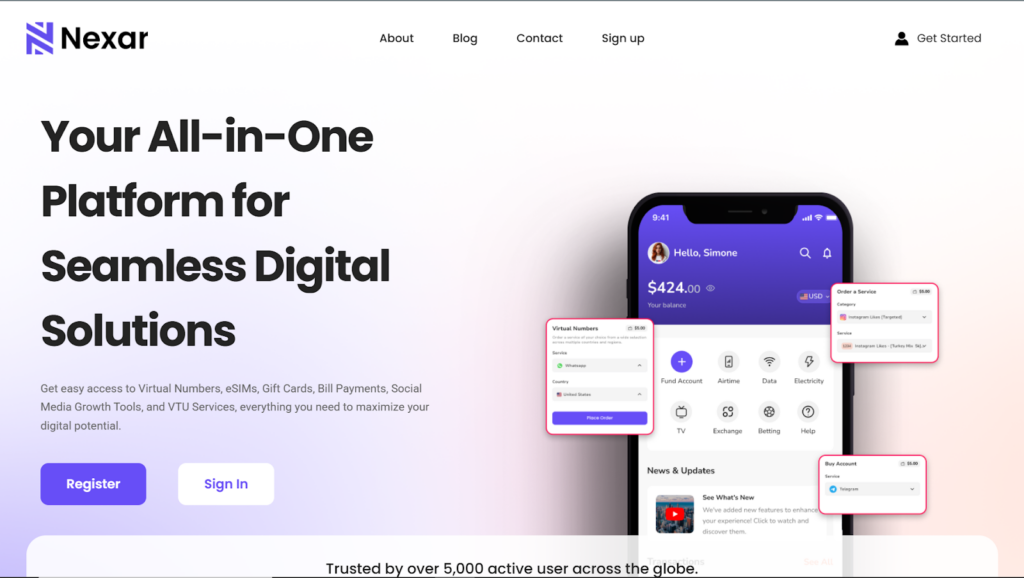
However, many Nigerians prefer local platforms like NEXAR due to easier payment methods and faster support. To purchase a virtual number from Nexar, you can visit here>>
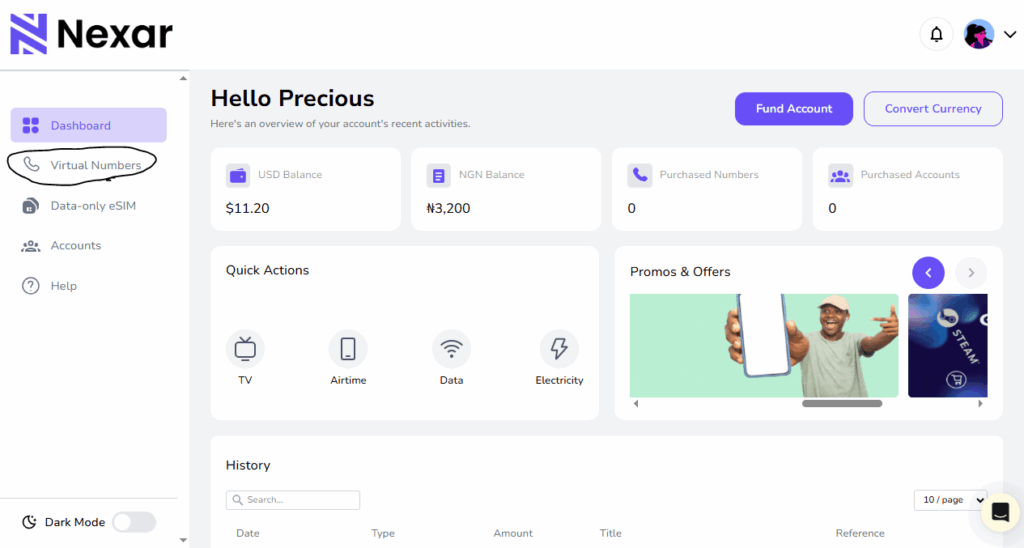
How to Buy Germany Virtual Number in Nigeria from Nexar
If you want a smooth process, here’s how to get your Germany virtual number in Nigeria from NexarHQ:
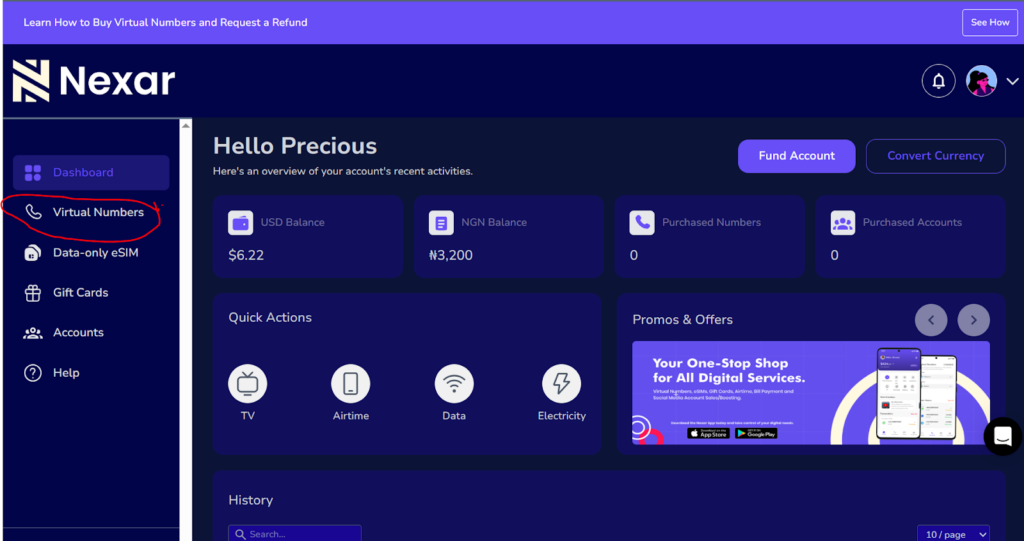
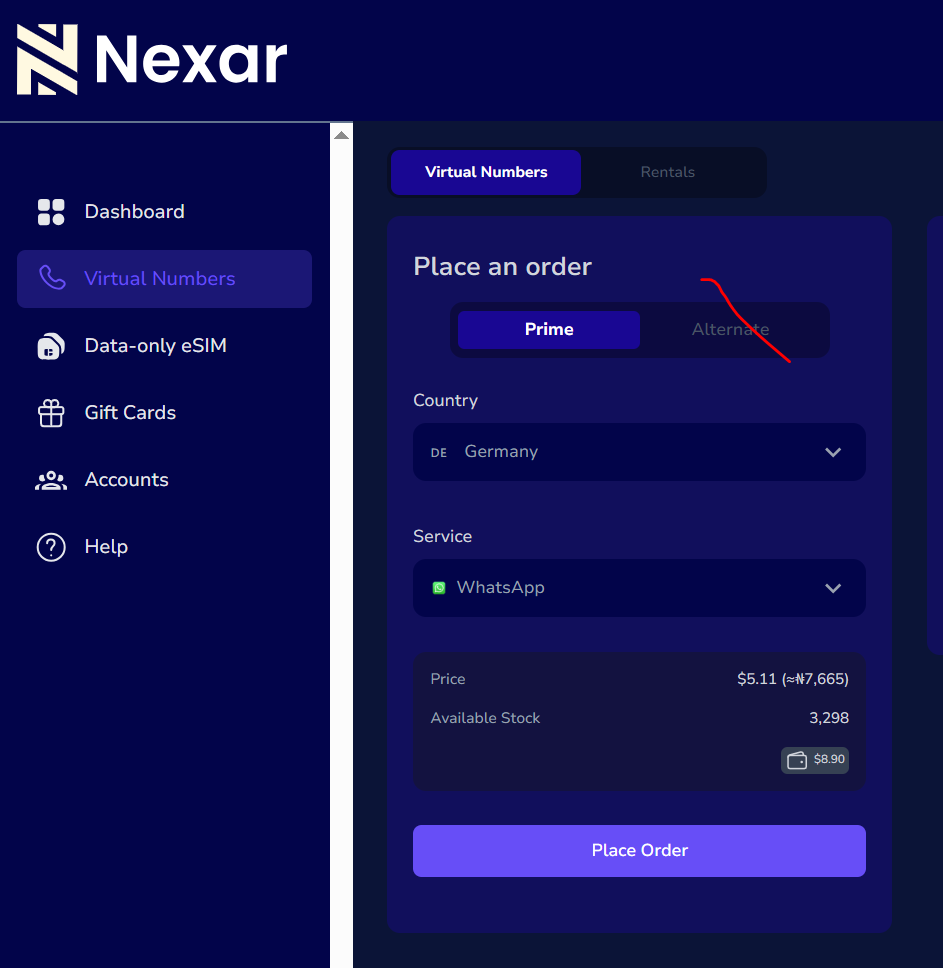
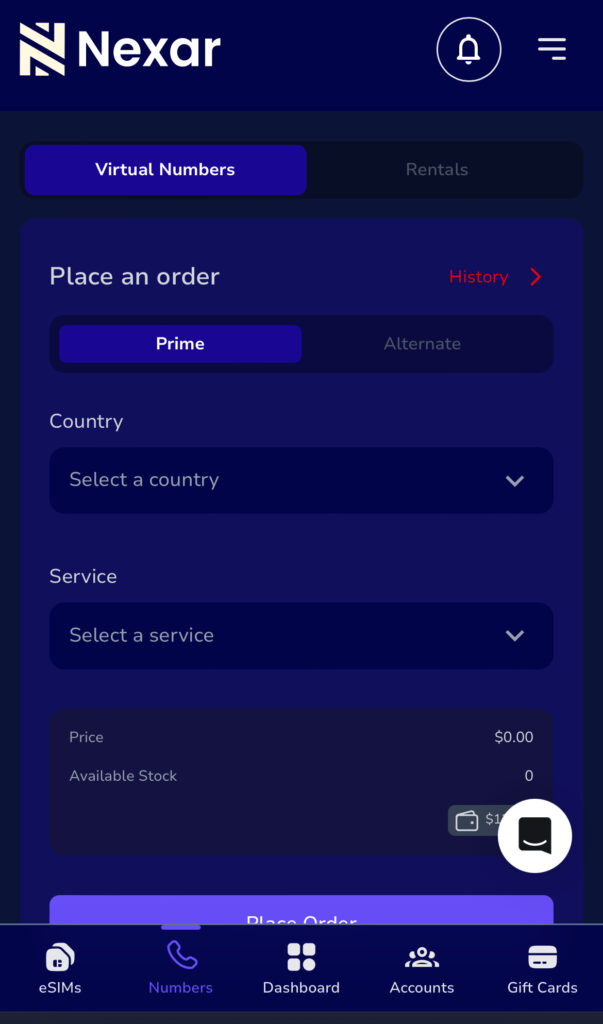
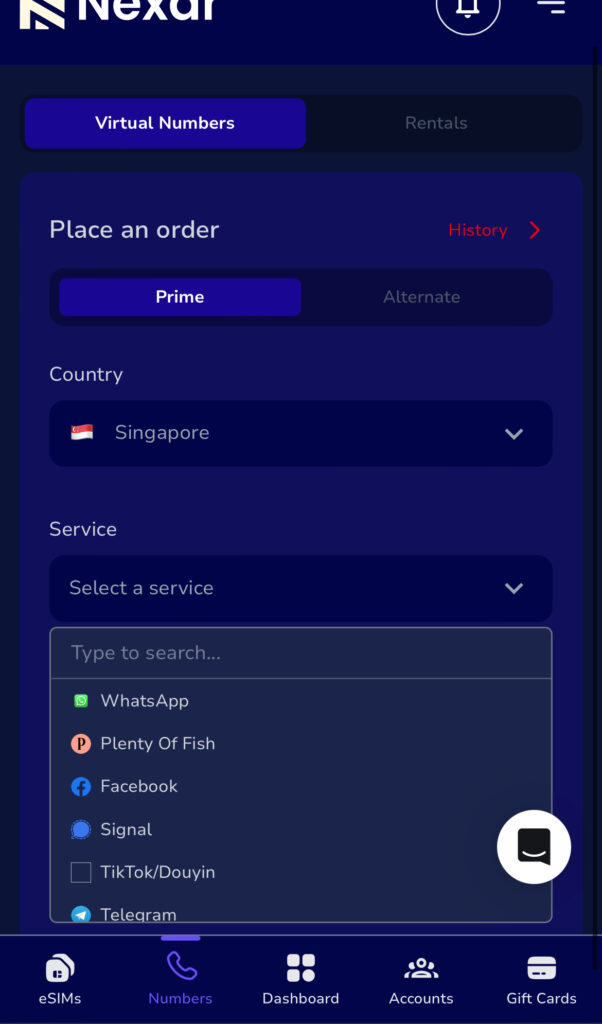
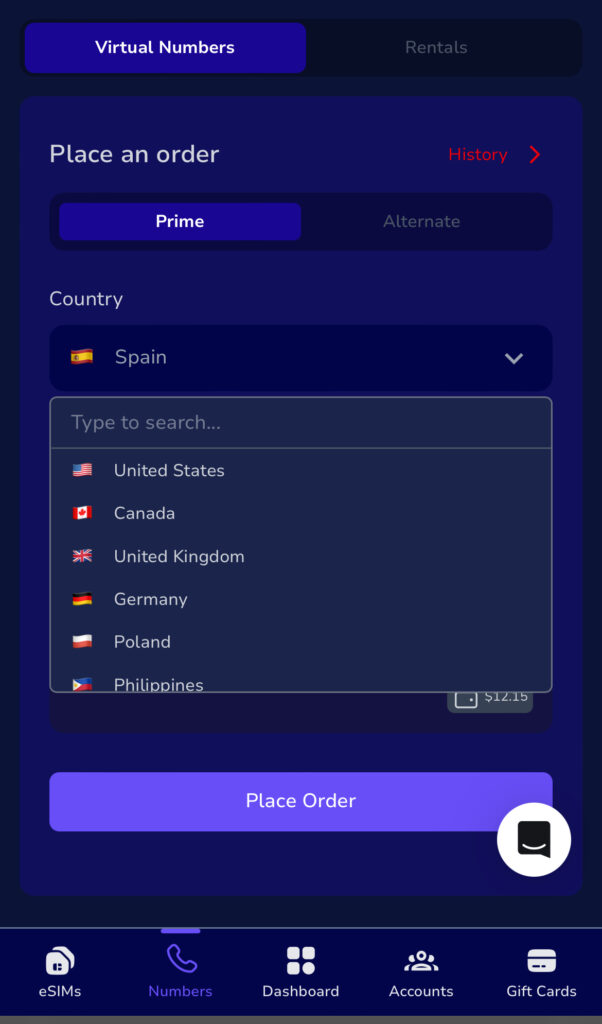
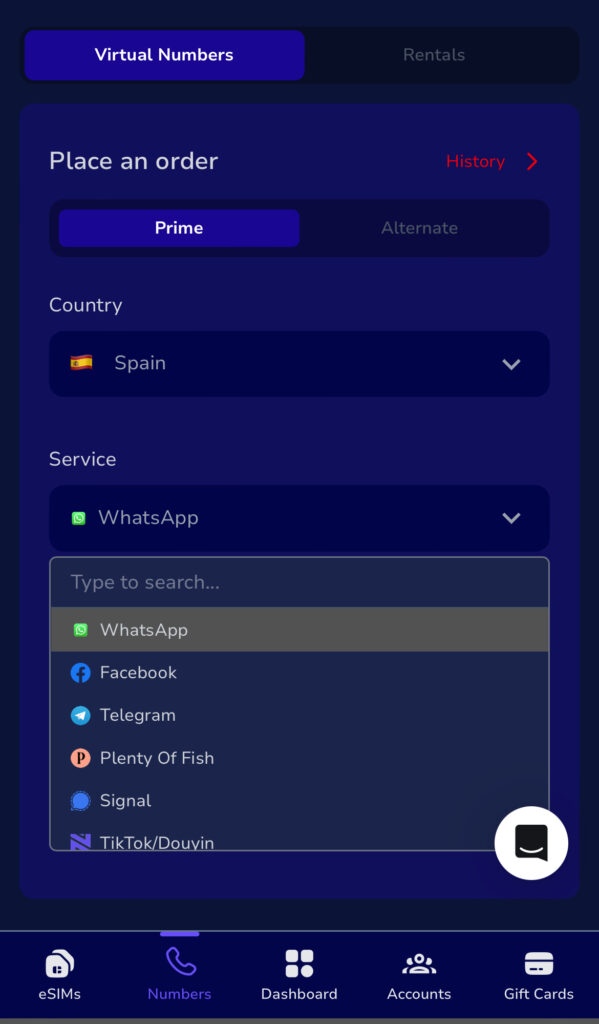
Step 4: Search Germany in the “Country field” and select for which Service in the ”Service field”
Step 5: Place Order
Click on the place order to receive the number, request for code from the other platform and copy the verification code from the page.
Benefits of Buying Germany Virtual Number from NexarHQ
Choosing NexarHQ when you buy Germany number online offers several advantages:
1. Easy Nigerian Payment Options. No international card restrictions.
2. Instant Delivery. Your Germany virtual number in Nigeria is activated quickly.
3. Verified & Tested Numbers. No risk of blacklisted or recycled numbers.
4. Local Customer Support. Faster issue resolution compared to foreign platforms.
5. Vast Countries. We have virtual numbers from over 180 countries available.
6. Available for various services and platforms for verification.
For Nigerian freelancers and digital entrepreneurs, this convenience makes a major difference.
Common Issues People Have with Germany Virtual Numbers
While getting a Germany virtual number in Nigeria is easy, some users still encounter avoidable challenges.
Below are the most common problems and why they happen:
1. SMS Not Receiving
Some platforms block VoIP numbers entirely. Even after you buy Germany number online, certain apps may refuse to send verification codes to virtual numbers.
2. Blacklisted or Recycled Numbers
Cheap providers sometimes resell previously used numbers. This can cause account verification failure or instant bans when using your German virtual number.
3. Shared Public Numbers
Free or public numbers are often shared by multiple users. This makes them unreliable and unsafe for serious registrations.
4. Region Restrictions
Some platforms require proof of German residency. Even if you purchase a Germany virtual number in Nigeria, additional verification may be requested.
5. Not Connected to a Strong VPN
Another common issue when activating a Germany virtual number in Nigeria is not using a stable and strong VPN. Some platforms monitor IP addresses and may flag your account if your location doesn’t match Germany during setup.
To avoid this:
Use a reliable premium VPN
Connect to a Germany server
Maintain a stable connection throughout registration
Avoid switching locations mid-process
A weak or unstable VPN can interrupt activation, delay SMS delivery, or trigger security restrictions
Frequent Asked Questions about Germany Virtual Numbers
1. How can I get a Germany virtual number in Nigeria?
You can register with a VoIP provider or purchase directly from NexarHQ by selecting Germany under virtual numbers and completing payment.
2. Is it legal to use a German virtual number?
Yes, it is legal as long as it is not used for fraudulent or illegal activities.
3. Can I receive SMS with a Germany virtual number in Nigeria?
Yes, most providers offer SMS-enabled numbers suitable for verification.
4. How much does it cost to buy Germany number online?
Prices typically range between $0.5 and $3
Conclusion
Getting a Germany virtual number in Nigeria is now simple and accessible. Whether you’re verifying accounts, expanding your business, or protecting your privacy, the right provider ensures a smooth experience.
If you prefer local payment options, fast delivery, and reliable support, NexarHQ is one of the easiest ways to buy Germany number online without stress.
A Singapore virtual number in Nigeria gives you instant access to platforms that would normally reject your local line.
No flights to Asia.
No begging friends abroad.
No refreshing your screen waiting for an OTP that never comes.
Instead, you receive your verification code within seconds and complete your registration without stress.
For many Nigerians; freelancers, business owners, crypto users, and remote workers this simple solution removes one of the biggest barriers to accessing global platforms.
If you’re new to digital numbers, start with our guide on how virtual numbers work for online verification so you understand exactly what you’re buying.
In this guide, you’ll learn how to buy a Singapore virtual number in Nigeria step by step, how a Singapore OTP number works, and how to activate a Singapore virtual SIM quickly using Nexar.
What Is a Singapore Virtual Number in Nigeria?
A Singapore virtual number in Nigeria is a digital +65 number you use online for verification.
It is not:
A physical SIM card
A permanent calling line
A number you keep forever
It is mainly used to receive a Singapore OTP number so you can complete signup on a platform.
Some people call it a Singapore virtual SIM, but everything works digitally on the Nexar website. No shipping. No hardware. No stress.
Why You May Need a Singapore Virtual Number in Nigeria
Here’s the honest truth.
Many Singapore platforms prefer local numbers. When you use a Nigerian line, the system may automatically block it.
If you are:
A freelancer opening a Singapore tool
A business owner targeting Asian customers
A crypto user verifying an exchange
Someone registering for an international service
You may need a Singapore virtual number in Nigeria to move forward.
Instead of getting stuck at verification, you receive your Singapore OTP number and complete registration immediately.
Important: It’s a One-Time Number
Let’s make this very clear.
Your Singapore virtual number in Nigeria from Nexar is a one-time verification number.
That means:
You receive your Singapore OTP number
You complete the signup
The session ends
It’s not meant for calls.
It’s not for long-term messaging.
If you need another verification later, you can simply buy another Singapore virtual SIM session inside the app.
This keeps things affordable and secure.
How to Buy a Singapore Virtual Number in Nigeria (Step-by-Step)
Trying to sign up for an international platform but getting blocked because you don’t have a US line? Many Nigerians face this issue daily. Certain apps, freelance platforms, and online services either restrict Nigerian numbers or require a US number for verification.
That is why many people search for how to get a free US number in Nigeria.
In this guide, you’ll learn how it works, where to get one, the risks involved, and a safer alternative if you need reliability.
What Is a Free US Number in Nigeria?
A free US number in Nigeria is a virtual phone number with a United States country code that you can access online without owning a physical SIM card.
These numbers are typically used to receive SMS verification codes, also known as OTPs. Most platforms require phone verification before allowing full access. A US number for verification helps you complete those sign-ups without using your Nigerian SIM.
A free virtual US number works over the internet. You do not insert a SIM into your phone. Instead, you access messages through a website or dashboard.
Why People Look for a Free US Number in Nigeria
There are common reasons Nigerians try to get a free US number in Nigeria:
1. Platform Restrictions
Some international services limit features for Nigerian numbers. Using a US number for verification can help complete registration.
2. Freelancing and Remote Work
Freelancers signing up on global marketplaces sometimes need a US contact number during setup.
3. Online Payments and Tools
Certain tools occasionally request a US number during onboarding or security verification.
4. Privacy
Some users prefer not to expose their personal Nigerian number across multiple websites.
Because of these reasons, demand for US numbers in Nigeria continues to grow.
How to Get a Free US Number in Nigeria
There are websites that provide temporary public US numbers. Here’s how the process works:
Choose from the list of available US numbers displayed.
Step 3: Enter the Number on the Target Platform
Use the selected number during sign-up.
Step 4: Wait for the OTP
Refresh the inbox page to check for your verification code.
Step 5: Complete Registration
Copy the code and finish signing up.
This method allows you to access a free US number in Nigeria instantly, but here is a disclaimer: free numbers comes with lots of risk that you must be aware of. Let’s get into it so that you can weigh your pros and cons.
Risks of Using a Free Virtual US Number
Before using a free virtual US number, here are some downsides you must not ignore:
Messages are public. Anyone can see the OTP.
Delivery may fail or delay.
Some platforms block public numbers.
Numbers change frequently.
You may lose account access later.
Free numbers are suitable only for temporary or low-risk accounts. They are not recommended for banking, sensitive services, or long-term business use.
Free vs Paid US Numbers
While a free US number in Nigeria sounds attractive, it often lacks stability.
Paid virtual numbers provide:
Private access
Faster OTP delivery
Reusable numbers
Better account security
Customer support
If you need a reliable US number for verification for business or long-term use, a paid option is safer.
How to Get a Secure US Number in Nigeria
Here’s a practical guide on how to get a US virtual number in Nigeria using Nexar:
Once activated, your US virtual number is ready. You can use it for WhatsApp, PayPal, calls, SMS, and any platform that requires verification.
Frequently Asked Questions
1. Can I really get a free US number in Nigeria?
Yes. Some websites provide public US numbers. However, they are shared and not private.
2. Is a free virtual US number safe?
It is safe only for low-risk, temporary sign-ups. It is not secure for important accounts.
3. Why didn’t my US number for verification work?
Some platforms block public or recycled numbers. This is common with free services.
4. Can I keep a free US number permanently?
No. Free numbers rotate frequently and are not assigned to one user.
5. What is the best way to get a reliable US number in Nigeria?
If you need stability, Nexar is the better option. Nexar provides reusable US numbers for OTP verification and rental numbers for long‑term use, giving you more control and consistent access compared to free services.
Final Thoughts
Getting a free US number in Nigeria can work for temporary sign‑ups, but free services often come with delays, public inboxes, and blocked numbers.
If you need something more reliable, Nexar is the better option. You get a secure US number for verification without the risks that come with public platforms.
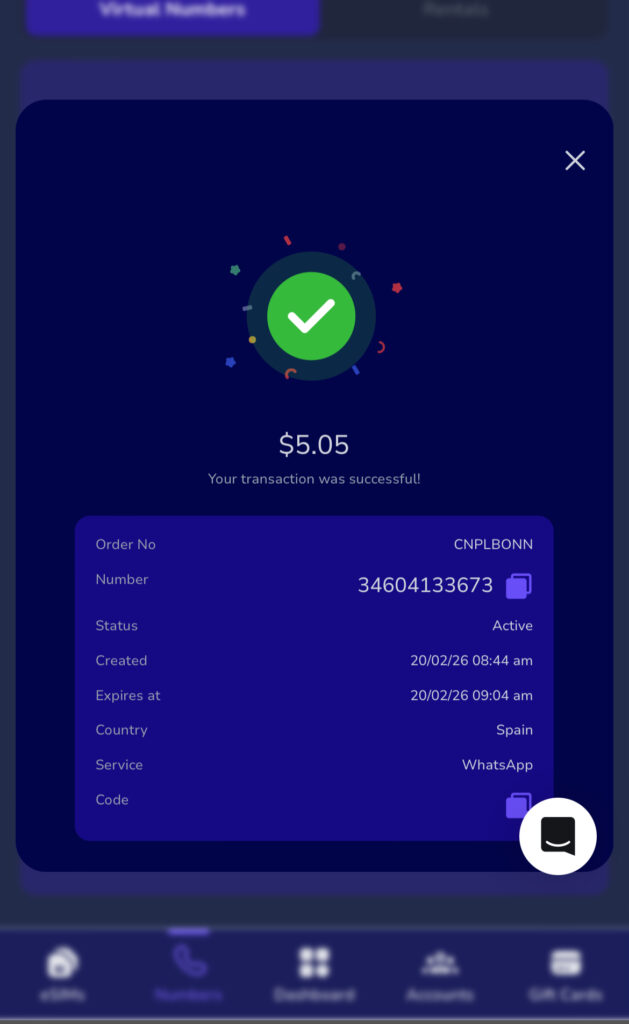
You try signing up on a Spanish website. Everything goes smoothly until you enter your Nigerian number and then nothing happens. No SMS. No verification code. Just frustration.
That’s why more people are now searching for a Spain virtual number in Nigeria. Whether you’re a freelancer, business owner, remote worker, or just trying to access a Spanish platform, having a Spanish number removes unnecessary roadblocks.
The good news? You don’t need to travel or buy a physical SIM. You can buy a Spanish number online in minutes using Nexar.
What exactly is a Spain Virtual Number?
A Spain virtual number is simply a +34 number you can use online without owning a physical SIM card. Spain uses the +34 country code, according to the International Telecommunication Union (ITU), which manages global telecom standards and country numbering systems.
You receive SMS and verification codes directly from your dashboard or app. That means you can stay in Nigeria and still operate like you’re in Spain.
For many users, a Spain virtual number in Nigeria becomes a business tool, not just a phone number.
Why Nigerians Choose Spain Virtual Number in Nigeria
Here’s what people are actually using it for:
Registering on Spanish apps and websites
Verifying WhatsApp for clients
Creating accounts on freelance platforms
Managing international ads
Protecting personal Nigerian numbers
Instead of struggling with blocked signups, a Spain virtual number in Nigeria gives you smoother access.
And yes it works even if you’ve been rejected before.
The Mistakes People Make When They Buy a Spain Number Online
Let’s talk real.
Many Nigerians try to buy Spanish numbers online from random websites because it looks cheaper. But here’s what usually happens:
The number stops working after one use
SMS never arrives
The platform blocks the number
There’s no customer support
Free or random providers often recycle numbers. That’s risky, especially if you’re using it for business.
If you want stability, you need a Spain virtual number in Nigeria, not a shared public number.
How to Buy a Spain Virtual Number in Nigeria Using Nexar
Now let’s fix the problem properly.
If you want to buy Spain number online safely, Nexar keeps everything simple.
Step 1: Visit the Nexar Website
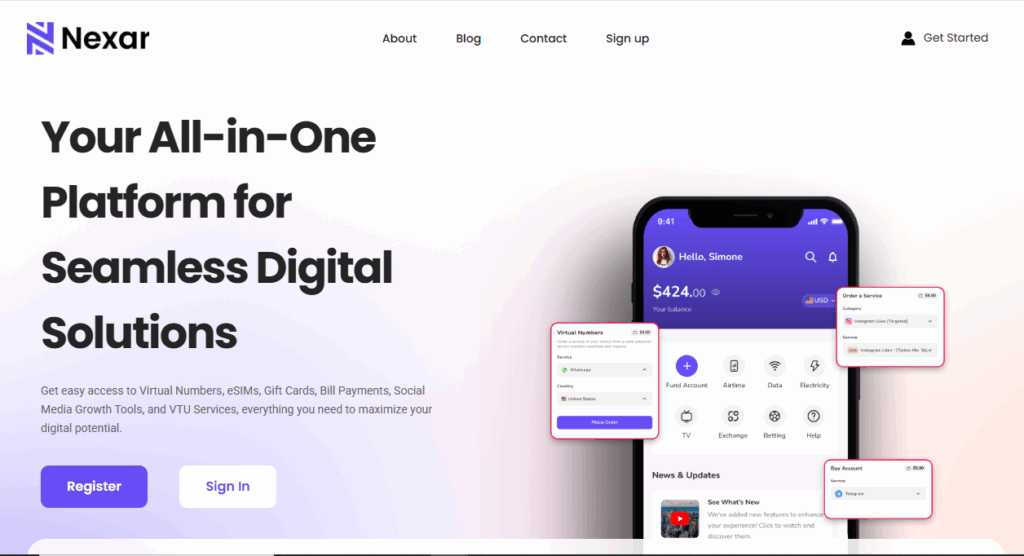
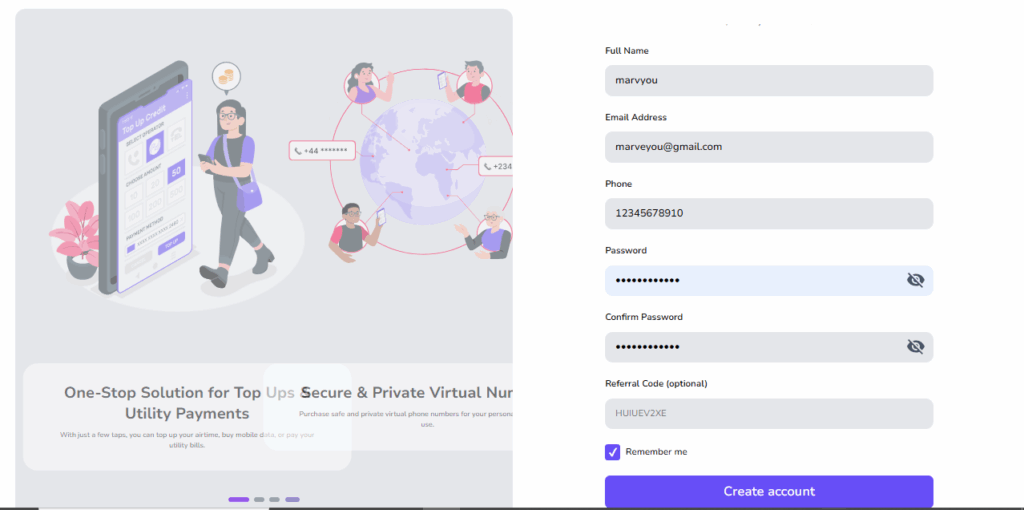
Visit the Nexar website and create your account. It’s built for Nigerians, so payment works smoothly.
Step 2: Go to Virtual Numbers
Inside the website, tap on Virtual Numbers and select Spain.
Step 3: Choose Your Platform
Pick the platform you want to verify (WhatsApp, Telegram, etc.). Nexar assigns numbers optimized for specific platforms.
Step 4: Complete Payment
Go ahead and make your payment . No foreign card stress.
Step 5: Receive Your Spain Virtual Number Instantly
Once payment is confirmed, your Spain virtual number in Nigeria is ready to use immediately.
Not all providers understand how African users struggle with international verification.
Nexar focuses on reliability and transparency.
When you get a Spain virtual number in Nigeria from Nexar, you get:
Stable SMS delivery
Platform-compatible numbers
Transparent pricing
Quick activation
Support that understands Nigerian users
Instead of gambling with unknown sites, you use a solution built for you.
Spain Virtual Number vs Free Online Numbers
Let’s compare honestly:
Free online numbers:
Are public
Get blocked quickly
Often fail verification
Have zero support
A proper Spain virtual number from Nexar:
Is secure
Works for targeted platforms
Delivers SMS reliably
Comes with support
If you’re serious about business or account access, the choice is obvious.
Is It Legal to Use Spain Virtual Number?
Yes. Using Spain virtual number in Nigeria is legal for business communication, account verification, and online registration. Just make sure you follow the terms of the platform you’re signing up for.
Frequently Asked Questions About SpainVirtual Number in Nigeria
Q. Can I really use Spain virtual number in Nigeria without traveling?
Yes, you can. A Spain virtual number in Nigeria works completely online. You don’t need to travel to Spain or buy a physical SIM card. Once you activate it through Nexar, you receive SMS verification codes directly in the app.
That’s why many freelancers and business owners prefer it. If you also plan to travel to Spain, you may want to explore our guide on how to buy an eSIM from Nigeria to stay connected physically while using your virtual number online.
Q. What platforms can I verify with a Spain virtual number in Nigeria?
You can use a Spain virtual number in Nigeria for:
WhatsApp
Telegram
Freelance websites
Social media verification
Just make sure you select the correct platform inside Nexar before purchasing.
Q. Is it safe to buy Spain number online?
Yes, if you use a trusted provider.
Buying from random websites or free number platforms can expose you to recycled or blocked numbers. But when you buy Spain number online through Nexar, you get a secure and platform-optimized number designed to work.
Q. Why is my Spain virtual number not receiving SMS?
This usually happens when:
The number is shared publicly
The platform has blocked recycled numbers
The provider does not support that platform
A reliable Spain virtual number in Nigeria from Nexar reduces this issue because numbers are assigned based on compatibility.
Q. Do I need a VPN to use a Spain virtual number?
In most cases, Yes. A Spain virtual number in Nigeria does not work for verification without a VPN. However, some Spanish platforms may require location matching. Always check the platform’s policy before signing up.
Quick Takeaways
A Spain virtual number in Nigeria helps you bypass verification restrictions
It works for freelancers, businesses, and individuals
You can buy Spain number online safely using Nexar
Avoid free public numbers if you want reliability
Ready to Get Started?
If you’re tired of failed signups and blocked numbers, stop wasting time.
Visit the Nexar website and get your Spain virtual number in Nigeria today.
In Nigeria, creating a TikTok account should be simple but for many people, it’s not. You enter your phone number, wait for the code and nothing comes in. Or worse, TikTok rejects the number entirely. This has become more common as TikTok tightens verification and Nigerian users face network delays, reused numbers, and blocked SMS routes.
That’s where a Virtual Number for TikTok comes in. If you’re trying to grow a brand, manage multiple accounts, or simply want a reliable way to sign up, using a virtual number can save you time, stress, and repeated failed attempts.
In this guide, you’ll learn exactly how a Virtual Number for TikTok works, why it’s useful in Nigeria, and how Nexar makes the process simple and secure.
What Is a Virtual Number for TikTok?
A Virtual Number for TikTok is a phone number that works online without a physical SIM card. You can receive SMS verification codes on it just like a normal phone number.
When you use a Virtual Number for TikTok, TikTok sends your signup or login code to that number instead of your personal line. This helps you avoid common issues like:
SMS not delivering
Network restrictions
Reusing your personal number
For many people, a Virtual Number for TikTok is simply a smarter and more flexible option.
Why Nigerians Use a Virtual Number for TikTok
Let’s talk about real-life challenges Nigerians face and how a Virtual Number for TikTok helps.
SMS verification fails too often
Local networks sometimes block or delay international SMS. A Virtual Number for TikTok uses global SMS routes that deliver faster.
You want privacy
Using your main phone number on social apps isn’t always ideal. A Virtual Number for TikTok keeps your personal line private.
You manage multiple accounts
If you’re a content manager or business owner, you may need more than one account. A Virtual Number for TikTok makes this possible without buying multiple SIM cards.
Can You Create a TikTok Account with a Virtual Number?
When you create a TikTok account with a virtual number, TikTok treats it like any other phone number. The difference is reliability. Clean, trusted numbers work. Random or recycled ones often fail.
This is why choosing the right provider matters when you want to create a TikTok account with a virtual number.
How to Create a TikTok Account with a Virtual Number (Step-by-Step Guide)
Here’s a simple, beginner-friendly way to use a Virtual Number for TikTok:
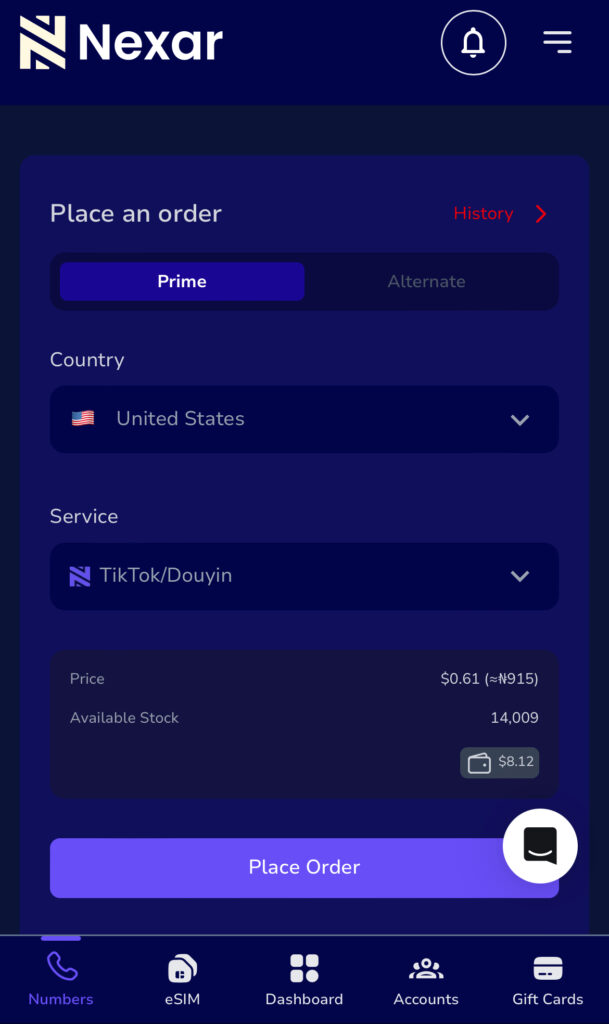
Step 1: Get a virtual number from Nexar
On Nexar, you can buy a Virtual Number for TikTok that supports real SMS delivery.
Step 2: Open TikTok
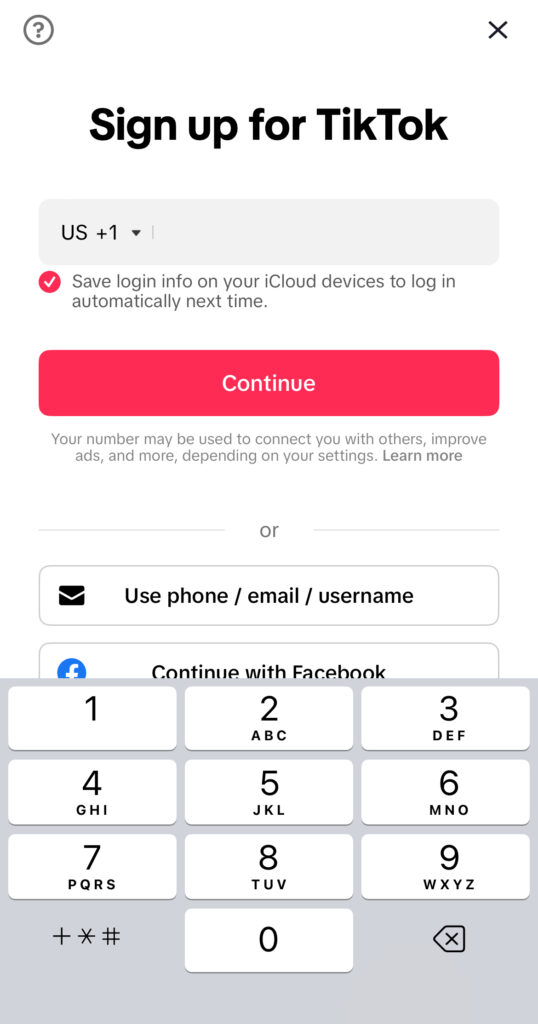
Download and open TikTok, then select Sign up with your phone number.
Step 3: Enter the virtual number
Input your Virtual Number for TikTok exactly as shown on Nexar.
Step 4: Receive your code
The SMS code will appear inside your Nexar dashboard.
Step 5: Complete signup
Enter the code and finish creating your account.
This process allows you to create a TikTok account with a virtual number without delays or repeated failures.
A trusted TikTok virtual number Nigeria option should be:
Clean and unused
SMS-enabled
Delivered through stable routes
Nexar provides TikTok virtual number Nigeria users trust because the numbers are designed specifically for verification.
Why Choose Nexar for a Virtual Number for TikTok
Here’s why Nexar stands out when you need a Virtual Number for TikTok:
When it comes to creating or managing a TikTok account in Nigeria, the biggest problem is rarely TikTok itself, it’s verification. Delayed SMS codes, rejected numbers, and sudden account locks are common issues. This is exactly where Nexar stands out as a reliable solution.
Here’s why using Nexar for a Virtual Number for TikTok makes practical sense:
Reliable SMS delivery that actually works
One major frustration with TikTok verification is not receiving the code on time or at all. Nexar provides virtual numbers that are optimized for SMS verification, so when TikTok sends a code, it arrives promptly. This removes the stress of retrying multiple times or getting blocked for “too many attempts.”
Numbers designed for real account creation
Not all virtual numbers are accepted by TikTok. Many free or low-quality services use recycled or flagged numbers that TikTok instantly rejects. Nexar offers clean, tested virtual numbers that are suitable for TikTok sign-ups, making it easier to create a TikTok account with a virtual number successfully on the first try. TikTok itself recommends using valid and accessible phone numbers for account verification to avoid login or security issues. According to TikTok’s official support documentation on account sign-ups and verification.
Built for Nigerians and Africans
Most global platforms aren’t designed with Nigerian users in mind. Nexar is different. From payment options to number availability, everything is structured to work smoothly in Nigeria. That means no foreign cards, no complicated setups, and no guessing games. For users in Nigeria, Nexar is designed to work with local payment options and regional needs. You can easily purchase a number directly from the website and complete verification without using foreign cards or complicated workarounds. You can learn more about how Nexar works and its virtual number features.
Quick setup, no technical knowledge needed
You don’t need to be tech-savvy to use Nexar. You can buy a virtual number directly from the app, receive your SMS in real time, and complete TikTok verification in minutes. The process is simple enough for beginners and efficient enough for creators managing multiple accounts.
Better account safety and flexibility
Using a Virtual Number for TikTok through Nexar also gives you more control. You’re not forced to tie your personal SIM to every account, which helps with privacy and account management especially if you’re a creator, business owner, or marketer running multiple TikTok profiles.
Trusted platform, not a random SMS site
Unlike random SMS websites that disappear overnight, Nexar is a full platform offering virtual numbers, eSIMs, and digital services. This stability matters when your TikTok account and your content depends on it.
This makes Nexar ideal if you want to create a TikTok account with a virtual number smoothly.
Common Mistakes to Avoid When Using a Virtual Number for TikTok
Even with a good Virtual Number for TikTok, mistakes can cause issues:
Reusing the same number for too many accounts
Waiting too long to enter the SMS code
Using free or shared numbers
Using a trusted TikTok virtual number Nigeria solution reduces these risks.
FAQs About Virtual Number for TikTok
Q. Is using a Virtual Number for TikTok safe?
Yes. As long as the number is clean and SMS-enabled.
Q. Can I create multiple accounts with a virtual number?
Yes, but it’s best to use separate numbers for each account.
Q. Does TikTok accept virtual numbers in Nigeria?
Yes. Many users successfully use a TikTok virtual number Nigeria providers offer.
Key Takeaways
A Virtual Number for TikTok helps you bypass SMS issues
You can create a TikTok account with a virtual number easily
Nigerians use virtual numbers for privacy and reliability
You finally sit down to relax, open your Xbox, and then it happens; payment declined.
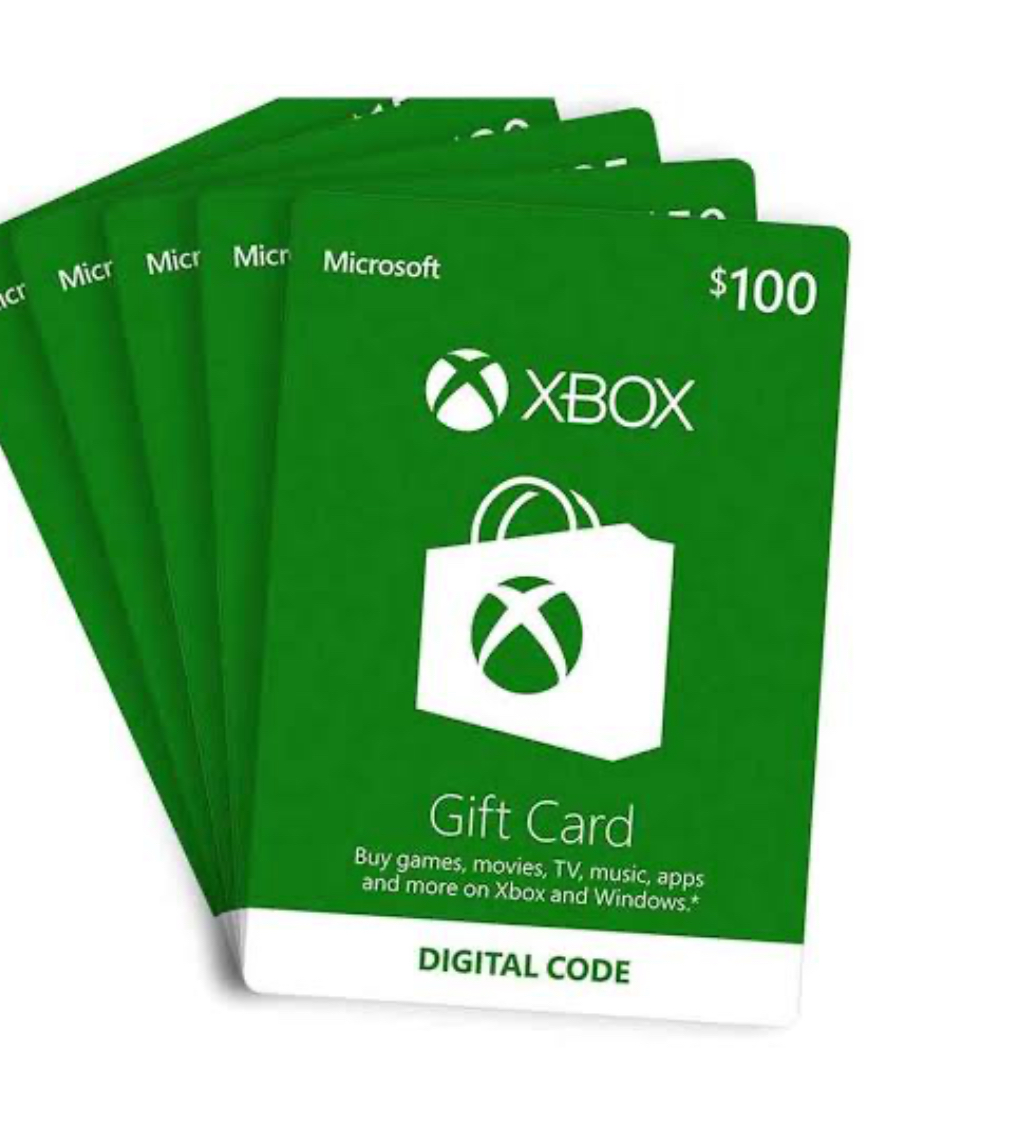
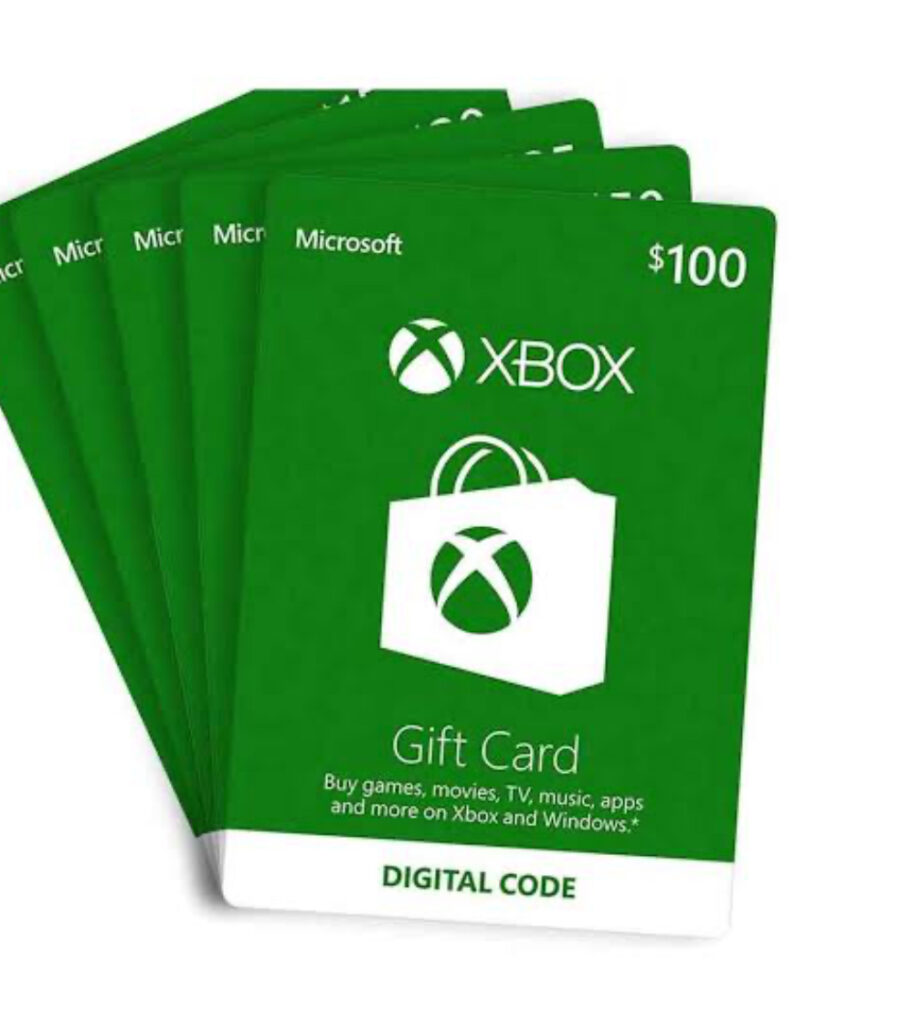
For many gamers, trying to buy Xbox gift cards in Nigeria feels harder than winning a ranked match. Nigerian debit cards often don’t work on the Microsoft Store, dollar cards are unreliable, and buying from random online sellers can easily lead to scams.
That’s why more Nigerians now use digital platforms like Nexar, which removes these payment barriers completely.
What Is an Xbox Gift Card and Why Nigerians Use It
An Xbox gift card lets you load money into your Microsoft account and pay for:
Games and add-ons
Xbox Game Pass subscriptions
In-game purchases and movies
Most Nigerians rely on Xbox digital gift cards because Xbox transactions are chargedi in dollars and local cards frequently fail. According to Microsoft’s official guide on how Xbox gift cards work, gift cards are one of the safest ways to fund your account.
Common Mistakes Nigerians Make When Buying Xbox Gift Cards
Let’s be honest, most Nigerians don’t mess up because they’re careless. We mess up because the system isn’t built for us. Here are a few mistakes that happen all the time when people try to buy Xbox gift cards in Nigeria.
Buying from Random Sellers “Because It’s Cheap”
You see a Twitter or WhatsApp seller offering a lower price, and it’s tempting. But many Nigerians have paid for codes that were already used or never delivered at all. Once the money leaves your account, there’s usually no way to recover it.
Not Checking the Region Before Buying
This one hurts the most. You buy a US Xbox gift card, rush to redeem it and then it refuses to work because your Xbox account is set to another country. Xbox gift cards are region-locked. A US gift card must be redeemed on a US Xbox account. Microsoft clearly explains this on their Xbox regional policy page.
Getting Shocked by Hidden Charges
Some platforms don’t show the full cost upfront. You think you’re paying one amount, then extra fees suddenly appear at checkout. That’s how the Xbox gift card Nigeria price quietly increases without warning.
Relying on Debit or Dollar Cards That Fail
Many Nigerians still try to pay directly on the Microsoft Store with local cards. Most times, the transaction fails, and you’re left frustrated. That’s why many gamers now prefer Xbox digital gift cards instead of direct card payments.
How to Buy Xbox Gift Cards in Nigeria Using Nexar
If you want to buy Xbox gift cards in Nigeria instantly, Nexar makes the process simple.
Start by visiting the Nexar website . Nexar is built specifically for Africans, so payments work smoothly with Nigerian banks.
You can also read our internal guide on how to buy digital gift cards on Nexar to understand how gift card purchases work across different brands.
Step 2: Create or Log Into Your Account
Sign up with your email or phone number. Verification is fast and secure.
Step 3: Select Xbox Gift Cards
Inside the app:
Choose Xbox digital gift cards
Select the gift card region (usually US)
Pick your preferred amount
Nexar displays the Xbox gift card Nigeria price upfront, so you know exactly what you’re paying.
Step 4: Pay Using Local Methods
You can pay using Nigerian bank transfers or your Nexar wallet, no dollar card required.
Step 5: Receive Your Code Instantly
Once payment is confirmed, your Xbox gift card code appears instantly in the app and is also sent to your email.
How to Redeem Xbox Digital Gift Cards
After you buy Xbox gift cards in Nigeria, redeeming is easy:
Log in to your Microsoft or Xbox account
Go to Redeem Code
Enter the gift card code
Microsoft also provides a step-by-step walkthrough on their official Xbox redemption support page if you need extra guidance.
Xbox Gift Card Nigeria Price: What Influences It?
The Xbox gift card Nigeria price depends on:
Dollar exchange rates
Gift card value
Platform fees
Unlike informal sellers, Nexar shows real-time pricing before checkout. This transparency helps you plan better and avoid overpaying.
Why Nigerians Trust Nexar for Xbox Gift Cards
Here’s why Nexar stands out:
Designed for Nigerians and Africans
Instant delivery of Xbox digital gift cards
Transparent pricing
Secure transactions
No fake or reused codes
Instead of juggling multiple apps, Nexar lets you manage gift cards, virtual numbers, and other digital tools in one place. You can also explore other digital services available on Nexar directly from the app.
Quick Takeaways
You can buy Xbox gift cards in Nigeria instantly without a dollar card
Xbox gift cards bypass payment decline issues
Nexar shows the real Xbox gift card Nigeria price upfront
Always match your gift card region with your Xbox account
Ready to Buy Xbox Gift Cards Instantly?
If you’re tired of failed payments and unreliable sellers, Nexar gives you a safer alternative.
Visit the Nexar website and buy Xbox gift cards in Nigeria instantly.
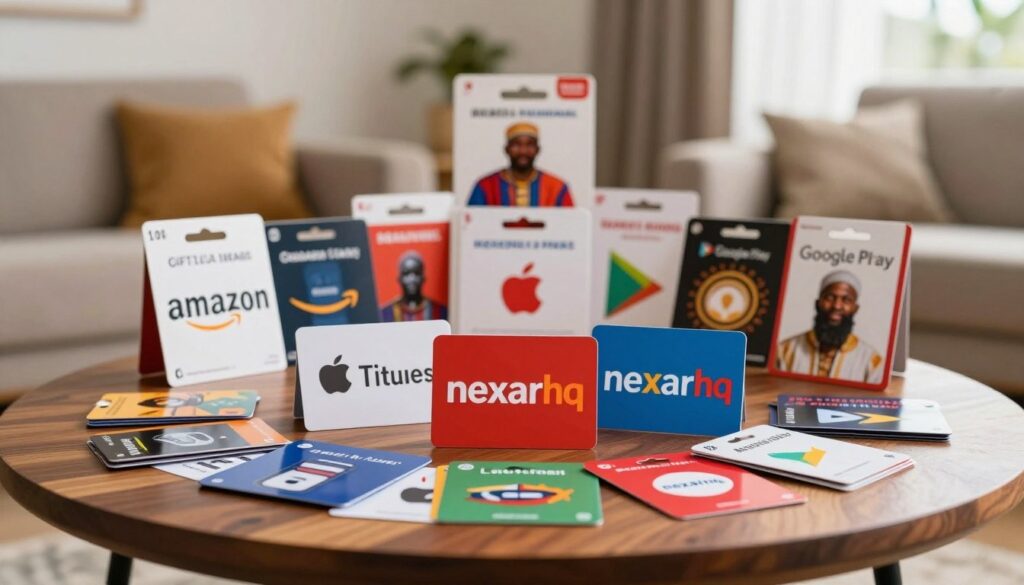
Gift cards have become a major part of Nigeria’s digital economy. What used to be a simple gifting option is now a practical way to shop online, access international services, and even store value. As internet access expands and digital payments become more common, more Nigerians rely on gift cards for everyday transactions.
Understanding the popular gift cards in Nigeria helps consumers make informed choices and helps businesses serve customers better.
The Growing Gift Card Market in Nigeria
The Nigerian gift card market has grown steadily over the last few years. This growth is closely connected to online shopping, mobile payments, and digital subscriptions.
Digital gift cards are becoming more common than physical cards because they are easier to send and use instantly. This shift toward digital convenience continues to increase demand for popular gift cards in Nigeria.
For buyers who want secure transactions, platforms like Nexar have become a reliable option for accessing digital products and gift cards safely.
Popular Gift Cards in Nigeria
Below are some of the most commonly used gift cards in the country.
1. Amazon Gift Cards
Amazon gift cards are widely used for international online shopping. Nigerians use them to buy electronics, books, fashion items, and accessories from global sellers.
Their flexibility and access to international products make them one of the most popular gift cards in Nigeria.
2. Apple iTunes and App Store Gift Cards
These gift cards are especially popular among iPhone and iPad users. They are used to pay for:
Apps
Subscriptions
Movies and music
iCloud storage
Apple gift cards provide easy access to digital services without payment restrictions.
3. Google Play Store Gift Cards
Because Android devices dominate Nigeria’s smartphone market, Google Play gift cards are in high demand.
They are used for:
Apps
Games
In-app purchases
Digital subscriptions
This makes them part of the popular gift cards in Nigeria digital services ecosystem.
4. Netflix Gift Cards
Netflix gift cards allow users to subscribe to streaming services without linking bank cards. As streaming becomes more common in Nigeria, demand for these cards continues to grow.
They are among the popular gift cards in Nigeria for entertainment.
5. PlayStation Network Gift Cards
PlayStation gift cards are popular among console gamers. They allow users to purchase:
Games
PlayStation Plus subscriptions
Downloadable content
Nigeria’s growing gaming culture contributes to their popularity.
6. Xbox and Steam Gift Cards
Xbox and Steam gift cards are also widely used by gamers. Steam cards are especially common among PC gamers, while Xbox cards serve console users.
Together, they represent another segment of popular gift cards in Nigeria tied to digital entertainment.
Why Nigerians Buy Gift Cards
Several factors explain the demand for gift cards in Nigeria.
1. Access to International Platforms
Gift cards allow Nigerians to pay for global platforms that may not accept local cards. This makes them a reliable payment alternative.
2. Value Preservation
Some consumers buy international gift cards to protect value during currency fluctuations. This economic factor contributes to the demand for popular gift cards in Nigeria.
3. Convenience in Gifting
Gift cards simplify gifting decisions by allowing recipients to choose what they want. This flexibility makes them a modern gifting option.
Gift Card Trading in Nigeria
Gift cards are not only used for purchases. They are also traded. Many people sell unused gift cards or exchange them for cash through online platforms and peer-to-peer networks.
This trading culture contributes to the continued demand for popular gift cards in Nigeria, although trust and fraud concerns still exist.
Challenges in the Nigerian Gift Card Market
The Nigerian gift card market is growing, but it faces many challenges. These issues affect its growth and how much people trust it. It’s important to tackle these problems to keep the market growing and to keep people’s trust.
1. Fraud and Security Concerns
Fraud and security worries are big problems for the Nigerian gift card market. Scams like phishing and card skimming are getting smarter. This leads to money lost by both buyers and sellers. To fight these scams, sellers and banks need to use strong security like encryption and two-factor authentication.
2. Regulatory Issues and Government Policies
Rules and government policies are also hurdles for the Nigerian gift card market. The Central Bank of Nigeria (CBN) has set rules for gift cards. These rules aim to protect buyers but can be hard for sellers to follow.
3. Exchange Rate Fluctuations Impact
Changes in the exchange rate are another big challenge. The naira’s value can change a lot, affecting the worth of gift cards. This can cause losses for both buyers and sellers. It’s key to think about these risks when buying or using gift cards.
Challenge
Impact
What You Should Do
Fraud and Security Concerns
Financial losses for consumers and retailers
Implement robust security measures, such as encryption and two-factor authentication
Regulatory Issues
Compliance challenges for retailers and gift card issuers
Stay updated with CBN regulations and ensure compliance
Exchange Rate Fluctuations
Losses due to naira volatility
Consider exchange rate risks when purchasing or redeeming gift cards
Frequently Asked Questions (FAQs)
What are the most popular gift cards in Nigeria?
Some of the most popular gift cards in Nigeria include Amazon, Apple iTunes, Google Play, Netflix, PlayStation Network, Xbox, and Steam gift cards.
Why are international gift cards more common in Nigeria?
International gift cards give users access to global platforms and services that may not support local payment methods.
Are digital gift cards better than physical gift cards?
Digital gift cards are more commonly used because they are delivered instantly and are easier to redeem online.
Is it safe to buy gift cards online in Nigeria?
Yes, as long as buyers use trusted platforms. Reliable providers like Nexar help reduce fraud risks by offering secure transactions.
Conclusion
Gift cards are now an important part of how Nigerians shop online, access global services, and give digital gifts. From Amazon and Apple to Netflix and gaming platforms, the popular gift cards in Nigeria reflect the country’s growing connection to global digital services.
As demand continues to grow, using trusted platforms like Nexarhq can help consumers buy and use gift cards safely and conveniently.
Leaving Nigeria for a new life abroad is both thrilling and tough. Many Nigerians worry about keeping their phone number when they move. It’s key for staying in touch with loved ones and business contacts.
Without a way to keep your Nigerian number active, you might miss calls and messages. Luckily, there are ways to retain your Nigerian phone number while abroad. This article will look at the hurdles and options you have.
In this article, you will:
Understand the importance of retaining your Nigerian phone number abroad.
Preparing Your Nigerian Number Before Departure
Discover available solutions to maintain your Nigerian phone number.
How to Keep Nigerian Number Abroad with Minimal Costs
Keeping your Nigerian number active while abroad is very important. Today, it’s key to stay connected with family, friends, and business contacts back home.
1. Personal Connections and Relationships
Having your Nigerian number active lets you keep in touch with loved ones. You can get calls and messages from family and friends. This is especially important for staying close to children, spouses, or elderly parents who might not use new tech.
2. Business and Professional Contacts
For professionals, keeping a Nigerian number is crucial. It lets clients and colleagues reach you easily. This consistency builds trust and keeps professional relationships strong.
3. Banking and Two-Factor Authentication Services
Nigerian banks and online services use your phone number for 2FA. Keeping your number active means you can get these codes, even abroad. This is key for accessing your bank accounts and keeping your online presence safe. Without your Nigerian number, you might lose access to your accounts or face financial risks.
Preparing Your Nigerian Number Before Departure
Before you leave, make sure your Nigerian number works abroad. This is key to staying in touch with friends and family back home. With the right steps, you can keep your communication flowing without a hitch.
1. Activating International Roaming Services
Start by turning on international roaming with your provider. Nigerian telecoms like MTN, Airtel, Glo, and 9mobile have this service. Just call your provider or use their app to get it started.
2. Updating Your Account Information and KYC Details
Update your account and KYC details before you go. This keeps your account active and meets legal rules. Your provider will tell you how to do this, maybe online or in person.
3. Setting Up Auto-Recharge Options
Think about auto-recharge for your Nigerian number. It keeps your account topped up automatically. This way, you won’t lose your number due to low funds. Most providers let you set this up through their apps or websites.
How to Keep Nigerian Number Abroad with Minimal Costs
1. Periodic Recharging Strategy
One smart way is to recharge your SIM card at set times. This keeps your number active without costing too much. It means you don’t have to recharge often.
2. Using VoIP Services with Your Nigerian Number
Using VoIP services with your Nigerian number is another good idea. VoIP lets you call and text over the internet, which can save money. Apps like WhatsApp, Skype, or VoIP providers help you stay in touch with Nigeria.
3. Cost Comparison of Different Methods
It’s important to look at the costs of keeping your Nigerian number abroad. Compare the prices of international roaming, recharging, and VoIP. This helps find the best option for you.
If you talk to Nigeria a lot, VoIP might be cheaper than roaming. But, if you only use your number sometimes, recharging might be enough.
Choosing the right method lets you keep your Nigerian number without spending a lot. This way, you can stay connected with loved ones and work contacts back home.
Carrier-Specific Solutions for International Use
To stay connected abroad, it’s key to look at international roaming options from Nigerian carriers. Each carrier has special packages and plans for different needs. This way, Nigerians abroad can keep using their local number.
MTN Nigeria has many international roaming packages. These include data, voice, and SMS bundles for various countries. For example, MTN’s “Roaming Daily Bundle” is great for short trips. It offers data and voice services for a day at a low cost.
“Our roaming services are designed to keep you connected wherever you are, without breaking the bank.”
2. Airtel Nigeria Global Roaming Options
Airtel Nigeria has global roaming options for easy communication abroad. Airtel’s services include data, voice, and SMS roaming in many countries. They offer good prices and special bundles, like the “Airtel Roaming Pack.”
Airtel’s global roaming services are designed to be cost-effective and user-friendly.
3. Glo and 9mobile International Plans
Glo and 9mobile also have international roaming plans. Glo’s services include data, voice, and SMS with daily, weekly, and monthly bundles. 9mobile offers roaming in many countries with data, voice, and SMS packages. Both carriers have competitive prices and flexible plans.
For example, Glo’s “Glo Roaming” service lets subscribers roam in many countries affordably.
In conclusion, Nigerian carriers have many solutions for using your number abroad. By picking the right roaming package, you can stay connected while saving money.
Using Virtual Number Services for Your Nigerian Number
Virtual number services are a great way for Nigerians living abroad to keep their Nigerian phone number. These services let you get calls and texts on your Nigerian number, even when you’re not in Nigeria. You don’t need a physical SIM card for this.
Google Voice: It’s mainly for US numbers but can work with international numbers, including Nigerian ones, with call forwarding.
Skype: Skype lets you port your current number or get a new one. This way, you can get calls and texts.
Localphone: Localphone gives you virtual numbers, including Nigerian ones. You can forward calls and get SMS.
Nexarhq.comNexar gives you access to virtual numbers from 180+ countries that can be used to verify various apps and websites.
Setting Up Call Forwarding to International Numbers
To use a virtual number service well, you need to set up call forwarding. Here’s how:
First, turn on call forwarding on your Nigerian number through your carrier’s settings or USSD code.
Then, set up your virtual number service to forward calls to your international number.
Cost Considerations for Virtual Solutions
The cost of virtual number services depends on the provider and what you need. Things to think about include:
Monthly fees for using a virtual number service.
Charges for call forwarding, from both your Nigerian carrier and the virtual number service.
Any extra fees for SMS or other services.
Knowing these costs helps Nigerians abroad decide if virtual number services are right for them.
Maintaining Your Nigerian SIM Card While Living Overseas
Living abroad doesn’t mean you lose touch with your Nigerian contacts. Keeping your Nigerian SIM card active is easier than you think. With the right strategies, you can stay connected with family, friends, and business associates back home.
For Nigerians living abroad, keeping a local SIM card active is a big concern. The key is to use the number regularly to avoid deactivation.
Preventing Number Deactivation Through Regular Use
To stop your Nigerian number from being deactivated, use it often. Make calls or send SMS to your contacts in Nigeria. Also, using data services or browsing the internet with your Nigerian SIM card keeps it active.
Make regular calls to family and friends
Send periodic SMS to keep the number active
Use data services for browsing and staying connected
By following these tips, your Nigerian SIM card will stay active. It will continue to receive calls and messages from back home.
Remote Recharging Options and Services
Recharging your Nigerian SIM card from abroad is now easy. Thanks to online platforms and international payment methods. Use services like Nexarhq platforms that support Nigerian mobile networks.
Online banking and credit card payments
International money transfer services
Dedicated recharge platforms for Nigerian SIM cards
With these remote recharging options, you can keep your Nigerian SIM card topped up. This is even when you’re living overseas.
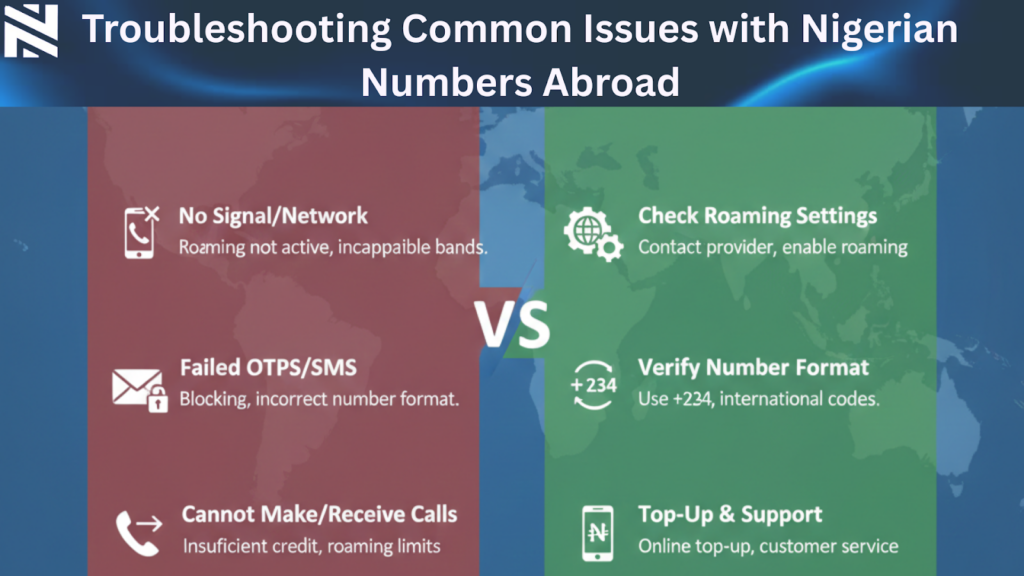
Troubleshooting Common Issues with Nigerian Numbers Abroad
Fixing problems with Nigerian numbers abroad is essential. You might face issues like network problems, trouble recharging, and SIM deactivation. These can happen when you keep your Nigerian number active while abroad.
1. Network Connection Problems and Solutions
Network issues can stem from roaming settings and network compatibility. To fix these, make sure your phone automatically picks a network or manually selects one that works in your area. Also, restarting your phone or turning on airplane mode can help.
Tips for resolving network issues:
Check your phone’s roaming settings
Manually select a compatible network
Restart your phone or toggle airplane mode
2. Recharging Difficulties and Workarounds
Recharging your Nigerian number abroad can be tough due to international payment limits. To get around this, use online recharge services or buy recharge cards from Nigerian vendors online. Some providers also offer auto-recharge options that you can set up remotely.
Popular methods for recharging:
Online recharge services
Nigerian online vendors for recharge cards
Auto-recharge options
3. SIM Card Deactivation Issues and Recovery
SIM deactivation happens if you don’t use your number for a long time. To avoid this, use your SIM regularly or reactivate it through customer service. Sometimes, you’ll need to verify your account details to reactivate your SIM.
“Using your SIM card often keeps it active,” MTN Nigeria advises. “Customers can reactivate their SIMs by contacting our customer service.”
Knowing how to tackle these common problems helps you keep your Nigerian number active while abroad.
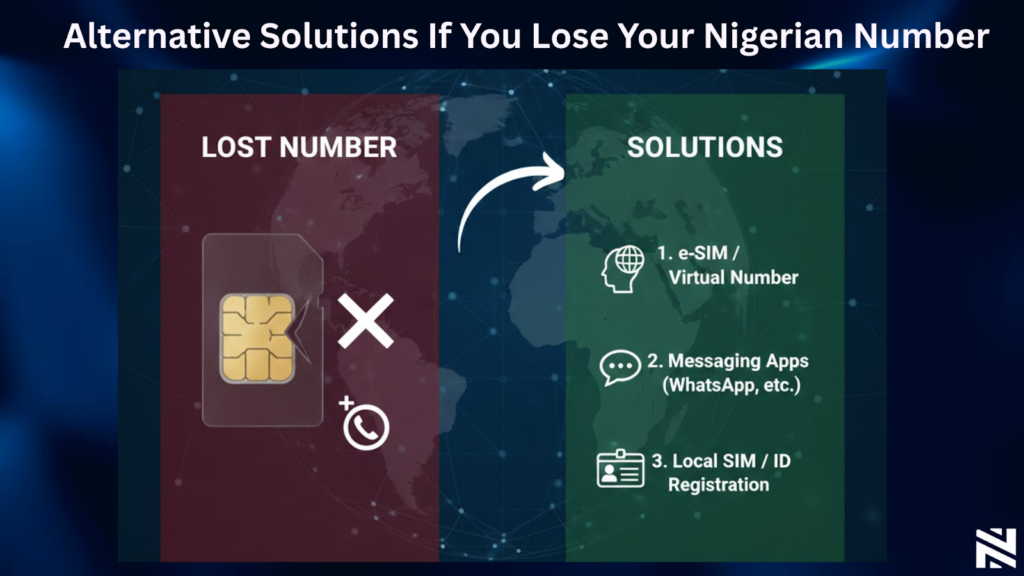
Alternative Solutions If You Lose Your Nigerian Number
Losing your Nigerian number abroad can be a big problem. But, there are ways to keep in touch with Nigeria. You can still get important calls and messages.
1. Getting a New Nigerian Number Through a Proxy
One way to get a new Nigerian number is through a proxy. Ask a trusted friend or family member in Nigeria to buy a new SIM card for you. MTN Nigeria, Airtel Nigeria, Glo, and 9mobile are good choices. They can register the SIM in your name and send it to you.
Make sure your proxy has all the needed documents. This includes a copy of your ID and proof of address. This way, you can keep a Nigerian number without going back to Nigeria.
2. Using Nigerian Virtual Numbers as Replacements
Virtual numbers are another option. They give you a Nigerian number that can receive calls and messages online. d online. This makes them a good choice for Nigerians overseas. You can now rent a Nigerian virtual number from Nexar to stay connected.
Conclusion
It’s important to keep your Nigerian number active while living abroad. This helps you stay in touch with loved ones and business contacts back home. There are several ways to do this, like understanding mobile network policies and using cost-effective methods.
Services like MTN Nigeria’s international roaming packages can help. Also, apps like WhatsApp and Nigerian banking apps can make communication easier. These tools help you keep your Nigerian number active, even when you’re far away.
Consider setting up auto-recharge options to keep your number active. You can also look into VoIP services and carrier-specific solutions. By using these strategies, you can keep your Nigerian number active abroad.
Frequently Asked Questions
How can I keep my Nigerian number active while living abroad?
To keep your Nigerian number active abroad, activate international roaming. Update your account info and set up auto-recharge before you leave.
What are the costs associated with using a Nigerian number abroad?
Costs depend on the carrier and services used. Use periodic recharging, VoIP, or virtual numbers to save money.
Can I use my Nigerian SIM card while living overseas?
Yes, you can use your Nigerian SIM card overseas. Just make sure to use it regularly to avoid deactivation. Also, consider remote recharging options.
How do I troubleshoot common issues with my Nigerian number abroad?
For common issues, check network and recharge problems. Also, look into SIM card deactivation. Find solutions for these issues.
What are the alternatives if I lose my Nigerian number?
If you lose your Nigerian number, get a new one through a proxy. Or use Nigerian virtual numbers as a replacement.
Can I retain my Nigerian phone number overseas using virtual number services?
Yes, you can keep your Nigerian number overseas with virtual services. They forward calls to international numbers.
How do I keep my Nigerian number abroad with minimal costs using Nexarhq?
Use Nexarhq’s services to keep your Nigerian number abroad affordably. They offer reliable solutions for maintaining your number. Visit Nexar to get started.