Author: Princess Keno

  • Why Facebook Engagement Still Works in 2025 (and How to Boost Yours)

    In 2025, many brands and creators are shifting attention to newer platforms like TikTok and Instagram. Yet, Facebook remains one of the most powerful tools for building an audience and growing sales online. With over two billion active users, Facebook still gives businesses the chance to connect, share stories, and engage directly with real people who are ready to buy or support their ideas.

    If you understand how to boost Facebook engagement in 2025, you can still make Facebook your strongest marketing channel this year. Wondering how to do that? We’ll cover it all in this article. Stay with us.

    Why Facebook Engagements Still Matter in 2025

    Engagements such as likes, comments, shares, and reactions show that people care about your content. They help your posts reach more people through Facebook’s algorithm, build credibility for your brand, and attract potential customers.

    When people engage with your posts, it signals trust. It tells Facebook your content is relevant, helping you reach not just your followers but also their networks. That’s why focusing on how to boost Facebook engagements is still important in 2025.

    Even as short videos and AI-driven ads take over, Facebook continues to be a hub for community discussions, marketplace sales, and brand storytelling. Businesses that stay consistent still see real growth in awareness and sales.

    How People Still Use Facebook in 2025

    Despite newer platforms, Facebook has evolved instead of fading away. Many small businesses still depend on it for visibility, and communities use groups to share experiences and product recommendations. Creators also use Facebook to host reels, live videos, and targeted campaigns.

    The platform’s audience might be more mature now, but it’s also more loyal. That makes it perfect for brands looking to reach serious buyers rather than just casual scrollers. If you manage your page right and know how to increase Facebook engagements, you’ll continue to attract valuable attention.

    Tips to Increase Facebook Engagements Organically

    Here are simple strategies that still work:

    1. Post Consistently: Share valuable or entertaining content at least three to five times a week.

    2. Use Visuals: People engage more with images, short videos, and carousel posts.

    3. Ask Questions: Encourage comments by inviting opinions or feedback.

    4. Join Groups: Participate in Facebook groups where your target audience is active.
    5. Respond Quickly: Replying to comments builds trust and keeps your followers interested.

    6. Run Polls or Giveaways: This helps create excitement and more reactions.

    7. Use a Smart Amplification Tool: Sometimes, organic growth can be very slow. Successful creators on Facebook use smart amplification tools like Nexar to increase their engagement. It’s quick, affordable and shows others that your content is worth engaging with.

    When done right, these small actions help you build a strong community around your page before you even think about paid growth.

    How to Boost Facebook Engagements Safely with Nexar

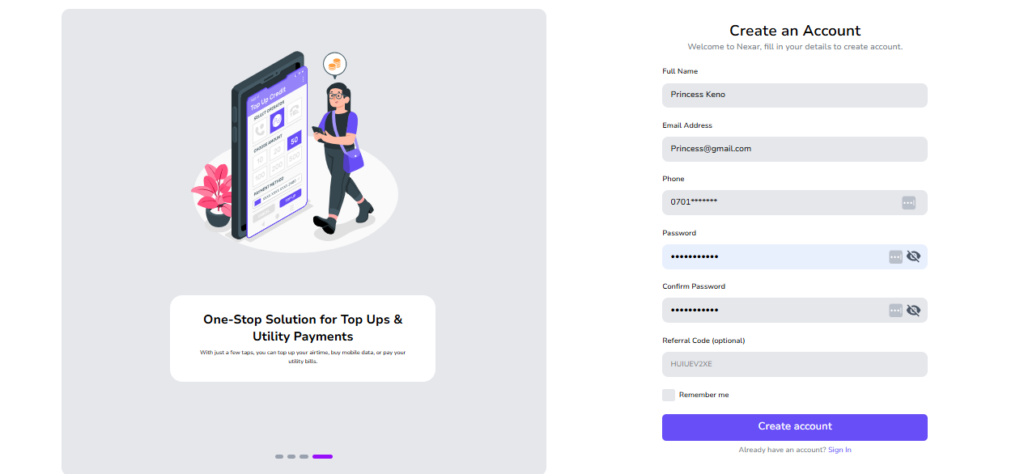
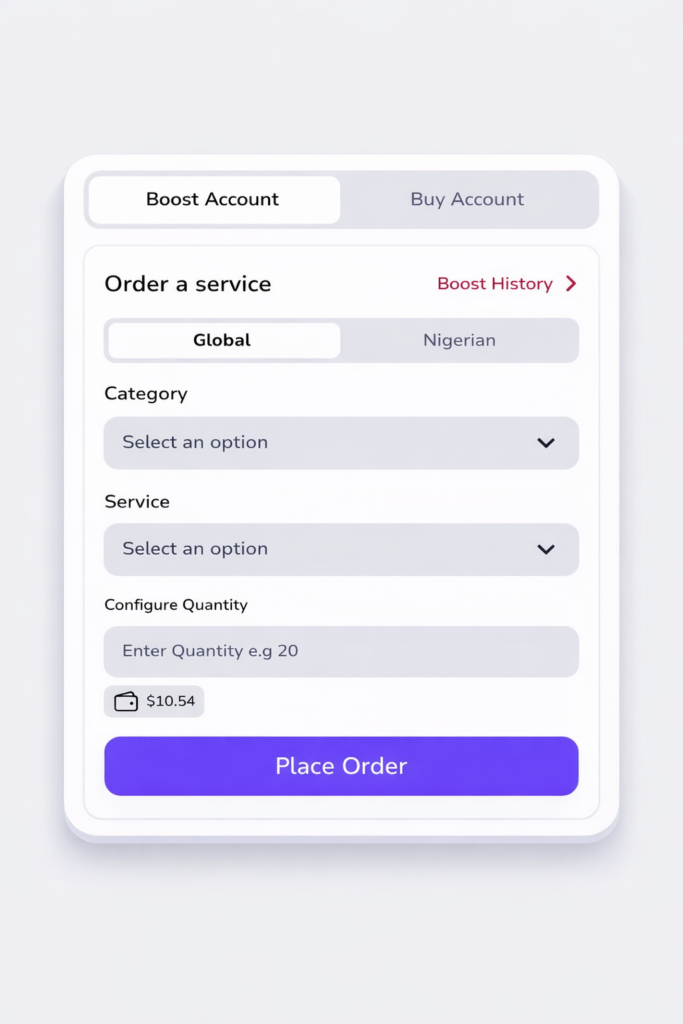
    If you want to take your growth further, Nexar gives you a faster and safer way to scale your reach. All you have to do is Create a Nexar Account and scroll to “Boost Accounts.” From there, you’ll see options for Global Boost or Nigerian Boost, depending on your target audience.
    Once you choose Facebook from the list of categories, you can select your preferred service such as likes, followers, comments, or group members and customize the quantity you want.
    Place order and wait. The service you ordered would soon start trooping in, in minutes.

    Boost Facebook Engagement

    It’s quick, secure, and doesn’t require any password or sensitive details. Within minutes, your engagement will begin to grow naturally as real users interact with your page or post.

    Set Up a Facebook Account with Nexar Virtual Numbers

    Need to create a new Facebook account in another region? 

    Nexar also offers reliable Facebook virtual numbers that work for verification. Here’s how it works:

    • Start by clicking this link to get started.
    • Select Prime or Alternate based on availability. Both are valid options.
    • Choose the country.
    • Select “Facebook” as the service
    • Place Order

    After purchase, go to your Order History to find your number and verification code. Use it to complete your Facebook sign-up.

    Important Tips:

    • Make sure your phone’s time and VPN match the country of the number you’re using.

    • Always create your account from a browser, not the Facebook app.

    • The use of a strong VPN is essential for smooth verification.

    With Nexar, you can get verified numbers in minutes and manage multiple accounts easily.

    Final Thoughts

    Even in 2025, Facebook engagement is still one of the strongest indicators of social proof and trust online. Brands that learn how to boost Facebook engagements continue to see real benefits from higher reach and better brand awareness to improved sales and customer loyalty.

    Whether you’re just starting out or looking to scale, Nexar helps you grow faster and smarter. Use Nexar Boost feature to strengthen your engagement safely or get a verified number to create new pages from anywhere in the world.

    Facebook isn’t dead. It’s simply evolving. And with the right tools, you can evolve with it.

  • What is a Data eSIM and How to Buy One on Nexar

    In today’s connected world, staying online wherever you go isn’t a luxury—it’s a necessity. Whether you’re traveling for work, exploring new countries, or going on a weekend getaway, reliable internet access keeps you in touch, helps you navigate, and lets you share your moments in real time.

    But let’s be honest: buying local SIM cards abroad or paying expensive roaming fees can be stressful. That’s why you should use a data eSIM instead.

    If you’ve heard of eSIMs but aren’t sure how they work or how to get one in Nigeria, this guide will walk you through everything you need to know and show you how easy it is to buy and activate yours on Nexar.

    Buy a Data eSIM on Nexar

    What Exactly is a Data eSIM?

    A data eSIM (short for embedded SIM) is a digital version of a physical SIM card that’s built right into your smartphone. Instead of inserting or swapping SIM cards, you simply download an eSIM profile, and you’re connected.

    Think of it as a virtual SIM that does everything your regular SIM does: connects you to the internet, allows mobile data usage, and helps you stay reachable, without the need for a tiny plastic card.

    With a data eSIM, you can:

    • Access mobile data across borders without swapping SIMs
    • Enjoy flexible, affordable data plans
    • Switch between local and travel networks easily
    • Avoid roaming charges
    • Manage multiple plans on one device

    It’s the perfect solution for travelers, digital nomads, or anyone who values convenience and flexibility.

    Why You’ll Love Using a Data eSIM

    If you’re still unsure about switching to an eSIM, here’s what makes it worth it for you:

    1. You never have to swap SIMs again
    No more struggling with tiny SIM cards or worrying about losing your main line when you travel. With an eSIM, you can switch between networks or plans right from your phone settings.

    2. You get connected instantly
    After paying for your plan, your eSIM activates within minutes. There’s no waiting or paperwork involved. You can buy it, scan the QR code, and start browsing or working immediately.

    3. You choose the plan that fits your trip
    Whether you’re traveling for a few days or staying abroad for months, you’ll find a plan that matches your data needs. Nexar offers flexible, affordable options so you only pay for what you actually use.

    4. You enjoy secure, reliable internet anywhere
    Nexar eSIMs connect you to trusted networks across supported regions. That means you can enjoy a stable, high-speed connection without depending on unsafe public Wi-Fi or worrying about weak signals.

    5. You make an eco-friendly choice
    Because eSIMs are completely digital, there’s no plastic waste or packaging. It’s a smarter and greener way to stay connected while reducing your carbon footprint.

    With Nexar, everything about staying online becomes easier, from buying to activation to daily use. You stay connected wherever you go, without the stress of physical SIMs or roaming charges.

    Why You Should Choose Nexar for Your Data eSIM

    At Nexar, we make it simple for you to stay connected wherever you go. Whether you’re traveling across Africa, Europe, or beyond, our data eSIMs give you instant access to affordable data plans.

    Here’s what makes Nexar stand out:

    • Instant activation — get connected in minutes, no waiting time.
    • Pay in Naira or crypto — no currency conversion stress.
    • Multiple payment options — bank transfer, crypto, or mobile wallet.
    • Reliable global coverage — choose eSIM plans for your destination country.
    • 24/7 support — our team is always ready to help if you need assistance.

    With Nexar, you don’t need to visit a store or wait till you arrive at your destination to buy a SIM. Everything happens online—fast, secure, and convenient.

    How to Buy a Data eSIM on Nexar

    Getting your eSIM on Nexar takes less than five minutes. Here’s a simple step-by-step guide:

    Step 1: Visit the Nexar Website


    Go to nexarhq.com using your phone or laptop browser. The website is mobile-friendly, so you can do everything right from your device.

    Step 2: Select eSIM and Choose Your Destination


    Click on “eSIM” and browse through the list of available countries. Each destination has different data plans to suit your trip duration and data needs.

    Step 3: Pay in Naira or Your Local Currency


    Once you’ve selected a plan, proceed to checkout. Nexar lets you pay easily via bank transfer, debit card, or mobile wallet.

    Check out this article on how to fund your Nexar wallet.

    Step 4: Activate Instantly


    After payment, you’ll receive a QR code and activation instructions. Simply scan the QR code on your phone, and your eSIM profile will download and activate instantly. For a quick visual description, you can check out this short video on youtube.

    Step 5: Land Connected


    As soon as you arrive at your destination, your eSIM kicks in automatically. You can check maps, send messages, make bookings, or join virtual meetings right away.

    Quick Tip: Check if Your Device Supports eSIM

    Before buying a plan, make sure your phone supports eSIM. Most recent models from Apple (iPhone XR and above), Samsung (Galaxy S20 and above), and Google Pixel support eSIM technology. You can confirm on your device settings.

    Check out our article on how to set up a data eSIM on an android device here.

    Final Thoughts

    The world is moving fast and staying connected shouldn’t slow you down. A data eSIM from Nexar gives you the freedom to travel, work, and explore without worrying about expensive roaming charges or network disruptions.

    From buying to activation, everything happens in a few clicks. It’s that simple.

    So, whether you’re planning your next business trip or a solo adventure, make sure you land connected with Nexar.

    👉 Visit nexarhq.com today to get your eSIM and stay online wherever you go.

    Frequently Asked Questions (FAQ) about Dats eSIMs

    1. What does “data-only” mean?
    When we say a Nexar eSIM is data-only, it means it gives you internet access but does not support traditional voice calls or SMS. You can still make calls using apps like WhatsApp, FaceTime, or Telegram—just not through your regular phone line.

    2. Can I use my eSIM and regular SIM together?
    Yes! Most smartphones that support eSIM allow you to use both your physical SIM and eSIM at the same time. This means you can keep your main line for calls and use your Nexar eSIM for data while you travel.

    3. How long does activation take?
    Activation is instant. Once you complete your payment and scan the QR code, your eSIM will be ready to use within minutes.

    4. Can I buy my Nexar eSIM before I travel?
    Absolutely. You can buy and activate your eSIM before your trip, so it automatically connects once you land.

    5. What if my phone doesn’t support eSIM?
    Only devices with eSIM capability can use Nexar eSIMs. You can check your phone’s settings or visit Nexar’s device compatibility guide to confirm if your model supports it.

    6. Can I top up or renew my data plan?
    Yes, you can easily renew or top up your plan directly from the Nexar website when your data runs out.

  • How to Farm Crypto Airdrops Using Virtual Numbers

    If you’ve been in the crypto space for a while, you must have heard of crypto airdrop farming. It is one of the easiest ways to earn crypto without spending a dime. It’s a process where blockchain projects distribute free tokens to users for completing simple online or on-chain actions like following accounts, joining Telegram groups, or testing platforms.

    But there’s one challenge: most airdrops require account verification, and using just one account limits how many campaigns you can join. Also, to farm crypto airdrops successfully, you need multiple verified accounts across platforms like Telegram, Discord, and X. You can’t use one regular phone number to create accounts across these platforms. That’s why you need a virtual number from Nexar.

    With Nexar virtual numbers, you can create multiple verified accounts safely, scale your participation, and maximize your rewards. If you are wondering how it works, we’ll be covering that in this article. Let’s get started.

    What Does It Mean to Farm Crypto Airdrops?

    To farm crypto airdrops simply means participating in multiple airdrop campaigns to earn as many free tokens as possible. These tokens are often given to early users or active community members to encourage engagement before a project officially launches.

    Once distributed, the tokens can usually be swapped, traded, or held for future profit, especially when the project gains traction. Many airdrop farmers treat this as a side hustle, building consistent income by strategically joining different campaigns and maintaining multiple verified accounts.

    Why People Farm Crypto Airdrops

    Let’s be honest: everyone loves free money. That’s pretty much what makes people Farm Crypto Airdrops. You don’t need to be a full-time trader or have a ton of capital; you just need time, consistency, and a little bit of strategy. Some people have made hundreds (and sometimes thousands) of dollars from simple tasks like retweeting a post, testing a new blockchain app, or interacting with a project’s smart contract.

    For example, when the Arbitrum airdrop launched, some early users earned over $10,000 just by being active on the network. Even crypto influencers like Miles Deutscher and Ivan on Tech have talked about how profitable it can be to Farm Crypto Airdrops if you know what you’re doing. But with the hype growing, competition has become intense. Projects now attract millions of applicants, and not everyone gets a share of the reward.

    That’s why many airdrop farmers are stepping up their game by using virtual numbers to manage multiple verified accounts and stay eligible for different projects. Think of it like having a few extra hands helping you farm. With a virtual number, you can:

    • Verify multiple wallets or profiles easily
    • Join regional or community-specific airdrop campaigns
    • Protect your personal number from spam or platform bans

    In short, people Farm Crypto Airdrops because it’s one of the easiest ways to grow your crypto portfolio without risking your money. But as the space gets more competitive, using smart tools like virtual numbers can help you stay ahead and maybe even land the next big airdrop.

    Using One Account Could Be Holding You Back

    Most airdrop tasks involve platforms like Telegram, Discord, X (Twitter), and Instagram, which require phone number verification. Using your personal number across multiple accounts can:

    1. Trigger verification issues or bans:

    Let’s say you’re joining 10 Telegram airdrop groups in one day. By the 5th or 6th group, Telegram might start thinking you’re a bot. Boom — your account gets restricted or banned. Platforms like Discord and X also run automated checks, and once your number is flagged, it’s hard to recover.

    • You lose access to verified groups and messages
    • You might have to re-verify your wallet or social tasks
    • And worst of all, you miss out on the airdrop rewards you worked for

    When you’re trying to Farm Crypto Airdrops consistently, a ban can set you back for weeks.

    2. Limit how many projects you can join:

    Most airdrop programs only allow one verified account per phone number. So if you’re using your personal number for everything, you can’t create extra verified profiles to test different projects.
    For example, some farmers open multiple wallets and accounts to increase their odds of qualifying. But with one number, you’re locked in which means no flexibility and no scaling. To Farm Crypto Airdrops effectively, you need to spread your chances across different campaigns.

    3. Expose your personal information:

    Every time you drop your real number on a signup form or bot, you’re trusting strangers with your data. And in the crypto world, that’s risky. Some shady projects sell user data or use it for spam campaigns. You might start getting random texts about “airdrops” that don’t even exist.

    • It exposes your real identity and location
    • It opens you up to phishing attempts
    • It clutters your phone with unwanted messages

    The more you Farm Crypto Airdrops, the more you’re at risk if you’re not protecting your privacy.

    4. Mix your personal and crypto activities:

    Nothing is more chaotic than seeing Telegram messages from your family right next to a flood of airdrop alerts. You could easily miss something important, like a verification code or wallet update. Keeping your personal and crypto spaces separate helps you stay organized.
    It also looks more professional when your crypto life runs on a clean, dedicated setup instead of your personal number tied to group chats and memes

    That’s why smart airdrop farmers don’t risk it. They use virtual numbers to scale safely, stay private, and Farm Crypto Airdrops without hitting the limits of one account.

    Are Virtual Numbers Safe for Airdrop Farming?

    Yes, when you use trusted providers like Nexar. Nexar virtual numbers are sourced from verified partners and ensure secure one-time password (OTP) delivery. Your data stays private, and your messages are not stored or shared.

    This means you can manage multiple accounts safely without worrying about bans, leaks, or compromised verifications.

    How to Get a Nexar Virtual Number for Crypto Airdrop Farming Verification

    1. Download the Nexar app from the Play Store or App Store, or sign up on the Nexar website.
    Farm crypto airdrops
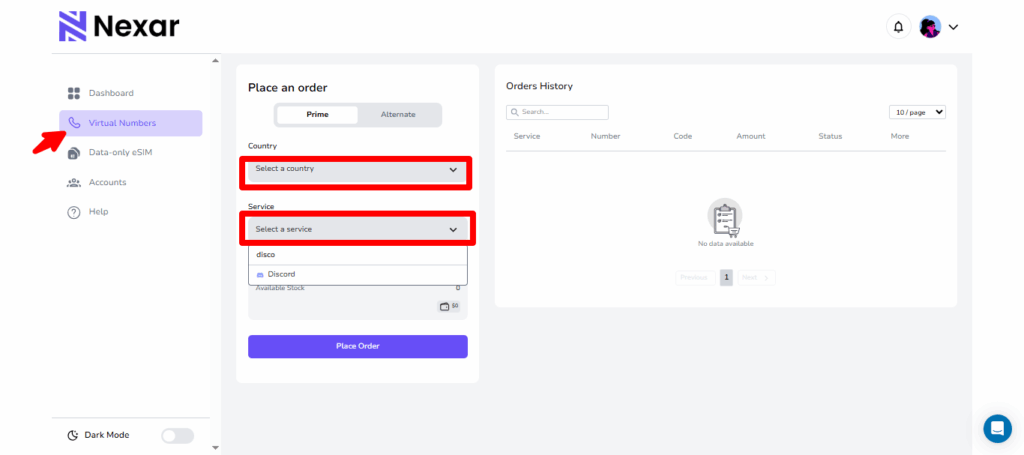
    2. Click on Virtual Numbers.
    3. Select your country of choice.
    4. Under Service, choose the app name (e.g., Telegram, Discord, X, etc.)
    5. Place your order.
    6. Copy the virtual number and enter it on the site for verification.
    7. Go back to your Nexar app to copy the OTP code and complete your setup.
    8. Start farming crypto airdrops and track your token rewards.

    Yes, it’s that easy! No extra set up or stress.

    Key Takeaways

    Airdrop Farming Explained:
    Farming crypto airdrops means earning free tokens by completing simple tasks like testing apps, joining Telegram groups, or following projects on X.

    Why Should You Avoid Using Your Personal Number?
    Using one number across multiple platforms can cause bans, leak your personal info, and limit how many airdrops you can join.

    How Nexar Virtual Numbers Help:
    They let you verify multiple accounts safely, access region-locked airdrops, and keep your real number private.

    Supported Platforms:
    You can use Nexar virtual numbers for Telegram, Discord, X (Twitter), and most crypto project sites that require phone verification (Check the Nexar app to see which ones are available).

    Getting Your Nexar Number:
    Download the Nexar app or visit the website → Tap the number icon → Choose your country → Select the service (like Telegram) → Place your order → Copy your OTP from the app and verify.

    Final Thoughts

    Airdrop farming remains one of the most accessible ways to earn free crypto, but success depends on consistency and scalability. Using virtual numbers from Nexar helps you manage multiple verified accounts, access more projects, and protect your privacy while doing it.

    With Nexar, you don’t just join airdrops; you farm smarter, scale faster, and earn more.

    To Get Started, visit Nexarhq.com now.

  • Nexar Becomes the First Platform to Offer Reusable Virtual Numbers

    When we rebranded from Shawn SMS to Nexar in May, it wasn’t just a name change. It was because we saw a need for more. We realized how many Africans struggle to access global digital resources, and we wanted to bridge that gap. So instead of offering only virtual numbers, we expanded to become your one-stop platform for all digital resources.

    Now, with eSIMs, gift cards, and social media boosting services, Nexar gives you the tools to stay connected, shop globally, and grow online — all in one place.

    And guess what? We just made your experience even better!

    This feature gives you the ability to resend verification codes and reuse virtual numbers without needing to purchase a new one every time. It’s a move that reflects our commitment to giving you more value, flexibility, and control over your online experiences.

    What Is a Reusable Virtual Number?

    A reusable virtual number is a virtual number that can be used multiple times to receive verification codes, authenticate accounts, or complete sign-ups across different platforms. Unlike traditional one-time-use numbers, reusable virtual numbers remain active and can be reassigned for future verifications.

    Before now, you could only receive a code from Nexar for a particular number once, but this innovation gives you more control over your online activities, allowing you to verify new accounts, manage multiple services, and stay connected without constantly purchasing new numbers.

    How the Resend Feature Works on Nexar

    It’s important to note that reusable doesn’t mean universal. You can reuse a virtual number for the same platform, but not across different ones.

    For example, if you used a number for WhatsApp verification, you can resend the code again for WhatsApp. But you can’t reuse that same number for Telegram or Facebook.

    This rule ensures the security of both users and platforms while keeping the system efficient.

    Step-by-Step: How to Use the Resend Feature

    1. Go to Nexarhq.com and sign up if you haven’t.
    Reusable virtual numbers

    2. Click on Virtual Numbers and click History.

    3. Click on the specific virtual number you want, then scroll to the end and click on the three dots (⋮)

    Resend Feature

    4. You’ll see two options — View or Resend.

    5. Click Resend and you’ll receive a new code in the app as usual.

    For a step-by-step visual guide, you can also watch our YouTube tutorial that walks you through the process.

    Difference Between Disposable and Reusable Virtual Numbers

    We have created a table to differentiate the previous virtual number model and the new one, for better understanding.

    FeatureDisposable Virtual NumberReusable Virtual Number
    UsageOne-time onlyMultiple times on same platform
    CostRequires new purchase each timeReuse at no extra cost
    FlexibilityLimitedHigh
    AvailabilityDeactivated after one useRemains active
    Ideal forOne-off verificationsContinuous account access

    Frequently Asked Questions (FAQs)

    1. Can I Receive a Code Twice from a Virtual Number?

    Yes, you can! That’s the entire point of Nexar’s reusable virtual number feature.

    If you ever need to verify your account again — say, WhatsApp asks for another confirmation. You don’t need to buy a new number. Just use the resend feature, and you’ll receive the code again instantly.

    This small but powerful improvement is changing how users interact with online platforms and manage digital identities.

    2. Can I use one number for all platforms?
    No. You can reuse your number for the same platform only, not across multiple ones.

    3. How do I resend a verification code?
    Go to NexarHQ → Virtual Numbers → History → Select number → Three dots (⋮) → Resend.

    4. Is there an extra cost for using the resend feature?
    No. You can resend for free.

    5. Where can I learn more?
    Visit Nexarhq.com or check our YouTube tutorial.

  •  How to Buy a Gift Card in Nigeria 2025 – Full Guide

    Buy a Gift card in Nigeria

    If you’ve ever needed to buy a gift card in Nigeria for shopping, gaming, or subscriptions, you know the process can sometimes feel confusing — from finding legit platforms to avoiding scams. This 2025 full guide explains exactly how to buy a gift card in Nigeria safely, quickly, and at the best rates, using Nexar.

    Why Gift Cards Are So Popular in Nigeria (2025 Edition)

    In 2025, digital payments and international subscriptions are more common than ever. Nigerians use gift cards for:

    • Shopping on platforms like Amazon, eBay, and Apple.
    • Paying for entertainment like Netflix, Spotify, and Google Play.
    • Trading and selling for value in local currency.

    With the rise of online scams, using a trusted platform like Nexar is key when you want to buy gift cards in Nigeria 2025.

    Step-by-Step: How to Buy Gift Cards in Nigeria 2025 with Nexar

    1. Create or Log into Your Nexar Account

    Go to nexarhq.com and sign up (if you haven’t already). You only need your email, phone number, and a secure password.

    2. Fund Your Nexar Wallet

    Before you can purchase, top up your wallet using bank transfer, crypto, or Momo (coming soon). The wallet allows you to make instant transactions.

    3. Navigate to the “Gift Cards” Section (coming soon)

    On your Nexar dashboard, click Gift Cards. You’ll see a wide range of local and international options like:

    • Amazon Gift Card
    • Apple Gift Card
    • Steam Gift Card
    • Google Play Gift Card
    • Spotify Premium Card

    4. Choose the Gift Card You Want

    Select your preferred gift card Nigeria option and specify:

    • The card value (e.g., $10, $25, $50)
    • The currency (USD, GBP, EUR, etc.)
    • The quantity you want to purchase

    5. Confirm and Complete Payment

    Click Purchase, review your order, and confirm. Your Nexar wallet balance will be debited instantly.

    6. Receive and Redeem Your Gift Card

    After payment, your digital gift card code will appear instantly on your dashboard and be sent to your email. You can redeem it directly on the brand’s platform.

    Why Should You Buy a Gift Card from Nexar?

    1. Instant Delivery — No Waiting, No Delays

    One of the biggest perks of using Nexar is its instant delivery system. The moment your payment is confirmed, your gift card code appears immediately on your Nexar dashboard and is also sent to your registered email address. This means you don’t have to wait hours (or even days) like you would on many third-party websites. Whether you’re purchasing a card for personal use or sending it as a gift, Nexar ensures you get it instantly and securely — anytime, anywhere.

    2. Secure Transactions — 100% Wallet-Based and Fraud-Free

    Your safety is Nexar’s top priority. All gift card purchases are processed through your funded Nexar wallet, meaning your bank or card details are never exposed to external systems. This wallet-based model eliminates the risks of online card fraud, chargebacks, or payment gateway failures. Plus, each transaction is verified within your account, so you have complete visibility and control over every purchase.

    3. Multiple Payment Options — Flexibility for Every User

    Nexar offers a variety of convenient ways to fund your wallet, giving you full flexibility no matter where you’re located. You can top up using cryptocurrency (USDT, Bitcoin) or bank transfer, and soon, Nexar will also support Mobile Money (Momo) for users across Africa. This makes Nexar ideal for both Nigerians and international users who want an easy, borderless way to make digital payments.

    4. Wide Selection — All Your Favorite Gift Cards in One Place

    With Nexar, you don’t need to visit multiple websites to find the right gift card. The platform offers a comprehensive selection of both international and Nigerian gift cards — including Amazon, Apple, Google Play, Steam, Netflix, Spotify, and more. Whether you’re shopping online, subscribing to entertainment services, or trading gift cards, Nexar gives you a one-stop marketplace that’s constantly updated with new brands and denominations.

    5. Reliable Customer Support — Always Here When You Need Help

    Nexar understands that even digital transactions sometimes need a human touch. That’s why their customer support team is always available to assist with verification, delivery issues, or account questions. If you ever experience a delay, purchase error, or need help understanding your wallet balance, Nexar’s responsive team ensures you’re never left stranded. You can reach out through multiple channels, and they’ll guide you step by step until your issue is resolve

    Quick Tips To Note When You Buy Gift Cards in Nigeria in 2025

    •  Verify Your Account for a Seamless Experience

    Before making your first purchase, it’s important to fully verify your Nexar profile. Verification helps protect your account from fraud, ensures smoother transactions, and removes unnecessary spending limits. A verified account also makes it easier for Nexar’s support team to assist you quickly if there’s ever an issue with your wallet or gift card delivery. It only takes a few minutes and it guarantees you a faster, safer, and more personalized experience every time you shop.

    • Always Check Gift Card Rates Before Buying

    Gift card values can fluctuate due to changes in foreign exchange rates and global market demand. Nexar helps you stay informed by displaying live, real-time exchange rates right on your dashboard. Before confirming a purchase, always review the displayed rate so you know exactly how much value you’re getting. This ensures you buy your gift card at the most competitive price and avoid paying more than necessary — especially if you buy in bulk or trade cards regularly.

    • Avoid Third-Party Sellers and Unverified Platforms

    In 2025, online scams around fake or invalid gift cards are unfortunately still common. To stay protected, avoid buying from random social media sellers or unverified websites that promise unrealistically low prices. Nexar offers a secure, fully verified platform that sources gift cards directly from trusted global distributors. Every card you purchase is authentic, instantly delivered, and redeemable — no risk, no middlemen, no fake codes.

    • Redeem Your Gift Card Promptly After Purchase

    Once you receive your gift card code from Nexar, make sure to redeem it as soon as possible. Some brands have expiration periods or region-specific restrictions that can affect unused cards over time. By redeeming your card immediately, you not only secure your purchase value but also ensure you can use it without any technical or validity issues. Quick redemption also helps you confirm that your card works perfectly right after purchase.

    • Keep Track of Your Gift Card Purchases

    It’s easy to lose track of multiple digital purchases, especially if you buy several cards regularly. Nexar makes this simple by providing a transaction history in your dashboard. You can view all your previous purchases, track dates, card types, and amounts, helping you stay organized and plan your next top-up efficiently. This feature is especially useful for resellers or frequent buyers who want to maintain accurate purchase records.

    Frequently Asked Questions (FAQs)

    1. Where can I buy a gift card in Nigeria 2025 safely?
      The safest and easiest way is through Nexar, a verified digital services platform that allows instant gift card purchases directly from your wallet balance.
    2. Which gift cards are available on Nexar?
      Nexar offers a variety of global and local gift cards, including Amazon, Apple, Steam, Spotify and 100+ other brands. More brands are added regularly based on demand. You just have to download the nexar app and search for the one you want.
    3. How do I pay for a gift card on Nexar?
      You can fund your wallet via bank transfer, cryptocurrency, or (soon) Mobile Money (Momo). Once funded, simply choose your preferred gift card and complete the purchase instantly.
    4. Will I receive my gift card code immediately after purchase?
      Yes! Gift cards bought on Nexar are delivered instantly after payment. Your code appears on your dashboard and is also sent to your registered email address.
    5. Can I use a Nigerian debit card to buy gift cards on Nexar?
      Currently, Nexar uses a wallet-based system. You’ll first fund your wallet (using supported methods) and then purchase your gift card directly from your balance — ensuring secure, hassle-free transactions.

    💎 Why Nexar Is the Best Platform to Purchase Gift Cards Online in Nigeria (2025)

    In 2025, convenience and trust are the two most important factors when buying digital products online and Nexar stands out as Nigeria’s most reliable and user-friendly platform for purchasing gift cards and other virtual services. We combine speed, transparency, and security to give users a smooth, stress-free experience from start to finish. With just one easy-to-use dashboard, you can buy gift cards online in Nigeria, manage your wallet, and access several other digital tools, all without switching between multiple apps or websites.

    Unlike many unverified platforms that delay delivery or sell invalid codes, We ensure every transaction is authentic, instant, and trackable. The moment you confirm your purchase, your gift card code appears instantly in your account  ready for use or resale. This instant delivery system saves you valuable time and removes the frustration of waiting or chasing down vendors.

    Nexar’s commitment to customer satisfaction is also evident in our reliable support team. Whether you have a question about rates, delivery, or wallet funding, Our representatives are always available to provide quick and professional assistance.

    If you’re looking for a fast, safe, and hassle-free way to purchase gift cards online in Nigeria 2025, Nexar should be your first choice.

    👉 Get started today at nexarhq.com

  • How to Pay Bills in Nigeria Instantly on Nexar’s Website and App

    How to Pay Bills in Nigeria Instantly on Nexar’s Website and App

    Paying bills in Nigeria has never been easier —especially with Nexar, the all-in-one digital services platform that helps you handle everything from electricity payments to DSTV subscriptions, airtime, and data, all in one place.

    Whether you’re at home, in the office, or abroad, Nexar lets you pay bills in Nigeria quickly and securely without the stress of queues or failed transactions. In this guide, we’ll walk you through exactly how to use Nexar’s website and mobile app to manage your recurring payments effortlessly.

    Pay Bills in Nigeria

    ⚡ Why Use Nexar to Pay Bills in Nigeria?

    Traditional payment methods can be frustrating — unstable banking apps, delayed confirmation, or even failed payments. Nexar solves these problems by offering a fast, transparent, and wallet-based solution that lets you pay all your bills from one account.

    Here’s what makes Nexar the smarter way to pay bills in Nigeria:

    • Instant Processing: Payments reflect immediately on the provider’s side — no long wait times.
    • Secure Transactions: Every payment goes through your Nexar wallet, keeping your bank details safe.
    • Multiple Services: You can handle everything from electricity bills, DSTV subscriptions, airtime, and data in one dashboard.
    • 24/7 Access: Nexar’s website and app are available anytime, anywhere — even on weekends and public holidays.

    Step-by-Step: How to Pay Bills in Nigeria on Nexar

    Step 1: Create or Log in to Your Nexar Account

    Visit nexarhq.com or open the Nexar app.
    Sign in with your registered email or phone number, or create a new account if you’re a first-time user.

    Step 2: Fund Your Wallet

    Before you can make any payment, you’ll need to fund your Nexar wallet.
    You can do this easily using:

    Once your wallet is funded, you can pay any bill instantly.

    Step 3: Go to the “Quick Actions” Section

    From your dashboard, select “Quick Actions”. You’ll find a list of categories including:

    • Electricity Bills
    • TV
    • Airtime & Data Top-Up

    Choose the service you want to pay for.

    Step 4: Enter Your Payment Details

    Fill in the required information:

    • For electricity: choose your DISCO provider, input your meter number, and select the amount.
    • For DSTV: enter your smart card number and subscription package.
    • For airtime and data: simply choose your network provider and desired plan.

    Double-check your details before confirming payment.

    Step 5: Confirm and Complete Your Payment

    Click “Pay Now” — Nexar will process your payment instantly.
    You’ll receive both an on-screen confirmation and an email receipt showing your transaction details.

    Congratulations! You’ve just learned how to pay bills in Nigeria the fast and easy way using Nexar.

    Popular Bills You Can Pay on Nexar

    1. Pay Electricity Bills Online

    No more standing in queues or dealing with disconnections. Nexar lets you pay electricity bills online instantly for major providers like Ikeja Electric, Eko Electric, Abuja Electric, Enugu Electric, and more. Just enter your meter details, choose prepaid or postpaid, and your power is restored within minutes.

    1. Pay DSTV Subscription in Nigeria

    Renew your DSTV or GOTV package effortlessly with Nexar. You can pay DSTV subscriptions in Nigeria for any plan — from Compact to Premium — and get instant activation without calling customer service.

    1. Buy Airtime and Data in Nigeria

    Need to stay connected? With Nexar, you can buy airtime and data in Nigeria for MTN, Airtel, Glo, and 9mobile at unbeatable rates. Whether it’s a quick recharge for yourself or a top-up for friends and family, it takes just a few taps.

    Additional Benefits of Paying Bills Through Nexar

    1. All-in-One Dashboard: Manage electricity, cable, internet, and mobile top-ups in one place.
    2. Instant Wallet Deductions: No card errors or bank delays — just smooth, direct payments.
    3. Real-Time Notifications: Get instant receipts and transaction tracking inside your account.
    4. Cross-Border Access: You can fund your wallet and pay bills in Nigeria even while living abroad.
    5. Excellent Customer Support: Nexar’s team is always available to help with failed payments, account verification, or refund issues.

     Expert Tips When Using Nexar to Pay Bills in Nigeria

    • Verify your details: Always double-check meter numbers and smart card IDs before confirming payment.
    • Keep your wallet funded: Top up your Nexar wallet ahead of time to avoid service interruptions.
    • Save your favorites: Nexar lets you save biller profiles for faster future payments.
    • Monitor your history: Use your transaction log to track all payments and download receipts anytime.
    • Contact support early: If you notice any delay, Nexar’s support team is responsive and ready to help 24/7.

    Frequently Asked Questions (FAQs)

    1. How can I pay bills in Nigeria using Nexar?

    You can easily pay bills in Nigeria by logging into your Nexar account via nexarhq.com or the Nexar mobile app. Once logged in, go to the “Bills Payment” section, choose your preferred service (electricity, DSTV, airtime, or data), enter the required details, and confirm payment. Your transaction will be processed instantly, and a digital receipt will be sent to your email.

    2. Can I pay electricity bills online through Nexar?

    Yes! Nexar allows you to pay electricity bills online for major Nigerian electricity distribution companies (DISCOs) such as Ikeja Electric, Eko Electric, Abuja Electric, and more. Simply select your provider, input your meter number, choose prepaid or postpaid, and complete the transaction — power is restored within minutes.

    3. Is it possible to pay for my DSTV subscription in Nigeria with Nexar?

    Absolutely. Nexar makes it easy to pay DSTV subscriptions in Nigeria or renew GOTV and Startimes packages. Just enter your smart card number, select your preferred bouquet, and confirm payment. Your subscription is renewed instantly, saving you the stress of visiting physical payment outlets or dealing with long queues.

    4. Can I buy airtime and data in Nigeria through Nexar?

    Yes, Nexar supports airtime and data purchases in Nigeria for all major networks — MTN, Glo, Airtel, and 9mobile. You can buy for yourself or for others directly from your Nexar wallet, with instant top-up confirmation and the best rates. It’s fast, secure, and available 24/7.

    5. What payment methods can I use to fund my Nexar wallet?

    You can fund your Nexar wallet using several convenient options, including bank transfer, cryptocurrency (USDT or Bitcoin), and Mobile Money (Momo) (coming soon). Once your wallet is funded, you can use it to pay bills in Nigeria or access any of Nexar’s digital services without worrying about failed transactions or card errors.

    Why Nexar Is the Smartest Way to Pay Bills in Nigeria

    Nexar isn’t just another online payment platform because It is built to make everyday life easier for Nigerians and users abroad. With Nexar, you can pay bills in Nigeria, buy airtime, recharge data, fund your wallet with crypto, and even access social media marketing tools — all in one secure account.

    Every transaction is fast, transparent, and verified, giving you peace of mind with every payment. Whether you’re renewing your DSTV subscription, paying electricity bills online, or topping up data, Nexar helps you do it smarter, faster, and more securely.

    👉 Ready to simplify your digital life?
    Visit nexarhq.com today and experience the easiest way to pay bills in Nigeria — anytime, anywhere.

  • How to Get Real Nigerian Followers on TikTok with Nexar

    TikTok is more than just dance trends and viral challenges—it’s a booming platform for Nigerian creators, businesses, and influencers. But growing your follower base can feel like an uphill battle, especially if you want real Nigerian followers on Tiktok who actually engage with your content. Buying bots might give you numbers, but they won’t give you credibility, sales, or genuine engagement.

    If you want sustainable growth, the key is attracting real Nigerian followers who resonate with your content and are genuinely interested in what you have to offer. In this article, we’ll explore proven strategies to grow your TikTok audience in Nigeria and show how Nexar can help you scale quickly and authentically.

    Why You Need Real Nigerian Followers on TikTok

    Not all followers are created equal. Some just inflate your numbers while contributing nothing to your engagement or brand growth. Having Real Nigerian followers on tiktok matters because they:

    Boost Engagement

    Real followers like, comment, share, and save your content. TikTok’s algorithm favors engagement, so authentic followers help your content reach more people organically. Bots and ghost followers, on the other hand, do nothing but make your account look inactive.

    Build Credibility

    A TikTok account with 50,000 followers but only a handful of likes looks suspicious. Real Nigerian followers show others that your account is credible, trustworthy, and worth following. This is vital for businesses, creators, and influencers looking for partnerships or collaborations.

    Drive Sales and Opportunities

    Bots don’t buy products, sign up for services, or share your content. Real followers understand your audience, speak your language, and can actively support your business or personal brand. Whether it’s purchasing products or attending your events, real followers make an impact.

    Provide Long-Term Value

    Bots are temporary. Real followers grow with your content, recommend it to friends, and stay invested over time. That kind of loyalty is what leads to sustainable growth and long-term success.

    Proven Strategies to Get Real Nigerian Followers on TikTok

    Growing on TikTok requires strategy and consistency. Here are some tried-and-true ways to attract real Nigerian followers:

    1. Create Relatable Nigerian Content

    Your audience connects with content that speaks to them. Use local slang, cultural references, and trending Nigerian challenges. Content that reflects daily life in Nigeria or references local events will resonate and encourage people to follow you.

    2. Collaborate With Other Nigerian Creators

    Collaboration is a powerful growth hack. A duet, shoutout, or joint video with someone who already has a Nigerian audience exposes your content to potential followers who are more likely to engage.

    3. Use TikTok Live to Engage in Real Time

    Going live lets you answer questions, interact with followers, and create trust. Nigerians love interactive sessions. Hosting live discussions or Q&As can rapidly grow your fan base.

    4. Join Nigerian TikTok Communities

    Engage with TikTokers in your niche. Comment on their videos, participate in local trends, and join hashtag challenges that are popular in Nigeria. Engagement attracts attention and draws users to your profile.

    5. Host Giveaways Tailored for Nigerians

    The easiest way to get real Nigerian followers on Tiktok is to host giveaways. Giveaways that appeal to Nigerian audiences—like airtime, data bundles, or local products can attract followers who genuinely want to engage. Make the prize relevant to your niche for maximum impact.

    6. Cross-Promote on Other Platforms

    Share your TikTok content on Instagram, Twitter, and WhatsApp. This exposes your videos to people already connected to you elsewhere, encouraging them to follow you on TikTok.

    7. Leverage Nexar Boost Account Featuret

    Organic growth takes time, and sometimes you need a boost. Nexar connects you with real Nigerian followers on Tiktok who are active and authentic. Unlike bots, these followers engage with your content and contribute to your credibility.

    Step-by-Step Guide to Using Nexar for TikTok Growth

    Growing your TikTok audience with Nexar is straightforward. Here’s how:

    1. Generate Your TikTok Profile Link
      Copy your TikTok username or profile link.
    2. Log in to your Nexar Dashboard and select the “Account:” option.
    Real Nigerian Followers on TikTok

    3. Select Nigerian Audience
    Choose “Nigerian” as your target audience to ensure followers are real Nigerians.

    4. Pick Your Platform and Service
    Select TikTok and choose the appropriate follower package.

    5. Set Quantity and Budget
    Decide how many followers you want and confirm the price based on your budget.

    6. Input Profile Link and Place Order
    Enter your TikTok profile link, confirm details, and click “Place Order.”

    Nexar delivers genuine Nigerian followers directly to your account, accelerating growth without compromising authenticity.

    Tips to Sustain Your TikTok Growth

    Growing your followers is only half the battle—keeping them engaged is the other half. Here’s how:

    • Engage Regularly: Respond to comments, reply to DMs, and show followers you care.
    • Post Consistently: Keep a posting schedule. For Nigerians, mornings and evenings tend to see more engagement.
    • Use Trending Sounds and Hashtags: TikTok loves trends. Stay current to remain discoverable.
    • Go Live Frequently: Build trust and relationships with your audience in real time.
    • Keep Your Brand Voice Consistent: Authenticity is key to long-term engagement.

    Nexar vs Bot Followers

    FeatureNexarBot Followers
    Real followers
    Higher engagement
    Long-term growth
    Risk of account ban
    Tailored for Nigerian audience

    Buying fake followers may temporarily boost numbers, but it hurts credibility. Nexar ensures sustainable, authentic growth that benefits your brand or business long-term.

    Who Needs Nexar?

    • Small Businesses: Reach local customers ready to buy.
    • Content Creators: Build a loyal Nigerian fan base.
    • Event Organizers: Increase awareness and attendance.
    • Influencers: Gain credibility and attract brand collaborations.

    FAQs

    Can I get instant Nigerian followers with Nexar?
    Yes. Nexar provides instant real follower growth for TikTok and other social platforms.

    Are Nexar’s followers real or bots?
    All followers are real Nigerian TikTok users, not bots.

    How much does it cost to grow TikTok followers with Nexar?
    Pricing depends on the platform and package selected. Nexar offers affordable options tailored for Nigerians.

    Will Nexar affect my TikTok account?
    Positively. Nexar aligns with TikTok’s terms of service, ensuring credibility and safety.

    Do I still need paid ads after using Nexar?
    Yes. Nexar boosts credibility and engagement, making paid ads more effective, but it doesn’t replace advertising.

    Conclusion

    Growing a genuine Nigerian TikTok audience doesn’t have to be frustrating. By creating relatable content, engaging consistently, collaborating with others, and using Nexar’s Boost Account feature, you can attract real followers who engage, trust, and support your brand.

    Nexar helps you scale your TikTok presence authentically, giving you credibility, engagement, and long-term growth.

    Ready to grow your TikTok with real Nigerian followers? Get started with Nexar today.

  • What is SM-DP+ Address? How Does it Work to Activate eSIM Manually?

    In today’s digital world, mobile connectivity is no longer tied to tiny plastic SIM cards. Thanks to eSIM technology, users can activate mobile plans instantly without needing a physical SIM. But behind every smooth eSIM activation lies a crucial piece of information: the SM-DP+ Address.

    If you have ever wondered why your carrier sends you an SM-DP+ Address or what role it plays in activating your eSIM, this guide breaks it all down. Let’s get into it.

    SM-DP+ Address

    What is SM-DP+ Address?

    SM-DP+ Address stands for Subscription Manager Data Preparation Address. It is the server location your phone connects to in order to download your eSIM profile. When you buy or scan an eSIM, your phone needs to know where to download the eSIM profile (your mobile plan) from. The SM-DP+ Address tells your phone exactly where to go to get that data.

    Think of it like this:

    • The eSIM profile = your SIM card information (data plan, number, etc.)
    • The SM-DP+ Address = the online server where that SIM information is stored

    So when you enter the SM-DP+ address or scan a QR code, your phone connects to that server and installs your eSIM.

    Here’s why it matters:

    • The SM-DP+ Address is a server URL or domain that directs your phone to the right place to fetch your digital SIM profile.
    • Without this address, your device cannot talk to the carrier’s system or install the eSIM profile.
    • Each provider has its own SM-DP+ Address, which is why you must use the one given to you by your eSIM provider.

    Why is the SM-DP+ Address Important for eSIM Activation?

    When you activate your eSIM, your device needs to securely connect to your carrier’s server. The SM-DP+ Address makes this possible.

    Here’s what happens in the background:

    1. Your device contacts the SM-DP+ server using the address provided.
    2. The server authenticates your request.
    3. Your eSIM profile with your phone number, carrier settings, and plan details is downloaded.
    4. The eSIM activation is completed on your device.

    Without the SM-DP+ Address, this chain breaks and your eSIM will not activate.

    How to Find Your SM-DP+ Address

    If you’re wondering where to find your SM-DP+ Address, here are the common ways to locate it:

    1. Check In-App or Your Email – Most providers send the SM-DP+ Address and activation code via email or in the app when you buy an eSIM.
    2. Scan the QR Code – The QR code you receive usually contains the SM-DP+ Address along with the activation code.
    3. Contact Your Carrier – If you cannot find it, your provider’s support team can resend it.
    4. Check Device Settings On iPhones, go to Settings > Cellular > Add eSIM. On Android, go to Settings > Connections > SIM Manager > Add eSIM. If you choose “Enter details manually,” your phone will ask for the SM-DP+ Address.

    How to Manually Install an eSIM Using SM-DP+ Address

    Normally, scanning the QR code is easiest. But sometimes, manual entry is needed for example, if the QR code does not scan. Here’s how:

    On iPhone (iOS)

    1. Open Settings > Cellular (or Mobile Data).
    2. Tap Add eSIM > Enter Details Manually.
    3. Enter the SM-DP+ Address and activation code from your carrier.
    4. Follow on-screen steps to complete eSIM activation.

    On Android

    1. Open Settings > Network & Internet (or Connections).
    2. Tap Add eSIM (or “+” to add SIM).
    3. Select Enter Details Manually.
    4. Input the SM-DP+ Address and activation code.
    5. Finish setup and connect to the network.

    If you want a full step by step guide, read our article on setting up an eSIM on your android device here.

    What Happens If You Use the Wrong SM-DP+ Address?

    If the SM-DP+ Address is incorrect, your phone will not connect to your carrier’s server. This leads to errors such as “Unable to Activate eSIM.”

    In that case:

    • Double-check the details you entered.
    • Request a new QR code or SM-DP+ Address from your provider.

    Getting the SM-DP+ Address right is key because it’s what links your device to your carrier’s system. Once you have the correct one, your eSIM activation should go through smoothly.

    As more smartphones, tablets, and wearables adopt eSIM, the role of the SM-DP+ Address will only grow. Instead of waiting for a physical SIM, users can enjoy instant eSIM activation across borders. This makes eSIM perfect for frequent travelers, remote workers, and anyone who needs multiple mobile plans.

    Why Choose Nexar for Your eSIM?

    Not all eSIM providers are built the same. The quality of your eSIM experience depends on how reliable your provider’s servers are, how easy the setup process is, and how strong the connectivity remains afterward. That’s where Nexar stands out.

    With Nexar, activating your eSIM is quick and stress-free. Every eSIM purchase comes with your SM-DP+ Address and activation code clearly provided, so you can set it up instantly.

    • Instant activation anywhere, anytime
    • Global coverage that keeps you connected across borders
    • Affordable data plans that fit your budget
    • Secure and reliable servers that ensure your SM-DP+ Address works every time

    Whether you’re a travel content creator, a remote worker or frequent traveler, Nexar’s eSIM gives you freedom and flexibility without the hassle of switching SIM cards.

    If you are ready to enjoy these, get your eSIM instantly at Nexarhq.com and stay connected wherever life takes you.

    How to Get an eSIM from Nexar

    1. Sign up on Nexar
    Nigerians Travelling for Business
    2. Select eSIM and Choose your Destination
    3. Pay in Naira or Your Local Currency
    4. Activate Instantly by following the above instructions or scanning the QR code to load your eSIM.

    If you are confused, you can watch this short YouTube video on how to activate an eSIM on Nexar to get a clearer picture.

    That’s all! Your data plan kicks in immediately when you arrive, so you can book rides, check emails, or join meetings instantly!

    Final Thoughts

    The SM-DP+ Address may sound technical, but it is simply the key that unlocks your eSIM activation. It tells your device where to fetch your carrier profile, ensuring smooth, secure, and instant connectivity.

    If you have purchased an eSIM and need to set it up manually, just use the SM-DP+ Address and activation code provided by your carrier. Within minutes, your eSIM will be live. Get started with Nexar now.

  • How to Fund Your Nexar Wallet for Non-Nigerians (Crypto and MoMo)

    How to Fund Your Nexar Wallet for Non-Nigerians (Crypto and MoMo)

    If you’ve ever tried to pay for a product or service outside your country, you know that sinking feeling when the payment fails and you’re left wondering: “Wait, why isn’t my card working? Funding platforms can feel like a puzzle when you’re in a different country. We know how frustrating that feels and that is why we have made funding easier on Nexar.

    Funding your Nexar wallet is the first step to enjoying seamless access to all of Nexar’s digital services — from purchasing virtual numbers to buying gift cards or running social media promotions. If you’re a non-Nigerian user, this guide walks you through the simplest and most secure ways to fund your wallet, including USDT, Crypto payments and Mobile Money (Momo) options. Whether you’re in Accra, Kampala, or anywhere outside Nigeria, funding your Nexar wallet is straightforward and secure. Let’s get into it.

    Why Do You Need to Fund your Nexar Wallet?

    First of all, why do you need to fund your Nexar wallet?

    The answer is simple. Your Nexar wallet serves as your digital balance across all services. Once funded, you can instantly:

    • Buy gift cards from global brands.
    • Get virtual numbers for verification.
    • Buy e-SIMs for global connectivity.
    • Gain thousands of followers using our boost feature.
    • Recharge airtime or data (VTU).

    It saves time, reduces payment errors, and lets you transact easily without worrying about exchange rates or international restrictions.

    How to Fund Your Nexar Wallet

    Option 1: Fund with USDT  (Available Now)

    For non-Nigerian users, USDT is the easiest method. Here’s how to do it:

    1. Log into your Nexar account
      Visit nexarhq.com and sign in using your registered email or phone number.
    2. Navigate to “Wallet”
      On your dashboard, click WalletFund Wallet.
    3. Select “Crypto” as your payment method
      Nexar currently supports popular cryptocurrencies like USDT (TRC20)
    Fund Your Nexar Wallet

    4. Scan Code or Copy the wallet address displayed
    Each transaction generates a unique QR code and wallet address. Scan or Copy it carefully to avoid errors.

    1. Send your crypto from your wallet or exchange
      Use your preferred wallet (e.g., Binance, Trust Wallet, OKX) to send the specified amount.
    2. Wait for blockchain confirmation
      Transactions typically confirm within 5–10 minutes. Once verified, your Nexar wallet will reflect the funded amount automatically. In the unlikely event of a delay, your bank will automatically refund your payment within 24 hours.

    Pro Tip: Always send the exact amount displayed on your funding page to avoid network underpayment issues.

    Need a visual guide on how to fund your account? Watch this video>>

    Option 2: Fund with Mobile Money (Momo) – Coming Soon

    For users in Ghana, Uganda, or other African regions, Nexar will soon support Momo payments — making it even easier to fund your wallet in local  currency. You’ll simply:

    • Select Momo under “Fund Wallet”
    • Enter your registered mobile number
    • Confirm payment with your Momo PIN
    • Receive instant wallet credit

    We’ll announce once this feature is live — stay tuned!

    Frequently Asked Questions (FAQs)

    1. Can I fund my Nexar wallet from outside Nigeria?
      Yes! Non-Nigerian users can fund their Nexar wallets easily through cryptocurrency payments such as USDT (TRC20) or Bitcoin. Nexar is also adding Mobile Money (Momo) options soon for even greater convenience.
    2. How long does it take for crypto payments to reflect in my Nexar wallet?
      Most crypto transactions reflect within 5–10 minutes, depending on blockchain confirmation times. If it takes longer, verify your transaction hash (TXID) or contact Nexar support.
    3. Is there a minimum amount required to fund my wallet?
      Yes, there’s usually a small minimum limit (e.g., $5 in crypto) to cover network fees. The exact minimum is displayed on your Nexar “Fund Wallet” page before you confirm the transaction.
    4. What should I do if I send the wrong amount or to the wrong address?
      Double-check all details before sending. If you accidentally send the wrong amount, reach out to Nexar support immediately with your TXID and transaction details for assistance.
    5. Will Nexar support other international payment methods in the future?
      Yes! Nexar plans to introduce more global funding methods such as credit/debit cards and Momo options to make wallet top-ups easier for international users.

    Common Funding Issues and How to Fix Them

    • Funding delay: Check the blockchain explorer if using crypto. Network congestion may cause slight delays.
    • Wrong amount sent: Contact Nexar Support immediately with your transaction hash (TXID).
    • Unverified wallet: Ensure your Nexar profile details are accurate before making your first deposit.

    Why Choose Nexar?

    Nexar simplifies digital transactions for users worldwide — combining speed, reliability, and multiple funding options in one place. Whether you’re buying gift cards, managing SMM campaigns, or using VTU services, your wallet makes every process smooth and secure.

    Final Tip: Bookmark your Nexar wallet dashboard. Once funded, you can explore all Nexar services without worrying about payment interruptions.


    Found this guide helpful? Start funding your Nexar Now.


  • Verify Google Voice with Nexar Virtual Number: 5 Simple Steps

    If you want to enjoy the flexibility of Google Voice but don’t have a U.S. carrier number, you can still get started easily with Nexar. Many people face challenges during the sign-up process because Google requires a U.S.-based phone number for verification. With Nexar, you can get a Google Voice virtual number that works perfectly for verification, letting you create and use your account without stress.

    Verify Google Voice

    This guide walks you through how to verify Google Voice in just 5 simple steps using a Nexar virtual number. Let’s get started.

    Why You Need to Verify Google Voice

    Google Voice is a free service that lets you call, text, and manage voicemail across devices using a single number. But before you can use it, you must verify Google Voice with a valid number. This process confirms that you’re a real user, protects your account from spam, and enables features like call forwarding and recovery options.

    Without verification, you won’t be able to claim or use a Google Voice number. That’s where Nexar comes in providing you with a ready-to-use U.S. number designed for verification.

    How to Verify Google Voice in 5 Simple Steps

    Google voice virtual number

    Here’s how to complete the process with ease:

    1. Create or Sign in to Your Google Account

      Go to Google Voice or open the app and sign in with your Google account. If you don’t have one yet, create a new Google account first.
    2. Select a Google Voice Number

      Search by city or area code to choose the Google Voice number you want. Select once you’ve decided.
    3. Enter Your Nexar Virtual Number

      When prompted to verify, input the Google Voice virtual number you purchased from Nexar. This ensures you’ll receive the verification code successfully.
    4. Receive the Verification Code

      Google will send a 6-digit code to your Nexar number via SMS or call. Log into your Nexar account, check the dashboard, and copy the code.
    5. Complete the Verification

      Paste the 6-digit code back into Google Voice and click Verify. That’s it! You’ve now linked your Google Voice account with your Nexar number.

    Simple Tips for a Smooth Verification

    • Always use a U.S.-based virtual number from Nexar for reliable results.

    • Don’t share your Google Voice verification code with anyone.

    • If a number doesn’t work on the first try, request another one from Nexar and repeat the process.

    • Make sure you’re connected to the internet with a stable browser or app session.

    Why Should You Nexar for Google Voice Verification

    • Quick and reliable verification.

    • Protects your real number and privacy.

    • Works perfectly for setting up multiple accounts if needed.

    • Affordable and secure alternative to using personal SIM cards.

    Frequently Asked Questions (FAQs)

    1. Can I verify Google Voice outside the U.S.?

    Yes, but you’ll need a U.S. number and often a VPN. Nexar provides the virtual number required for this process.

    2. Can I use one Nexar number for multiple Google Voice accounts?

    No, each Google Voice account requires a unique number for verification.

    3. What happens if I lose my verification code?

    Simply request a new Nexar number and repeat the verification steps.

    4. Is using a Nexar virtual number safe?

    Absolutely. Nexar uses real carrier-backed numbers, making them secure and reliable for Google Voice verification.

    Important Notes for Creating a Google Voice Account

    • Don’t use the Google Voice app – it won’t work.
    • Weak VPNs like PIA or Windscribe will fail.
    • Make sure you’re using your browser and a very strong VPN like IPVanish.

    We only provide the number and code. We’re not responsible for registration issues and no refunds if the code is received.

    Need help? Watch this tutorial:

    Watch on YouTube


    If you found this guide helpful, you definitely need to check out our guide on how to use Nexar Virtual numbers for Gmail Verification. Read it here.