Bryan is a 22-year-old student flying from Lagos to Houston for his master’s degree. He planned everything, tuition, accommodation, airport pickup. But there was one thing he ignored: mobile data.
“Once I land, I’ll just buy a SIM at the airport,” he told himself. After 13 hours in the air, Bryan lands in the U.S. He switches on his phone.
No service.
The airport Wi-Fi is slow. He can’t contact his cousin. He can’t order a ride. He can’t even check his admission email. That’s when he realizes he should have bought a USA eSIM from Nigeria before travelling.
Instead of scrambling after arrival, Bryan could have activated his data before leaving Lagos and landed fully connected. In this guide, you’ll learn exactly how to buy a USA eSIM from Nigeria before travelling. If you’re unsure how eSIMs work, read our guide on What Is an eSIM and How Does It Work to understand the basics.
What Is a USA eSIM from Nigeria?
A USA eSIM from Nigeria is a digital SIM that gives you mobile data in the United States without inserting a physical SIM card.
Instead of:
Roaming with Nigerian networks (very expensive)
Searching for a U.S. SIM at the airport
Borrowing hotspot from strangers
You install your eSIM digitally and activate it before travel.
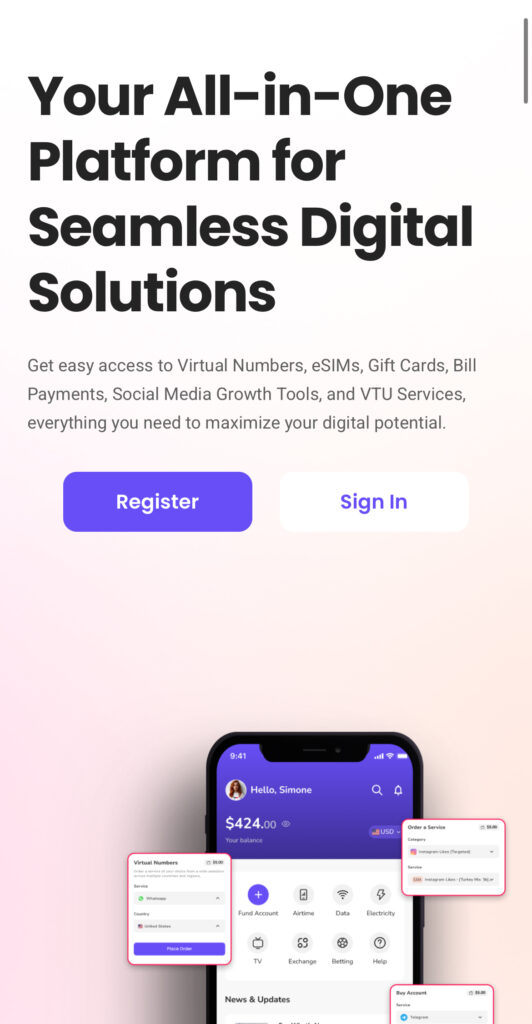
With Nexar, you can buy and activate your USA eSIM from Nigeria in minutes directly from the app.
Why You Should Buy a USA eSIM from Nigeria Before Travelling
Let’s be honest; roaming charges from Nigerian networks are painful.
Here’s why getting your USA eSIM from Nigeria early makes sense:
You Avoid Roaming Charges
International roaming can drain thousands of naira in minutes. An America eSIM plan gives you fixed data pricing.
You Land Connected
Order Uber immediately. Message family. Access your maps.
You Don’t Need a Physical Store
No airport queues. No passport photocopies. No stress.
It’s Perfect for Nigerians
Whether you’re:
A student
A freelancer
A business traveler
A tourist
A US travel eSIM Nigeria solution keeps you online from day one.
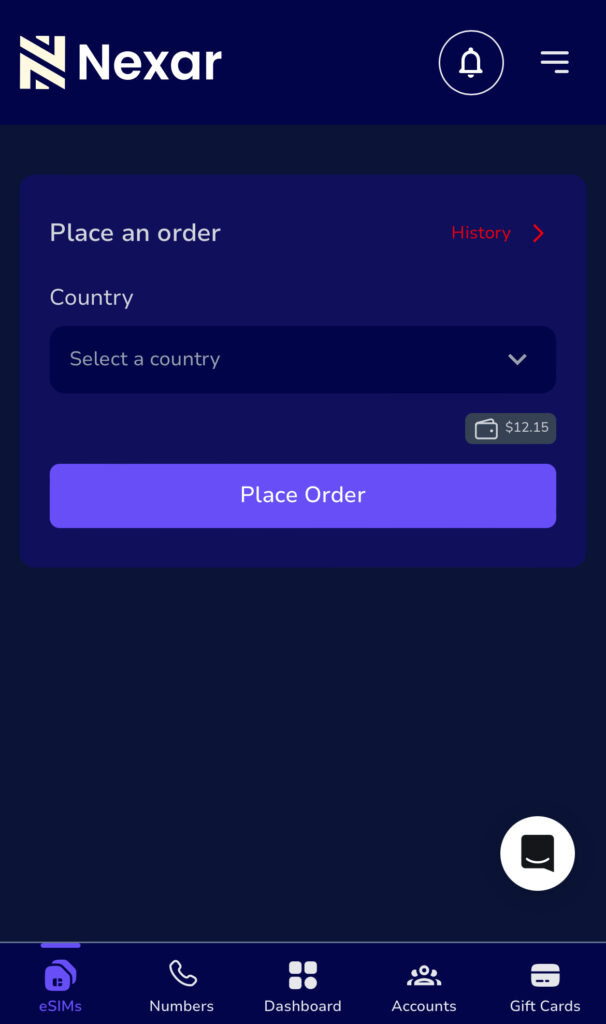
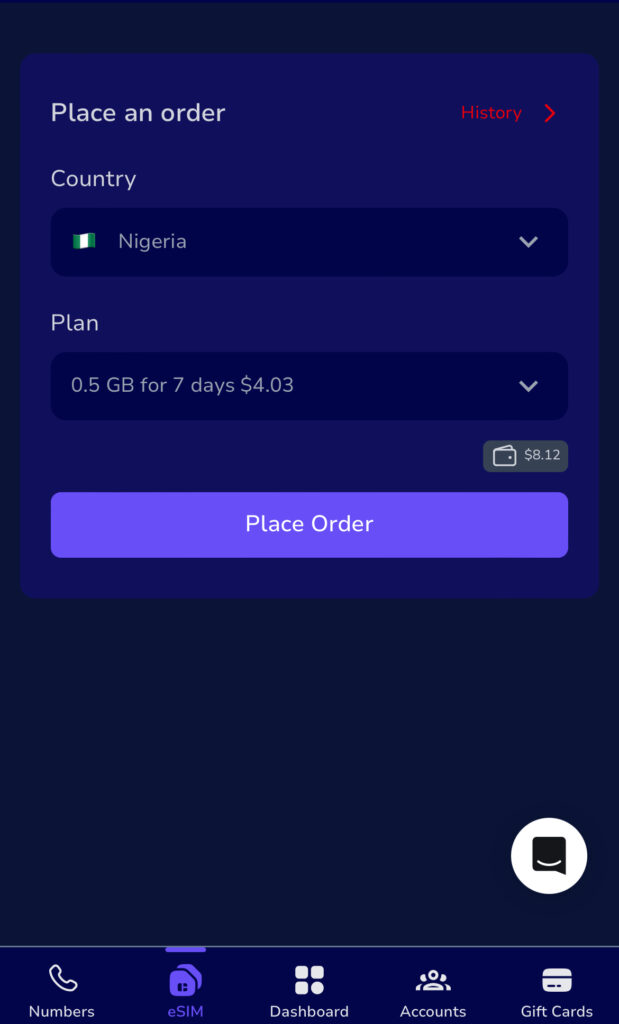
Choose the USA eSIM from Nigeria option inside the eSIM section.
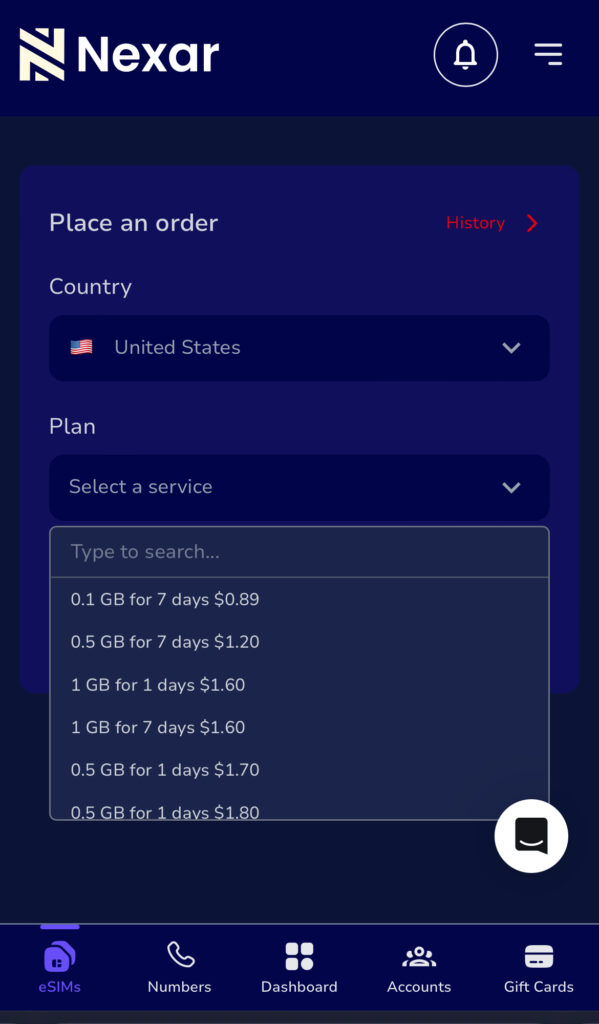
Step 3: Choose Your USA eSIM Plan
Pick a data bundle based on:
Length of stay
Data needs
Budget
Nexar shows plan details clearly before payment.
Step 4: Pay Securely
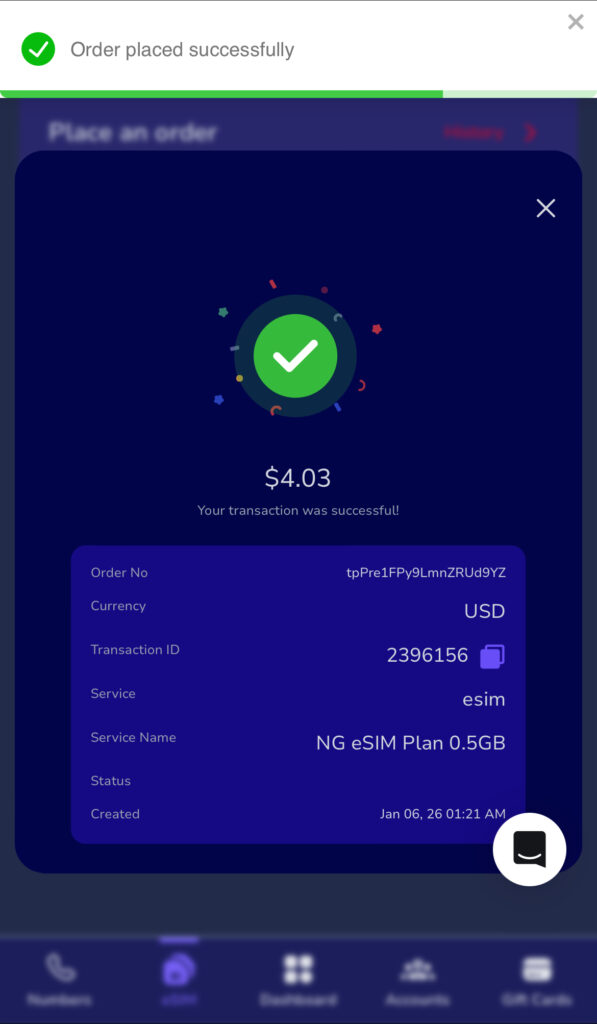
Fund your wallet and complete your purchase.
Step 5: Install & Activate
Follow the installation guide. Activate before departure or upon landing.
That’s it. Your USA eSIM from Nigeria is ready.
Who Needs a US Travel eSIM Nigeria Option?
You might think eSIMs are only for tech people. Not true.
Here’s who benefits most:
Students
Moving for school? Your US travel eSIM Nigeria keeps you connected before you open a U.S. bank account.
Business Owners
Attending meetings? You need reliable data immediately.
Freelancers
Remote work doesn’t stop because you’re flying.
Tourists
Maps, bookings, and reservations require stable data.
An America eSIM plan makes your trip smoother.
How to Choose the Right America eSIM Plan
Before buying a USA eSIM from Nigeria, consider:
How many days will you stay?
Do you stream or just browse?
Will you use a hotspot?
Is it data-only or do you need calls?
Most travelers choose 5GB–20GB plans depending on usage.
If your trip is short, a smaller America eSIM plan saves money. Before choosing your America eSIM plan, confirm coverage in the U.S. cities you’re visiting. You can check general U.S. network coverage.
Is Your Phone eSIM Compatible?
Before buying a USA eSIM from Nigeria, confirm your device supports eSIM. Check your phone specifications as this helps you avoid compatibility issues.
Common Mistakes Nigerians Make
Let’s keep it real.
Waiting Until Arrival
Airport SIM cards are usually overpriced.
Activating Too Early
Activate your US travel eSIM Nigeria close to departure to maximize validity.
Ignoring Data Limits
If you stream heavily, choose a higher America eSIM plan.
FAQs About USA eSIM from Nigeria
Q. Can I buy a USA eSIM from Nigeria without travelling yet?
Yes. That’s the point. You install it before departure and activate it when needed.
Q. Does a US travel eSIM Nigeria include calls?
Most plans are data-only. You can use WhatsApp, Telegram, or FaceTime.
Q. How long does activation take?
Usually a few minutes after payment.
Is it safe?
Yes. Nexar provides secure activation and clear instructions.
Final Takeaway
Buying a USA eSIM from Nigeria before travel saves money, time, and stress.
Instead of landing confused, you land connected.
If you want a reliable US travel eSIM Nigeria solution with flexible pricing and fast activation, Nexar makes it simple.
Visit the Nexar website now and activate your American eSIM plan before your next trip.
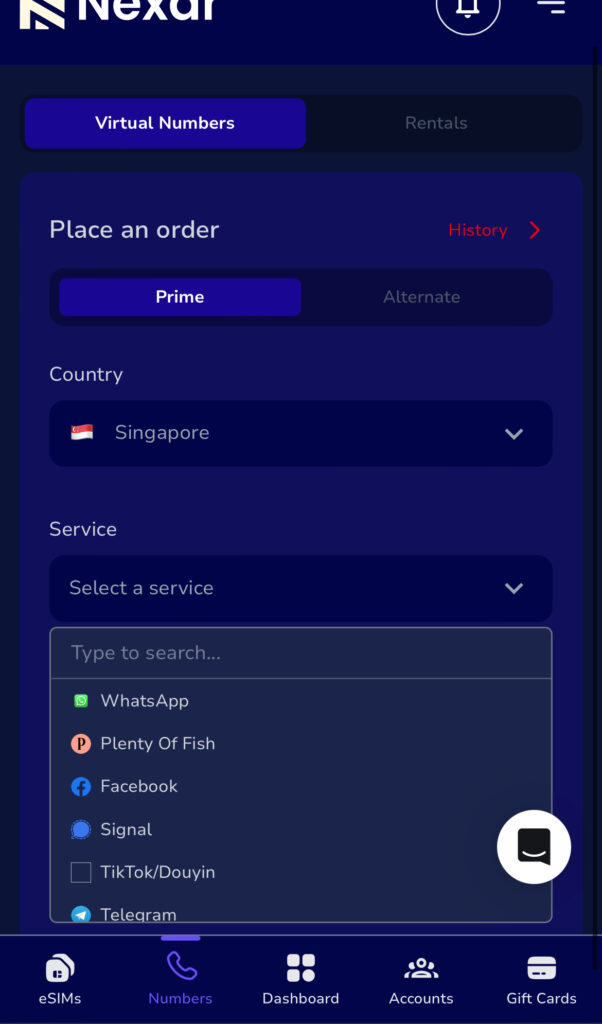
A Singapore virtual number in Nigeria gives you instant access to platforms that would normally reject your local line.
No flights to Asia.
No begging friends abroad.
No refreshing your screen waiting for an OTP that never comes.
Instead, you receive your verification code within seconds and complete your registration without stress.
For many Nigerians; freelancers, business owners, crypto users, and remote workers this simple solution removes one of the biggest barriers to accessing global platforms.
If you’re new to digital numbers, start with our guide on how virtual numbers work for online verification so you understand exactly what you’re buying.
In this guide, you’ll learn how to buy a Singapore virtual number in Nigeria step by step, how a Singapore OTP number works, and how to activate a Singapore virtual SIM quickly using Nexar.
What Is a Singapore Virtual Number in Nigeria?
A Singapore virtual number in Nigeria is a digital +65 number you use online for verification.
It is not:
A physical SIM card
A permanent calling line
A number you keep forever
It is mainly used to receive a Singapore OTP number so you can complete signup on a platform.
Some people call it a Singapore virtual SIM, but everything works digitally on the Nexar website. No shipping. No hardware. No stress.
Why You May Need a Singapore Virtual Number in Nigeria
Here’s the honest truth.
Many Singapore platforms prefer local numbers. When you use a Nigerian line, the system may automatically block it.
If you are:
A freelancer opening a Singapore tool
A business owner targeting Asian customers
A crypto user verifying an exchange
Someone registering for an international service
You may need a Singapore virtual number in Nigeria to move forward.
Instead of getting stuck at verification, you receive your Singapore OTP number and complete registration immediately.
Important: It’s a One-Time Number
Let’s make this very clear.
Your Singapore virtual number in Nigeria from Nexar is a one-time verification number.
That means:
You receive your Singapore OTP number
You complete the signup
The session ends
It’s not meant for calls.
It’s not for long-term messaging.
If you need another verification later, you can simply buy another Singapore virtual SIM session inside the app.
This keeps things affordable and secure.
How to Buy a Singapore Virtual Number in Nigeria (Step-by-Step)
You try signing up on a Spanish website. Everything goes smoothly until you enter your Nigerian number and then nothing happens. No SMS. No verification code. Just frustration.
That’s why more people are now searching for a Spain virtual number in Nigeria. Whether you’re a freelancer, business owner, remote worker, or just trying to access a Spanish platform, having a Spanish number removes unnecessary roadblocks.
The good news? You don’t need to travel or buy a physical SIM. You can buy a Spanish number online in minutes using Nexar.
What exactly is a Spain Virtual Number?
A Spain virtual number is simply a +34 number you can use online without owning a physical SIM card. Spain uses the +34 country code, according to the International Telecommunication Union (ITU), which manages global telecom standards and country numbering systems.
You receive SMS and verification codes directly from your dashboard or app. That means you can stay in Nigeria and still operate like you’re in Spain.
For many users, a Spain virtual number in Nigeria becomes a business tool, not just a phone number.
Why Nigerians Choose Spain Virtual Number in Nigeria
Here’s what people are actually using it for:
Registering on Spanish apps and websites
Verifying WhatsApp for clients
Creating accounts on freelance platforms
Managing international ads
Protecting personal Nigerian numbers
Instead of struggling with blocked signups, a Spain virtual number in Nigeria gives you smoother access.
And yes it works even if you’ve been rejected before.
The Mistakes People Make When They Buy a Spain Number Online
Let’s talk real.
Many Nigerians try to buy Spanish numbers online from random websites because it looks cheaper. But here’s what usually happens:
The number stops working after one use
SMS never arrives
The platform blocks the number
There’s no customer support
Free or random providers often recycle numbers. That’s risky, especially if you’re using it for business.
If you want stability, you need a Spain virtual number in Nigeria, not a shared public number.
How to Buy a Spain Virtual Number in Nigeria Using Nexar
Now let’s fix the problem properly.
If you want to buy Spain number online safely, Nexar keeps everything simple.
Step 1: Visit the Nexar Website
Visit the Nexar website and create your account. It’s built for Nigerians, so payment works smoothly.
Step 2: Go to Virtual Numbers
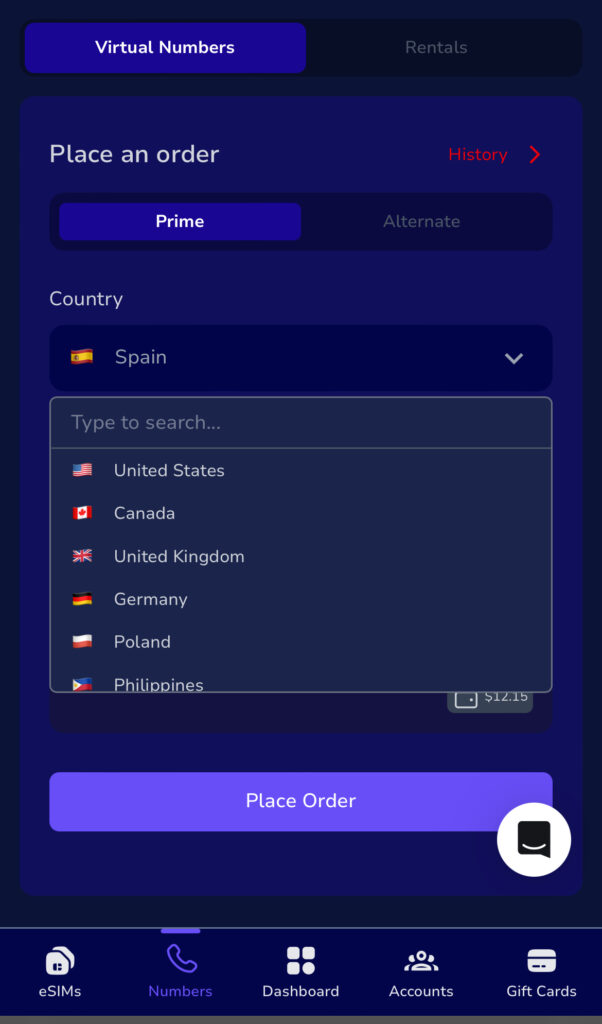
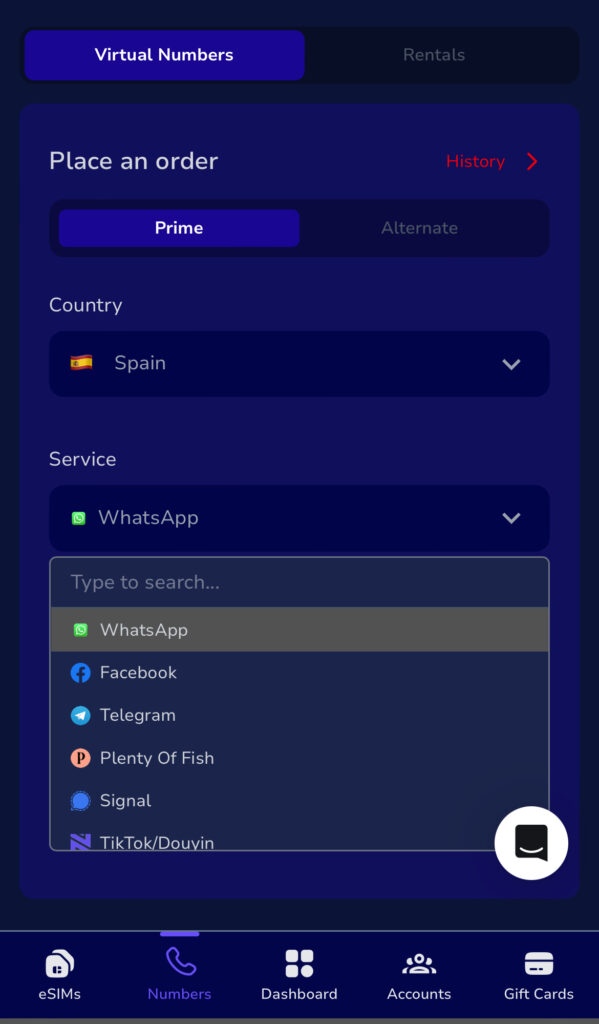
Inside the website, tap on Virtual Numbers and select Spain.
Step 3: Choose Your Platform
Pick the platform you want to verify (WhatsApp, Telegram, etc.). Nexar assigns numbers optimized for specific platforms.
Step 4: Complete Payment
Go ahead and make your payment . No foreign card stress.
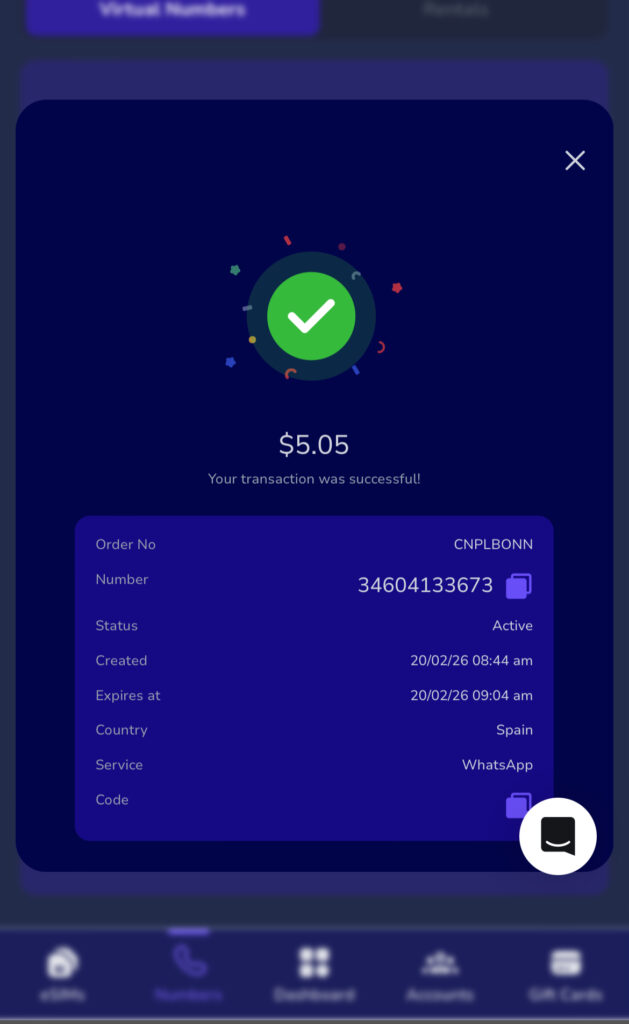
Step 5: Receive Your Spain Virtual Number Instantly
Once payment is confirmed, your Spain virtual number in Nigeria is ready to use immediately.
Not all providers understand how African users struggle with international verification.
Nexar focuses on reliability and transparency.
When you get a Spain virtual number in Nigeria from Nexar, you get:
Stable SMS delivery
Platform-compatible numbers
Transparent pricing
Quick activation
Support that understands Nigerian users
Instead of gambling with unknown sites, you use a solution built for you.
Spain Virtual Number vs Free Online Numbers
Let’s compare honestly:
Free online numbers:
Are public
Get blocked quickly
Often fail verification
Have zero support
A proper Spain virtual number from Nexar:
Is secure
Works for targeted platforms
Delivers SMS reliably
Comes with support
If you’re serious about business or account access, the choice is obvious.
Is It Legal to Use Spain Virtual Number?
Yes. Using Spain virtual number in Nigeria is legal for business communication, account verification, and online registration. Just make sure you follow the terms of the platform you’re signing up for.
Frequently Asked Questions About SpainVirtual Number in Nigeria
Q. Can I really use Spain virtual number in Nigeria without traveling?
Yes, you can. A Spain virtual number in Nigeria works completely online. You don’t need to travel to Spain or buy a physical SIM card. Once you activate it through Nexar, you receive SMS verification codes directly in the app.
That’s why many freelancers and business owners prefer it. If you also plan to travel to Spain, you may want to explore our guide on how to buy an eSIM from Nigeria to stay connected physically while using your virtual number online.
Q. What platforms can I verify with a Spain virtual number in Nigeria?
You can use a Spain virtual number in Nigeria for:
WhatsApp
Telegram
Freelance websites
Social media verification
Just make sure you select the correct platform inside Nexar before purchasing.
Q. Is it safe to buy Spain number online?
Yes, if you use a trusted provider.
Buying from random websites or free number platforms can expose you to recycled or blocked numbers. But when you buy Spain number online through Nexar, you get a secure and platform-optimized number designed to work.
Q. Why is my Spain virtual number not receiving SMS?
This usually happens when:
The number is shared publicly
The platform has blocked recycled numbers
The provider does not support that platform
A reliable Spain virtual number in Nigeria from Nexar reduces this issue because numbers are assigned based on compatibility.
Q. Do I need a VPN to use a Spain virtual number?
In most cases, Yes. A Spain virtual number in Nigeria does not work for verification without a VPN. However, some Spanish platforms may require location matching. Always check the platform’s policy before signing up.
Quick Takeaways
A Spain virtual number in Nigeria helps you bypass verification restrictions
It works for freelancers, businesses, and individuals
You can buy Spain number online safely using Nexar
Avoid free public numbers if you want reliability
Ready to Get Started?
If you’re tired of failed signups and blocked numbers, stop wasting time.
Visit the Nexar website and get your Spain virtual number in Nigeria today.
In Nigeria, creating a TikTok account should be simple but for many people, it’s not. You enter your phone number, wait for the code and nothing comes in. Or worse, TikTok rejects the number entirely. This has become more common as TikTok tightens verification and Nigerian users face network delays, reused numbers, and blocked SMS routes.
That’s where a Virtual Number for TikTok comes in. If you’re trying to grow a brand, manage multiple accounts, or simply want a reliable way to sign up, using a virtual number can save you time, stress, and repeated failed attempts.
In this guide, you’ll learn exactly how a Virtual Number for TikTok works, why it’s useful in Nigeria, and how Nexar makes the process simple and secure.
What Is a Virtual Number for TikTok?
A Virtual Number for TikTok is a phone number that works online without a physical SIM card. You can receive SMS verification codes on it just like a normal phone number.
When you use a Virtual Number for TikTok, TikTok sends your signup or login code to that number instead of your personal line. This helps you avoid common issues like:
SMS not delivering
Network restrictions
Reusing your personal number
For many people, a Virtual Number for TikTok is simply a smarter and more flexible option.
Why Nigerians Use a Virtual Number for TikTok
Let’s talk about real-life challenges Nigerians face and how a Virtual Number for TikTok helps.
SMS verification fails too often
Local networks sometimes block or delay international SMS. A Virtual Number for TikTok uses global SMS routes that deliver faster.
You want privacy
Using your main phone number on social apps isn’t always ideal. A Virtual Number for TikTok keeps your personal line private.
You manage multiple accounts
If you’re a content manager or business owner, you may need more than one account. A Virtual Number for TikTok makes this possible without buying multiple SIM cards.
Can You Create a TikTok Account with a Virtual Number?
When you create a TikTok account with a virtual number, TikTok treats it like any other phone number. The difference is reliability. Clean, trusted numbers work. Random or recycled ones often fail.
This is why choosing the right provider matters when you want to create a TikTok account with a virtual number.
How to Create a TikTok Account with a Virtual Number (Step-by-Step Guide)
Here’s a simple, beginner-friendly way to use a Virtual Number for TikTok:
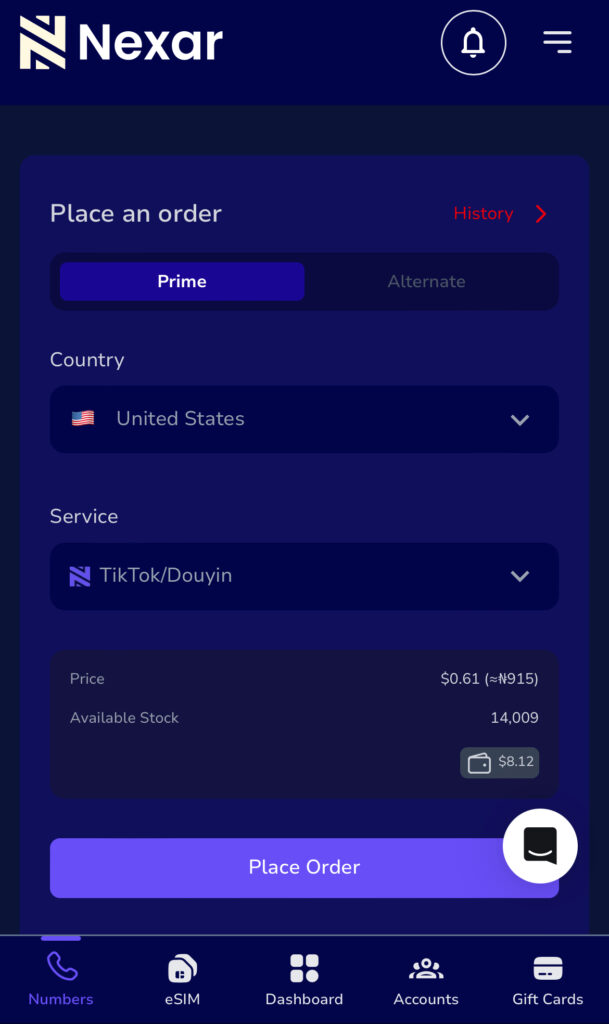
Step 1: Get a virtual number from Nexar
On Nexar, you can buy a Virtual Number for TikTok that supports real SMS delivery.
Step 2: Open TikTok
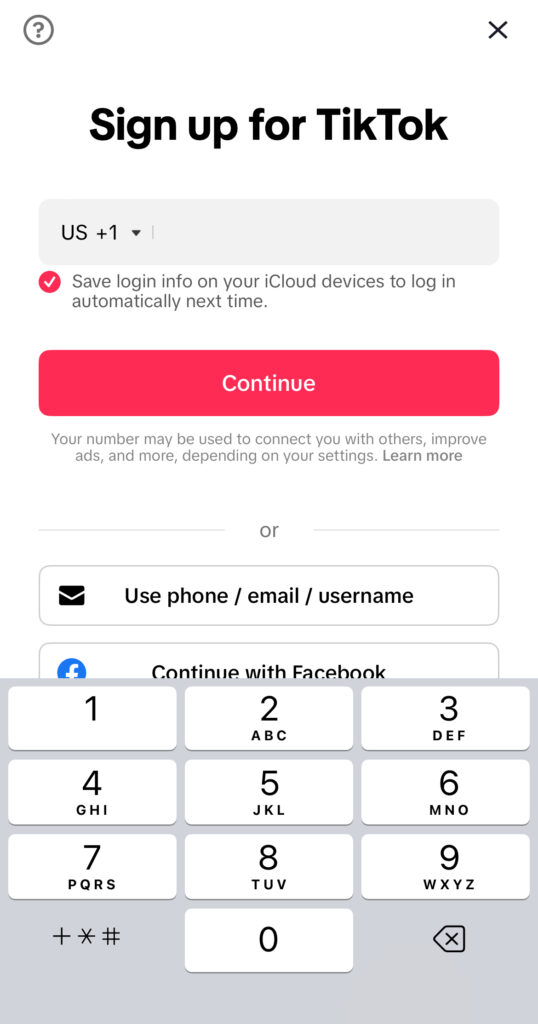
Download and open TikTok, then select Sign up with your phone number.
Step 3: Enter the virtual number
Input your Virtual Number for TikTok exactly as shown on Nexar.
Step 4: Receive your code
The SMS code will appear inside your Nexar dashboard.
Step 5: Complete signup
Enter the code and finish creating your account.
This process allows you to create a TikTok account with a virtual number without delays or repeated failures.
A trusted TikTok virtual number Nigeria option should be:
Clean and unused
SMS-enabled
Delivered through stable routes
Nexar provides TikTok virtual number Nigeria users trust because the numbers are designed specifically for verification.
Why Choose Nexar for a Virtual Number for TikTok
Here’s why Nexar stands out when you need a Virtual Number for TikTok:
When it comes to creating or managing a TikTok account in Nigeria, the biggest problem is rarely TikTok itself, it’s verification. Delayed SMS codes, rejected numbers, and sudden account locks are common issues. This is exactly where Nexar stands out as a reliable solution.
Here’s why using Nexar for a Virtual Number for TikTok makes practical sense:
Reliable SMS delivery that actually works
One major frustration with TikTok verification is not receiving the code on time or at all. Nexar provides virtual numbers that are optimized for SMS verification, so when TikTok sends a code, it arrives promptly. This removes the stress of retrying multiple times or getting blocked for “too many attempts.”
Numbers designed for real account creation
Not all virtual numbers are accepted by TikTok. Many free or low-quality services use recycled or flagged numbers that TikTok instantly rejects. Nexar offers clean, tested virtual numbers that are suitable for TikTok sign-ups, making it easier to create a TikTok account with a virtual number successfully on the first try. TikTok itself recommends using valid and accessible phone numbers for account verification to avoid login or security issues. According to TikTok’s official support documentation on account sign-ups and verification.
Built for Nigerians and Africans
Most global platforms aren’t designed with Nigerian users in mind. Nexar is different. From payment options to number availability, everything is structured to work smoothly in Nigeria. That means no foreign cards, no complicated setups, and no guessing games. For users in Nigeria, Nexar is designed to work with local payment options and regional needs. You can easily purchase a number directly from the website and complete verification without using foreign cards or complicated workarounds. You can learn more about how Nexar works and its virtual number features.
Quick setup, no technical knowledge needed
You don’t need to be tech-savvy to use Nexar. You can buy a virtual number directly from the app, receive your SMS in real time, and complete TikTok verification in minutes. The process is simple enough for beginners and efficient enough for creators managing multiple accounts.
Better account safety and flexibility
Using a Virtual Number for TikTok through Nexar also gives you more control. You’re not forced to tie your personal SIM to every account, which helps with privacy and account management especially if you’re a creator, business owner, or marketer running multiple TikTok profiles.
Trusted platform, not a random SMS site
Unlike random SMS websites that disappear overnight, Nexar is a full platform offering virtual numbers, eSIMs, and digital services. This stability matters when your TikTok account and your content depends on it.
This makes Nexar ideal if you want to create a TikTok account with a virtual number smoothly.
Common Mistakes to Avoid When Using a Virtual Number for TikTok
Even with a good Virtual Number for TikTok, mistakes can cause issues:
Reusing the same number for too many accounts
Waiting too long to enter the SMS code
Using free or shared numbers
Using a trusted TikTok virtual number Nigeria solution reduces these risks.
FAQs About Virtual Number for TikTok
Q. Is using a Virtual Number for TikTok safe?
Yes. As long as the number is clean and SMS-enabled.
Q. Can I create multiple accounts with a virtual number?
Yes, but it’s best to use separate numbers for each account.
Q. Does TikTok accept virtual numbers in Nigeria?
Yes. Many users successfully use a TikTok virtual number Nigeria providers offer.
Key Takeaways
A Virtual Number for TikTok helps you bypass SMS issues
You can create a TikTok account with a virtual number easily
Nigerians use virtual numbers for privacy and reliability
You finally sit down to relax, open your Xbox, and then it happens; payment declined.
For many gamers, trying to buy Xbox gift cards in Nigeria feels harder than winning a ranked match. Nigerian debit cards often don’t work on the Microsoft Store, dollar cards are unreliable, and buying from random online sellers can easily lead to scams.
That’s why more Nigerians now use digital platforms like Nexar, which removes these payment barriers completely.
What Is an Xbox Gift Card and Why Nigerians Use It
An Xbox gift card lets you load money into your Microsoft account and pay for:
Games and add-ons
Xbox Game Pass subscriptions
In-game purchases and movies
Most Nigerians rely on Xbox digital gift cards because Xbox transactions are chargedi in dollars and local cards frequently fail. According to Microsoft’s official guide on how Xbox gift cards work, gift cards are one of the safest ways to fund your account.
Common Mistakes Nigerians Make When Buying Xbox Gift Cards
Let’s be honest, most Nigerians don’t mess up because they’re careless. We mess up because the system isn’t built for us. Here are a few mistakes that happen all the time when people try to buy Xbox gift cards in Nigeria.
Buying from Random Sellers “Because It’s Cheap”
You see a Twitter or WhatsApp seller offering a lower price, and it’s tempting. But many Nigerians have paid for codes that were already used or never delivered at all. Once the money leaves your account, there’s usually no way to recover it.
Not Checking the Region Before Buying
This one hurts the most. You buy a US Xbox gift card, rush to redeem it and then it refuses to work because your Xbox account is set to another country. Xbox gift cards are region-locked. A US gift card must be redeemed on a US Xbox account. Microsoft clearly explains this on their Xbox regional policy page.
Getting Shocked by Hidden Charges
Some platforms don’t show the full cost upfront. You think you’re paying one amount, then extra fees suddenly appear at checkout. That’s how the Xbox gift card Nigeria price quietly increases without warning.
Relying on Debit or Dollar Cards That Fail
Many Nigerians still try to pay directly on the Microsoft Store with local cards. Most times, the transaction fails, and you’re left frustrated. That’s why many gamers now prefer Xbox digital gift cards instead of direct card payments.
How to Buy Xbox Gift Cards in Nigeria Using Nexar
If you want to buy Xbox gift cards in Nigeria instantly, Nexar makes the process simple.
Start by visiting the Nexar website . Nexar is built specifically for Africans, so payments work smoothly with Nigerian banks.
You can also read our internal guide on how to buy digital gift cards on Nexar to understand how gift card purchases work across different brands.
Step 2: Create or Log Into Your Account
Sign up with your email or phone number. Verification is fast and secure.
Step 3: Select Xbox Gift Cards
Inside the app:
Choose Xbox digital gift cards
Select the gift card region (usually US)
Pick your preferred amount
Nexar displays the Xbox gift card Nigeria price upfront, so you know exactly what you’re paying.
Step 4: Pay Using Local Methods
You can pay using Nigerian bank transfers or your Nexar wallet, no dollar card required.
Step 5: Receive Your Code Instantly
Once payment is confirmed, your Xbox gift card code appears instantly in the app and is also sent to your email.
How to Redeem Xbox Digital Gift Cards
After you buy Xbox gift cards in Nigeria, redeeming is easy:
Log in to your Microsoft or Xbox account
Go to Redeem Code
Enter the gift card code
Microsoft also provides a step-by-step walkthrough on their official Xbox redemption support page if you need extra guidance.
Xbox Gift Card Nigeria Price: What Influences It?
The Xbox gift card Nigeria price depends on:
Dollar exchange rates
Gift card value
Platform fees
Unlike informal sellers, Nexar shows real-time pricing before checkout. This transparency helps you plan better and avoid overpaying.
Why Nigerians Trust Nexar for Xbox Gift Cards
Here’s why Nexar stands out:
Designed for Nigerians and Africans
Instant delivery of Xbox digital gift cards
Transparent pricing
Secure transactions
No fake or reused codes
Instead of juggling multiple apps, Nexar lets you manage gift cards, virtual numbers, and other digital tools in one place. You can also explore other digital services available on Nexar directly from the app.
Quick Takeaways
You can buy Xbox gift cards in Nigeria instantly without a dollar card
Xbox gift cards bypass payment decline issues
Nexar shows the real Xbox gift card Nigeria price upfront
Always match your gift card region with your Xbox account
Ready to Buy Xbox Gift Cards Instantly?
If you’re tired of failed payments and unreliable sellers, Nexar gives you a safer alternative.
Visit the Nexar website and buy Xbox gift cards in Nigeria instantly.
Traveling from Nigeria to Canada is exciting until you land and realize your phone has no internet. No maps, no ride apps, no way to message family back home. This is a common experience for many travelers, students, and freelancers.
That’s why more people are choosing a Canada eSIM from Nigeria instead of waiting to buy a physical SIM at the airport or paying expensive roaming charges. With the right setup, you can land in Canada already connected.
This guide shows you exactly how to buy and activate a Canada eSIM from Nigeria, step by step.
What Is a Canada eSIM from Nigeria?
A Canada eSIM from Nigeria is a digital SIM that gives you mobile data in Canada without using a physical SIM card. You install it on your phone before or after travel and activate it once you arrive.
With a Canada travel eSIM:
You don’t swap SIM cards
You avoid roaming charges
You get instant data access
For Nigerians traveling for work, school, or vacation, this is one of the easiest ways to stay connected.
Why Nigerians Prefer a Canada eSIM Instead of Roaming
Using roaming with Nigerian networks in Canada is expensive and unreliable. That’s why many travelers now choose an eSIM Canada Nigeria option.
Here’s why it makes sense:
No surprise roaming bills
Works immediately on arrival
More affordable data plans
Easy setup from your phone
A Canada eSIM from Nigeria gives you control over your data and spending.
Check If Your Phone Supports a Canada eSIM from Nigeria
Before buying, confirm that your phone supports eSIM.
Your phone must also be carrier-unlocked to use a Canada travel eSIM.
How to Buy a Canada eSIM from Nigeria Using Nexar
Nexar makes it easy to get an eSIM Canada Nigeria users can trust.
Step 1: Visit the Nexar Website
Visit the Nexar website on your phone and create an account. If this is your first time buying an eSIM, you can follow our step-by-step guide on how to buy an eSIM on Nexar to see the full process from choosing a plan to activation.
Step 2: Locate the “eSIM” section
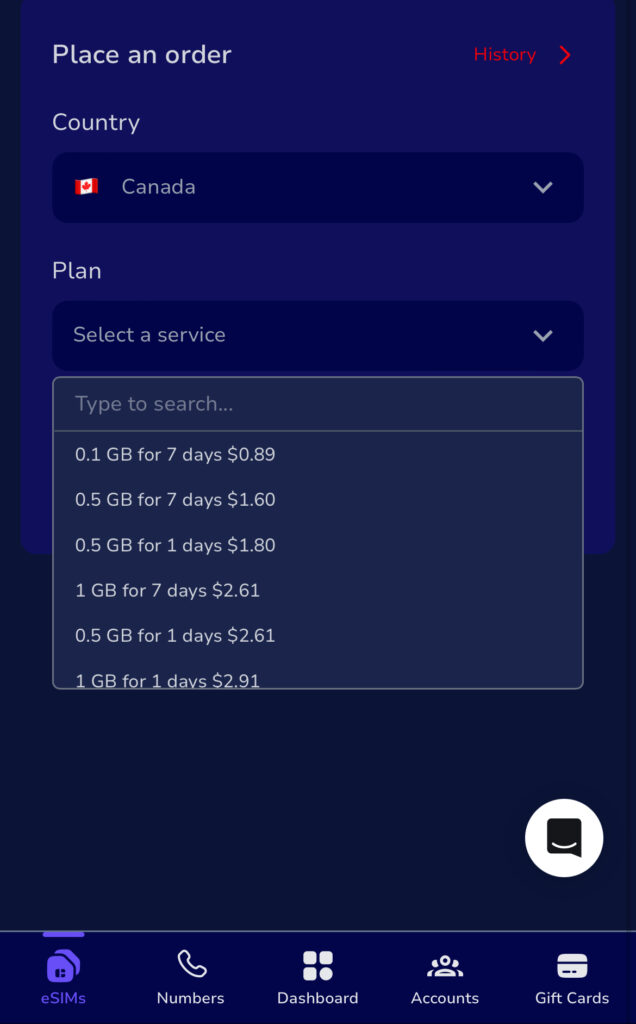
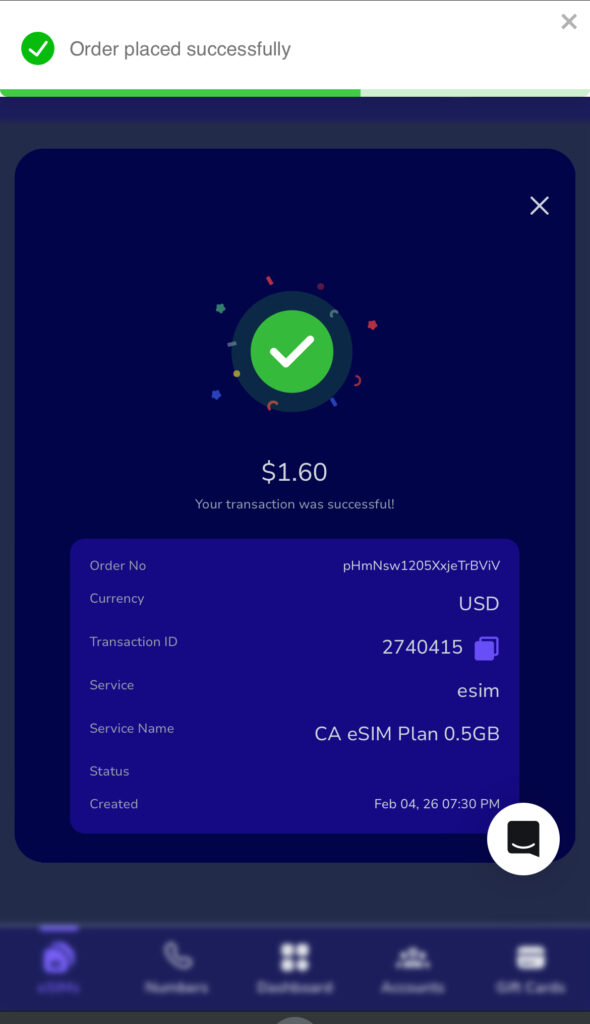
After creating an account, locate the “eSIM” section and select Canada as your destination then choose a data plan that fits your stay.
Step 3: Complete Payment
Pay securely using available payment options. Once payment is confirmed, your Canada eSIM from Nigeria is sent instantly.
How to Activate a Canada eSIM from Nigeria
Activating your Canada eSIM from Nigeria is simple and takes only a few minutes.
If you’re dealing with low views, few likes, or zero shares, you’re not alone. Many creators and small businesses across Nigeria are noticing an Instagram Reels reach drop, even when their content is good.
The truth is: Instagram has changed how Reels are pushed. What worked last year may not work today. Imagine spending hours editing a Reel, posting at the “right” time… and Instagram barely shows it to anyone.
If this sounds familiar, this guide will show you how to fix low engagement on Instagram Reels using practical steps that actually work in 2026.
What Causes Low Engagement on Instagram Reels?
Before you fix low engagement on Instagram Reels, you need to know why it’s happening.
Here are the most common reasons:
1. Your Hook Isn’t Strong Enough
Instagram decides whether to push your Reel within the first 1–3 seconds. If people scroll past quickly, your reach drops.
2. You’re Posting at the Wrong Time
If your audience is asleep or offline, your Reel won’t get early engagement and Instagram won’t promote it further.
3. Inconsistent Posting
Posting once every two weeks makes it hard for the algorithm to trust your account.
4. Shadow-Like Restrictions
Sometimes, your content doesn’t break rules but it also doesn’t get pushed. This often happens when your account has low activity or limited reach history.
All of these contribute to an Instagram Reels reach drop.
How to Fix Low Engagement on Instagram Reels (Practical Steps)
Let’s talk about solutions you can actually use today.
1. Fix Low Engagement on Instagram Reels with a Strong Opening
Your first line or visual must stop scrolling.
Try this:
Ask a bold question
Start mid-action
Use on-screen text that sparks curiosity
Example:
“If your Reels aren’t getting views, this is why…”
This alone can help improve Reels engagement.
2. Use Shorter, Clearer Reels
Long Reels don’t always perform better. In fact, many creators see higher reach with 7–15 second videos.
Short Reels:
Get watched till the end
Increase retention
Signal quality to Instagram
That’s how you fix low engagement on Instagram Reels without changing your niche.
3. Post Consistently (Not Randomly)
Consistency doesn’t mean posting every hour. It means:
3–5 Reels per week
Similar content style
Same niche focus
This helps Instagram understand who to show your Reels to, reducing Instagram Reels reach drop over time.
4. Improve Reels Engagement with Smart Captions
Your caption matters more than you think.
Use:
Short paragraphs
A question at the end
A clear call to action
Example:
“Have you noticed your Reel reach dropping too? Comment YES.”
Engagement in comments helps push your Reel further.
When Organic Growth Isn’t Enough
Sometimes, you’re doing everything right but your account still struggles.
This is common for:
New creators
Business accounts
Accounts affected by past low reach
This is where strategic boosting comes in.
How Nexar Helps Fix Low Engagement on Instagram Reels
Nexar doesn’t just give you tools, it helps your content get seen.
With Nexar’s Instagram Boost Account feature, you can:
Push your Reels to real, active users
Improve early engagement (likes, views, interactions)
Help Instagram re-trust your account
Recover from Instagram Reels reach drop faster
Instead of waiting weeks for organic growth, Nexar helps you improve Reels engagement in a controlled, safe way.
How to Boost Your Instagram Reels with Nexar (Step-by-Step)
Step 1: Visit the Nexar App and Sign Up
Start by visiting the Nexar website and signing up. Once you’re logged in, you’ll see different growth and digital tools available.
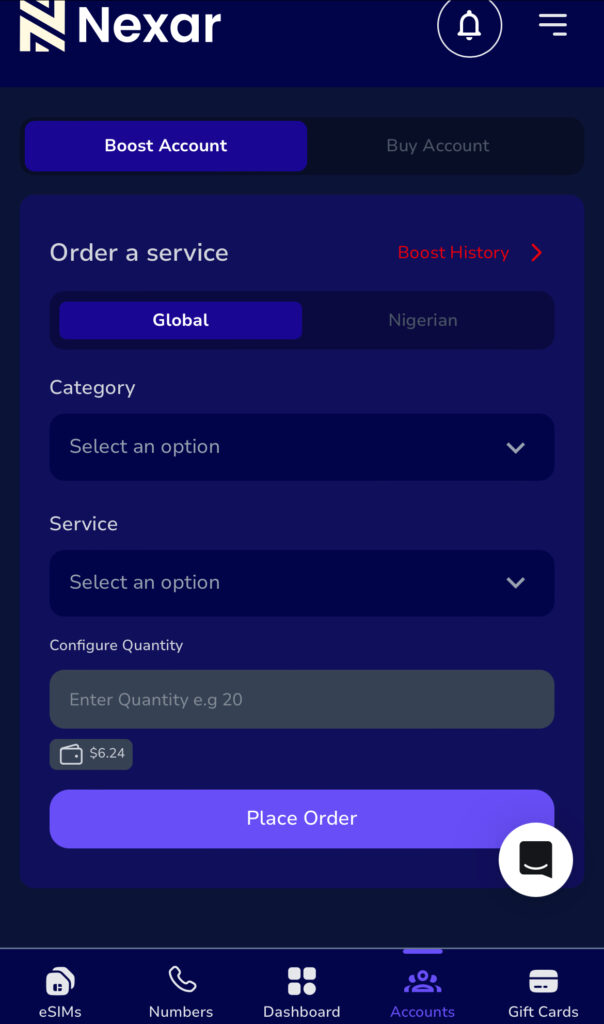
Step 2: Select the Instagram Boost Feature
Inside the app, choose Instagram Boost Account. This feature is designed to help creators and businesses fix low engagement on Instagram Reels by improving early visibility.
Step 3: Choose Your Boost Package
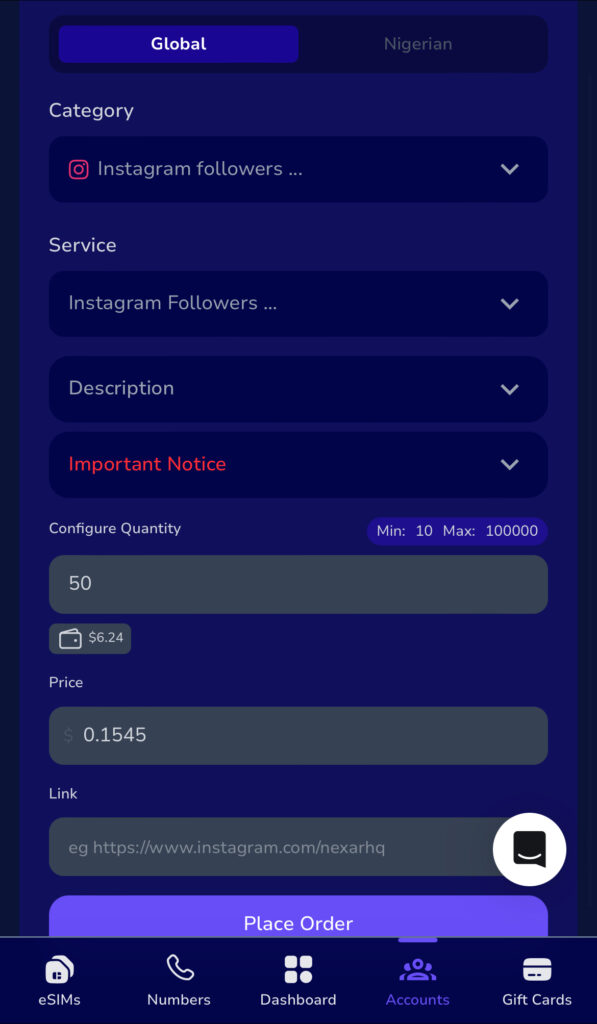
Choose the social media account you want to boost, add the quantity then add the right link (profile link or post link) . You don’t need to share your password, Nexar does not ask for login details, which keeps your account safe.
Pick a boost plan that matches your goal:
Increase Reel views
Improve engagement on recent posts
Revive a slow or new account
This helps reduce Instagram Reels reach drop by giving your content initial traction.
Step 4: Submit and Monitor Results
Confirm your order and monitor how your Reels start gaining visibility. As engagement increases, Instagram’s algorithm is more likely to push your content organically.
Why This Works for Low Engagement
Instagram prioritizes content that gets early interaction. Nexar helps you:
Trigger algorithm trust
Improve Reels engagement naturally
Recover from low or inconsistent reach
When combined with good content, boosting through Nexar makes it easier to fix low engagement on Instagram Reels without waiting weeks.
Organic vs Boosted Growth: Why Nexar Stands Out
Many creators try random boosting tools and get burned.
Here’s why Nexar is different:
Built for African creators and businesses
No fake engagement
Simple setup
Budget-friendly options
If your goal is to fix low engagement on Instagram Reels, Nexar gives you support without risking your account.
Extra Tips to Prevent Instagram Reels Reach Drop
Avoid reposting TikTok videos with watermarks
Use trending audio early
Reply to comments within the first hour
Engage with similar accounts before and after posting
These small actions help maintain reach and improve Reels engagement naturally.
Takeaways: How to Fix Low Engagement on Instagram Reels Fast
Here’s the quick summary:
Start your Reels with strong hooks
Keep videos short and clear
Post consistently
Write engaging captions
Use Nexar’s boost feature when organic reach slows
This combination helps you fix low engagement on Instagram Reels without stress.
Ready to Boost Your Reels?
If you’re tired of guessing and want real results:
Visit the Nexar website and boost your Instagram account today
In 2026, travel is no longer just for the ultra-rich. With better flight deals, flexible work, and smarter planning, more Nigerians are looking for the cheapest countries to visit in 2026 without sacrificing comfort or experience. The real challenge isn’t the desire to travel, it’s figuring out where your naira can go the farthest.
From affordable visas to low daily living costs, some destinations make budget travel destinations feel realistic, even if it’s your first international trip. This guide breaks down the cheapest countries to visit in 2026, especially for Nigerians who want value, safety, and memorable experiences.
Why Focus on the Cheapest Countries to Visit in 2026?
Travel costs are rising globally, but not evenly. While some countries are becoming expensive, others remain surprisingly affordable due to currency exchange rates, cost of living, and tourism policies.
Choosing the cheapest countries to visit in 2026 helps you:
Stretch your travel budget longer
Spend more on experiences, not survival
Avoid unnecessary financial stress
Enjoy affordable travel 2026 without cutting corners
For Nigerians, this approach is even more important due to exchange rate realities and visa costs.
Cheapest Countries to Visit in 2026 for Nigerians
🇬🇪 Georgia
Georgia consistently ranks among the cheapest countries to visit in 2026. Daily expenses like food, transport, and accommodation remain low. In its eccentric capital, crumbling façades of traditional wooden Georgian houses stand next to Soviet-era architecture and daring contemporary designs. From Tbilisi, you can explore the stunning Caucasian Mountain range, take a dip in the Black Sea, or visit ancient hilltop monasteries (and a few of them even built inside caves).
Why it works for Nigerians:
Visa-friendly policies
Affordable meals and lodging
Beautiful cities like Tbilisi
🇲🇦 Morocco
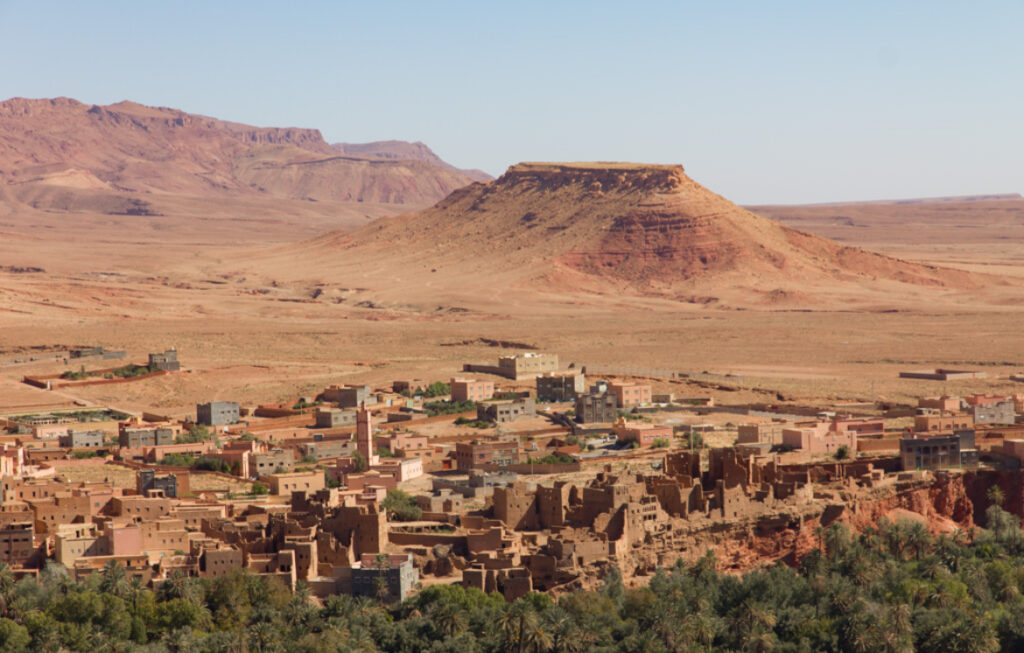
Morocco continues to rank among the cheapest countries to visit in 2026, especially for travelers who want rich culture without high costs. The key to staying on budget? Steer clear of the pushy salesmen trying to sell you overpriced rugs and trinkets! But unless you go shopping every day in the souks where everything is very tourist-priced, you can still travel in Morocco without breaking the bank.
Budget riads and guesthouses are widely available
Local meals and street food are very affordable
Public transport and intercity buses are cheap
You can explore cities like Marrakech or Fez, use maps for navigation, book local tours, and stay connected online while keeping daily expenses low.
🇻🇳 Vietnam
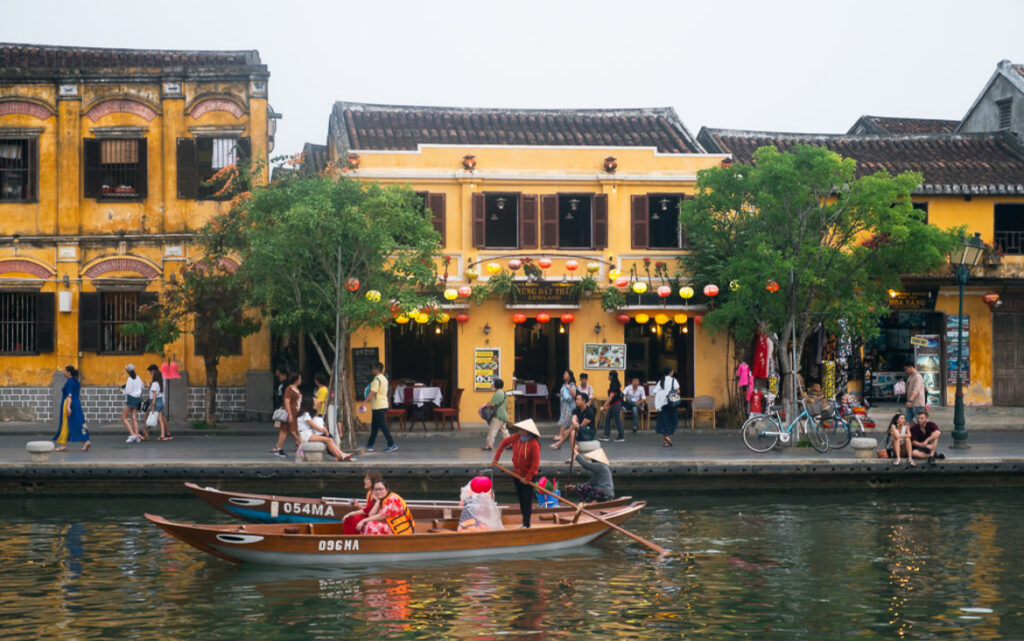
Vietnam is a classic favorite among budget travel destinations. You can live comfortably on a modest daily budget. Vietnam is getting (re)discovered in a major way. It’s now mainly digital nomads singing its praises: visa reforms made long stays easier, while the highly liveable seaside city of Da Nang has put Central Vietnam in the spotlight with its low prices and clean air.
What makes it affordable:
Cheap street food
Budget-friendly hotels
Affordable local transport
Vietnam fits perfectly into any list of the cheapest countries to visit in 2026.
🇷🇼 Rwanda
Rwanda offers a clean, safe, and structured travel experience in Africa.
Why you will love it:
Visa on arrival
Affordable local transport
Stable costs for food and accommodation
It’s one of the most accessible cheap countries for Nigerians right now.
🇪🇬 Egypt
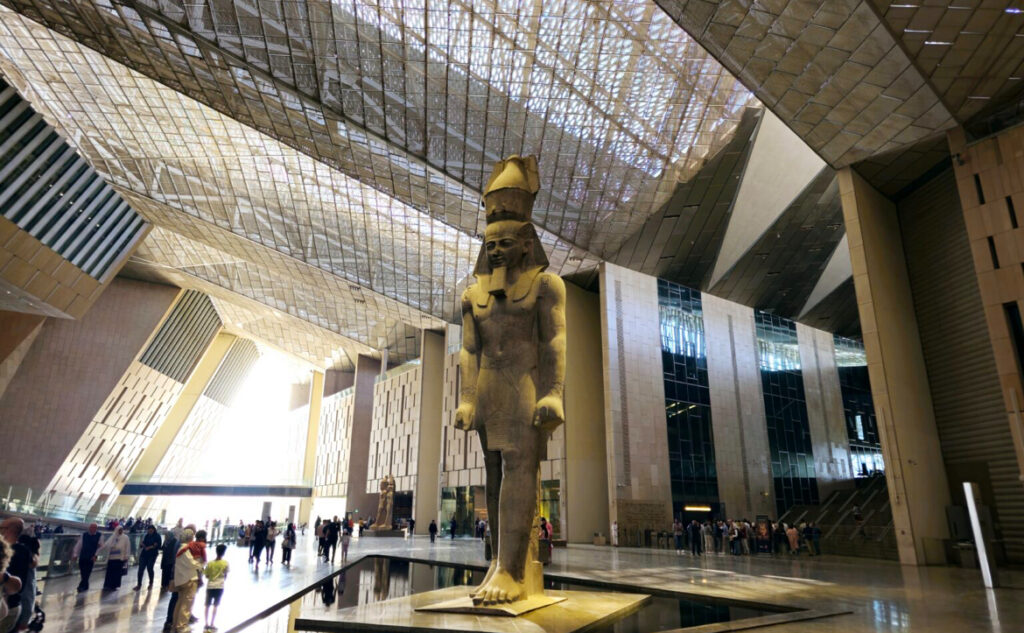
Egypt continues to rank among the cheapest countries to visit in 2026, especially for travelers looking for history, culture, and affordability in one destination. Let’s face it: the Pyramids of Giza will forever be a bucket list item, and now that Egypt is particularly good value perhaps it’s time to tick it off the list. The opening in late 2025 of the GEM said to be the world’s largest archeological museum, gives a new impetus to go.
Budget hotels and guesthouses are widely available
Local food, transport, and attraction entry fees are affordable
Major cities offer good value for money compared to many global destinations
You can explore cities like Cairo or Alexandria, navigate using maps, book tours, and stay connected online while keeping your daily travel expenses low.
🇮🇩 Indonesia
Indonesia remains one of the cheapest countries to visit in 2026, especially for travelers who want great value, diverse experiences, and affordable daily living. While Bali has always been the clear favorite island, it’s increasingly regarded as overtouristed. It’s still a good place to go for an affordable and easy trip, but if you’re seeking more calm and authenticity you might have to look elsewhere.
Why you will love it:
Budget hostels, guesthouses, and short-lets are widely available
Local meals and street food are very cheap
Transport within cities and between islands is cost-friendly
You can explore places like Bali or Yogyakarta, consider Bali’s neighboring islands of Lombok and Java, the spectacular Komodo islands and rural Flores, or go further into Sumatra or Sulawesi, book rides, find affordable stays, and use navigation apps easily while keeping your overall travel costs low.
🇰🇭 Cambodia
Cambodia continues to be a favorite for long-stay budget travelers. A former sleepy escape on the buzzing Southeast Asia backpacker trail, Cambodia is now one of the region’s most exciting gems. Despite the country’s horrors in the past century, friendly locals and animated towns indicate it’s on the upswing. Its enlightening temples, undeveloped islands, and genuine markets often provide a more authentic travel experience.
No trip to Cambodia is complete without visiting the mystical Angkor Wat, despite a day pass throwing a wrench in your budget. However, there is much more to discover than the country’s pride and joy.
Its sun-kissed beaches rival its neighbors, the cuisine is fit for the adventurous foodies, and the history will likely overwhelm your emotions.
Extremely affordable food
Cheap guesthouses and hotels
Low transportation costs
You can explore cities like Phnom Penh or Siem Reap while keeping daily spending very low.
🇦🇱 Albania
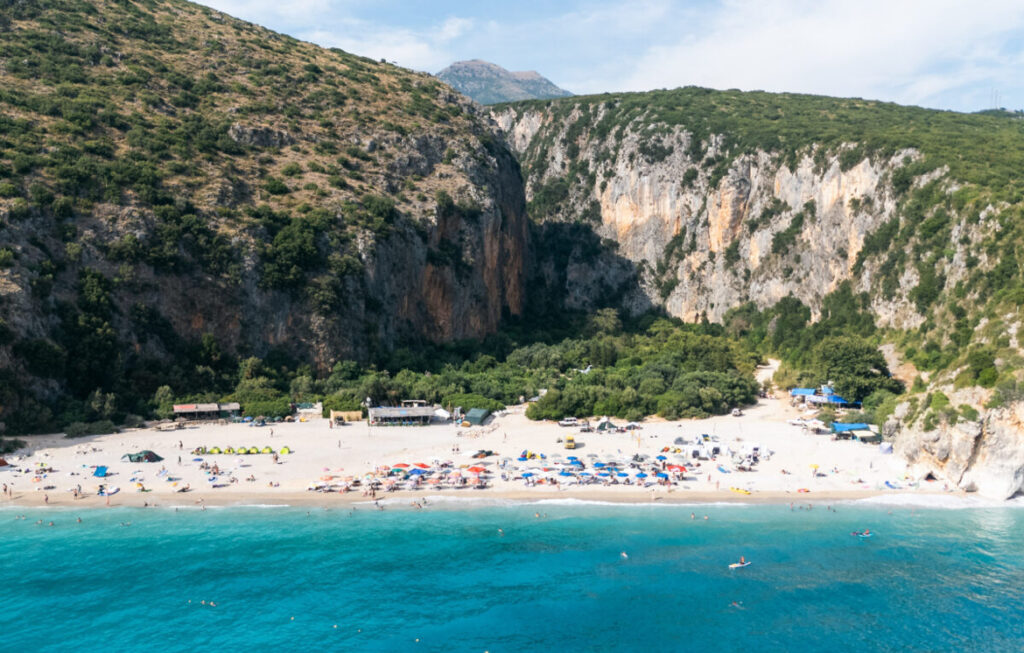
Europe doesn’t have to be expensive. Albania proves that. Beyond the viral eye-candy of Ksamil, Albania is blessed with a beautiful Mediterranean coastline but I think the real secrets are its quirky capital, well-preserved Ottoman-era towns, and beautiful Alps.
Albania remains one of the last undiscovered gems of Europe, and it packs a punch with its untouched landscapes and historic sites. From the sprawling capital of Tirana to the intimidating Accursed Mountains, there is an adventure for all interests.
Budget-friendly highlights:
Low-cost accommodation
Cheap public transport
Stunning beaches
Albania stands out as one of the cheapest countries to visit in 2026 within Europe.
🇳🇵 Nepal
Nepal is one of the cheapest adventure-friendly destinations in 2026. The kind-hearted nature of the Nepalese and the wonderful bustle of Kathmandu instantly enchants anyone
Nepal also happens to be one of the world’s cheapest places for mountain trekking, whether guided or independent. There are routes throughout the Himalayas that are very well-supported and have many tea houses where you can eat and sleep.
Very low food and lodging costs
Budget transport options across cities
Affordable local experiences
🇹🇭 Thailand
Thailand remains one of the cheapest countries to visit in 2026, especially for travelers who want great food, vibrant cities, and affordable experiences. Its tropical climate, mouthwatering street food, glistening beaches, and thriving ex-pat community have made it a hub for budget travelers.
What makes it affordable:
Budget hotels, hostels, and apartments are easy to find
Street food and local meals are very affordable
Public transport and domestic travel are cost-friendly
You can move around cities like Bangkok or Chiang Mai, find affordable places to eat, book local experiences, and stay connected online while keeping your daily spending low.
🇬🇭 Ghana
For Nigerians who want international travel without long flights, Ghana is a smart choice. Ghana is a very safe country, and its friendly people make you feel warm and welcome as soon as you enter. Although the Coastal Plains of Ghana make up only a fraction of the whole country, there’s so much to do and see here, including the capital city of Accra.
This coastal city is small but vibrant, with much to do for free! From Skybar in Accra’s tallest tower overlooking the laid-back coastline, a wander around the beating Makola Market, or the bars contributing to its great nightlife scene, Accra really has something for all kinds of travellers. The beaches of Bojo and Labadi provide a beautiful place for relaxing on the sand, or for the more adventurous, there are some great waves to surf.
Visa-free entry
Similar food and culture
Affordable daily expenses
It remains a top pick for affordable travel 2026.
How to Budget Smartly When Visiting Cheap Countries in 2026
Even when visiting the cheapest countries to visit in 2026, planning matters.
Here’s what helps:
Book flights early
Choose apartments over hotels
Eat local food
Use public transport
Avoid tourist traps
These tips apply across all budget travel destinations.
Staying Connected While Traveling on a Budget
Internet access is often overlooked when planning affordable travel 2026, but roaming charges can quietly drain your budget.
Instead of relying on airport SIM cards, many travelers now choose eSIMs for flexibility and cost control. With a travel eSIM, you can:
Activate data before landing
Avoid roaming fees
Stay connected immediately
Platforms like Nexar make it easier for Nigerians to get travel eSIMs without stress. You can explore helpful guides like how eSIMs work for international travel directly on Nexar’s blog.
Cheapest Countries to Visit in 2026 vs. Expensive Tourist Hubs
Choosing the cheapest countries to visit in 2026 doesn’t mean missing out. In fact, you often get:
More authentic experiences
Less crowded attractions
Better value for money
Compared to expensive destinations, these cheap countries allow longer stays and deeper exploration.
Practical Takeaways for Budget Travelers
Before you travel:
Pick from the cheapest countries to visit in 2026
Research visa requirements early
Plan daily spending realistically
Sort connectivity options like data eSIMs in advance
Keep emergency funds
Smart planning turns budget travel destinations into stress-free experiences.
Final Thoughts: Travel Smart in 2026
Travel in 2026 doesn’t have to be expensive. With the right destination choices, you can enjoy meaningful trips without financial pressure. The cheapest countries to visit in 2026 offer culture, comfort, and adventure at a fraction of the cost.
If staying connected matters to you while exploring these destinations, consider setting up your travel eSIM ahead of time through Nexar and focus on enjoying the journey.
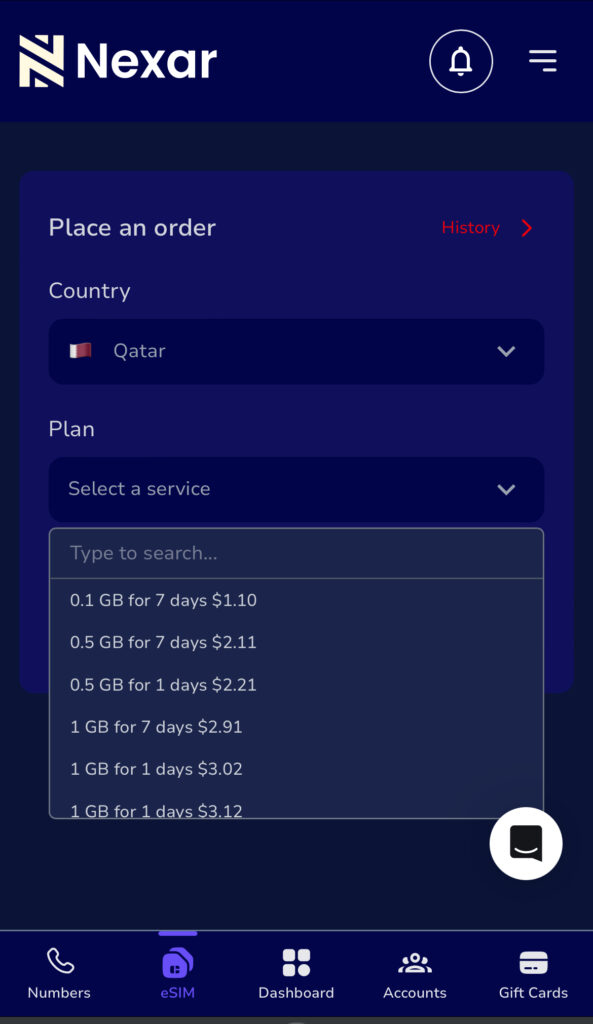
At Murtala Muhammed Airport, Ibrahim had everything sorted; passport, visa, hotel booking. What he didn’t plan for was internet access. Minutes after landing in Doha, his Nigerian SIM stopped working. No Google Maps. No WhatsApp. No way to reach his pickup driver. By the time he finally connected to Wi-Fi, he had already spent more on roaming than he planned for food that day.
In this guide, you’ll learn how eSIM for Qatar works. Instead of dealing with roaming charges or unreliable airport SIMs, you can buy a data-only eSIM on Nexar and activate it instantly before you travel.
What Is an eSIM for Qatar and How Does It Work?
An eSIM for Qatar is a digital SIM that gives you mobile data in Qatar without inserting a physical SIM card. Instead of visiting a kiosk or swapping SIMs, you install the eSIM directly on your phone.
Once activated, your travel eSIM connects you to local networks in Qatar, allowing you to browse, chat, navigate, and work online using data only.
According to the GSMA eSIM standard, an eSIM is built directly into your device and can be activated remotely without a physical SIM card.
This is especially useful for Nigerians because:
Roaming charges are expensive
Physical SIM registration can be stressful
Airport SIM prices are often higher
Why Nigerians Prefer an eSIM for Qatar Over Roaming
Using roaming with Nigerian networks can drain your balance in minutes. That’s why many travelers now choose a reliable data-only eSIM instead.
Here’s why it makes more sense:
Predictable costs: You pay once and know exactly how much data you have
Instant connectivity: Your data works as soon as you land
No physical SIM: Your Nigerian SIM stays active for calls and OTPs
Better control: You manage everything from your phone
With a properly activated eSIM for Qatar, you avoid the stress most travelers face abroad.
The Biggest Problem Nigerians Face When Buying an eSIM for Qatar
The issue isn’t awareness, it’s access.
Many global eSIM platforms:
Decline Nigerian cards
Have confusing setup instructions
Offer poor customer support
Don’t explain Qatar eSIM activation clearly
This is where having a platform built for Africans makes all the difference.
How to Activate eSIM for Qatar in Nigeria
Activating an eSIM with Nexar is straightforward and best done before you travel.
Step 1: Confirm Your Device Supports eSIM
Most recent iPhones and Android devices support eSIM. Before you activate an eSIM for Qatar, it’s important to confirm that your phone is on the list of eSIM-compatible devices.
Step 2: Buy your data plan on Nexar
Choose your preferred travel eSIM plan based on how long you’ll stay and how much data you need.
Step 3: Receive Your QR Code
After payment, Nexar sends the eSIM activation QR code to your email instantly.
Step 4: Install the eSIM
Scan the QR code using your phone’s eSIM setup option.
Important: The QR code can only be scanned once.
Step 5: Activate on Arrival
Once in Qatar:
Turn on the eSIM
Enable data roaming
Select the eSIM as your mobile data line
Your eSIM for Qatar connects automatically.
What You Can Do With a Travel eSIM Qatar Plan
Once your travel eSIM is active, you can:
Use Google Maps for navigation
Stay active on WhatsApp, Instagram, and email
Book rides and hotels online
Join Zoom or Teams meetings
Work remotely without interruptions
This makes eSIM for Qatar ideal for freelancers, consultants, and business travelers from Nigeria.
Why Choose Nexar for eSIM for Qatar
Nexar is designed to solve the exact problems Nigerians face when trying to stay connected abroad.
Here’s why Nexar stands out as a reliable data- only eSIM:
Built with Nigerians in mind
Nexar supports local payment methods and understands how Nigerians travel and work.
Instant delivery
Once you buy your eSIM for Qatar, your QR code is sent immediately, no delays.
Simple activation steps
Nexar provides clear instructions so your data-only eSIM activation works on the first try.
Reliable data-only plans
The travel eSIM plans are optimized for WhatsApp, Google Maps, email, work tools, and social media.
Responsive support
If you need help, Nexar support is available and understands local users, not generic chatbot replies.
This makes Nexar a reliable solution, not just another eSIM seller.
Common Mistakes to Avoid When Using eSIM for Qatar
To get the best experience with eSIM for Qatar, avoid these mistakes:
Waiting until arrival to activate
Using unsupported devices
Turning off data roaming for the eSIM line
Buying plans that don’t match your stay duration
Preparing ahead ensures your eSIM for Qatar works smoothly.
Common Questions Nigerians Ask About eSIM for Qatar
Q. Can I activate my eSIM before traveling?
Yes. With Nexar, you can install and activate your eSIM before traveling so it starts working immediately after landing.
Q. Will my Nigerian SIM still work?
Yes. Your physical SIM remains active for calls and OTPs.
Q. Is Nexar’s eSIM data-only?
Yes. Nexar offers data-only eSIMs designed for internet access abroad.
Final Thoughts: Is eSIM for Qatar Worth It?
If you value convenience, cost control, and instant connectivity, eSIM for Qatar is absolutely worth it. For Nigerians traveling to Qatar, it removes uncertainty and keeps you connected from day one.
Instead of struggling with roaming or airport SIMs, activate eSIM for Qatar in Nigeria and travel with peace of mind.
Visit the Nexar website today and activate your travel eSIM before your trip.
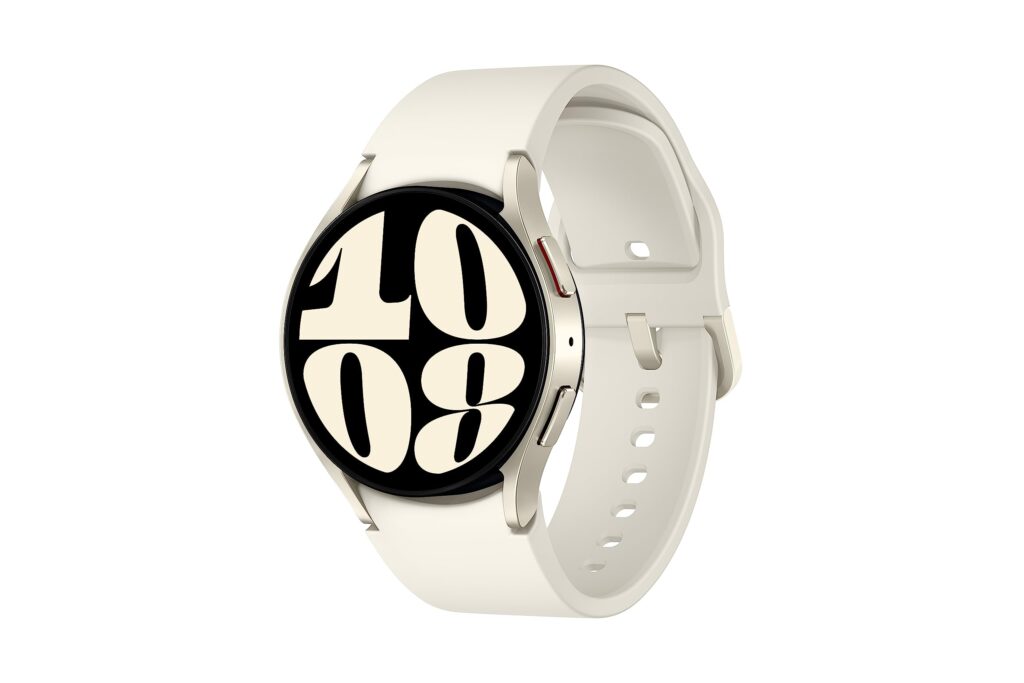
Smartwatch adoption in Africa has grown by over 30% in the last two years, driven by fitness tracking, remote work, and on-the-go connectivity. As more people in Nigeria rely on smartwatches for internet-based apps, maps, streaming, and notifications, eSIM supported smartwatches are becoming a practical choice.
Instead of inserting a physical SIM, eSIM technology allows your smartwatch to connect directly to mobile data. This guide breaks down the complete eSIM smartwatch list for Nigeria in 2025, what actually works locally, and how to stay connected using a data-only eSIM from Nexar.
What eSIM Supported Smartwatches Really Mean in Nigeria
Before jumping into the list, it’s important to be clear about one thing.
Most eSIM supported smartwatches in Nigeria do not support traditional calls or SMS on their own. Instead, they rely on mobile data to power:
Internet access
App syncing
GPS and maps
Fitness platforms
Notifications
Streaming and cloud services
This is exactly where data-only eSIMs come in.
According to GSMA’s eSIM overview, eSIM technology allows devices like smartwatches to connect securely to mobile networks without a physical SIM card.
Complete eSIM Supported Smartwatches in Nigeria (2025)
Below is an updated eSIM smartwatch list of models that support embedded SIM technology and can work with mobile data in Nigeria.
Apple eSIM Supported Smartwatches
Apple remains the most consistent brand when it comes to eSIM supported smartwatches.
Apple Watch models with eSIM support:
Apple Watch Series 3 (Cellular)
Apple Watch Series 4
Apple Watch Series 5
Apple Watch Series 6
Apple Watch Series 7
Apple Watch Series 8
Apple Watch Series 9
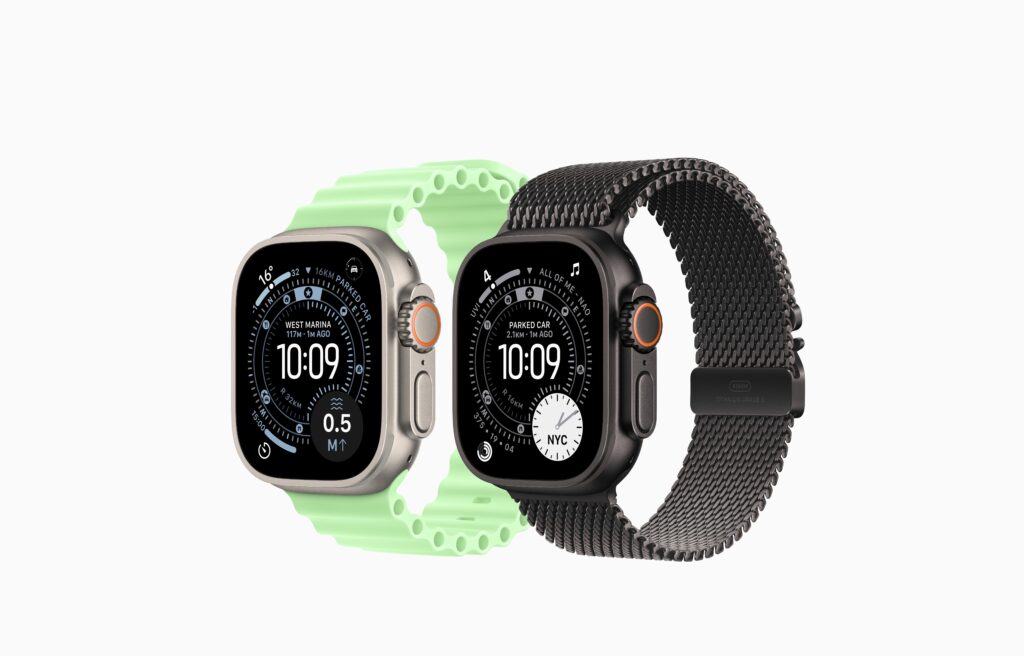
Apple Watch Ultra
Apple Watch Ultra 2
Apple Watch SE (Cellular versions only)
These watches rely heavily on data connectivity for apps, iCloud syncing, maps, and health tracking.
Samsung Smartwatches with eSIM in Nigeria
Samsung also offers several smartwatches with eSIM Nigeria users can rely on for internet-based features.
Samsung smartwatches use data for Google services, app updates, navigation, and health tracking.
Other eSIM Supported Smartwatches
While Apple and Samsung dominate, a few other brands support eSIM globally (availability may vary in Nigeria):
Huawei Watch 2 Pro (eSIM)
Huawei Watch 3
Huawei Watch 3 Pro
Oppo Watch LTE
For these models, compatibility often depends on software version and regional support.
What You Can Do with eSIM Supported Smartwatches Using Data Only
When people hear “data-only eSIM,” they often assume it limits what a smartwatch can do. In reality, eSIM supported smartwatches can still handle most of the things you actually use your watch for every day as long as they’re connected to mobile data.
Here’s what that looks like in real life:
Browse the internet on the go
With eSIM supported smartwatches, you can stay online even when your phone isn’t nearby. Whether you’re checking updates, syncing apps, or accessing cloud services, mobile data keeps everything running smoothly.
Use maps and GPS without stress
Data-only eSIMs allow eSIM supported smartwatches to power Google Maps or Apple Maps. This is perfect for workouts, walking routes, travel navigation, or finding locations without pulling out your phone.
Sync fitness and health apps in real time
Your fitness data doesn’t have to wait until you’re back home. eSIM supported smartwatches can upload workout stats, heart rate data, and health insights instantly using mobile data.
Stream music and audio online
Going for a run or commute without your phone? No problem. With data access, eSIM supported smartwatches can stream music, podcasts, or audio directly from supported apps.
Receive app notifications anywhere
WhatsApp alerts, email notifications, calendar reminders, and app updates still come through. As long as there’s data, eSIM supported smartwatches keep you connected to what matters.
Use internet-based apps smoothly
Many smartwatch apps rely on the internet, not SMS or calls. Data-only eSIMs let eSIM supported smartwatches handle messaging apps, cloud services, weather updates, and productivity tools without issues.
Track workouts and location accurately
For runners, cyclists, and outdoor users, mobile data improves real-time tracking. eSIM supported smartwatches can record routes, sync performance data, and update stats instantly.
What Data-Only eSIMs Don’t Do (And Why That’s Okay)
It’s important to be clear: eSIM supported smartwatches using data-only eSIMs don’t make traditional calls or send SMS on their own. But for most users in Nigeria, those features are rarely the main reason for using a smartwatch.
The real value comes from internet-powered features, and that’s exactly what data-only eSIMs are designed for.
With a reliable data-only eSIM from Nexar, eSIM supported smartwatches can stay connected to mobile data even when your phone isn’t nearby.
Why Data-Only eSIMs Make Sense in Nigeria
In Nigeria, many users struggle with:
Carrier restrictions
Limited smartwatch cellular plans
Inconsistent SIM availability
A data-only eSIM avoids these issues completely.
You don’t need a physical SIM, and you’re not locked into local carrier limitations. As long as your smartwatch supports eSIM, mobile data is enough for most real-life use cases.
Why Choose Nexar for eSIM Supported Smartwatches
This is where Nexar stands out.
Nexar provides reliable data-only eSIMs that work perfectly with eSIM supported smartwatches in Nigeria.
Here’s why many Nigerians prefer Nexar:
Designed for African users
Fast mobile data activation
No physical SIM needed
Works with compatible eSIM smartwatches
Ideal for apps, fitness tracking, and online tools
Simple setup process
Nexar focuses on what most smartwatch users actually need: stable internet access, not complicated carrier plans.
How to Buy an eSIM on Nexar for Your Smartwatch
Buying an eSIM for your smartwatch on Nexar is simple, even if you’ve never used an eSIM before. Since most eSIM supported smartwatches rely on data-only connectivity, Nexar makes it easy to get online without needing a physical SIM or local network stress.
Here’s how to do it step by step:
1. Check That Your Smartwatch Supports eSIM
Before you buy, confirm that your device is one of the eSIM supported smartwatches available in Nigeria. Most Apple Watches and Samsung Galaxy LTE models support data-only eSIMs when paired correctly with your phone.
This step saves you time and prevents activation issues.
2. Visit the Nexar website
Open any browser of your choice and create an account using your email and verify it. Everything; from purchase to activation happens inside the app.
3. Choose an eSIM Data Plan
Inside the app, select an eSIM data plan that fits your usage. If you plan to use your smartwatch for fitness tracking, notifications, maps, or streaming on the go, a light to mid-range plan usually works well.
Because Nexar offers data-only eSIMs, you don’t pay for calls or SMS you won’t use.
4. Complete Your Payment
Pay using a method that works locally,no international card stress. Nexar is built with Africans in mind, so payments are smooth and straightforward.
5. Install the eSIM on Your Paired Phone
Most eSIM supported smartwatches require installation through the paired smartphone (like an iPhone or Samsung phone). Once you receive your QR code or activation details, install the eSIM on your phone and sync it to your smartwatch.
6. Activate and Start Using Data
After activation, turn on mobile data for your smartwatch. You’re now connected, ready to use your eSIM supported smartwatch for workouts, navigation, app alerts, and online features without relying on Wi-Fi.
Why This Works Well for Smartwatches:
Nexar’s data-only eSIMs are ideal for eSIM supported smartwatches because they focus on what these devices actually need; fast, reliable internet access. No unnecessary extras, no complicated setup.
How to Know If Your Smartwatch Supports eSIM
Before buying or activating an eSIM, check:
Your smartwatch model (LTE or Cellular version only)
Device settings for eSIM or mobile plan options
Manufacturer specifications on eSIM support
Software version (updates may enable eSIM)
If your watch supports eSIM, you can use a data-only eSIM immediately.
Common Misunderstanding About eSIM Smartwatches
A lot of people assume eSIM means full phone replacement. That’s not the case.
Most eSIM supported smartwatches are designed for:
Internet access
Companion use with a phone
Fitness and productivity
Once you understand this, data-only eSIMs become the most practical option.
Final Takeaways
eSIM supported smartwatches are growing fast in Nigeria
Apple and Samsung lead the market
Most eSIM smartwatches rely on data, not calls or SMS
Data-only eSIMs are the most realistic solution
Nexar offers a reliable, Nigeria-focused option
Get Started with Nexar
If you own an eSIM supported smartwatch and want reliable mobile data without stress, get started with Nexar today.