Trying to sign up for an international platform but getting blocked because you don’t have a US line? Many Nigerians face this issue daily. Certain apps, freelance platforms, and online services either restrict Nigerian numbers or require a US number for verification.
That is why many people search for how to get a free US number in Nigeria.
In this guide, you’ll learn how it works, where to get one, the risks involved, and a safer alternative if you need reliability.
What Is a Free US Number in Nigeria?
A free US number in Nigeria is a virtual phone number with a United States country code that you can access online without owning a physical SIM card.
These numbers are typically used to receive SMS verification codes, also known as OTPs. Most platforms require phone verification before allowing full access. A US number for verification helps you complete those sign-ups without using your Nigerian SIM.
A free virtual US number works over the internet. You do not insert a SIM into your phone. Instead, you access messages through a website or dashboard.
Why People Look for a Free US Number in Nigeria
There are common reasons Nigerians try to get a free US number in Nigeria:
1. Platform Restrictions
Some international services limit features for Nigerian numbers. Using a US number for verification can help complete registration.
2. Freelancing and Remote Work
Freelancers signing up on global marketplaces sometimes need a US contact number during setup.
3. Online Payments and Tools
Certain tools occasionally request a US number during onboarding or security verification.
4. Privacy
Some users prefer not to expose their personal Nigerian number across multiple websites.
Because of these reasons, demand for US numbers in Nigeria continues to grow.
How to Get a Free US Number in Nigeria
There are websites that provide temporary public US numbers. Here’s how the process works:
Choose from the list of available US numbers displayed.
Step 3: Enter the Number on the Target Platform
Use the selected number during sign-up.
Step 4: Wait for the OTP
Refresh the inbox page to check for your verification code.
Step 5: Complete Registration
Copy the code and finish signing up.
This method allows you to access a free US number in Nigeria instantly, but here is a disclaimer: free numbers comes with lots of risk that you must be aware of. Let’s get into it so that you can weigh your pros and cons.
Risks of Using a Free Virtual US Number
Before using a free virtual US number, here are some downsides you must not ignore:
Messages are public. Anyone can see the OTP.
Delivery may fail or delay.
Some platforms block public numbers.
Numbers change frequently.
You may lose account access later.
Free numbers are suitable only for temporary or low-risk accounts. They are not recommended for banking, sensitive services, or long-term business use.
Free vs Paid US Numbers
While a free US number in Nigeria sounds attractive, it often lacks stability.
Paid virtual numbers provide:
Private access
Faster OTP delivery
Reusable numbers
Better account security
Customer support
If you need a reliable US number for verification for business or long-term use, a paid option is safer.
How to Get a Secure US Number in Nigeria
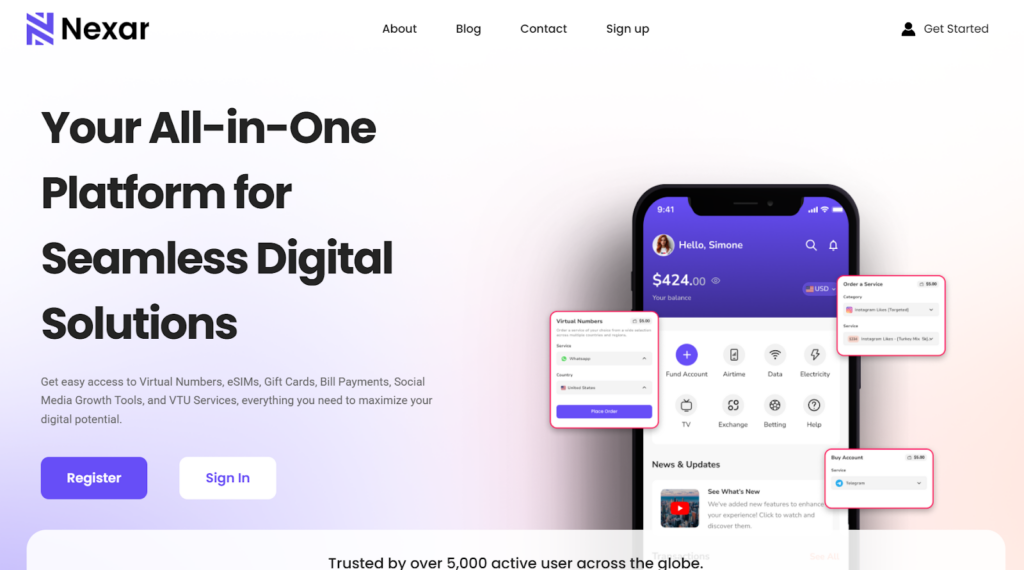
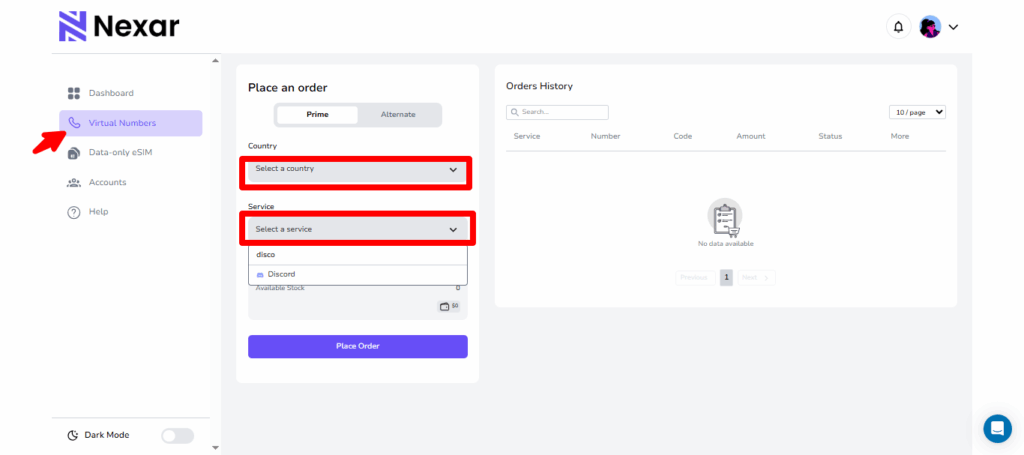
Here’s a practical guide on how to get a US virtual number in Nigeria using Nexar:
Once activated, your US virtual number is ready. You can use it for WhatsApp, PayPal, calls, SMS, and any platform that requires verification.
Frequently Asked Questions
1. Can I really get a free US number in Nigeria?
Yes. Some websites provide public US numbers. However, they are shared and not private.
2. Is a free virtual US number safe?
It is safe only for low-risk, temporary sign-ups. It is not secure for important accounts.
3. Why didn’t my US number for verification work?
Some platforms block public or recycled numbers. This is common with free services.
4. Can I keep a free US number permanently?
No. Free numbers rotate frequently and are not assigned to one user.
5. What is the best way to get a reliable US number in Nigeria?
If you need stability, Nexar is the better option. Nexar provides reusable US numbers for OTP verification and rental numbers for long‑term use, giving you more control and consistent access compared to free services.
Final Thoughts
Getting a free US number in Nigeria can work for temporary sign‑ups, but free services often come with delays, public inboxes, and blocked numbers.
If you need something more reliable, Nexar is the better option. You get a secure US number for verification without the risks that come with public platforms.
You try signing up on a Spanish website. Everything goes smoothly until you enter your Nigerian number and then nothing happens. No SMS. No verification code. Just frustration.
That’s why more people are now searching for a Spain virtual number in Nigeria. Whether you’re a freelancer, business owner, remote worker, or just trying to access a Spanish platform, having a Spanish number removes unnecessary roadblocks.
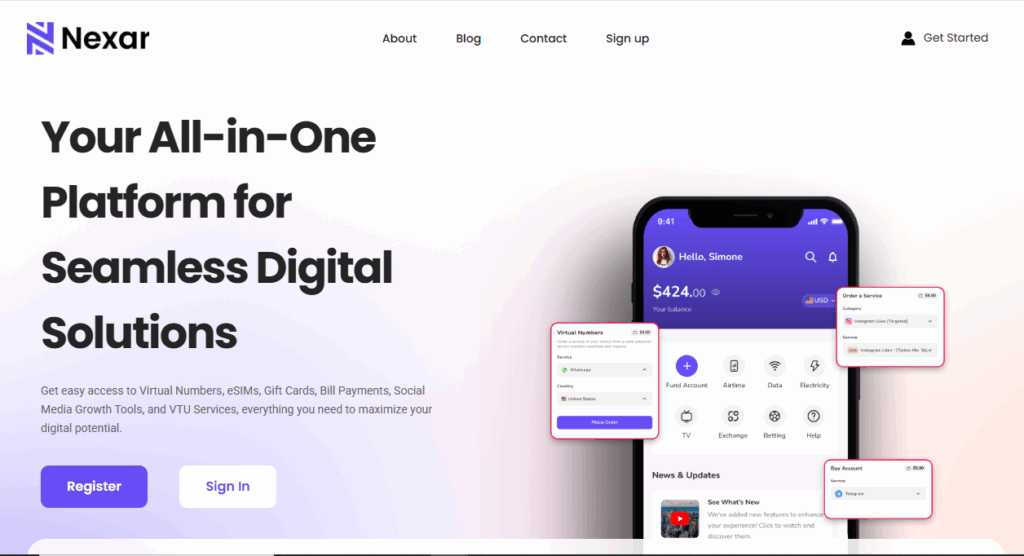
The good news? You don’t need to travel or buy a physical SIM. You can buy a Spanish number online in minutes using Nexar.
What exactly is a Spain Virtual Number?
A Spain virtual number is simply a +34 number you can use online without owning a physical SIM card. Spain uses the +34 country code, according to the International Telecommunication Union (ITU), which manages global telecom standards and country numbering systems.
You receive SMS and verification codes directly from your dashboard or app. That means you can stay in Nigeria and still operate like you’re in Spain.
For many users, a Spain virtual number in Nigeria becomes a business tool, not just a phone number.
Why Nigerians Choose Spain Virtual Number in Nigeria
Here’s what people are actually using it for:
Registering on Spanish apps and websites
Verifying WhatsApp for clients
Creating accounts on freelance platforms
Managing international ads
Protecting personal Nigerian numbers
Instead of struggling with blocked signups, a Spain virtual number in Nigeria gives you smoother access.
And yes it works even if you’ve been rejected before.
The Mistakes People Make When They Buy a Spain Number Online
Let’s talk real.
Many Nigerians try to buy Spanish numbers online from random websites because it looks cheaper. But here’s what usually happens:
The number stops working after one use
SMS never arrives
The platform blocks the number
There’s no customer support
Free or random providers often recycle numbers. That’s risky, especially if you’re using it for business.
If you want stability, you need a Spain virtual number in Nigeria, not a shared public number.
How to Buy a Spain Virtual Number in Nigeria Using Nexar
Now let’s fix the problem properly.
If you want to buy Spain number online safely, Nexar keeps everything simple.
Step 1: Visit the Nexar Website
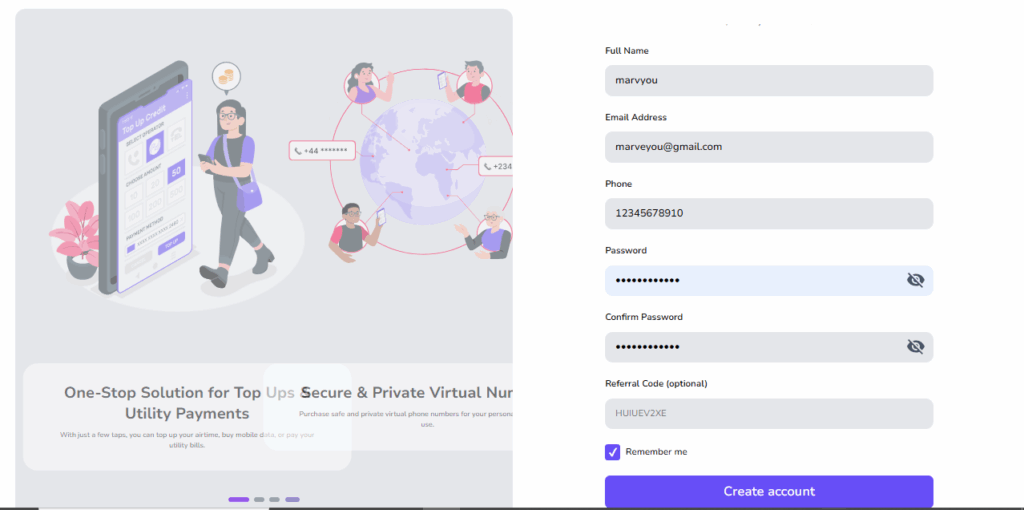
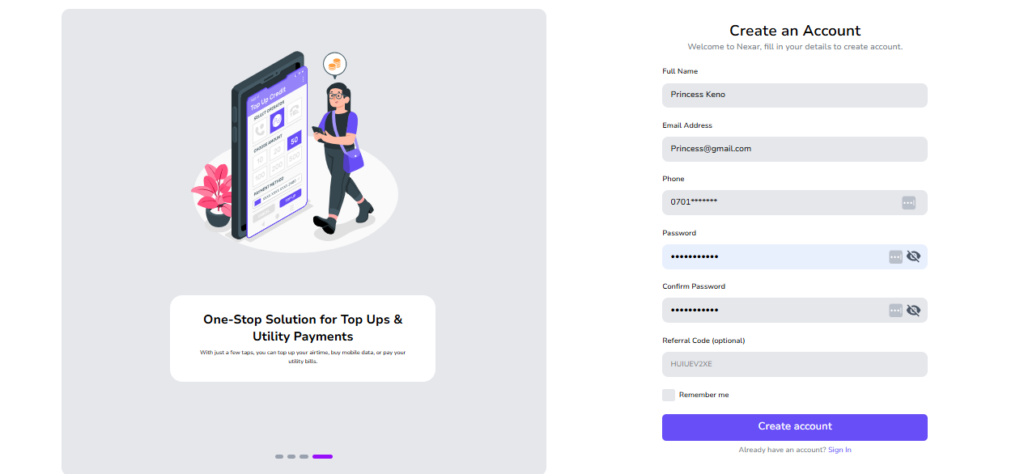
Visit the Nexar website and create your account. It’s built for Nigerians, so payment works smoothly.
Step 2: Go to Virtual Numbers
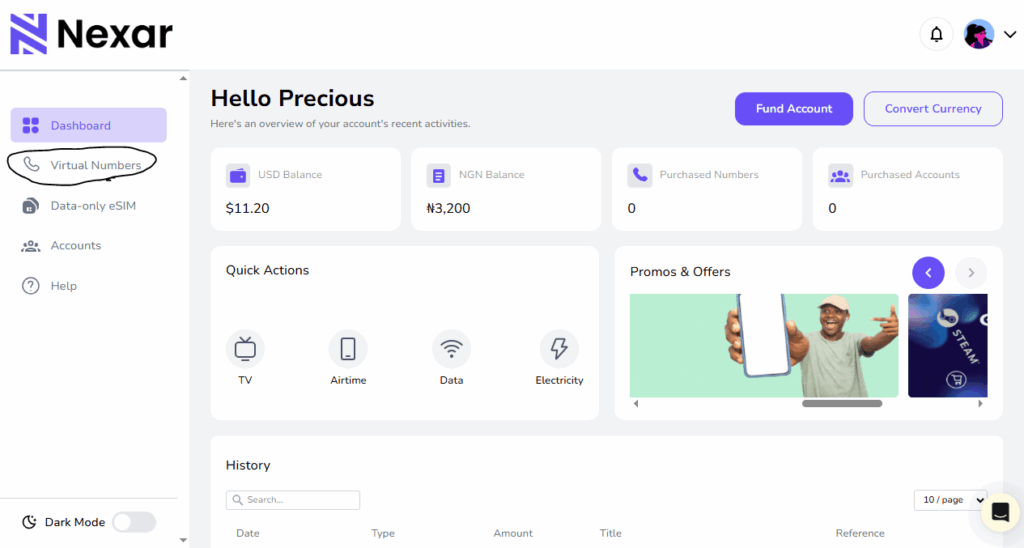
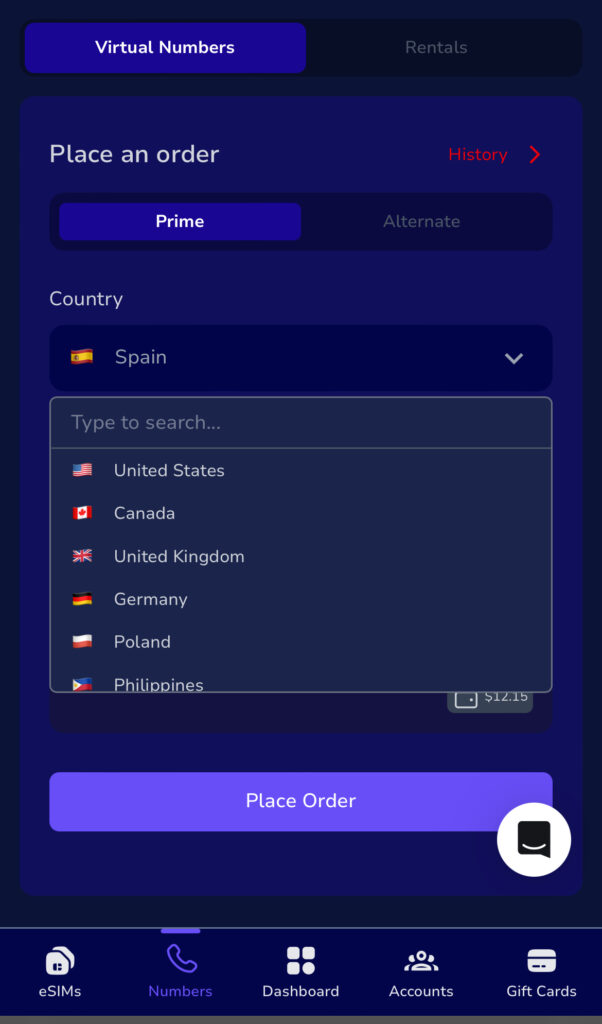
Inside the website, tap on Virtual Numbers and select Spain.
Step 3: Choose Your Platform
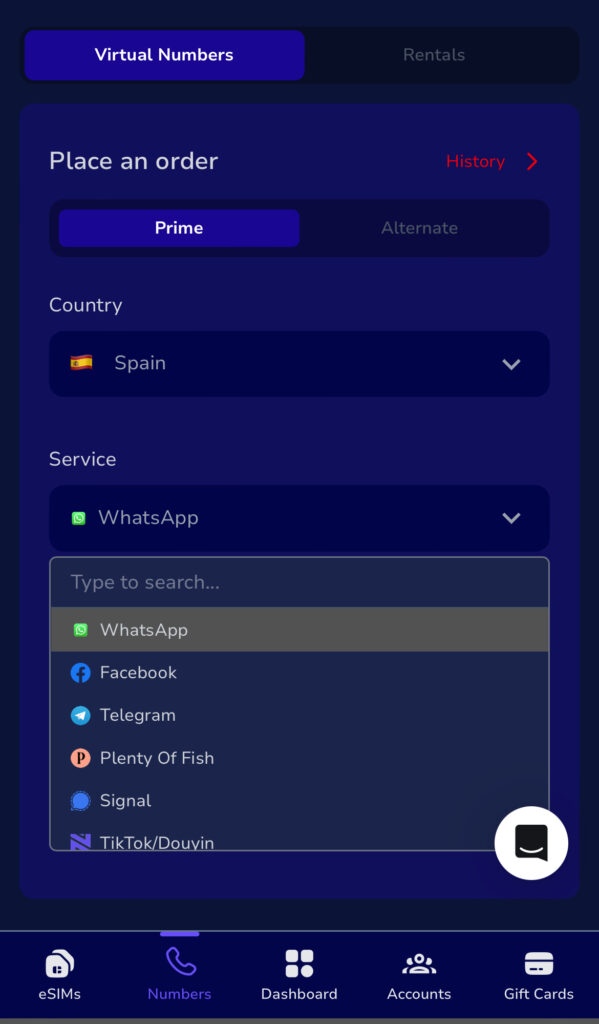
Pick the platform you want to verify (WhatsApp, Telegram, etc.). Nexar assigns numbers optimized for specific platforms.
Step 4: Complete Payment
Go ahead and make your payment . No foreign card stress.
Step 5: Receive Your Spain Virtual Number Instantly
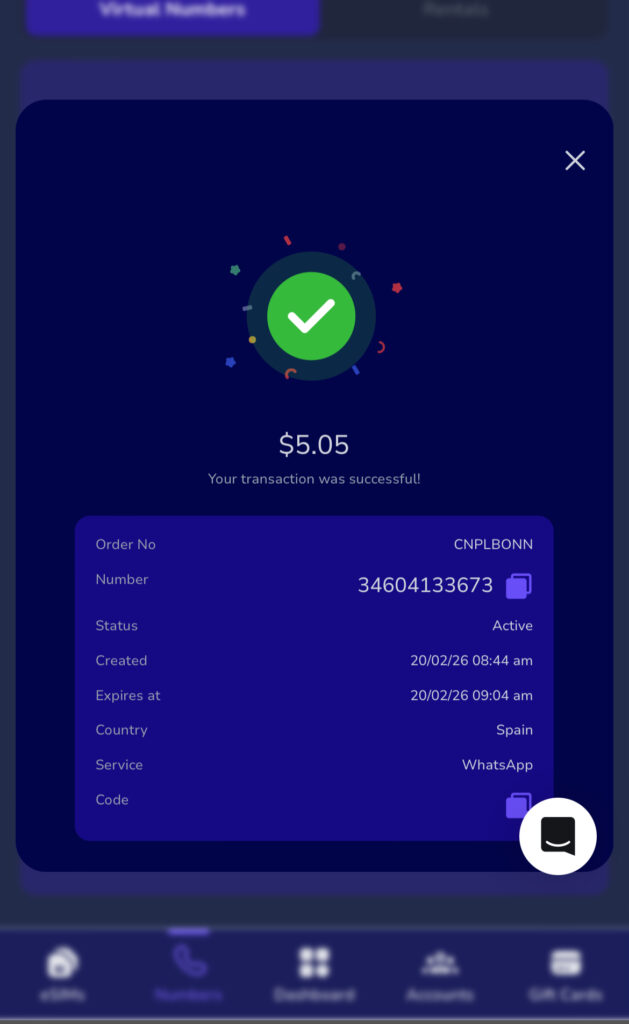
Once payment is confirmed, your Spain virtual number in Nigeria is ready to use immediately.
Not all providers understand how African users struggle with international verification.
Nexar focuses on reliability and transparency.
When you get a Spain virtual number in Nigeria from Nexar, you get:
Stable SMS delivery
Platform-compatible numbers
Transparent pricing
Quick activation
Support that understands Nigerian users
Instead of gambling with unknown sites, you use a solution built for you.
Spain Virtual Number vs Free Online Numbers
Let’s compare honestly:
Free online numbers:
Are public
Get blocked quickly
Often fail verification
Have zero support
A proper Spain virtual number from Nexar:
Is secure
Works for targeted platforms
Delivers SMS reliably
Comes with support
If you’re serious about business or account access, the choice is obvious.
Is It Legal to Use Spain Virtual Number?
Yes. Using Spain virtual number in Nigeria is legal for business communication, account verification, and online registration. Just make sure you follow the terms of the platform you’re signing up for.
Frequently Asked Questions About SpainVirtual Number in Nigeria
Q. Can I really use Spain virtual number in Nigeria without traveling?
Yes, you can. A Spain virtual number in Nigeria works completely online. You don’t need to travel to Spain or buy a physical SIM card. Once you activate it through Nexar, you receive SMS verification codes directly in the app.
That’s why many freelancers and business owners prefer it. If you also plan to travel to Spain, you may want to explore our guide on how to buy an eSIM from Nigeria to stay connected physically while using your virtual number online.
Q. What platforms can I verify with a Spain virtual number in Nigeria?
You can use a Spain virtual number in Nigeria for:
WhatsApp
Telegram
Freelance websites
Social media verification
Just make sure you select the correct platform inside Nexar before purchasing.
Q. Is it safe to buy Spain number online?
Yes, if you use a trusted provider.
Buying from random websites or free number platforms can expose you to recycled or blocked numbers. But when you buy Spain number online through Nexar, you get a secure and platform-optimized number designed to work.
Q. Why is my Spain virtual number not receiving SMS?
This usually happens when:
The number is shared publicly
The platform has blocked recycled numbers
The provider does not support that platform
A reliable Spain virtual number in Nigeria from Nexar reduces this issue because numbers are assigned based on compatibility.
Q. Do I need a VPN to use a Spain virtual number?
In most cases, Yes. A Spain virtual number in Nigeria does not work for verification without a VPN. However, some Spanish platforms may require location matching. Always check the platform’s policy before signing up.
Quick Takeaways
A Spain virtual number in Nigeria helps you bypass verification restrictions
It works for freelancers, businesses, and individuals
You can buy Spain number online safely using Nexar
Avoid free public numbers if you want reliability
Ready to Get Started?
If you’re tired of failed signups and blocked numbers, stop wasting time.
Visit the Nexar website and get your Spain virtual number in Nigeria today.
In Nigeria, creating a TikTok account should be simple but for many people, it’s not. You enter your phone number, wait for the code and nothing comes in. Or worse, TikTok rejects the number entirely. This has become more common as TikTok tightens verification and Nigerian users face network delays, reused numbers, and blocked SMS routes.
That’s where a Virtual Number for TikTok comes in. If you’re trying to grow a brand, manage multiple accounts, or simply want a reliable way to sign up, using a virtual number can save you time, stress, and repeated failed attempts.
In this guide, you’ll learn exactly how a Virtual Number for TikTok works, why it’s useful in Nigeria, and how Nexar makes the process simple and secure.
What Is a Virtual Number for TikTok?
A Virtual Number for TikTok is a phone number that works online without a physical SIM card. You can receive SMS verification codes on it just like a normal phone number.
When you use a Virtual Number for TikTok, TikTok sends your signup or login code to that number instead of your personal line. This helps you avoid common issues like:
SMS not delivering
Network restrictions
Reusing your personal number
For many people, a Virtual Number for TikTok is simply a smarter and more flexible option.
Why Nigerians Use a Virtual Number for TikTok
Let’s talk about real-life challenges Nigerians face and how a Virtual Number for TikTok helps.
SMS verification fails too often
Local networks sometimes block or delay international SMS. A Virtual Number for TikTok uses global SMS routes that deliver faster.
You want privacy
Using your main phone number on social apps isn’t always ideal. A Virtual Number for TikTok keeps your personal line private.
You manage multiple accounts
If you’re a content manager or business owner, you may need more than one account. A Virtual Number for TikTok makes this possible without buying multiple SIM cards.
Can You Create a TikTok Account with a Virtual Number?
When you create a TikTok account with a virtual number, TikTok treats it like any other phone number. The difference is reliability. Clean, trusted numbers work. Random or recycled ones often fail.
This is why choosing the right provider matters when you want to create a TikTok account with a virtual number.
How to Create a TikTok Account with a Virtual Number (Step-by-Step Guide)
Here’s a simple, beginner-friendly way to use a Virtual Number for TikTok:
Step 1: Get a virtual number from Nexar
On Nexar, you can buy a Virtual Number for TikTok that supports real SMS delivery.
Step 2: Open TikTok
Download and open TikTok, then select Sign up with your phone number.
Step 3: Enter the virtual number
Input your Virtual Number for TikTok exactly as shown on Nexar.
Step 4: Receive your code
The SMS code will appear inside your Nexar dashboard.
Step 5: Complete signup
Enter the code and finish creating your account.
This process allows you to create a TikTok account with a virtual number without delays or repeated failures.
A trusted TikTok virtual number Nigeria option should be:
Clean and unused
SMS-enabled
Delivered through stable routes
Nexar provides TikTok virtual number Nigeria users trust because the numbers are designed specifically for verification.
Why Choose Nexar for a Virtual Number for TikTok
Here’s why Nexar stands out when you need a Virtual Number for TikTok:
When it comes to creating or managing a TikTok account in Nigeria, the biggest problem is rarely TikTok itself, it’s verification. Delayed SMS codes, rejected numbers, and sudden account locks are common issues. This is exactly where Nexar stands out as a reliable solution.
Here’s why using Nexar for a Virtual Number for TikTok makes practical sense:
Reliable SMS delivery that actually works
One major frustration with TikTok verification is not receiving the code on time or at all. Nexar provides virtual numbers that are optimized for SMS verification, so when TikTok sends a code, it arrives promptly. This removes the stress of retrying multiple times or getting blocked for “too many attempts.”
Numbers designed for real account creation
Not all virtual numbers are accepted by TikTok. Many free or low-quality services use recycled or flagged numbers that TikTok instantly rejects. Nexar offers clean, tested virtual numbers that are suitable for TikTok sign-ups, making it easier to create a TikTok account with a virtual number successfully on the first try. TikTok itself recommends using valid and accessible phone numbers for account verification to avoid login or security issues. According to TikTok’s official support documentation on account sign-ups and verification.
Built for Nigerians and Africans
Most global platforms aren’t designed with Nigerian users in mind. Nexar is different. From payment options to number availability, everything is structured to work smoothly in Nigeria. That means no foreign cards, no complicated setups, and no guessing games. For users in Nigeria, Nexar is designed to work with local payment options and regional needs. You can easily purchase a number directly from the website and complete verification without using foreign cards or complicated workarounds. You can learn more about how Nexar works and its virtual number features.
Quick setup, no technical knowledge needed
You don’t need to be tech-savvy to use Nexar. You can buy a virtual number directly from the app, receive your SMS in real time, and complete TikTok verification in minutes. The process is simple enough for beginners and efficient enough for creators managing multiple accounts.
Better account safety and flexibility
Using a Virtual Number for TikTok through Nexar also gives you more control. You’re not forced to tie your personal SIM to every account, which helps with privacy and account management especially if you’re a creator, business owner, or marketer running multiple TikTok profiles.
Trusted platform, not a random SMS site
Unlike random SMS websites that disappear overnight, Nexar is a full platform offering virtual numbers, eSIMs, and digital services. This stability matters when your TikTok account and your content depends on it.
This makes Nexar ideal if you want to create a TikTok account with a virtual number smoothly.
Common Mistakes to Avoid When Using a Virtual Number for TikTok
Even with a good Virtual Number for TikTok, mistakes can cause issues:
Reusing the same number for too many accounts
Waiting too long to enter the SMS code
Using free or shared numbers
Using a trusted TikTok virtual number Nigeria solution reduces these risks.
FAQs About Virtual Number for TikTok
Q. Is using a Virtual Number for TikTok safe?
Yes. As long as the number is clean and SMS-enabled.
Q. Can I create multiple accounts with a virtual number?
Yes, but it’s best to use separate numbers for each account.
Q. Does TikTok accept virtual numbers in Nigeria?
Yes. Many users successfully use a TikTok virtual number Nigeria providers offer.
Key Takeaways
A Virtual Number for TikTok helps you bypass SMS issues
You can create a TikTok account with a virtual number easily
Nigerians use virtual numbers for privacy and reliability
Leaving Nigeria for a new life abroad is both thrilling and tough. Many Nigerians worry about keeping their phone number when they move. It’s key for staying in touch with loved ones and business contacts.
Without a way to keep your Nigerian number active, you might miss calls and messages. Luckily, there are ways to retain your Nigerian phone number while abroad. This article will look at the hurdles and options you have.
In this article, you will:
Understand the importance of retaining your Nigerian phone number abroad.
Preparing Your Nigerian Number Before Departure
Discover available solutions to maintain your Nigerian phone number.
How to Keep Nigerian Number Abroad with Minimal Costs
Keeping your Nigerian number active while abroad is very important. Today, it’s key to stay connected with family, friends, and business contacts back home.
1. Personal Connections and Relationships
Having your Nigerian number active lets you keep in touch with loved ones. You can get calls and messages from family and friends. This is especially important for staying close to children, spouses, or elderly parents who might not use new tech.
2. Business and Professional Contacts
For professionals, keeping a Nigerian number is crucial. It lets clients and colleagues reach you easily. This consistency builds trust and keeps professional relationships strong.
3. Banking and Two-Factor Authentication Services
Nigerian banks and online services use your phone number for 2FA. Keeping your number active means you can get these codes, even abroad. This is key for accessing your bank accounts and keeping your online presence safe. Without your Nigerian number, you might lose access to your accounts or face financial risks.
Preparing Your Nigerian Number Before Departure
Before you leave, make sure your Nigerian number works abroad. This is key to staying in touch with friends and family back home. With the right steps, you can keep your communication flowing without a hitch.
1. Activating International Roaming Services
Start by turning on international roaming with your provider. Nigerian telecoms like MTN, Airtel, Glo, and 9mobile have this service. Just call your provider or use their app to get it started.
2. Updating Your Account Information and KYC Details
Update your account and KYC details before you go. This keeps your account active and meets legal rules. Your provider will tell you how to do this, maybe online or in person.
3. Setting Up Auto-Recharge Options
Think about auto-recharge for your Nigerian number. It keeps your account topped up automatically. This way, you won’t lose your number due to low funds. Most providers let you set this up through their apps or websites.
How to Keep Nigerian Number Abroad with Minimal Costs
1. Periodic Recharging Strategy
One smart way is to recharge your SIM card at set times. This keeps your number active without costing too much. It means you don’t have to recharge often.
2. Using VoIP Services with Your Nigerian Number
Using VoIP services with your Nigerian number is another good idea. VoIP lets you call and text over the internet, which can save money. Apps like WhatsApp, Skype, or VoIP providers help you stay in touch with Nigeria.
3. Cost Comparison of Different Methods
It’s important to look at the costs of keeping your Nigerian number abroad. Compare the prices of international roaming, recharging, and VoIP. This helps find the best option for you.
If you talk to Nigeria a lot, VoIP might be cheaper than roaming. But, if you only use your number sometimes, recharging might be enough.
Choosing the right method lets you keep your Nigerian number without spending a lot. This way, you can stay connected with loved ones and work contacts back home.
Carrier-Specific Solutions for International Use
To stay connected abroad, it’s key to look at international roaming options from Nigerian carriers. Each carrier has special packages and plans for different needs. This way, Nigerians abroad can keep using their local number.
MTN Nigeria has many international roaming packages. These include data, voice, and SMS bundles for various countries. For example, MTN’s “Roaming Daily Bundle” is great for short trips. It offers data and voice services for a day at a low cost.
“Our roaming services are designed to keep you connected wherever you are, without breaking the bank.”
2. Airtel Nigeria Global Roaming Options
Airtel Nigeria has global roaming options for easy communication abroad. Airtel’s services include data, voice, and SMS roaming in many countries. They offer good prices and special bundles, like the “Airtel Roaming Pack.”
Airtel’s global roaming services are designed to be cost-effective and user-friendly.
3. Glo and 9mobile International Plans
Glo and 9mobile also have international roaming plans. Glo’s services include data, voice, and SMS with daily, weekly, and monthly bundles. 9mobile offers roaming in many countries with data, voice, and SMS packages. Both carriers have competitive prices and flexible plans.
For example, Glo’s “Glo Roaming” service lets subscribers roam in many countries affordably.
In conclusion, Nigerian carriers have many solutions for using your number abroad. By picking the right roaming package, you can stay connected while saving money.
Using Virtual Number Services for Your Nigerian Number
Virtual number services are a great way for Nigerians living abroad to keep their Nigerian phone number. These services let you get calls and texts on your Nigerian number, even when you’re not in Nigeria. You don’t need a physical SIM card for this.
Google Voice: It’s mainly for US numbers but can work with international numbers, including Nigerian ones, with call forwarding.
Skype: Skype lets you port your current number or get a new one. This way, you can get calls and texts.
Localphone: Localphone gives you virtual numbers, including Nigerian ones. You can forward calls and get SMS.
Nexarhq.comNexar gives you access to virtual numbers from 180+ countries that can be used to verify various apps and websites.
Setting Up Call Forwarding to International Numbers
To use a virtual number service well, you need to set up call forwarding. Here’s how:
First, turn on call forwarding on your Nigerian number through your carrier’s settings or USSD code.
Then, set up your virtual number service to forward calls to your international number.
Cost Considerations for Virtual Solutions
The cost of virtual number services depends on the provider and what you need. Things to think about include:
Monthly fees for using a virtual number service.
Charges for call forwarding, from both your Nigerian carrier and the virtual number service.
Any extra fees for SMS or other services.
Knowing these costs helps Nigerians abroad decide if virtual number services are right for them.
Maintaining Your Nigerian SIM Card While Living Overseas
Living abroad doesn’t mean you lose touch with your Nigerian contacts. Keeping your Nigerian SIM card active is easier than you think. With the right strategies, you can stay connected with family, friends, and business associates back home.
For Nigerians living abroad, keeping a local SIM card active is a big concern. The key is to use the number regularly to avoid deactivation.
Preventing Number Deactivation Through Regular Use
To stop your Nigerian number from being deactivated, use it often. Make calls or send SMS to your contacts in Nigeria. Also, using data services or browsing the internet with your Nigerian SIM card keeps it active.
Make regular calls to family and friends
Send periodic SMS to keep the number active
Use data services for browsing and staying connected
By following these tips, your Nigerian SIM card will stay active. It will continue to receive calls and messages from back home.
Remote Recharging Options and Services
Recharging your Nigerian SIM card from abroad is now easy. Thanks to online platforms and international payment methods. Use services like Nexarhq platforms that support Nigerian mobile networks.
Online banking and credit card payments
International money transfer services
Dedicated recharge platforms for Nigerian SIM cards
With these remote recharging options, you can keep your Nigerian SIM card topped up. This is even when you’re living overseas.
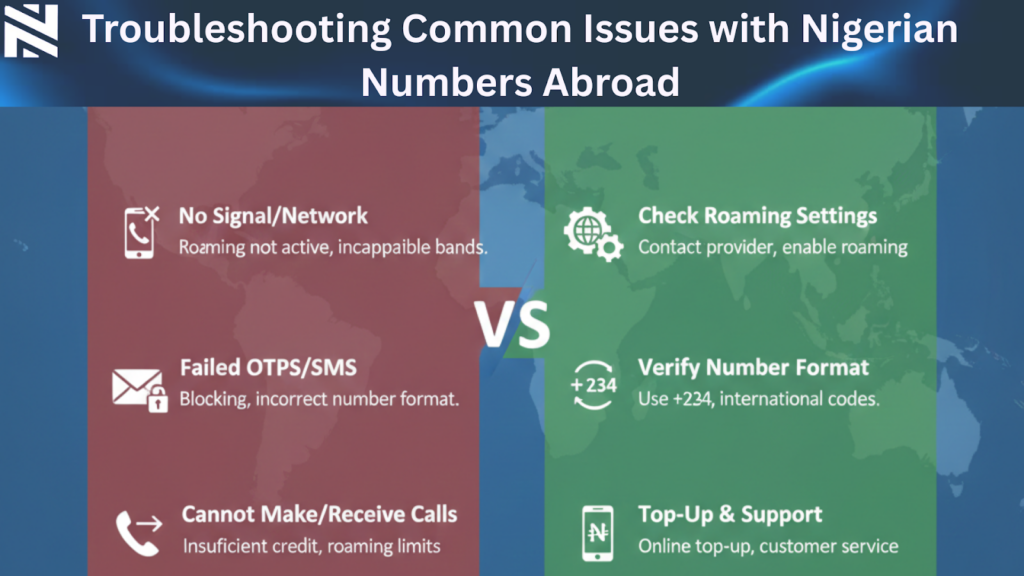
Troubleshooting Common Issues with Nigerian Numbers Abroad
Fixing problems with Nigerian numbers abroad is essential. You might face issues like network problems, trouble recharging, and SIM deactivation. These can happen when you keep your Nigerian number active while abroad.
1. Network Connection Problems and Solutions
Network issues can stem from roaming settings and network compatibility. To fix these, make sure your phone automatically picks a network or manually selects one that works in your area. Also, restarting your phone or turning on airplane mode can help.
Tips for resolving network issues:
Check your phone’s roaming settings
Manually select a compatible network
Restart your phone or toggle airplane mode
2. Recharging Difficulties and Workarounds
Recharging your Nigerian number abroad can be tough due to international payment limits. To get around this, use online recharge services or buy recharge cards from Nigerian vendors online. Some providers also offer auto-recharge options that you can set up remotely.
Popular methods for recharging:
Online recharge services
Nigerian online vendors for recharge cards
Auto-recharge options
3. SIM Card Deactivation Issues and Recovery
SIM deactivation happens if you don’t use your number for a long time. To avoid this, use your SIM regularly or reactivate it through customer service. Sometimes, you’ll need to verify your account details to reactivate your SIM.
“Using your SIM card often keeps it active,” MTN Nigeria advises. “Customers can reactivate their SIMs by contacting our customer service.”
Knowing how to tackle these common problems helps you keep your Nigerian number active while abroad.
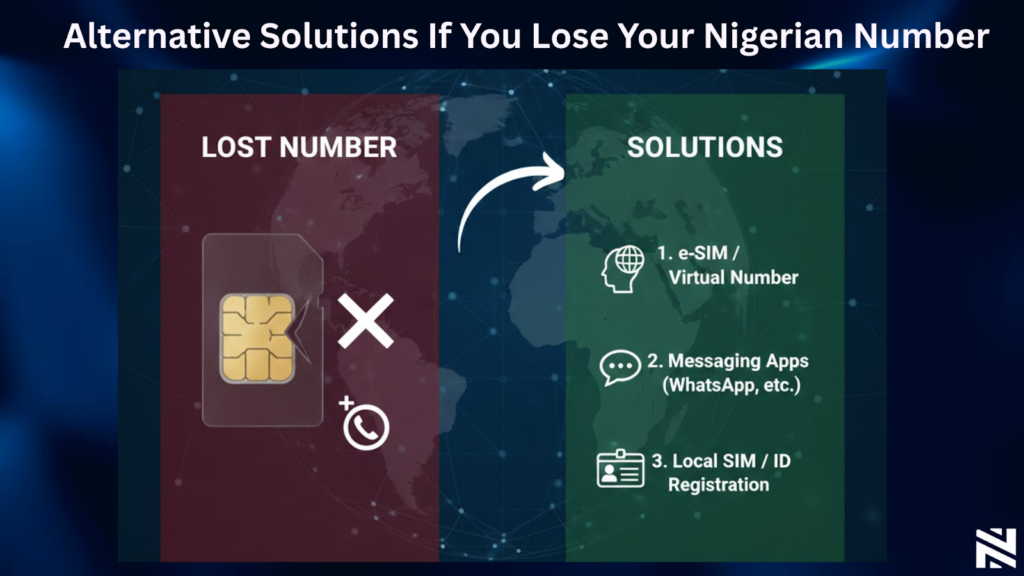
Alternative Solutions If You Lose Your Nigerian Number
Losing your Nigerian number abroad can be a big problem. But, there are ways to keep in touch with Nigeria. You can still get important calls and messages.
1. Getting a New Nigerian Number Through a Proxy
One way to get a new Nigerian number is through a proxy. Ask a trusted friend or family member in Nigeria to buy a new SIM card for you. MTN Nigeria, Airtel Nigeria, Glo, and 9mobile are good choices. They can register the SIM in your name and send it to you.
Make sure your proxy has all the needed documents. This includes a copy of your ID and proof of address. This way, you can keep a Nigerian number without going back to Nigeria.
2. Using Nigerian Virtual Numbers as Replacements
Virtual numbers are another option. They give you a Nigerian number that can receive calls and messages online. d online. This makes them a good choice for Nigerians overseas. You can now rent a Nigerian virtual number from Nexar to stay connected.
Conclusion
It’s important to keep your Nigerian number active while living abroad. This helps you stay in touch with loved ones and business contacts back home. There are several ways to do this, like understanding mobile network policies and using cost-effective methods.
Services like MTN Nigeria’s international roaming packages can help. Also, apps like WhatsApp and Nigerian banking apps can make communication easier. These tools help you keep your Nigerian number active, even when you’re far away.
Consider setting up auto-recharge options to keep your number active. You can also look into VoIP services and carrier-specific solutions. By using these strategies, you can keep your Nigerian number active abroad.
Frequently Asked Questions
How can I keep my Nigerian number active while living abroad?
To keep your Nigerian number active abroad, activate international roaming. Update your account info and set up auto-recharge before you leave.
What are the costs associated with using a Nigerian number abroad?
Costs depend on the carrier and services used. Use periodic recharging, VoIP, or virtual numbers to save money.
Can I use my Nigerian SIM card while living overseas?
Yes, you can use your Nigerian SIM card overseas. Just make sure to use it regularly to avoid deactivation. Also, consider remote recharging options.
How do I troubleshoot common issues with my Nigerian number abroad?
For common issues, check network and recharge problems. Also, look into SIM card deactivation. Find solutions for these issues.
What are the alternatives if I lose my Nigerian number?
If you lose your Nigerian number, get a new one through a proxy. Or use Nigerian virtual numbers as a replacement.
Can I retain my Nigerian phone number overseas using virtual number services?
Yes, you can keep your Nigerian number overseas with virtual services. They forward calls to international numbers.
How do I keep my Nigerian number abroad with minimal costs using Nexarhq?
Use Nexarhq’s services to keep your Nigerian number abroad affordably. They offer reliable solutions for maintaining your number. Visit Nexar to get started.
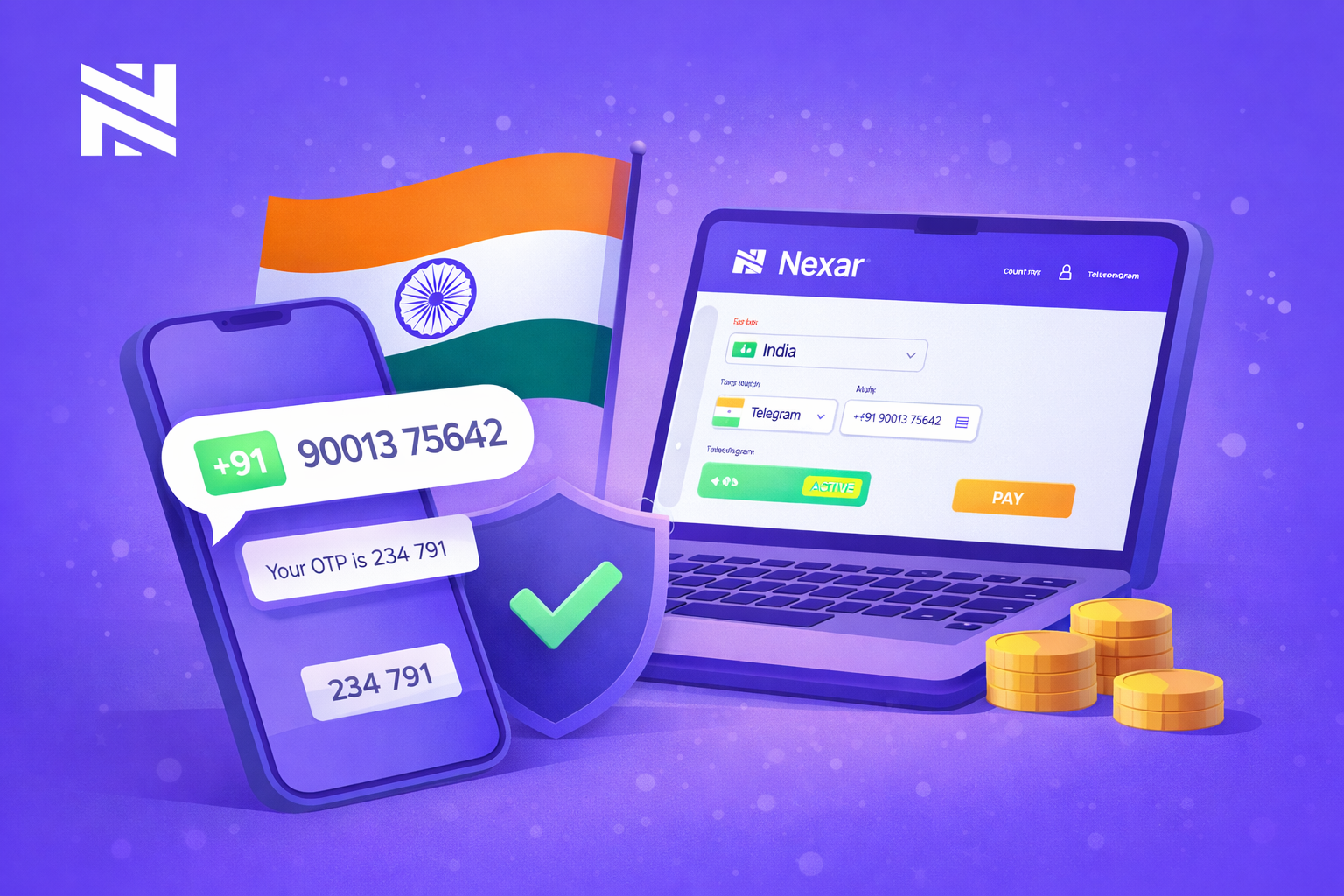
Getting an Indian phone number no longer means buying a SIM card, submitting documents, or finding someone in India to help you. With Nexar, you can receive OTPs from an Indian number in minutes, no physical phone required.
Today, almost every platform requires SMS verification. But Indian SIM cards are not easy to access outside the country, and free virtual numbers are often blocked. That is why Nexar has become a reliable option for people who need a working India virtual number.
In this guide, you will learn how to set up your India virtual number on Nexar, what you can use it for, and how to avoid common issues.
Why People Choose an India Virtual Number
1. Indian numbers are widely accepted
Many global platforms trust Indian numbers. They are less likely to be flagged compared to random free numbers, which makes verification smoother.
2. You do not need to live in India
Getting a physical Indian SIM requires documents, local presence, and time. A virtual number removes all these barriers.
3. You can protect your personal number
Instead of sharing your real SIM online, you can keep your private number safe and use a virtual one for verification.
Why Nexar Is a Better Option Than Free Virtual Numbers
1. Service-based numbers, not recycled pools
Most free apps reuse the same numbers repeatedly. Nexar assigns numbers per service, which reduces bans and failed OTPs.
2. Reusable for future verification
If a platform sends another code later, you can return to Nexar and receive it again without buying a new number. Watch this video to learn how to resend codes on the Nexar webapp.
3. Local payment support
You can pay in Naira or your local currency using bank transfer or card, which makes Nexar accessible without foreign payment methods.
What You Can Use an India Virtual Number For
You can use your India virtual number for:
Social media verification (Facebook, Instagram, Telegram)
Crypto and fintech platforms
Dating apps and forums
E-commerce and online services
App testing and multiple business accounts
How to Set Up Your India Virtual Number on Nexar
1. Create your Nexar account
Visit Nexarhq.com or download the app. Register using your email or phone number.
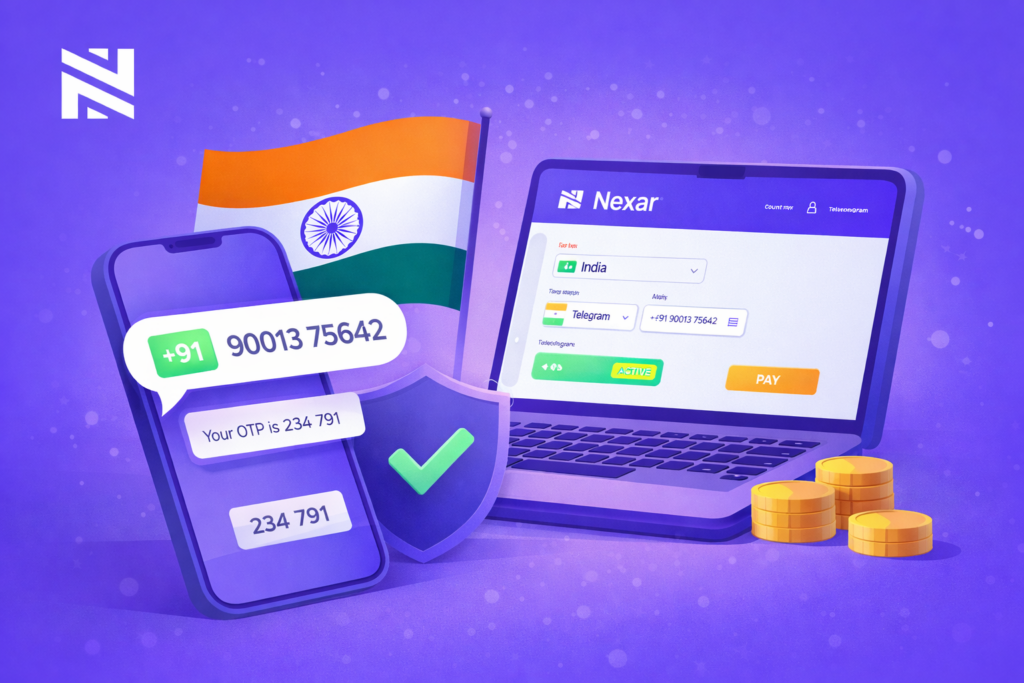
2. Choose India as your country
From your dashboard, click on Virtual Numbers and select India.
3. Select the service you want to verify
Choose the platform you are registering on so your number is optimized for it.
4. Complete payment
Pay using bank transfer or card. Nigerians can pay in Naira.
5. Activate and receive OTP
Enter the number on the platform. When the OTP is sent, it will appear in your Nexar inbox.
An India virtual number is now a practical tool for navigating verification-heavy platforms. With Nexar, you can set one up in minutes and reuse it whenever you need verification.
Visit Nexartoday and get your India virtual number instantly
In today’s world, staying in touch is key. WhatsApp is a top choice for many in Nigeria for both personal and work chats. But, sometimes, a virtual number won’t connect to WhatsApp, which can really mess up your plans.
This issue might come from a few places. It could be because of account checks, phone settings, or the virtual number service itself. Knowing what’s causing the problem is the first step to solving it. We’ll look into why this happens and how to fix the WhatsApp number issue.
Understanding Virtual Numbers and WhatsApp Compatibility
Virtual numbers are becoming more popular, leading to questions about their use with apps like WhatsApp. It’s important to know what virtual numbers are and how WhatsApp checks phone numbers.
What Are Virtual Numbers?
A virtual number (OTP-only) is a non-physical phone number used only to receive one-time passwords for account verification. You don’t make calls or send texts with it. You simply use it to get login or signup codes from apps and websites.
How WhatsApp Verifies Phone Numbers
WhatsApp checks phone numbers by sending a code via SMS or a call. When you sign up, WhatsApp sends a code to your number. You must enter this code to finish the verification. This makes sure you have the number and helps stop spam or fake accounts.
Why Nigerian Users Face Unique Challenges
Nigerian users might face special problems with virtual numbers and WhatsApp. This is because of the country’s rules and WhatsApp’s verification rules. WhatsApp might be extra careful with certain numbers, causing verification issues or delays.
Knowing these challenges is key for Nigerian users who use virtual numbers. By understanding these problems, users can find ways to fix them or look for other solutions.
Common Reasons Why Your Virtual Number is Not Connecting to WhatsApp
Many Nigerians are having trouble with their virtual numbers not working with WhatsApp. There are several reasons for this problem. Knowing these reasons is key to fixing the issue and making sure your virtual number works well with WhatsApp.
1. WhatsApp’s Policy on Virtual Numbers
WhatsApp has strict rules about virtual numbers. They are often used for spam and fraud. WhatsApp’s policy aims to protect users, but it can block legitimate numbers too.
2. Blocked or Flagged Number Ranges
WhatsApp blocks some number ranges to stop spam and abuse. This can affect users with legitimate virtual numbers. Users might need to get a different number from their provider to avoid this.
3. Verification SMS/Call Limitations
WhatsApp uses SMS or calls to verify numbers. But, some virtual number providers may not support this. This can cause verification failures and connection problems.
4. Country-Specific Restrictions
So many countries have strict rules that can affect virtual numbers. WhatsApp also has country-specific rules that can impact connections. Knowing these rules is important to fix connection issues.
5. Service Provider Limitations
The quality of your virtual number provider matters for WhatsApp connectivity. Some providers may not offer reliable connections. Choosing a good provider like Nexar is key for smooth WhatsApp use.
How to Identify If Your Virtual Number Is Blocked by WhatsApp
First, find out if your virtual number is blocked by WhatsApp. If you can’t verify your number, it might be due to WhatsApp’s rules or issues with your number range.
Error Messages and Their Meanings
Error messages are key signs that your virtual number is blocked. WhatsApp shows an error message if it can’t verify your number. For example, “Verification failed” or “Your phone number is not allowed” mean there’s a problem.
“Verification failed” means WhatsApp blocked your number or there’s a verification issue. “Your phone number is not allowed” shows WhatsApp doesn’t support your number or it’s flagged.
Verification Timeout Issues
Verification timeout issues also suggest your number might be blocked. If you don’t get the verification code or the process keeps timing out, it could be a restriction from WhatsApp.
WhatsApp support says, “Verification codes may not be delivered due to issues with your phone number or carrier.” This shows why checking if your number is supported is crucial.
Testing Your Virtual Number’s Status
To check if your number is blocked, try verifying it on another device or with a different WhatsApp account. If you still have problems, your number might not be supported by WhatsApp.
A WhatsApp spokesperson said, “We take measures to prevent abuse on our platform, which may include blocking certain numbers or number ranges.” This emphasizes the need to ensure your number meets WhatsApp’s policies.
Step-by-Step Troubleshooting for WhatsApp Verification Issues
When WhatsApp can’t verify your virtual number, it’s really frustrating. But don’t worry, there are steps you can take to fix it. Troubleshooting is a method to find and solve problems.
1. Check Number Format and Country Code
First, make sure your virtual number is right. It should have the correct country code . WhatsApp needs the right country code to verify your number. Remove any unnecessary characters or spaces from your number.
2. Verify Internet Connection Stability
A stable internet connection is key for WhatsApp verification. Make sure your internet is working well.
Check your internet speed to ensure it’s stable.
Try switching between Wi-Fi and mobile data to see if the issue persists.
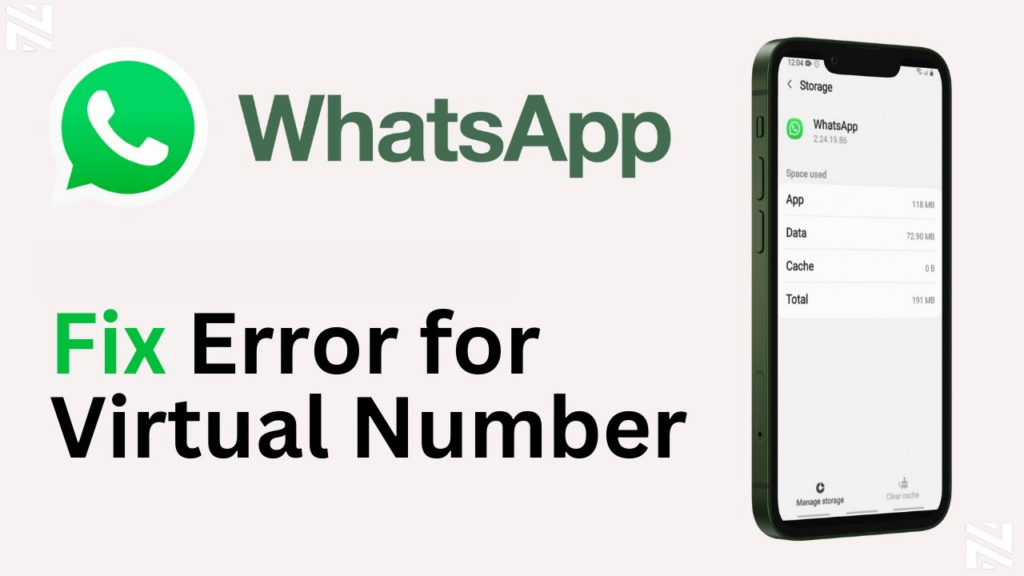
3. Clear Cache and App Data
Clearing WhatsApp’s cache and app data can fix verification issues. It removes any bad data that might be the reason your virtual number is not connecting to Whatsapp.
For Android Devices
Go to Settings > Storage > Apps > WhatsApp.
Tap on “Clear Cache” and “Clear Data.”
For iOS Devices
Go to Settings > WhatsApp.
Tap on “Reset WhatsApp” to clear data.
4. Reinstall WhatsApp Properly
If the previous steps don’t work, try reinstalling WhatsApp. This can fix problems caused by a bad app installation.
To reinstall WhatsApp:
Uninstall WhatsApp from your device.
Restart your device.
Reinstall WhatsApp from the App Store or Google Play Store.
By following these steps, you should be able to fix WhatsApp verification issues with your virtual number.
Advanced Solutions to Fix WhatsApp Number Issue
For those who can’t fix WhatsApp number issues with basic steps, there are more advanced solutions. Look into alternative verification methods and support options when simple fixes don’t work.
1. Contact WhatsApp Support Effectively
If you’re still having trouble after trying out basic fixes, reaching out to WhatsApp support is a good idea. Make sure you have all the necessary information, like your virtual number and details of the problem. Clear and concise communication with WhatsApp support can significantly improve the chances of resolving your issue.
2. Use Alternative Verification Methods
WhatsApp usually uses SMS or calls for verification. But, other methods can help when these don’t work. Using a different phone number or a landline might solve the problem. Alternative verification methods can provide a workaround when standard processes are blocked.
Some virtual number providers like Nexar offer extra verification services for WhatsApp. These services might help keep the verification process stable.
Best Third-Party Verification Services Available in Nigeria
In Nigeria, there are third-party services that offer verification solutions for WhatsApp. These services might provide more stable or alternative verification methods. Exploring these options can be beneficial if you’re struggling with WhatsApp verification.
In Nigeria, finding a virtual number provider that works well with WhatsApp is key. Businesses and individuals need reliable WhatsApp compatibility. There are many providers, so picking the right one is important.
Nexar is known for its WhatsApp-compatible numbers. Nexar’s virtual numbers are designed to work efficiently with WhatsApp. This means users can send and receive messages smoothly. Visit website>>
FREQUENTLY ASKED QUESTIONS (FAQs)
1. How do I know if my virtual number is blocked by WhatsApp?
Look for error messages or if verification takes too long. Try checking if your number is blocked.
2. Can I use alternative verification methods for WhatsApp with my virtual number?
Yes, you can. Try contacting WhatsApp support or use third-party services like Nexar in Nigeria.
3. What are the best virtual number providers compatible with WhatsApp in Nigeria?
Nexar is the best choice. But you can compare features and WhatsApp reliability with other providers.
4. How do I troubleshoot WhatsApp number issues with Nexar virtual numbers?
Check your number format and internet connection. Clear cache and app data. Reinstall WhatsApp to fix issues.
5. How do I protect my privacy and security when using virtual numbers with WhatsApp?
Follow WhatsApp’s rules and take steps to keep your info safe when using virtual numbers.
Facebook verification is now unavoidable. Whether you’re creating a new account, recovering one, or managing business pages, you will be asked for a phone number.
In Nigeria, most local SIM cards stop receiving OTPs after a few uses, and free virtual numbers rarely work. That is why many users now rely on the Best Virtual Number for Facebook to verify accounts safely and consistently.
This review shows why Nexar is the most reliable option in 2026 and how you can use it step by step. Let’s get into it.
Why Nigerians Need the Best Virtual Number for Facebook
1. Local numbers are restricted quickly
Facebook limits how many accounts can be linked to one Nigerian SIM. Once that limit is reached, OTP messages stop coming through. This can happen even if the SIM is active and has airtime. Many users think the network is the problem, when in reality Facebook has already blocked the number from receiving further verification codes.
2. Free virtual numbers get blocked fast
Most free virtual number apps recycle numbers. This means the same number has already been used by hundreds of people. Facebook flags these numbers as suspicious and blocks them. When you try to use them, you either never receive the code or Facebook tells you the number is not supported.
3. Businesses need multiple verified accounts
Social media managers, ad agencies, freelancers, and small business owners often manage several Facebook pages or profiles. Using personal SIM cards for all of them is not practical. You need a stable system that allows you to verify accounts whenever necessary. This is where the Best Virtual Number for Facebook becomes essential.
What Makes Nexar the Best Virtual Number for Facebook
Nexar does not sell phone numbers like SIM cards. Nexar sells OTP-only reusable verification numbers. You cannot make calls or send messages with them. They exist only to receive login and signup codes.
Facebook only cares about one thing during verification: can the number receive the OTP? Nexar numbers are designed for exactly that. When Facebook sends a code, it appears inside the Nexar app. If you need the code again, you can tap “Resend” on the Nexar app to receive it again.
2. One number per service for stability
When you choose Facebook, Nexar assigns one number strictly for Facebook. This prevents conflicts, reduces bans, and keeps your verification stable long-term. It is one of the main reasons Nexar is trusted as the Best Virtual Number for Facebook.
3. Works with Facebook-approved countries
You can choose numbers from the US, UK, and other trusted countries. Facebook is less likely to flag these numbers, which increases your chances of successful verification.
4. Local payment in Naira
You can pay using Nigerian bank transfer or card. There is no need for a foreign card or international billing. This makes Nexar accessible to everyone in Nigeria.
Step-by-Step: How to Get a Facebook Virtual Number on Nexar
1. Visit Nexarhq.com
Open Nexarhq.com or download the Nexar app. Tap the account button to begin.
2. Create your account
Sign up with your email or Nigerian phone number. You will gain instant access to your dashboard.
3. Choose your country
Select a trusted country such as the US or UK for better Facebook acceptance.
4. Choose Facebook as the service
This ensures the number is locked specifically for Facebook.
5. Pay in Naira
Use bank transfer or card. No foreign card is required.
6. Activate and verify
Once payment is confirmed, your number becomes active. Enter it on Facebook and receive your OTP inside the Nexar app.
This simple process proves why Nexar is the Best Virtual Number for Facebook.
Common Mistakes to Avoid When Using Virtual Numbers
1. Using random free numbers
They are usually blocked and unreliable. Facebook flags them instantly.
2. Expecting to make calls or chats
Nexar numbers are OTP-only. They cannot receive calls or normal messages.
3. Changing IP locations too often
Facebook may flag suspicious activity. A stable VPN matching your number country is recommended.
Who Should Use a Facebook Virtual Number
Digital marketers running multiple campaigns
Social media managers handling client pages
Entrepreneurs testing new brands
Users recovering locked accounts
Content creators managing pages
Anyone in these categories needs the Best Virtual Number for Facebook.
Why Nexar Is Better Than Other Providers
Many providers offer virtual numbers, but most fail at OTP delivery. Nexar is different because it is built specifically for verification. The numbers are stable, reusable, and service-specific. You receive codes instantly, can resend them, and pay locally. This reliability is why users trust Nexar as the Best Virtual Number for Facebook.
Final Thoughts
Facebook verification should not block your progress. With Nexar, you get a reliable OTP inbox that works when you need it.
If you are tired of blocked numbers and missing codes, it is time to use the Best Virtual Number for Facebook.
Visit Nexarhq.com today and get your Facebook virtual number instantly.
TikTok keeps growing every year and more creators in Nigeria want to take their content global. You already know how the TikTok algorithm works. The country you register with affects the kind of content you see and the audience that sees you. This is why many people try to register their accounts with a US number. The reach is better. The community is wider. The opportunities are bigger.
If you’ve been wondering how to get a US number for TikTok in Nigeria, this guide walks you through everything. It’s written in simple language so you can understand each step without stress. You’ll also learn why creators use virtual numbers, what to avoid, and how to set up your TikTok account the right way in 2025.
Before we go into the steps, let’s talk about why people want a US-based TikTok account in the first place.
Why Nigerian Creators use US Tiktok Account
Tiktok communities differ across regions. Nigerian Tiktok has its vibe. US Tiktok has another. If your goal is to reach a global audience or tap into international trends, your account location matters.
Three common reasons creators use a US number include:
Better reach because the US market is bigger
Access to certain features that roll out in that region first
Easier connection with international brands
So it’s not surprising that more people are searching for how to get a US number for TikTok in Nigeria.
Can You Actually Get a US Number While in Nigeria
Yes, you can. People do it every day. You don’t need to travel. The world has changed and virtual numbers make things easier. These numbers work online, so you can buy one while sitting in your house in Lagos or Abuja.
Just keep in mind that not all virtual numbers work for every platform. Some are good for calls. Some are good for OTP only. Some work for registrations, others don’t. You have to pick the right one for TikTok.
Nexar virtual numbers, for example, are OTP only, which means you can use them to receive verification codes but not to make calls.
How Tiktok Uses Phone Numbers in 2025
TikTok uses your phone number mainly for identity verification and region placement. Once you verify your account with a US number, Tiktok automatically categorizes your profile as US-based. But there’s something people forget. Tiktok doesn’t rely on one factor alone. It also checks your IP address, your SIM card, and your device activity. So your phone number helps, but it’s not the full picture.
If you want to create a TikTok profile with US settings, you have to set up your number and your device settings properly. We also recommend using a VPN.
How to Get a US Number for TikTok in Nigeria
Now let’s walk through the actual steps. This is the part most people rush to, but it’s better to understand the earlier sections so you won’t make mistakes.
Step 1: Choose a Reliable Virtual Number Provider
This is where most people get stuck. The internet is full of apps claiming they offer US numbers. Some work. Many don’t. Some platforms even block virtual numbers entirely.
You need a number that can receive verification codes. Since TikTok requires OTP for verification, the virtual number must support OTP.
Remember this clearly: Nexar virtual numbers are OTP only, so they can receive the code you need.
When choosing a provider, ask yourself:
Does the number support OTP?
Is it stable for social platform verification?
Will I get the code instantly?
If the answer is yes to all three, you’re good to go.
Step 2: Buy the US Number
After choosing a provider, the next step is buying the number. The process is usually straightforward.
You pick the country (United States), select the service, and complete the payment.
Once it’s active, you’ll see your number on your dashboard.
Step 3: Prepare Your Device for US Registration
TikTok checks your device environment. If you’re in Nigeria and everything on your phone points to Nigeria, but your number is US, TikTok might classify your account as mixed.
To prevent this, you need to align your device with a US environment. You don’t need anything complicated. Just download a strong VPN. Your goal is to make TikTok think you’re setting up the account in the US. This is how people create a US TikTok account even while living in Nigeria.
Step 4: Create Your TikTok Account Using the US Number
Now you can open the TikTok app.
Select “Sign up with phone number”.
Enter your US number.
Wait for the OTP.
Enter it to verify.
Once the account is verified, TikTok logs your region as the United States. That’s the first big step in creating your global content identity.
This is also where people make mistakes. Some log into their old SIM card immediately. Or they turn off the VPN too fast. You don’t want to confuse TikTok. Let the account settle first.
Step 5: Set Up Your Profile Like a US Creator
After verification, your account region is tagged. But your content still needs to reflect the US audience you want to reach.
This means adjusting your interests, liking US creator content, and joining trends from that region. TikTok studies your activity and gradually shapes your feed and reach.
Creators who do this well usually gain a blended audience. A few months later, their content starts appearing on US For You Pages.
This is why the search for how to create US TikTok account keeps becoming more popular, especially for creators who want brand deals and global visibility.
What You Should Avoid When Using a US Number for TikTok
There are mistakes people make with TikTok numbers that either block their account or reduce their reach. You can avoid all of that.
Avoid Switching SIM Cards Too Fast
If TikTok notices that your device is constantly switching between Nigerian SIM and US number activity, it gets confused. TikTok loves consistency.
Log in steadily. Let the account settle.
Avoid Using Unreliable Number Apps
Many number apps recycle old numbers that were previously banned or overused. TikTok flags these numbers.
This is why choosing a reliable service for your US number for TikTok in Nigeria is important.
Avoid Turning Off Your VPN Immediately
At least for the first few days, keep your VPN on when using TikTok. It strengthens the signal to TikTok that you’re a US-based user.
You don’t need it forever, just during the early setup phase.
Can You Recover Your Tiktok Account If You Lose the Virtual Number?
This is something people rarely discuss.
Yes, you can recover your Tiktok account without the original number if you connected your email. Tiktok allows email recovery.
But the safest thing you can do is add both email and password immediately after verification. Don’t rely on the number alone.
If you ever lose access to your virtual number dashboard, you’ll still be fine.
Should You Use a US Number for TikTok in 2026
If your goal is bigger reach, global visibility, or access to international trends and brand deals, then yes. A US-registered TikTok account positions you for a wider audience.
But you also have to create content consistently. The number won’t magically make you successful. It only opens the door.
From there, your content does the work.
Final Thoughts
Getting a US number for TikTok in Nigeria is easier than most people think. The biggest task is choosing the right virtual number provider and setting up your account correctly. Once your number is verified and your device is aligned with US settings, you’re good to go.
TikTok keeps evolving, so creators have to evolve too. With a US-linked account, you’re stepping into a wider stage where your creativity can reach more people and open more doors.
Just remember the basics:
Use a stable virtual number.
Understand that Nexar virtual numbers are OTP only.
Set up your device properly.
Grow your account with intentional content.
If you do all of these, you are good to go.
Click here to get your virtual number for US tiktok in Nigeria from Nexar.
If you need a Brazilian number to receive a verification code for apps or account setup and you don’t have a local SIM, there’s a simple way to get it done. Virtual numbers make it easy for anyone, no matter the country, to receive OTPs without stress.
With Nexar, you can get a Brazil number in minutes and receive your code securely. This guide walks you through the process step by step so you can set it up without confusion. Let’s dive in.
Why Use a Virtual Number for Brazil OTP
Getting OTP from Brazil number helps when you need access to services available only with a Brazilian number. A Brazil virtual number OTP works like a regular number. It receives SMS messages online, so you don’t need a local SIM card.
This method is useful if you travel, live outside Brazil, or simply want privacy. Virtual numbers make it possible to receive SMS codes for registration, verification or login from anywhere.
Paid virtual number services like Nexar are more reliable than free public number providers, especially when you need OTP for banking, social accounts, or long-term use. Free numbers might work for quick sign-ups, but they are public and often already flagged by platforms. A dedicated virtual number ensures privacy and better reliability.
Step by Step How to Get OTP From a Brazil Number via Nexar
Here is the easiest and fastest way to get a Brazil OTP using Nexar.
Step 1: Visit Nexar and Log In
Go to Nexar’s website and log in to your account. If you don’t have one yet, sign up and fund your wallet.
Step 2: Go to Numbers and Place Order
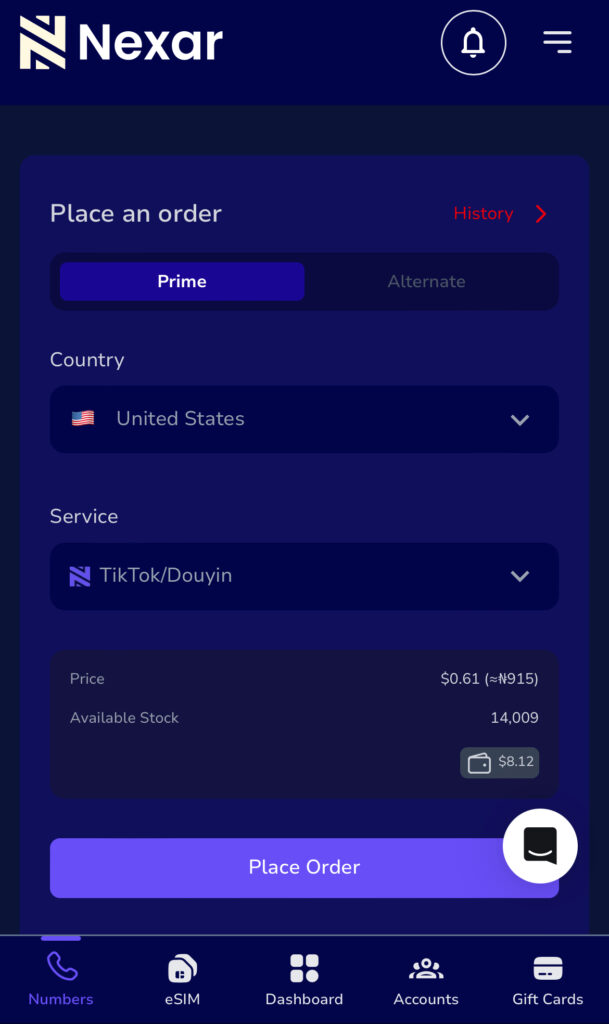
Navigate to the Numbers section on your dashboard and click Place an Order.
Step 3: Choose Prime or Alternate
You will see two options. Prime and Alternate both deliver valid virtual numbers, but Alternate acts as backup when Prime is unavailable.
Step 4: Select Country and Service
From the dropdown menus choose Brazil as country, then pick the service you need. Whether OTP for messaging apps, social media, or account verification, Nexar supports many platforms.
Step 5: Complete Payment and Copy the Number
After payment, your number will immediately appear in your dashboard. Copy it carefully.
Step 6: Use Number for Registration and Wait for OTP
Open the app or service that requires verification. Enter the Brazil number you copied. The OTP will be sent to that number.
Step 7: Check Nexar Dashboard for OTP Code
Return to Nexar dashboard and check your incoming messages. Your OTP will appear there. Copy it and paste it into the app or website requiring verification.
Watch this helpful video showing how to buy virtual numbers step by step.
Important Notes for Smooth OTP Delivery
Always switch on a strong VPN and set the VPN location to Brazil. This ensures message delivery and bypasses restrictions.
Make sure your phone’s time and date match Brazil’s timezone to avoid OTP failures.
Use only one number per service to avoid problems. If OTP doesn’t come, get another virtual number from Nexar and retry.
For sensitive services such as banks or payment apps, always use a dedicated number. Avoid free public numbers.
What Makes Nexar the Reliable Choice for Brazil OTP
Nexar gives you dedicated virtual numbers, which means the number is yours and not shared publicly. You get guaranteed delivery of OTP because Nexar works with real infrastructure and supports multiple platforms. The Prime or Alternate option increases success rates when one number doesn’t work.
Nexar also supports OTP for many services including social media, messaging apps, and websites. It is a one stop solution. Because of these features, Nexar stands out among virtual number providers in 2026 for anyone who wants reliable Brazil number verification or to receive Brazil OTP online without a physical SIM.
When Not to Use Temporary or Free Numbers
Free or temporary number services might sound appealing, but they come with risks.
They are often public. Anyone can see messages, which means no privacy.
Many platforms block commonly used temporary numbers to prevent abuse.
OTP might not arrive at all, especially for services that require secure verification.
If you are registering for banking, important accounts, or anything with personal data, always use a paid virtual number like Nexar.
Frequently Asked Questions
Can I receive OTP from a Brazil number if I am outside Brazil?
Yes. With Nexar, you can get a Brazil number from anywhere as long as you have internet access and a good VPN.
Is using a virtual number legal?
Yes. As long as you use it for legitimate verification and you abide by the terms of the app or service, a virtual number is perfectly fine.
What if I don’t receive the OTP?
Try a different number. Make sure your VPN is set to Brazil. Check time settings on your device. Wait a few minutes. If it still fails, use another virtual number from Nexar.
Are free virtual numbers safe?
No. They are public, shared among many users, and often blocked by platforms. They are not suitable for sensitive accounts.
Final Thoughts
If you need to get OTP from a Brazil number, using a reliable virtual number provider is now easier and safer than ever. Nexar gives you all the tools you need: private number, fast delivery, easy ordering, and platform flexibility.
Forget waiting for SIM delivery or struggling with international SMS issues. With Nexar you can get your Brazil number in minutes, receive OTP online, and complete verification from anywhere in the world.
Stay safe, stay verified, and enjoy seamless access.
Many users try to create a new Telegram account only to face one recurring problem. The verification code never arrives on their personal SIM. Network delays, restrictions or security filters can make this process frustrating. This is why more people now use virtual numbers. A virtual number makes Telegram verification smooth, fast and reliable while also protecting your privacy.
This guide walks you through the complete Virtual Number for Telegram Account Setup for 2026. You will understand what a virtual number is, why it works for Telegram, how to choose the right provider and how to complete your registration without errors.
What a Virtual Number Is and Why You Need One for Telegram
A virtual number is a phone number hosted on the internet instead of a physical SIM card. It can receive text messages and calls through an online platform. When you begin your Virtual Number for Telegram Account Setup, Telegram accepts this online number the same way it accepts any traditional number.
Virtual numbers are useful for many reasons. Some users want to keep their private number separate from their Telegram activities. Others need extra accounts for work or community management. A Telegram virtual number Nigeria option is also common among users who want to bypass network restrictions or receive international SMS messages reliably. Virtual numbers also help people in locations where Telegram may be unavailable through regular networks.
If you are new to the platform, fund your account using the official guide.
How to Fund Your Account and Convert Money:
You can also learn how to purchase numbers using this guide.
Once your wallet is funded, return to your dashboard.
Step 2: Navigate to the Virtual Numbers Page
On your Nexar dashboard, look for the section labeled Numbers. Click it.
You will see the option called Place Order. This is where the Virtual Number for Telegram Account Setup process begins.
You will see two categories.
Prime
Alternate
Both categories offer working virtual numbers. Prime is the main option while Alternate provides backup availability in case a country or service type is unavailable on Prime. You can select either depending on what is available at the moment.
Step 3: Select Your Country and Service
You will see two drop down menus.
Country
Service
Choose any country based on your preference. For example you can pick the United States or the United Kingdom.
After choosing a country, go to the service menu and select Telegram.
The system will immediately display the available numbers and their price.
Step 4: Place Your Order
Click Place Order.
Your transaction will process instantly if you have enough balance.
If successful you will see a confirmation message and your purchased number will appear on your screen.
Always ensure your wallet has enough balance before placing any order.
Step 5: Copy Your Number and Begin Registration on Telegram
Open the Telegram application on your phone and tap Start Messaging.
Enter the virtual number you purchased. Make sure you include the correct country code.
Telegram will send a verification code.
Do not expect this code on your SIM card. It will appear on your Nexar dashboard.
Check the Numbers section on Nexar. If it does not appear immediately, check your Order History.
Enter the verification code into Telegram and your account will unlock immediately.
This is the direct method to create Telegram account with virtual numbers with no errors.
Step 6: Complete Your Telegram Setup
After the Virtual Number for Telegram Account Setup is complete, you can personalize your profile.
Things to update
Profile name
Display photo
Privacy settings
Two step verification
Who can find you or add you
Strong privacy settings are recommended if protection or anonymity is your main reason for using a Telegram virtual number Nigeria option or any international number.
Step 7: Stay Updated with Nexar Services
For updates about number availability and new service support join the Nexar community.
What to Do If You Do Not Receive Your Telegram Code
Sometimes Telegram delivers codes to the App option instead of SMS. This usually happens when a VPN is not active or the VPN quality is weak.
Here are the correct steps to fix this:
Delete and reinstall your Telegram app
Get another virtual number
Make sure you are using a strong VPN
If needed request a refund
Nexar recommends using IPVanish for the most stable verification process.
Why Virtual Numbers Are Useful for Telegram
A Virtual Number for Telegram Account Setup opens several advantages for users.
Key benefits
Extra privacy for users who do not want to expose personal SIM numbers
Ability to manage multiple business accounts
Useful for developers testing bots
Allows account creation from any country
Helps bypass network restrictions in some regions
This is why more users choose to create Telegram account with virtual numbers every year.
Common Risks and How to Avoid Them
Virtual numbers are safe when used correctly but a few limitations exist.
Possible issues:
Some virtual numbers may expire if unused for long periods
Some countries block certain number ranges
Certain platforms might restrict numbers that are commonly used for verification
How to avoid these problems:
Always enable two factor authentication inside your Telegram settings
Keep your virtual number active when possible
Buy numbers only from trusted providers like Nexar
Avoid sharing your virtual number publicly
Frequently Asked Questions
Can I recover my Telegram account without the number
Recovery is possible but more challenging. Always set a strong password and keep your two step verification password safe.
Is it safe to use Telegram without my real number
Yes. Virtual numbers are a safe method as long as you follow normal online safety steps.
Can I get my Telegram verification code by email
No. Telegram does not send verification codes to email. A phone number or virtual number is required.
Can I register Telegram using only an email address
No. You must enter a phone number or virtual number.
Start Using Your Telegram Virtual Number Today
You can complete your Virtual Number for Telegram Account Setup in minutes.
Once you buy your number, enter it in the Telegram app, collect your code from Nexar, and your account will be activated instantly.
If you want a reliable way to protect your privacy, run multiple accounts, or manage communities more professionally, this method is the easiest option available.