Blog

  • How to Send Gift Card to Friends or Family Abroad Instantly

    Sending gifts to loved ones abroad has never been easier. Thanks to digital innovation, you can now send gift card abroad instantly — no long wait times, shipping fees, or border restrictions. Whether it’s for a birthday, holiday, or special occasion, a gift card is one of the simplest ways to show you care, no matter where your recipient lives.

    In this guide, we’ll walk you through everything you need to know about how to send gift card abroad using Nexar — from choosing the perfect card to ensuring instant delivery.
    Send Gift Card Abroad

    Why Send Gift Cards Abroad?

    Gift cards have become the universal language of convenience. They let your loved ones choose exactly what they want, saving you the stress of guessing their preferences. Here’s why people prefer to send gift cards abroad instead of traditional gifts:

    • Instant Gratification: No waiting for international delivery — gift cards are sent instantly.
    • Flexibility: Your recipient can shop from global platforms like Amazon, Google Play, Netflix, or Apple Store.
    • Safe and Secure: Avoid the risks of lost packages or shipping delays.
    • Perfect for Every Occasion: From birthdays to graduations, gift cards are a thoughtful yet practical choice.

    How to Send Gift Card Abroad Using Nexar

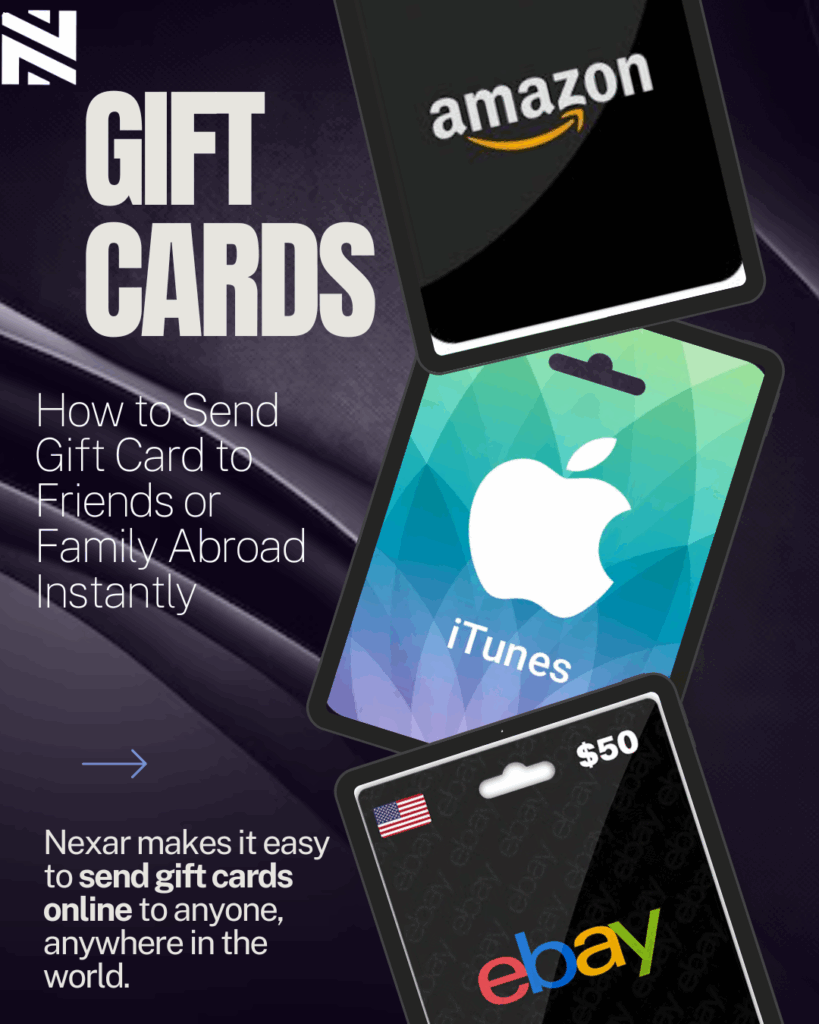
    Nexar makes it easy to send gift cards online to anyone, anywhere in the world. Follow these simple steps to get started:

    Step 1: Log in or Create a Nexar Account
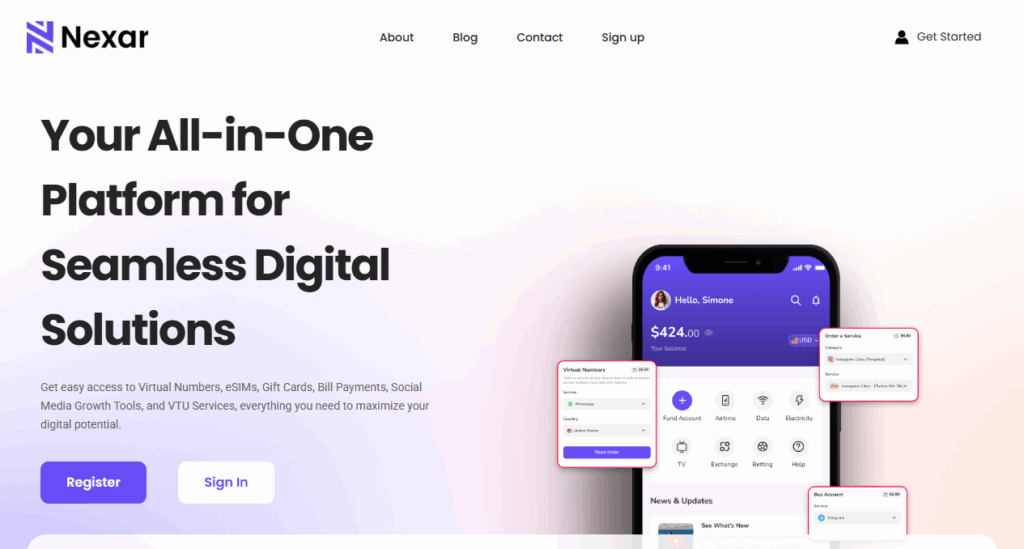
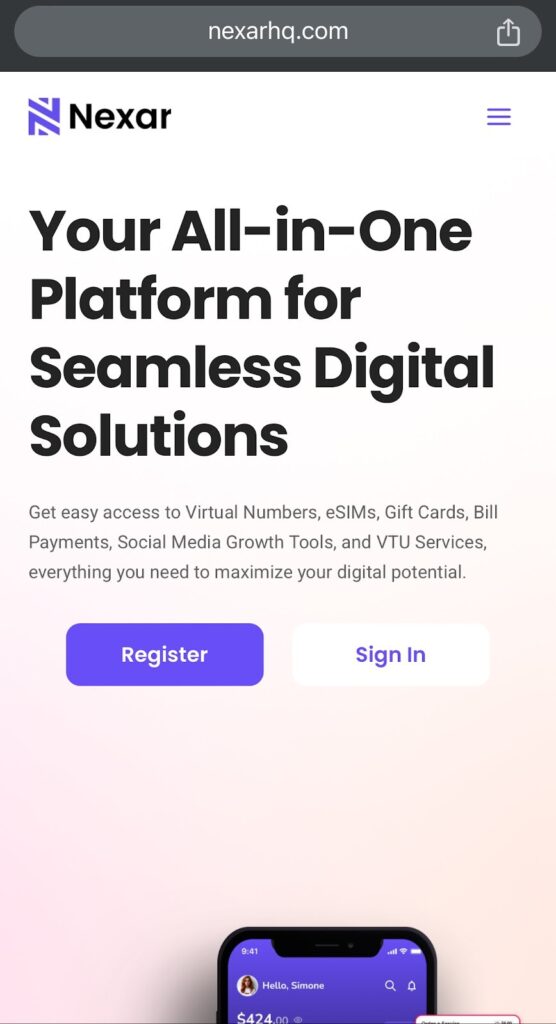
    Visit nexarhq.com and create your account if you haven’t already. The registration process is quick, simple, and secure.

    Step 2: Fund Your Nexar Wallet
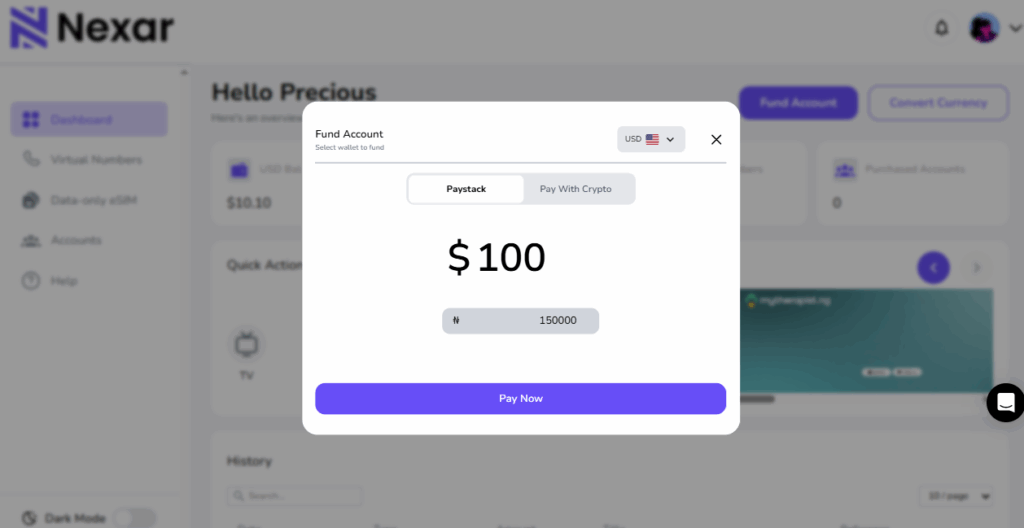
    Before you can send gift card abroad, you need to fund your Nexar wallet. You can do this using crypto, bank transfer, or mobile money (coming soon). All transactions are secured with encryption to protect your funds.

    Step 3: Choose a Gift Card

    Nexar offers a wide selection of international gift cards, including:

    • Amazon
    • Google Play
    • Steam
    • Apple
    • Netflix
    • PlayStation and more

    We offer Gift cards from up to 14000 brands. All you need to do is: Sign in on Nexar, click on the Giftcard section and select the brand you want.

    Step 4: Enter Recipient Details

    Enter your friend or family member’s email address or WhatsApp number. Nexar ensures instant gift card delivery, so your recipient receives the card within seconds after payment.

    Step 5: Add a Personal Message

    Make your gift more meaningful by including a short, heartfelt message. It’s a simple touch that makes digital gifts feel personal.

    Step 6: Confirm and Send
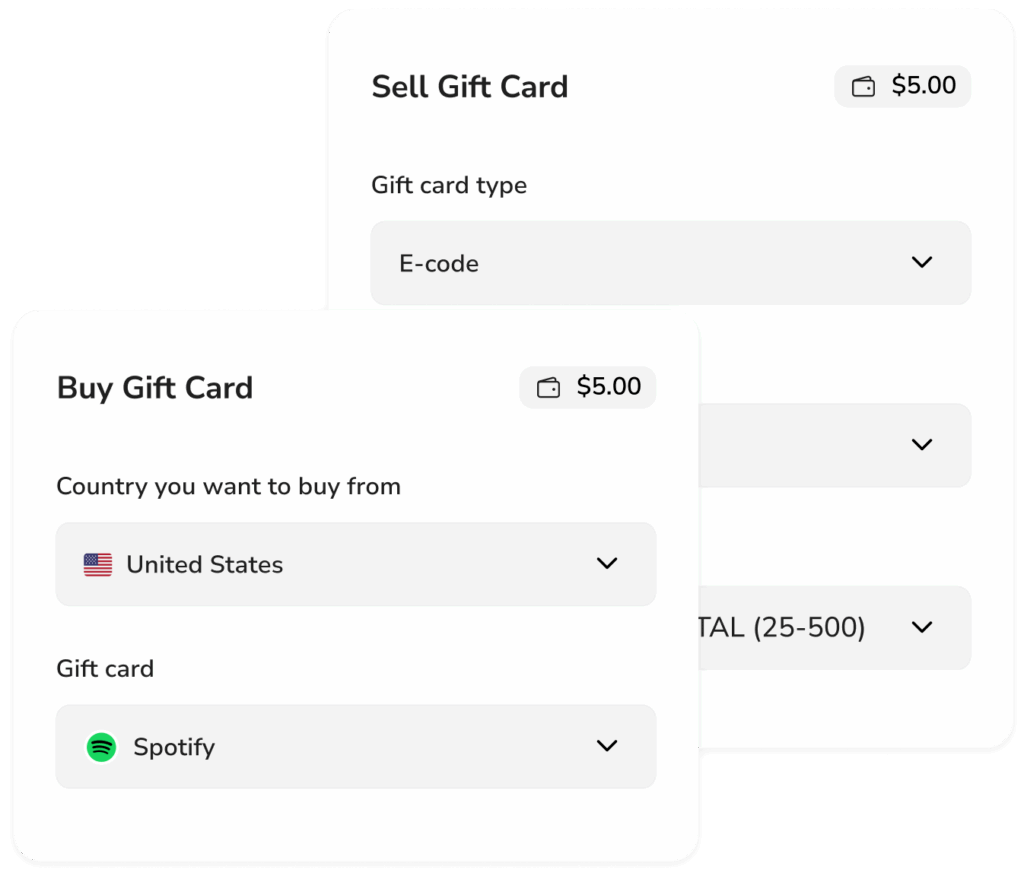
    Double-check your details and click Send. Nexar will process the transaction instantly and deliver the gift card to your recipient’s inbox.

    Advantages of Sending Gift Cards Abroad with Nexar
    Send Gift Card Online

    When you use Nexar to send gift card abroad, you enjoy multiple benefits that make gifting easy and stress-free:

    • ⚡ Instant Delivery: No waiting time. Your loved one receives the code immediately after payment.
    • 🔐 Secure Transactions: Wallet-based payments reduce card fraud risks.
    • 🌍 Global Access: Choose from both Nigerian and international brands in one place.
    • 💬 Reliable Support: Nexar’s support team is available 24/7 to resolve any issues.
    • 💸 Flexible Payment Options: Pay via crypto, bank transfer, or mobile money (coming soon).

    With Nexar, you can send gift cards online from Nigeria or anywhere in the world — all from one secure dashboard.

    Tips for Smooth and Successful Gift Card Transfers

    To make sure your instant gift card delivery goes smoothly, keep these expert tips in mind:

    1. Verify your Nexar account before making large transactions: Before you get to buy or sell any giftcard, It’s essential you verify your email address that’s linked to your Nexar account. This helps Nexar provide the necessary transaction information to your email amongst many other information. Although, before you can use any of Nexar’s services, you’d be asked to verify your email address, if you haven’t.
    2. Double-check the recipient’s email or number to avoid sending it to the wrong person: A slight difference in the character of the email address or difference in one of the digits in the phone number can cost quite a sum of money. And once the transaction is successfully completed, you cannot request for a refund.
    3. Check live exchange rates on Nexar to get the best value for your money: Before making any transactions or placing any order on Nexar’s website, It’s essential you check the live conversion rate usually provided by Nexar below the amount being imputed.
    4. Redeem promptly: Encourage your recipient to redeem the code soon after receiving it.
    5. Avoid third-party sellers: Always use verified platforms like Nexar for secure transactions. This website is recommended due to its transparency which most websites and platforms lack.

    Why Choose Nexar to Send Gift Cards Abroad?

    Nexar combines speed, transparency, and convenience, giving you everything you need to send gift card abroad with confidence. The platform’s user-friendly interface, instant delivery system, and multi-currency support make it one of the best choices for online gifting in 2025.

    Whether you’re sending a birthday surprise or supporting a loved one overseas, Nexar ensures that your gift reaches them instantly — safely and securely.

    FAQs on Sending Gift Cards Abroad

    1. How can I send gift card abroad instantly?

    You can send gift card abroad instantly through Nexar. Just create an account, fund your wallet, choose a card, and enter your recipient’s details — they’ll receive it within seconds.

    2. Can I send gift cards online from Nigeria to another country?

    Yes. Nexar allows you to send gift cards online from Nigeria or any location. You can pay using crypto, bank transfer, or soon, mobile money.

    3. Which platforms support instant gift card delivery?

    Nexar offers instant gift card delivery for major brands like Amazon, Netflix, Steam, and Apple, ensuring fast and secure delivery globally.

    4. Is it safe to send gift cards abroad using Nexar?

    Absolutely. Nexar uses wallet-based transactions and strong encryption to keep your data and funds secure when you send gift card abroad.

    5. What payment methods can I use to send gift cards abroad?

    You can fund your Nexar wallet using cryptocurrency, bank transfer, or mobile money (coming soon) before you send gift card abroad to anyone in seconds.

    Conclusion

    When you send gift card abroad using Nexar, you’re not just sending money — you’re sending thoughtfulness, convenience, and flexibility. With instant gift card delivery and a wide range of options, it’s the simplest way to connect with loved ones no matter where they are.
  • How to Increase Your Spotify Monthly Listeners

    You’ve put in the work, recorded your songs, uploaded them to Spotify, and shared the links everywhere, yet your listener count barely moves. Sounds familiar?

    Growing on Spotify can be tough, especially for independent artists competing against major labels and algorithmic playlists. But the good news is, there are practical ways to increase Spotify monthly listeners organically before even using any paid promotion tools. In this article, we will break them down. Let’s get started.

    Spotify Monthly Listeners

    Tips for Increasing Your Spotify Monthly Listeners Organically

    1. Optimize Your Spotify Profile Like a Brand

    Your Spotify profile is your digital stage — and first impressions matter.
    Make sure it’s visually appealing and complete:

    • Add a high-quality artist photo and a clean banner image that matches your music style.
    • Write a compelling artist bio — tell your story, what inspires your sound, and your journey so far.
    • Keep your links updated — connect your Instagram, TikTok, and YouTube to help fans find you easily.

    A complete and professional profile increases credibility and helps potential fans hit that “Follow” button instantly.

    2. Release Music Consistently

    Spotify Monthly Listeners

    Spotify rewards consistency. Artists who release music regularly often see better reach in algorithmic playlists like “Discover Weekly.”
    Try to:

    • Drop new singles every 4–6 weeks.
    • Use shorter EPs to stay active instead of waiting months for an album.
    • Schedule releases strategically — for example, around trending seasons or major events in your genre.

    The more consistent you are, the higher your chances of appearing in listeners’ recommendations and radio mixes.

    3. Promote on Social Media — The Smart Way

    Increase Spotify Monthly Listeners quickly

    Don’t just post your Spotify link — create stories around your songs.
    Here’s how to grow Spotify listeners through social platforms:

    • TikTok: Post behind-the-scenes videos, snippets of your recording process, or fan reactions to your songs.
    • Instagram Reels: Pair your track with trending sounds or filters to gain organic reach.
    • Twitter (X): Engage in trending conversations, drop your lyrics, and interact with fans directly.

    Social media visibility is often the first step toward boosting Spotify plays organically.

    4. Collaborate With Other Artists

    One of the fastest ways to grow your audience is by tapping into someone else’s fanbase.

    • Collaborate with artists in your genre for remixes or duets.
    • Feature guest verses to create buzz around releases.
    • Build genuine relationships with artists who have similar goals — mutual promotion helps everyone grow.

    When you collaborate, both of your listeners get introduced to new music — a win-win that can double your monthly listener count.

    5. Submit to Playlists (Smartly!)

    Playlists are still the heartbeat of Spotify growth.
    To increase Spotify monthly listeners:

    • Start with independent playlists — they’re easier to access than official ones.
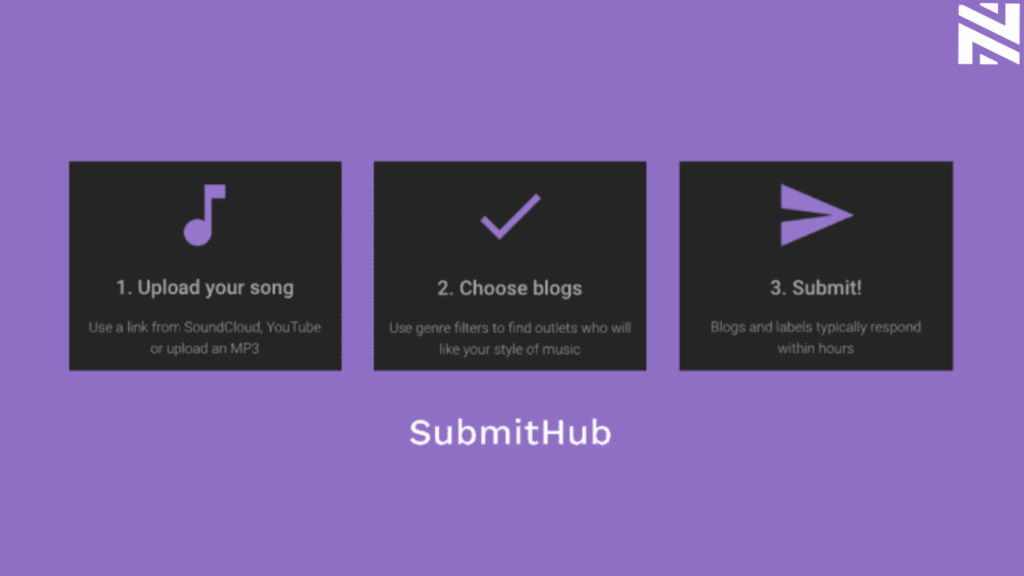
    • Use platforms like SubmitHub or PlaylistPush to reach curators.
    • Craft personalized messages when submitting your songs — curators love artists who take time to engage authentically.

    A single playlist placement can boost Spotify plays dramatically if your track fits the mood or vibe.

    6. Engage With Your Audience Off Spotify

    Don’t let your fan connection stop at streaming.

    • Build an email list or WhatsApp group to share exclusive content.
    • Host Instagram Lives to discuss your music journey.
    • Ask your followers for feedback or lyric ideas — they’ll feel more invested in your growth.

    When listeners feel connected to your story, they’re more likely to stream, share, and stick around.

    7. Use Nexar’s Boost Feature to Scale Faster 🚀

    Once you’ve built a solid foundation, it’s time to amplify your reach with Nexar’s Boost feature.
    Here’s why artists love it:

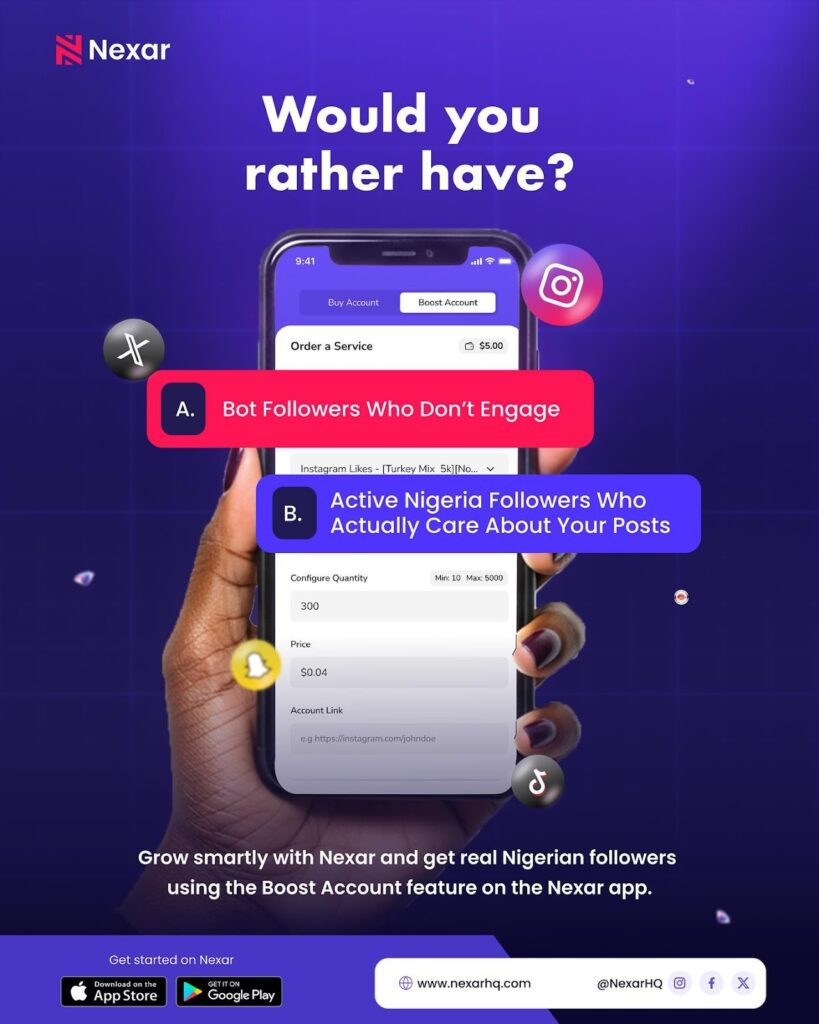
    • Real, targeted engagement — your music gets seen by genuine users interested in your genre.
    • Affordable promotion — tailored for Nigerian and African creators.
    • Simple setup — no complex ads, just results that help you grow Spotify listeners faster.

    Whether you want to boost Spotify plays, gain visibility on other platforms, or attract the right audience, Nexar helps you do it all in one place.

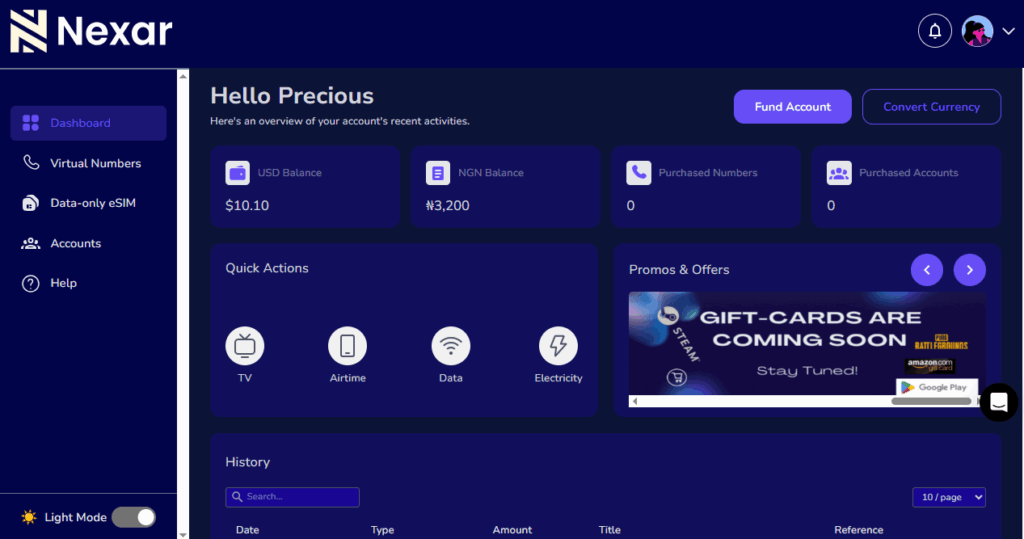
    How To Increase Your Spotify Listeners With Nexar🚀

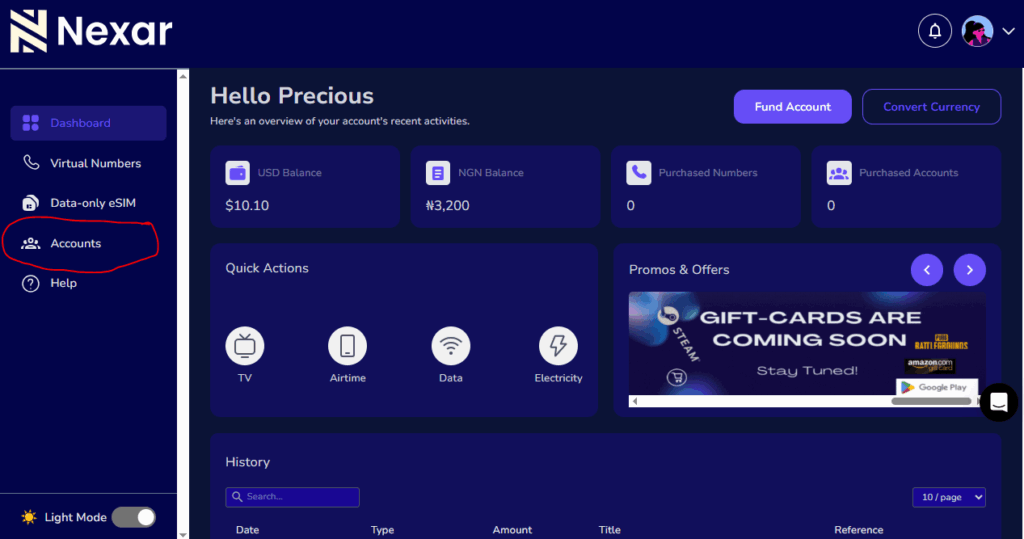
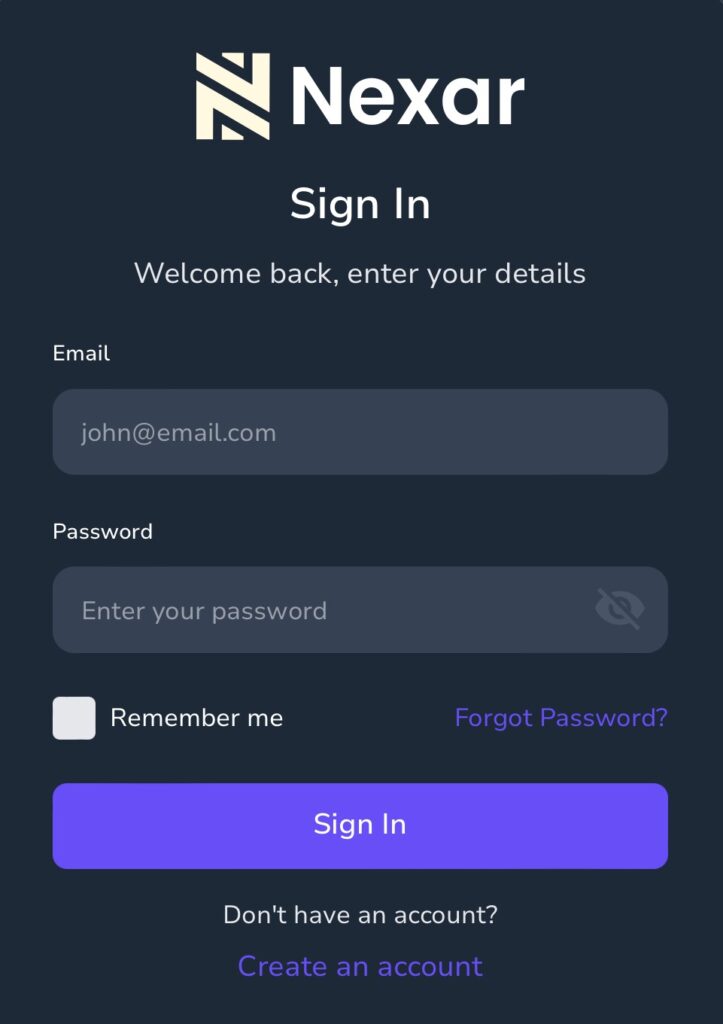
    • Sign in to your Nexar account.
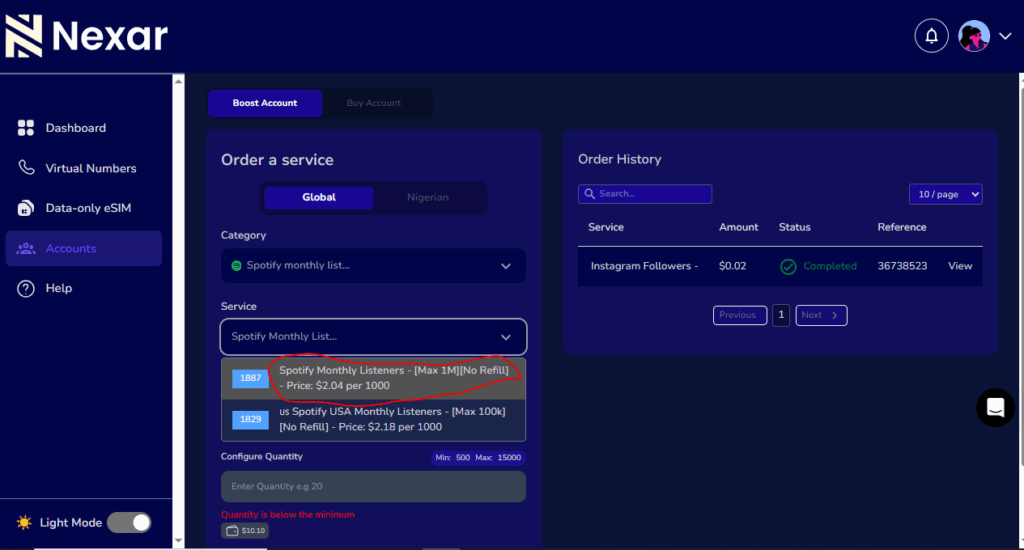
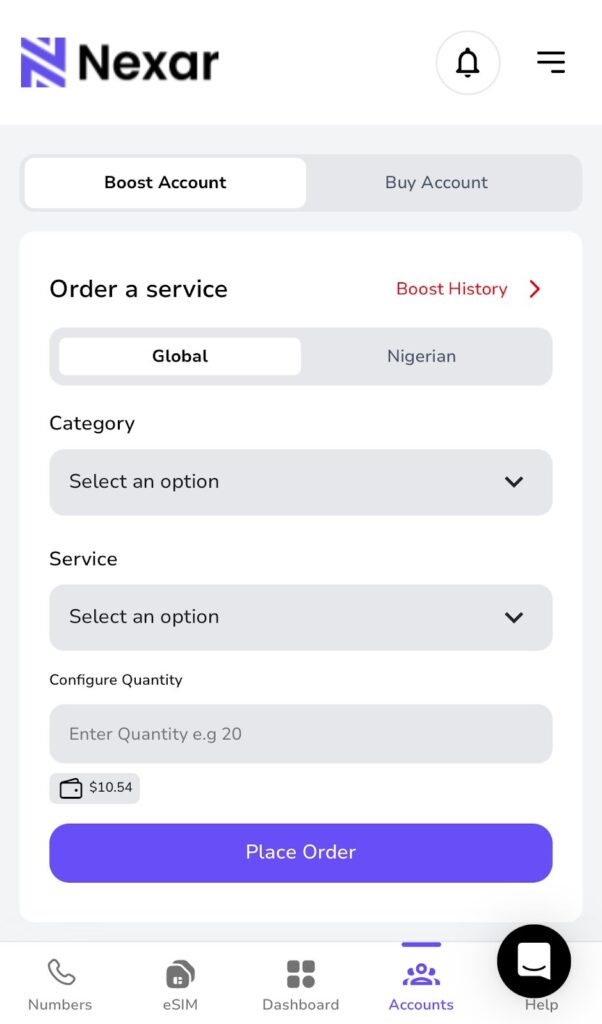
    • Click on the “Accounts” Option as Circled in the picture below
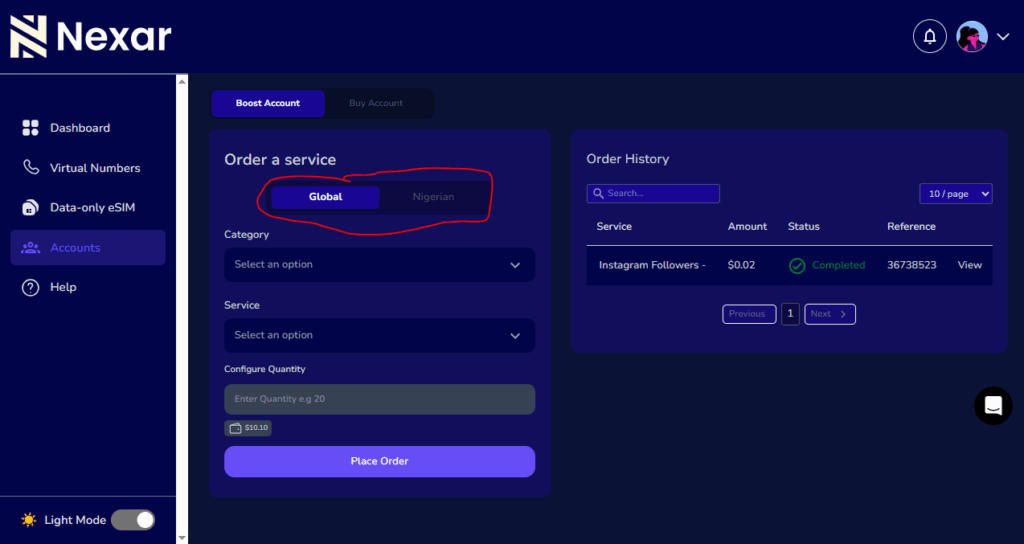
    • From the boost account option, you can toggle between the “Global” and “Nigeria” Option as circled below
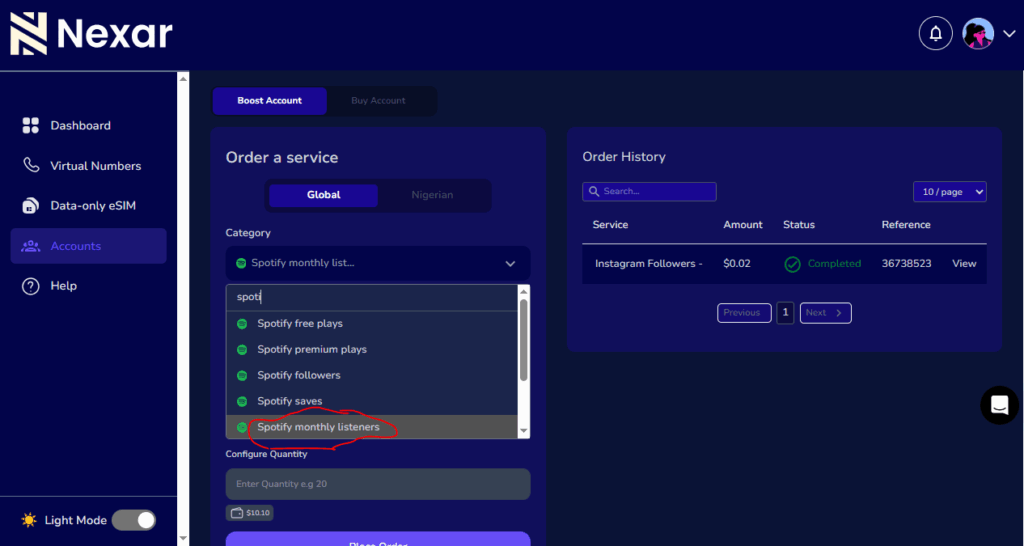
    • Click on the “Category” and search for the Spotify service, where you’ll have many options to pick from, Just as shown in the Image below. Then you’ll Click on the “Monthly Listeners”
    • Click on the most suitable plan in the “Service” Dropdown.
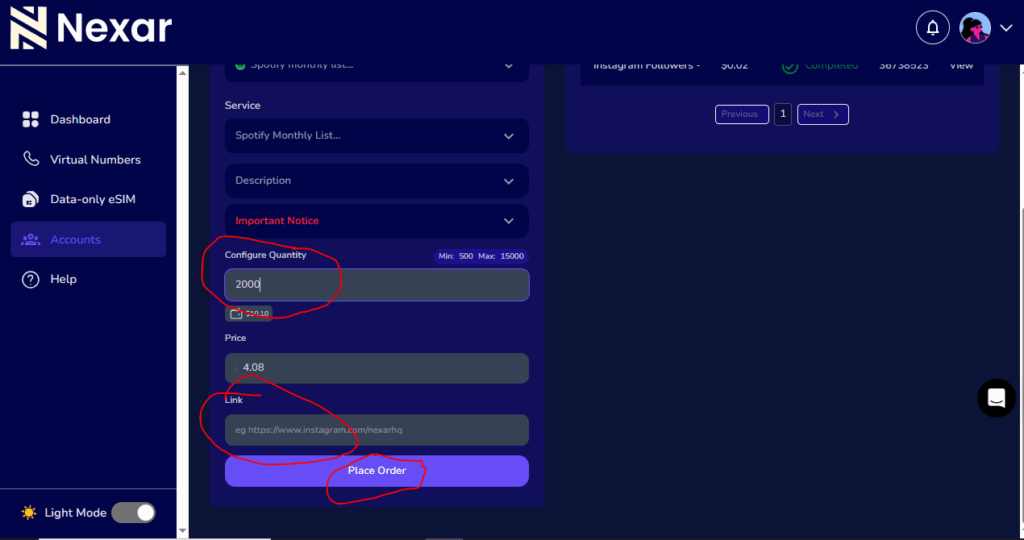
    • Input the Quantity ( i.e, the total number of listeners you want to have), Input the correct link then click on the “Place Order” Button to confirm your order.

    Frequently Asked Question (FAQs)

    1. How can I increase my Spotify monthly listeners fast?

    To increase your Spotify monthly listeners quickly, focus on optimizing your profile, posting consistently, and promoting your songs on social media. Collaborate with other artists and submit your music to playlists for better visibility. For faster growth, you can also use Nexar’s Boost feature to reach real, targeted listeners and boost your Spotify plays affordably.

    2. What are the best ways to grow Spotify listeners organically?

    The best way to grow Spotify listeners organically is by releasing music regularly, building an active social media presence, and engaging with your audience. Share behind-the-scenes content, interact with fans, and cross-promote your music on TikTok, Instagram, and YouTube. Organic engagement builds loyal followers who continuously stream your music.

    3. Does boosting Spotify plays help with algorithm growth?

    Yes, boosting Spotify plays can help your music reach more people through Spotify’s algorithm. When your track gains more plays, likes, and saves, the algorithm sees it as engaging and recommends it to new listeners through playlists like Discover Weekly or Radio Mixes. Using Nexar Boost ensures those plays come from real, interested users — not bots — helping you grow authentically.

    4. Why is consistency important for Spotify growth?

    Spotify’s algorithm rewards active artists. By uploading music consistently — such as every 4 to 6 weeks — you stay visible in recommendation feeds and keep your fans engaged. Consistency also signals to Spotify that your account is active, increasing the chances of being featured on playlists and helping you increase Spotify monthly listeners naturally.

    5. How can Nexar help artists grow Spotify listeners?

    Nexar provides a Boost feature designed for artists who want real, targeted engagement. With local payment options and affordable pricing, it helps African creators boost Spotify plays and attract genuine followers without fake streams. It’s a simple, secure way to scale your Spotify presence and connect with a larger audience worldwide.

    Takeaway

    Building an audience on Spotify doesn’t happen overnight. But with the right consistency, collaboration, and smart promotion strategy, your listener count will grow steadily and Nexar can help you take that growth to the next level.

    ✅ Start your Spotify growth journey today — download the Nexar app or Sign up on our website and explore the Boost feature.

  • eSIM compatible devices in Nigeria

    Gone are the days when you needed to swap SIM cards or visit a store to change networks. With eSIM technology, staying connected has never been easier. An eSIM (embedded SIM) lets you activate mobile plans digitally, right from your device, no plastic card, no stress.

    In Nigeria, the demand for eSIM compatible devices has grown rapidly, especially among remote workers, digital creators, and frequent travelers who want reliable connectivity across borders. Whether you’re using an iPhone, Samsung Galaxy, Google Pixel, or even a smartwatch, eSIM-supported devices help you manage your mobile experience with more freedom and flexibility.

    In this guide, you’ll find the latest list of phones that support eSIM in Nigeria, plus compatible tablets, laptops, and smartwatches. You’ll also learn how to check if your device supports eSIM and how to activate your Nexar eSIM in just a few minutes.

    1. eSIM Compatible Phones in Nigeria

    Here’s a complete breakdown of phones that support eSIM in Nigeria, organized by brand.

    1.1 Apple eSIM Phones

    If you use an iPhone, chances are high that your device supports eSIM. Here’s the full list of Apple eSIM compatible devices:

    • iPhone 16, 16 Plus, 16 Pro, 16 Pro Max
    • iPhone 15, 15 Plus, 15 Pro, 15 Pro Max
    • iPhone 14, 14 Plus, 14 Pro, 14 Pro Max
    • iPhone 13, 13 Pro, 13 Pro Max, 13 Mini
    • iPhone 12, 12 Mini, 12 Pro, 12 Pro Max
    • iPhone 11, 11 Pro, 11 Pro Max
    • iPhone XS, XS Max, XR
    • iPhone SE (2020), iPhone SE (2022)

    Note:

    • iPhones from Mainland China do not support eSIM.
    • Hong Kong and Macao versions (except iPhone 13 mini, 12 mini, SE 2020, and XS) do not support eSIM.

    1.2 Samsung eSIM Phones

    Samsung has one of the widest ranges of eSIM supported devices in Nigeria.

    • Samsung Galaxy S24, S24+, S24 Ultra
    • Samsung Galaxy S23, S23+, S23 Ultra
    • Samsung Galaxy S22, S22+, S22 Ultra
    • Samsung Galaxy S21, S21+, S21 Ultra
    • Samsung Galaxy S20, S20+
    • Samsung Galaxy Note 20, Note 20 Ultra
    • Samsung Galaxy Z Flip 3, 4, 5
    • Samsung Galaxy Z Fold 2, 3, 4, 5

    Note:

    • Some Samsung devices from Hong Kong or North America may not support eSIM.
    • For the S21 series, One UI 4 updates can enable eSIM functionality in some regions.

    1.3 Google Pixel eSIM Phones

    Google’s Pixel phones are among the earliest adopters of eSIM. Here are the supported models:

    • Google Pixel 9, 9 Pro, 9 Pro Fold
    • Google Pixel 8, 8 Pro
    • Google Pixel 7, 7 Pro
    • Google Pixel 6, 6a, 6 Pro
    • Google Pixel 5
    • Google Pixel 4, 4a, 4 XL
    • Google Pixel 3, 3a, 3 XL

    Note:

    Pixel phones from certain regions (like Japan, Taiwan, and Australia) may not support eSIM, so double-check your model before purchase.

    1.4 Other Phones That Support eSIM

    Several other brands have introduced eSIM compatible devices as well:

    Motorola:

    • Motorola Razr 2019
    • Motorola Razr 5G

    Huawei:

    • Huawei P40, P40 Pro
    • Huawei Mate 40 Pro

    OPPO:

    • OPPO Find X3 Pro, Find X5, Find X5 Pro

    Sony:

    • Sony Xperia 10 III Lite

    Others:

    • HAMMER Blade 3, Blade 5G
    • Nuu Mobile X5
    • Gemini PDA 4G+Wi-Fi

    You can also compare with the Global eSIM Compatible Phones List to see worldwide supported models.

    2. eSIM Compatible Smartwatches

    Yes, even your smartwatch can use an eSIM! These devices allow you to stay connected without needing your phone nearby.

    2.1 Apple Watches

    • Apple Watch Series 3–9
    • Apple Watch Ultra, Ultra 2
    • Apple Watch SE (1st & 2nd Gen)2.2

    2.2 Samsung Smartwatches

    • Samsung Gear S2 Classic 3G
    • Samsung Gear S3 Frontier LTE
    • Samsung Galaxy Watch LTE
    • Samsung Galaxy Watch Active2 4G

    3. eSIM Compatible Tablets

    Tablets are increasingly being built with eSIM support, allowing you to use data without Wi-Fi.

    3.1 Apple iPads

    • iPad Pro 11” (1st Gen or later)
    • iPad Pro 12.9” (3rd Gen or later)
    • iPad Air (3rd Gen or later)
    • iPad (7th Gen or later)
    • iPad mini (5th Gen or later)

    3.2 Samsung Galaxy Tabs

    • Galaxy Tab S9, S9+, S9 Ultra
    • Galaxy Tab S9 FE, S9 FE+

    3.3 Microsoft Surface Tablets

    • Microsoft Surface Pro X
    • Microsoft Surface Go 2–3
    • Microsoft Surface Pro 7+

    4. eSIM Compatible Laptops

    If you work remotely or travel frequently, eSIM laptops can keep you connected on the go, no hotspot needed.

    Acer

    • Acer Swift 3, Swift 7
    • Acer TravelMate P2, P6

    ASUS

    • • ASUS NovaGo TP370QL
    • • ASUS VivoBook Flip 14

    Dell

    • • Dell Latitude 7210, 7310, 9410, 9510

    HP

    • • HP EliteBook G5, ProBook G5, ZBook G5
    • • HP Spectre Folio 13

    Lenovo

    • • Lenovo ThinkPad X1 Carbon, X1 Nano
    • • Lenovo Yoga C630, Flex 5G

    How to Check if Your Phone Supports eSIM

    It’s super easy to check whether your phone is eSIM-compatible and unlocked. Here’s how to do it:

    On iPhones

    • Go to Settings > General > About.
    • Scroll down to Carrier Lock:  it should say “No SIM restrictions.”
    • Scroll to Available SIM: if you see an IMEI number, your phone supports eSIM.

    On Android (Samsung, etc.)

    • Go to Settings > Connections > SIM Manager.
    • If you see an “Add eSIM” option, your phone supports eSIM.

    Once you confirm your device is compatible, you can follow this guide on how to set up an eSIM on your phone using Nexar

    How to Activate an eSIM on Nexar

    Once you’ve confirmed your device supports eSIM, getting started with Nexar takes just a few steps:

    • Visit the Nexar website on any browser of your choice.
    • Sign in or create your account.
    • Choose your eSIM plan based on your location or data needs.
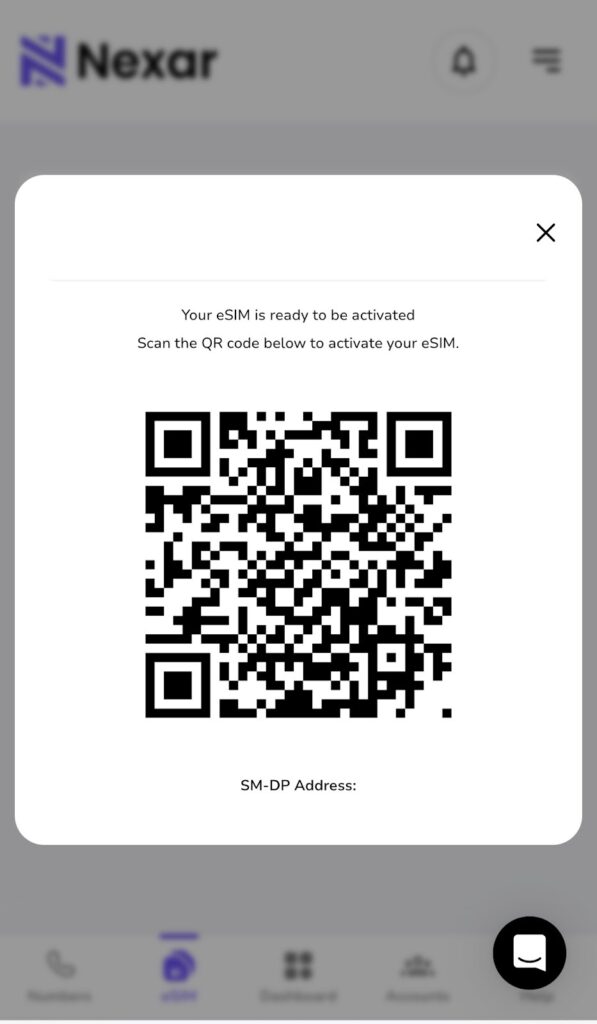
    • Scan the QR code or install eSIM manually within the app.
    • Activate, and you’re ready to browse, stream, and call seamlessly.

    Nexar eSIMs work instantly and are designed to give you reliable data and call support, especially across multiple African and global destinations.

    Why Choose Nexar for Your eSIM Needs

    Choosing the right eSIM provider can feel confusing, especially with so many platforms popping up online. But here’s the truth: if you want something simple, reliable, and built specifically for Nigerians, Nexar makes the entire experience easier.

    Here’s why:

    • You get instant activation

    With Nexar, you don’t have to deal with delays or complicated setups. Once your device is confirmed to be one of the eSIM compatible devices, you simply scan your QR code and boom you’re connected. It’s fast, clean, and made for people who don’t want wahala.

    • Nexar works perfectly on top eSIM supported devices

    Whether you use an iPhone, Samsung, Google Pixel, or another model, Nexar’s eSIM integrates smoothly. You don’t need to be “techy”, we’ve already optimized everything to work with the most common phones that support eSIM.

    • You can manage everything from the Nexar app

    No more queueing at a store or waiting for customer care. Everything, from buying your plan, viewing usage, topping up, or switching packages happens right inside the app. It gives you full control.
    • It’s built for Africans, so your challenges were considered

    A lot of global eSIM providers don’t really understand the African market but Nexar does. Whether it’s flexible pricing, easy payment options, or support that doesn’t make you wait 48 hours for a reply, Nexar is designed with you in mind.

    • You get reliable connection whenever you travel

    If you’re traveling out of Nigeria and your device is one of the eSIM supported phones, Nexar makes staying connected so easy.

    No airport SIM stress, no overpriced roaming. Just switch plans in the app and enjoy.

    • Customer support that actually responds

    Everyone knows how frustrating it is when support ignores you. With Nexar, you can always reach someone quickly, especially for things like activation help, device checks, or troubleshooting.

    Final Thoughts

    The future of connectivity in Nigeria is 100% digital and eSIMs are leading that evolution. With more eSIM compatible devices being released every year, switching to Nexar means you’ll never have to worry about physical SIM swaps or network restrictions again.

    Stay connected. Stay flexible.

    Visit the Nexar website today and activate your eSIM in minutes.

  • Best VPNs for Virtual Numbers: Why You Need Them and How They Protect You

    In today’s digital world, online privacy and security have become more important than ever. If you use virtual numbers for verification, account creation, or business purposes, you’ve probably encountered restrictions or OTP delivery issues caused by location-based blocks. That’s where VPNs (Virtual Private Networks) come in.

    Using the best VPNs for virtual numbers helps you stay anonymous, bypass regional restrictions, and protect your data from unwanted tracking or interception. In this article, we’ll explain why a VPN for virtual number use is essential, how it enhances your security, and which VPNs work best in 2025.

    What Is a VPN and How Does It Work?

    A VPN (Virtual Private Network) encrypts your internet connection and routes it through a secure server in another location. This hides your real IP address and makes it appear as if you’re browsing from another country.

    When using virtual numbers, especially for OTP verification or online registrations, a VPN helps ensure that your connection is private and less likely to trigger blocks from region-restricted services.

    By using one of the best VPNs for virtual numbers, you can:

    • Access virtual numbers from any location.
    • Avoid being flagged for suspicious activity.
    • Protect your account and identity while verifying services.

    Why You Need a VPN for Virtual Numbers

    Best VPNs for Virtual Numbers

    There are several important reasons to use a VPN for virtual number management, especially if you rely on platforms like Nexar for secure, global communication and verifications:

    1. Bypass Geo-Restrictions

    Some apps or websites limit the use of virtual numbers based on country. A VPN allows you to appear as if you’re connecting from a different region, ensuring smooth access and OTP delivery.

    2. Protect Your Identity

    A VPN encrypts your data and masks your IP address. This helps protect virtual number with VPN technology, making it nearly impossible for hackers or trackers to trace your digital footprint.

    3. Prevent OTP Blocks

    Certain platforms block OTPs when they detect foreign IPs or proxies. By using the best VPNs for virtual numbers, you reduce the chance of blocked or delayed verification messages.

    4. Secure Public Connections

    If you often use public Wi-Fi while verifying accounts, you’re at risk of interception. VPNs create an encrypted tunnel that keeps your OTPs and account data private.

    5. Maintain Consistent Connection

    Some users experience dropped OTPs due to unstable connections. A VPN can stabilize your connection by routing it through optimized servers for better performance.

    Best VPN for Virtual Numbers in 2025

    There are many VPNs out there that are strong and reliable, but at Nexar, we recommend these 2 VPNs because they’re free and they work excellently.

    1. IPVanish VPN

    IPVanish is a VPN service that provides online privacy and security by encrypting your internet traffic and masking your IP address. Its key advantages include a no-logs policy verified by independent audits, strong encryption, and a large network of servers. It also offers features like unlimited simultaneous connections, fast speeds, a kill switch, and 24/7 customer support. If you’re looking for a VPN that properly hides your IP address and mimics the IP address of a different country, IPVanish is the most recommended VPN.  

    2. Octohide

    Octohide is a VPN built to keep you safe and invisible online. It protects your browsing by encrypting your traffic and giving you a new IP address so websites can’t trace your real location. One thing people like about Octohide is how clean and straightforward it is. You get strong encryption, a strict no-logs policy, and a wide range of global servers you can switch to anytime.

    It also supports unlimited devices, so you can use one account across your phone, laptop, tablet, or even your home router. The connection speed is stable, the kill switch protects you if your network drops, and their support team is available whenever you get stuck. If you want a VPN that hides your IP properly and makes it seem like you’re browsing from another country, Octohide is a solid and reliable choice.

    Besides IPVanish and Octohide, other VPNs recommended are  NordVPN, Octohide VPN, PIA VPN, Proton VPN and CyberGhost VPN.

    How VPNs Protect Virtual Numbers

    When you protect a virtual number with VPN, you’re not just hiding your IP — you’re building a secure digital shield. VPNs use AES-256 encryption (the same level used by banks) to secure your data, making it unreadable to anyone trying to intercept it.

    Here’s how they safeguard your activities:

    • Encrypt communication between your device and the network.
    • Prevent tracking from ISPs or third-party services.
    • Secure OTP transmissions from apps and websites.
    • Reduce account suspension risks caused by mismatched IPs.

    This makes VPNs an essential tool for users who rely on virtual numbers for social media verifications, business accounts, and cross-border communications.

    How to Use a VPN with Virtual Numbers

    Follow these steps to get started safely:

    1. Choose a trusted provider — Pick from the best VPNs for virtual numbers listed above.
    2. Install the app on your device and log in.
    3. Select a country server that matches your Nexar virtual number’s origin.
    4. Connect and confirm IP — Once connected, visit your Nexar dashboard.
    5. Verify or receive OTPs securely without restrictions or delays.

    By following these steps, you ensure that your virtual numbers remain protected and fully functional.

    Why Nexar Recommends Using VPNs with Virtual Numbers

    At Nexar, we prioritize security, privacy, and reliability for all users. We recommend pairing our virtual number services with one of the best VPNs for virtual numbers to guarantee safe OTP delivery, reduced risk of blocks, and enhanced anonymity.

    Using a VPN adds an extra layer of protection — ensuring your virtual number experience is smooth, private, and secure.
    👉 Visit nexarhq.com to explore safe and verified virtual numbers, ideal for social apps, business accounts, and secure communication.

    FAQs

    1. Why do I need a VPN for virtual numbers?

    A VPN for virtual number ensures your connection is encrypted, private, and region-flexible. It helps bypass app restrictions and guarantees smoother OTP delivery.
    2. What are the best VPNs for virtual numbers in 2025?

    Some of the best VPNs for virtual numbers include IPVanish VPN, Octohide VPN, PIA VPN, NordVPN, ProtonVPN, and CyberGhost. These VPNs provide strong encryption and stable global servers.

    3. Can a VPN help if my virtual number isn’t receiving OTPs?

    Yes. Using one of the best VPNs for virtual numbers can help fix OTP delivery problems caused by regional IP restrictions or blocked traffic routes.

    4. How does a VPN protect virtual numbers from hackers?

    When you protect virtual number with VPN, your data is encrypted and routed through secure servers, making it unreadable to hackers, ISPs, or trackers trying to access your information.

    5. Is it safe to use a VPN for virtual number verifications on Nexar?

    Absolutely. Nexar supports privacy-focused practices. Using a VPN for virtual number verifications adds an extra layer of protection and ensures your account activities remain private and secure.

    Final Thought


    Choosing one of the best VPNs for virtual numbers isn’t just about accessing blocked OTPs — it’s about protecting your identity, maintaining anonymity, and ensuring safe digital communication. Combine a secure VPN with Nexar’s trusted virtual number services for the best experience in 2025 and beyond.

    👉 Get started now at nexarhq.com to enjoy safe, global, and private virtual communications.

  • How to Buy a UK Number in Nigeria: 5 Easy Steps

    Have you ever been excited to sign up for an international platform, only to realize your Nigerian number doesn’t work? It’s even worse when you’re trying to verify an account that is important for your work or business. A lot of Nigerians face this problem every day. Many global platforms treat Nigerian numbers differently, and that’s why more people now rely on a UK number in Nigeria.

    The good news is you don’t need to travel or buy a UK SIM before you can get a working UK line. Everything can be done from your phone in a few minutes.

    This guide will show you how to get a UK number in Nigeria, why so many people use it, and how you can set it up easily with Nexar. Let’s get into it.

    Why Nigerians Are Getting UK Virtual Numbers

    People buy a UK number in Nigeria for different reasons. Some do it for work. Some do it for business. Some do it just to avoid verification headaches. Once you understand the benefits, you’ll see why it makes sense.

    1. You work on global platforms

    Many freelance platforms see UK numbers as more stable. A UK number in Nigeria helps you create accounts faster, recover accounts easily, and avoid unnecessary flags. It also makes your profile look more trustworthy.

    2. You run a business with foreign clients

    If you sell products or services to people in the UK or Europe, a UK line builds instant trust. The moment potential clients see a familiar UK code, they treat your business as more professional. Having a UK virtual number in Nigeria gives you that advantage.

    3. You want the smoothest verification possible

    Some apps, especially fintech tools, treat UK numbers with less resistance. When you set up a UK number in Nigeria, registering or verifying your accounts becomes faster. Platforms like PayPal, Wise, Revolut, banking apps, and advertising platforms respond better to UK lines.

    4. You avoid physical SIM cards

    A virtual number skips the stress of looking for a physical SIM or spending money on roaming. With Nexar, your UK number in Nigeria is OTP-ready, secure, and easy to manage.

    All these reasons explain why the demand for UK virtual numbers in Nigeria keeps rising.

    How to Get a UK Number in Nigeria (Full Step-by-Step Guide)

    Here’s how to set up your UK number in Nigeria using Nexar.

    1. Visit nexarhq.com

    Open your browser and go to Nexar’s website or download the app. The interface is simple, and you don’t need any tech skills.

    UK number in Nigeria

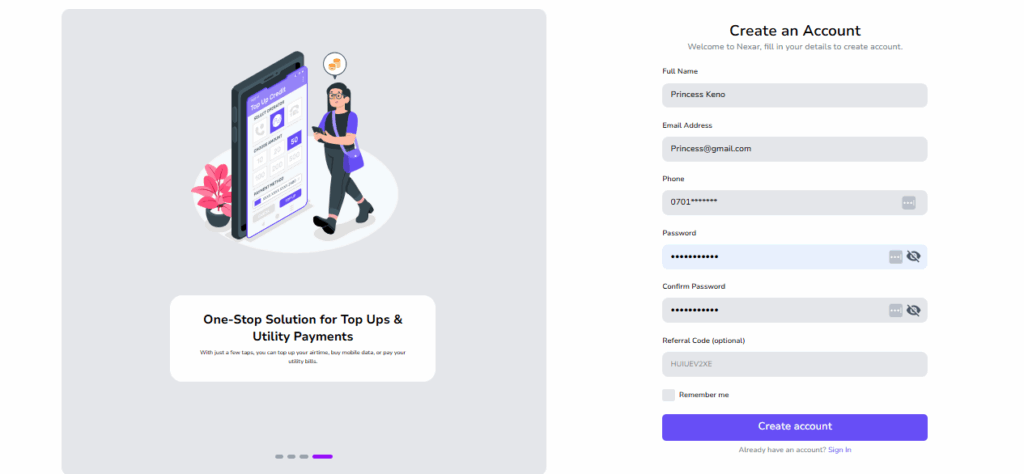
    2. Create your account

    You can sign up with your email or Nigerian phone number. The process is quick, and you can access your dashboard immediately.

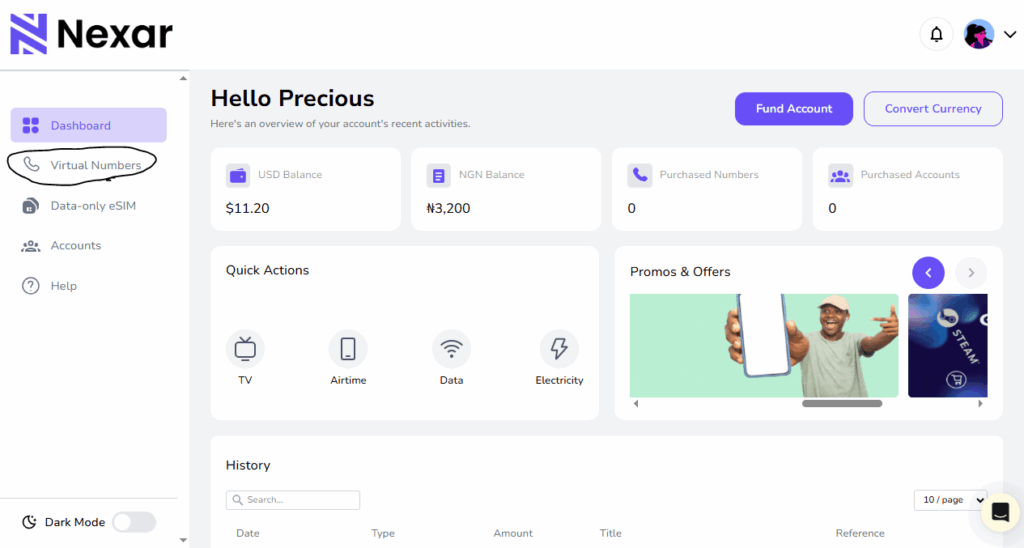
    3. Choose UK Virtual Number

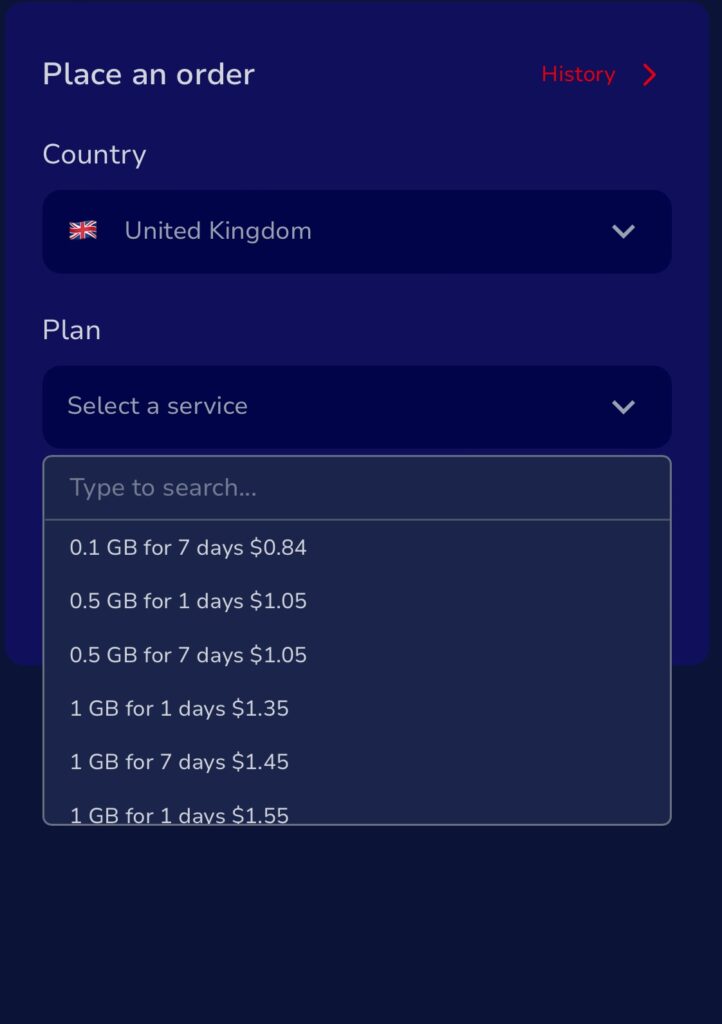
    On your dashboard, click Virtual Numbers and select UK. You’ll see different plans made specifically for users in Nigeria. Pick the plan that works for you. This is the moment you officially begin getting your UK number in Nigeria.

    4. Pay with local methods

    Nexar allows you to pay in Naira. You don’t need a foreign card or international billing. Whether it’s bank transfer or card payment, everything works smoothly.

    If you are using Nexar from another country, read this article to find out our other available payment options.

    5. Activate and use your number

    Once you complete payment, your UK number in Nigeria becomes active. You can use it immediately to verify apps, open new accounts, or switch numbers on existing platforms.

    What Makes Nexar Better for Getting a UK Number?

    There are many apps claiming to offer foreign lines, but not all of them actually work well in Nigeria. Some don’t accept Nigerian cards. Some require VPN before you can even log in. Some numbers don’t work for verification.

    Nexar was created to remove all that stress and give Africans a more direct solution.

    1. Works perfectly for Nigerians

    You don’t need to struggle with exchange rates, foreign billing, or payment errors. When you buy your UK number in Nigeria through Nexar, everything is already optimized for local use.

    2. You can access many countries

    If you need more than one country, you can get them all in one place. This is helpful if you run a business, create multiple accounts, or manage clients. One account can hold your UK, US, or any other virtual number.

    3. Your number stays reliable

    Some foreign apps deactivate your line for no reason. Nexar keeps your UK number in Nigeria active, safe, and protected. Nexar numbers are reusable.

    4. Transparent pricing

    No surprises. No hidden fees. Just simple plans that anyone in Nigeria can use.

    If you want a UK number in Nigeria that actually works, Nexar is one of the best options.

    What You Can Do With a UK Number in Nigeria

    When you start using your UK number in Nigeria, here’s what becomes easier for you:

    • Sign up for banking and payment apps
    • Verify platforms that don’t accept Nigerian numbers
    • Talk to foreign clients without looking unprofessional
    • Protect your Nigerian line and keep it personal
    • Avoid verification mistakes when switching devices

    A UK virtual number in Nigeria gives you access to tools that would normally be unavailable.

    Frequently Asked Questions About Getting a UK Number in Nigeria

    1. Do I need a VPN for my UK number?

    Yes. A VPN helps sync your IP with the country of your virtual number. This makes verification smoother on most platforms. IPvanish and Octohide work well.

    2. Can I use my UK number for WhatsApp?

    Yes. You can register the line on WhatsApp or WhatsApp Business. We recommend WhatsApp Messenger for better stability.

    3. Is it legal to get a UK number in Nigeria?

    Yes. Getting a UK number in Nigeria is completely legal. Virtual numbers are allowed for both personal and business use.

    4. Can I receive calls or SMS?

    No. Nexar numbers are OTP-only. They work for verification, not calls.

    5. How much does it cost?

    Nexar virtual numbers are very afforadable. Typically $1 -$1.5.

    Sign up to Nexar to see the current rates.

    Final Thoughts

    A UK number in Nigeria unlocks opportunities that a regular Nigerian line can’t. It helps you sign up for platforms easily, build trust with international clients, and keep your online accounts safe. With Nexar, you can get your UK number instantly and start using it within minutes.

    Also read: How to Get a US Number in Nigeria in 5 Easy Steps.

  • Virtual Number for YouTube Account Creation: Everything You Should Know

    Let’s be real, nothing kills excitement faster than trying to create a YouTube channel and getting stuck on the “Verify your phone number” step. You enter your number, wait for the code, and nothing happens.

    If you’re in Nigeria or anywhere in Africa, you probably know this struggle too well. Between network errors, international SMS restrictions, and SIM card limits, verifying a YouTube account can feel impossible.

    That’s where a Virtual Number for YouTube Account Creation comes in. With Nexar, you can get a working, verified virtual number that instantly receives Google verification codes, no SIM card drama, no failed attempts, just a smooth setup.

    What Is a Virtual Number for YouTube Account Creation?

    A Virtual Number for YouTube Account Creation is an online number that helps you verify your YouTube account without needing a physical SIM card. It works just like a regular phone number, it can receive verification codes and texts but everything happens online.

    It’s perfect for content creators, business owners, and freelancers who don’t want to deal with SIM restrictions or network issues. Plus, with Nexar, you get access to verified global numbers that actually work with YouTube.

    So instead of juggling multiple SIM cards, you can use one secure YouTube virtual number that’s built for verification.

    Why You Should Use a Virtual Number for YouTube Account Creation

    Here’s the thing; switching to a Virtual Number for YouTube Account Creation isn’t just about convenience; it’s about control, privacy, and scalability. Let’s break it down

    1. You Avoid SIM Card Limits

    YouTube only lets you verify up to two accounts per SIM card. That’s fine if you’re a casual user, but what if you manage multiple brands or clients?

    With Nexar’s Virtual Number for YouTube Account Creation, you can verify as many channels as you need all without switching SIMs or borrowing someone else’s line.

    It’s the easiest way for creators, digital marketers, and freelancers to stay organized and scale their work.

    2. You Protect Your Privacy

    Sharing your personal number online exposes you to spam, unwanted calls, and even phishing attempts.

    Using a Virtual Number for YouTube Account Creation keeps your real number private. You can safely manage your YouTube channels without worrying about your data being exposed. It’s especially useful for agencies or influencers who manage multiple accounts but don’t want their personal info tied to each one.

    3. You Save Time (and Sanity)

    Network errors, delayed SMS messages, and “code not received” frustrations can slow you down. With Nexar’s virtual numbers, you’ll get your YouTube verification code instantly, no waiting, no re-sending. You can create a YouTube account with a virtual number and start uploading videos right away.

    4. It Works From Anywhere

    Whether you’re in Lagos, Accra, or London, Nexar’s virtual numbers work globally.

    So, even if your Nigerian SIM doesn’t receive international messages, your Virtual Number for YouTube Account Creation will. That’s a game-changer for digital nomads, remote workers, or business travelers.

    5. You Get a Simple, Secure Setup

    Forget complicated tech setups, Nexar makes it simple. The process to buy and activate your Virtual Number for YouTube Account Creation takes just minutes, and the interface is beginner-friendly.

    You’ll see your verification code right inside the app. No stress, no confusion.

    How to Create a YouTube Account with a Virtual Number

    Now that you get why it’s useful, let’s walk you through how to create a YouTube account with a virtual number step by step

    Step 1: Visit the Nexar Website

    Head to any browser of your choice and search for Nexarhq.com

    Step 2: Create an Account or Log In

    Sign up using your email or social account. It’s fast, safe, and takes under a minute.

    Step 3: Select “Virtual Number”

    On your Nexar dashboard, choose the Virtual Number option. You’ll see a list of available countries and platforms.

    Step 4: Pick “YouTube Verification”

    Choose the dedicated Virtual Number for YouTube Account Creation option to ensure compatibility with Google verification.

    Step 5: Make Your Payment

    Pay using your local bank card, crypto, or Nexar Wallet. You’ll get instant activation once your payment is confirmed.

    Step 6: Enter the Virtual Number on YouTube

    When YouTube asks for verification, type in your Nexar number. Within seconds, your Google verification code will appear inside your Nexar inbox.

    Step 7: Enter the Code and Verify

    Copy the code, paste it into YouTube, and you’re all set. Your channel is verified, and you don’t need a physical SIM to do it.

    Common Mistakes to Avoid When Using a Virtual Number for YouTube

    Here are a few things to keep in mind so you don’t run into issues:

    • Don’t reuse one virtual number for multiple YouTube accounts, get a new one for each.
    • Always check your Nexar inbox for codes immediately after requesting them.
    • Avoid free public numbers; they’re usually unsafe or blocked by Google.
    • Keep your internet connection stable while verifying.

    FAQs About Virtual Number for YouTube Account Creation

    Q1: Can I use one virtual number for multiple YouTube accounts?

    No, each Virtual Number for YouTube Account Creation should be used for one channel to avoid Google flagging it.

    Q2: Is it safe to use Nexar’s virtual number for YouTube?

    Absolutely. Nexar’s numbers are verified and secure. You’ll receive your codes safely without exposing your personal number.

    Q3: Can I reuse my YouTube virtual number later?

    If it’s still active, yes! You can access your old messages or use the same number for future logins.

    Q4: What else can I use my virtual number for?

    You can use it for Gmail, WhatsApp Business, TikTok, or other platforms that require phone verification. It’s not limited to YouTube.

    Q5: How much does it cost to get one?

    Nexar offers affordable Virtual Numbers for YouTube Account Creation that suit African users. Prices depend on the country and validity period, but they’re cheaper than buying new SIM cards.

    Final Thoughts

    If you’ve ever struggled to verify a YouTube account due to poor network, SIM limits, or failed messages, it’s time to make the switch. A Virtual Number for YouTube Account Creation from Nexar gives you speed, privacy, and flexibility.

    Whether you’re a freelancer, influencer, or business owner, Nexar lets you verify and manage your channels with ease.

    Visit the Nexar website today and get your Virtual Number for YouTube Account Creation in minutes!

  • Step by Step Guide to Setting Up a Data eSIM on Your iPhone

    Setting up a Data eSIM on Your iPhone has become one of the easiest ways to enjoy reliable internet while travelling or when you need instant connectivity without inserting a physical SIM card. The process is fast, secure, and supported on most modern iPhones.

    With a Data eSIM on Your iPhone, you can stay online for maps, browsing, social media, streaming, and messaging apps that use the internet. Nexar provides affordable and easy to activate plans that work smoothly on supported devices.

    This guide walks you through everything you need to know about using a Data eSIM on Your iPhone, how to activate eSIM on iPhone, and how to install a data eSIM for iPhone manually or with a QR code.

    Data eSIM on Your iPhone

    How a Data eSIM Works on Your iPhone

    A Data eSIM on Your iPhone is a digital SIM built into your device. It removes the need for a physical SIM card and allows your phone to store multiple eSIM profiles. This makes it extremely useful for travel because you can switch between plans anytime. A Data eSIM on Your iPhone gives you internet only. It does not support traditional sms or voice calls. For calls and messages, use apps like WhatsApp, FaceTime or Skype.

    This makes the data eSIM for iPhone perfect for travellers who only need high speed internet without roaming charges.

    Requirements Before You Activate eSIM on iPhone

    You can also learn more about Apple’s requirements here

    How to Purchase a Data eSIM for iPhone from Nexar

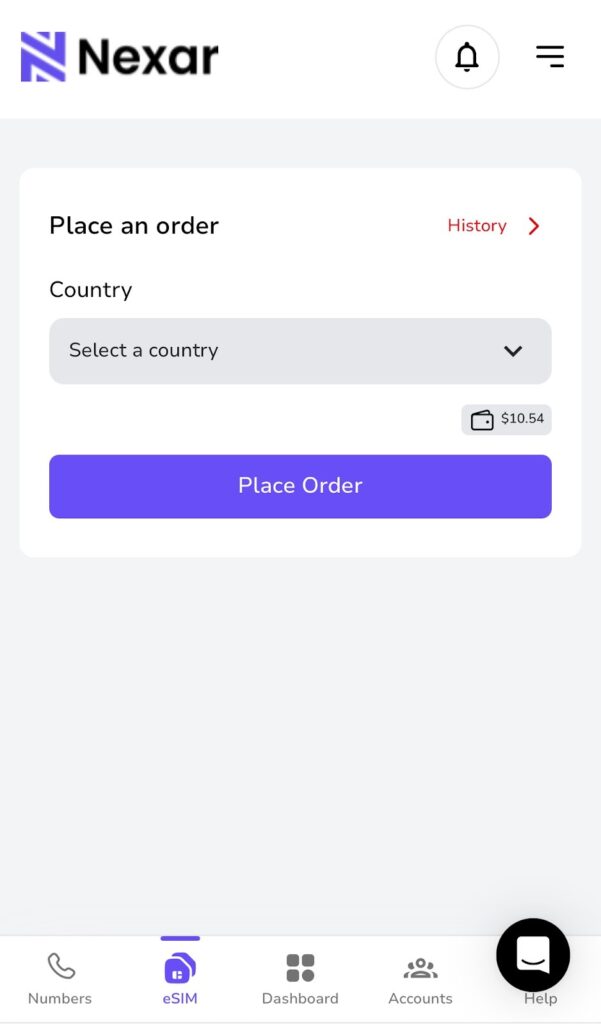
    Before we get started on setting up your eSIM, it’s good to know that Nexar sells affordable data eSIM plans for travellers and everyday users. You can buy and activate your plan instantly, without waiting for physical delivery or long verification steps. Here’s how to purchase one from Nexar:

    1. Sign up by clicking this link.
    2. Select the country you are travelling to
    3. Choose your preferred data plan
    4. Tap Place Order

    Remember that the Data eSIM on Your iPhone will only work when you are physically inside the selected country.

    How to Activate Your Data eSIM on Your iPhone

    There are several ways to activate eSIM on iPhone. Different methods work depending on your carrier, device model and region. Below are the supported activation methods following Apple’s setup style.

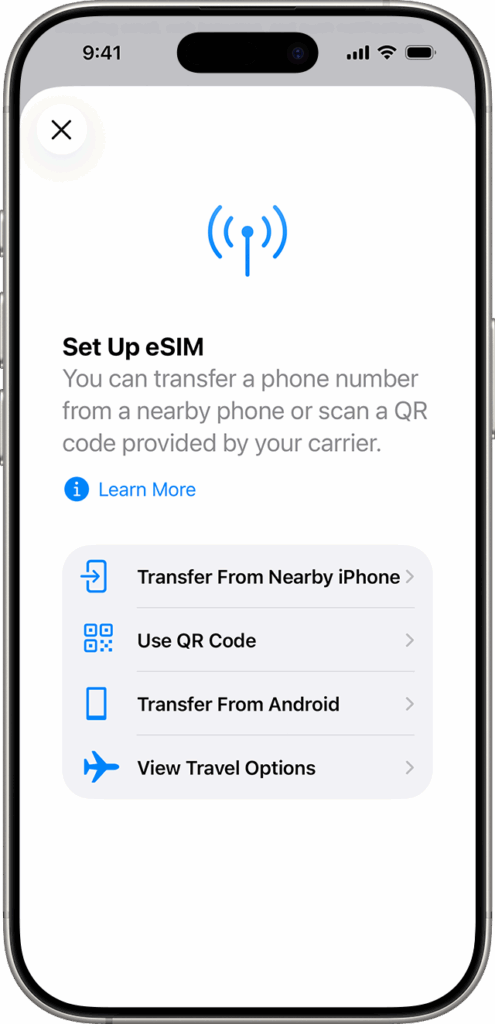
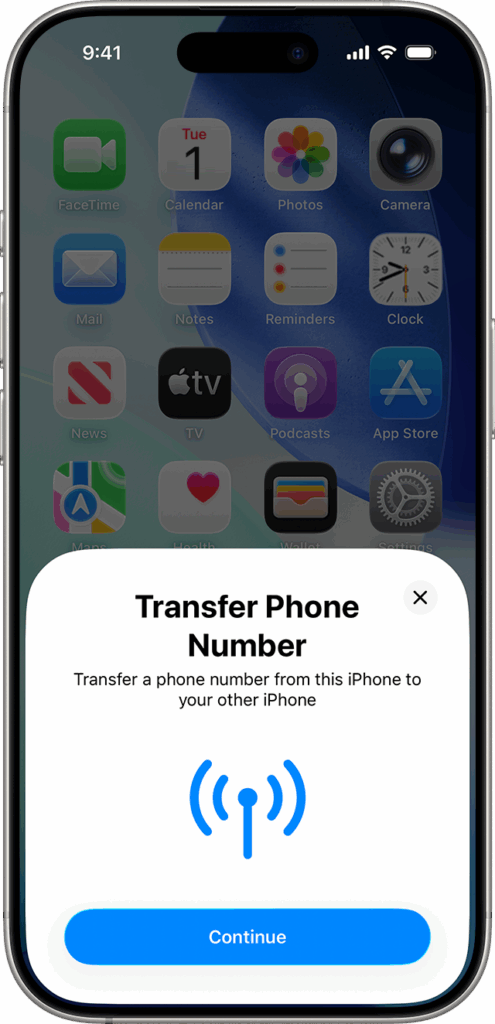
    1. Activate eSIM on iPhone using Quick Transfer

    If you are moving a line from your old iPhone to a new one, you can use Quick Transfer.

    1. Make sure both phones are signed in with the same Apple ID
    1. Keep Bluetooth on
    1. Place both phones close
    1. Go to Settings, tap Cellular, then tap Add eSIM
    1. Choose a number to transfer
    1. Follow the instructions on the old iPhone
    1. Wait for activation

    This method is great for personal numbers but not necessary for a travel eSIM.

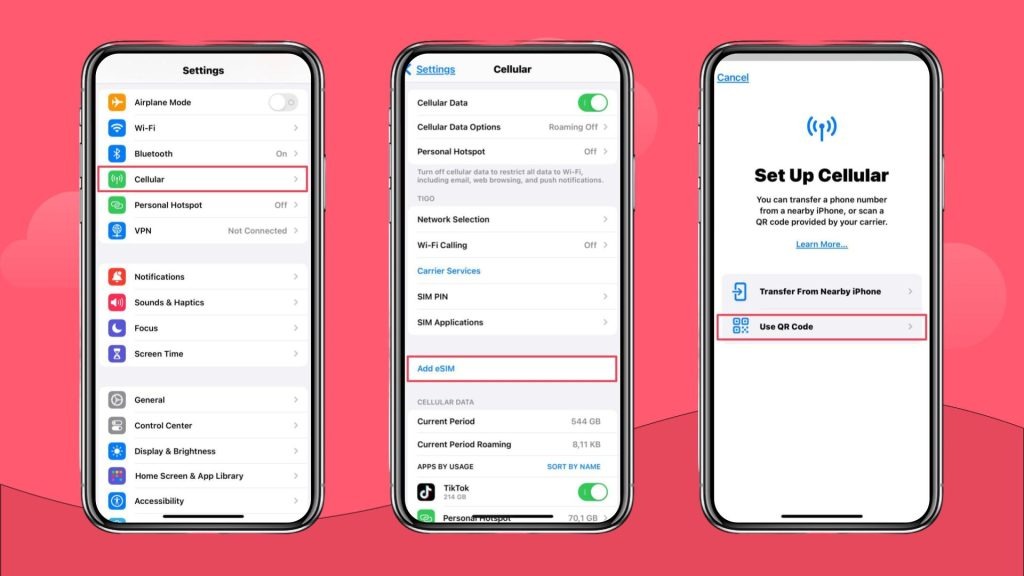
    2. Activate eSIM on iPhone using QR Code

    If your provider gives you a QR code, follow these steps.

    1. Open Settings
    1. Tap Cellular or Mobile Data
    1. Tap Add Cellular Plan
    1. Scan the QR code
    1. If asked, enter the confirmation code
    1. Choose a label for your plan
    1. Select the plan as data only

    Your Data eSIM on Your iPhone should appear under Cellular Plans.

    How to Manually Install a Data eSIM for iPhone

    Sometimes, your provider lets you enter the eSIM details manually. Here’s how to do it.

    • Open Settings
    • Tap Cellular
    • Tap Add Cellular Plan
    • Tap Enter Details Manually
    • Enter the SM DP Plus Address
    • Enter the activation code
    • Enter the confirmation code if required
    • Choose a label
    • Select it as data only

    This is the method most travel eSIM users prefer.

    How to Connect to Mobile Data After Installation

    After installing your Data eSIM on Your iPhone, turn it on and connect to mobile data.

    • Go to Settings
    • Tap Cellular
    • Select your new eSIM plan
    • Turn on Data Roaming
    • Tap Cellular Data Network and input APN if required
    • Return to Cellular
    • Select your eSIM for cellular data
    • Turn OFF Allow Cellular Data Switching

    Your data eSIM for iPhone should now connect to a supported network.

    If you prefer visual instructions, watch this short video guide.

    How to Confirm Your eSIM is Working

    • Go to Settings
    • Tap Cellular
    • Look for your new data plan
    • It must show connected or activated
    • If you see signal bars beside the eSIM label, it is active.

    Important Notes When Using Nexar eSIM

    Follow the steps exactly as shown to avoid installation issues.

    1. Always use a strong VPN
    2. Nexar eSIM is data only
    3. Use WhatsApp, FaceTime, Messenger or Skype for calls and texts
    4. Your eSIM will only work in the purchased country
    5. Install the Data eSIM on Your iPhone using your browser and settings app

    Travelling soon? Buy a Nexar eSIM.

    A Data eSIM on Your iPhone is perfect for travellers because it prevents roaming charges. Once you land in your destination, your eSIM immediately connects so you can use maps, ride hailing apps, banking apps, translation tools, and social media. If you use an android device, you can also install an eSIM on your device after reading this guide.

    Final Thoughts

    Setting up a Data eSIM on Your iPhone is simple when you follow clear steps. You can activate eSIM on iPhone using QR code, manual setup, or carrier activation. Nexar provides a reliable data eSIM for iPhone that works for travel and everyday use. With the right VPN, a stable WiFi connection, and the correct installation steps, you can enjoy fast and secure data anywhere your plan supports.

    If you need reliable travel data, purchase your eSIM from Nexar and follow the instructions in this guide for a smooth setup.

  • How to Buy and Redeem Netflix Gift Cards

    How to Buy and Redeem Netflix Gift Cards

    In 2024, over 65% of Nigerian Netflix users reported at least one failed payment due to card restrictions or international transaction limits. For many, it’s become a recurring frustration that interrupts their favorite shows and spoils their movie nights.

    Now, imagine this. It’s Friday evening, you’ve had a long week, snacks are ready, and you open Netflix only to see “Payment Failed. Please update your billing information.” Annoying, right? The good news is, you don’t have to go through that again. The easiest solution is to redeem Netflix gift cards, a reliable and stress-free way to pay for your Netflix subscription without worrying about declined cards or exchange rate issues.

    Whether you’re renewing your plan or gifting someone a month of entertainment, Netflix gift cards are flexible, secure, and easy to use. In this article, we’ll walk you through how to buy and redeem Netflix gift cards in Nigeria, the best way to purchase them safely, and how Nexar makes the entire process seamless.

    What Are Netflix Gift Cards?

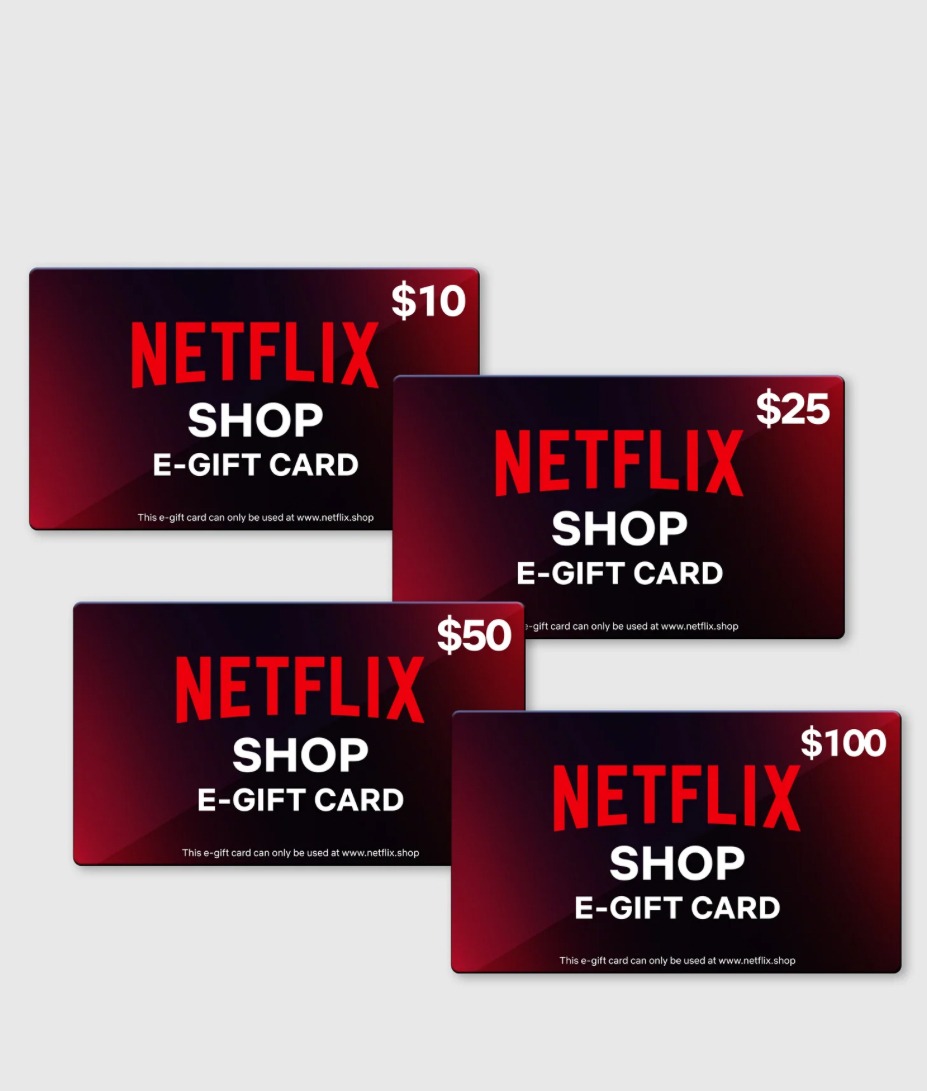
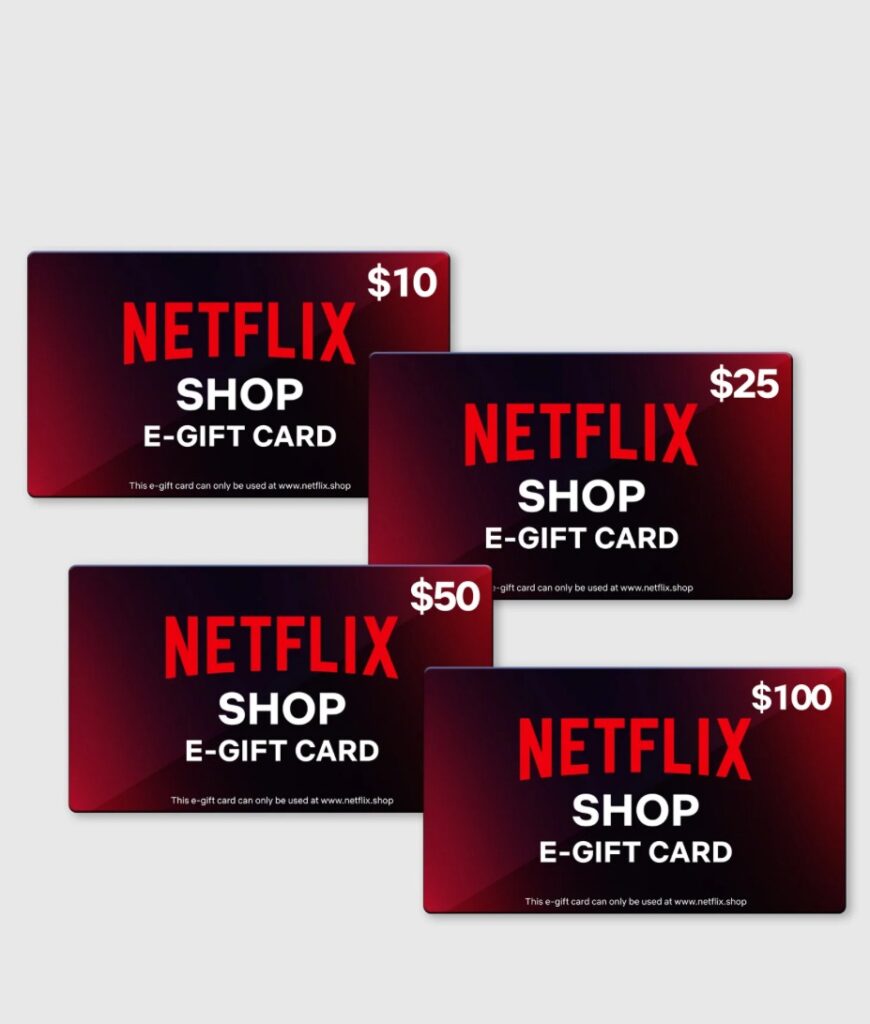
    Netflix Gift Card

    A Netflix gift card is a prepaid digital or physical card that lets you pay for your Netflix subscription without needing a debit or credit card.

    You simply buy a card, load the value into your Netflix account, and it automatically deducts from your balance each month.

    For Nigerians who struggle with card restrictions or international payments, redeeming Netflix gift cards is one of the easiest ways to stay subscribed.

    Why You Should Redeem Netflix Gift Cards Instead of Using Your Bank Card

    Let’s be honest, using your Nigerian bank card for Netflix payments these days feels like a gamble. Sometimes it goes through, other times you get the dreaded “payment failed” message. That’s why switching to redeem Netflix gift cards isn’t just smart, it’s stress-free. Here’s why it makes sense:

    1. No More Payment Declines

    We’ve all been there, you’re ready to watch a new episode, and suddenly Netflix says your payment was declined. It’s not your fault. Most Nigerian banks now restrict international transactions or set very low limits. With Netflix gift cards, you skip all that drama. You just redeem your gift card, and your subscription continues smoothly with no bank approvals, no declined transactions, no interruptions.

    2. You Control Your Spending

    When you redeem Netflix gift cards, you decide exactly how much you want to spend. Maybe you want to stick to a one-month plan or prepay for a few months in advance. it’s all up to you. It’s a great way to manage your entertainment budget without worrying about automatic debits from your bank card.

    3. Works Even When Your Card Doesn’t

    Sometimes, even cards that used to work suddenly stop working for international subscriptions like Netflix. That’s why gift cards are such a lifesaver. You don’t need to stress about which card is accepted or whether your bank allows foreign transactions, Netflix gift cards work instantly, no matter what.

    4. Perfect for Gifting

    You want to surprise a friend or loved one with something thoughtful? A Netflix gift card is a perfect choice. You’re not just giving them money, you’re giving them access to thousands of movies, shows, and documentaries. Whether it’s a birthday, holiday, or “just because,” it’s a gift that everyone appreciates.

    5. No Hidden Fees or Exchange Rate Surprises

    When you pay for Netflix with a bank card, you might notice your bank charges slightly more than expected because of hidden international transaction fees and currency conversions. With Netflix gift cards, what you pay is what you get. No surprise deductions, no extra charges, just easy, transparent payments.

    6. Works Instantly

    Once you redeem your Netflix gift card, your account is updated immediately. There’s no waiting period or pending verification. Within seconds, you can jump right back into your movie night without stress.

    Where to Buy Netflix Gift Cards in Nigeria

    There are several platforms that sell Netflix gift cards in Nigeria, but not all are reliable or instant.

    Here are your best options:

    1. Nexar

    With Nexar, you can buy and redeem Netflix gift cards instantly all from your dashboard. Nexar offers multiple payment options in Naira, making it simple for Nigerians to pay without worrying about exchange rates or bank issues.

    • Instant delivery
    • Safe and verified
    • Local currency supported

    Nexar doesn’t just sell Netflix gift cards, you can also buy Apple, Spotify, Google Play, and other popular subscriptions using the same account.

    2. Reputable Online Retailers

    You can also purchase Netflix gift cards from trusted platforms like:

    • Amazon or Jumia (for physical cards)

    Always make sure the seller is verified to avoid invalid codes or scams.

    How to Redeem Netflix Gift Cards

    Now that you’ve bought your card, here’s how to redeem Netflix gift cards easily:

    • Enter the 11- or 12-digit code from your card or email.
    • Click “Redeem.”
    • Your Netflix balance updates instantly.
    • Start streaming your favorite shows immediately.

    If you already have an active subscription, the balance will apply to your next billing cycle so you won’t lose a single day.

    How to Buy and Redeem Netflix Gift Cards on Nexar

    Here’s how to use Nexar to make the entire process faster and easier:

    Go to the Nexar website and sign up in minutes.

    • Go to the Gift Card Section

    Choose a specific country then select “Gift Cards” on your dashboard.

    • Choose Netflix Gift Card

    Pick your preferred value (₦5,000, ₦10,000, etc.).

    • Make Payment in Naira

    Pay securely using your local debit card or wallet balance.

    • Get Your Code Instantly

    You’ll receive your Netflix gift card code immediately after payment.

    • Redeem Netflix Gift Card on Netflix

    Copy your code and redeem it via Netflix.com/redeem.

    Troubleshooting: Why Your Netflix Gift Card Might Not Work

    Sometimes, when you try to redeem Netflix gift cards, you might see an error message.

    Here’s what to check:

    • Ensure you’re using the correct region (U.S. or global cards work best).
    • Double-check that you entered the full code correctly.
    • If the card was purchased elsewhere, confirm it hasn’t already been used.
    • Contact Netflix support if the issue persists.

    If you’re tired of card errors and billing frustrations, the easiest fix is to redeem Netflix gift cards through Nexar, where you can manage everything locally in Naira.

    FAQs on How to Redeem Netflix Gift Cards

    Q. Can I use Netflix gift cards in Nigeria?

    Yes, you can. Netflix gift cards work perfectly for Nigerian users just make sure you redeem Netflix gift cards from trusted sources like Nexar.

    Q. How long does it take to receive the code after buying?

    If you buy Netflix gift cards from Nexar, delivery is instant. You’ll get your code in seconds.

    Q. Can I combine multiple Netflix gift cards?

    Absolutely! You can redeem multiple cards to extend your subscription balance.

    Q. What happens if my Netflix balance runs out?

    Once your balance is low, Netflix will pause your account until you redeem another Netflix gift card or add a new payment method.

    Final Thoughts

    If your Nigerian card keeps failing or you simply want an easier way to pay for entertainment, it’s time to switch to gift cards.

    With Nexar, you can buy and redeem Netflix gift cards easily in Naira, instantly, and securely so you can focus on enjoying your shows without limits.

    Get started today! Visit the Nexar website and redeem your Netflix gift card now.

  • Earn a Lifetime 5% Bonus with Nexar’s Referral Program

    If you’re anything like me, you love finding ways to earn rewards without extra effort. Well, with Nexar, there’s a simple way to do just that and it can keep paying off for life. With Nexar’s referral program, every time someone you invite joins and makes a deposit, you earn a 5% bonus on their deposits. And the best part? It’s for life.

    Here’s how to get started and make the most of it:

    1. Sign in to Nexar

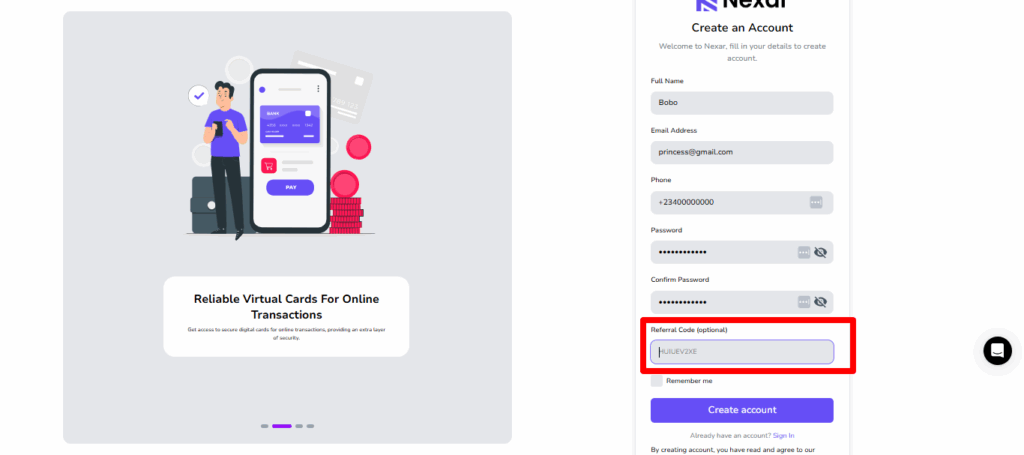
    The first step is easy. Log in to your Nexar account on the website or the app. If you don’t have an account yet, signing up is quick and straightforward. Once you’re in, you’re ready to start sharing and earning.

    2. Find Your Referral Code

    Your referral code is unique to you.

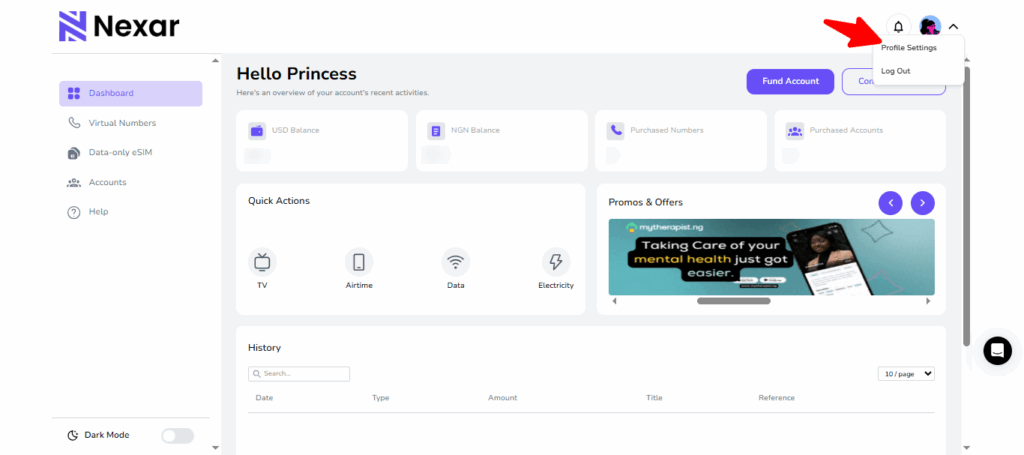
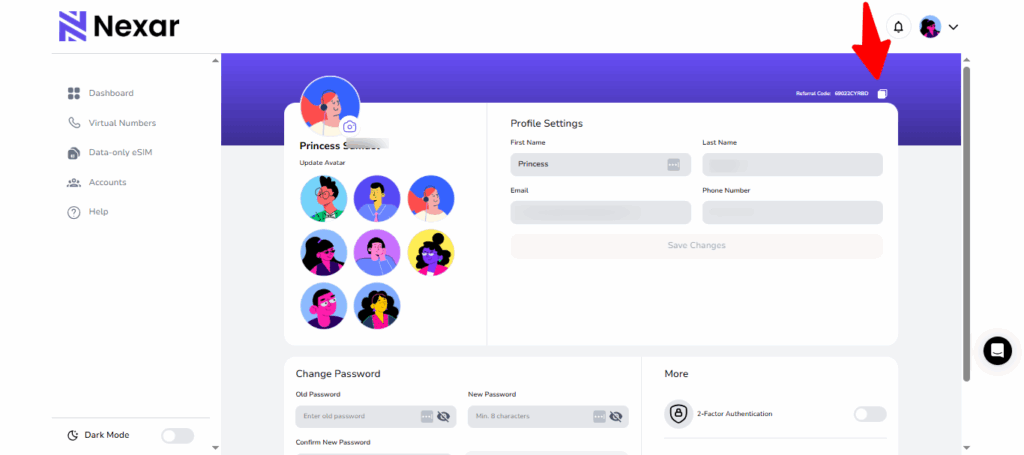
    Tap on your profile settings, and you’ll see your personal code.

    Copy it . This is the key to earning bonuses whenever your friends join.

    3. Share Your Code

    Now for the fun part. Share your code with friends, family, or anyone who could use a Nexar Virtual Number or any of Nexar’s other services. You can send it via social media, email, or even in a chat. The easier you make it for people to use your code, the faster your bonuses start stacking up.

    Nexar's referral program

    4. Earn for Life

    Every time someone signs up using your referral code and makes a deposit, you earn a 5% bonus on every deposit they make, forever. That means the more friends you refer, the more passive rewards you collect over time.

    Tips to Maximize Your Rewards

    • Share your code with people who are likely to use Nexar regularly.
    • Post your referral code in places where people are actively looking for services like virtual numbers, eSIMs, Giftcards and Social Media Boosting.
    • Encourage your friends to deposit and start using Nexar.

    Nexar’s referral program isn’t just a one-time bonus. It’s a way to earn consistently while helping others discover a tool that’s genuinely useful. The process is simple, the rewards are real, and the impact can last a lifetime.

    So don’t wait. Copy your referral code, share it today, and start stacking those bonuses.