Blog

  • How  to Buy a Gift Card on Nexar (Step-by-Step Guide)

    How  to Buy a Gift Card on Nexar (Step-by-Step Guide)

    When you buy a gift card on Nexar, you’re choosing freedom, the freedom to shop wherever you want, whenever you want, without restrictions. There’s something satisfying about having options and knowing you can make purchases, send gifts, or treat yourself instantly, no matter where you are. That’s what gift cards represent: freedom, flexibility, and choice. Whether it’s a birthday surprise, a last-minute thank you, or a personal treat, gift cards have become the go-to for anyone who values convenience and instant gratification.

    Now, imagine having all that in one simple app. With Nexar, you don’t have to worry about unreliable vendors or long waiting times. You can buy a gift card instantly, securely, and from verified sources, all without leaving your phone.

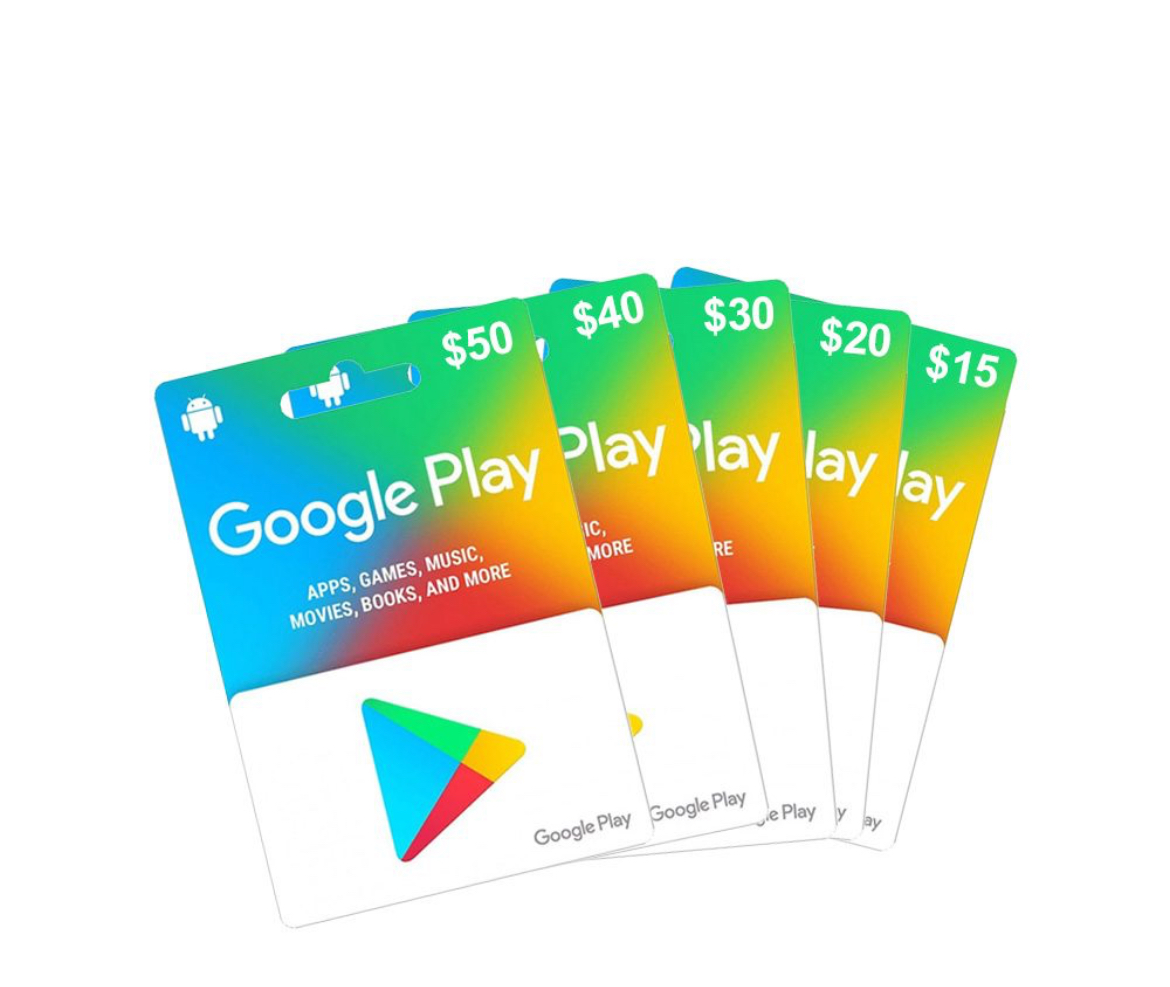
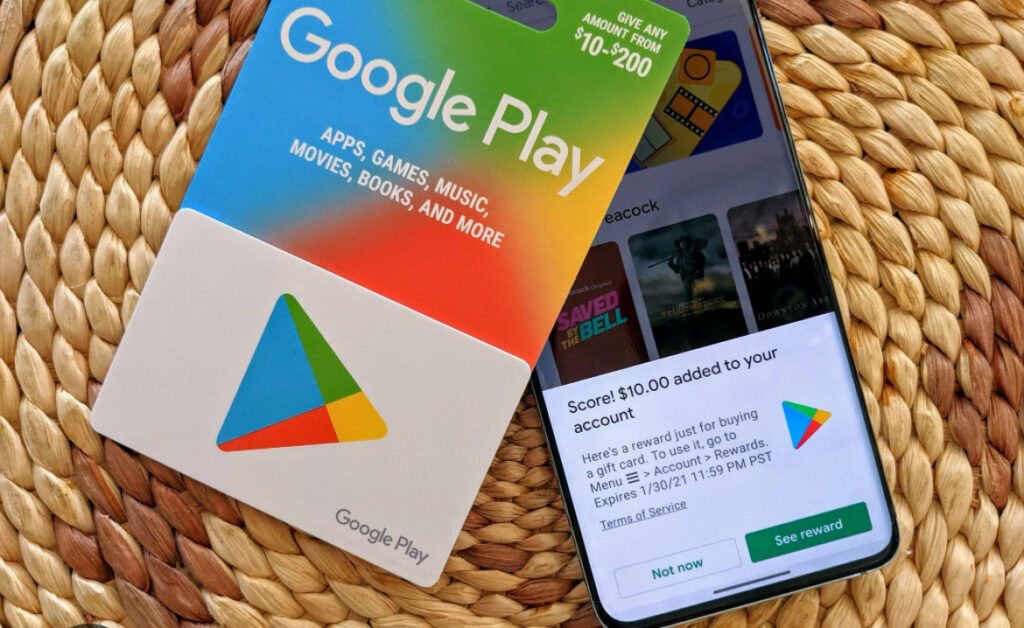
    From Apple and Amazon to Netflix and Google Play, Nexar gives you access to the world’s most popular gift cards right at your fingertips. According to Apple’s official support page, every gift card should be redeemed through an approved platform. That’s why choosing a verified option like Nexar keeps your purchase safe and effortless. Nexar was created to make buying and using gift cards simple, fast, and trustworthy for everyone.

    What Makes Nexar Gift Cards Different?

    A happy person after getting a gift card

    Before we dive into how to buy, let’s clear one thing up, a Nexar gift card isn’t just another digital card. It’s part of a trusted ecosystem built for Africans who want fast, secure, and reliable digital transactions. Unlike other platforms that overcharge or delay delivery, Nexar ensures your gift cards are real, affordable, and instantly available once payment is confirmed. Whether you’re gifting someone or topping up your account for subscriptions, buying a gift card on Nexar gives you peace of mind.

    Why You Should Buy a Gift Card on Nexar

    Let’s be honest, buying a gift card online can be tricky, especially with multiple fake sellers out there. Here’s why Nexar is your best bet

    1. Instant Delivery

    No more waiting hours for your code. When you buy a gift card on Nexar, your card is delivered instantly to your Nexar account or email. That means you can use it immediately for App Store, Play Store, or streaming subscriptions.

    2. Multiple Payment Options

    Whether you want to pay in Naira, Cedis, or crypto Nexar gives you options. You can buy a gift card on Nexar using local bank transfer, card payment, or crypto.

    3. Verified and Secure Vendors

    Let’s be honest one of the biggest fears when you want to buy a gift card online is running into fake sellers. You know the type that takes your money and then vanishes or worse, they send you a code that simply doesn’t work. We’ve all heard stories like that, and it’s frustrating.

    That’s why when you buy a gift card on Nexar it feels like a breath of fresh air. Nexar doesn’t just list random vendors every single one is verified and screened before being allowed on the platform. This means you’re only dealing with secure, approved sources that meet Nexar’s global quality standards. When you buy a gift card on Nexar, you’re not just purchasing a digital code, you’re buying peace of mind. Nexar’s system automatically checks the authenticity of each card before it’s delivered to you, so you never have to worry about invalid or used codes.

    4. Affordable Rates

    If you’ve ever tried to buy a gift card online, you’ve probably noticed how prices can be all over the place. Some platforms add hidden fees, others inflate the exchange rate, and before you know it, you’re paying way more than the actual value of the card. That’s exactly why so many people now buy gift cards on Nexar because Nexar keeps things transparent and affordable. What you see is what you get. No extra charges, no currency surprises, and no inflated conversions.

    5. Available 24/7

    Need a card in the middle of the night? No problem. You can buy a gift card on Nexar anytime, anywhere with no downtime, no delay.

    Step-by-Step: How to Buy Gift Card on Nexar

    If you’ve never done it before, don’t worry. Here’s exactly how to buy a gift card on Nexar in under 2 minutes:

    Step 1: Open nexarhq.com on your web browser

    Head to any browser of your choice then search for nexarhq.com . Log in or create an account, it’s quick and free.

    Step 2: Go to “Gift Cards” Section

    Once you’re in, tap the “Gift Cards” tab from the main menu. You’ll see a list of available brands like Apple, Google Play, Steam, and Netflix.

    Step 3: Choose Your Preferred Gift Card

    Select the brand you want and the amount. Whether you’re buying a ₦5,000 iTunes card or a $25 Google Play card, Nexar has flexible options.

    Step 4: Confirm Payment Method

    Choose how you want to pay, you can use your Nexar wallet, crypto, or direct bank transfer.

    Step 5: Complete Your Purchase

    Hit the “Buy” button, confirm your transaction, and within seconds, your Nexar gift card will appear in your app. You’ll also receive an email confirmation with your card details.

    That’s it! You’ve just learned how to buy a gift card on Nexar without hassle.

    Benefits of Buying Gift Cards on Nexar

    Here’s what makes it worth switching to Nexar for all your online card needs:

    • Speed: Instant processing, no unnecessary delays.
    • Security: Every card is verified and safe to use globally.
    • Convenience: You can buy a gift card online without leaving your couch.
    • Flexibility: Works perfectly for Netflix, Apple Music, gaming platforms, and more.
    • Local Support: Got an issue? Nexar’s customer service is just one tap away.

    When you buy gift cards on Nexar, you’re not just purchasing a digital code, you’re joining a platform built to make online spending easier for Africans.

    Common Questions About Buying a Gift Card on Nexar

    1. Can I buy international gift cards on Nexar?

    Yes! You can buy international gift cards on Nexar that work globally, including for US-based platforms.

    2. How fast will I receive my gift card?

    Instantly! As soon as payment is confirmed, your gift card is delivered.

    3. What currencies does Nexar accept?

    You can pay in Naira, Cedis, or crypto, depending on your country.

    4. Can I use my Nexar wallet to buy gift cards?

    Absolutely. That’s one of the easiest ways to complete your purchase.

    Why Nexar is the Smartest Way to Buy Gift Cards Online

    Unlike most online vendors, Nexar brings everything you need into one secure app; fast checkout, instant delivery, and trusted brands.

    So instead of searching “where to buy a gift card online,” just buy a gift card on Nexar today and enjoy peace of mind with every purchase.

    Final Takeaway

    Buying a gift card shouldn’t be stressful and with Nexar, it never is. Whether you’re gifting a friend, subscribing to Netflix, or topping up your gaming account, you can buy a gift card on Nexar instantly and safely. Once you’ve learned how to buy a gift card on Nexar, explore other ways to use your balance like buying a virtual number for account verification.”

    Download the Nexar app today to explore dozens of verified cards and experience the easiest way to buy gift cards online in Africa.

  • How to Fund Your Nexar Wallet for Non-Nigerians (Crypto and MoMo)

    How to Fund Your Nexar Wallet for Non-Nigerians (Crypto and MoMo)

    If you’ve ever tried to pay for a product or service outside your country, you know that sinking feeling when the payment fails and you’re left wondering: “Wait, why isn’t my card working? Funding platforms can feel like a puzzle when you’re in a different country. We know how frustrating that feels and that is why we have made funding easier on Nexar.

    Funding your Nexar wallet is the first step to enjoying seamless access to all of Nexar’s digital services — from purchasing virtual numbers to buying gift cards or running social media promotions. If you’re a non-Nigerian user, this guide walks you through the simplest and most secure ways to fund your wallet, including USDT, Crypto payments and Mobile Money (Momo) options. Whether you’re in Accra, Kampala, or anywhere outside Nigeria, funding your Nexar wallet is straightforward and secure. Let’s get into it.

    Why Do You Need to Fund your Nexar Wallet?

    First of all, why do you need to fund your Nexar wallet?

    The answer is simple. Your Nexar wallet serves as your digital balance across all services. Once funded, you can instantly:

    • Buy gift cards from global brands.
    • Get virtual numbers for verification.
    • Buy e-SIMs for global connectivity.
    • Gain thousands of followers using our boost feature.
    • Recharge airtime or data (VTU).

    It saves time, reduces payment errors, and lets you transact easily without worrying about exchange rates or international restrictions.

    How to Fund Your Nexar Wallet

    Option 1: Fund with USDT  (Available Now)

    For non-Nigerian users, USDT is the easiest method. Here’s how to do it:

    1. Log into your Nexar account
      Visit nexarhq.com and sign in using your registered email or phone number.
    2. Navigate to “Wallet”
      On your dashboard, click WalletFund Wallet.
    3. Select “Crypto” as your payment method
      Nexar currently supports popular cryptocurrencies like USDT (TRC20)
    Fund Your Nexar Wallet

    4. Scan Code or Copy the wallet address displayed
    Each transaction generates a unique QR code and wallet address. Scan or Copy it carefully to avoid errors.

    1. Send your crypto from your wallet or exchange
      Use your preferred wallet (e.g., Binance, Trust Wallet, OKX) to send the specified amount.
    2. Wait for blockchain confirmation
      Transactions typically confirm within 5–10 minutes. Once verified, your Nexar wallet will reflect the funded amount automatically. In the unlikely event of a delay, your bank will automatically refund your payment within 24 hours.

    Pro Tip: Always send the exact amount displayed on your funding page to avoid network underpayment issues.

    Need a visual guide on how to fund your account? Watch this video>>

    Option 2: Fund with Mobile Money (Momo) – Coming Soon

    For users in Ghana, Uganda, or other African regions, Nexar will soon support Momo payments — making it even easier to fund your wallet in local  currency. You’ll simply:

    • Select Momo under “Fund Wallet”
    • Enter your registered mobile number
    • Confirm payment with your Momo PIN
    • Receive instant wallet credit

    We’ll announce once this feature is live — stay tuned!

    Frequently Asked Questions (FAQs)

    1. Can I fund my Nexar wallet from outside Nigeria?
      Yes! Non-Nigerian users can fund their Nexar wallets easily through cryptocurrency payments such as USDT (TRC20) or Bitcoin. Nexar is also adding Mobile Money (Momo) options soon for even greater convenience.
    2. How long does it take for crypto payments to reflect in my Nexar wallet?
      Most crypto transactions reflect within 5–10 minutes, depending on blockchain confirmation times. If it takes longer, verify your transaction hash (TXID) or contact Nexar support.
    3. Is there a minimum amount required to fund my wallet?
      Yes, there’s usually a small minimum limit (e.g., $5 in crypto) to cover network fees. The exact minimum is displayed on your Nexar “Fund Wallet” page before you confirm the transaction.
    4. What should I do if I send the wrong amount or to the wrong address?
      Double-check all details before sending. If you accidentally send the wrong amount, reach out to Nexar support immediately with your TXID and transaction details for assistance.
    5. Will Nexar support other international payment methods in the future?
      Yes! Nexar plans to introduce more global funding methods such as credit/debit cards and Momo options to make wallet top-ups easier for international users.

    Common Funding Issues and How to Fix Them

    • Funding delay: Check the blockchain explorer if using crypto. Network congestion may cause slight delays.
    • Wrong amount sent: Contact Nexar Support immediately with your transaction hash (TXID).
    • Unverified wallet: Ensure your Nexar profile details are accurate before making your first deposit.

    Why Choose Nexar?

    Nexar simplifies digital transactions for users worldwide — combining speed, reliability, and multiple funding options in one place. Whether you’re buying gift cards, managing SMM campaigns, or using VTU services, your wallet makes every process smooth and secure.

    Final Tip: Bookmark your Nexar wallet dashboard. Once funded, you can explore all Nexar services without worrying about payment interruptions.


    Found this guide helpful? Start funding your Nexar Now.


  • Verify Google Voice with Nexar Virtual Number: 5 Simple Steps

    If you want to enjoy the flexibility of Google Voice but don’t have a U.S. carrier number, you can still get started easily with Nexar. Many people face challenges during the sign-up process because Google requires a U.S.-based phone number for verification. With Nexar, you can get a Google Voice virtual number that works perfectly for verification, letting you create and use your account without stress.

    Verify Google Voice

    This guide walks you through how to verify Google Voice in just 5 simple steps using a Nexar virtual number. Let’s get started.

    Why You Need to Verify Google Voice

    Google Voice is a free service that lets you call, text, and manage voicemail across devices using a single number. But before you can use it, you must verify Google Voice with a valid number. This process confirms that you’re a real user, protects your account from spam, and enables features like call forwarding and recovery options.

    Without verification, you won’t be able to claim or use a Google Voice number. That’s where Nexar comes in providing you with a ready-to-use U.S. number designed for verification.

    How to Verify Google Voice in 5 Simple Steps

    Google voice virtual number

    Here’s how to complete the process with ease:

    1. Create or Sign in to Your Google Account

      Go to Google Voice or open the app and sign in with your Google account. If you don’t have one yet, create a new Google account first.
    2. Select a Google Voice Number

      Search by city or area code to choose the Google Voice number you want. Select once you’ve decided.
    3. Enter Your Nexar Virtual Number

      When prompted to verify, input the Google Voice virtual number you purchased from Nexar. This ensures you’ll receive the verification code successfully.
    4. Receive the Verification Code

      Google will send a 6-digit code to your Nexar number via SMS or call. Log into your Nexar account, check the dashboard, and copy the code.
    5. Complete the Verification

      Paste the 6-digit code back into Google Voice and click Verify. That’s it! You’ve now linked your Google Voice account with your Nexar number.

    Simple Tips for a Smooth Verification

    • Always use a U.S.-based virtual number from Nexar for reliable results.

    • Don’t share your Google Voice verification code with anyone.

    • If a number doesn’t work on the first try, request another one from Nexar and repeat the process.

    • Make sure you’re connected to the internet with a stable browser or app session.

    Why Should You Nexar for Google Voice Verification

    • Quick and reliable verification.

    • Protects your real number and privacy.

    • Works perfectly for setting up multiple accounts if needed.

    • Affordable and secure alternative to using personal SIM cards.

    Frequently Asked Questions (FAQs)

    1. Can I verify Google Voice outside the U.S.?

    Yes, but you’ll need a U.S. number and often a VPN. Nexar provides the virtual number required for this process.

    2. Can I use one Nexar number for multiple Google Voice accounts?

    No, each Google Voice account requires a unique number for verification.

    3. What happens if I lose my verification code?

    Simply request a new Nexar number and repeat the verification steps.

    4. Is using a Nexar virtual number safe?

    Absolutely. Nexar uses real carrier-backed numbers, making them secure and reliable for Google Voice verification.

    Important Notes for Creating a Google Voice Account

    • Don’t use the Google Voice app – it won’t work.
    • Weak VPNs like PIA or Windscribe will fail.
    • Make sure you’re using your browser and a very strong VPN like IPVanish.

    We only provide the number and code. We’re not responsible for registration issues and no refunds if the code is received.

    Need help? Watch this tutorial:

    Watch on YouTube


    If you found this guide helpful, you definitely need to check out our guide on how to use Nexar Virtual numbers for Gmail Verification. Read it here.

  • How to Get a Free Virtual Number for OTP in Nigeria (From 180+ Countries)

    If you’ve ever tried signing up for a platform in Nigeria and got stuck because you didn’t want to use your personal phone number, then you already understand the frustration. Maybe you just need a quick way to verify an account, test an app, or manage multiple accounts without mixing everything together. The good news? You can actually use a free virtual number for OTP to bypass all of that.

    In this guide, you’ll learn exactly how to get one, why people use them, the risks involved, and why sometimes paying for a secure option like Nexar is worth it.

    What is a virtual number and does it work?

    A virtual number is basically a phone number that isn’t tied to a physical SIM card. Instead, it works over the internet, allowing you to receive calls or SMS without needing a standard mobile line. Think of it like a digital layer of communication that sits on top of traditional networks.

    When you sign up for apps, websites, or online services, you’re often asked to verify your identity through OTP (One-Time Password). OTP is a short code, usually sent via SMS, that confirms you are the owner of the number you provided. Without OTP verification, many platforms simply won’t let you in.

    So when you combine these two concepts, a free virtual number for OTP allows you to receive those verification messages online without using your personal SIM. That’s why these numbers have become so popular in Nigeria, especially as more people try to manage multiple online accounts.

    Why you need a free virtual number for OTP in Nigeria

    There are so many reasons you might want a free virtual number for OTP instead of always relying on your main phone number.

    • Privacy protection: Maybe you don’t want your personal number floating around on multiple apps and websites. A virtual number keeps your real line private.
    • Temporary signups: If you’re testing out an app or signing up for a one-off promo, a virtual number saves you from cluttering your inbox with spam.
    • Testing digital products: Developers, marketers, and even business owners often need temporary numbers to test sign-up flows or see how OTP delivery works across platforms.
    • Separating accounts: If you manage personal and work accounts, a virtual number can help you separate them easily.
    • WhatsApp Business: Many people search for a free virtual number for Whatsapp because they want to run a second WhatsApp account for business without using their main line.
    • Multiple Telegram accounts: Since Telegram allows different numbers for separate accounts, a virtual number helps you keep things organized.

    In Nigeria where data privacy isn’t always guaranteed and scams are common, using a virtual number can feel like a shield between your real identity and the internet.

    Websites to get a free virtual number for OTP and how to get them

    Now, let’s get into the practical part. Where can you actually find a free virtual number for OTP verification?

    There are several online platforms that provide free numbers. Some popular ones include:

    • Receive SMS Online: Offers temporary numbers you can use to receive OTPs. You just pick a number from the list, copy it, and check the messages section for your OTP.
    • SMS24.me: Another site with multiple country options. You can refresh the page to see if your OTP has arrived.
    • FreePhoneNum.com: This is focused on US and Canadian numbers but can work for certain services that accept international numbers.
    • ReceiveFreeSMS.com: Provides a list of numbers that anyone can use at the same time, which makes it quick but also risky.

    How it works is simple:

    1. Visit one of these sites.
    2. Pick a number from the available list.
    3. Enter that number on the app or site where you need verification.
    4. Wait for the OTP to show up in the shared inbox.
    5. Copy it and complete your sign-up.

    It’s that easy, but keep in mind, these numbers are public. Anyone can see the messages, which is why you shouldn’t use them for sensitive accounts.

    Free vs Paid Virtual Numbers

    At first glance, using a free virtual number for OTP verification looks perfect. You don’t spend money and you get access instantly. But here’s the catch: free comes with serious trade-offs. Here’s a comparison between both:

    • Reliability: Free services may not always deliver OTPs on time. Some platforms even block free numbers entirely. Paid services like Nexar guarantee faster delivery because they maintain real partnerships with carriers.
    • Permanence: With free sites, numbers change frequently. You might use a number today and find it gone tomorrow. With Nexar, your paid number stays yours. We have a resend feature where you can request for codes again from numbers you’ve bought previously.
    • Delivery speed: OTPs on free sites can delay for minutes or sometimes never arrive at all. Paid services prioritize OTP delivery so you don’t get stuck.
    • Support: Free platforms don’t have customer support. If your OTP doesn’t come through, that’s it. Paid providers like Nexar offer support to help troubleshoot issues.

    So yes, free numbers can work in the short term. But for business, long-term projects, or accounts you can’t afford to lose, it’s safer to choose a paid service. Nexar, for example, offers affordable virtual numbers designed for Nigerians who want stability and reliability.

    Risks and downsides to using free virtual numbers

    Before you rush to pick any free virtual number in OTP sites, you should understand the risks. These are not private lines, and that makes them very risky for important accounts.

    • Message delays: Your OTP might arrive late, causing you to lose access or fail signup.
    • Reuse by others: Since numbers are public, multiple people may use the same number at once, leading to account mix-ups.
    • Leaked numbers: Because messages are visible to everyone, your OTP can be copied by someone else.
    • Account lockouts: Some apps flag free numbers and ban them, meaning you lose your account access.
    • Service bans: Platforms like WhatsApp or Telegram often block numbers from free services.

    Here’s a practical tip: never use a free number for banking apps, payment services, or anything that contains sensitive personal data. It’s not worth the risk. Free numbers are best for temporary accounts you don’t mind losing.

    How to Get an Affordable Virtual Number for OTP from Nexar

    If you want reliability without breaking the bank, Nexar is a smart choice. Nexar gives you affordable virtual numbers that are built for long-term use in Nigeria.

    Here’s why Nexar stands out:

    • You get a dedicated number that belongs only to you.
    • OTP delivery is fast and secure, so you don’t waste time refreshing inboxes.
    • Our virtual numbers are reusable. You can request a code again from a number you b
    • Affordable pricing makes it accessible even if you’re just starting out.

    TO GET STARTEED:

    1. Open nexarhq.com on your web browser

    Free virtual number for OTP

    2. Create Your Account

    3. Select Virtual Number

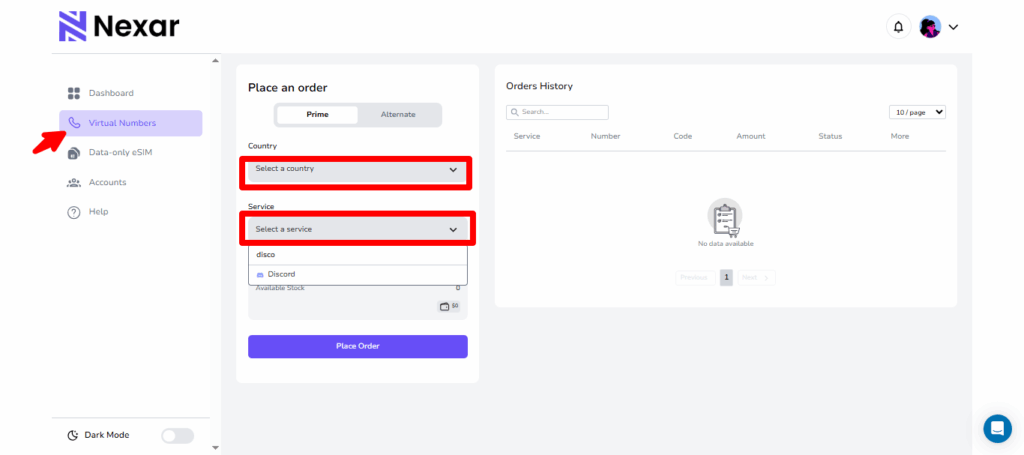
    Select the country and service you want.

    4. Place your order and pay.

    5. Copy the number and enter it into the app you’re verifying.

    6. Get your OTP instantly in Nexar.

    Conclusion

    Getting a free virtual number for OTP can be very useful when you need quick access for temporary sign-ups, testing, or keeping your personal number safe. But as you’ve seen, free comes with risks: delayed messages, lack of privacy, and no guarantee that your account will remain secure.

    If your goal is short-term convenience, free sites can work. But if you’re thinking long-term, especially for important accounts like WhatsApp Business or Telegram, it’s better to go with a reliable provider like Nexar. Paid doesn’t just mean money; it means peace of mind, privacy, and consistency. Click here to get started.

    Frequently Asked Question

    Q1: Can I get a free virtual number for Whatapp?
    Yes, you can, but keep in mind that virtual numbers are often flagged by WhatsApp Business. We suggest you stick to Whatsapp messenger as Whatsapp business gets banned easily. But by connecting to a strong VPN and following WhatsApp’s TOS, you should be good.

    Q2: Are free virtual numbers in OTP verification safe?
    They are safe only for low-stake accounts like testing platforms or temporary sign-ups. Never use them for banking, email, or personal accounts.

    Q3: Why didn’t my OTP arrive on a free virtual number?
    Free services are unreliable. Sometimes the number is overloaded or blocked by the platform you’re signing up for.

    Q4: How much does a virtual number from Nexar cost?
    Nexar offers very affordable packages tailored for Nigerians. Pricing depends on your needs, but it’s significantly cheaper than losing access to an important account.

    Q5: Can I keep one number permanently with Nexar?
    You can always request codes for a number you’ve bought. Our virtual numbers are reusable.

  • Best Hotspot for Streaming: Pocket WiFi vs eSIMs

    Best Hotspot for Streaming: Pocket WiFi vs eSIMs

    When it comes to enjoying your favorite content whether it’s Netflix, YouTube, or live Premier League matches, the biggest deal breaker is bad internet. Slow speeds, endless buffering, or sudden disconnections can turn a fun night into frustration.

    This is why choosing the best hotspot for streaming is no longer optional; it’s essential. And for Africans who often face network instability and expensive roaming charges, the choice between Pocket WiFi vs eSIM is more than just a tech preference; it’s about convenience, cost, and peace of mind.

    Why Streaming Needs a Reliable Hotspot

    Someone in a car watching Netflix

    Streaming is part of everyday life now whether it’s Netflix, YouTube, Spotify, or even live football matches. But to enjoy it without stress, you need the best hotspot for streaming. Here’s why:

    1. No One Likes Buffering

    You’re watching your favorite Nollywood movie, and suddenly the spinning wheel shows up. Buffering not only kills the vibe but also wastes your data. With a reliable hotspot, you get smooth playback without those frustrating pauses. That’s the difference between a fun movie night and one filled with irritation.

    2. Video Quality Matters

    A poor connection doesn’t just stop your stream, it lowers the quality. Instead of HD, you’re stuck watching blurry, pixelated images. Imagine paying for Netflix Premium only to end up watching in 240p. With the best hotspot for streaming, you’ll enjoy clear, crisp videos exactly how they were meant to be seen. According to Netflix’s internet speed recommendations, you need at least 5 Mbps for HD streaming and 25 Mbps for 4K. This is why choosing the best hotspot for streaming is so important. Slow connections just won’t cut it.

    3. Live Streams Needs The Best Hotspot for Streaming

    When it comes to live church services, football matches, or Instagram Lives, you don’t get a “retry” button. If your hotspot drops, you miss out on those once in a moment experiences. That’s why a stable and strong connection is a must for streaming live events without interruption.

    4. Multiple Devices, One Connection

    Let’s be real, most people aren’t streaming alone. The kids might be on YouTube, someone else on TikTok, while you’re catching up on Netflix. A weak hotspot collapses under that kind of pressure. The best hotspot for streaming can handle multiple devices without slowing everyone down.

    5. Data Efficiency

    Did you know buffering actually wastes your data? Every time the video reloads, your device pulls more chunks of the same file. That’s extra MBs gone for nothing. With a reliable hotspot, you not only get smooth streaming but also save data in the long run.

    Pocket WiFi vs eSIM: Which Works Best for Streaming?

    Pocket WiFi for Streaming

    Imagine carrying a small device in your pocket that creates its own mini WiFi network just like the router in your house, but portable that’s what Pocket WiFi is. When you turn it on, it connects to the local mobile network (like MTN, Airtel, Glo, or AT&T abroad) and then shares that connection with your phone, laptop, or smart TV. Basically, it works like a personal hotspot, but instead of draining your phone’s battery, it runs on its own.

    • Pros:

    • Can connect multiple devices (great for groups).
    • • Works like a mini home router you can carry.
    • • Easy for non-tech users, just switch it on.

    • Cons:

    • Needs charging (another gadget to carry around).
    • Rentals can be expensive for long trips.
    • Limited coverage in rural or remote areas.
    • Hidden fair usage policies may reduce speed.

    Pocket WiFi can work, but if you’re looking for the best hotspot for streaming, it often struggles with flexibility and long term affordability.

    eSIM for Streaming

    An eSIM (embedded SIM) is a digital SIM card already inside your phone. Instead of buying a physical SIM, you just download a data plan and start using it. Think of an eSIM as a SIM card that lives inside your phone but it’s completely digital, you don’t have to insert or remove anything instead just scan a QR code or activate it through an app like Nexar and boom you’ve got data running instantly.

    So instead of buying a physical SIM card or carrying an extra Pocket WiFi device, your phone itself becomes ready to connect anywhere in the world.
    An eSIM (embedded SIM) is a digital SIM card already inside your phone. Instead of buying a physical SIM, you just download a data plan and start using it. With eSIM, setup is as quick as scanning a QR code. You can literally be watching Netflix in minutes after landing in a new country. If you’re new to digital SIMs, check out our guide on how to set up an eSIM for travel.

    • Pros:

    • No extra device, everything runs from your phone.
    • Instant setup via the Nexar app.
    • Affordable data bundles built for high usage like streaming.
    • Great coverage for both local and international travel.
    • Your phone can double as a hotspot for other devices.

    • Cons:

    • Only works on eSIM-supported devices.
    • Beginners may take time to understand switching between eSIMs.

    When comparing Pocket WiFi vs eSIM, eSIM wins for flexibility, cost, and ease making it the best hotspot for streaming for individuals and small groups.

    Why Nexar Is the Best Hotspot for Streaming

    Let’s be honest there’s nothing more frustrating than your video buffering right when the action gets good. Whether you’re watching Netflix, catching a YouTube live, or vibing to a TikTok stream, you need a connection that’s fast, steady, and affordable. That’s exactly why Nexar is the best hotspot for streaming, especially for Africans who want to stay connected wherever they go.

    Here’s why Nexar stands out:

    1. Seamless Streaming Anywhere You Go

    When it comes to watching your favorite shows or joining live events, stability is everything. With Nexar’s eSIM, you can stream high-quality videos without interruptions even while traveling across regions. It automatically connects you to the best local network, giving you smooth, buffer-free streaming wherever you are. Imagine catching your favorite football match or Netflix episode without that annoying “connection lost” message that’s the Nexar experience. It’s what makes it the best hotspot for streaming no matter where you are.

    2. Affordable and Transparent Data Plans

    Let’s face it, traditional roaming and Pocket WiFi can be expensive. But with Nexar, you get affordable, transparent data plans built for everyday users. You only pay for what you need, with zero hidden fees. This makes Nexar not just reliable, but also the best hotspot for streaming on a budget. Whether you’re a freelancer joining an online class or a student bingeing your favorite show, Nexar keeps your data costs low while keeping your connection strong.

    3. Tailored for Africans

    A lot of global apps don’t understand the unique internet challenges Africans face, fluctuating speeds, expensive roaming, or limited network options. Nexar was designed with that in mind. Its data plans, support, and network coverage are optimized for African travelers, freelancers, and creators who rely on strong, affordable internet. Simply put; Nexar gets it. It’s built for you, and it’s built to perform that’s why it’s not just good; it’s the best hotspot for streaming when you need reliable internet that actually works for your lifestyle.

    3. Quick and Easy eSIM Setup

    No need to visit a store or wait days for a SIM delivery. With Nexar, your eSIM is ready in minutes. Simply scan a QR code, choose your preferred plan, and start streaming instantly. It’s that simple you could land in South Africa or Ghana today, install Nexar, and be watching YouTube within minutes no stress, no setup delays. That’s another reason why Nexar is the best hotspot for streaming for travelers and remote workers.

    4. Global Coverage – Stay Connected Across Borders

    If you move between countries often, Nexar’s eSIM gives you seamless global coverage. You don’t need to keep swapping SIMs or carrying multiple Pocket WiFi devices. Just one app, one plan, and uninterrupted access to fast internet everywhere you go. From Nigeria to Kenya to the UK, Nexar ensures you always have the best hotspot for streaming, keeping you online wherever your journey takes you.

    5. Perfect for Live Streams and Video Calls

    If you host or join live streams, you already know how embarrassing it is when the video freezes mid-conversation. Nexar’s reliable network ensures your live sessions, Zoom calls, or gaming streams run smoothly without lag. With its fast upload and download speeds, Nexar gives you professional quality streaming from your phone.

    FAQs About the Best Hotspot for Streaming

    Q: Is Pocket WiFi still worth it for streaming?

    Yes, if you’re traveling with a big group and need many devices connected. But for most people, eSIM is cheaper and easier.

    Q: Can I use Nexar eSIM as a hotspot for my smart TV?

    Yes! Your phone can act as a WiFi hotspot so you can stream directly on TVs, laptops, or tablets.

    Q: What if my phone doesn’t support eSIM?

    You’ll need a device upgrade, but most modern smartphones (Apple, Samsung, Google Pixel) now support eSIMs.

    Final Takeaway

    At the end of the day, the best hotspot for streaming depends on your lifestyle and what matters most to you. If you prefer something that can connect multiple devices and don’t mind carrying an extra gadget, Pocket WiFi can get the job done. But if you want simplicity, lower costs, and the freedom to switch networks on the go, an eSIM is hands down the best hotspot for streaming when traveling or moving between cities. Also if your device is eSIM compatible, you can buy the eSIM unlimited data plans for a seamless connection. However, for non-eSIM-compatible devices, portable WiFi is the best option.

    With Nexar’s eSIM, you don’t just get data you get peace of mind. You can stream movies, live football matches, YouTube videos, or even your favorite TikTok creators without worrying about hidden roaming charges or unstable networks. For anyone who loves smooth, uninterrupted entertainment, Nexar makes it easy to always have the best hotspot for streaming right in your pocket.

    Get Started with Nexar Today

    Don’t let bad internet ruin your entertainment. Download the Nexar app today, set up your eSIM instantly, and enjoy the best hotspot for streaming whether you’re at home, on the road, or abroad.

  • Why eSIMs Are the Smarter Choice for Nigerians Travelling for Business — and How to Get One Easily

    In 2024, Nigerian companies spent a total of ₦164.4 billion on business travel and logistics. This was a 93.2% increase from the previous year, highlighting the growing importance of international business engagements for Nigerian enterprises.

    If you’re one of the many Nigerians travelling for business, you already know the struggle of staying connected abroad. Roaming charges are ridiculously high, buying a local SIM is stressful, and being offline at the wrong time can ruin your plans.

    But there’s a smarter way! eSIMs make it easier and cheaper to stay connected no matter where you go and for Nigerians travelling for business, this changes everything.

    In this article, we’ll explore how eSIMs make life easier for Nigerian travellers and why they are cheaper and more reliable than traditional SIMs. We’ll also show you how to get one before your next trip. Before diving in, check out our article on Best Hotspot for Streaming: Pocket WiFi vs eSIMs for tips on staying connected while travelling.

    What Is an eSIM?

    An eSIM (embedded SIM) is like a virtual SIM card built right into your smartphone. Instead of fiddling with tiny SIM cards or searching for shops in every airport, you simply buy and activate a data plan online. All you have to do is to scan a QR code and follow simple app instructions, and you’re connected as soon as you land.

    Why eSIMs Work Better for Nigerians Travelling for Business

    1. Skip SIM Card Stress
    Forget queues at airport kiosks or struggling with language barriers just to buy a SIM. With an eSIM, you purchase your plan before leaving Nigeria, activate it in minutes, and land already connected.

    2. Save Money with Transparent Pricing
    Roaming with Nigerian SIMs can burn through your budget in days. eSIMs let you compare affordable data plans for your destination upfront, so you always know what you’re paying. No surprise bills later.

    3. Keep Your Nigerian Number Active
    Don’t worry about missing important calls, SMS alerts, or bank OTPs. You can keep your Nigerian SIM in your phone for calls and texts, while your eSIM handles data abroad.

    4. One Device, Multiple Countries
    Travelling across several countries on the same trip? You can store multiple eSIM plans on your phone and switch between them in settings — no more juggling or losing SIM cards.

    5. More Secure & Reliable
    Physical SIMs can get lost, stolen, or cloned. eSIMs are built into your phone, making them safer and more reliable, especially for professionals handling sensitive information.

    What to Look for When Choosing an eSIM for Business Travel

    • Coverage & partnerships: The first thing you should look for is coverage and partnerships. You should make sure your eSIM works across multiple networks and provides good service even in remote areas. This is important because as a Nigerian travelling for business, you don’t want to lose connectivity just because you’re outside a city center. The good news is that Nexar offers coverage in 180+ countries, so you can travel widely without worrying about losing connection.
    • Transparent pricing: The most important thing you should look for is transparent pricing. You should make sure the eSIM clearly shows the cost of data, calls, and SMS with no hidden fees. If you want to plan your travel budget properly, transparent pricing will help you avoid surprise charges at the end of your trip. Nexar makes this easy by showing all costs upfront in naira, so there are no hidden surprises.
    • Security features: Security features are another key thing to consider. You should make sure the eSIM offers encryption and protection against SIM swap attacks. Unlike physical SIM cards that can be lost or cloned, a secure eSIM keeps your number and data safe while you travel. Nexar uses secure protocols to protect your information at all times.
    • Reliable support: Reliable support is essential. If you want peace of mind, choose an eSIM like Nexar that offers 24/7 customer support. Unlike using a physical SIM card where it’s hard to find help, you have someone to contact immediately if your connection drops or your plan doesn’t activate.

    How Nexar eSIM Makes It Easier for Nigerian Travellers

    Most eSIMs apps were built for Western travelers. They charge in dollars, require foreign cards, and often hide fees. Nexar eSIM was designed with Africans in mind.

    With Nexar, you can:

    • Pay in naira or with Crypto. You don’t need to worry about card restrictions or exchange rate.
    • Choose plans for multiple destinations, from the US to Europe to Africa.
    • Activate your eSIM before you fly so you land already connected.
    • Enjoy a simple, transparent interface with no hidden charges.

    It’s everything you need for a stress-free travel experience.

    How to Get Your eSIM Before Travelling

    1. Sign up on Nexar
    Nigerians Travelling for Business
    2. Select eSIM and Choose Your Destination
    3. Pay in Naira or Your Local Currency
    4. Activate Instantly by following the in-app instructions or scanning the QR code to load your eSIM.

    That’s all! Your data plan kicks in immediately when you arrive, so you can book rides, check emails, or join meetings without delay.

    Common Questions About eSIMs

    What if my device doesn’t support eSIM?

    While eSIM capability is relatively new, many modern smartphones, tablets, and wearables now include it. Always check your device’s specifications or contact the manufacturer. If you have an android device, read our guide on how to set up an eSIM for an Android device.

    What about voice & SMS?

    Some eSIM plans offer full voice/SMS support; others may be data-only. If voice matters, choose a provider that includes or allows add-ons for these services.

    What happens when I cross borders?

    Some eSIMs offer regional or global plans that auto-swap to local networks as you move across countries. Confirm cross-border support before buying. If you are going on a long road trip, read our guide on how to set up an eSIM for a long road trip.
    Will I lose my Nigerian number?

    Not necessarily. You can maintain your existing number via another eSIM profile or through forwarding services, while using a local eSIM for data. If your sim card will be dormant for a long time, watch this video to learn how to keep your number.

    Is it secure?

    eSIM provisioning is governed by secure protocols. As long as your eSIM provider is reputable and supports encryption, the risk is very low.

    Final Word

    For Nigerians travelling for business, whether you are a professional, student or frequent flyer, eSIMs are the smarter way to stay connected abroad. They’re cheaper, faster, and more reliable than roaming or juggling local SIMs. And with Nexar eSIM, you get a platform built specifically for African travelers — affordable, transparent, and easy to use.

    👉 Don’t wait until you land to figure out connectivity. Set up your Nexar eSIM today and travel stress-free.

  • How to Get Real Nigerian Followers for Your Business Page in 2025

    Every day, millions of Nigerians scroll through Instagram, discovering new businesses. Even if your product is the best, if you don’t have real Nigerian followers, your page can get lost. People do not just buy products online, they buy confidence, and followers show that others already trust your brand. Each new follower signals that your business is active, credible, and worth exploring, helping your page stand out in a crowded digital market.

    Growing Nigerian followers signals that your business is active and credible. With the right numbers, your page can attract more engagement, build social proof, and turn visitors into customers. And with the right strategy, you can turn those numbers into real opportunities, creating social proof that attracts attention, builds credibility, and drives sales. T

    he good news is that tools like Nexar make this process simple, helping local businesses grow their visibility quickly and safely. In this article, we will show how having real Nigerian followers can boost your business, why social proof matters, and how to boost Instagram followers with Nexar.

    Real Nigerian Followers

    How To Set Up Your Business Page on Instagram

    Before thinking about boosting, make sure your page is ready for visitors. A professional, complete business page instantly signals trust and reliability. To make your business page appealing:

    • Create a Business account on Instagram
    • Use a clear logo or profile picture that represents your brand
    • Write a simple bio that explains what your business offers
    • Add contact details like phone, email, or WhatsApp for easy reach
    • Post high-quality photos or videos of your products or services
    • Keep your brand colors, tone, and messaging consistent

    A well-set-up page gives your boosting efforts the biggest impact. When new visitors see a professional page, they are more likely to follow and buy.

    Why Real Nigerian Followers Matter for Your Instagram Business

    Picture this: your Instagram page has amazing products but only 20 followers. Visitors may assume your business isn’t serious. Now imagine the same page with 1,000 Nigerian followers, each post getting 100 likes or more. Suddenly, your brand looks credible, active, and trustworthy. That’s the power of real Nigerian followers. They show that people trust your business, so visitors are more likely to buy. More followers also mean more likes and comments, which helps your page reach more people and grow your business.

    How to Boost Your Instagram Followers on Nexar

    Nexar gives you two main boosting options:

    • Global Boosting for audiences worldwide
    • Nigerian Boosting for local customers

    For Nigerian boosting:

    1. Select your category (Instagram, Twitter, or Telegram)
    2. Choose your service (followers, likes, views, or reel boosts)
    3. Enter the quantity you want
    4. Paste your profile or post link
    5. Confirm and let the system deliver

    Orders usually arrive quickly, but delays can happen if you choose slow delivery, your account is private, or the wrong link is used. If all details are correct, just wait; otherwise, the order will be canceled and refunded automatically.

    Why You Should Choose Nexar

    Many services promise growth, but Nexar focuses on results that actually help Nigerian businesses. Boosting isn’t just about numbers—it’s about building trust. Pages that look active and established are more likely to get inquiries, orders, and repeat sales.

    Frequently Asked Questions (FAQs)

    Are Nigerian Instagram followers real?

    Yes, they are genuine accounts meant to build credibility.

    How fast will my followers arrive?

    Delivery depends on your chosen option. Nigerian boost gives you local trust.

    What if my order doesn’t deliver?

    If details are correct, wait. If not, your order will be canceled and be refunded.

    Can boosting help me get real customers?

    Yes. Social proof builds trust, and trust drives sales.

    Final Thoughts

    In today’s market, people don’t just buy products; they buy trust. Growing your page with real Nigerian followers is one of the fastest ways to establish credibility and attract customers. Whether you’re just starting or looking to scale, Nexar gives you the tools to grow your business page safely and effectively.

    Ready to transform your business page? Get Started here.

  • Step-by-Step Guide to Setting Up a Data eSIM on Android Device

    Lagos to Ghana is only a few hours by road, but the moment you cross the Lomé border, your SIM card stops working. Suddenly, you can’t load maps, send messages, or even request a ride. For many travelers, this is a common frustration and that’s why a Nexar eSIM on Android device makes all the difference.

    With an eSIM from Nexar, you can stay connected without swapping physical SIM cards, buying a new one at the border, or worrying about losing contact. Wondering how that’s even possible? In this article, we will show you. Let’s get started.

    eSIM on Android

    What is a Nexar eSIM?

    An eSIM is a digital SIM that lets you activate a mobile plan without a physical card. At Nexar, our eSIM is designed for data only. This means you cannot use it for traditional calls or SMS texts, but you can browse the internet, use maps, and stay active on your favorite apps. For calls and messages, internet-based platforms such as WhatsApp, FaceTime, or Skype work perfectly using the eSIM data.

    It is important to note that a Nexar eSIM works only in the country where it was purchased. For example, if you buy an eSIM on Android for Ghana, it will work there but not outside the country.

    Before You Start: Check Device Compatibility

    Not all Android phones support eSIM, so the first step is confirming compatibility. Make sure your device is:

    • eSIM-compatible
    • Unlocked from any specific network
    • Running on updated software

    Also, ensure you have a stable Wi-Fi connection because the setup process requires internet access.

    How to Activate Your Nexar eSIM

    Once you purchase an eSIM from Nexar, activation is simple.

    1. Log in to your Nexar account.
    2. Go to History.
    3. Scroll right and tap the three dots.
    4. Click View Details.
    5. You will see a QR code. Screenshot it or open it on another device.
    6. On your phone, go to Settings > Mobile Network > Add eSIM.
    7. Select Use QR Code and scan it.
    8. Wait for the installation to complete.

    That is it. Your eSIM on Android will be active and ready for use.

    📺 Watch this short tutorial on Youtube: Learn how to activate your Nexar eSIM

    How to Set Up a Data eSIM on Android Phone

    Many people ask how to set up a data eSIM on Android phone, and the process is easier than it sounds. There are two main ways to install an eSIM on Android.

    Method 1: Scanning the QR Code

    1. Open Settings on your Android phone.
    2. Tap Network & Internet.
    3. Select Mobile Network then Add eSIM.
    4. Choose Use QR Code.
    5. Scan the QR code from your Nexar dashboard.
    6. Enable Mobile Data and Data Roaming.
    7. Adjust your APN settings if required.

    Method 2: Manual Entry

    1. In Settings, go to Network & Internet.
    2. Tap Mobile Network then Add eSIM.
    3. Select Enter details manually.
    4. Input the SM-DP+ Address and Activation Code from Nexar.
    5. Leave the confirmation code blank.
    6. Save and activate the eSIM.

    Tip: If you face issues with activation, using a VPN can help smooth the process.

    Device-Specific Quick Guides

    Samsung Devices

    • Go to Settings > Connections > SIM Manager > Add eSIM
    • Tap Scan QR Code or Enter Activation Code manually
    • Ensure data roaming is enabled

    Xiaomi Devices

    • Go to Settings > Mobile Networks > Manage eSIM > Add eSIM
    • Scan the QR code or enter activation details manually
    • Set eSIM as the default for mobile data and enable roaming

    Other Android Devices

    • Go to Settings > Network & Internet > SIM card or Mobile Network > Add eSIM
    • Select QR code or manual option
    • Follow prompts to finish setup

    Common Issues and Solutions

    • Outdated software → Update your phone before installing. f your software is outdated, your phone may not recognize the eSIM. Go to Settings > System > Software Update, download the latest version, and restart your device before trying again.
    • Network errors → Restart device and ensure Wi-Fi is strong.
      Sometimes poor connectivity interrupts the setup. Restart your phone, switch to a stronger Wi-Fi connection, and retry scanning the QR code or entering details. If possible, avoid using public Wi-Fi during activation.

    • Expired QR code → Always use the code provided in your Nexar dashboard.
      QR codes have a limited validity period. If you see an error saying the code has expired, log back into your Nexar account, navigate to History > View Details, and download a fresh code.
    • Installation stuck → Try manual entry with the SM-DP+ Address and Activation Code.
      If the QR method freezes or doesn’t complete, choose the Enter details manually option in your phone settings. Input the SM-DP+ Address and Activation Code from your Nexar dashboard, then save to complete setup.

    If the problem persists, check your APN settings or contact Nexar support.

    Frequently Asked Questions

    Q: Can I use my eSIM on Android alongside my regular SIM?

    Yes. Most modern Android phones support dual SIM, which means you can use your physical SIM for calls and SMS while your eSIM handles data.

    Q: What happens if I change my phone?

    Your eSIM profile is tied to one device at a time. If you switch phones, you will need to scan the QR code again or request a new one from your provider.

    Q: Is it difficult to learn how to set up a data eSIM on Android phone if I’m not tech-savvy?

    Not at all. Nexar makes the process simple. Once you receive your QR code, it takes less than five minutes to activate and start browsing.

    Final Thoughts

    Traveling without internet access can be stressful, but with an eSIM on Android, you can stay online wherever you go. If you have ever wondered how to set up a data eSIM on Android phone, Nexar makes it easy with clear instructions and quick activation. Whether you are heading to Ghana, Europe, or anywhere else, you can keep your apps, maps, and chats running smoothly.

    Will you be travelling soon? Get started today with Nexar eSIM and stay connected wherever you travel.

  • Common Apple Gift Card Errors and How to Fix Them

    Common Apple Gift Card Errors and How to Fix Them

    Apple gift card errors can be one of the most frustrating experiences. Imagine buying a card with your hard earned money, excited to redeem it on your iPhone or Mac, only to see “Code not valid” or “Card already redeemed.” It feels unfair, confusing, and for many Nigerians who rely on Apple gift cards for subscriptions, apps, or even trading, it can feel like money wasted.

    But the good news is that most of these problems have simple solutions. In this guide, we’ll walk you through how to fix common Apple gift card errors in Nigeria, and how Nexar helps you avoid these issues with secure, reliable transactions.

    Why Do Apple Gift Card Errors Happen?

    Frustrated user facing Apple gift card errors

    If you’ve ever asked yourself, “Why is my Apple gift card not working?” you’re not alone. These errors are more common than people think, and they usually happen for a few simple reasons:

    1. Invalid Codes

    Sometimes the issue is as small as typing the wrong character. Apple gift card codes often mix letters and numbers, so it’s easy to confuse “O” with “0” or “I” with “1.” In some cases, the code might also get damaged when scratching off the panel.

    2. Already Redeemed

    Few things sting as much as getting the dreaded message: “This card has already been redeemed.” This usually means you bought the card from an unreliable seller who resold a used or fake code. Sadly, this is one of the most common issues Nigerians face with gift cards.

    3. Region Mismatch

    Apple gift cards are not universal. A US card will not work on a Nigerian Apple ID, and vice versa. Many users make this mistake when buying cards from random vendors, only to find out they can’t redeem them. Apple gift cards are locked to regions. According to Apple’s official support page, a US card won’t work with a Nigerian Apple ID.

    4. Activation Delays

    When you buy a gift card from a physical store, the cashier is supposed to activate it before handing it over. If they forget, the code won’t work until it’s activated. Online sellers can also make this mistake, leaving you frustrated with useless code.

    5. Technical Issues

    Finally, sometimes the problem isn’t you or the seller; it’s Apple. Their system can experience temporary glitches or downtime, which means your code might fail even though it’s valid. Sometimes Apple’s system itself can be the problem. If you suspect downtime, you can check the Apple System Status page.

    The good news? With Nexar, you don’t have to stress about any of these issues. Every card is verified, instantly activated, and region-specific so you can redeem without headaches.

    How to Fix Common Apple Gift Card Errors in Nigeria

    Here’s a breakdown of the most common issues and how to fix them:

    1. Invalid Code Error

    This is the most common Apple gift card error. Double check that you entered the code correctly, no extra spaces, no mix up between numbers and letters (like “O” vs “0”). If it still doesn’t work, contact Apple Support to confirm if the card is genuine.

    2. Already Redeemed Error

    Seeing “This card has already been redeemed” can feel like the worst scam ever. This usually happens when you unknowingly buy from an untrusted seller.

    • Fix: Report the issue immediately to Apple and the store where you purchased the card. Provide proof of purchase if you can.
    • Nexar Tip: With Nexar’s platform, your Apple gift cards are always verified and tracked, so you never deal with shady resellers.

    3. Region Lock Error

    Apple cards are region-specific. If you buy a US card but your Apple ID is set to Nigeria, it simply won’t work.

    • Fix: Change your Apple ID region to match the card, or better still, buy the correct card for your account region.
    • Nexar Tip: On Nexar, you can always select the right gift card for your Apple ID region, saving you from costly mistakes.

    4. Activation Delay Error

    Sometimes the error is not you; it’s the store. If the retailer didn’t activate the card properly at checkout, the code won’t work.

    • Fix: Wait a few hours and try again. If it still fails, return to the seller with your receipt.
    • Nexar Tip: When you purchase Apple gift cards with Nexar, activation is instant and you’ll never face this type of delay.

    5. Technical Glitches

    Apple’s system sometimes has downtime or glitches.

    • Fix: Try redeeming on a different device, log out and back into your Apple ID, or wait a few hours.
    • Nexar Tip: If you ever face an error, Nexar’s support team helps you troubleshoot quickly, so you don’t waste time.

    How to Avoid Apple Gift Card Errors in the Future

    The smartest way to deal with Apple gift card errors is to prevent them before they happen. Here’s how you can protect yourself and make sure your money is safe:

    1. Buy from trusted platforms only

    Most people run into errors because they bought cards from unverified or shady sellers, especially on social media. These sellers often resell fake or already redeemed cards, leaving you stranded. By sticking to reliable platforms like Nexar, you’re guaranteed authentic, activated Apple gift cards every time.

    2. Match your region

    Apple gift cards are region-locked, which means a US gift card won’t work if your Apple ID is set to Nigeria. This is one of the most common mistakes people make. Always confirm your Apple account region before buying, and with Nexar, you can select the right gift card that matches your account.

    3. Keep receipts and proof of purchase

    If something goes wrong, Apple and even the seller will often ask for proof before they can help. Having your receipt or digital confirmation makes it easier to fix errors like activation delays or invalid codes. With Nexar, your purchase history is stored in the app, so you’ll always have records when you need them.

    4. Check activation instantly

    Don’t wait days or weeks before redeeming your Apple gift card. Sometimes errors like “not activated” show up immediately, and the faster you test the card, the easier it is to resolve with the seller. Nexar gift cards are activated instantly, which means you can redeem them right away with no waiting.

    5. Use Nexar for peace of mind

    The biggest stress with gift cards in Nigeria is not knowing if you can trust the seller. Nexar eliminates that worry by providing verified, region-specific Apple gift cards at affordable rates. Plus, with 24/7 support, you never face errors alone. That’s why Nexar isn’t just about buying it’s about safety and convenience.

    Benefits of Using Nexar for Apple Gift Cards

    Choosing Nexar means saying goodbye to unreliable sellers and errors. Here’s why Nigerians trust Nexar for Apple gift cards:

    1. Safe Transactions Every Time

    With Nexar, you don’t have to worry about fake or already redeemed cards. We help you avoid the most common Apple gift card errors Nigerians face by connecting you to trusted, verified sources.

    2. Fast Error Resolution

    Instead of wasting hours with Apple support, Nexar makes it easy to troubleshoot and get back on track. Whether it’s a region mismatch or balance issue, our system guides you on how to fix Apple gift card errors quickly.

    3. Support for Nigerians

    Most Apple guides online are written for users in the US or UK. But we understand the unique challenges here. Nexar explains how to fix common Apple gift card errors in Nigeria in simple steps that actually work for you.

    4. One-Stop Digital Hub

    Why jump between multiple apps and vendors? With Nexar, you can buy, verify, and redeem gift cards all in one place cutting down the risk of those frustrating Apple gift card errors that waste your time.

    5. Peace of Mind

    At the end of the day, it’s about trust. Nexar gives you the confidence that your money is safe, your cards are real, and your transactions won’t end in another dreaded Apple gift card error message.

    With Nexar, you don’t just get a gift card. You get peace of mind. You also get extra tools like virtual numbers for secure verification. Learn how to buy a virtual number from the app in just minutes.”

    FAQs About Apple Gift Card Errors

    Q1: Why does my Apple gift card say invalid?

    A: It could be a typo, a damaged code, or the card is fake. Always double check your entry and buy from trusted platforms like Nexar.

    Q2: Can I use a US Apple gift card in Nigeria?

    A: No. Apple gift cards are region-locked. Use the right card for your Apple ID region or update your account region.

    Q3: What should I do if my card says already redeemed?

    A: Contact the seller and Apple Support immediately. This is usually because the card wasn’t from a trusted source.

    Q4: How do I fix common Apple gift card errors in Nigeria easily?

    A: The fastest way is to purchase through verified platforms like Nexar where codes are secure, activated instantly.

    Get Started with Nexar Today

    Tired of dealing with Apple gift card errors? With Nexar, you’ll never waste money on invalid, already redeemed, or region-locked cards again. Whether you’re topping up your Apple account or gifting someone special, Nexar gives you safe, instant, and affordable Apple gift cards in Nigeria.

    Download the Nexar app today and get started.

  • How to Get a US Number in Nigeria: 5 Easy Steps

    Have you ever tried signing up for an international platform, only to be blocked because your Nigerian number isn’t accepted? Or maybe you’re a freelancer losing money because you can’t verify like PayPal with your Nigerian number. The truth is, with a Nigerian number, many opportunities online remain locked away. That is why you need a US number in Nigeria.

    You may be wondering: “Do I need to Travel Abroad or Patronize a Vendor in America to get a US number?” The simple answer is no. In this post, we will walk you through how to buy a US virtual number in Nigeria quickly and affordably. Let’s get started.

    US number in Nigeria

    Why Do You Need a US Virtual Number in Nigeria?

    Before we go into the steps, it helps to understand why more Nigerians are turning to US virtual numbers. Here are some of the most common reasons:

    • You are a Freelancer
      Many online platforms, such as Upwork, Fiverr, and other freelance marketplaces, require a US phone number to verify new accounts or unlock certain features. Having a US number in Nigeria can make sign-ups smoother, prevent account restrictions, and give you access to opportunities that might otherwise be limited.
    • You own a global business
      If you run a business that serves international customers, a US contact line instantly builds credibility. Clients abroad often feel more comfortable and respond faster when they see a familiar US number rather than a foreign one. This small change can make your business appear more local and approachable to American customers.
    • You need to verify your social media and online accounts
      If you use socia media or have accounts online, that is another reason you need to buy a US number in Nigeria. Many popular services and apps—such as PayPal, WhatsApp Business, Stripe, or even some advertising platforms—sometimes require a US number to complete registration or verification. Having a US Number in Nigeria means fewer hurdles when setting up or recovering your accounts.
    • You don’t need a physical SIM Card
      Instead of offering call-enabled lines, Nexar provides secure, data-only US virtual numbers designed specifically for receiving OTPs and verification codes. This makes it easy for freelancers, entrepreneurs, and everyday users in Nigeria to sign up for apps, verify accounts, and access services that normally require a US number — without needing an expensive international SIM or call plan.

    With Nexar, you don’t just get the number—you get reliability, affordability, and security designed for Africans.

    How to Get a US Number in Nigeria (5 Easy Steps)

    Here’s a practical guide on how to get a US virtual number in Nigeria using Nexar:

    1. Open nexarhq.com on your web browser

    Head to the Play Store or App Store and download the NexarHQ app. Installation takes less than 2 minutes.

    2. Create Your Account

    Sign up with your Nigerian number or email. No complicated process—just a simple, secure login.

    3. Select “US Number”

    From the dashboard, choose the option Virtual Numbers,

     Click on the US number you want to get for which ever service you need. You’ll see affordable plans tailored for Nigerian users.

    4. Complete Payment Securely

    Nexar supports local payment methods—no need for a US card or VPN to use the website.

    5. Start Using Your Number

    Once activated, your US virtual number is ready. You can use it for WhatsApp, PayPal, calls, SMS, and any platform that requires verification.

    Why Choose Nexar Over Other Apps?

    There are plenty of apps out there that promise foreign numbers, but not all of them are built with Nigerians or Africans in mind. Nexar was created to remove the usual headaches people face when trying to get a US number from Nigeria. Here’s what makes it stand out:

    • Tailored for Nigerians
      With many foreign apps, you’ll often face high exchange rates, complicated billing, or the need to use a VPN to even access the service. Nexar eliminates those barriers. It offers affordable rates in local currency, supports familiar payment methods (like bank transfer, cards, or mobile wallets), and works seamlessly without the extra hassle of VPNs.
    • All-in-One Solution
      Nexar isn’t just for US numbers. You can get numbers from multiple countries in one place, which is useful if you work with clients across different regions or manage several online accounts. This saves time and removes the need to juggle multiple apps for different countries.
    • Secure and Reliable
      Privacy and security are critical when using virtual numbers, especially for business or verification purposes. Nexar uses strong security measures to protect your data and ensures your numbers remain active and reliable, so you don’t risk losing access to important accounts.
    • Designed for Africans
      Nexar Virtual Number isn’t made only for Nigerians, but Africans too! A lot of international apps have hidden fees, unclear pricing, or features that don’t work smoothly in Africa. Nexar keeps things transparent and simple, making it easy to understand exactly what you’re paying for and what you’re getting.

    Because Nexar is built around the needs of Nigerians and other Africans, it removes the common frustrations people experience with foreign apps. Whether you’re freelancing, running a business, or setting up online accounts, Nexar gives you a straightforward, cost-effective way to get and manage your US number.

    This makes Nexar the smarter choice when looking for a US number in Nigeria.

    Benefits of Using a US Virtual Number in Nigeria

    With your new number, you can:

    Getting a US number in Nigeria is no longer a hassle. You can easily get a US virtual number with Nexar and enjoy seamless global communication.

    Frequently Asked Questions (FAQs) about Getting a US Number in Nigeria

    1. Do I need a VPN to use a US number in Nigeria?

    Yes, you do. This will help mask your IP address and mimic the IP address of the country whose number you purchase. We recommend IPvanish and Octohide.

    2. Can I use my US number for WhatsApp?

    Yes, once you register your US number in NIgeria, you can use it for WhatsApp or WhatsApp Business. Although we suggest you stick to Whatsapp messenger as Whatsapp business gets banned easily. But by connecting to a strong VPN and following WhatsApp’s TOS, you should be good.

    3. Is it legal to get a US number in Nigeria?

    Absolutely. Virtual numbers are legitimate, and Nexar provides them securely for personal and business use.

    4. Can I receive calls and SMS with my US number?

    No. Nexar’s Virtual Numbers are for verification only.

    5. How much does it cost?

    Plans are affordable, starting from rates designed specifically for Nigerian users. No hidden fees, and you can pay with Naira.

    Final Words

    In today’s digital world, having the right tools makes all the difference. A US number in Nigeria isn’t just a number—it’s a gateway to global connections, online opportunities, and smoother access to apps and services. With Nexar, you don’t have to worry about verification hassles or missing out on opportunities because of location.

    Are you ready to unlock global opportunities? Download Nexar today and get your US number in Nigeria instantly!


    If you found this guide helpful, you might want to check out other helpful guides on how to buy virtual numbers for all services from all countries.