Tag: Receive OTP

  • How to Receive SMS Online to Pakistan Virtual Number

    Your phone number is more powerful than you think.

    It is tied to your bank alerts, your social media accounts, your online stores, and almost every platform you use. Now imagine using that same personal number to sign up on random websites, test new apps, or verify accounts you are not even sure you will keep. One data leak, one spam list, and your private line becomes public property.

    That is why more people are choosing to separate their personal life from their online activities.

    If you need to sign up on a platform in Pakistan, receive an OTP, or verify an account without exposing your main number, getting a Pakistan virtual number is a smart move. In this guide, I will show you exactly how it works and how to get one on Nexar without stress.

    What Is a Pakistan Virtual Number?

    A Pakistan Virtual Number is a digital phone number with the +92 country code that works over the internet. It is not tied to a physical SIM card. You can receive SMS messages online through a dashboard, email forwarding, or app interface.

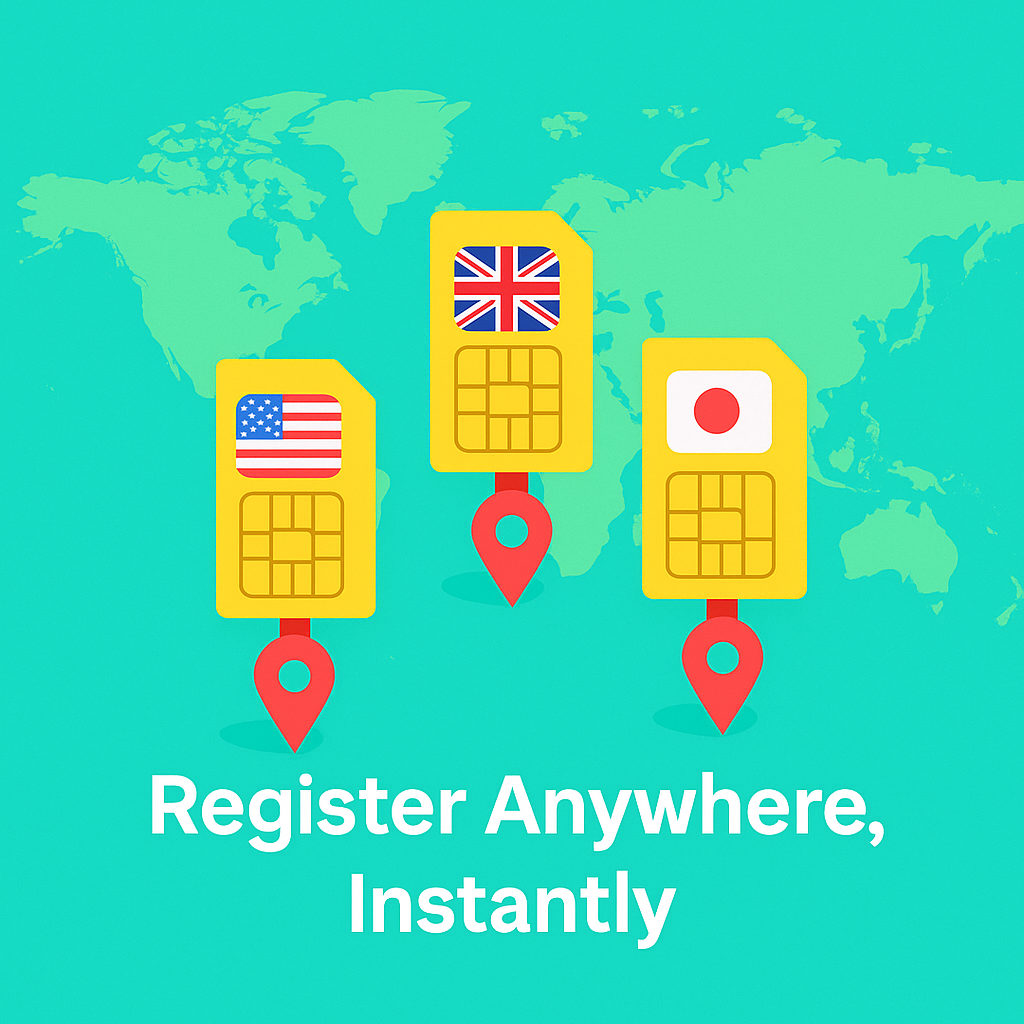
    Instead of buying a SIM in Pakistan, you can activate a Pakistan Virtual Number from anywhere in the world and start receiving messages instantly.

    This is especially useful if you need:

    • OTP for Pakistan Number during account registration
    • A secondary number for business use
    • A safer option for online verifications
    • A Pakistan Virtual Number for Verification on websites and apps

    If privacy and flexibility matter to you, this solution makes sense.

    If you want to understand how virtual numbers work in other countries too, you can read our guide on how to buy a Spanish virtual number in Nigeria.

    Why People Use a Pakistan Virtual Number
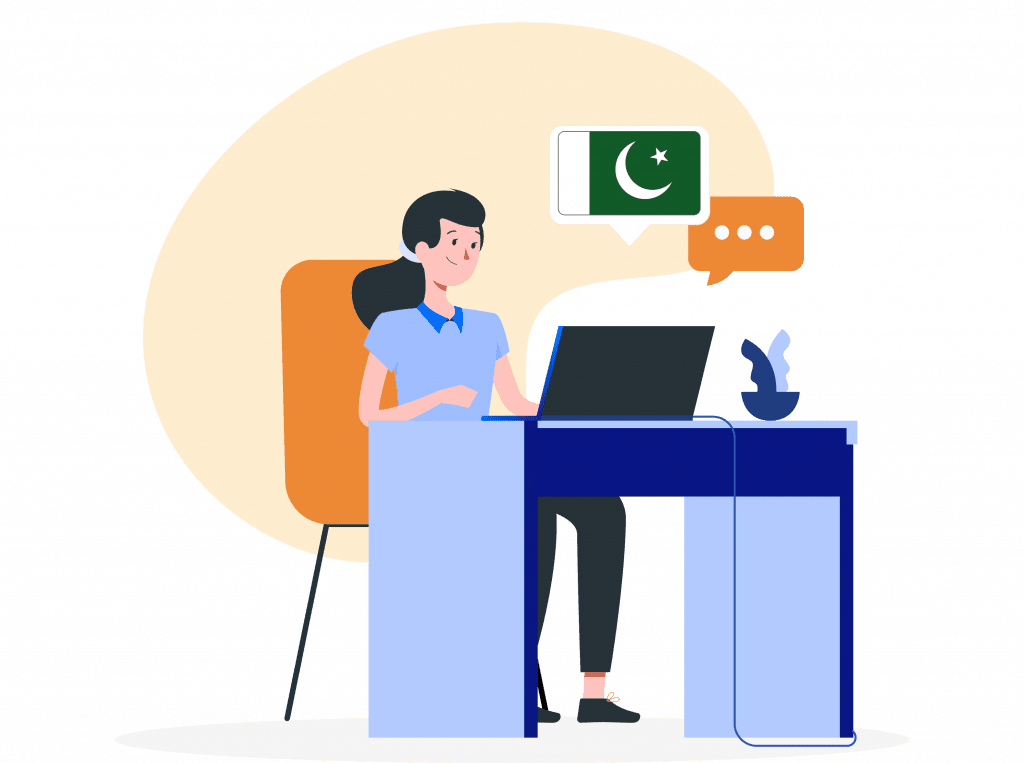
    Pakistan virtual number

    There are many reasons people choose a Pakistan Virtual Number instead of their personal SIM.

    1. Account Verification

    Many platforms require an OTP for Pakistan Number before completing registration. Instead of using your private line, you can receive that code online securely.

    This is common for:

    • Marketplaces
    • Delivery apps
    • Freelance platforms
    • Social media accounts

    We also explained this process in detail in our guide on how to get OTP from a Brazilian number easily:

    2. WhatsApp Activation

    Some users specifically need a Pakistan Virtual Number for WhatsApp to activate a separate account for business or regional communication.

    Keep in mind that not all numbers work for WhatsApp. Dedicated and private numbers usually perform better than public free ones.

    3. Business and Client Communication

    If you work with clients in Pakistan, a Pakistan Virtual Number for Verification and communication helps you look local and professional without being physically present.

    Many global communication providers also highlight how local numbers improve customer trust and accessibility. You can read about it here.

    4. Privacy Protection

    Using your main number everywhere increases spam risk. A virtual solution gives you separation between your personal life and online activity.

    How to Receive SMS Online with a Pakistan Virtual Number
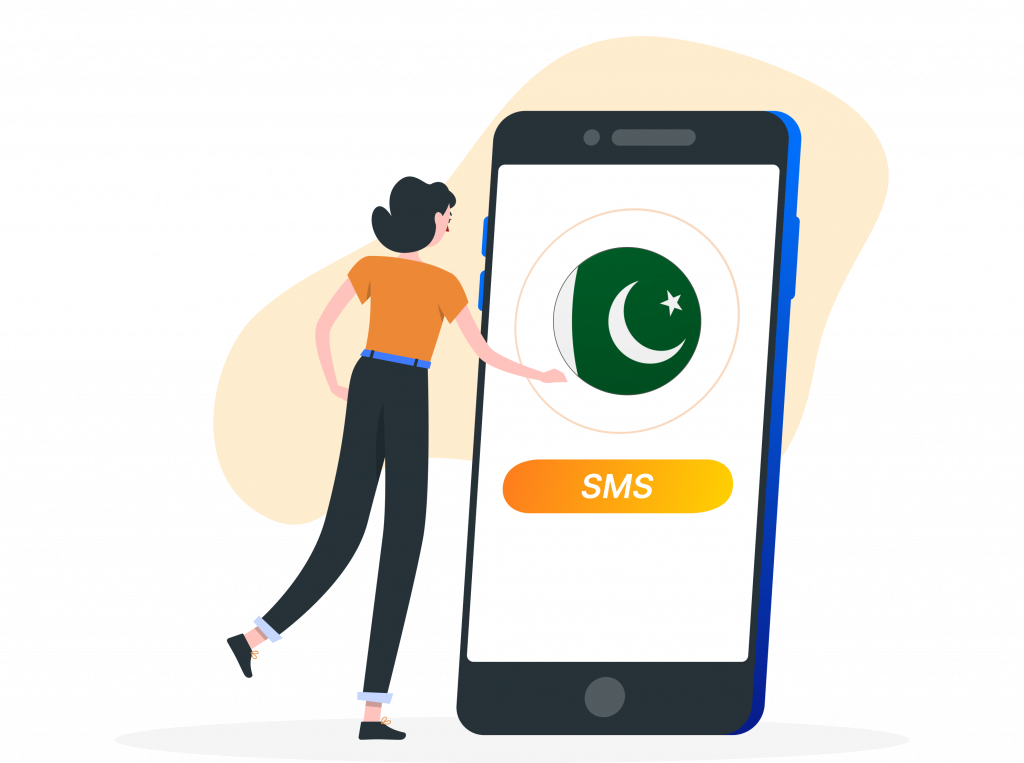
    The process is actually straightforward.

    Step 1: Create an Account on Nexar
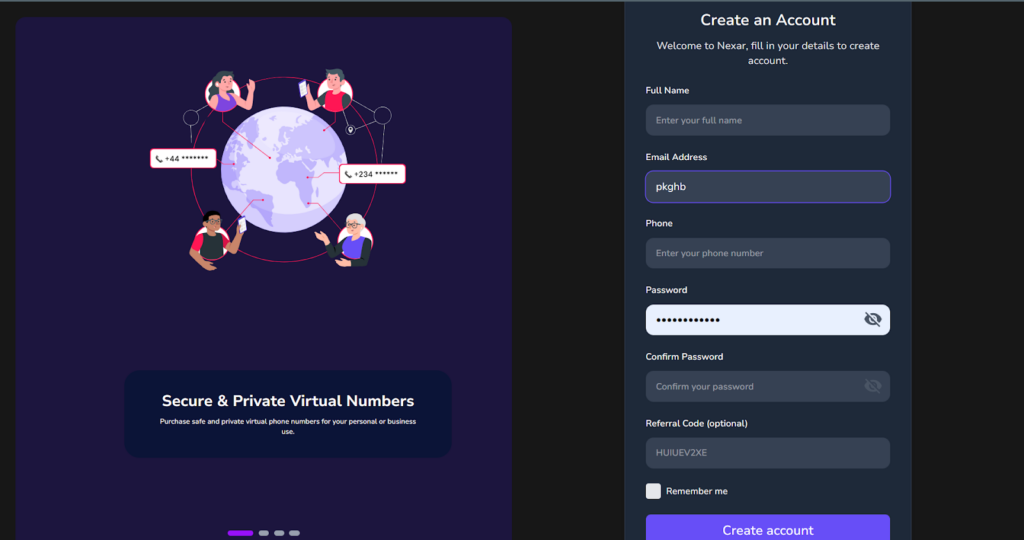
    Visit Nexar and sign up. The registration process is simple and takes only a few minutes.

    Step 2: Fund Your Wallet

    After signing up, top up your account. Depending on your usage, you can choose a plan that fits your needs.

    Step 3: Select a Pakistan Virtual Number

    Choose Pakistan as your country option and activate your number. Once active, your Pakistan Virtual Number is ready to receive SMS online.

    Step 4: Enter the Number on the Website or App

    Use the number where required. When the platform sends an OTP for a Pakistani number, you will see it directly in your dashboard.

    Copy the code and complete your verification.

    That is all.

    Free vs Paid Pakistan Virtual Number

    You may see websites offering free public numbers. While they exist, there are important things you should understand.

    Free Public Numbers

    • Messages are visible to everyone
    • Anyone can use the same number
    • High chance of being blocked
    • Not safe for sensitive accounts

    These are not ideal for serious use or for receiving an important OTP for a Pakistani number.

    Paid Private Numbers

    • Dedicated to you
    • Higher success rate for verification
    • Better for WhatsApp activation
    • More secure and reliable

    If you need a Pakistan Virtual Number for Verification that works consistently, a private number is always the smarter option.

    Can You Use It for WhatsApp?

    Yes, but carefully.

    If you need a Pakistan Virtual Number for WhatsApp, make sure:

    • The number supports SMS reception
    • It can receive automated voice calls if needed
    • It is not a recycled public number

    WhatsApp sometimes blocks shared or overused virtual numbers. A dedicated number increases your chances of successful activation.

    Frequently Asked Questions
    How do I receive an OTP for a Pakistani number online?

    Simply enter your activated Pakistan Virtual Number on the website or app requesting verification. The OTP for the Pakistan Number will appear in your dashboard once the message is delivered.

    Can I use a Pakistan Virtual Number for Verification on multiple platforms?

    Yes, if the number is dedicated and active. A Pakistan Virtual Number for Verification works for most apps that accept virtual numbers, but success depends on the platform’s security policies.

    Is my message secure?

    If you are using a private dashboard-based service like Nexar, your messages are visible only to you. Public free sites do not offer this level of privacy.

    Final Thoughts

    If you need to receive SMS online without exposing your personal SIM, using a Pakistan Virtual Number is a smart move. Whether it is for business registration, WhatsApp activation, or getting an OTP for a Pakistan Number, virtual numbers give you flexibility and control.

    Free options may look attractive, but for real reliability and privacy, a secure and dedicated Pakistan Virtual Number for Verification is always the better choice.

    If you are ready to get started, create your account on Nexar and activate your number within minutes.
  • Virtual Number for YouTube Account Creation: Everything You Should Know

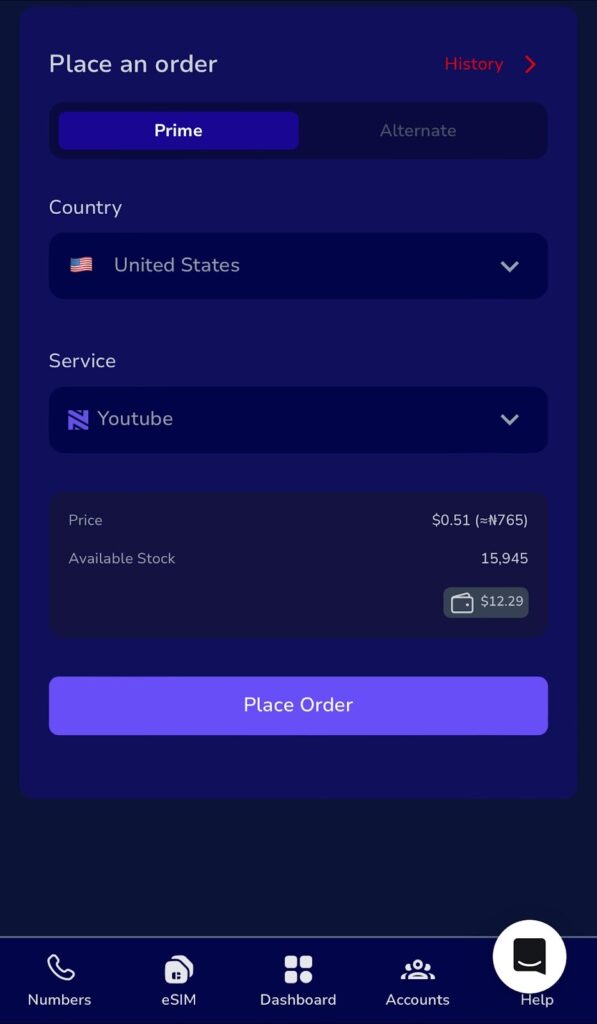
    Let’s be real, nothing kills excitement faster than trying to create a YouTube channel and getting stuck on the “Verify your phone number” step. You enter your number, wait for the code, and nothing happens.

    If you’re in Nigeria or anywhere in Africa, you probably know this struggle too well. Between network errors, international SMS restrictions, and SIM card limits, verifying a YouTube account can feel impossible.

    That’s where a Virtual Number for YouTube Account Creation comes in. With Nexar, you can get a working, verified virtual number that instantly receives Google verification codes, no SIM card drama, no failed attempts, just a smooth setup.

    What Is a Virtual Number for YouTube Account Creation?

    A Virtual Number for YouTube Account Creation is an online number that helps you verify your YouTube account without needing a physical SIM card. It works just like a regular phone number, it can receive verification codes and texts but everything happens online.

    It’s perfect for content creators, business owners, and freelancers who don’t want to deal with SIM restrictions or network issues. Plus, with Nexar, you get access to verified global numbers that actually work with YouTube.

    So instead of juggling multiple SIM cards, you can use one secure YouTube virtual number that’s built for verification.

    Why You Should Use a Virtual Number for YouTube Account Creation

    Here’s the thing; switching to a Virtual Number for YouTube Account Creation isn’t just about convenience; it’s about control, privacy, and scalability. Let’s break it down

    1. You Avoid SIM Card Limits

    YouTube only lets you verify up to two accounts per SIM card. That’s fine if you’re a casual user, but what if you manage multiple brands or clients?

    With Nexar’s Virtual Number for YouTube Account Creation, you can verify as many channels as you need all without switching SIMs or borrowing someone else’s line.

    It’s the easiest way for creators, digital marketers, and freelancers to stay organized and scale their work.

    2. You Protect Your Privacy

    Sharing your personal number online exposes you to spam, unwanted calls, and even phishing attempts.

    Using a Virtual Number for YouTube Account Creation keeps your real number private. You can safely manage your YouTube channels without worrying about your data being exposed. It’s especially useful for agencies or influencers who manage multiple accounts but don’t want their personal info tied to each one.

    3. You Save Time (and Sanity)

    Network errors, delayed SMS messages, and “code not received” frustrations can slow you down. With Nexar’s virtual numbers, you’ll get your YouTube verification code instantly, no waiting, no re-sending. You can create a YouTube account with a virtual number and start uploading videos right away.

    4. It Works From Anywhere

    Whether you’re in Lagos, Accra, or London, Nexar’s virtual numbers work globally.

    So, even if your Nigerian SIM doesn’t receive international messages, your Virtual Number for YouTube Account Creation will. That’s a game-changer for digital nomads, remote workers, or business travelers.

    5. You Get a Simple, Secure Setup

    Forget complicated tech setups, Nexar makes it simple. The process to buy and activate your Virtual Number for YouTube Account Creation takes just minutes, and the interface is beginner-friendly.

    You’ll see your verification code right inside the app. No stress, no confusion.

    How to Create a YouTube Account with a Virtual Number

    Now that you get why it’s useful, let’s walk you through how to create a YouTube account with a virtual number step by step

    Step 1: Visit the Nexar Website

    Head to any browser of your choice and search for Nexarhq.com

    Step 2: Create an Account or Log In

    Sign up using your email or social account. It’s fast, safe, and takes under a minute.

    Step 3: Select “Virtual Number”

    On your Nexar dashboard, choose the Virtual Number option. You’ll see a list of available countries and platforms.

    Step 4: Pick “YouTube Verification”

    Choose the dedicated Virtual Number for YouTube Account Creation option to ensure compatibility with Google verification.

    Step 5: Make Your Payment

    Pay using your local bank card, crypto, or Nexar Wallet. You’ll get instant activation once your payment is confirmed.

    Step 6: Enter the Virtual Number on YouTube

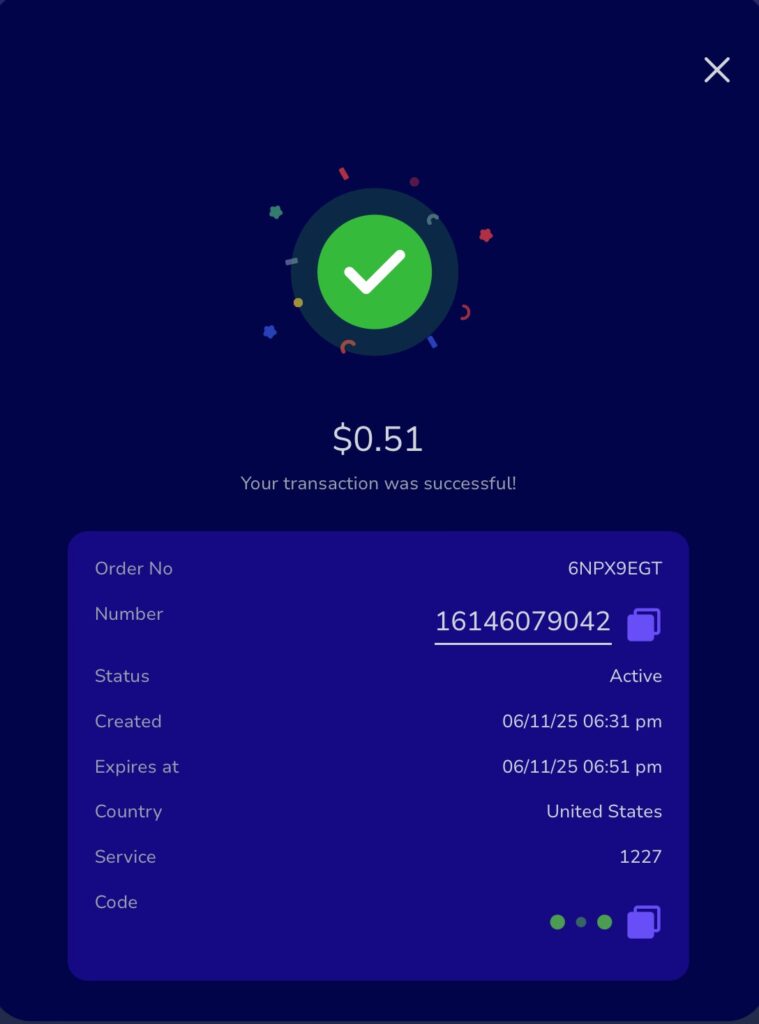
    When YouTube asks for verification, type in your Nexar number. Within seconds, your Google verification code will appear inside your Nexar inbox.

    Step 7: Enter the Code and Verify

    Copy the code, paste it into YouTube, and you’re all set. Your channel is verified, and you don’t need a physical SIM to do it.

    Common Mistakes to Avoid When Using a Virtual Number for YouTube

    Here are a few things to keep in mind so you don’t run into issues:

    • Don’t reuse one virtual number for multiple YouTube accounts, get a new one for each.
    • Always check your Nexar inbox for codes immediately after requesting them.
    • Avoid free public numbers; they’re usually unsafe or blocked by Google.
    • Keep your internet connection stable while verifying.

    FAQs About Virtual Number for YouTube Account Creation

    Q1: Can I use one virtual number for multiple YouTube accounts?

    No, each Virtual Number for YouTube Account Creation should be used for one channel to avoid Google flagging it.

    Q2: Is it safe to use Nexar’s virtual number for YouTube?

    Absolutely. Nexar’s numbers are verified and secure. You’ll receive your codes safely without exposing your personal number.

    Q3: Can I reuse my YouTube virtual number later?

    If it’s still active, yes! You can access your old messages or use the same number for future logins.

    Q4: What else can I use my virtual number for?

    You can use it for Gmail, WhatsApp Business, TikTok, or other platforms that require phone verification. It’s not limited to YouTube.

    Q5: How much does it cost to get one?

    Nexar offers affordable Virtual Numbers for YouTube Account Creation that suit African users. Prices depend on the country and validity period, but they’re cheaper than buying new SIM cards.

    Final Thoughts

    If you’ve ever struggled to verify a YouTube account due to poor network, SIM limits, or failed messages, it’s time to make the switch. A Virtual Number for YouTube Account Creation from Nexar gives you speed, privacy, and flexibility.

    Whether you’re a freelancer, influencer, or business owner, Nexar lets you verify and manage your channels with ease.

    Visit the Nexar website today and get your Virtual Number for YouTube Account Creation in minutes!

  • Verify Google Voice with Nexar Virtual Number: 5 Simple Steps

    If you want to enjoy the flexibility of Google Voice but don’t have a U.S. carrier number, you can still get started easily with Nexar. Many people face challenges during the sign-up process because Google requires a U.S.-based phone number for verification. With Nexar, you can get a Google Voice virtual number that works perfectly for verification, letting you create and use your account without stress.

    Verify Google Voice

    This guide walks you through how to verify Google Voice in just 5 simple steps using a Nexar virtual number. Let’s get started.

    Why You Need to Verify Google Voice

    Google Voice is a free service that lets you call, text, and manage voicemail across devices using a single number. But before you can use it, you must verify Google Voice with a valid number. This process confirms that you’re a real user, protects your account from spam, and enables features like call forwarding and recovery options.

    Without verification, you won’t be able to claim or use a Google Voice number. That’s where Nexar comes in providing you with a ready-to-use U.S. number designed for verification.

    How to Verify Google Voice in 5 Simple Steps

    Google voice virtual number

    Here’s how to complete the process with ease:

    1. Create or Sign in to Your Google Account

      Go to Google Voice or open the app and sign in with your Google account. If you don’t have one yet, create a new Google account first.
    2. Select a Google Voice Number

      Search by city or area code to choose the Google Voice number you want. Select once you’ve decided.
    3. Enter Your Nexar Virtual Number

      When prompted to verify, input the Google Voice virtual number you purchased from Nexar. This ensures you’ll receive the verification code successfully.
    4. Receive the Verification Code

      Google will send a 6-digit code to your Nexar number via SMS or call. Log into your Nexar account, check the dashboard, and copy the code.
    5. Complete the Verification

      Paste the 6-digit code back into Google Voice and click Verify. That’s it! You’ve now linked your Google Voice account with your Nexar number.

    Simple Tips for a Smooth Verification

    • Always use a U.S.-based virtual number from Nexar for reliable results.

    • Don’t share your Google Voice verification code with anyone.

    • If a number doesn’t work on the first try, request another one from Nexar and repeat the process.

    • Make sure you’re connected to the internet with a stable browser or app session.

    Why Should You Nexar for Google Voice Verification

    • Quick and reliable verification.

    • Protects your real number and privacy.

    • Works perfectly for setting up multiple accounts if needed.

    • Affordable and secure alternative to using personal SIM cards.

    Frequently Asked Questions (FAQs)

    1. Can I verify Google Voice outside the U.S.?

    Yes, but you’ll need a U.S. number and often a VPN. Nexar provides the virtual number required for this process.

    2. Can I use one Nexar number for multiple Google Voice accounts?

    No, each Google Voice account requires a unique number for verification.

    3. What happens if I lose my verification code?

    Simply request a new Nexar number and repeat the verification steps.

    4. Is using a Nexar virtual number safe?

    Absolutely. Nexar uses real carrier-backed numbers, making them secure and reliable for Google Voice verification.

    Important Notes for Creating a Google Voice Account

    • Don’t use the Google Voice app – it won’t work.
    • Weak VPNs like PIA or Windscribe will fail.
    • Make sure you’re using your browser and a very strong VPN like IPVanish.

    We only provide the number and code. We’re not responsible for registration issues and no refunds if the code is received.

    Need help? Watch this tutorial:

    Watch on YouTube


    If you found this guide helpful, you definitely need to check out our guide on how to use Nexar Virtual numbers for Gmail Verification. Read it here.

  • Verify Your PayPal Instantly: How to Buy Number for PayPal Verification in Nigeria

    You’ve landed your first freelance client abroad. The project is done, and your client is ready to pay through PayPal. You’re excited, already planning what that money will cover. But then you remember the catch: with a Nigerian PayPal account, while you can send payments and shop online, there are certain restrictions.

    So the big question is: Can you use a Nigerian account to receive money on PayPal? Unfortunately, the answer is usually no. That’s where the solution comes in: you need to buy number for PayPal verification so you can receive your OTP without stress.

    That’s the wall many Nigerian freelancers, entrepreneurs, and remote workers hit. Even with a verified account, PayPal blocks you from getting paid locally. It doesn’t have to be so. When you buy number for PayPal verification from Nexar, you can create a PayPal account in supported countries like the US or UK, bypass restrictions, and finally receive your payments without stress.

    
Buy Number For PayPal Verification

    Why PayPal Verification is a Must

    Verification is what gives you full access to PayPal’s features. Without it, you’re limited to:

    • Sending or receiving only small amounts.
    • Declined or frozen payments.
    • No option to link your bank account or card.

    If you’re a freelancer, this can literally cost you a deal. If you’re an online shopper, it can stop your purchase from going through. That’s why learning how to verify your PayPal account in Nigeria is not optional. It’s compulsory.

    Who Needs PayPal Verification the Most in Nigeria?

    PayPal isn’t just for one group of people. Different categories of Nigerians rely on it daily, which is why many end up needing to buy number for PayPal verification:

    Freelancers → Platforms like Upwork, Fiverr, and direct foreign clients often pay through PayPal. Since Nigerian accounts can’t receive money, freelancers risk losing jobs or payments. Many solve this by using Nexar to buy number for PayPal verification, which lets them create US or UK PayPal accounts that can actually receive funds.

    Entrepreneurs → Small business owners and e-commerce sellers need PayPal to collect payments from global customers. Without it, they miss out on international sales. By choosing Nexar to buy a virtual number for PayPal verification, they can set up verified foreign accounts and receive money seamlessly.

    Content Creators → Digital creators like designers, YouTubers, and social media managers often get paid through PayPal by international platforms. Using Nexar to buy number for PayPal verification ensures their accounts are fully functional and payments are never blocked.

    Remote Workers → Nigerians working for international companies or startups frequently receive salaries via PayPal. With a verified foreign account, made possible when they buy a virtual number for PayPal verification, they can bypass restrictions and get paid on time.

    In short, anyone doing business, working or receiving payments internationally will benefit when they buy virtual number for PayPal verification.

    Why You Should Buy Number for PayPal Verification

    So why not just use your normal SIM card? The issue is that Nigerian networks often don’t deliver OTPs from PayPal.

    When you buy number for PayPal verification, you solve that problem instantly. A virtual number lets you:

    • Bypass Restrictions → Use numbers from PayPal-supported countries like the US or UK.
    • Protect Your Privacy → Keep your personal phone number separate.
    • Save Time → No more waiting endlessly for codes that never arrive.
    • Boost Security → Virtual numbers reduce the risk of identity theft.

    Instead of worrying about OTPs failing, you’ll get your code instantly and move on with your work.

    How to Buy Number for PayPal Verification from Nexar

    Nexar makes the process simple. Here’s how you can do it in minutes:

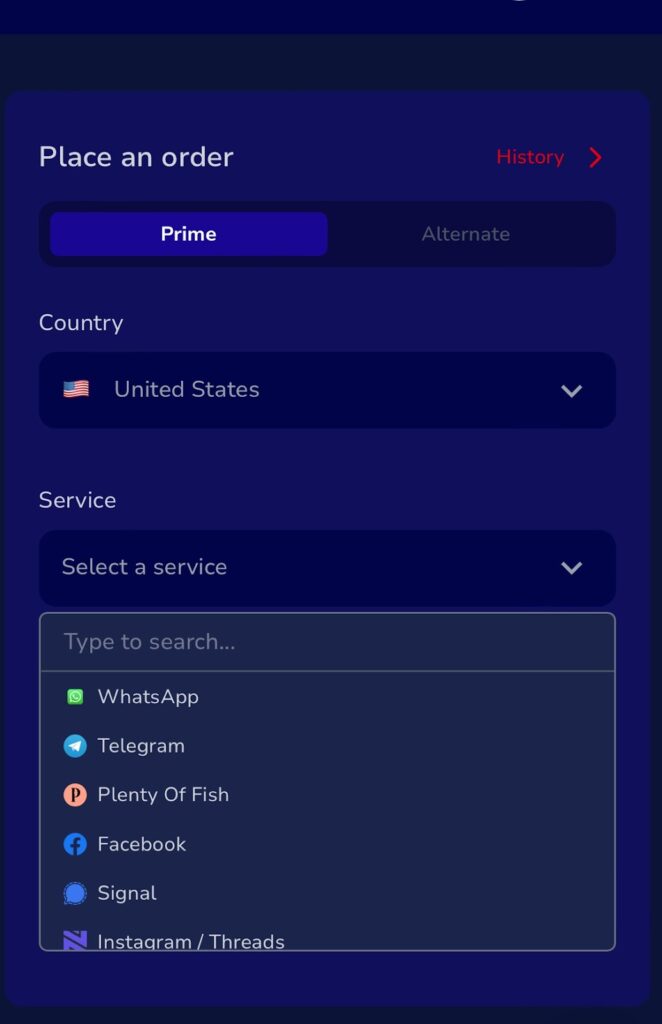
    1. Go to NexarHQ.com and log in to your account.
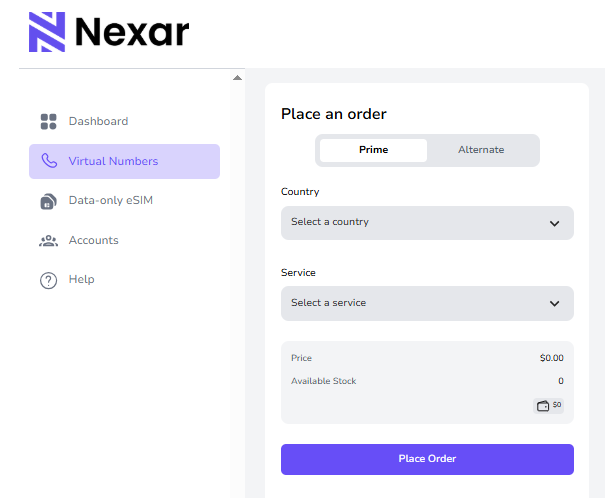
    2. Choose either Prime or Alternate categories.
    3. Pick a PayPal-supported country like the US, UK, or Canada.
    4. Under “Services,” select PayPal Verification.
    5. Place your order and get your new virtual number.
    6. Monitor OTP delivery directly on your Nexar dashboard.

    That’s it. You now have a working virtual number for PayPal.

    Step-by-Step: Using Your New Number

    After you buy number for PayPal verification, here’s how to apply it:

    1. Sign in to your PayPal account.
    2. Go to Settings > Phone Numbers.
    3. Add your new Nexar virtual number.
    4. Request the OTP.
    5. Open your Nexar dashboard to see the code.
    6. Enter it on PayPal to complete verification.

    In less than 10 minutes, you’ll be verified and free to send or receive money.

    How to Get a US Number for PayPal Verification

    A lot of Nigerians specifically want to know how to get US number for PayPal verification. The good news is: when you buy a number on Nexar, you can choose the US option. That way, PayPal recognizes your account as linked to a US line, and you get smoother transactions with fewer restrictions.

    Extra Tips for Smooth PayPal Verification

    When using a virtual number, keep these in mind:

    • VPN Required → Use a VPN like IPVanish or Octohide. Match the VPN location to your number’s country.
    • Device Settings → Adjust your device’s time and date to that country.
    • Retry if Needed → Sometimes the OTP may delay. Try again or reach out to Nexar support.
    • Remember the Disclaimer → OTP delivery is controlled by PayPal, not Nexar.

    Why Nexar is the Best Place to Buy Number for PayPal Verification

    Not every provider is reliable. Some numbers don’t work. Others are overpriced. Nexar stands out because:

    • Numbers activate instantly.
    • You get access to 180+ countries.
    • Pricing is affordable and transparent.
    • 24/7 support means you’re never stuck.

    That’s why Nexar has become the go-to platform for Nigerians who want hassle-free international payments.

    FAQs on PayPal Verification in Nigeria

    1. Can I use Nigeria number to open PayPal?
    No, Nigerian numbers usually don’t receive OTPs. It’s better to buy number for PayPal verification.

    2. How to verify your PayPal account in Nigeria?
    Use a virtual number from Nexar, request your OTP, and enter it on PayPal.

    3. How to get PayPal account number in Nigeria?
    PayPal doesn’t use account numbers. Your email is your account ID.

    4. How to get US number for PayPal verification?
    Select the US option when you buy number for PayPal verification on Nexar.

    5. Is it safe to buy phone number for PayPal verification?
    Yes, as long as you use a trusted platform like Nexar.

    Final Thoughts

    PayPal has opened the doors for Nigerians to earn, shop, and trade globally. But without verification, those doors slam shut. The solution is simple: buy number for PayPal verification and remove that barrier. With Nexar, you’ll get your OTP quickly, verify your account, and enjoy full access to PayPal, without stress.

    Ready to verify your PayPal? Visit Nexar.com today and get your virtual number in minutes.

  • Enjoy Seamless Account Verifications with Nexar Virtual Numbers from 180+ Countries

    If you’ve ever tried to sign up for an app and got stuck at the “enter phone number” stage, you know how annoying it can be. Maybe the OTP never arrives. Maybe your local carrier isn’t supported. Or maybe you just don’t feel comfortable handing out your personal number to yet another app.

    This problem is more common than you think. Almost every platform today wants you to prove you’re real with a mobile number. It makes sense—they’re trying to block spam and fake accounts—but for regular people like us, it creates unnecessary stress.

    That’s why Nexar built a solution: virtual numbers. With Nexar, you can verify accounts on hundreds of platforms using numbers from over 180+ countries. No SIM cards. No long setups. Just pick a country, choose a service, and get your OTP instantly.

    In this guide, we’ll break down how Nexar virtual numbers work, why they’re better than using your personal line, and all the different platforms you can unlock with them. We’ll also show you step by step how to buy virtual numbers for verification without stress.

    What Is a Virtual Number?

    A virtual number is like a regular phone number, but it lives online instead of on a physical SIM card. You don’t need to visit a mobile store or sign a contract with a telecom company. Instead, you log into Nexar, order the number you need, and use it instantly for verification.

    Think of it as borrowing a number for just as long as you need it. Maybe you’re signing up for PayPal and your Nigerian line isn’t working. Or maybe you’re on Tinder and don’t want your real number tied to your dating profile. A virtual number solves that problem.

    It gives you flexibility. It gives you privacy. And most importantly, it gives you access.

    Why Do You Need a Virtual Number

    Here’s the thing: nobody likes sharing their personal number everywhere. It opens the door to spam, robocalls, and sometimes even scams. On top of that, not every app supports Nigerian or African numbers.

    That’s why people use Nexar:

    • To verify accounts without stress – Stop waiting hours for codes that never arrive.
    • To protect personal numbers – Keep your main line safe for family, friends, and work.
    • To access apps not available in your region – With a number from another country, you can bypass restrictions.
    • To avoid permanent ties – If you only need the number once, no problem. Use it, verify, and move on.

    Think about how many times you’ve given out your number just to sign up for something small. With Nexar, you can finally stop doing that.

    How Nexar Virtual Numbers Actually Work

    Nexar made the process so simple that anyone can use it. You don’t need to be tech-savvy. Here’s the flow:

    1. Download the Nexar app or go to the website.
    2. Log in and head to the “Numbers” section.
    3. Choose your country from the list (180+ available).
    4. Select the service you want to verify (TikTok, PayPal, Upwork, Telegram, etc.).
    5. Pay securely in naira or USD.
    6. Copy the number you’re given and paste it into the app or site you’re signing up for.
    7. The OTP arrives instantly in your Nexar account.

    No waiting or middlemen. Just a smooth verification process.

    Why Nexar Stands Out

    Plenty of platforms online claim to sell numbers, but many are shady or unreliable. Nexar is different because:

    • Global reach – You get access to numbers from over 180+ countries.
    • Instant delivery – OTPs land in seconds, not hours.
    • Currency conversion– You can pay in Naira or dollars. You can convert on the app.
    • Affordable rates – No hidden fees or inflated charges.
    • 24/7 support – If something goes wrong, you’ll always find help.
    • Simple interface – Clean design, easy to use.

    At Nexar, the focus isn’t just selling numbers. It’s solving the unique challenges people in Nigeria and across Africa face with digital platforms.

    Step-by-Step: How to Buy Virtual Numbers for Verification

    Nexar virtual numbers

    Let’s walk through it clearly:

    1. Sign up or log in on Nexar.
    2. Go to Numbers from your dashboard.
    3. Select country – maybe the US, UK, Canada, Germany, or even smaller regions.
    4. Pick a service – TikTok, PayPal, Fiverr, Bumble, Telegram, and more.
    5. Place your order and pay
    6. Copy the number and enter it into the app you’re verifying.
    7. Get your OTP instantly in Nexar.

    Done. You’re verified and ready to go.

    Wide Range of Apps Nexar Can Verify

    Nexar virtual numbers don’t just work on one or two apps. You can use them across a huge range of platforms. Here are some of them:

    Social Media Platforms

    • TikTok
    • WhatsApp
    • Telegram
    • Instagram
    • Facebook
    • Twitter (X)
    • Snapchat
    • Twitch

    Dating Platforms

    • Tinder
    • Bumble
    • BLK
    • Upward
    • Ashley Madison
    • OurTime
    • Double List
    • Bumble

    Freelance & Payment Platforms

    • Upwork
    • Fiverr

    Payment Platforms

    • PayPal
    • Skrill
    • Wise

    Survey & Reward Platforms

    • Swagbucks
    • Five survey
    • Nice survey
    • Adgates
    • Branded survey

    Other Platform

    This list is just scratching the surface. Nexar is constantly updating supported platforms, so if you don’t see your favorite app here, just log in to the Nexar app and check the list of available services.

    When Should You Use a Virtual Number?

    There are so many scenarios where a Nexar virtual number comes in handy:

    • Creating multiple accounts – Maybe you’re running several social media profiles. A virtual number lets you manage them without reusing your personal line.
    • Protecting your privacy – For platforms like dating apps or surveys, keep your main number out of reach.
    • Accessing blocked apps – If an app doesn’t accept your country’s numbers, you can use a Nexar number from another region.
    • One-time verifications – Sometimes you just need an OTP once. A virtual number is the cleanest solution.

    It’s about freedom, security, and flexibility all at once.

    FAQs About Nexar Virtual Numbers

    Are Nexar virtual numbers permanent?


    No. They’re mainly one-time numbers designed for verification. But once your account is verified, it stays linked—even if the number expires.

    Can I make calls or send texts?


    No. Nexar numbers are for verification only, not for voice calls or SMS chatting.

    How many apps are supported?


    Hundreds. From social apps to payments and freelance platforms. The list grows daily, so always check Nexar for updates.

    What happens if my OTP doesn’t arrive?


    Nexar’s support team works 24/7 to help. You’ll either get your issue fixed or receive another number.

    Extra Tips for Using Nexar Numbers Safely

    • Match regions carefully: If you’re creating a US PayPal account, pick a US virtual number.
    • Keep your codes private: Don’t share screenshots or OTPs with anyone.
    • Use trusted apps only: Stick to Nexar and avoid random sellers online.

    Final Thoughts

    In a world where every platform wants a phone number, getting stuck at verification can feel like hitting a brick wall. But with Nexar, it doesn’t have to be.

    You get virtual numbers from over 180+ countries, delivered instantly, ready to verify almost any platform you can think of—whether it’s TikTok, PayPal, Tinder, Fiverr, or survey apps. You stay in control of your privacy, avoid spam, and unlock apps that would otherwise shut you out.

    So next time you need to buy virtual numbers for verification, don’t waste time on unreliable sellers. Go straight to Nexar and enjoy seamless verification, anytime, anywhere.

    Download the Nexar app today and experience the freedom of verification without limits.

  • How to Use a Virtual Number for Gmail Verification with Nexar

    Your Gmail account is more than just email. It’s your login to YouTube, Google Drive, Google Ads, Docs, Calendar, Meet, and more. Whether you’re a creator, entrepreneur, freelancer, student, or everyday user, Google runs a large part of your online world.

    But when you need multiple Gmail accounts or want to protect your identity online, using your personal phone number every time becomes risky, messy, and limiting.

    That’s why Nexar’s virtual numbers are the ultimate digital tool for people who want control, flexibility, and freedom.

    Whether you’re setting up a virtual number for Gmail verification, for personal use, business, freelancing, or multiple projects, one thing is always required:

    Phone number verification.

    Instead of using your personal number over and over, there’s a smarter and safer way; Nexar virtual numbers. In just a few minutes, you can verify a Gmail account, protect your privacy, and simplify account management.

    🔑 Why Gmail Needs Phone Number Verification

    To prevent spam and increase security, Google often asks for a phone number to:

    • Verify new accounts
    • Enable two-factor authentication (2FA)
    • Recover forgotten passwords
    • Ensure account safety during suspicious activity

    But using the same number over and over again can lead to:

    • Google blocking or limiting new registrations
    • Security risks if your number is compromised
    • Mixing up work and personal accounts

    🌐 What Is a Virtual Number (and Why You Need One)?

    A virtual number is a real phone number you can use to receive SMS online without needing a physical SIM card or device.

    With Nexar, you get access to verified virtual numbers from over 180+ countries. These can be used to receive Gmail verification codes and secure your Google account just like a regular mobile number.

    🚀 Benefits of Using Nexar Virtual Numbers with Gmail

    1. Privacy Protection

    Avoid giving out your real number especially on public or shared accounts. Your personal line stays private and secure.

    2. Manage Multiple Gmail Accounts Easily

    Create different Gmail accounts for personal use, business, freelancing, projects, or even testing without running into Google’s limit issues.

    3. Ideal for Remote Work and Global Access

    Get a U.S. or U.K. number while living in another country. Set up accounts that match your business audience or international market.

    4. Perfect for Freelancers and Small Businesses

    Need separate emails for client work or branding? Use Nexar numbers to create multiple verified Gmail accounts without confusion.

    📱 How to Use a Nexar Virtual Number for Gmail Verification

    Step-by-step guide:

    • Sign up and go to Virtual Numbers
    • Choose a number from your preferred country
    • Enter your Nexar number when prompted
    • Wait for the verification SMS in your Nexar inbox
    • Complete the Gmail registration process

    Done! You now have a fully functional, verified Gmail account without exposing your real number.

    🧠 Who Should Use Nexar for Gmail?

    • Digital entrepreneurs managing multiple brands
    • Influencers with different social accounts
    • Freelancers who work across platforms and clients
    • Agencies setting up accounts for clients
    • Students using Gmail for personal, school, and work purposes
    • Anyone looking to keep their online life organized and private

    💼 More Than Just Gmail: What Else Can Nexar Do?

    With Nexar, you also unlock:

    • Virtual numbers for WhatsApp, Telegram, Signal, Facebook, Fiverr, Plenty of Fish, and more
    • eSIMs for mobile data without physical SIM cards
    • Account verification 

    All in one app. Built for your digital lifestyle.

    🎯 Final Thoughts: Control Your Digital Identity with Nexar

    Google might control your digital tools but you should control how you access them. With Nexar, verifying your Gmail account becomes safer, faster, and smarter.

    Whether you’re managing a digital business, building a brand, or just taking your privacy seriously, Nexar helps you do it with confidence.

    Ready to register your next Gmail account securely?

    Visit Nexarhq.com now and get your virtual number today, your digital life just got easier.

  • Stay Secure & In Control: Use a Virtual Number for Signal Verification with Nexar

    Stay Secure & In Control: Use a Virtual Number for Signal Verification with Nexar

    In a world where data privacy is becoming a major concern, apps like Signal have become essential for people who want safe, end-to-end encrypted communication. Whether you’re chatting with loved ones, clients, or team members, Signal ensures your conversations stay private.

    But even privacy first platforms like Signal require phone number verification to set up an account. For those who want to protect their personal number, Nexar provides the perfect solution, a virtual number for Signal verification that keeps your identity secure while unlocking the full power of Signal.

    Why Signal Is the #1 Choice for Private Messaging

    Signal isn’t just another chat app. It’s trusted by activists, journalists, tech experts, and privacy-first individuals because:

    • Every message and call is fully encrypted
    • There are no ads, trackers, or backdoors
    • It’s open source and community supported
    • It supports text, media, voice, and video calls
    • Signal is free to use, forever

    Why You Shouldn’t Use Your Real Number on Signal

    While Signal is designed for privacy, using your personal number can still expose you to:

    • Unwanted contact from strangers
    • Data leaks if your number is tied to other services
    • Identity exposure in work, activism, or sensitive discussions
    • Difficulty managing multiple communication profiles

    That’s where virtual numbers step in to give you full control.

    What Is a Virtual Number?

    A virtual number is a phone number that exists in the cloud, it’s not tied to a SIM card or physical device, and it can be used solely for SMS, calls, and account verification.

    With Nexar, you can buy virtual numbers from 180+ countries and receive texts or OTPs (one time passwords) right inside the app.

    Benefits of Using a Nexar Virtual Number for Signal Verification

    ✅ Privacy Protection

    Your real number stays hidden. You can safely use Signal without linking it to your actual identity.

    ✅ Separate Personal & Business Chat

    Need a line for clients, projects, or activism? Use a separate number without needing a second phone.

    ✅ Work Remotely, Globally

    Traveling or working abroad? Register with a local number from the region you need, no SIM swap required.

    ✅ Multiple Identities

    Create and manage multiple Signal accounts for different roles or organizations without conflict or confusion.

    How to Register on Signal Using a Nexar Virtual Number

    Getting started is simple:

    • Sign up:  Quick registration, visit Nexarhq.com to sign up.
    • Navigate to “Virtual numbers”
    • Choose your preferred country and purchase your number
    • Download and open the Signal app
    • Wait for the OTP (code) to arrive in your Nexar inbox
    • Enter the code and complete setup!

    You’re now ready to use Signal, privately and profesionally.

    More Than Just Signal: Nexar Is Your Digital Command Center

    With Nexar, you’re not just verifying Signal. You’re gaining access to a full suite of tools, including:

    • Account verifications for WhatsApp, Telegram, Instagram, Facebook, Fiverr, and more
    • eSIMs for affordable data worldwide
    • Social media boosting; likes, followers, and growth
    • Utility bill payments; airtime, data, cable, and ePins”

    Everything you need to stay connected and in control.

    Final Thoughts: Take Your Privacy to the Next Level

    Signal gives you powerful encryption. Nexar gives you the privacy layer, Signal doesn’t cover your number.

    If you’re ready to enjoy secure, stress free communication, it’s time to take control. Whether you’re a private individual, business professional, or digital explorer, Nexar’s virtual numbers offer the flexibility and safety you deserve.

    🔒 Don’t just use Signal, own your privacy. Get your virtual number from Nexar today and chat on your terms.